Removal SUBARU FORESTER 2004 Service Manual PDF
[x] Cancel search | Manufacturer: SUBARU, Model Year: 2004, Model line: FORESTER, Model: SUBARU FORESTER 2004Pages: 2870, PDF Size: 38.67 MB
Page 307 of 2870

WW-19
WIPER AND WASHER SYSTEM
Wiper Control Relay
12.Wiper Control Relay
A: REMOVAL
1) Disconnect the ground cable from battery.
2) Remove the right quarter lower trim.
3) Loosen the nut to remove control unit.
B: INSTALLATION
Install in the reverse order of removal.
C: INSPECTION
1) Disconnect the connector from the wiper control
relay.
2) Connect the positive (+) lead from the battery to
terminal 8 and the negative (−) lead to terminal 6.
Connect the positive (+) lead from the voltmeter to
terminal 3 and the negative (−) lead to ground.3) Measure the voltage when the wiper relay is op-
erated.
If operation is not as specified, replace the switch.
WW-00034
WW-00035
2143
6587
(A) Switch position
(B) Voltage
(C) ON
(D) 12 V
(E) 0 V
(F) 9±2 sec.
WW-00055
(A) (B)
(C)(D)
(E)
(F)
Page 308 of 2870

WW-20
WIPER AND WASHER SYSTEM
Headlight Washer
13.Headlight Washer
A: REMOVAL
1) Disconnect the ground cable from the battery.
2) Remove the front grille.
3) Remove the headlight.
4) Draw out headlight washer hose.
5) Disconnect hose (A) from valve (B).
NOTE:
Washer fluid may drain from valve. Put a pan under
the valve, then disconnect valve from hose while
pinching the hose edge.
6) Remove nozzle cover (A).
7) Push the three pawls to remove outer nozzle (A).
Then pull out inner nozzle (B).
NOTE:
Before pushing the outer nozzle pawls, cover the
bumper to avoid scratches.
B: INSTALLATION
Install in the reverse order of removal.
WW-00102
(B) (A)
(A)
WW-00109
(A)
WW-00110
(A)
(B)
Page 315 of 2870
ET-5
ENTERTAINMENT
Radio Body
4. Radio Body
A: REMOVAL
1) Disconnect the ground cable from battery.
2) Remove the front cover.
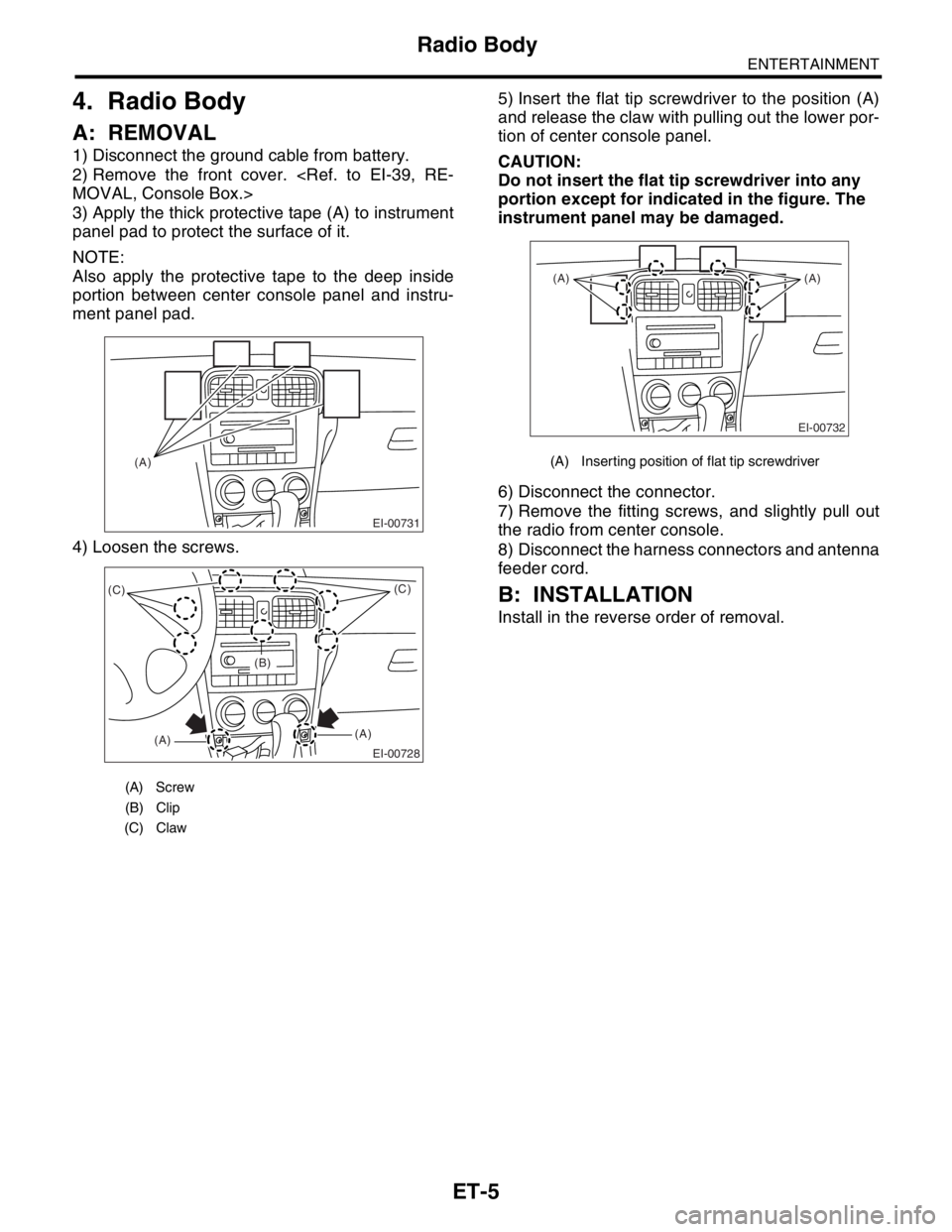
3) Apply the thick protective tape (A) to instrument
panel pad to protect the surface of it.
NOTE:
Also apply the protective tape to the deep inside
portion between center console panel and instru-
ment panel pad.
4) Loosen the screws.5) Insert the flat tip screwdriver to the position (A)
and release the claw with pulling out the lower por-
tion of center console panel.
CAUTION:
Do not insert the flat tip screwdriver into any
portion except for indicated in the figure. The
instrument panel may be damaged.
6) Disconnect the connector.
7) Remove the fitting screws, and slightly pull out
the radio from center console.
8) Disconnect the harness connectors and antenna
feeder cord.
B: INSTALLATION
Install in the reverse order of removal.
(A) Screw
(B) Clip
(C) Claw
EI-00731
(A)
EI-00728
(C)
(A)(A)(C)
(B)
(A) Inserting position of flat tip screwdriver
EI-00732
(A) (A)
Page 316 of 2870
ET-6
ENTERTAINMENT
Front Speaker
5. Front Speaker
A: REMOVAL
1) Disconnect the ground cable from battery.
2) Remove the front door trim.
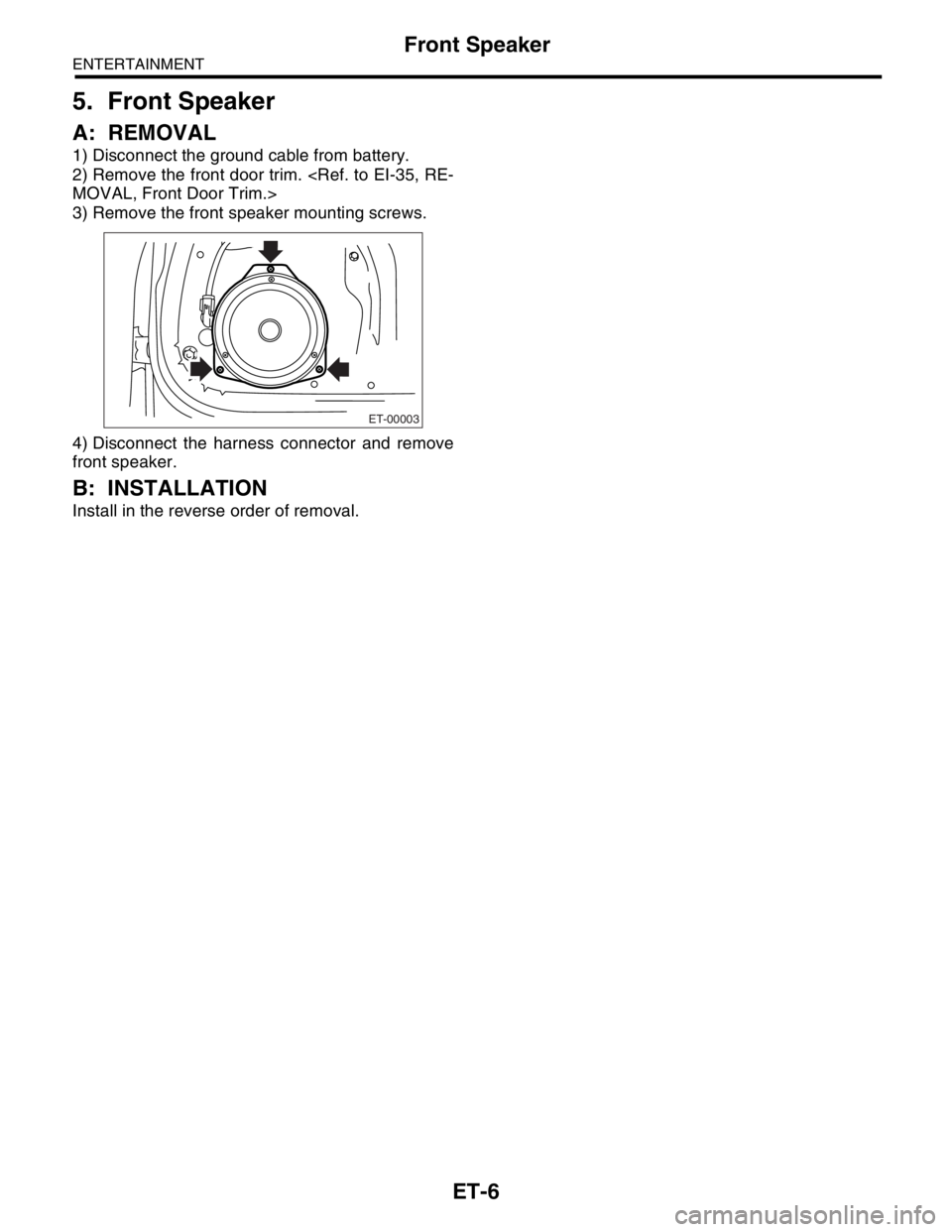
3) Remove the front speaker mounting screws.
4) Disconnect the harness connector and remove
front speaker.
B: INSTALLATION
Install in the reverse order of removal.
ET-00003
Page 318 of 2870
ET-8
ENTERTAINMENT
Antenna Amplifier
7. Antenna Amplifier
A: REMOVAL
1) Disconnect the ground cable from battery.
2) Remove the rear quarter upper trim.
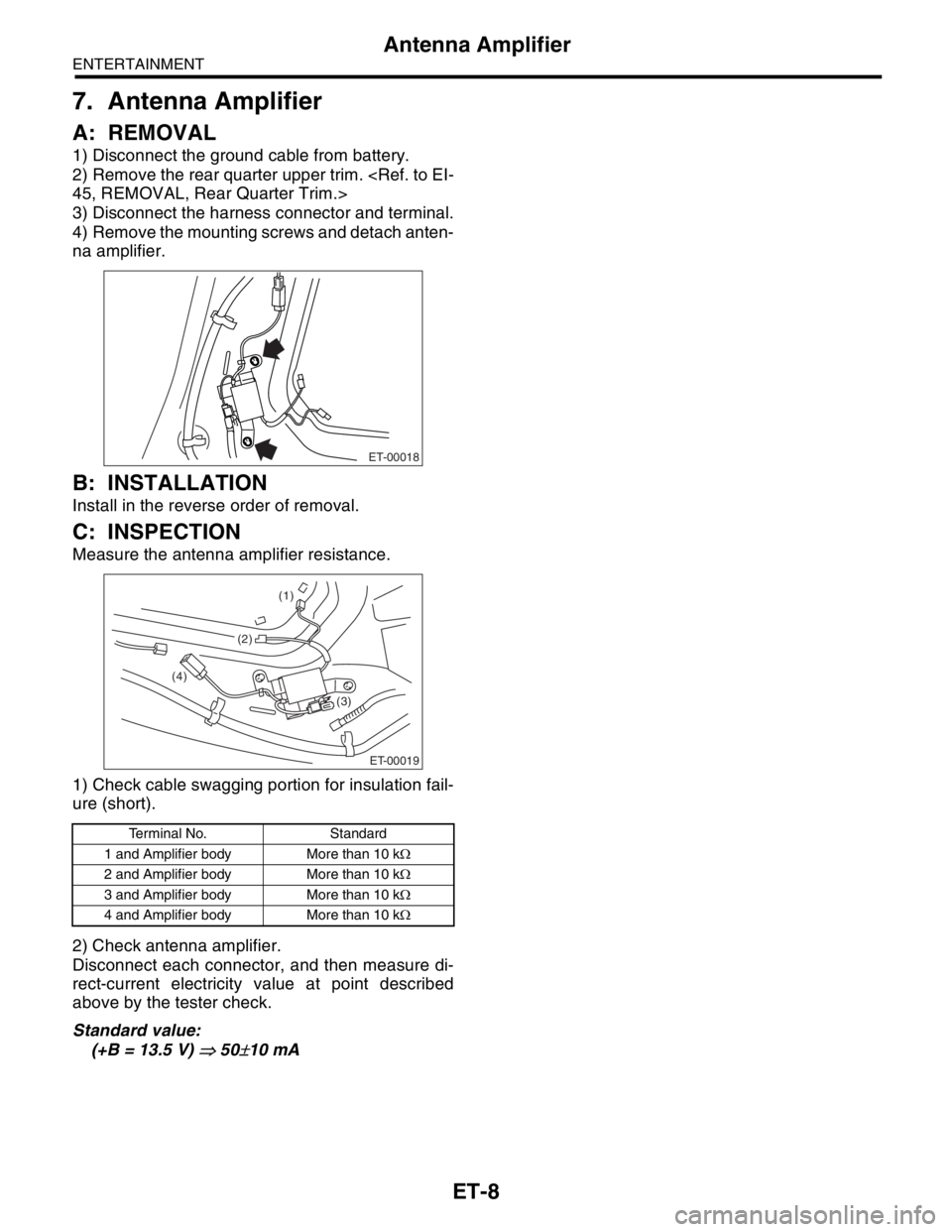
3) Disconnect the harness connector and terminal.
4) Remove the mounting screws and detach anten-
na amplifier.
B: INSTALLATION
Install in the reverse order of removal.
C: INSPECTION
Measure the antenna amplifier resistance.
1) Check cable swagging portion for insulation fail-
ure (short).
2) Check antenna amplifier.
Disconnect each connector, and then measure di-
rect-current electricity value at point described
above by the tester check.
Standard value:
(+B = 13.5 V)
⇒ 50±10 mA
Terminal No. Standard
1 and Amplifier body More than 10 kΩ
2 and Amplifier body More than 10 kΩ
3 and Amplifier body More than 10 kΩ
4 and Amplifier body More than 10 kΩ
ET-00018
ET-00019
(3) (4)
(1)
(2)
Page 319 of 2870
ET-9
ENTERTAINMENT
Front Accessory Power Supply Socket
8. Front Accessory Power Sup-
ply Socket
A: REMOVAL
1) Disconnect the ground cable from battery.
2) Remove the front cover.
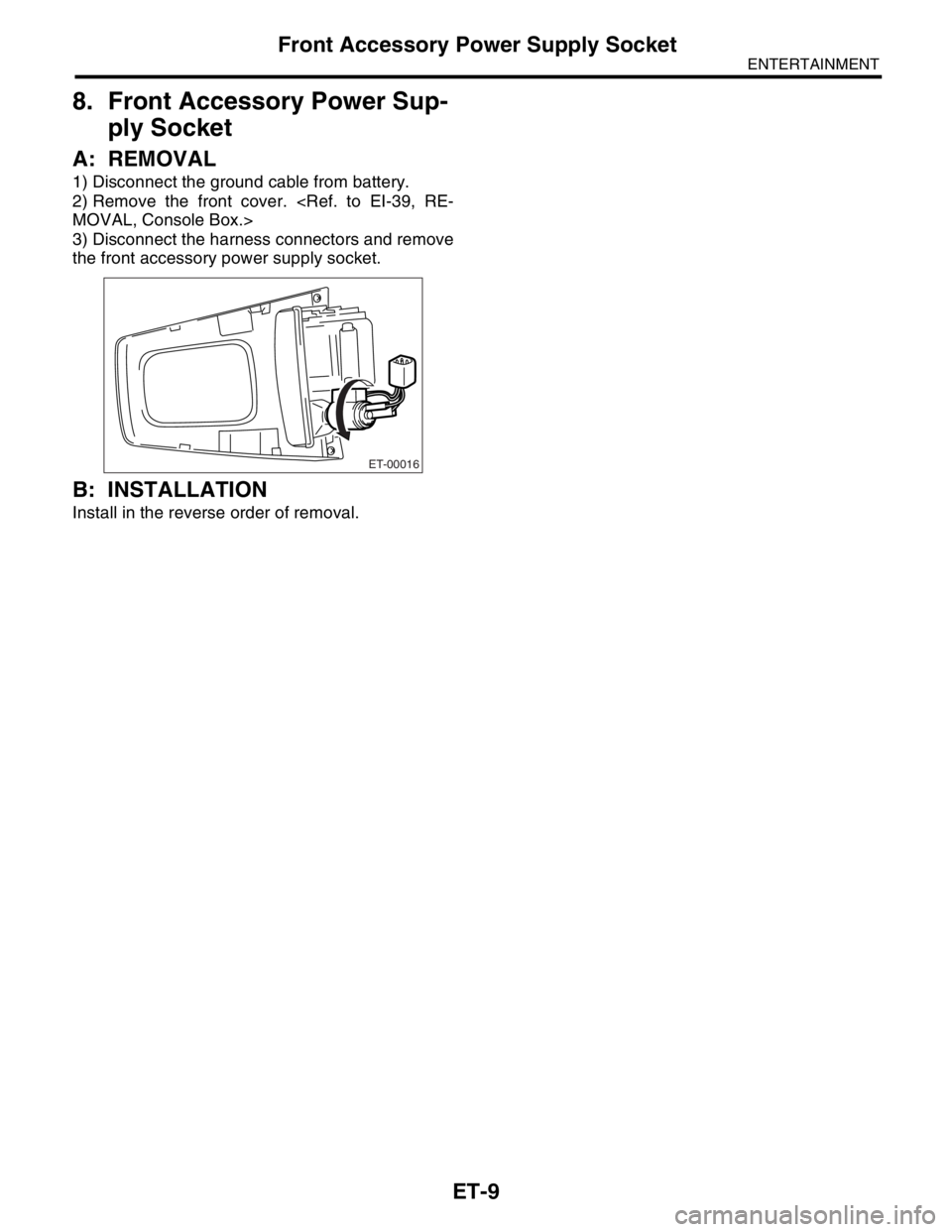
3) Disconnect the harness connectors and remove
the front accessory power supply socket.
B: INSTALLATION
Install in the reverse order of removal.
ET-00016
Page 326 of 2870
COM-4
COMMUNICATION SYSTEM
Horn
3. Horn
A: REMOVAL
1) Disconnect the ground cable from battery.
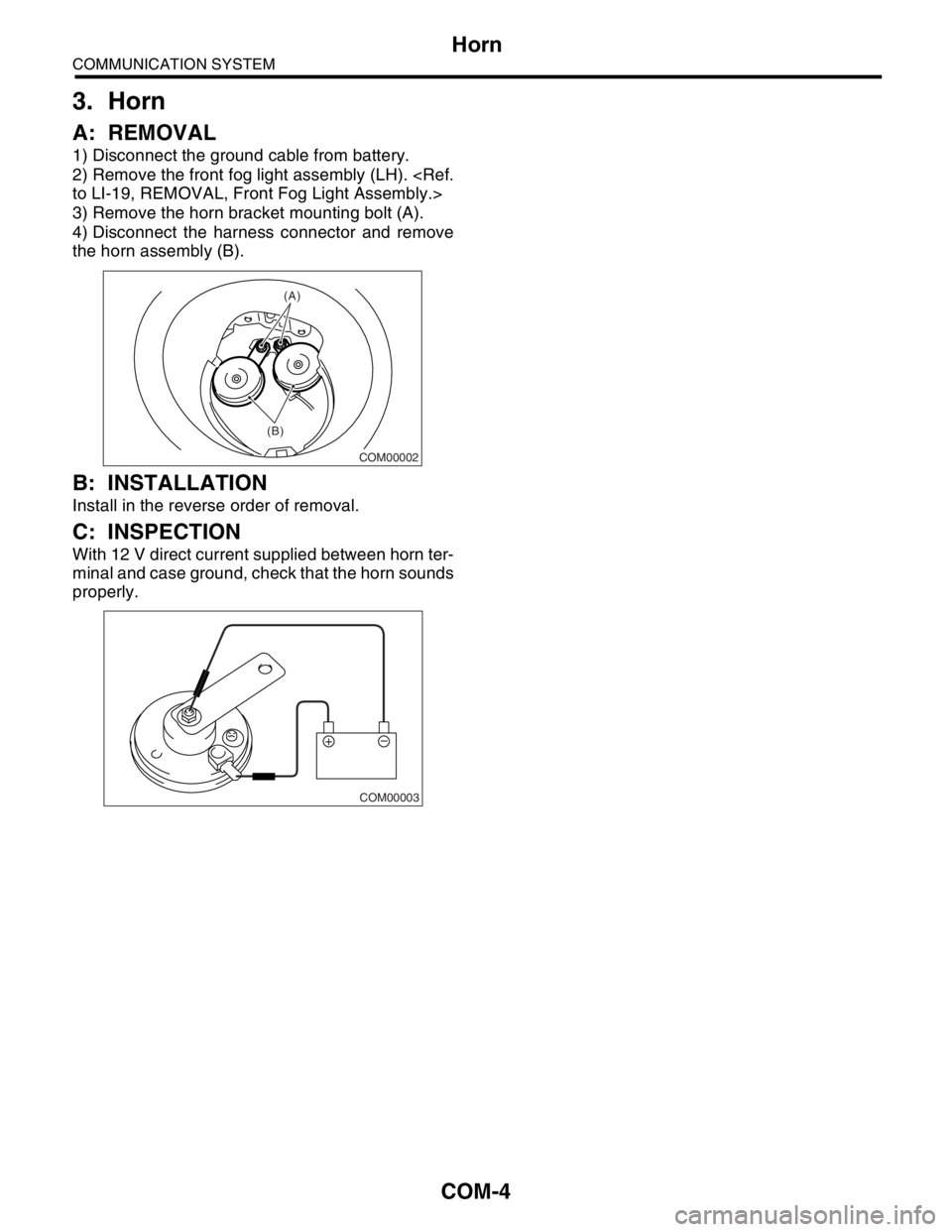
2) Remove the front fog light assembly (LH).
3) Remove the horn bracket mounting bolt (A).
4) Disconnect the harness connector and remove
the horn assembly (B).
B: INSTALLATION
Install in the reverse order of removal.
C: INSPECTION
With 12 V direct current supplied between horn ter-
minal and case ground, check that the horn sounds
properly.
COM00002
(B)(A)
COM00003
Page 327 of 2870
COM-5
COMMUNICATION SYSTEM
Horn Switch
4. Horn Switch
A: REMOVAL
WARNING:
Before servicing, be sure to read the notes in
the AB section for proper handling of the driver
airbag module.
1) Disconnect the ground cable from battery.
2) Remove the driver’s airbag module.
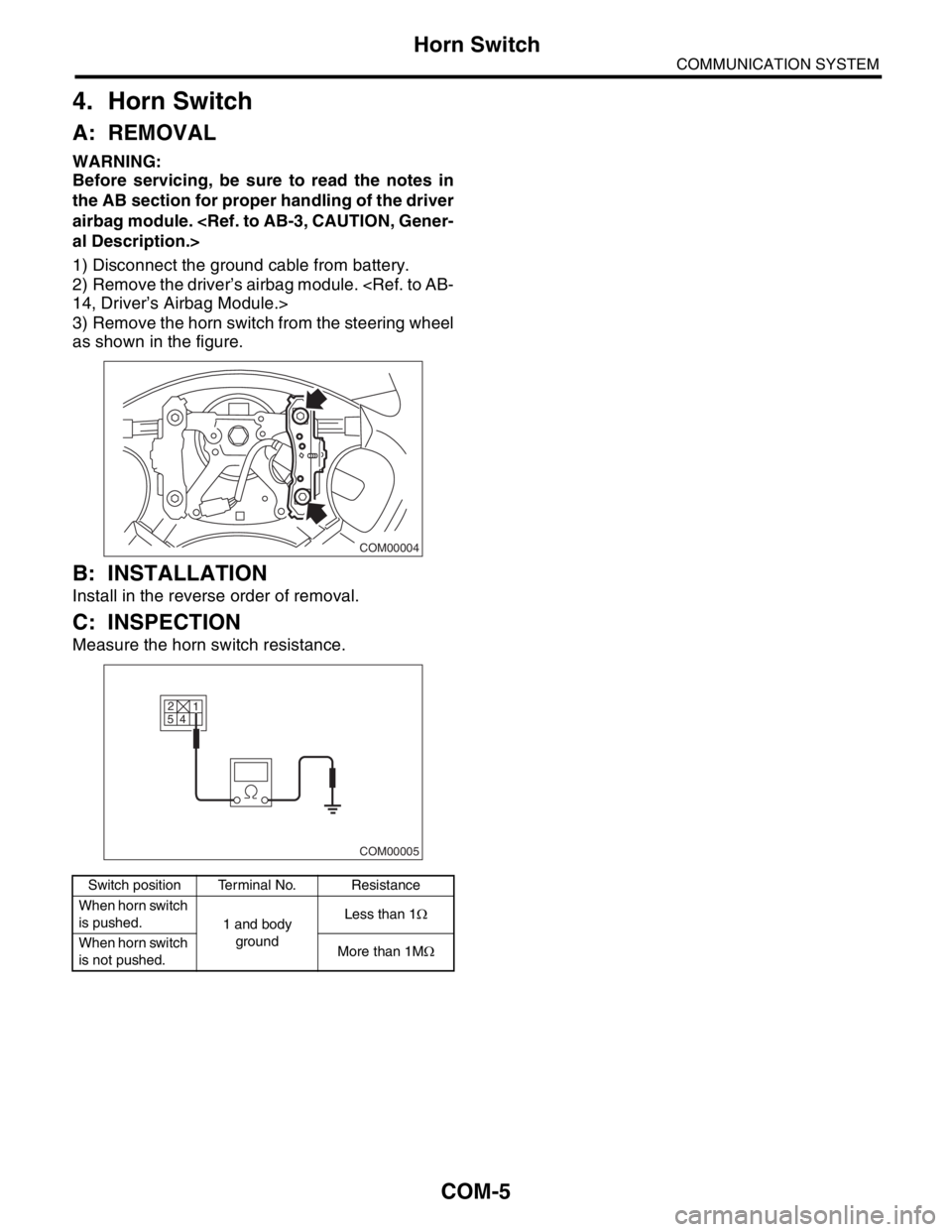
3) Remove the horn switch from the steering wheel
as shown in the figure.
B: INSTALLATION
Install in the reverse order of removal.
C: INSPECTION
Measure the horn switch resistance.
Switch position Terminal No. Resistance
When horn switch
is pushed.
1 and body
groundLess than 1Ω
When horn switch
is not pushed.More than 1MΩ
COM00004
2
5
4
COM00005
1
Page 335 of 2870
GW-5
GLASS/WINDOW/MIRROR
General Description
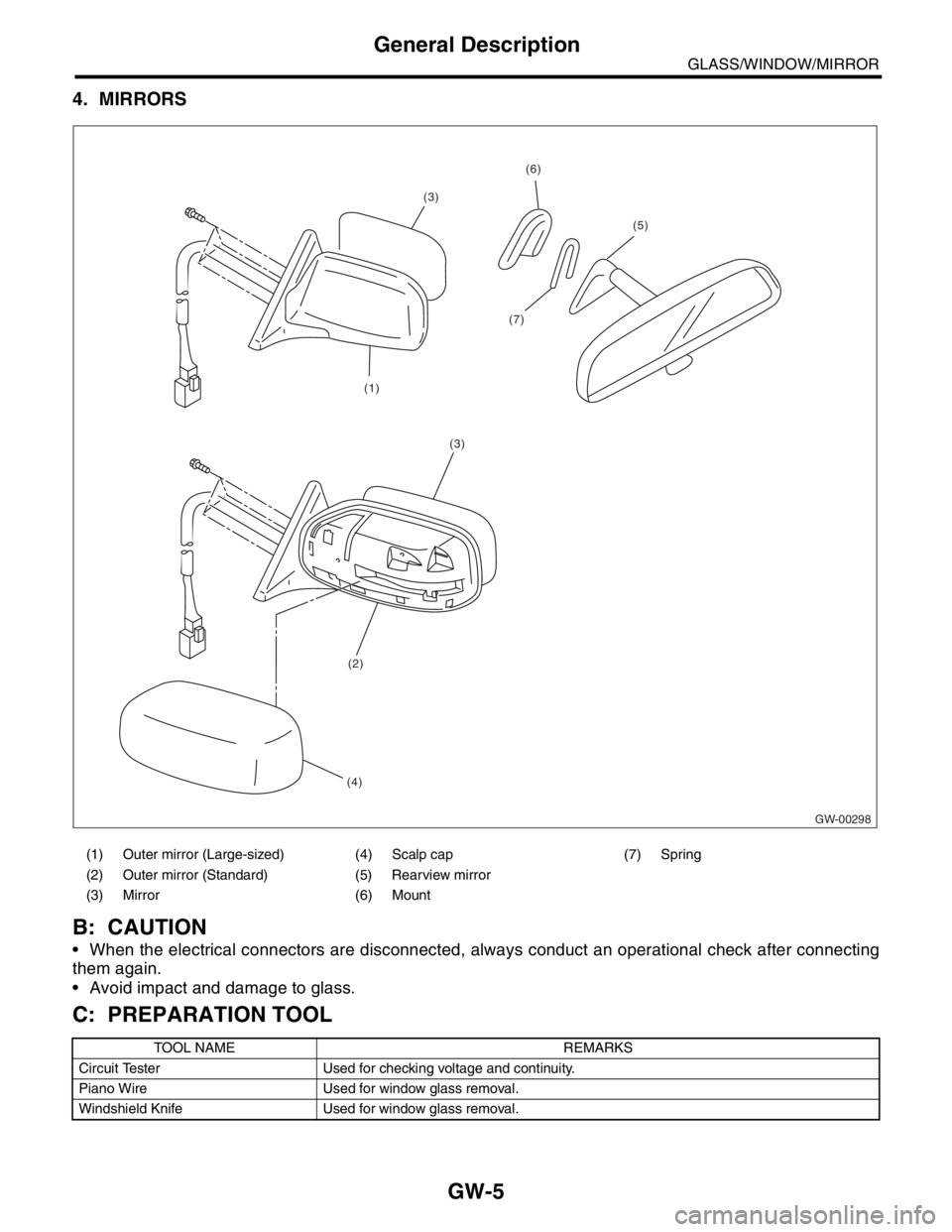
4. MIRRORS
B: CAUTION
When the electrical connectors are disconnected, always conduct an operational check after connecting
them again.
Avoid impact and damage to glass.
C: PREPARATION TOOL
(1) Outer mirror (Large-sized) (4) Scalp cap (7) Spring
(2) Outer mirror (Standard) (5) Rearview mirror
(3) Mirror (6) Mount
TOOL NAME REMARKS
Circuit Tester Used for checking voltage and continuity.
Piano Wire Used for window glass removal.
Windshield Knife Used for window glass removal.
GW-00298
(1)
(7)
(3)
(5)
(6)
(3)
(2)
(4)
Page 337 of 2870
GW-7
GLASS/WINDOW/MIRROR
Power Window Control Switch
3. Power Window Control
Switch
A: REMOVAL
1. MAIN SWITCH
1) Disconnect the ground cable from battery.
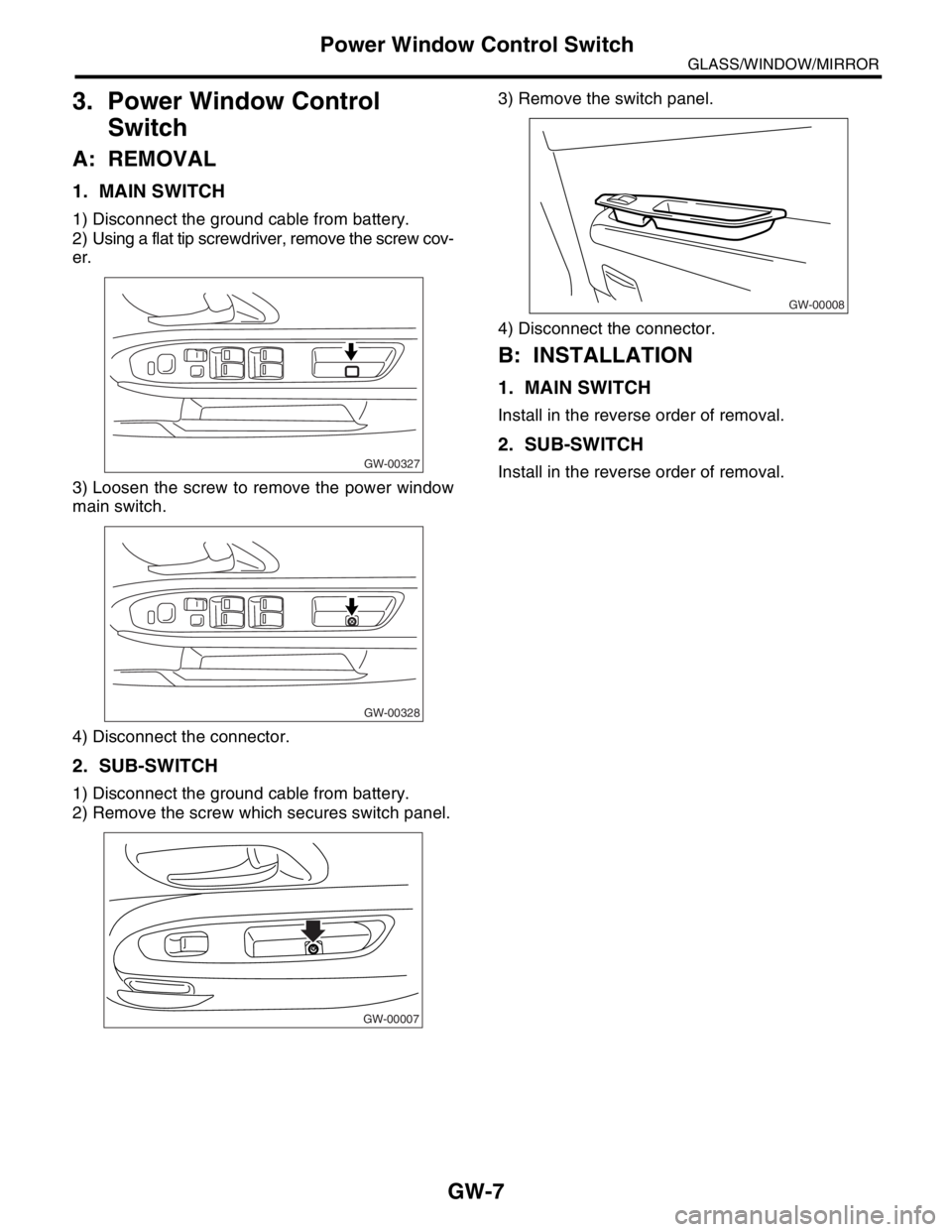
2) Using a flat tip screwdriver, remove the screw cov-
er.
3) Loosen the screw to remove the power window
main switch.
4) Disconnect the connector.
2. SUB-SWITCH
1) Disconnect the ground cable from battery.
2) Remove the screw which secures switch panel.3) Remove the switch panel.
4) Disconnect the connector.
B: INSTALLATION
1. MAIN SWITCH
Install in the reverse order of removal.
2. SUB-SWITCH
Install in the reverse order of removal.GW-00327
GW-00328
GW-00007
GW-00008