change time SUBARU FORESTER 2012 SH / 3.G User Guide
[x] Cancel search | Manufacturer: SUBARU, Model Year: 2012, Model line: FORESTER, Model: SUBARU FORESTER 2012 SH / 3.GPages: 438, PDF Size: 15.31 MB
Page 118 of 438
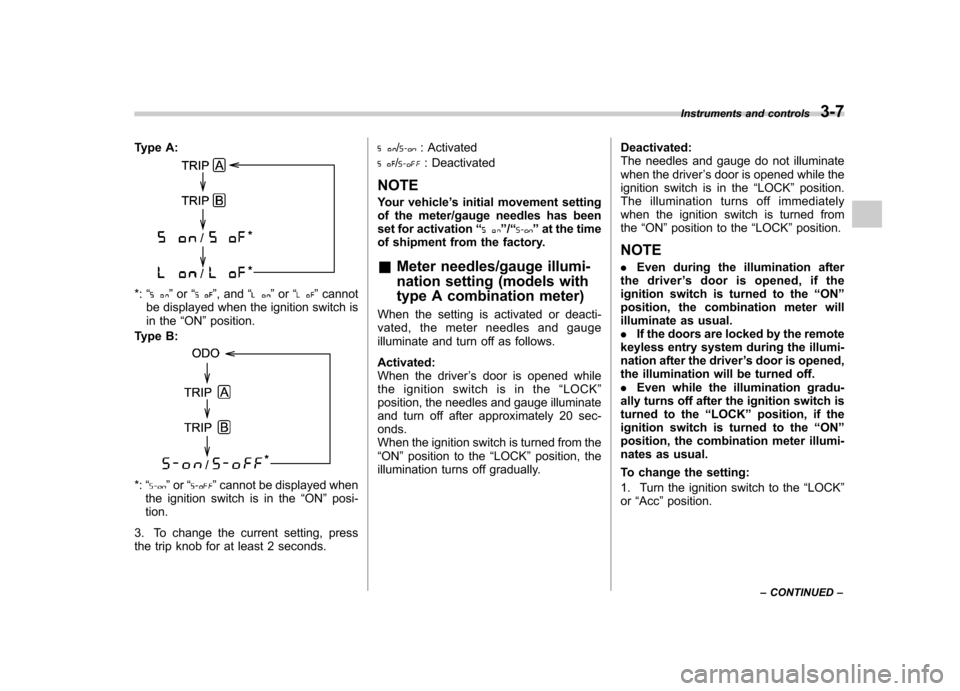
Type A:
*:“”or “”, and “”or “”cannot
be displayed when the ignition switch is
in the “ON ”position.
Type B:
*: “”or “”cannot be displayed when
the ignition switch is in the “ON ”posi-
tion.
3. To change the current setting, press
the trip knob for at least 2 seconds.
/: Activated
/: Deactivated
NOTE
Your vehicle ’s initial movement setting
of the meter/gauge needles has been
set for activation “
”/“” at the time
of shipment from the factory.
& Meter needles/gauge illumi-
nation setting (models with
type A combination meter)
When the setting is activated or deacti-
vated, the meter needles and gauge
illuminate and turn off as follows. Activated:
When the driver ’s door is opened while
the ignition switch is in the “LOCK ”
position, the needles and gauge illuminate
and turn off after approximately 20 sec-onds.
When the ignition switch is turned from the“ ON ”position to the “LOCK ”position, the
illumination turns off gradually. Deactivated:
The needles and gauge do not illuminate
when the driver
’s door is opened while the
ignition switch is in the “LOCK ”position.
The illumination turns off immediately
when the ignition switch is turned fromthe “ON ”position to the “LOCK ”position.
NOTE . Even during the illumination after
the driver ’s door is opened, if the
ignition switch is turned to the “ON ”
position, the combination meter will
illuminate as usual.. If the doors are locked by the remote
keyless entry system during the illumi-
nation after the driver ’s door is opened,
the illumination will be turned off.. Even while the illumination gradu-
ally turns off after the ignition switch is
turned to the “LOCK ”position, if the
ignition switch is turned to the “ON ”
position, the combination meter illumi-
nates as usual.
To change the setting:
1. Turn the ignition switch to the “LOCK ”
or “Acc ”position. Instruments and controls
3-7
– CONTINUED –
Page 119 of 438
3-8Instruments and controls
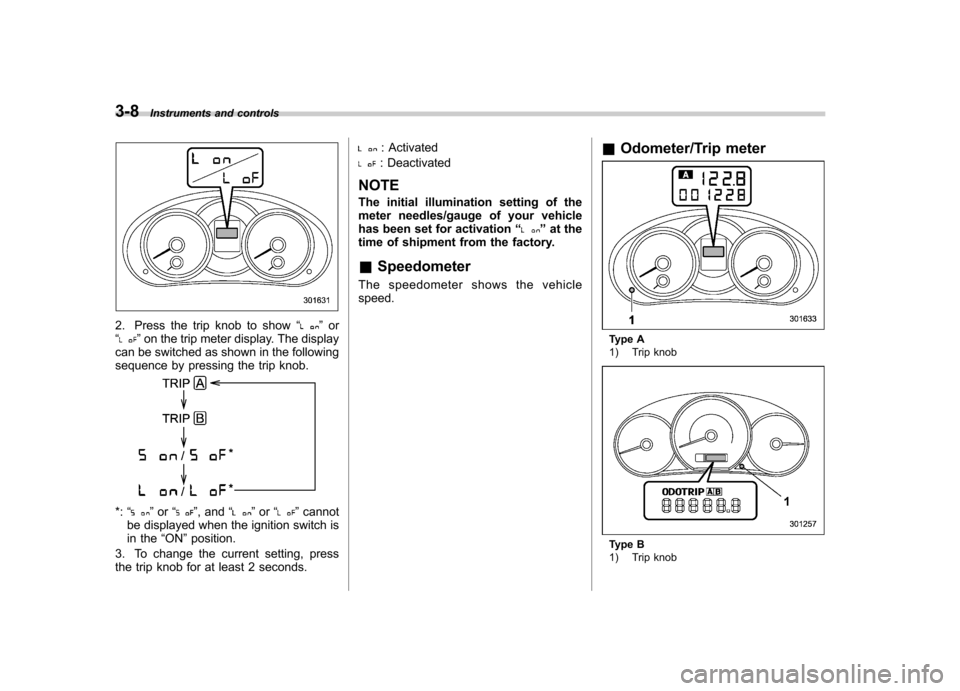
2. Press the trip knob to show “”or
“” on the trip meter display. The display
can be switched as shown in the following
sequence by pressing the trip knob.
*: “”or “”, and “”or “”cannot
be displayed when the ignition switch is
in the “ON ”position.
3. To change the current setting, press
the trip knob for at least 2 seconds.
: Activated
: Deactivated
NOTE
The initial illumination setting of the
meter needles/gauge of your vehicle
has been set for activation “
”at the
time of shipment from the factory.
& Speedometer
The speedometer shows the vehicle speed. &
Odometer/Trip meter
Type A
1) Trip knob
Type B
1) Trip knob
Page 128 of 438
RED:
Safely stop the vehicle as
soon as possible, and refer
to the emergency steps for the
engine overheating. After-
ward, have the system
checked by your nearest
SUBARU dealer. Refer to“En-
gine overheating ”F 9-13.
– Blinking in RED and BLUE
alternately:
The electrical system may be
malfunctioning. Contact your
SUBARU dealer for an inspec-tion.
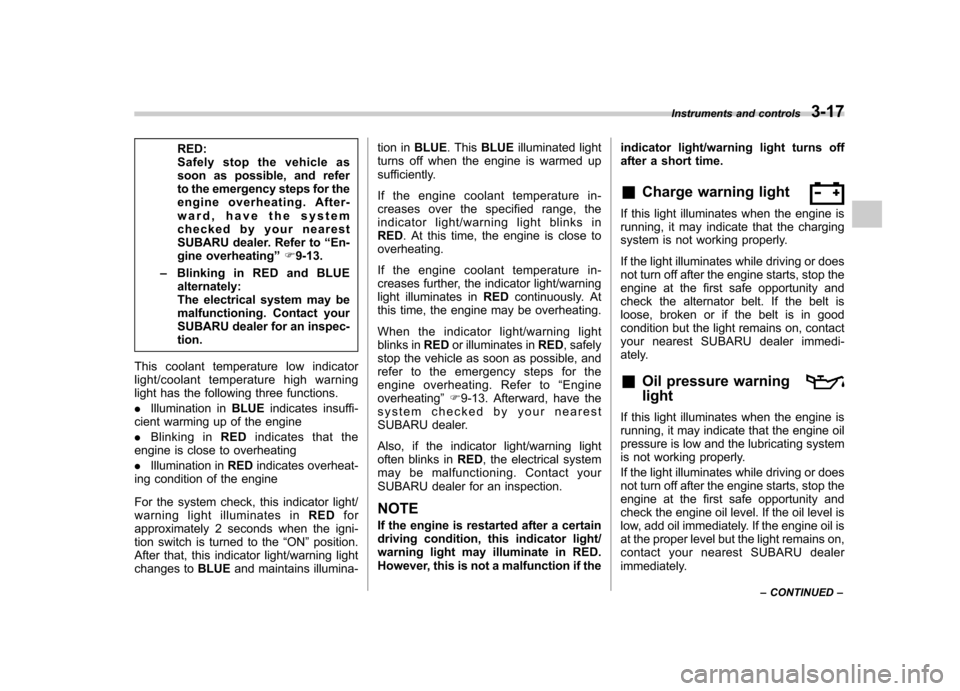
This coolant temperature low indicator
light/coolant temperature high warning
light has the following three functions. . Illumination in BLUEindicates insuffi-
cient warming up of the engine. Blinking in REDindicates that the
engine is close to overheating. Illumination in REDindicates overheat-
ing condition of the engine
For the system check, this indicator light/
warning light illuminates in REDfor
approximately 2 seconds when the igni-
tion switch is turned to the “ON ”position.
After that, this indicator light/warning light
changes to BLUEand maintains illumina- tion in
BLUE. This BLUE illuminated light
turns off when the engine is warmed up
sufficiently.
If the engine coolant temperature in-
creases over the specified range, the
indicator light/warning light blinks in RED . At this time, the engine is close to
overheating.
If the engine coolant temperature in-
creases further, the indicator light/warning
light illuminates in REDcontinuously. At
this time, the engine may be overheating.
When the indicator light/warning light
blinks in REDor illuminates in RED, safely
stop the vehicle as soon as possible, and
refer to the emergency steps for the
engine overheating. Refer to “Engine
overheating ”F 9-13. Afterward, have the
system checked by your nearest
SUBARU dealer.
Also, if the indicator light/warning light
often blinks in RED, the electrical system
may be malfunctioning. Contact your
SUBARU dealer for an inspection.
NOTE
If the engine is restarted after a certain
driving condition, this indicator light/
warning light may illuminate in RED.
However, this is not a malfunction if the indicator light/warning light turns off
after a short time. &
Charge warning light
If this light illuminates when the engine is
running, it may indicate that the charging
system is not working properly.
If the light illuminates while driving or does
not turn off after the engine starts, stop the
engine at the first safe opportunity and
check the alternator belt. If the belt is
loose, broken or if the belt is in good
condition but the light remains on, contact
your nearest SUBARU dealer immedi-
ately. &Oil pressure warning light
If this light illuminates when the engine is
running, it may indicate that the engine oil
pressure is low and the lubricating system
is not working properly.
If the light illuminates while driving or does
not turn off after the engine starts, stop the
engine at the first safe opportunity and
check the engine oil level. If the oil level is
low, add oil immediately. If the engine oil is
at the proper level but the light remains on,
contact your nearest SUBARU dealer
immediately. Instruments and controls
3-17
– CONTINUED –
Page 136 of 438
&High beam indicator light
This light shows that the headlights are in
the high beam mode.
This indicator light also illuminates when
the headlight flasher is operated. &Cruise control indica-
tor light
This light illuminates when the “CRUISE ”
main switch is pressed.
If you press the main switch button while
turning the ignition switch “ON ”, the cruise
control function is deactivated and the“ CRUISE ”indicator light flashes. To re-
activate the cruise control function, turn
the ignition switch back to the “Acc ”or
“ LOCK ”position, and then turn it again to
the “ON ”position.
& Cruise control set in-
dicator light
This light illuminates when vehicle cruising
speed has been set. &Front fog light indicator
light (if equipped)
This indicator light is on while the front fog
lights are on. &
Headlight indicator light
This indicator light illuminates when the
headlight switch is placed in the “”or
“” position. Clock
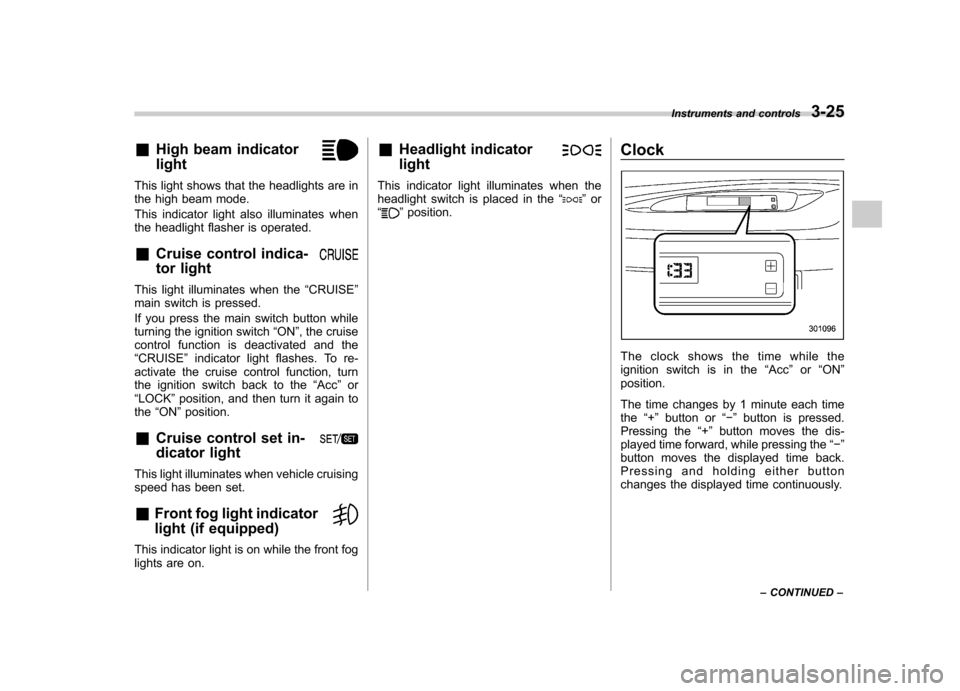
The clock shows the time while the
ignition switch is in the
“Acc ”or “ON ”
position.
The time changes by 1 minute each time the “+ ” button or “ ” button is pressed.
Pressing the “+ ” button moves the dis-
played time forward, while pressing the “ ”
button moves the displayed time back.
Pressing and holding either button
changes the displayed time continuously. Instruments and controls
3-25
– CONTINUED –
Page 142 of 438
&Daytime running light system
(if equipped)
WARNING
The brightness of the illumination of
the high beam headlights is reduced
by the daytime running light system.
The light switch must always be
turned to the “
”position when it
is dark outside.
The high beam headlights will automati-
cally illuminate at reduced brightness
when the engine has started, under the
following conditions: . The select lever is in a position other
than the “P ”position (AT models).
. The parking brake is fully released.
. The light switch is in the “OFF ”or “
”
position.
NOTE
When the light switch is in the “
”
position, the front side marker lights,
tail lights and license plate lights are
also illuminated. &
Automatic headlight beam
leveler (models with HID headlights)
The HID headlights generate more light
than conventional halogen headlights.
Therefore a driver of an oncoming vehicle
may experience too much glare when your
headlight beam height adjustment is high
due to the vehicle carrying heavy load.
The automatic headlight beam leveler
adjusts the headlight beam height auto-
matically and optimally according to the
load being carried by the vehicle.
The automatic headlight beam leveler has
a warning light on the combination meter.
Refer to “Automatic headlight beam leve-
ler warning light (models with HID head-lights) ”F 3-22. Turn signal lever
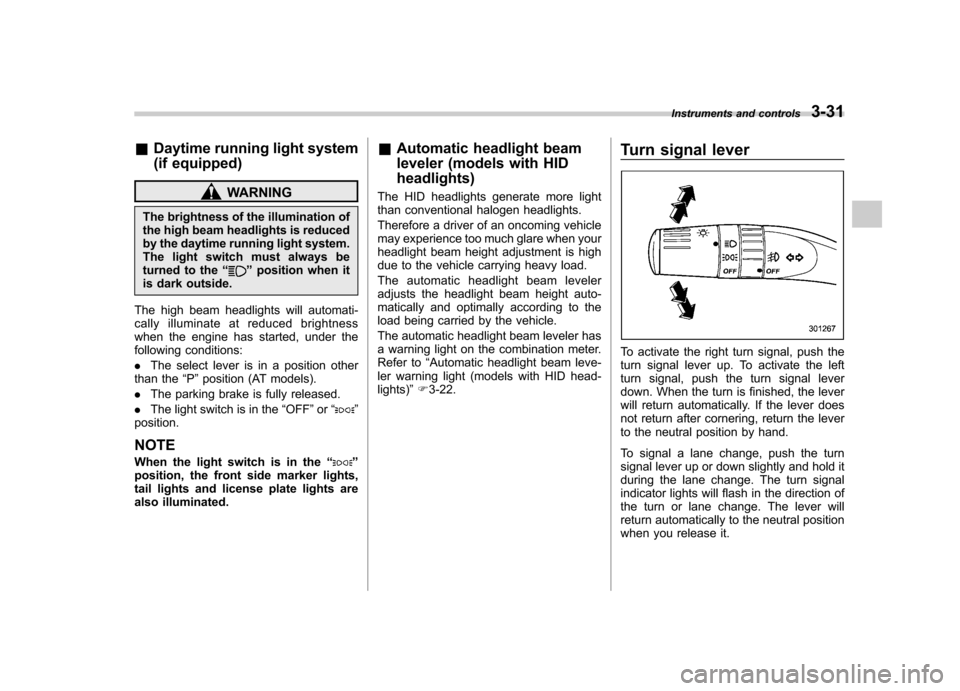
To activate the right turn signal, push the
turn signal lever up. To activate the left
turn signal, push the turn signal lever
down. When the turn is finished, the lever
will return automatically. If the lever does
not return after cornering, return the lever
to the neutral position by hand.
To signal a lane change, push the turn
signal lever up or down slightly and hold it
during the lane change. The turn signal
indicator lights will flash in the direction of
the turn or lane change. The lever will
return automatically to the neutral position
when you release it.Instruments and controls
3-31
Page 170 of 438
heated interior. This results in quicker
cooling by the air conditioner. Keep the
windows closed during the operation of
the air conditioner for maximum cooling
efficiency. &Lubrication oil circulation in
the refrigerant circuit
Operate the air conditioner compressor at
a low engine speed (at idle or low driving
speeds) a few minutes each month during
the off-season to circulate its oil. & Checking air conditioning
system before summer sea-son
Check the air conditioner unit for refriger-
ant leaks, hose conditions, and proper
operation each spring. Have the air con-
ditioning system checked by your
SUBARU dealer. & Cooling and dehumidifying in
high humidity and low tem-
perature weather conditions
Under certain weather conditions (high
relative humidity, low temperatures, etc.) a
small amount of water vapor emission
from the air outlets may be noticed. This
condition is normal and does not indicate
any problem with the air conditioning system.
& Air conditioner compressor
shut-off when engine is
heavily loaded
To improve acceleration and gas mileage,
the air conditioner compressor is designed
to temporarily shut off during air condi-
tioner operation whenever the accelerator
pedal is fully depressed such as during
rapid acceleration or when driving on a
steep upgrade. & Refrigerant for your climate
control system
Your air conditioner uses ozone friendly
refrigerant HFC134a. Therefore, the meth-
od of adding, changing or checking the
refrigerant is different from the method for
CFC12 (freon). Consult your SUBARU
dealer for service. Repairs needed as a
result of using the wrong refrigerant are
not covered under warranty. Air filtration system
Replace the filter element according to the
replacement schedule as follows. This
schedule should be followed to maintain
the filter
’s dust collection ability. Under
extremely dusty conditions, the filter
should be replaced more frequently. It is
recommended that you have your filter
checked or replaced by your SUBARU
dealer. For replacement, use only a
genuine SUBARU air filter kit.
Replacement schedule: Every 12 months or 7,500 miles (12,000
km) whichever comes first
CAUTION
Contact your SUBARU dealer if the
following occurs, even if it is not yet
time to change the filter. – Reduction of the airflow through
the vents.
– Windshield gets easily fogged ormisted.
NOTE
The filter can influence the air condi-
tioning, heating and defroster perfor- Climate control
4-11
– CONTINUED –
Page 187 of 438
5-14Audio
This function may not be available when
radio signals are weak. When this hap-
pens, perform manual tuning to select the
desired station. !Scan tuning (SCAN)
Type A and B audio*
1
Type C audio*1
Type D audio*2
*1: Press the button briefly.
*2: Press and hold the button.
If you press the “SCAN ”button, the radio
will switch to the scan mode. In this mode,
the radio scans through the radio band
until a receivable station is found. The
radio will stop at the station for 5 seconds
(type A, B and C audio)/10 seconds (type
D audio) while displaying the frequency,
after which scanning will continue until the
entire band has been scanned.
Press the “SCAN ”button again to cancel
the SCAN mode and to stop at any
displayed channel.
Automatic tuning may not function prop-
erly if the station reception is weakened by
distance from the station or proximity to tall buildings and hills. !
PTY (Program type) group tuning
(only FM reception)
Type A and B audio
Type C audio
Type D audio
Press the indicated button to change to
the PTY selection mode. At this time, the
PTY group that you are currently listening
to (type A, B and C audio)/that you
selected the last time (type D audio) will
be displayed for 10 seconds. In the PTY
selection mode, “PTY ”is displayed on the
screen. ! PTY (Program type) group selection
In the PTY selection mode, press the
following button to change the PTY group
by one step at a time. Type A and B audio:
PTY group up by
one step
PTY group down by
one step
Type C audio:
PTY group up by
one step
PTY group down by
one step
This operation only changes the display. It
does not change the station that is
currently being received. ! Seek in PTY (Program type) group
(type A, B and C audio)
Type A and B audio:
Seek up
Seek down
Page 197 of 438
5-24Audio
!Loading all the magazine (full disc
loading mode)
1. If you continue to press the
button for more than 1.5 seconds, the
player will produce beep sound and will
enter the full disc loading mode.
2. When the disc number indicator
flashes and “ALL LOAD ”indicator illumi-
nates, insert a disc within 15 seconds. If a
disc is successfully loaded during this
period, the disc number indicator will stop
blinking and will steadily light.
3. When the loading of a disc is com-
plete, the next disc number indicator will
blink. Then repeat step 2.
4. When the magazine is filled with discs
by repeating steps 2 and 3, the player will
start playback of the discs, beginning with
the one inserted first.
If you fail to insert any disc during each 15
seconds interval, the full disc loading
mode will be canceled, and the player will
start playback of the disc inserted first. & How to play back a CD
! When there is no CD inserted
Properly insert a CD. Refer to “How to
insert a CD (type A, C and D) ”F 5-23 /
“ How to insert a CD(s) (type B) ”F 5-23.
When a CD is loaded, the player will start
playback of the CD, beginning with the first track. !
When CD is in the player (type A)
When thebutton is pressed, the
player will start playback. ! When there are CDs loaded (type B)
Press a desired one of the disc select
buttons (from
to) the disc
number indicator of which steadily lights
up. The player will then start playback of
the selected CD, beginning with the firsttrack.
If a disc that the player cannot read has
been loaded, the player will display themessage “CHECK DISC ”.
! When CD is in the player (type C
and D)
Each brief press of the
button
changes the modes in the following sequence.
*: For type C audio, “BT-A ”is displayed.
When the CD mode is selected, the player
will start playback. &
To select a track from the beginning
Type A and B audio
Type C and D audio
Turn the “TUNE/TRACK/CH ”dial clock-
wise to skip to the beginning of the next
track. Each time the dial is turned, the
indicated track number will increase.
Turn the “TUNE/TRACK/CH ”dial counter-
clockwise to skip to the beginning of the
current track. Each time the dial is turned,
the indicated track number will decrease.
NOTE
With an MP3, WMA or AAC (type C and
D audio): . Skipping past the last track will take
you back to the first track in the folder. . Skipping past the first track will take
you to the last track in the folder.
Page 198 of 438
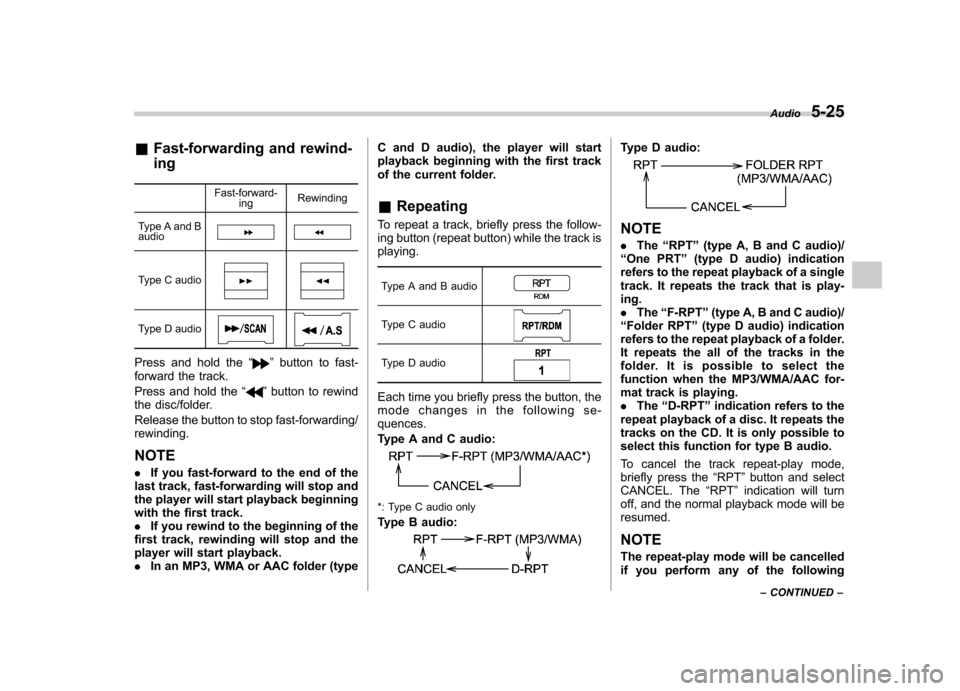
&Fast-forwarding and rewind- ing
Fast-forward-ing Rewinding
Type A and B audio
Type C audio
Type D audio
Press and hold the “”button to fast-
forward the track.
Press and hold the “
”button to rewind
the disc/folder.
Release the button to stop fast-forwarding/ rewinding.
NOTE . If you fast-forward to the end of the
last track, fast-forwarding will stop and
the player will start playback beginning
with the first track.. If you rewind to the beginning of the
first track, rewinding will stop and the
player will start playback.. In an MP3, WMA or AAC folder (type C and D audio), the player will start
playback beginning with the first track
of the current folder. &
Repeating
To repeat a track, briefly press the follow-
ing button (repeat button) while the track isplaying.
Type A and B audio
Type C audio
Type D audio
Each time you briefly press the button, the
mode changes in the following se-quences.
Type A and C audio:
*: Type C audio only
Type B audio:
Type D audio:
NOTE . The “RPT ”(type A, B and C audio)/
“ One PRT ”(type D audio) indication
refers to the repeat playback of a single
track. It repeats the track that is play-ing.. The “F-RPT ”(type A, B and C audio)/
“ Folder RPT ”(type D audio) indication
refers to the repeat playback of a folder.
It repeats the all of the tracks in the
folder. It is possible to select the
function when the MP3/WMA/AAC for-
mat track is playing.. The “D-RPT ”indication refers to the
repeat playback of a disc. It repeats the
tracks on the CD. It is only possible to
select this function for type B audio.
To cancel the track repeat-play mode,
briefly press the “RPT ”button and select
CANCEL. The “RPT ”indication will turn
off, and the normal playback mode will beresumed.
NOTE
The repeat-play mode will be cancelled
if you perform any of the following Audio
5-25
– CONTINUED –
Page 199 of 438
5-26Audio
steps. .Press the “
”button.
. Press the disc select button (type B
audio). . Press the “SCAN ”button (type A, B
and C audio).. Press the “LOAD ”button when
there is free space in the CD magazine
(type B audio).
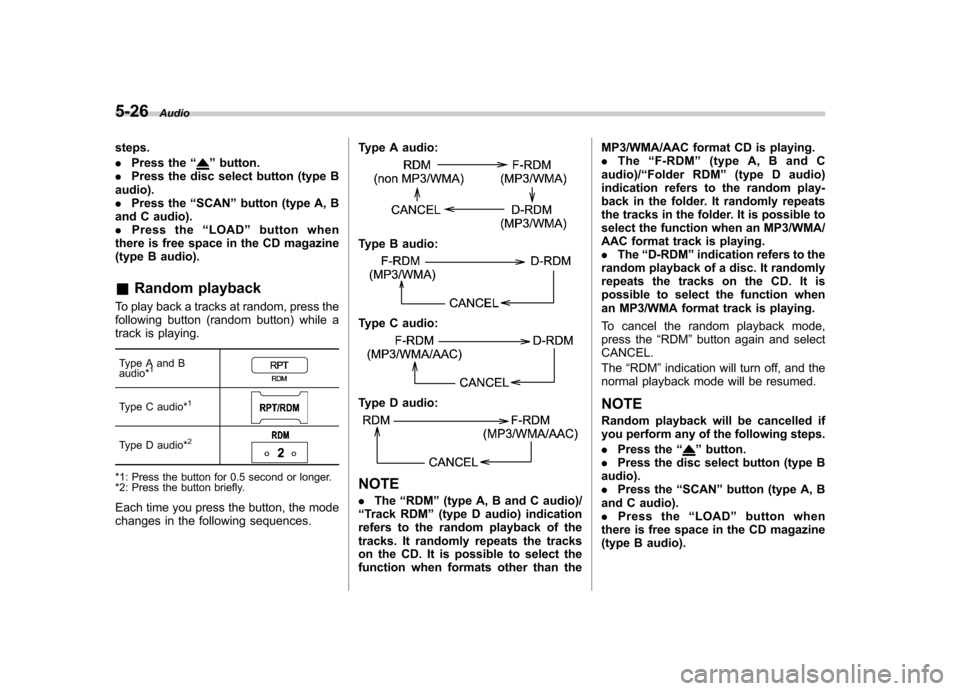
& Random playback
To play back a tracks at random, press the
following button (random button) while a
track is playing.
Type A and B audio*
1
Type C audio*1
Type D audio*2
*1: Press the button for 0.5 second or longer.
*2: Press the button briefly.
Each time you press the button, the mode
changes in the following sequences. Type A audio:
Type B audio:
Type C audio:
Type D audio:
NOTE .
The “RDM ”(type A, B and C audio)/
“ Track RDM ”(type D audio) indication
refers to the random playback of the
tracks. It randomly repeats the tracks
on the CD. It is possible to select the
function when formats other than the MP3/WMA/AAC format CD is playing..
The “F-RDM ”(type A, B and C
audio)/ “Folder RDM ”(type D audio)
indication refers to the random play-
back in the folder. It randomly repeats
the tracks in the folder. It is possible to
select the function when an MP3/WMA/
AAC format track is playing.. The “D-RDM ”indication refers to the
random playback of a disc. It randomly
repeats the tracks on the CD. It is
possible to select the function when
an MP3/WMA format track is playing.
To cancel the random playback mode,
press the “RDM ”button again and select
CANCEL. The “RDM ”indication will turn off, and the
normal playback mode will be resumed. NOTE
Random playback will be cancelled if
you perform any of the following steps. . Press the “
”button.
. Press the disc select button (type B
audio). . Press the “SCAN ”button (type A, B
and C audio).. Press the “LOAD ”button when
there is free space in the CD magazine
(type B audio).