start SUBARU FORESTER 2022 Getting Started Guide
[x] Cancel search | Manufacturer: SUBARU, Model Year: 2022, Model line: FORESTER, Model: SUBARU FORESTER 2022Pages: 156, PDF Size: 45.35 MB
Page 128 of 156
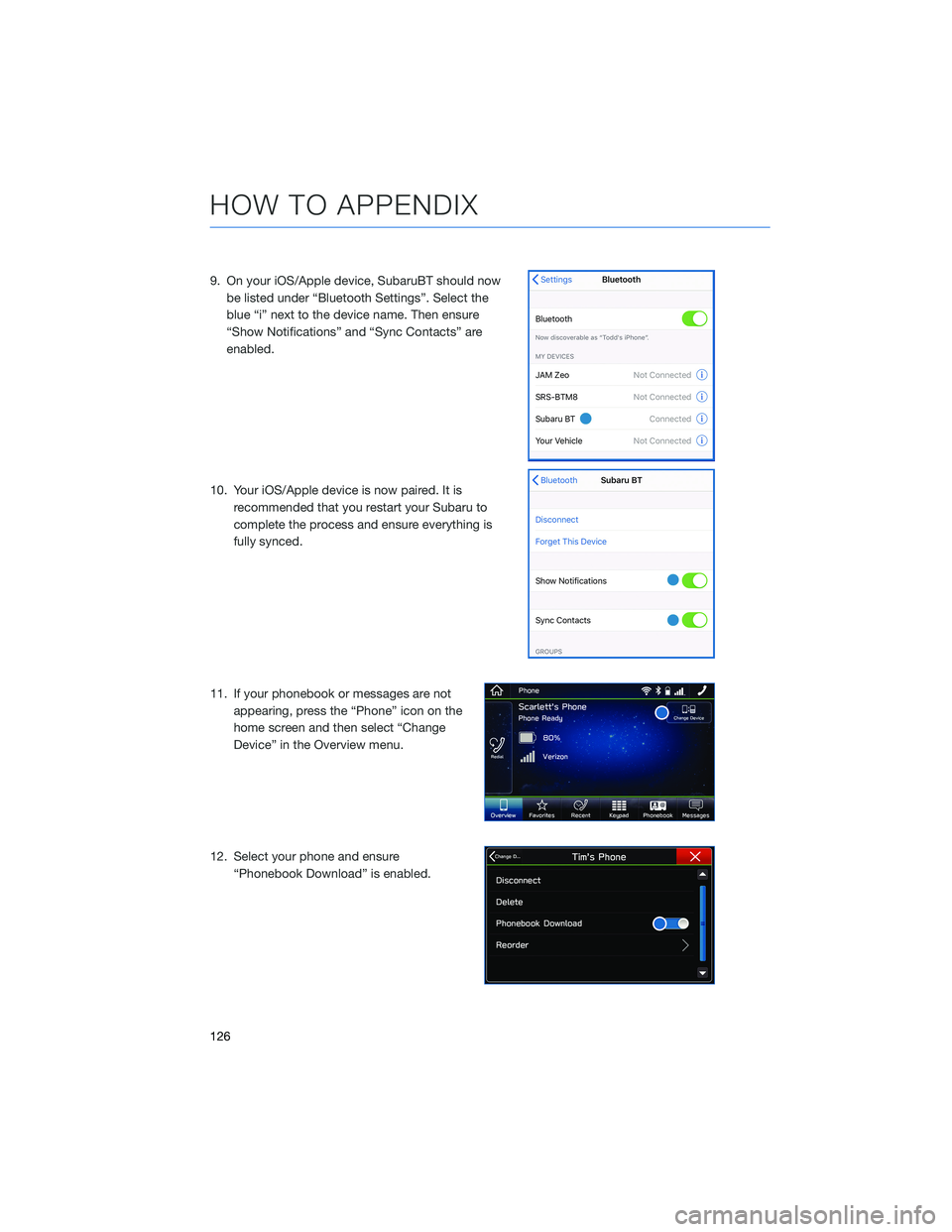
9. On your iOS/Apple device, SubaruBT should nowbe listed under “Bluetooth Settings”. Select the
blue “i” next to the device name. Then ensure
“Show Notifications” and “Sync Contacts” are
enabled.
10. Your iOS/Apple device is now paired. It is recommended that you restart your Subaru to
complete the process and ensure everything is
fully synced.
11. If your phonebook or messages are not appearing, press the “Phone” icon on the
home screen and then select “Change
Device” in the Overview menu.
12. Select your phone and ensure “Phonebook Download” is enabled.
HOW TO APPENDIX
126
Page 136 of 156
MAPS(if equipped)
Finding a Destination by Address
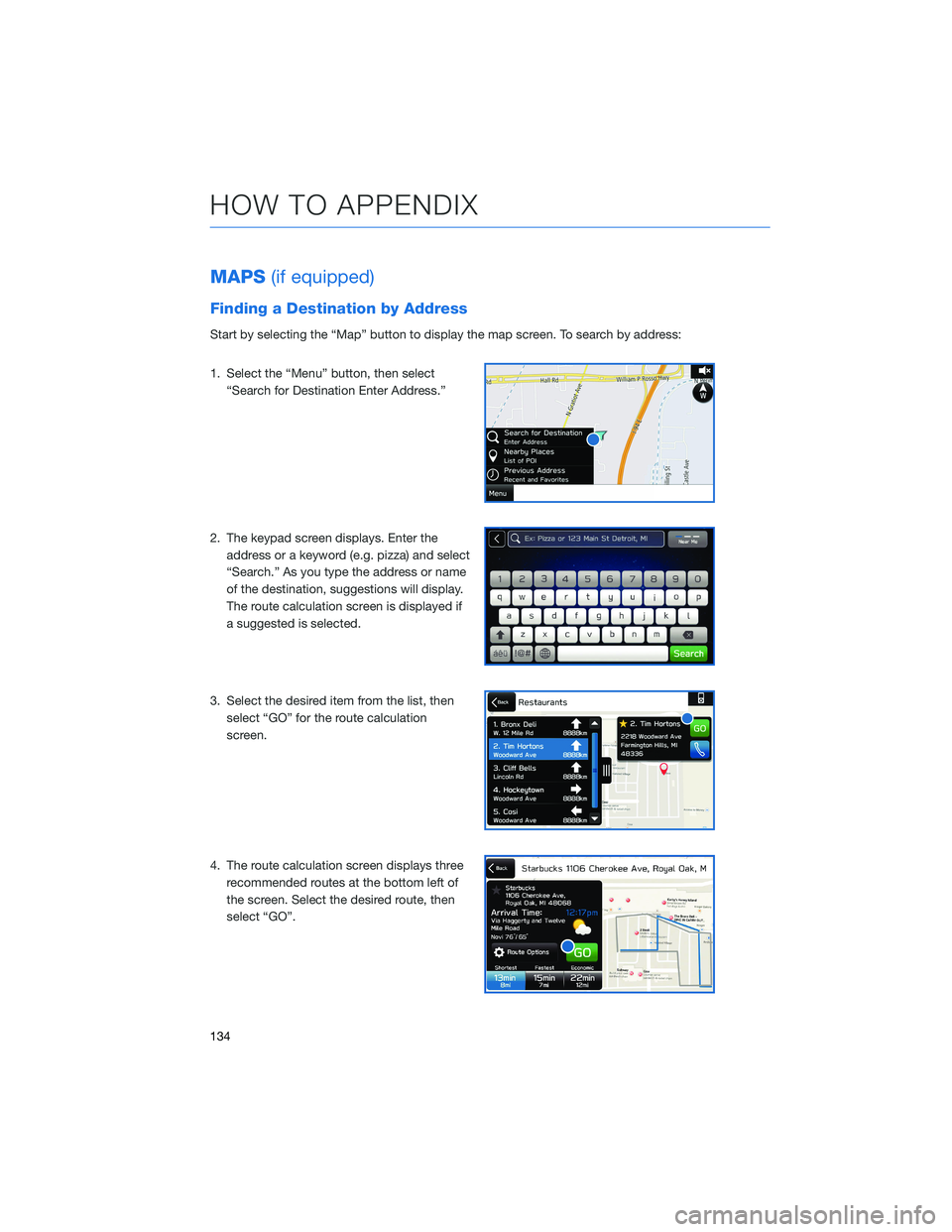
Start by selecting the “Map” button to display the map screen. To search by address:
1. Select the “Menu” button, then select
“Search for Destination Enter Address.”
2. The keypad screen displays. Enter the address or a keyword (e.g. pizza) and select
“Search.” As you type the address or name
of the destination, suggestions will display.
The route calculation screen is displayed if
a suggested is selected.
3. Select the desired item from the list, then select “GO” for the route calculation
screen.
4. The route calculation screen displays three recommended routes at the bottom left of
the screen. Select the desired route, then
select “GO”.
HOW TO APPENDIX
134
Page 143 of 156
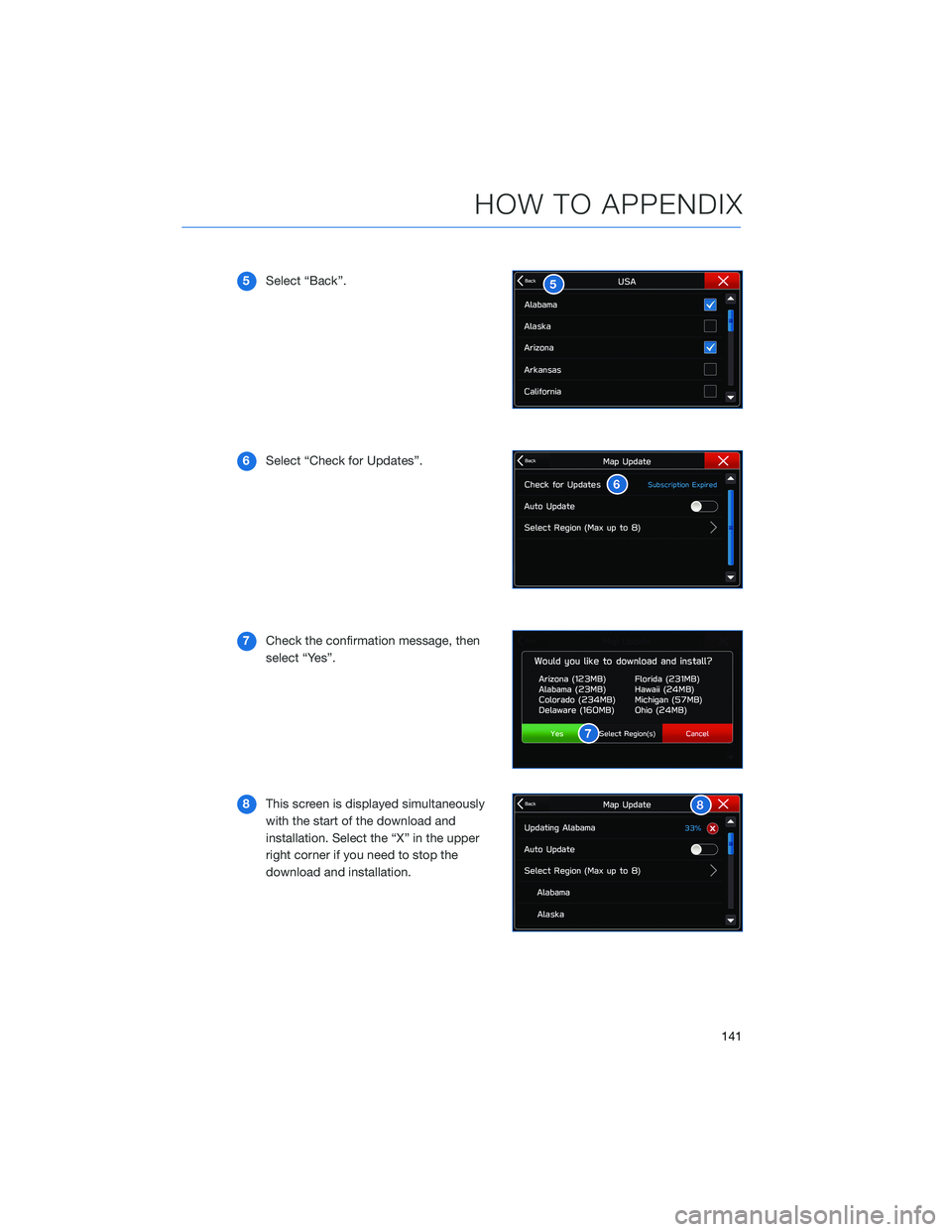
5Select “Back”.
6 Select “Check for Updates”.
7 Check the confirmation message, then
select “Yes”.
8 This screen is displayed simultaneously
with the start of the download and
installation. Select the “X” in the upper
right corner if you need to stop the
download and installation.
HOW TO APPENDIX
141
Page 144 of 156
FIRMWARE AND SOFTWARE UPDATES
For 8.0–inch Multimedia Plus and 8.0–inch Multimedia Navigation systems, you can
update the system software via a Wi-Fi connection or the aha™ application on your
smartphone (depending on your smartphone communication and transfer speed).
To accurately check for updates, make sure the clock is set to “Auto” with a GPS signal
available (system with navigation) or a phone paired via Bluetooth
®(system without
navigation). See page 87 for step by step directions on setting the clock. System
functionality will be restricted during installation.
1. Connect to a Wi-Fi network or start the aha application on your smartphone (see page 131).
2. Return to the general settings screen (if needed, press the “Home” button, select “Settings”, and then select “General”).
3. Select “Check for Updates”. • If “Automatically Check for Updates” is turned on at the general settings screen, anupdate check will be performed automatically before proceeding to the next step.
• If “Automatically Download Updates” is turned on at the general settings screen, the software update will be downloaded automatically before proceeding to “Update
Installation”.
4. If the “Software Update Ready to Download” pop-up is displayed, select “Download Now” to begin the download. The download status progress is displayed in the upper
right of the screen.
5. Select “Install Now” to start the installation process. The installation process will take several minutes to complete. If you need to stop the installation process, press
“Cancel”.
6. When the installation is complete, select “I Agree” on the confirmation message to complete the update process. By selecting “I Agree”, the system will restart
automatically.
HOW TO APPENDIX
142
Page 145 of 156
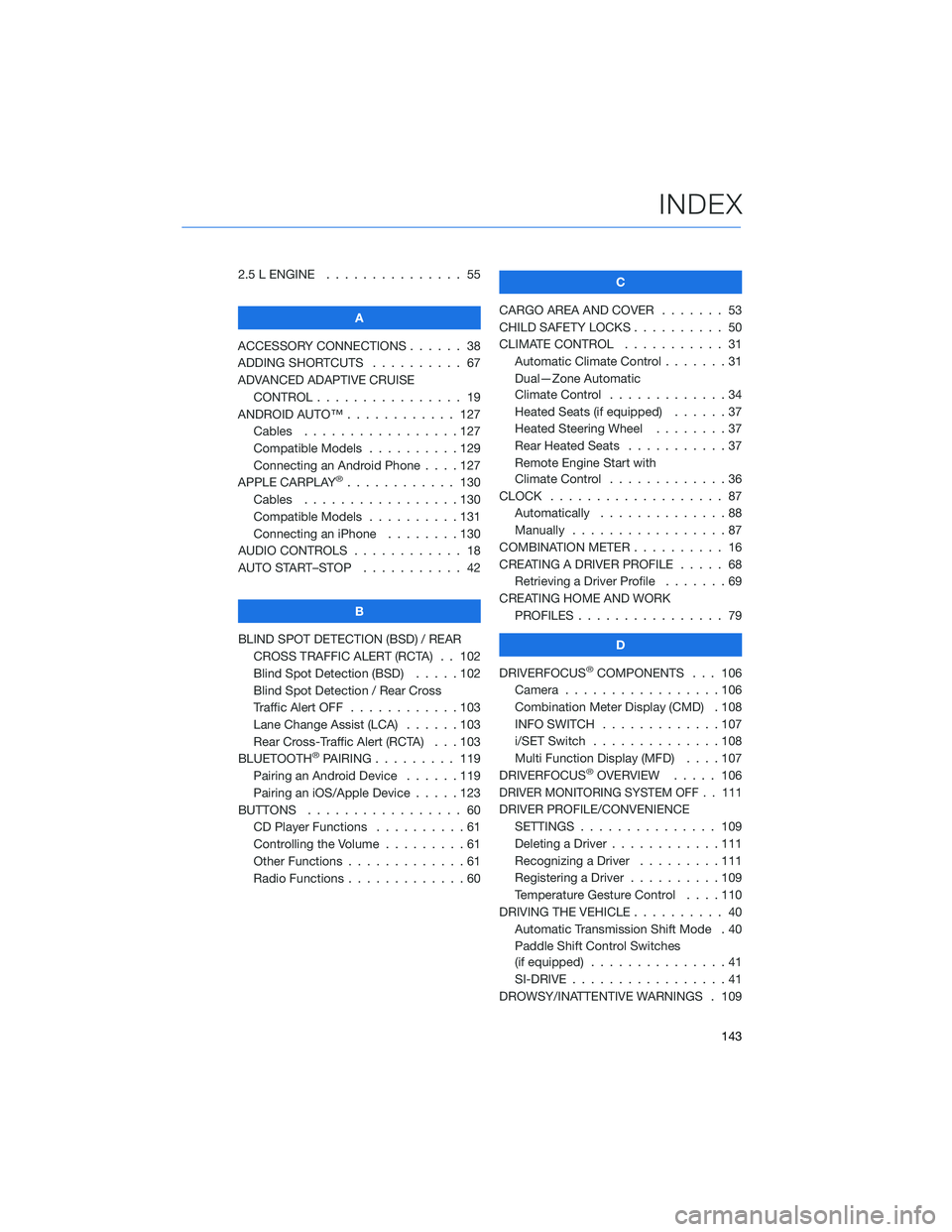
2.5 L ENGINE . . . . . . . ........ 55
A
ACCESSORY CONNECTIONS . . . . . . 38
ADDING SHORTCUTS . . . . . ..... 67
ADVANCED ADAPTIVE CRUISE CONTROL . . . . . . .......... 19
ANDROID AUTO™ . . . . . . ...... 127
Cables . . . . . . . . .........127
Compatible Models . .........129
Connecting an Android Phone ....127
APPLE CARPLAY
®............ 130
Cables . . . . . . . . .........130
Compatible Models . .........131
Connecting an iPhone . . . . ....130
AUDIO CONTROLS . ........... 18
AUTO START–STOP . . . . . . . . . . . 42
B
BLIND SPOT DETECTION (BSD) / REAR CROSS TRAFFIC ALERT (RCTA) . . 102
Blind Spot Detection (BSD) . . . . . 102
Blind Spot Detection / Rear Cross
Traffic Alert OFF . . . . . .......103
Lane Change Assist (LCA) ......103
Rear Cross-Traffic Alert (RCTA) . . . 103
BLUETOOTH
®PAIRING . . . ...... 119
Pairing an Android Device . . . . . . 119
Pairing an iOS/Apple Device . . . . . 123
BUTTONS . . . . . ............ 60
CD Player Functions ..........61
Controlling the Volume . . . . . . . . . 61
Other Functions . . . . . . .......61
Radio Functions . . . . . . .......60 C
CARGO AREA AND COVER ....... 53
CHILD SAFETY LOCKS . . . . . . .... 50
CLIMATE CONTROL . . . . . . ..... 31
Automatic Climate Control . . . ....31
Dual—Zone Automatic
Climate Control . . . . . . .......34
Heated Seats (if equipped) . .....37
Heated Steering Wheel . . ......37
Rear Heated Seats ...........37
Remote Engine Start with
Climate Control . . . . . . .......36
CLOCK . . . ................ 87
Automatically . .............88
Manually .................87
COMBINATION METER . ......... 16
CREATING A DRIVER PROFILE . .... 68
Retrieving a Driver Profile .......69
CREATING HOME AND WORK PROFILES . . . . . . . . . ....... 79
D
DRIVERFOCUS
®COMPONENTS . . . 106
Camera . . ...............106
Combination Meter Display (CMD) . 108
INFO SWITCH . . . . . . .......107
i/SET Switch . . . . . . ........108
Multi Function Display (MFD) . . . . 107
DRIVERFOCUS
®OVERVIEW ..... 106
DRIVER MONITORING SYSTEM OFF . . 111
DRIVER PROFILE/CONVENIENCE
SETTINGS . .............. 109
Deleting a Driver . . . .........111
Recognizing a Driver .........111
Registering a Driver . . . . . . . . . . 109
Temperature Gesture Control ....110
DRIVING THE VEHICLE . . . . ...... 40
Automatic Transmission Shift Mode . 40
Paddle Shift Control Switches
(if equipped) ...............41
SI-DRIVE . . . . .............41
DROWSY/INATTENTIVE WARNINGS . 109
INDEX
143
Page 146 of 156
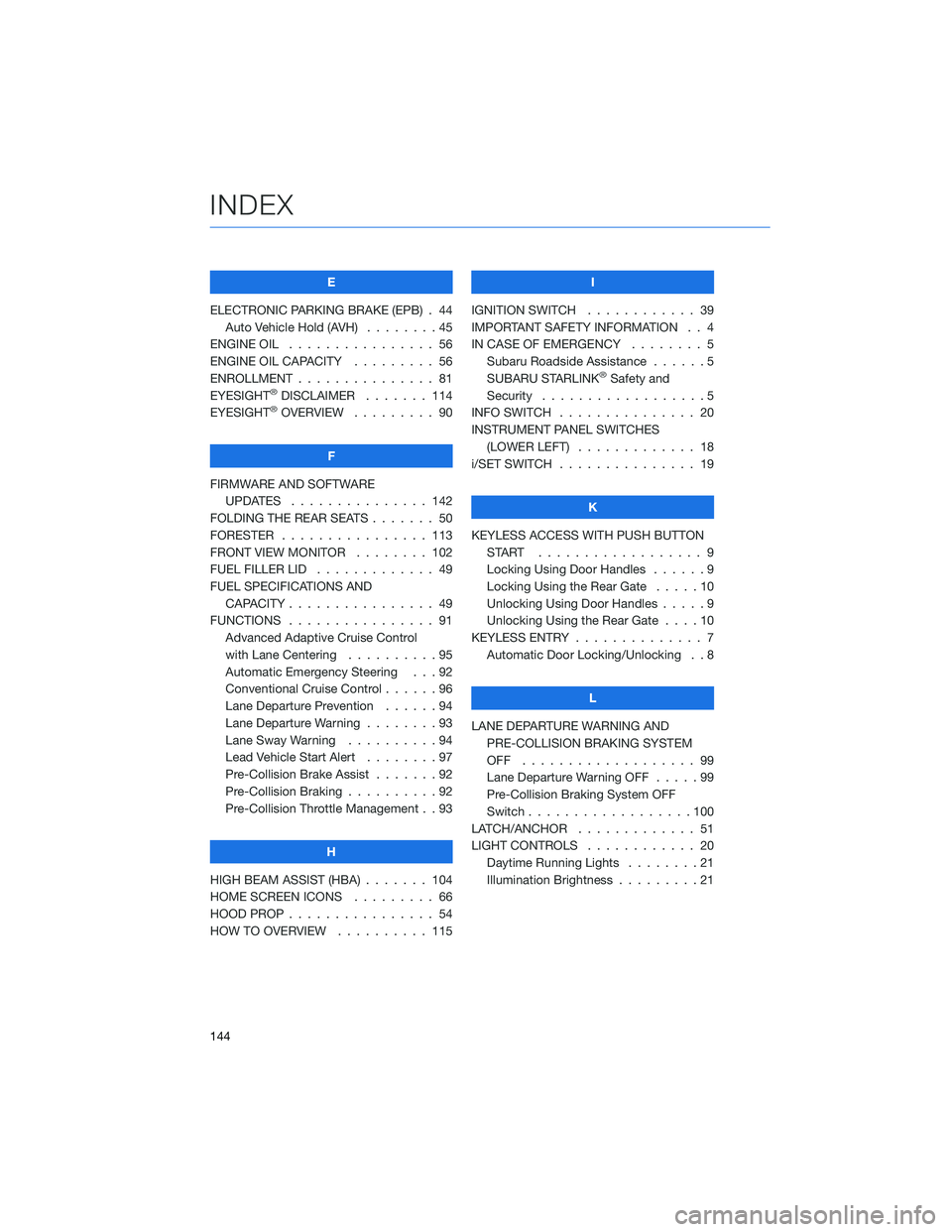
E
ELECTRONIC PARKING BRAKE (EPB) . 44 Auto Vehicle Hold (AVH) ........45
ENGINE OIL . . . . . . . . . ....... 56
ENGINE OIL CAPACITY . . . . . .... 56
ENROLLMENT . . . . . . . . . . . . . . . 81
EYESIGHT
®DISCLAIMER . ...... 114
EYESIGHT®OVERVIEW . . . . . . . . . 90
F
FIRMWARE AND SOFTWARE UPDATES . . . . . . . . . ...... 142
FOLDING THE REAR SEATS . . . . . . . 50
FORESTER . . . . . . . . . . ...... 113
FRONT VIEW MONITOR . . ...... 102
FUEL FILLER LID . . . . . . . . . .... 49
FUEL SPECIFICATIONS AND CAPACITY . . . . . . . . . ....... 49
FUNCTIONS . . . . . . . . . . . . . . . . 91 Advanced Adaptive Cruise Control
with Lane Centering . . . . . . ....95
Automatic Emergency Steering . . . 92
Conventional Cruise Control . .....96
Lane Departure Prevention . . . . . . 94
Lane Departure Warning . . . . . . . . 93
Lane Sway Warning . . . . . . . . . . 94
Lead Vehicle Start Alert ........97
Pre-Collision Brake Assist . . . ....92
Pre-Collision Braking . .........92
Pre-Collision Throttle Management . . 93
H
HIGH BEAM ASSIST (HBA) . . . . . . . 104
HOME SCREEN ICONS . ........ 66
HOOD PROP . . . . . . . . . ....... 54
HOW TO OVERVIEW . . . ....... 115 I
IGNITION SWITCH . ........... 39
IMPORTANT SAFETY INFORMATION . . 4
IN CASE OF EMERGENCY . . . . . . . . 5 Subaru Roadside Assistance . . . . . . 5
SUBARU STARLINK
®Safety and
Security . . . . . . . . . . . . . . . . . . 5
INFO SWITCH ............... 20
INSTRUMENT PANEL SWITCHES (LOWER LEFT) . . . . ......... 18
i/SET SWITCH . . . . . . . ........ 19
K
KEYLESS ACCESS WITH PUSH BUTTON START .................. 9
Locking Using Door Handles . . ....9
Locking Using the Rear Gate . . . . . 10
Unlocking Using Door Handles .....9
Unlocking Using the Rear Gate . . . . 10
KEYLESS ENTRY . . . . . . ........ 7
Automatic Door Locking/Unlocking . . 8
L
LANE DEPARTURE WARNING AND PRE-COLLISION BRAKING SYSTEM
OFF ................... 99
Lane Departure Warning OFF .....99
Pre-Collision Braking System OFF
Switch . . . . . . . . . . . .......100
LATCH/ANCHOR . . . . ......... 51
LIGHT CONTROLS . . .......... 20
Daytime Running Lights . . . . . . . . 21
Illumination Brightness . . . . . . . . . 21
INDEX
144
Page 148 of 156
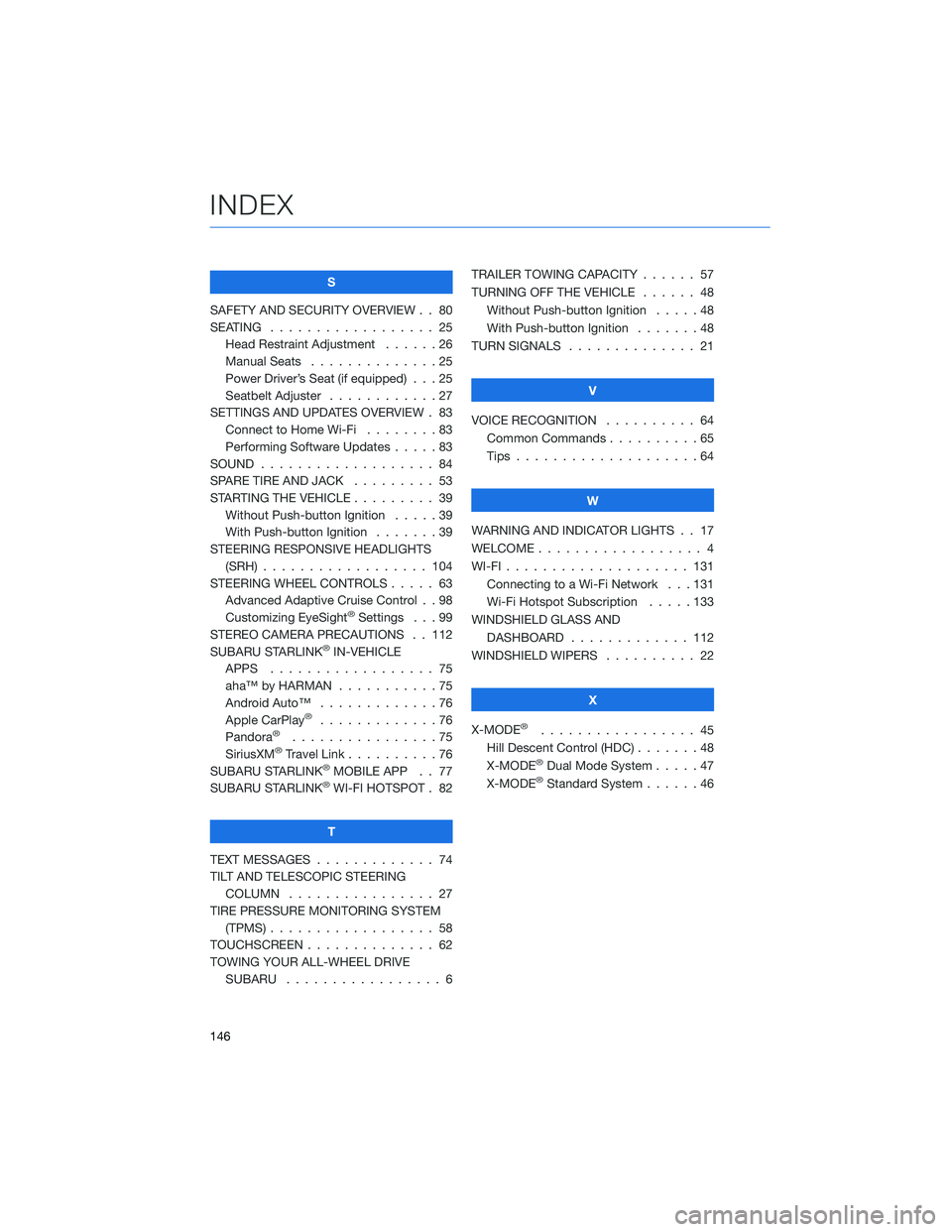
S
SAFETY AND SECURITY OVERVIEW . . 80
SEATING . . . . . . . . . . . . ...... 25
Head Restraint Adjustment . . ....26
Manual Seats . . . . . .........25
Power Driver’s Seat (if equipped) . . . 25
Seatbelt Adjuster . . . . . . . . . . . . 27
SETTINGS AND UPDATES OVERVIEW . 83 Connect to Home Wi-Fi . .......83
Performing Software Updates .....83
SOUND ................... 84
SPARE TIRE AND JACK . . ....... 53
STARTING THE VEHICLE . . . . . .... 39
Without Push-button Ignition .....39
With Push-button Ignition .......39
STEERING RESPONSIVE HEADLIGHTS (SRH) .................. 104
STEERING WHEEL CONTROLS . . . . . 63 Advanced Adaptive Cruise Control . . 98
Customizing EyeSight
®Settings . . . 99
STEREO CAMERA PRECAUTIONS . . 112
SUBARU STARLINK
®IN-VEHICLE
APPS . . . . . . . . . . . . ...... 75
aha™ by HARMAN . . . . . . . ....75
Android Auto™ . . . . . . . . . . . . . 76
Apple CarPlay
®.............76
Pandora®................75
SiriusXM®Travel Link . . ........76
SUBARU STARLINK®MOBILE APP . . 77
SUBARU STARLINK®WI-FI HOTSPOT . 82
T
TEXT MESSAGES . . . . . . . . . . . . . 74
TILT AND TELESCOPIC STEERING COLUMN . . . . . . . . . . . . . . . . 27
TIRE PRESSURE MONITORING SYSTEM (TPMS) .................. 58
TOUCHSCREEN . . . . . . . ....... 62
TOWING YOUR ALL-WHEEL DRIVE SUBARU . . . . . . . . . . . . ..... 6TRAILER TOWING CAPACITY . . . . . . 57
TURNING OFF THE VEHICLE
...... 48
Without Push-button Ignition .....48
With Push-button Ignition . . .....48
TURN SIGNALS . . . . . . ........ 21
V
VOICE RECOGNITION . ......... 64
Common Commands . . . . . . . . . . 65
Tips ....................64
W
WARNING AND INDICATOR LIGHTS . . 17
WELCOME .................. 4
WI-FI .................... 131
Connecting to a Wi-Fi Network . . . 131
Wi-Fi Hotspot Subscription . . . . . 133
WINDSHIELD GLASS AND DASHBOARD . . . . . . . ...... 112
WINDSHIELD WIPERS . ......... 22
X
X-MODE
®................. 45
Hill Descent Control (HDC) .......48
X-MODE
®Dual Mode System . . . . . 47
X-MODE®Standard System ......46
INDEX
146
Page 156 of 156
2022
Getting Started Guide
Forester
Subaru of America, Inc.
One Subaru Drive
Camden, NJ 08103-9800
MSA5B2202A
Issued September 2021
Printed in USA 10/21
Love. It’s what makes Subaru, Subaru.