ignition SUBARU IMPREZA 2006 2.G Owner's Manual
[x] Cancel search | Manufacturer: SUBARU, Model Year: 2006, Model line: IMPREZA, Model: SUBARU IMPREZA 2006 2.GPages: 365, PDF Size: 7.09 MB
Page 103 of 365
2-16 Keys and doors
transmitter (i.e. the transmitter is lost, bro-
ken or the transmitter battery is too weak),
you can disarm the system without using
the transmitter.
1. Unlock the door with the key and then
open the door.
2. Insert the key into the ignition switch
and cycle it from the LOCK to the ON
position three times within 5 seconds.
Valet mode
When you choose the valet mode, the
alarm system does not operate. In valet
mode, the remote transmitter is used only
for locking and unlocking the doors and
rear gate (Wagon) and panic activation.
To enter the valet mode, change the set-
ting of your vehicle s alarm system for de-
activation mode. (Refer to Activating and
deactivating the alarm system in this sec-
tion.) The security indicator light will con-
tinue to flash once every three seconds in-
dicating that the system is in the valet
mode (only vehicle with an immobilizer).
To exit valet mode, change the setting of
your vehicle s alarm system for activation
mode. (Refer to Activating and deactivat-
ing the alarm system in this section.)
NOTE
If your vehicle is not equipped with an immobilizer, the security indicator light
does not flash during the valet mode.
Passive arming
When passive arming mode has been
programmed by the dealer, arming of the
system is automatically accomplished
without using the remote transmitter. Note
that in this mode, DOORS MUST BE
MANUALLY LOCKED.
To enter the passive mode
If you wish to program the passive arming
mode, have it done by your SUBARU
dealer.
Arming the system
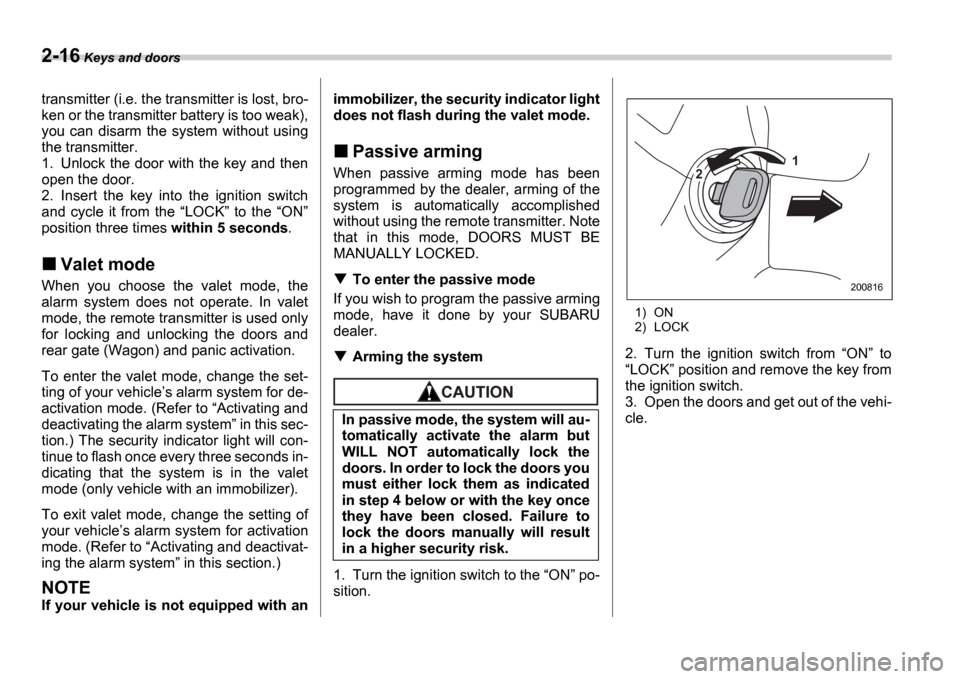
1. Turn the ignition switch to the ON po-
sition.
1) ON
2) LOCK
2. Turn the ignition switch from ON to
LOCK position and remove the key from
the ignition switch.
3. Open the doors and get out of the vehi-
cle.
In passive mode, the system will au-
tomatically activate the alarm but
WILL NOT automatically lock the
doors. In order to lock the doors you
must either lock them as indicated
in step 4 below or with the key once
they have been closed. Failure to
lock the doors manually will result
in a higher security risk.
1
2
200816
Page 104 of 365

Keys and doors 2-17
4. Before closing the doors, lock all doors
with the inside door lock levers.
5. Close the doors. The system will auto-
matically arm after one minute.
In the passive mode, the system can also
be armed with the remote transmitter or
with the power door locking switches. If
the remote transmitter or power door lock-
ing switch is used to lock the vehicle, arm-
ing will take place immediately regardless
of whether or not the passive mode has
been selected.
Disarming the system
To disarm the system, briefly press the
button on the transmitter.
Tripped sensor identification
The security indicator light flashes when
the alarm system has been triggered. Al-
so, the number of flashes indicates the lo-
cation of unauthorized intrusion or the se-
verity of impact on the vehicle.
When the ignition switch is turned to the
ON position, the indicator light will light
for 1 second and then flash as follows: When a door or rear gate (Wagon) or
the trunk (Sedan) was opened: 5 times
When the ignition switch was turned to
the ON position: 3 times
When a strong impact or multiple im-
pacts were sensed: twice (only vehicles
with shock sensors (dealer option))
When a light impact was sensed: once
(only vehicles with shock sensors (deal-
er option))
NOTE
Any of the above indicator light flash-
ings will recur each time the ignition
switch is turned to the ON position.
Rearming the alarm system cancels
the flashing.
Shock sensors (dealer op-
tion)
The shock sensors trigger the alarm sys-
tem when they sense impacts applied to the vehicle and when any of their electric
wires is cut. The alarm system causes the
horn to sound and the turn signal lights to
flash for a short time when the sensed im-
pact is weak, but it warns of a strong im-
pact or multiple impacts by sounding the
horn and flashing the turn signal lights,
both lasting approximately 30 seconds.
If you desire, your SUBARU dealer can
connect them and set them for activation
or deactivation.
NOTE
The shock sensors are not always
able to sense impacts caused by
breaking in, and cannot sense an im-
pact that does not cause vibration
(such as breaking the glass using a
rescue hammer).
The shock sensors may sense vibra-
tion like those shown in the following
and trigger the alarm system. Select
the settings of the alarm system and
shock sensors appropriately depend-
ing on where you usually park your ve-
hicle.
Example:
Vibration from construction site
Vibration in multistory car park
Vibration from trains
You can have the sensitivity of the
shock sensors adjusted to your prefer-
ence by your SUBARU dealer.
200817
Page 105 of 365

2-18 Keys and doors
Child safety locks
Each rear door has a child safety lock that
prevents the doors from being opened
even if the inside door handle is pulled.
When the child safety lock lever is in the
lock position, the door cannot be opened
from inside regardless of the position of
the inner door handle lock lever. The door
can only be opened from the outside.
Windows
Power windows
The power windows operate only when
the ignition switch is in the ON position.
Driver s side switches
1) Lock switch
2) For driver s window (with one-touch auto
down feature)
3) For front passenger s window
4) For rear left window
5) For rear right window
All door windows can be controlled by the
power window switch cluster at the driver
side door.
Always use the child safety lock
whenever a child rides in the rear
seat. Serious injury could result if a
child accidentally opened the door
and fell out.
L O CK
200876
To avoid serious personal injury
caused by entrapment, you must do
the following.
When operating the power win-
dows, be extremely careful to pre-
vent anyone
s fingers, arms, neck
or head from being caught in the
window.
Always lock the passengers win-
dows using the lock switch when
children are riding in the vehicle.
Before leaving the vehicle, always
remove the key from the ignition
switch for safety and never allow
an unattended child to remain in
the vehicle. Failure to follow this
procedure could result in injury to
a child operating the power win-
dow.
1
2
4 5 3
200819
Page 112 of 365
Keys and doors 2-25
After washing the vehicle or after it rains,
wipe away water on the roof prior to open-
ing the moonroof to prevent drops of water
from falling into the passenger compart-
ment.
NOTE
If the moonroof cannot be closed
through switch operation because of
system failure, it can be closed manu-
ally using a hex-head wrench. For the
procedure, refer to Moonroof if the
moonroof cannot be closed section in
chapter 9 In case of emergency .
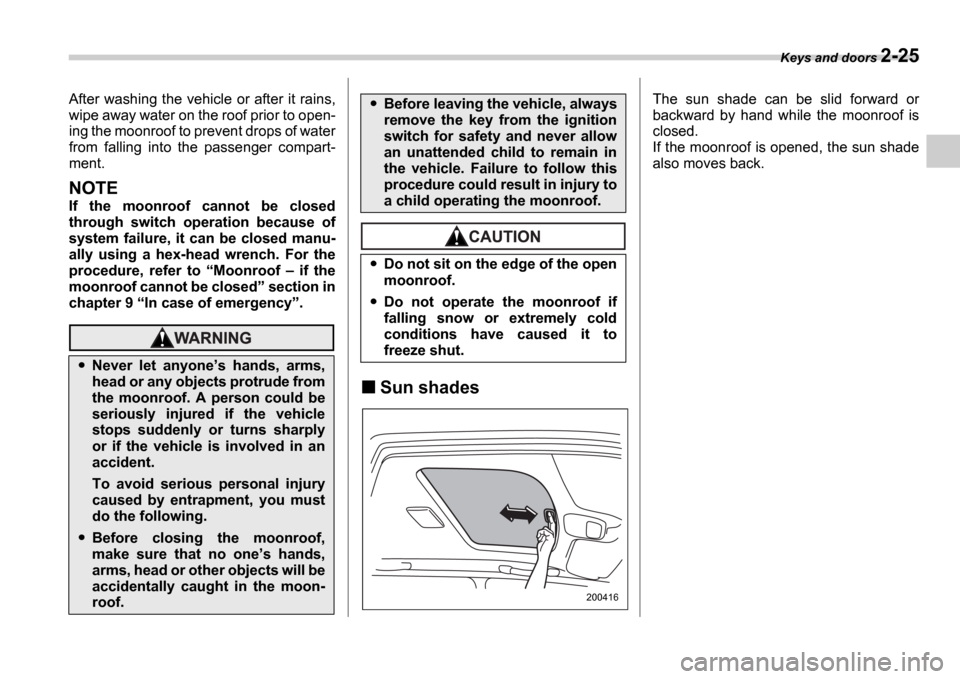
Sun shades
The sun shade can be slid forward or
backward by hand while the moonroof is
closed.
If the moonroof is opened, the sun shade
also moves back.
Never let anyone s hands, arms,
head or any objects protrude from
the moonroof. A person could be
seriously injured if the vehicle
stops suddenly or turns sharply
or if the vehicle is involved in an
accident.
To avoid serious personal injury
caused by entrapment, you must
do the following.
Before closing the moonroof,
make sure that no one s hands,
arms, head or other objects will be
accidentally caught in the moon-
roof.
Before leaving the vehicle, always
remove the key from the ignition
switch for safety and never allow
an unattended child to remain in
the vehicle. Failure to follow this
procedure could result in injury to
a child operating the moonroof.
Do not sit on the edge of the open
moonroof.
Do not operate the moonroof if
falling snow or extremely cold
conditions have caused it to
freeze shut.
200416
Page 114 of 365

3
Instruments and controls
Ignition switch .................................................... 3-3
LOCK .............................................. ......................... 3-3
ACC ............................................... ........................... 3-4
ON ................................................ ............................ 3-4
START ............................................. ......................... 3-4
Key reminder chime ................................ ............... 3-5
Ignition switch light ............................. ................... 3-5
Key interlock release (AT vehicles only) .......... .... 3-5
Hazard warning flasher ............................ .......... 3-6
Meters and gauges (WRX-STI) ....................... ... 3-6
Combination meter illumination .................... ........ 3-6
Cancelling sequential illumination of the combination meter ................................. .............. 3-6
Speedometer ....................................... .................... 3-6
Odometer/Trip meter ............................... ............... 3-7
Tachometer ........................................ ..................... 3-7
Fuel gauge ........................................ ....................... 3-8
Temperature gauge ................................. ............... 3-8
Outside temperature indicator ..................... ......... 3-9
REV indicator light and buzzer (WRX-STI) ....... 3-9 Setting the alarm-level engine speed .............. ..... 3-10
Deactivating the REV alarm system ................. ..... 3-11
Meters and gauges (Except WRX-STI) ............. 3-1 1
Speedometer ....................................... .................... 3-11
Odometer/Trip meter ............................... ............... 3-11
Tachometer ........................................ ..................... 3-12
Fuel gauge ........................................ ....................... 3-12
Temperature gauge ................................. ............... 3-13
Outside temperature indicator ..................... ......... 3-13Warning and indicator lights ......................
....... 3-14
Seatbelt warning light and chime .................. ........ 3-14
SRS airbag system warning light ................... ....... 3-15
Front passenger s frontal airbag ON and OFF
indicators ........................................ ...................... 3-15
CHECK ENGINE warning light/Malfunction indicator lamp .................................... ................... 3-16
Charge warning light .............................. ................ 3-16
Oil pressure warning light ........................ ............. 3-16
AT OIL TEMPerature warning light (AT vehicles) ..................................... .................... 3-17
Rear differential oil temperature warning light (WRX-STI) ......................................... ..................... 3-17
ABS warning light ................................. .................. 3-17
Brake system warning light ........................ ........... 3-18
Door open warning light ........................... ............. 3-19
All-Wheel Drive warning light (AWD AT vehicles
if equipped) ..................................... ................... 3-19
Intercooler water spray warning light (WRX-STI) ......................................... ..................... 3-19
Selector lever position indicator (AT vehicles) ... . 3-20
Turn signal indicator lights ...................... .............. 3-20
High beam indicator light ......................... .............. 3-20
Cruise control indicator light .................... ............. 3-20
Cruise control set indicator light ................ .......... 3-20
Driver s control center differential auto indicator
light (WRX-STI) ................................... .................. 3-20
Driver s control center differential indicator and
warning lights (WRX-STI) .......................... .......... 3-21
Headlight indicator light (WRX-STI) ............... ....... 3-21
REV indicator light (WRX-STI) ..................... .......... 3-21
Page 116 of 365
Instruments and controls 3-3
CONTINUED
Instrum ents and controlsIgnition switch
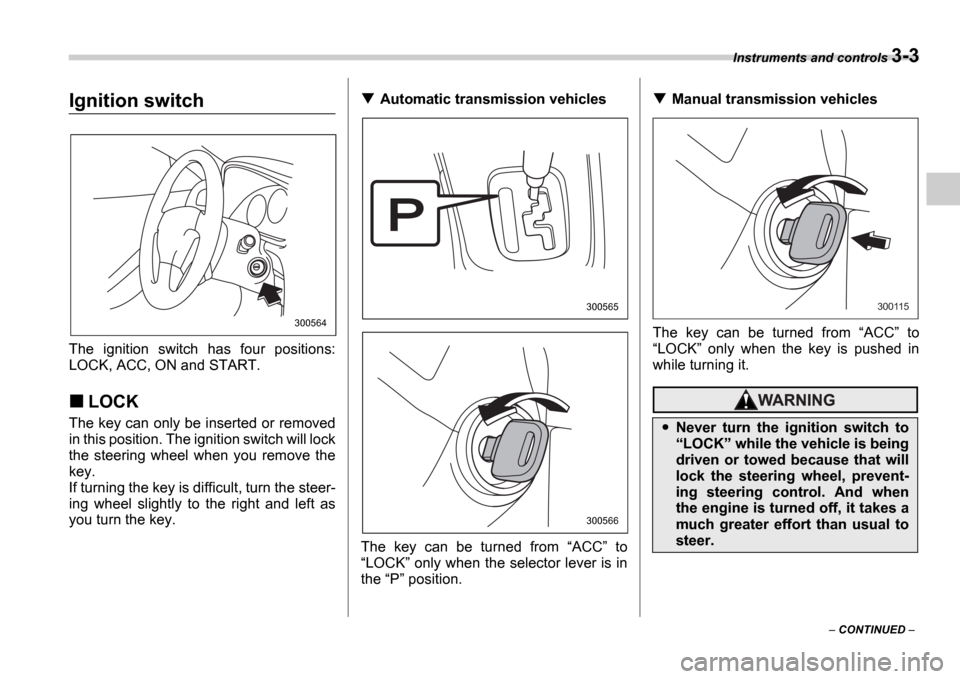
The ignition switch has four positions:
LOCK, ACC, ON and START.
LOCK
The key can only be inserted or removed
in this position. The ignition switch will lock
the steering wheel when you remove the
key.
If turning the key is difficult, turn the steer-
ing wheel slightly to the right and left as
you turn the key.
Automatic transmission vehicles
The key can be turned from ACC to
LOCK only when the selector lever is in
the P position.Manual transmission vehicles
The key can be turned from ACC to
LOCK only when the key is pushed in
while turning it.
300564
300565
300566
Never turn the ignition switch to LOCK while the vehicle is being
driven or towed because that will
lock the steering wheel, prevent-
ing steering control. And when
the engine is turned off, it takes a
much greater effort than usual to
steer.
300115
Page 117 of 365
3-4 Instruments and controls
NOTE
Keep the ignition switch in the
LOCK position when the engine is
not running.
Using electrical accessories for a
long time with the ignition switch in the ON or ACC position can cause the
battery to go dead.
If the ignition switch will not move from
the LOCK position to the ACC po-
sition, turn the steering wheel slightly
to the left and right as you turn the ig-
nition switch.
If the key is attached to a keyholder
or to a large bunch of other keys, cen-
trifugal force may act on it as the vehi-
cle moves, resulting in unwanted turn-
ing of the ignition switch. Also, if a
large keyholder is attached to the key,
your knees or hands may accidentally
touch it in a way that turns the ignition switch.
ACC
In this position the electrical accessories
(radio, cigarette lighter, etc.) can be used.
ON
This is the normal operating position after
the engine is started.
START
The engine is started in this position. The
starter cranks the engine to start it. When
the key is released (after the engine has
started), the key automatically returns to
the
ON position.
For vehicle with immobilizer
If your registered key fails to start the en-
gine, pull out the key once (the security in-
dicator light will blink), and then insert the
key in the ignition switch and turn it to the START position and again try to start the
engine.
NOTE
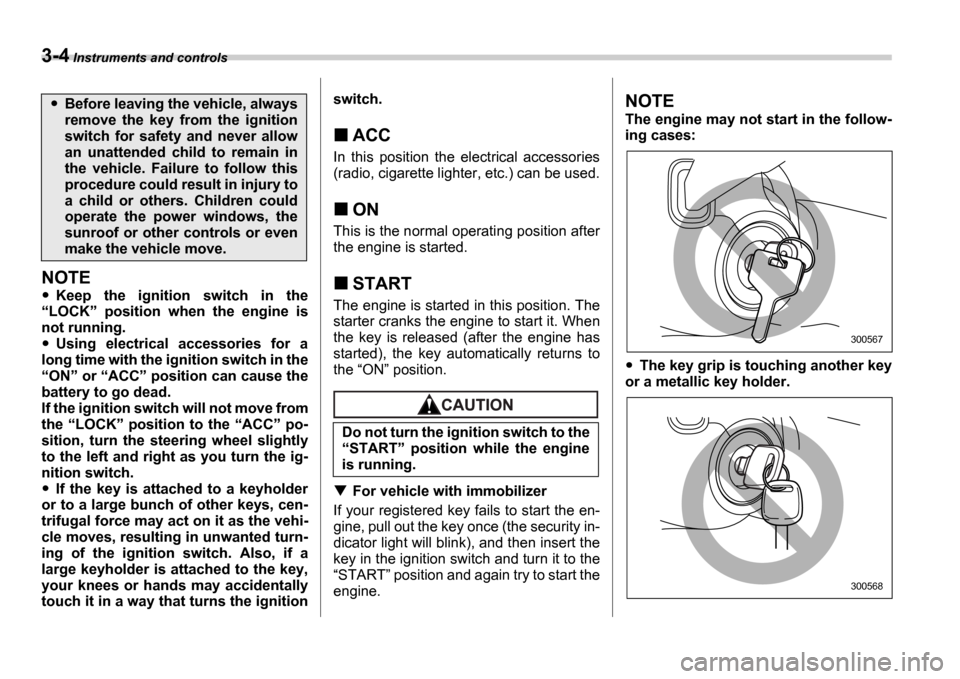
The engine may not start in the follow-
ing cases:
The key grip is touching another key
or a metallic key holder.
Before leaving the vehicle, always
remove the key from the ignition
switch for safety and never allow
an unattended child to remain in
the vehicle. Failure to follow this
procedure could result in injury to
a child or others. Children could
operate the power windows, the
sunroof or other controls or even
make the vehicle move.
Do not turn the ignition switch to the START position while the engine
is running.
300567
300568
Page 118 of 365
Instruments and controls 3-5
The key is near another key that con-
tains an immobilizer transponder.
Key reminder chime
The reminder chime sounds when the
driver s door opens and the key is in the
LOCK or ACC positions. The chime
stops when the key is removed from the
ignition switch.
Ignition switch light
For easy access to the ignition switch in
the dark, the ignition switch light comes on
when driver s door is opened. The light re-
mains on for 10 seconds and goes out af-
ter driver s door is closed or if the key is
turned to the ON position.
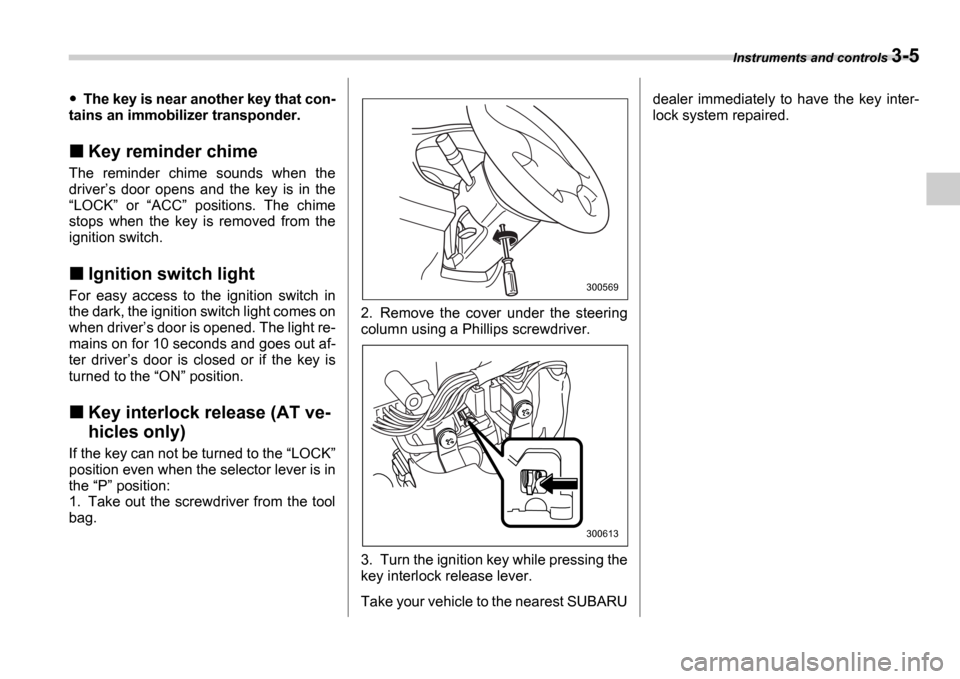
Key interlock release (AT ve-
hicles only)
If the key can not be turned to the LOCK
position even when the selector lever is in
the P position:
1. Take out the screwdriver from the tool
bag. 2. Remove the cover under the steering
column using a Phillips screwdriver.
3. Turn the ignition key while pressing the
key interlock release lever.
Take your vehicle to the nearest SUBARUdealer immediately to have the key inter-
lock system repaired.
300569
300613
Page 119 of 365
3-6 Instruments and controls
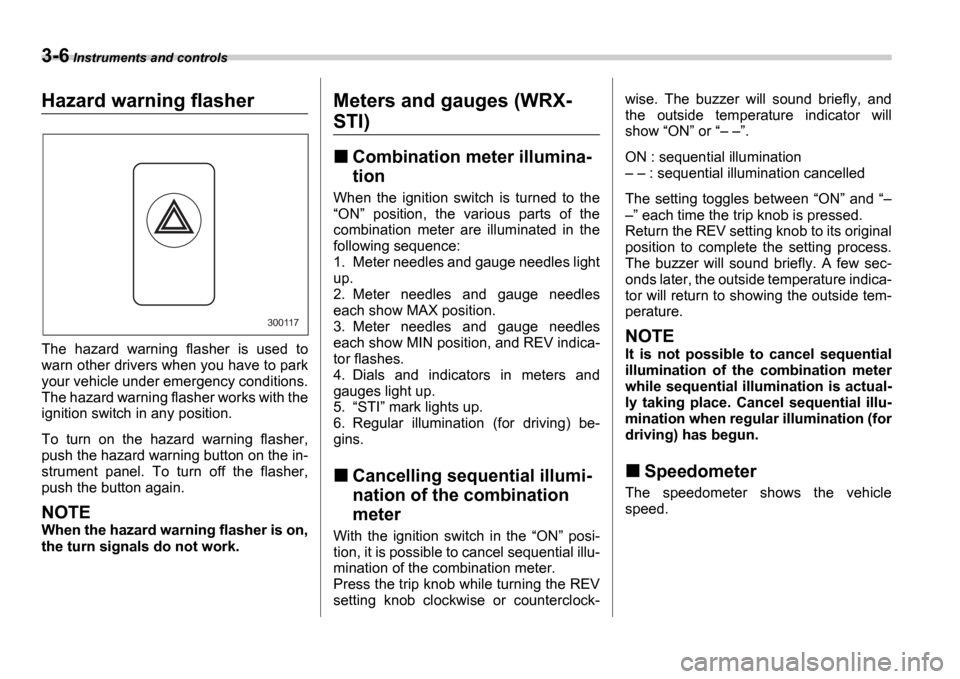
Hazard warning flasher
The hazard warning flasher is used to
warn other drivers when you have to park
your vehicle under emergency conditions.
The hazard warning flasher works with the
ignition switch in any position.
To turn on the hazard warning flasher,
push the hazard warning button on the in-
strument panel. To turn off the flasher,
push the button again.
NOTE
When the hazard warning flasher is on,
the turn signals do not work.
Meters and gauges (WRX-
STI)
Combination meter illumina-
tion
When the ignition switch is turned to the ON position, the various parts of the
combination meter are illuminated in the
following sequence:
1. Meter needles and gauge needles light
up.
2. Meter needles and gauge needles
each show MAX position.
3. Meter needles and gauge needles
each show MIN position, and REV indica-
tor flashes.
4. Dials and indicators in meters and
gauges light up.
5. STI mark lights up.
6. Regular illumination (for driving) be-
gins.
Cancelling sequential illumi-
nation of the combination
meter
With the ignition switch in the ON posi-
tion, it is possible to cancel sequential illu-
mination of the combination meter.
Press the trip knob while turning the REV
setting knob clockwise or counterclock- wise. The buzzer will sound briefly, and
the outside temperature indicator will
show
ON or .
ON : sequential illumination : sequential illumination cancelled
The setting toggles between ON and
each time the trip knob is pressed.
Return the REV setting knob to its original
position to complete the setting process.
The buzzer will sound briefly. A few sec-
onds later, the outside temperature indica-
tor will return to showing the outside tem-
perature.
NOTE
It is not possible to cancel sequential
illumination of the combination meter
while sequential illumination is actual-
ly taking place. Cancel sequential illu-
mination when regular illumination (for
driving) has begun.
Speedometer
The speedometer shows the vehicle
speed.
300117
Page 120 of 365
Instruments and controls 3-7
CONTINUED
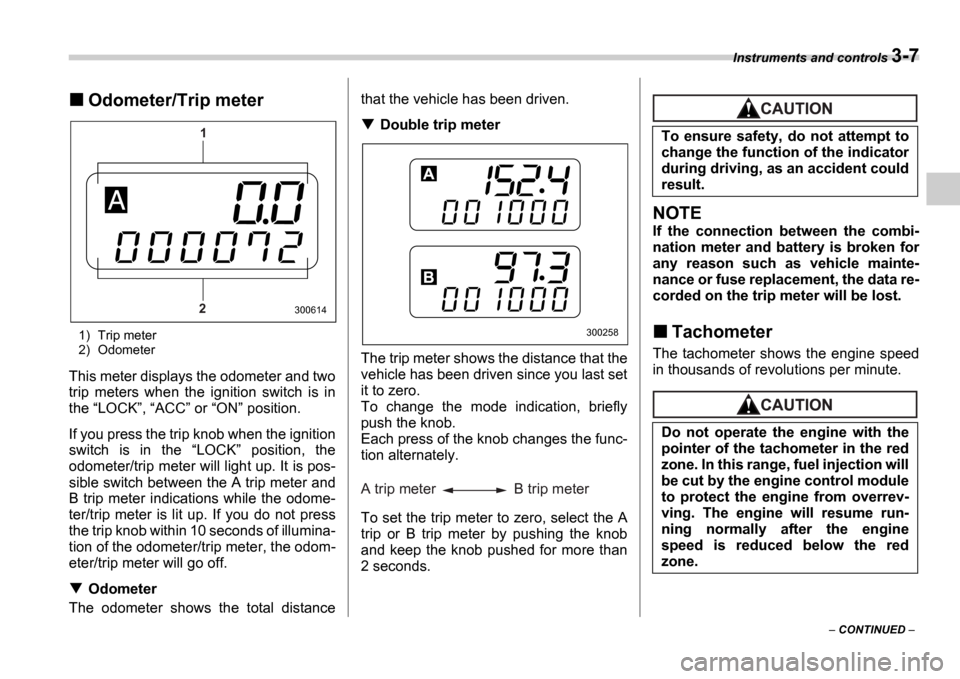
Odometer/Trip meter
1) Trip meter
2) Odometer
This meter displays the odometer and two
trip meters when the ignition switch is in
the LOCK , ACC or ON position.
If you press the trip knob when the ignition
switch is in the LOCK position, the
odometer/trip meter will light up. It is pos-
sible switch between the A trip meter and
B trip meter indications while the odome-
ter/trip meter is lit up. If you do not press
the trip knob within 10 seconds of illumina-
tion of the odometer/trip meter, the odom-
eter/trip meter will go off.
Odometer
The odometer shows the total distance that the vehicle has been driven.
Double trip meter
The trip meter shows the distance that the
vehicle has been driven since you last set
it to zero.
To change the mode indication, briefly
push the knob.
Each press of the knob changes the func-
tion alternately.
To set the trip meter to zero, select the A
trip or B trip meter by pushing the knob
and keep the knob pushed for more than
2 seconds.
NOTE
If the connection between the combi-
nation meter and battery is broken for
any reason such as vehicle mainte-
nance or fuse replacement, the data re-
corded on the trip meter will be lost.
Tachometer
The tachometer shows the engine speed
in thousands of revolutions per minute.
1
2
300614
300258
A trip meter B trip meter
To ensure safety, do not attempt to
change the function of the indicator
during driving, as an accident could
result.
Do not operate the engine with the
pointer of the tachometer in the red
zone. In this range, fuel injection will
be cut by the engine control module
to protect the engine from overrev-
ving. The engine will resume run-
ning normally after the engine
speed is reduced below the red
zone.