ignition SUBARU LEGACY 2005 4.G Repair Manual
[x] Cancel search | Manufacturer: SUBARU, Model Year: 2005, Model line: LEGACY, Model: SUBARU LEGACY 2005 4.GPages: 627, PDF Size: 6.42 MB
Page 203 of 627
3-32
Instruments and controls
vehicle checked at a SUBARU dealer immediately. "
The light does not come on when the ignition switch
is turned to the “ON” position. " The light does not go out even after a period of
about 2 seconds after the ignition switch has been
turned to the “ON” position. ! Vehicle Dynamics Control warn-
ing light (if equipped)/Vehicle Dy-
namics Control OFF indicator
light (if equipped)
This warning light has the function of indicating faults
in the Vehicle Dynamics Control system and the func-
tion of indicating that the Vehicle Dynamics Control
system has been deactivated.
It comes on in the event of a fault in the system and is
on when the system is not operating.
This warning light comes on when the ignition switch
is turned to the “ON” position and goes out after the
engine has started. It indicates that the Vehicle Dy-
namics Control system is in normal operation. ! Vehicle Dynamics Control warning light
The Vehicle Dynamics Control system is probably in-
operative under any of the following conditions. Have
your vehicle checked at a SUBARU dealer immediate- ly."
The warning light does not come on when the igni-
tion switch is turned to the “ON” position. " The warning light comes on while the vehicle is run-
ning. " If the electrical circuit of the Vehicle Dynamics Con-
trol system itself becomes faulty, the warning light only
comes on. At this time, the ABS (Anti-lock Brake Sys-
tem) remains fully operational. " The warning light comes on when the electronic
control system of the ABS/Vehicle Dynamics Control
system becomes faulty.
The Vehicle Dynamics Control system provides its
ABS control through the electrical circuit of the ABS
system. Accordingly, if the ABS is inoperative, the Ve-
hicle Dynamics Control system becomes unable to
provide ABS control. As a result, the Vehicle Dynam-
ics Control system also becomes inoperative, causing
the warning light to come on. Though both the Vehicle
Dynamics Control and ABS systems are inoperative in
this case, the ordinary functions of the brake system
are still available. You will be safe while driving with
this condition, but have your vehicle checked at a
SUBARU dealer as soon as possible.
NOTE
If the warning light behavior is as shown below,
the Vehicle Dynamics Control system may be con-
Page 204 of 627
3-33
Instruments and controls
– CONTINUED –
sidered normal. "The warning light comes on right after the en-
gine is started but goes out immediately, remain-
ing off. " The warning light comes on after engine startup
and goes off while the vehicle is subsequently be-
ing driven. " The warning light comes on during driving, but
it goes out immediately and remains off. ! Vehicle Dynamics Control OFF indicator light
" It comes on when the Vehicle Dynamics Control
OFF switch is pressed. " It also comes on when the Vehicle Dynamics Con-
trol system is deactivated.
NOTE " The light may stay on for a while after the engine
has been started, especially in cold weather. This
does not indicate the existence of a problem. The
light should go out as soon as the engine has
warmed up. " The indicator light comes on when the engine
has developed a problem and the Malfunction in-
dicator light is on.
The Vehicle Dynamics Control system is probably
faulty under the following condition. Have your vehicle checked at a SUBARU dealer as soon as possible."
The light does not go out even after the lapse of sev-
eral minutes (the engine has warmed up) after the en-
gine has started. ! Security indicator light
This indicator light shows the status of the alarm sys-
tem. If your vehicle is equipped with an immobilizer, it
also indicates operation of the immobilizer system. ! Alarm system
It blinks to show the driver the operational status of the
alarm system. For detailed information, refer to the
“Alarm system” in Chapter 2. ! Immobilizer system (if equipped)
This light blinks about 60 seconds after the ignition
switch is turned from “ON” position to the “ACC” or
“LOCK” position or immediately after the key is pulled
out. (Refer to the “Door locks” section in chapter 2.)
If the indicator light does not flash, it may indicate that
immobilizer system may be faulty. Contact your near-
est SUBARU dealer immediately.
In the event that an unauthorized key (for example, an
unauthorized duplicate) is used, the security indicator
light comes on.
Page 205 of 627
3-34
Instruments and controls
!
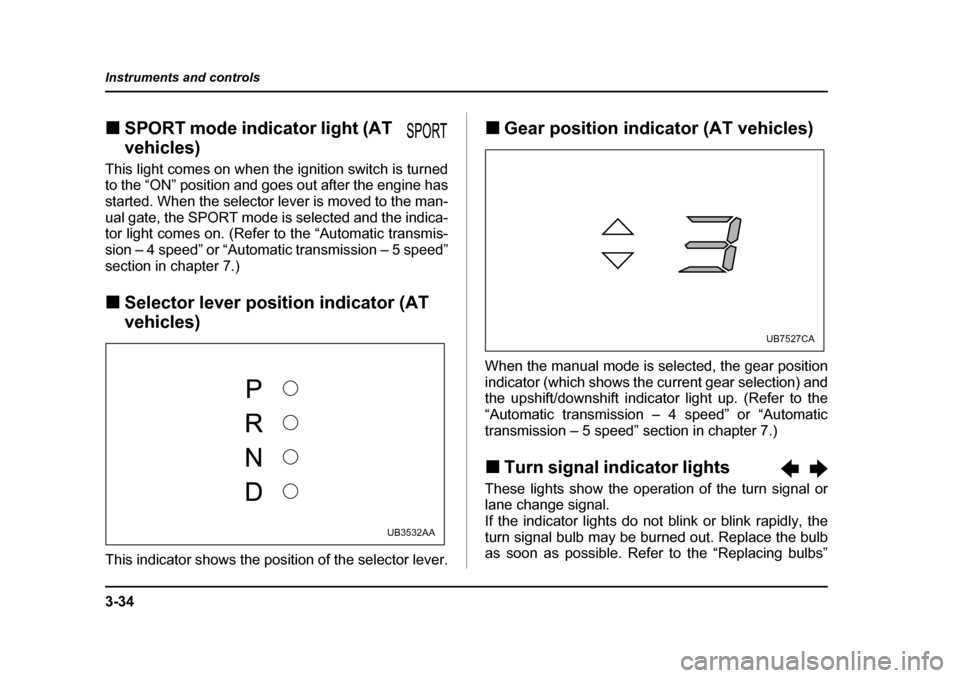
SPORT mode indicator light (AT
vehicles)
This light comes on when the ignition switch is turned
to the “ON” position and goes out after the engine has
started. When the selector lever is moved to the man-
ual gate, the SPORT mode is selected and the indica-
tor light comes on. (Refer to the “Automatic transmis-
sion – 4 speed” or “Automatic transmission – 5 speed”
section in chapter 7.) ! Selector lever position indicator (AT
vehicles)
This indicator shows the position of the selector lever. !
Gear position indicator (AT vehicles)
When the manual mode is selected, the gear position
indicator (which shows the current gear selection) and
the upshift/downshift indicator light up. (Refer to the
“Automatic transmission – 4 speed” or “Automatic
transmission – 5 speed” section in chapter 7.) ! Turn signal indicator lights
These lights show the operation of the turn signal or
lane change signal.
If the indicator lights do not blink or blink rapidly, the
turn signal bulb may be burned out. Replace the bulb
as soon as possible. Refer to the “Replacing bulbs”
UB3532AA
UB7527CA
Page 206 of 627
3-35
Instruments and controls
– CONTINUED –
section in chapter 11. !High beam indicator light
This light shows that the headlights are in the high
beam mode.
This indicator light also comes on when the headlight
flasher is operated. ! Cruise control indicator light
The cruise control indicator light comes on when the
ignition switch is turned to the “ON” position and goes
out after about three seconds.
This light comes on when the “CRUISE” main switch
is pressed.
If you move the cruise control lever while turning the
ignition switch “ON”, the cruise control function is de-
activated and the “CRUISE” indicator light flashes. To
reactivate the cruise control function, turn the ignition
switch back to the “ACC” or “LOCK” position, and then
turn it again to the “ON” position. ! Cruise control set indicator light
The cruise control set indicator light comes on when
the ignition switch is turned to the “ON” position and
goes out after about three seconds.
This light comes on when vehicle speed has been set. !
Headlight indicator light
This indicator light comes on when the light switch is
turned to the “ ” position (to turn on the parking
lights) or to the “ ” position (to turn on the head-
lights). ! Front fog light indicator light
This indicator light is on while the front fog lights are on.
Page 207 of 627
3-36
Instruments and controls
Clock
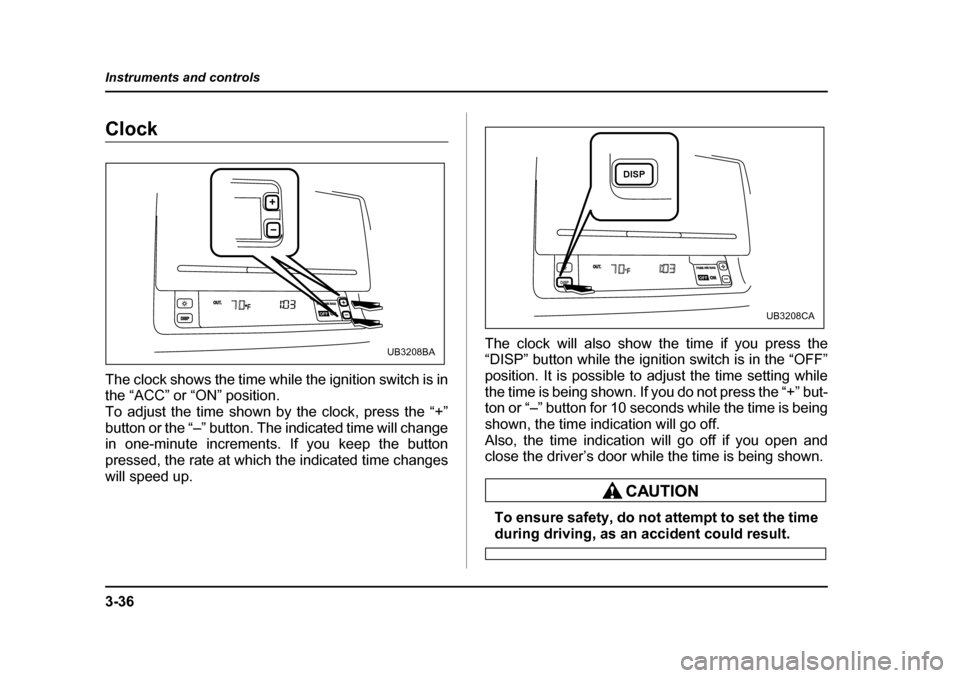
The clock shows the time while the ignition switch is in
the “ACC” or “ON” position.
To adjust the time shown by the clock, press the “+”
button or the “–” button. The indicated time will change
in one-minute increments. If you keep the button
pressed, the rate at which the indicated time changes
will speed up.
The clock will also show the time if you press the
“DISP” button while the ignition switch is in the “OFF”
position. It is possible to adjust the time setting while
the time is being shown. If you do not press the “+” but-
ton or “–” button for 10 seconds while the time is being
shown, the time indication will go off.
Also, the time indication will go off if you open and
close the driver’s door while the time is being shown.
To ensure safety, do not attempt to set the time
during driving, as an accident could result.
PASS AIR BAGONOUT.DISPOFF
UB3208BA
PASS AIR BAGPASS AIR BAGONONONOUT.DISPOFF
DISP
UB3208CA
Page 208 of 627
3-37
Instruments and controls
– CONTINUED –
Information display (if equipped)
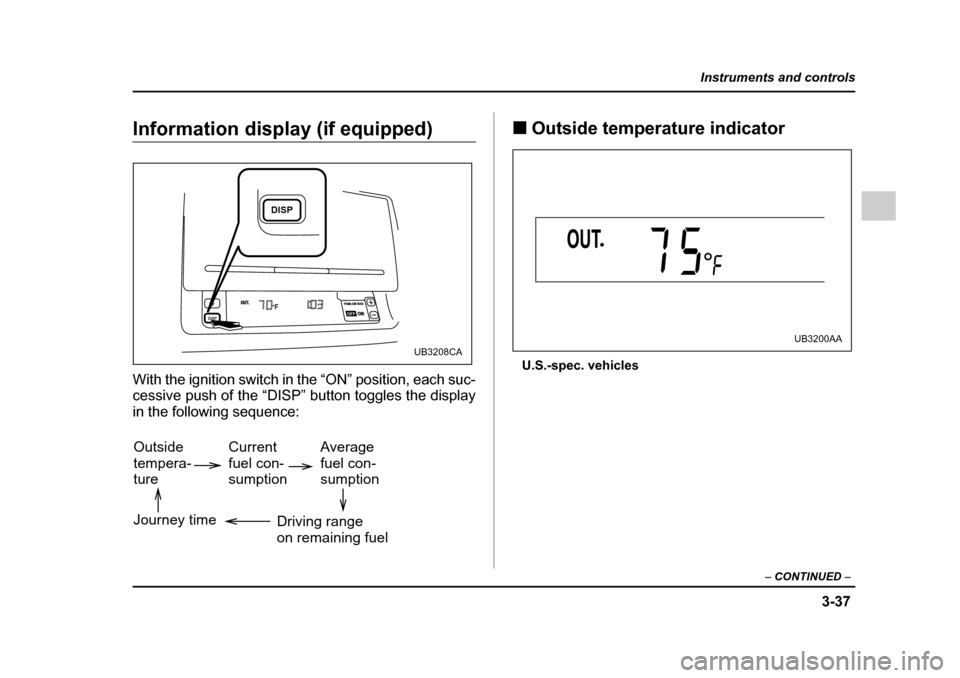
With the ignition switch in the “ON” position, each suc-
cessive push of the “DISP” button toggles the display
in the following sequence: !
Outside temperature indicator
U.S.-spec. vehicles
PASS AIR BAGPASS AIR BAGONONONOUT.DISPOFF
DISP
UB3208CA
Outside tempera-ture Current fuel con-sumptionAverage fuel con-sumption
Driving rangeon remaining fuel
Journey time
UB3200AA
Page 210 of 627
3-39
Instruments and controls
– CONTINUED –
Canada-spec. vehicles
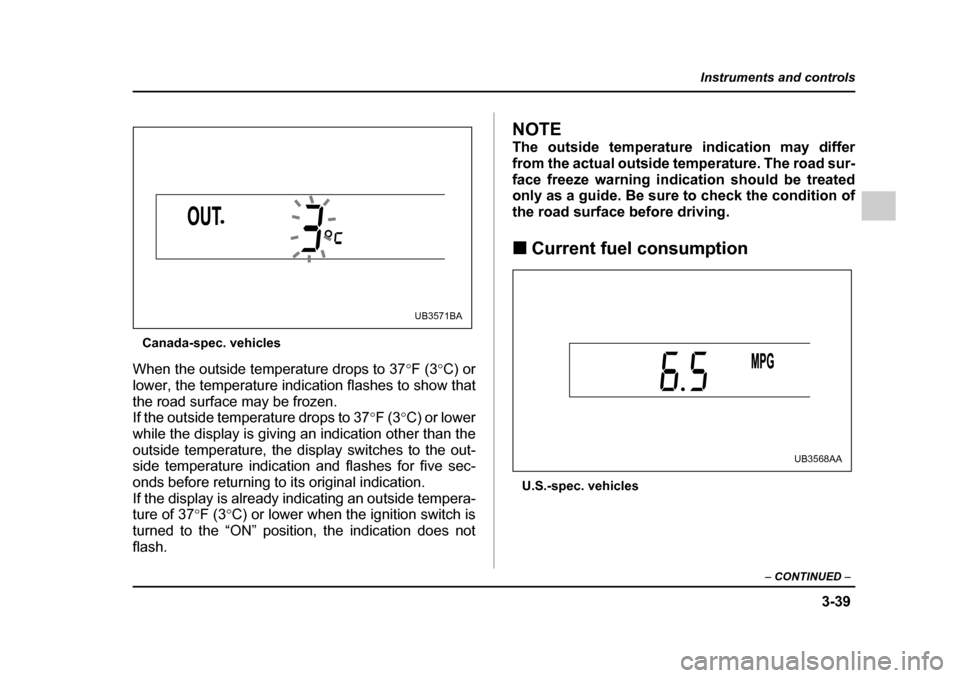
When the outside temperature drops to 37 °F (3 °C) or
lower, the temperature indication flashes to show that
the road surface may be frozen.
If the outside temperature drops to 37 °F (3 °C) or lower
while the display is giving an indication other than the
outside temperature, the display switches to the out-
side temperature indication and flashes for five sec-
onds before returning to its original indication.
If the display is already indicating an outside tempera-
ture of 37 °F (3 °C) or lower when the ignition switch is
turned to the “ON” position, the indication does not flash.
NOTE
The outside temperature indication may differ
from the actual outside temperature. The road sur-
face freeze warning indication should be treated
only as a guide. Be sure to check the condition of
the road surface before driving. ! Current fuel consumption
U.S.-spec. vehicles
UB3571BA
UB3568AA
Page 214 of 627
3-43
Instruments and controls
– CONTINUED –
Canada-spec. vehicles
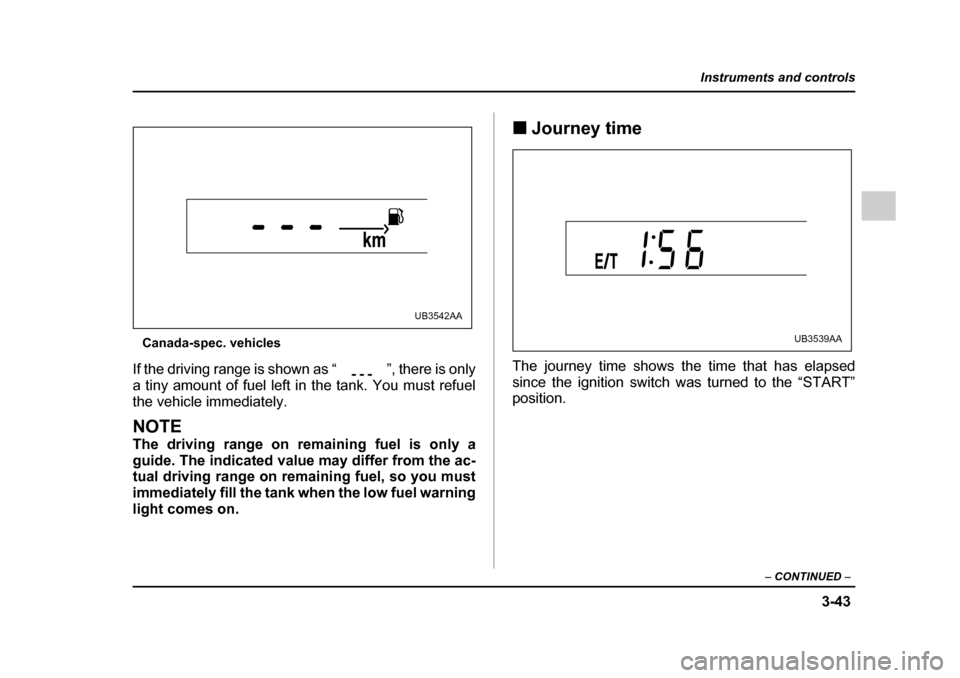
If the driving range is shown as “ ”, there is only
a tiny amount of fuel left in the tank. You must refuel
the vehicle immediately.
NOTE
The driving range on remaining fuel is only a
guide. The indicated value may differ from the ac-
tual driving range on remaining fuel, so you must
immediately fill the tank when the low fuel warning
light comes on. !
Journey time
The journey time shows the time that has elapsed
since the ignition switch was turned to the “START”
position.
UB3542AA
UB3539AA
Page 215 of 627
3-44
Instruments and controls
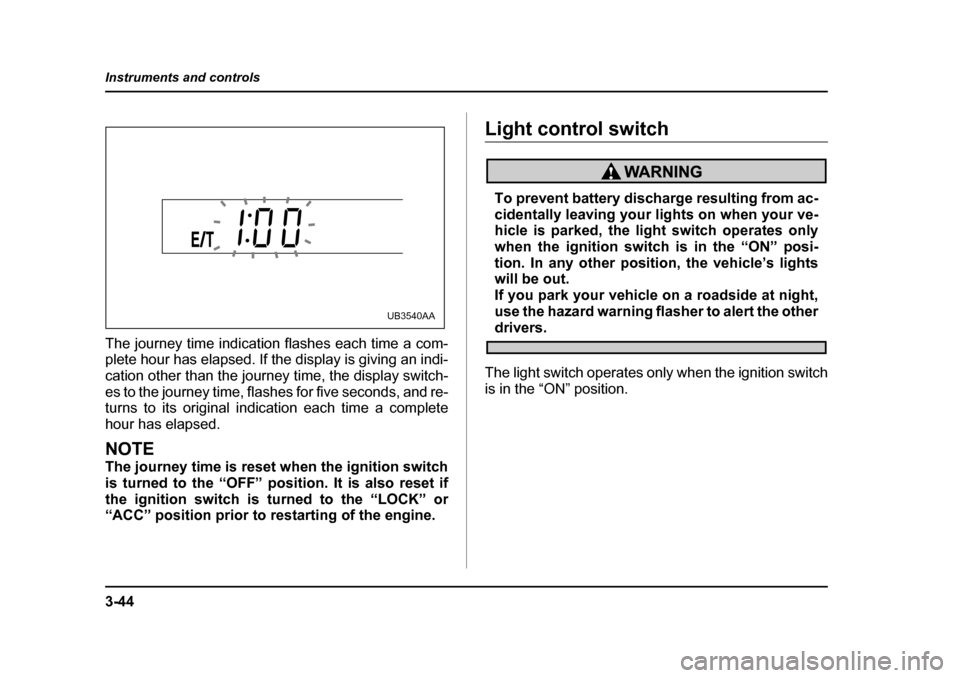
The journey time indication flashes each time a com-
plete hour has elapsed. If the display is giving an indi-
cation other than the journey time, the display switch-
es to the journey time, flashes for five seconds, and re-
turns to its original indication each time a complete
hour has elapsed.
NOTE
The journey time is reset when the ignition switch
is turned to the “OFF” position. It is also reset if
the ignition switch is turned to the “LOCK” or
“ACC” position prior to restarting of the engine.
Light control switch
To prevent battery discharge resulting from ac-
cidentally leaving your lights on when your ve-
hicle is parked, the light switch operates only
when the ignition switch is in the “ON” posi-
tion. In any other position, the vehicle’s lights
will be out.
If you park your vehicle on a roadside at night,
use the hazard warning flasher to alert the other
drivers.
The light switch operates only when the ignition switch
is in the “ON” position.UB3540AA
Page 219 of 627
3-48
Instruments and controls
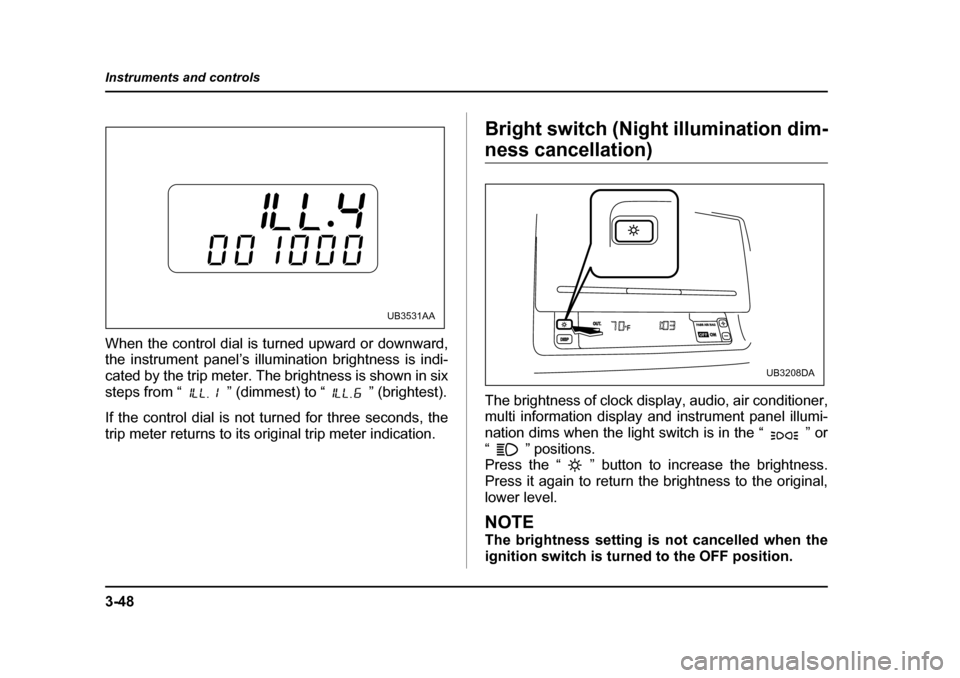
When the control dial is turned upward or downward,
the instrument panel’s illumination brightness is indi-
cated by the trip meter. The brightness is shown in six
steps from “ ” (dimmest) to “ ” (brightest).
If the control dial is not turned for three seconds, the
trip meter returns to its original trip meter indication.
Bright switch (Night illumination dim-
ness cancellation)
The brightness of clock display, audio, air conditioner,
multi information display and instrument panel illumi-
nation dims when the light switch is in the “ ” or
“ ” positions.
Press the “ ” button to increase the brightness.
Press it again to return the brightness to the original,
lower level.
NOTE
The brightness setting is not cancelled when the
ignition switch is turned to the OFF position.
UB3531AAPASS AIR BAGPASS AIR BAGONONOUT.DISPOFF
UB3208DA