ignition SUBARU LEGACY 2005 4.G Manual PDF
[x] Cancel search | Manufacturer: SUBARU, Model Year: 2005, Model line: LEGACY, Model: SUBARU LEGACY 2005 4.GPages: 627, PDF Size: 6.42 MB
Page 222 of 627
3-51
Instruments and controls
– CONTINUED –
Wiper and washer
In freezing weather, do not use the windshield washer until the windshield is sufficiently
warmed by the defroster.
Otherwise the washer fluid can freeze on the
windshield, blocking your view.
"Do not operate the washer continuously for
more than ten seconds, or when the washer flu-
id tank is empty. This may cause overheating of
the washer motor. Check the washer fluid level
frequently, such as at fuel stops. " Do not operate the wipers when the wind-
shield or rear window is dry. This may scratch
the glass, damage the wiper blades and cause
the wiper motor to burn out. Before operating
the wiper on a dry windshield or rear window,
always use the windshield washer." In freezing weather, be sure that the wiper
blades are not frozen to the windshield or rear
window before switching on the wipers. At- tempting to operate the wiper with the blades
frozen to the window glass could cause not
only the wiper blades to be damaged but also
the wiper motor to burn out. If the wiper blade
is frozen to the window glass, be sure to oper-ate the defroster, wiper deicer (if equipped) or
rear window defogger before turning on the
wiper."
If the wipers stop during operation because
of ice or some other obstruction on the window,
the wiper motor could burn out even if the wiper
switch is turned off. If this occurs, promptly
stop the vehicle in a safe place, turn the ignition
switch to the “LOCK” position and clean the
window glass to allow proper wiper operation. " Use clean water if windshield washer fluid is
unavailable. In areas where water freezes in
winter, use SUBARU Windshield Washer Fluid
or the equivalent. (See “Windshield washer flu-
id” section in chapter 11.)
Also, when driving the vehicle when there are
freezing temperatures, use non-freezing type
wiper blades." Do not clean the wiper blades with gasoline
or a solvent, such as paint thinner or benzene.
This will cause deterioration of the wiper
Page 223 of 627
3-52
Instruments and controls
blades.
NOTE "
The front wiper motor is protected against over-
loads by a circuit breaker. If the motor operates
continuously under an unusually heavy load, the
circuit breaker may trip to stop the motor tempo-
rarily. If this happens, park your vehicle in a safe
place, turn off the wiper switch, and wait for ap-
proximately 10 minutes. The circuit breaker will re-
set itself, and the wipers will again operate nor- mally. " Clean your wiper blades and window glass peri-
odically with a washer solution to prevent streak-
ing, and to remove accumulations of road salt or
road film. Keep the washer button depressed at
least for 1 second so that washer solution will be
sprinkled all over the windshield or rear window. " Grease, wax, insects or other material on the
windshield or the wiper blades results in jerky wip-
er operation and streaking on the glass. If you can-
not remove those streaks after operating the
washer or if the wiper operation is jerky, clean the
outer surface of the windshield or rear window
and the wiper blades using a sponge or soft cloth
with a neutral detergent or mild-abrasive cleaner. After cleaning, rinse the window glass and wiper
blades with clean water. The glass is clean if no
beads form on the glass when you rinse with wa- ter. "
If you cannot eliminate the streaking even after
following this procedure, replace the wiper blades
with new ones. Refer to the “Replacement of wiper
blades” section (chapter 11) for replacement in-
structions. ! Windshield wiper and washer switches
The wiper operates only when the ignition switch is in
the “ON” or “ACC” position.
Page 227 of 627
3-56
Instruments and controls
Windshield wiper deicer (if equipped)
The windshield wiper deicer operates only when the
ignition switch is in the “ON” position.
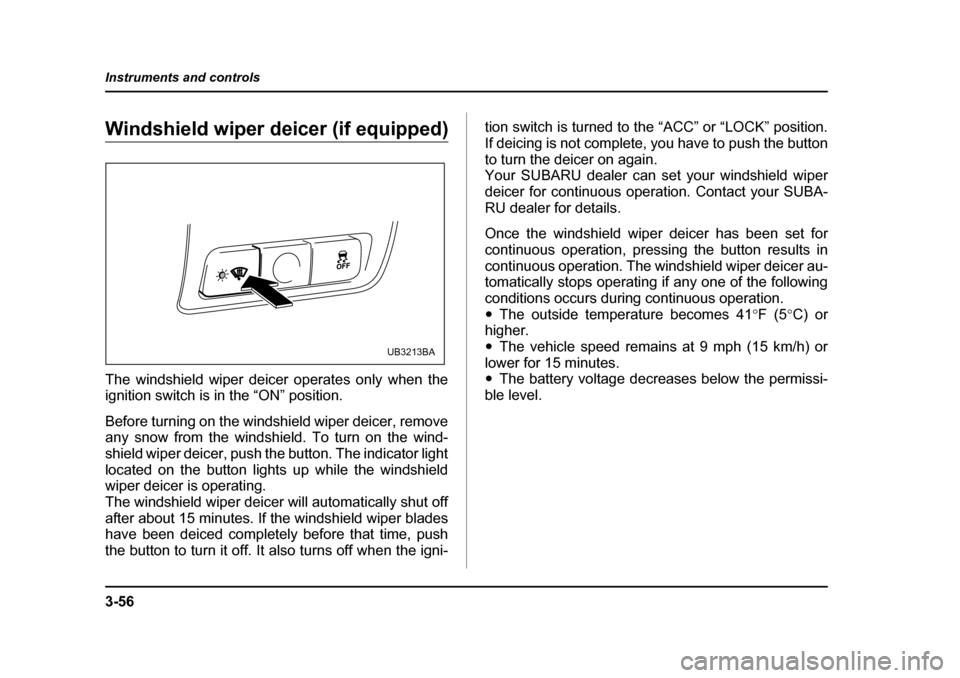
Before turning on the windshield wiper deicer, remove
any snow from the windshield. To turn on the wind-
shield wiper deicer, push the button. The indicator light
located on the button lights up while the windshield
wiper deicer is operating.
The windshield wiper deicer will automatically shut off
after about 15 minutes. If the windshield wiper blades
have been deiced completely before that time, push
the button to turn it off. It also turns off when the igni-
tion switch is turned to the “ACC” or “LOCK” position.
If deicing is not complete, you have to push the button
to turn the deicer on again.
Your SUBARU dealer can set your windshield wiper
deicer for continuous operation. Contact your SUBA-
RU dealer for details.
Once the windshield wiper deicer has been set for
continuous operation, pressing the button results in
continuous operation. The windshield wiper deicer au-
tomatically stops operating if any one of the following
conditions occurs during continuous operation."
The outside temperature becomes 41 °F (5 °C) or
higher." The vehicle speed remains at 9 mph (15 km/h) or
lower for 15 minutes. " The battery voltage decreases below the permissi-
ble level.
UB3213BA
Page 231 of 627
3-60
Instruments and controls
dicator light (green) located to the right of the button
will illuminate."
By pressing and releasing the right button, the com-
pass display is toggled on or off. When the compass is
on, an illuminated compass reading will appear in the
lower part of the mirror.
Even with the mirror in anti-glare mode, the mirror sur-
face turns bright if the transmission is shifted into re-
verse. This is to ensure good rearward visibility during reversing. ! Photosensors
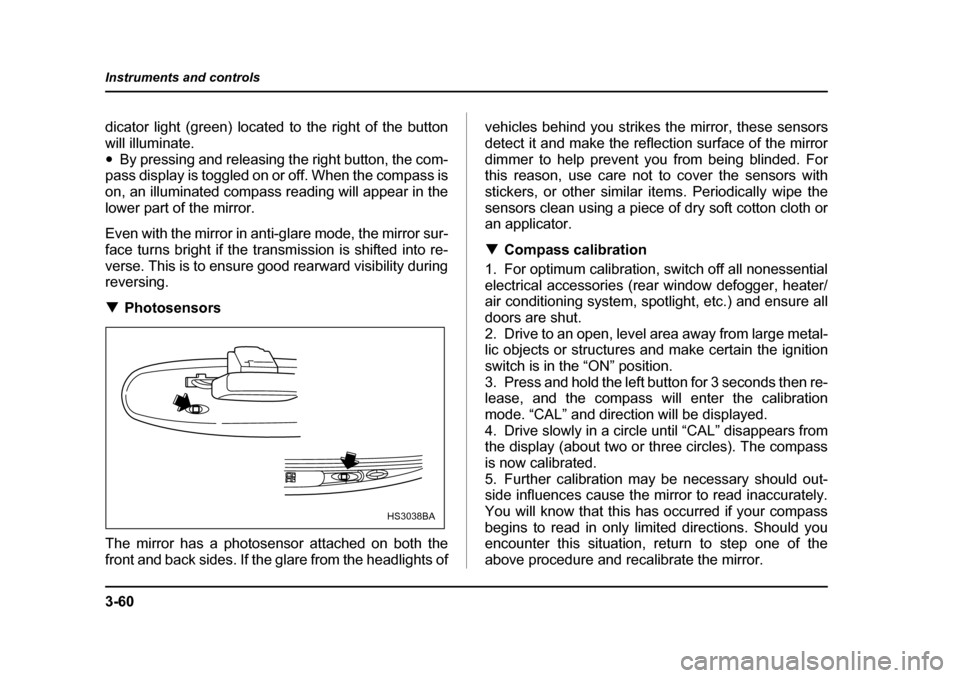
The mirror has a photosensor attached on both the
front and back sides. If the glare from the headlights of vehicles behind you strikes the mirror, these sensors
detect it and make the reflection surface of the mirror
dimmer to help prevent you from being blinded. For
this reason, use care not to cover the sensors with
stickers, or other similar items. Periodically wipe the
sensors clean using a piece of dry soft cotton cloth or
an applicator. !
Compass calibration
1. For optimum calibration, switch off all nonessential
electrical accessories (rear window defogger, heater/
air conditioning system, spotlight, etc.) and ensure all
doors are shut.
2. Drive to an open, level area away from large metal-
lic objects or structures and make certain the ignition
switch is in the “ON” position.
3. Press and hold the left button for 3 seconds then re-
lease, and the compass will enter the calibration
mode. “CAL” and direction will be displayed.
4. Drive slowly in a circle until “CAL” disappears from
the display (about two or three circles). The compass
is now calibrated.
5. Further calibration may be necessary should out-
side influences cause the mirror to read inaccurately.
You will know that this has occurred if your compass
begins to read in only limited directions. Should you
encounter this situation, return to step one of the
above procedure and recalibrate the mirror.
HS3038BA
Page 233 of 627
3-62
Instruments and controls
!
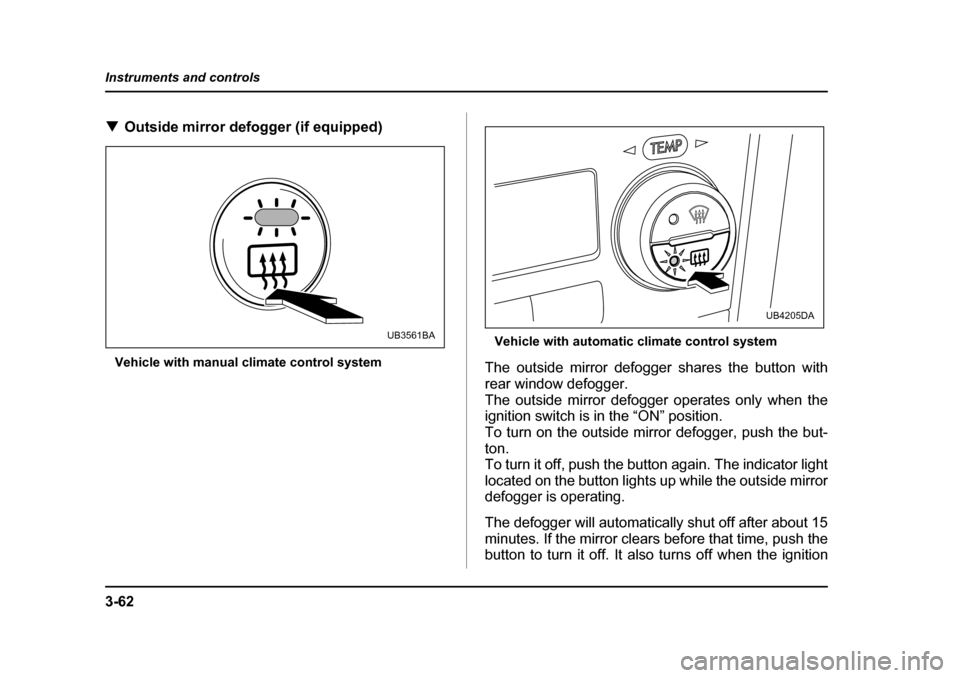
Outside mirror defogger (if equipped)
Vehicle with manual climate control system Vehicle with automatic climate control system
The outside mirror defogger shares the button with
rear window defogger.
The outside mirror defogger operates only when the
ignition switch is in the “ON” position.
To turn on the outside mirror defogger, push the but- ton.
To turn it off, push the button again. The indicator light
located on the button lights up while the outside mirror
defogger is operating.
The defogger will automatically shut off after about 15
minutes. If the mirror clears before that time, push the
button to turn it off. It also turns off when the ignition
UB3561BA
UB4205DA
Page 240 of 627
4-5
Climate control
– CONTINUED –
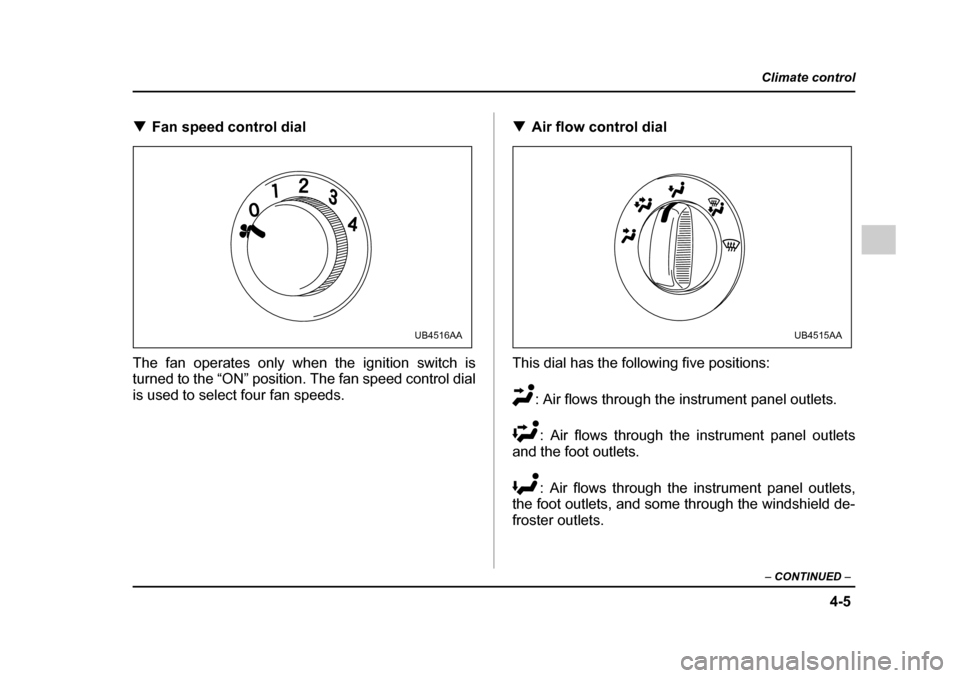
!Fan speed control dial
The fan operates only when the ignition switch is
turned to the “ON” position. The fan speed control dial
is used to select four fan speeds. !
Air flow control dial
This dial has the following five positions: : Air flows through the instrument panel outlets.: Air flows through the instrument panel outlets
and the foot outlets.
: Air flows through the instrument panel outlets,
the foot outlets, and some through the windshield de-
froster outlets.
UB4516AAUB4515AA
Page 260 of 627
5-5
Audio
– CONTINUED –
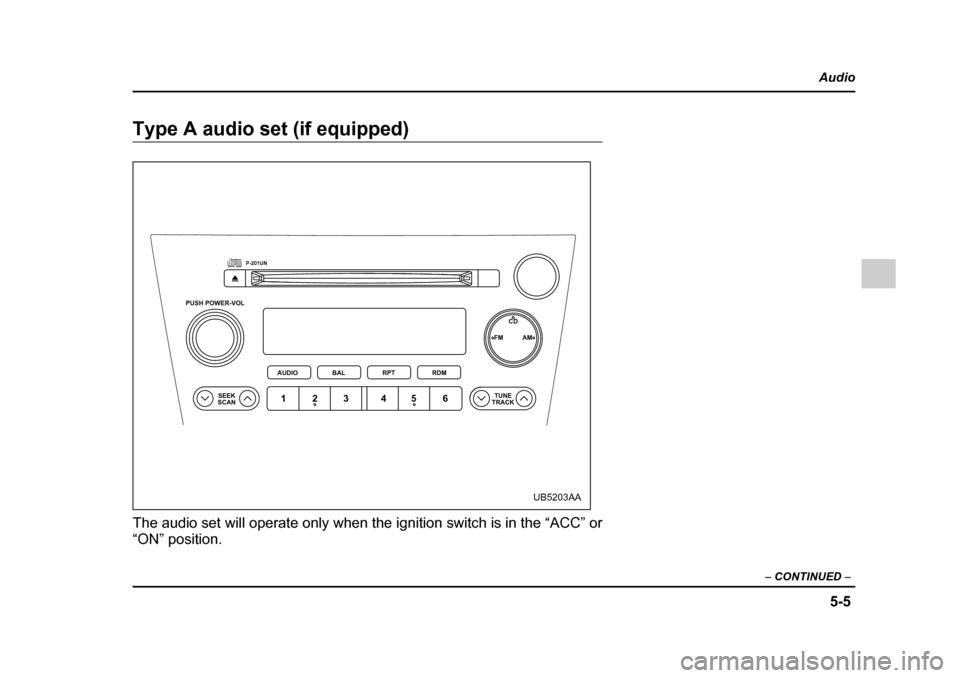
Type A audio set (if equipped)
The audio set will operate only when the ignition switch is in the “ACC” or
“ON” position.
PUSH POWER-VOL
SEEK
SCAN TUNE
TRACK
AUDIO
P-201UN
BAL RPT RDM FM AM
CD
123 456
UB5203AA
Page 270 of 627
5-15
Audio
– CONTINUED –
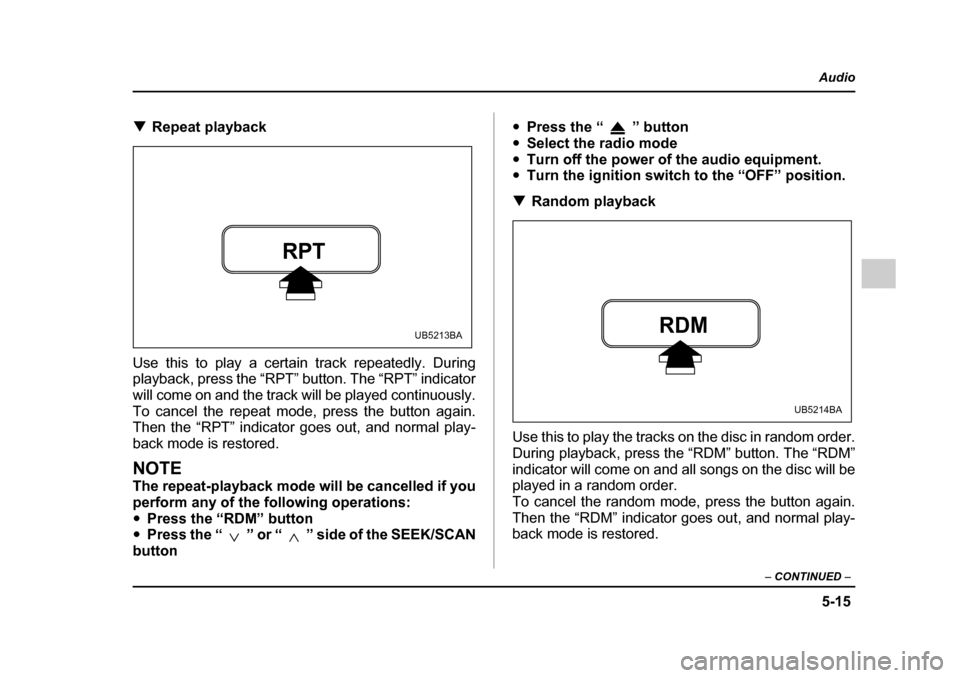
!Repeat playback
Use this to play a certain track repeatedly. During
playback, press the “RPT” button. The “RPT” indicator
will come on and the track will be played continuously.
To cancel the repeat mode, press the button again.
Then the “RPT” indicator goes out, and normal play-
back mode is restored.
NOTE
The repeat-playback mode will be cancelled if you
perform any of the following operations:" Press the “RDM” button
" Press the “ ” or “ ” side of the SEEK/SCAN
button "
Press the “ ” button
" Select the radio mode
" Turn off the power of the audio equipment.
" Turn the ignition switch to the “OFF” position.
! Random playback
Use this to play the tracks on the disc in random order.
During playback, press the “RDM” button. The “RDM”
indicator will come on and all songs on the disc will be
played in a random order.
To cancel the random mode, press the button again.
Then the “RDM” indicator goes out, and normal play-
back mode is restored.
RPT
UB5213BARDM
UB5214BA
Page 271 of 627
5-16
Audio
NOTE
The random-playback mode will be cancelled if
you perform any of the following operations:"
Press the “RPT” button
" Press the “ ” or “ ” side of the SEEK/SCAN
button" Press the “ ” button
" Select the radio mode
" Turn off the power of the audio equipment.
" Turn the ignition switch to the “OFF” position.
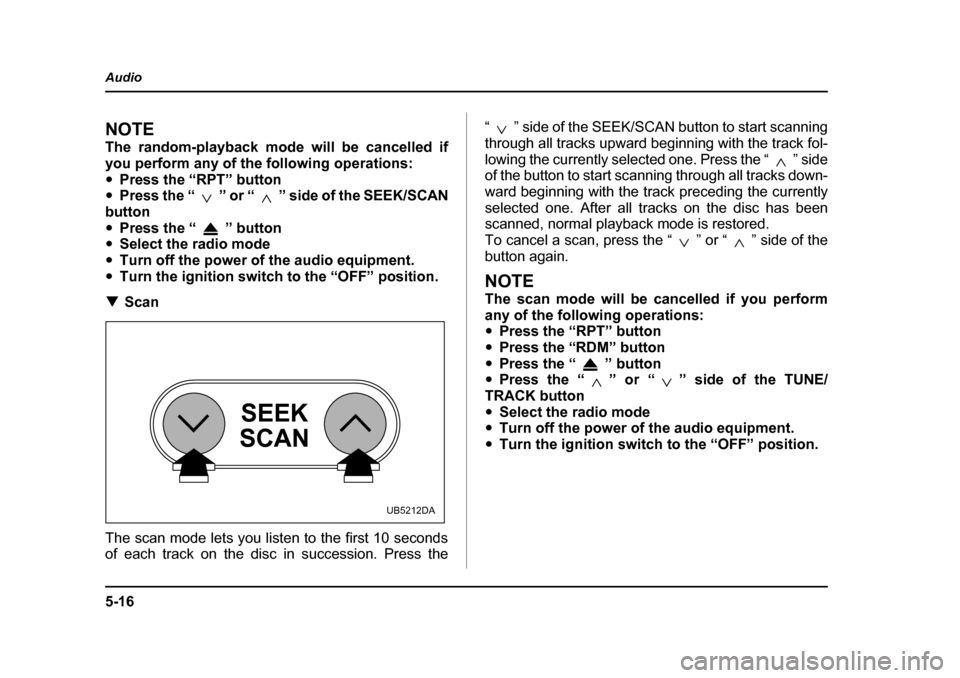
! Scan
The scan mode lets you listen to the first 10 seconds
of each track on the disc in succession. Press the “ ” side of the SEEK/SCAN button to start scanning
through all tracks upward beginning with the track fol-
lowing the currently selected one. Press the “ ” side
of the button to start scanning through all tracks down-
ward beginning with the track preceding the currentlyselected one. After all tracks on the disc has been
scanned, normal playback mode is restored.
To cancel a scan, press the “ ” or “ ” side of the
button again.
NOTE
The scan mode will be cancelled if you perform
any of the following operations: "
Press the “RPT” button
" Press the “RDM” button
" Press the “ ” button
" Press the “ ” or “ ” side of the TUNE/
TRACK button " Select the radio mode
" Turn off the power of the audio equipment.
" Turn the ignition switch to the “OFF” position.
SEEK
SCAN
UB5212DA
Page 272 of 627
5-17
Audio
– CONTINUED –
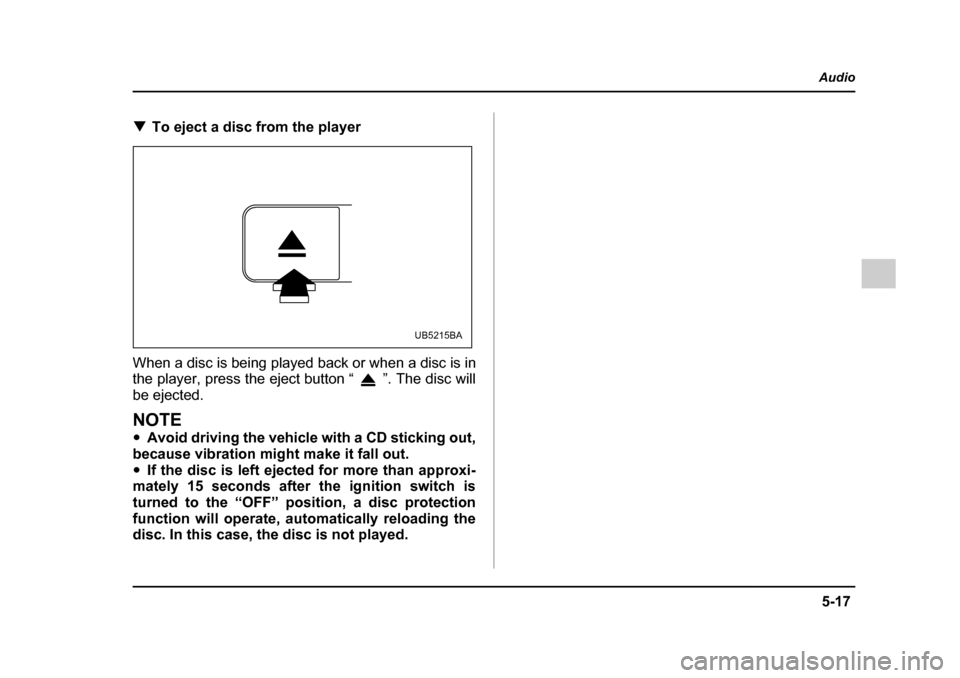
!To eject a disc from the player
When a disc is being played back or when a disc is in
the player, press the eject button “ ”. The disc will
be ejected.
NOTE " Avoid driving the vehicle with a CD sticking out,
because vibration might make it fall out. " If the disc is left ejected for more than approxi-
mately 15 seconds after the ignition switch is
turned to the “OFF” position, a disc protection
function will operate, automatically reloading the
disc. In this case, the disc is not played.
UB5215BA