ECU SUBARU OUTBACK 2005 4.G Service Manual
[x] Cancel search | Manufacturer: SUBARU, Model Year: 2005, Model line: OUTBACK, Model: SUBARU OUTBACK 2005 4.GPages: 627, PDF Size: 6.42 MB
Page 176 of 627
3-5
Instruments and controls
– CONTINUED –
!START
Do not turn the ignition switch to the “START”
position while the engine is running.
The engine is started in this position. The starter
cranks the engine to start it. When the key is released
(after the engine has started), the key automatically
returns to the “ON” position. ! For vehicle with immobilizer
If your registered key fails to start the engine, pull out
the key once (the security indicator light will blink), and
then insert the key in the ignition switch and turn it to
the “START” position to start the engine again.
NOTE
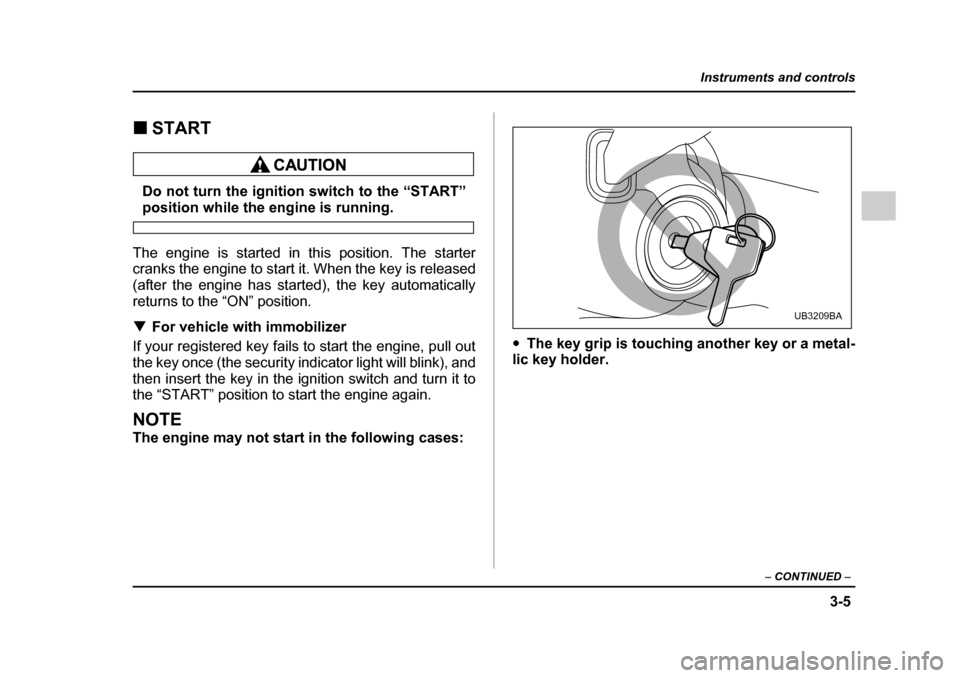
The engine may not start in the following cases: "
The key grip is touching another key or a metal-
lic key holder.
UB3209BA
Page 192 of 627
3-21
Instruments and controls
– CONTINUED –
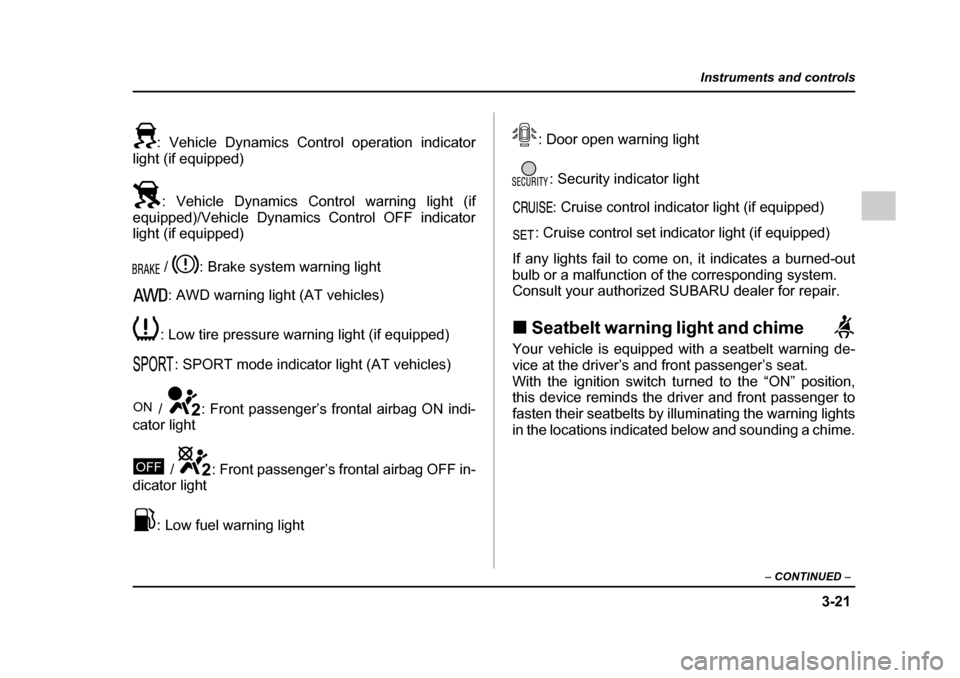
: Vehicle Dynamics Control operation indicator
light (if equipped)
: Vehicle Dynamics Control warning light (if
equipped)/Vehicle Dynamics Control OFF indicator
light (if equipped)
/ : Brake system warning light: AWD warning light (AT vehicles)
: Low tire pressure warning light (if equipped) : SPORT mode indicator light (AT vehicles)
/ : Front passenger’s frontal airbag ON indi-
cator light
/ : Front passenger’s frontal airbag OFF in-
dicator light
: Low fuel warning light : Door open warning light
: Security indicator light: Cruise control indicator light (if equipped)
: Cruise control set indicator light (if equipped)
If any lights fail to come on, it indicates a burned-out
bulb or a malfunction of the corresponding system.
Consult your authorized SUBARU dealer for repair. ! Seatbelt warning light and chime
Your vehicle is equipped with a seatbelt warning de-
vice at the driver’s and front passenger’s seat.
With the ignition switch turned to the “ON” position,
this device reminds the driver and front passenger to
fasten their seatbelts by illuminating the warning lights
in the locations indicated below and sounding a chime.
ON
OFF
Page 194 of 627
3-23
Instruments and controls
– CONTINUED –
seconds later (21 seconds after turning ON the ignition
switch), the warning lights will alternate between flash-
ing and steady illumination at 15-second intervals, and
the chime will sound while the warning light(s) is/are
flashing.
Alternate flashing and steady illumination of the warn-
ing lights and sounding of the chime will continue until
both driver and front passenger fasten their seatbelts.
NOTE "If the driver and/or front passenger unfasten(s)
the seatbelt(s) after fastening, the seatbelt warn-
ing device operates as follows according to the
vehicle speed. "At speeds lower than approximately 9 mph (15
km/h)
The warning light(s) for unfastened seatbelt(s)
will alternate between flashing and steady illu-
mination at 15-second intervals. The chime will
not sound. " At approximately 9 mph (15 km/h) or higher
speeds
The warning light(s) for unfastened seatbelt(s)
will alternate between flashing and steady illu-
mination at 15-second intervals and the chime
will sound while the warning light(s) is/are flash-
ing.
" If you unfasten and refasten driver’s seatbelt three times within six seconds after turning ON
the ignition switch, the warning operation that fol-lows the 6-second warning after turning ON the ig-
nition switch is canceled. When the ignition switch
is turned ON next time, however, the complete se-
quence of warning operation resumes.
If there is no passenger on the front passenger’s seat,
the seatbelt warning device for front passenger’s seat
will be deactivated. The front passenger’s occupant
detection system monitors whether or not there is a
passenger on the front passenger’s seat. Observe the
following precautions. Failure to do so may prevent
the device from functioning correctly or cause the de-
vice to fail."
Do not install any accessory such as a table or TV
onto the seatback." Do not store a heavy load in the seatback pocket.
" Do not allow the rear seat occupant to place his/her
hands or legs on the front passenger’s seatback, or al-
low him/her to pull the seatback." Do not use front seats with their backward-forward
position and seatback not being locked into place se-
curely. If any of them are not locked securely, adjust
them again. For adjusting procedure, refer to the
“Manual seat” in the front seats section in Chapter 1 in
this owner’s manual. (Models equipped with manualseats only)
Page 195 of 627
3-24
Instruments and controls
If the seatbelt warning device for front passenger’s
seat does not function correctly (e.g., it is activated
even when the front passenger’s seat is empty or it is
deactivated even when the front passenger has not
fastened his/her seatbelt), take the following actions."
Ensure that no article is placed on the seat other
than the child restraint system and the child occupant." Ensure that there is no article left in the seatback
pocket. " Ensure that the backward-forward position and
seatback of front passenger’s seat are locked into
place securely by moving the seat back and forth.
(Models equipped with manual seats only)
If still the seatbelt warning device for front passenger’s
seat does not function correctly after taking relevant
corrective actions described above, immediately con-
tact your SUBARU dealer for an inspection. ! SRS airbag system warning light
When the ignition switch is turned to the “ON” position,
the SRS airbag system warning light will come on for
about seven seconds and go out. This shows the SRS
frontal airbag and SRS side airbag and SRS curtain
airbag and seatbelt pretensioners are in normal oper-
ation. If this light comes on while driving or remains illuminat-
ed even after a period of about 7 seconds from when
the ignition has been turned on, it may indicate that the
SRS frontal airbag system or SRS side airbag system
(if equipped) or SRS curtain airbag or seatbelt preten-
sioner system is not working properly. Contact your
nearest SUBARU dealer immediately. !
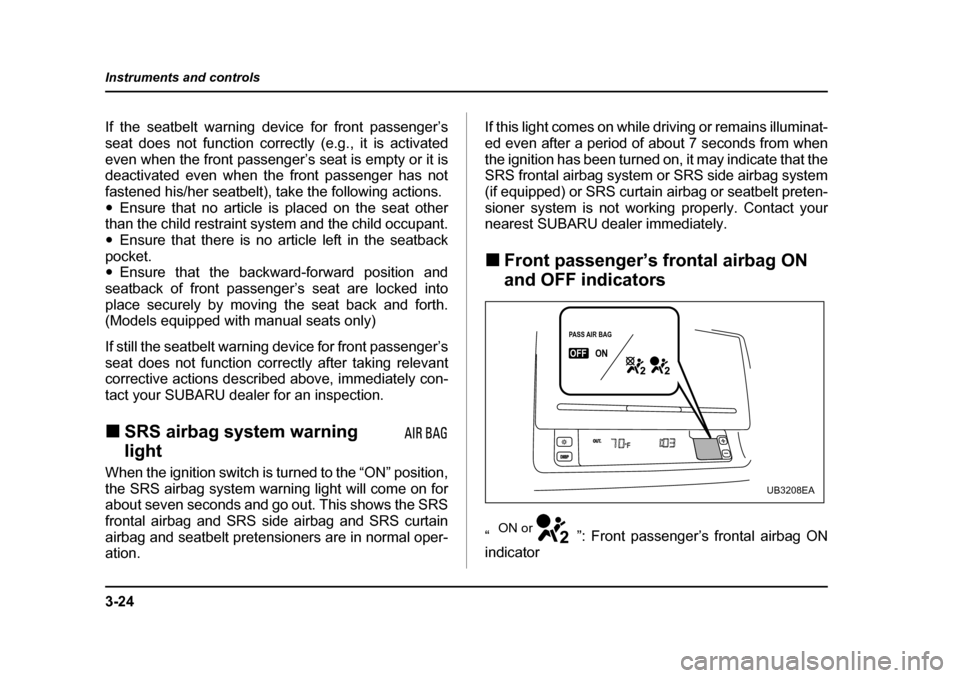
Front passenger’s frontal airbag ON
and OFF indicators
“ ”: Front passenger’s frontal airbag ON
indicator
PASS AIR BAGPASS AIR BAGONONOUT.DISPOFF
PASS AIR BAG
OFFON
UB3208EA
ON or
Page 204 of 627
3-33
Instruments and controls
– CONTINUED –
sidered normal. "The warning light comes on right after the en-
gine is started but goes out immediately, remain-
ing off. " The warning light comes on after engine startup
and goes off while the vehicle is subsequently be-
ing driven. " The warning light comes on during driving, but
it goes out immediately and remains off. ! Vehicle Dynamics Control OFF indicator light
" It comes on when the Vehicle Dynamics Control
OFF switch is pressed. " It also comes on when the Vehicle Dynamics Con-
trol system is deactivated.
NOTE " The light may stay on for a while after the engine
has been started, especially in cold weather. This
does not indicate the existence of a problem. The
light should go out as soon as the engine has
warmed up. " The indicator light comes on when the engine
has developed a problem and the Malfunction in-
dicator light is on.
The Vehicle Dynamics Control system is probably
faulty under the following condition. Have your vehicle checked at a SUBARU dealer as soon as possible."
The light does not go out even after the lapse of sev-
eral minutes (the engine has warmed up) after the en-
gine has started. ! Security indicator light
This indicator light shows the status of the alarm sys-
tem. If your vehicle is equipped with an immobilizer, it
also indicates operation of the immobilizer system. ! Alarm system
It blinks to show the driver the operational status of the
alarm system. For detailed information, refer to the
“Alarm system” in Chapter 2. ! Immobilizer system (if equipped)
This light blinks about 60 seconds after the ignition
switch is turned from “ON” position to the “ACC” or
“LOCK” position or immediately after the key is pulled
out. (Refer to the “Door locks” section in chapter 2.)
If the indicator light does not flash, it may indicate that
immobilizer system may be faulty. Contact your near-
est SUBARU dealer immediately.
In the event that an unauthorized key (for example, an
unauthorized duplicate) is used, the security indicator
light comes on.
Page 235 of 627
3-64
Instruments and controls
place.
5. Make sure that the steering wheel is securely
locked by moving it up and down.Horn
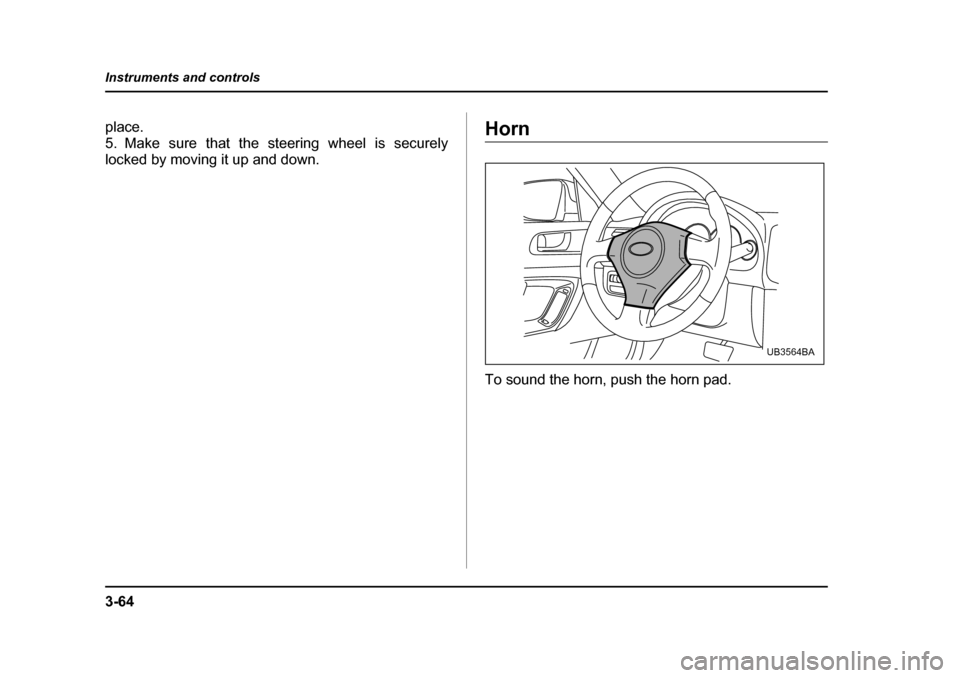
To sound the horn, push the horn pad.
UB3564BA
Page 340 of 627
6-23
Interior equipment
– CONTINUED –
Make sure the driver’s floor mat is placed back
in its proper location and correctly secured on
its retaining pin. If the floor mat slips forward
and interferes with the movement of the pedals
during driving, it could cause an accident.
Cargo area cover
The cargo area cover is provided for covering the car-
go area and to protect its contents from direct sunlight.
This cover is detachable to make room for additional cargo. !Using the cover
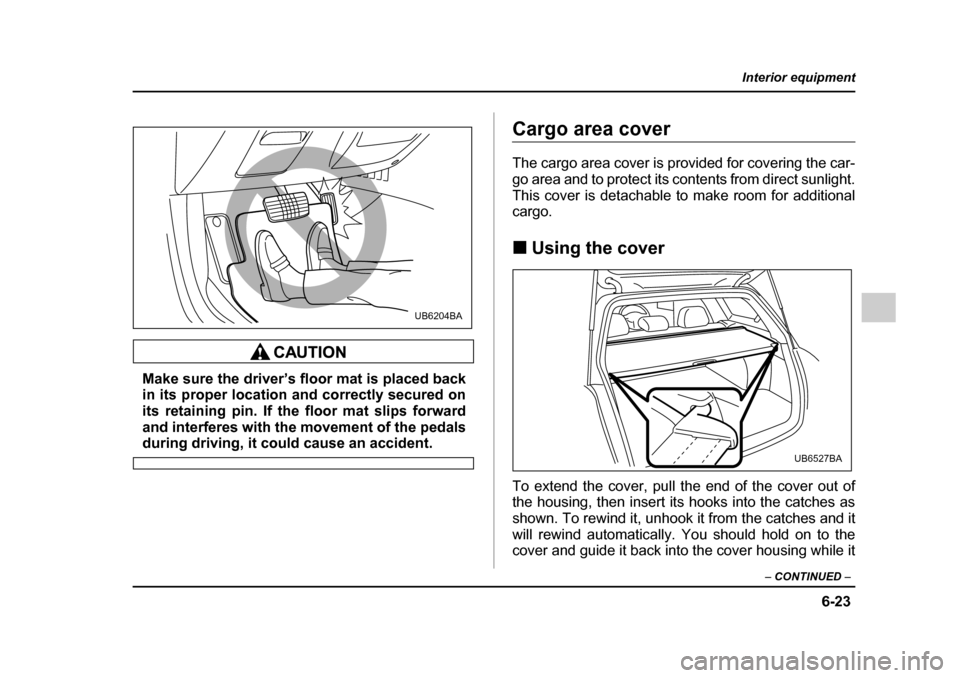
To extend the cover, pull the end of the cover out of
the housing, then insert its hooks into the catches as
shown. To rewind it, unhook it from the catches and it
will rewind automatically. You should hold on to the
cover and guide it back into the cover housing while it
UB6204BA
UB6527BA
Page 346 of 627
6-29
Interior equipment
– CONTINUED –
Convenient tie-down hooks (if
equipped)
The convenient tie-down hooks are designed
only for securing light cargo. Never try to se-
cure cargo that exceeds the capacity of the
hooks. The maximum load capacity is 44 lbs (20
kg) per hook.
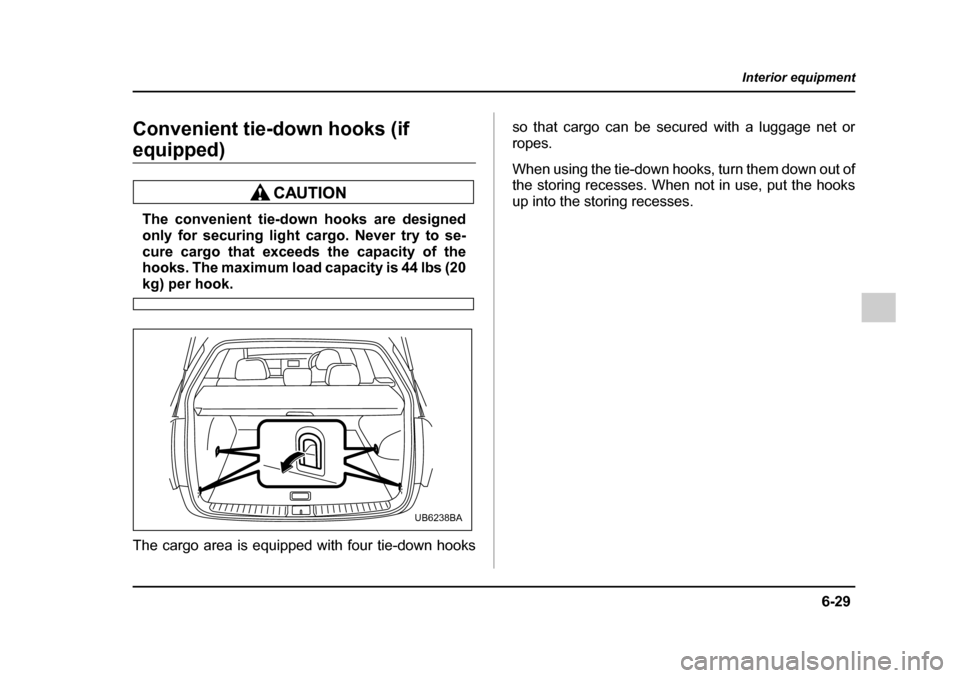
The cargo area is equipped with four tie-down hooks so that cargo can be secured with a luggage net or
ropes.
When using the tie-down hooks, turn them down out of
the storing recesses. When not in use, put the hooks
up into the storing recesses.
UB6238BA
Page 354 of 627
6-37
Interior equipment
– CONTINUED –
rapidly after several seconds, release both buttons.
7. Plug the motor of the entrance gate/garage door
opener to the outlet.
8. Test your entrance gate/garage door opener by
pressing the programmed HomeLink® button. !Programming other devices
To program other devices such as door locks, home
lighting and security systems, contact HomeLink at
www.homelink.com or call 1-800-355-3515. ! Operating the HomeLink® Wireless
Control System
Once programmed, the HomeLink® Wireless Control
System can be used to remote-control the devices to
which its buttons are programmed. To activate a de-
vice, simply press the appropriate button. The indica-
tor light illuminates, indicating that the signal is being
transmitted. ! Reprogramming a single HomeLink® button
1. Press and hold the HomeLink® button you wish to
reprogram. DO NOT release the button until step 4
has been completed. 2. When the HomeLink® indicator light begins to flash
slowly (after 20 seconds), position the hand-held
transmitter of the device for which you wish to program the button at 1 to 3 inches (25 to 76 mm) away from
the HomeLink® button surface.
3. Press and hold the hand-held transmitter button.
The HomeLink® indicator light will flash, first slowly
and then rapidly.
4. When the indicator light begins to flash rapidly, re-
lease both buttons.
The programming for the previous device is now
erased and the new device can be operated by push-
ing the HomeLink® button. !
Erasing HomeLink® button memory
NOTE "Performing this procedure erases the memory
of all the preprogrammed buttons simultaneously.
The memory of individual buttons cannot be
erased. " It is recommended that upon the sale of the ve-
hicle, the memory of all programmed HomeLink®
buttons be erased for security purposes.
1. Press and hold the two outside buttons until the in-
dicator light begins to flash (after 20 seconds).
Page 424 of 627

8-11
Driving tips
– CONTINUED –
"Always check your brakes for effectiveness immedi-
ately after driving in sand, mud or water. Do this by
driving slowly and stepping on the brake pedal. Re-
peat that process several times to dry out the brake
discs and brake pads." Do not drive or park over or near flammable materi-
als such as dry grass or fallen leaves, as they may
burn easily. The exhaust system is very hot while the
engine is running and right after engine stops. This
could create a fire hazard. " After driving through tall grass, mud, rocks, sand,
rivers, etc., check that there is no grass, bush, paper,
rags, stones, sand, etc. adhering to or trapped on the
underbody. Clear off any such matter from the under-
body. If the vehicle is used with these materials
trapped or adhering to the underbody, a mechanical
breakdown or fire could occur." Secure all cargo carried inside the vehicle and make
certain that it is not piled higher than the seatbacks.
During sudden stops or jolts, unsecured cargo could
be thrown around in the vehicle and cause injury. Do
not pile heavy loads on the roof. Those loads raise the
vehicle’s center of gravity and make it more prone to
tip over. " If you must rock the vehicle to free it from sand or
mud, depress the accelerator pedal slightly and move
the selector lever back and forth between “D” and “R” repeatedly. Do not race the engine. For the best pos-
sible traction, avoid spinning the wheels when trying to
free the vehicle. "
When the road surface is extremely slippery, you
can obtain better traction by starting the vehicle with
the transmission in 2nd than 1st (both for MT and AT). " Never equip your vehicle with tires larger than those
specified in this manual. " Wash the vehicle’s underbody after off-road driving.
Suspension components are particularly prone to dirt
buildup, so they need to be washed thoroughly." Frequent driving of an AWD vehicle under hard-driv-
ing conditions such as rough roads or off roads will ne-
cessitate more frequent replacement of engine oil,
brake fluid and transmission oil than that specified in
the maintenance schedule described in the “Warranty
and Maintenance Booklet”.
Remember that damage done to your SUBARU while
operating it off-road and not using common sense pre-
cautions such as those listed above is not eligible forwarranty coverage.