ESP SUBARU OUTBACK 2017 6.G Owner's Manual
[x] Cancel search | Manufacturer: SUBARU, Model Year: 2017, Model line: OUTBACK, Model: SUBARU OUTBACK 2017 6.GPages: 610, PDF Size: 10.28 MB
Page 173 of 610
Instruments and controls/Warning and indicator lights
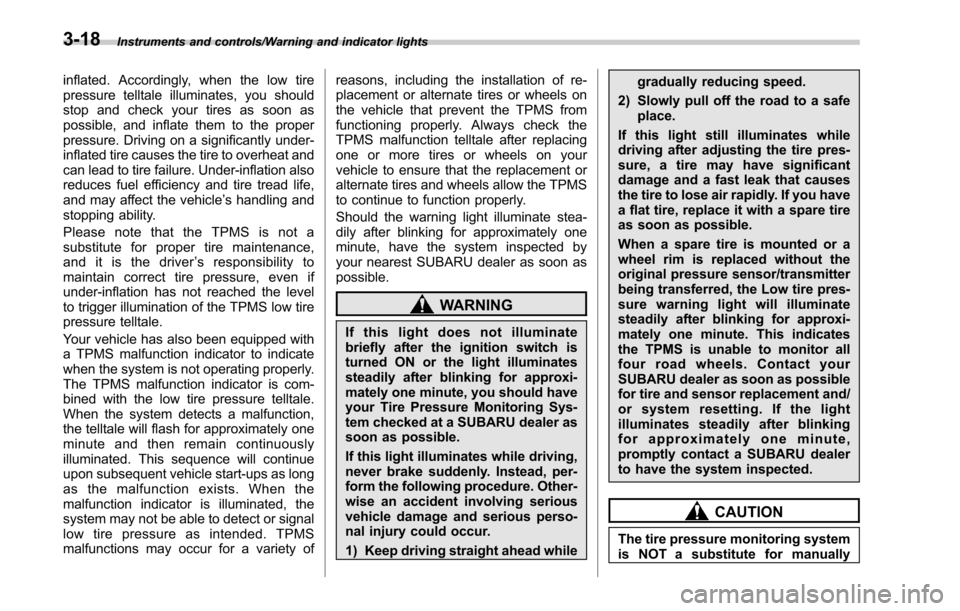
inflated. Accordingly, when the low tire
pressure telltale illuminates, you should
stop and check your tires as soon as
possible, and inflate them to the proper
pressure. Driving on a significantly under-
inflated tire causes the tire to overheat and
can lead to tire failure. Under-inflation also
reduces fuel efficiency and tire tread life,
and may affect the vehicle’s handling and
stopping ability.
Please note that the TPMS is not a
substitute for proper tire maintenance,
and it is the driver ’s responsibility to
maintain correct tire pressure, even if
under-inflation has not reached the level
to trigger illumination of the TPMS low tire
pressure telltale.
Your vehicle has also been equipped with
a TPMS malfunction indicator to indicate
when the system is not operating properly.
The TPMS malfunction indicator is com-
bined with the low tire pressure telltale.
When the system detects a malfunction,
the telltale will flash for approximately one
minute and then remain continuously
illuminated. This sequence will continue
upon subsequent vehicle start-ups as long
as the malfunction exists. When the
malfunction indicator is illuminated, the
system may not be able to detect or signal
low tire pressure as intended. TPMS
malfunctions may occur for a variety of reasons, including the installation of re-
placement or alternate tires or wheels on
the vehicle that prevent the TPMS from
functioning properly. Always check the
TPMS malfunction telltale after replacing
one or more tires or wheels on your
vehicle to ensure that the replacement or
alternate tires and wheels allow the TPMS
to continue to function properly.
Should the warning light illuminate stea-
dily after blinking for approximately one
minute, have the system inspected by
your nearest SUBARU dealer as soon as
possible.
WARNING
If this light does not illuminate
briefly after the ignition switch is
turned ON or the light illuminates
steadily after blinking for approxi-
mately one minute, you should have
your Tire Pressure Monitoring Sys-
tem checked at a SUBARU dealer as
soon as possible.
If this light illuminates while driving,
never brake suddenly. Instead, per-
form the following procedure. Other-
wise an accident involving serious
vehicle damage and serious perso-
nal injury could occur.
1) Keep driving straight ahead while gradually reducing speed.
2) Slowly pull off the road to a safe place.
If this light still illuminates while
driving after adjusting the tire pres-
sure, a tire may have significant
damage and a fast leak that causes
the tire to lose air rapidly. If you have
a flat tire, replace it with a spare tire
as soon as possible.
When a spare tire is mounted or a
wheel rim is replaced without the
original pressure sensor/transmitter
being transferred, the Low tire pres-
sure warning light will illuminate
steadily after blinking for approxi-
mately one minute. This indicates
the TPMS is unable to monitor all
four road wheels. Contact your
SUBARU dealer as soon as possible
for tire and sensor replacement and/
or system resetting. If the light
illuminates steadily after blinking
for approximately one minute,
promptly contact a SUBARU dealer
to have the system inspected.
CAUTION
The tire pressure monitoring system
is NOT a substitute for manually
3-18
Page 180 of 610
NOTE
.The light may remain illuminated for
a short period of time after the engine
has been started, especially in cold
weather. This does not indicate the
existence of a problem. The light
should turn off as soon as the engine
has warmed up.
. The indicator light illuminates when
the engine has developed a problem
and the CHECK ENGINE warning light/
malfunction indicator light is on.
The Vehicle Dynamics Control system is
probably malfunctioning under the follow-
ing condition. Have your vehicle checked
at a SUBARU dealer as soon as possible.
. The light does not turn off even after
the lapse of several minutes (the engine
has warmed up) after the engine has
started.
&Vehicle Dynamics
Control OFF indicator
light
The light illuminates when the Vehicle
Dynamics Control OFF switch is pressed
to deactivate the Vehicle Dynamics Con-
trol system.
The Vehicle Dynamics Control system is
probably malfunctioning under any of the
following conditions. Have your vehicle checked at a SUBARU dealer immedi-
ately.
.
The light does not illuminate when the
ignition switch is turned to the “ON ”
position.
. The light does not turn off even after a
period of approximately 2 seconds after
the ignition switch has been turned to the
“ON ”position.
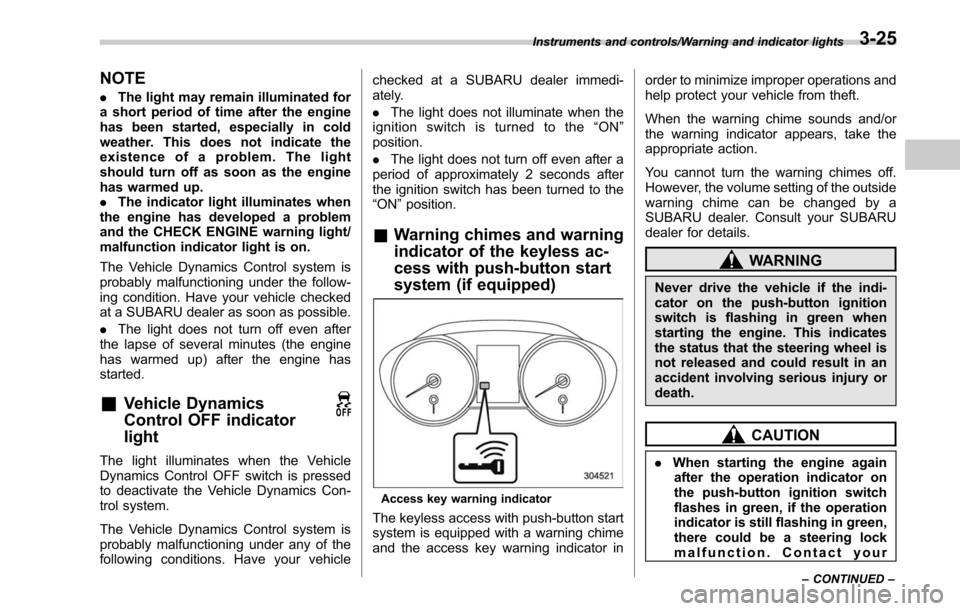
& Warning chimes and warning
indicator of the keyless ac-
cess with push-button start
system (if equipped)
Access key warning indicator
The keyless access with push-button start
system is equipped with a warning chime
and the access key warning indicator in order to minimize improper operations and
help protect your vehicle from theft.
When the warning chime sounds and/or
the warning indicator appears, take the
appropriate action.
You cannot turn the warning chimes off.
However, the volume setting of the outside
warning chime can be changed by a
SUBARU dealer. Consult your SUBARU
dealer for details.
WARNING
Never drive the vehicle if the indi-
cator on the push-button ignition
switch is flashing in green when
starting the engine. This indicates
the status that the steering wheel is
not released and could result in an
accident involving serious injury or
death.
CAUTION
.
When starting the engine again
after the operation indicator on
the push-button ignition switch
flashes in green, if the operation
indicator is still flashing in green,
there could be a steering lock
malfunction. Contact your
Instruments and controls/Warning and indicator lights
–CONTINUED –3-25
Page 187 of 610
Instruments and controls/Warning and indicator lights
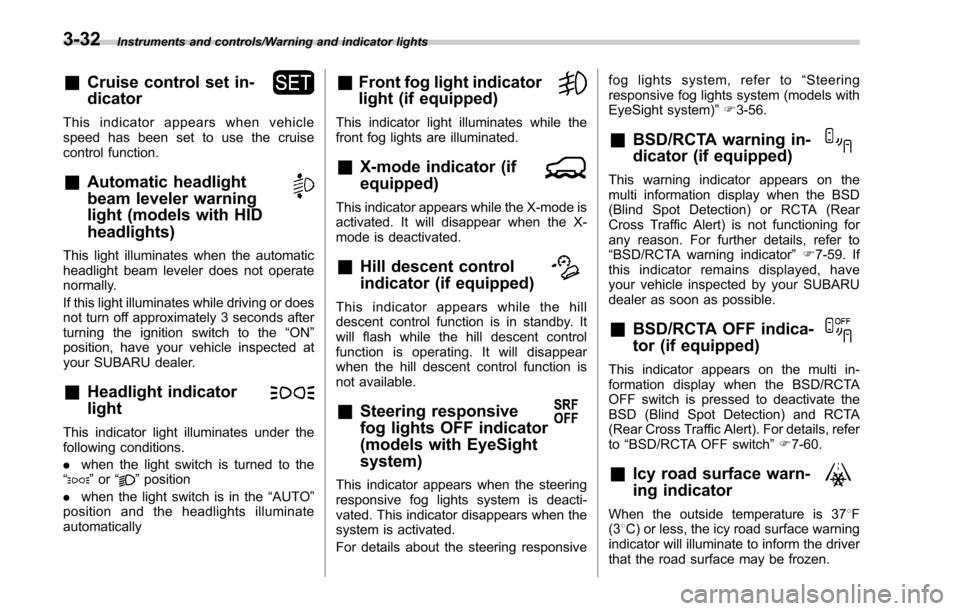
&Cruise control set in-
dicator
This indicator appears when vehicle
speed has been set to use the cruise
control function.
&Automatic headlight
beam leveler warning
light (models with HID
headlights)
This light illuminates when the automatic
headlight beam leveler does not operate
normally.
If this light illuminates while driving or does
not turn off approximately 3 seconds after
turning the ignition switch to the“ON”
position, have your vehicle inspected at
your SUBARU dealer.
&Headlight indicator
light
This indicator light illuminates under the
following conditions.
. when the light switch is turned to the
“
” or “”position
. when the light switch is in the “AUTO”
position and the headlights illuminate
automatically
&Front fog light indicator
light (if equipped)
This indicator light illuminates while the
front fog lights are illuminated.
&X-mode indicator (if
equipped)
This indicator appears while the X-mode is
activated. It will disappear when the X-
mode is deactivated.
&Hill descent control
indicator (if equipped)
This indicator appears while the hill
descent control function is in standby. It
will flash while the hill descent control
function is operating. It will disappear
when the hill descent control function is
not available.
&Steering responsive
fog lights OFF indicator
(models with EyeSight
system)
This indicator appears when the steering
responsive fog lights system is deacti-
vated. This indicator disappears when the
system is activated.
For details about the steering responsive fog lights system, refer to
“Steering
responsive fog lights system (models with
EyeSight system) ”F 3-56.
&BSD/RCTA warning in-
dicator (if equipped)
This warning indicator appears on the
multi information display when the BSD
(Blind Spot Detection) or RCTA (Rear
Cross Traffic Alert) is not functioning for
any reason. For further details, refer to
“BSD/RCTA warning indicator ”F 7-59. If
this indicator remains displayed, have
your vehicle inspected by your SUBARU
dealer as soon as possible.
&BSD/RCTA OFF indica-
tor (if equipped)
This indicator appears on the multi in-
formation display when the BSD/RCTA
OFF switch is pressed to deactivate the
BSD (Blind Spot Detection) and RCTA
(Rear Cross Traffic Alert). For details, refer
to “BSD/RCTA OFF switch ”F 7-60.
&Icy road surface warn-
ing indicator
When the outside temperature is 37 8F
(3 8C) or less, the icy road surface warning
indicator will illuminate to inform the driver
that the road surface may be frozen.
3-32
Page 195 of 610
Instruments and controls/Multi information display
Multi Media Link screen (while selecting the
destination) (models with genuine SUBARU
navigation system):
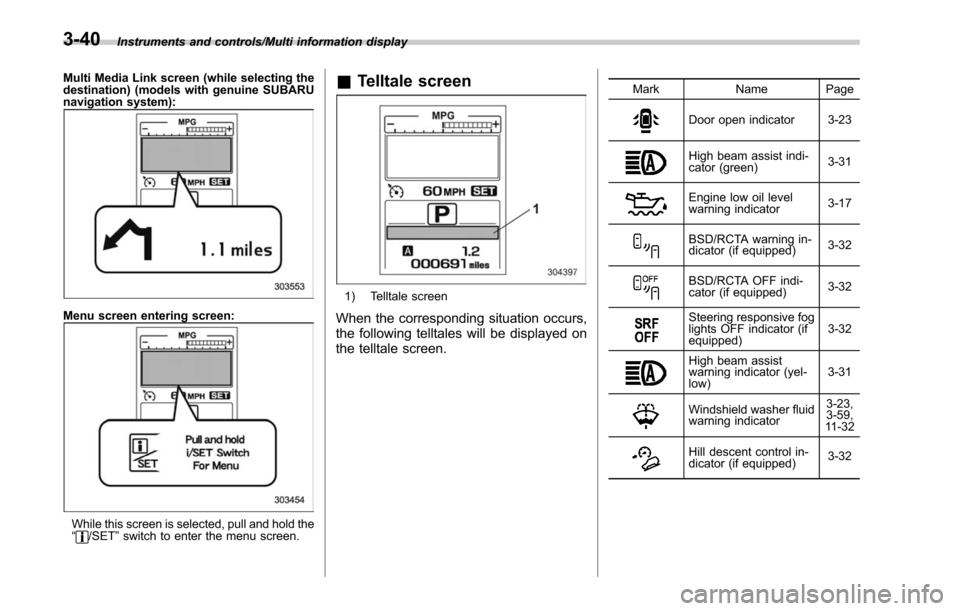
Menu screen entering screen:
While this screen is selected, pull and hold the
“/SET”switch to enter the menu screen.
& Telltale screen
1) Telltale screen
When the corresponding situation occurs,
the following telltales will be displayed on
the telltale screen.
Mark Name Page
Door open indicator 3-23
High beam assist indi-
cator (green) 3-31
Engine low oil level
warning indicator
3-17
BSD/RCTA warning in-
dicator (if equipped)3-32
BSD/RCTA OFF indi-
cator (if equipped)
3-32
Steering responsive fog
lights OFF indicator (if
equipped)3-32
High beam assist
warning indicator (yel-
low)3-31
Windshield washer fluid
warning indicator3-23,
3-59,
11 - 3 2
Hill descent control in-
dicator (if equipped) 3-32
3-40
Page 204 of 610
!Sensor for the auto on/off head-
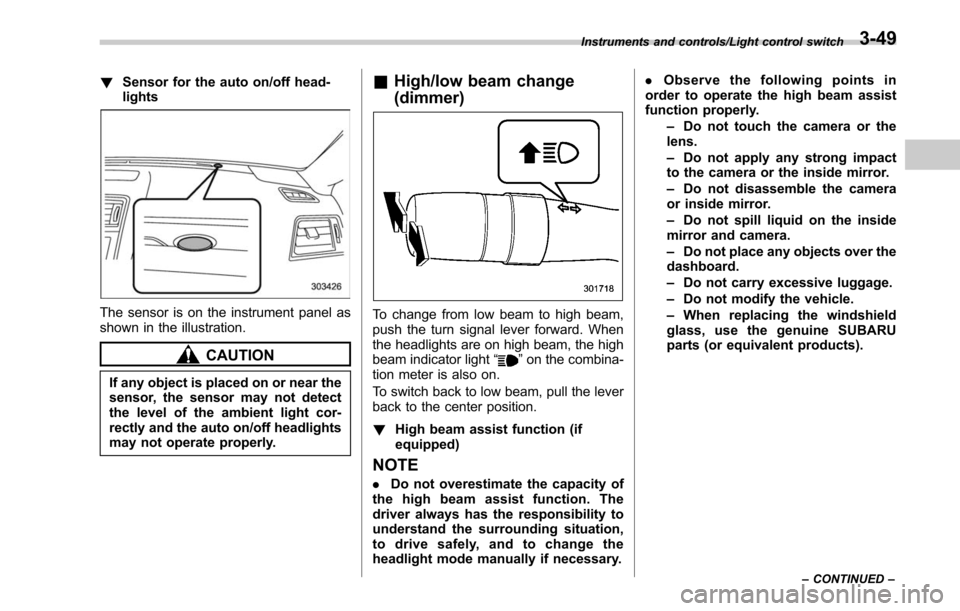
lights
The sensor is on the instrument panel as
shown in the illustration.
CAUTION
If any object is placed on or near the
sensor, the sensor may not detect
the level of the ambient light cor-
rectly and the auto on/off headlights
may not operate properly.
&High/low beam change
(dimmer)
To change from low beam to high beam,
push the turn signal lever forward. When
the headlights are on high beam, the high
beam indicator light “
”on the combina-
tion meter is also on.
To switch back to low beam, pull the lever
back to the center position.
! High beam assist function (if
equipped)
NOTE
.Do not overestimate the capacity of
the high beam assist function. The
driver always has the responsibility to
understand the surrounding situation,
to drive safely, and to change the
headlight mode manually if necessary. .
Observe the following points in
order to operate the high beam assist
function properly.
–Do not touch the camera or the
lens.
– Do not apply any strong impact
to the camera or the inside mirror.
– Do not disassemble the camera
or inside mirror.
– Do not spill liquid on the inside
mirror and camera.
– Do not place any objects over the
dashboard.
– Do not carry excessive luggage.
– Do not modify the vehicle.
– When replacing the windshield
glass, use the genuine SUBARU
parts (or equivalent products).
Instruments and controls/Light control switch
–CONTINUED –3-49
Page 211 of 610
Instruments and controls/Front fog light switch
Front fog light switch
(if equipped)
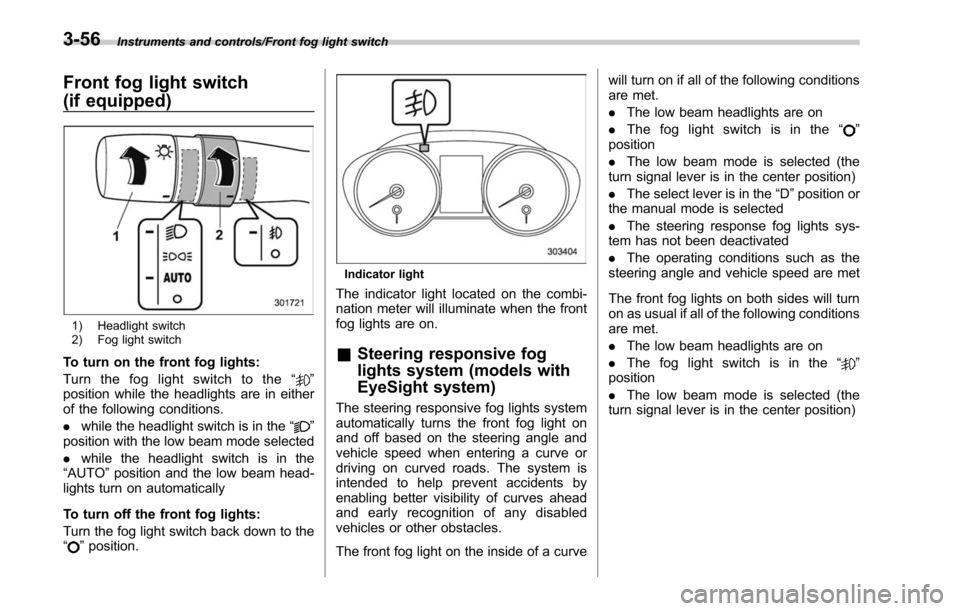
1) Headlight switch
2) Fog light switch
To turn on the front fog lights:
Turn the fog light switch to the“
”
position while the headlights are in either
of the following conditions.
. while the headlight switch is in the “
”
position with the low beam mode selected
. while the headlight switch is in the
“AUTO ”position and the low beam head-
lights turn on automatically
To turn off the front fog lights:
Turn the fog light switch back down to the
“
” position.
Indicator light
The indicator light located on the combi-
nation meter will illuminate when the front
fog lights are on.
& Steering responsive fog
lights system (models with
EyeSight system)
The steering responsive fog lights system
automatically turns the front fog light on
and off based on the steering angle and
vehicle speed when entering a curve or
driving on curved roads. The system is
intended to help prevent accidents by
enabling better visibility of curves ahead
and early recognition of any disabled
vehicles or other obstacles.
The front fog light on the inside of a curve will turn on if all of the following conditions
are met.
.
The low beam headlights are on
. The fog light switch is in the “
”
position
. The low beam mode is selected (the
turn signal lever is in the center position)
. The select lever is in the “D”position or
the manual mode is selected
. The steering response fog lights sys-
tem has not been deactivated
. The operating conditions such as the
steering angle and vehicle speed are met
The front fog lights on both sides will turn
on as usual if all of the following conditions
are met.
. The low beam headlights are on
. The fog light switch is in the “
”
position
. The low beam mode is selected (the
turn signal lever is in the center position)
3-56
Page 212 of 610
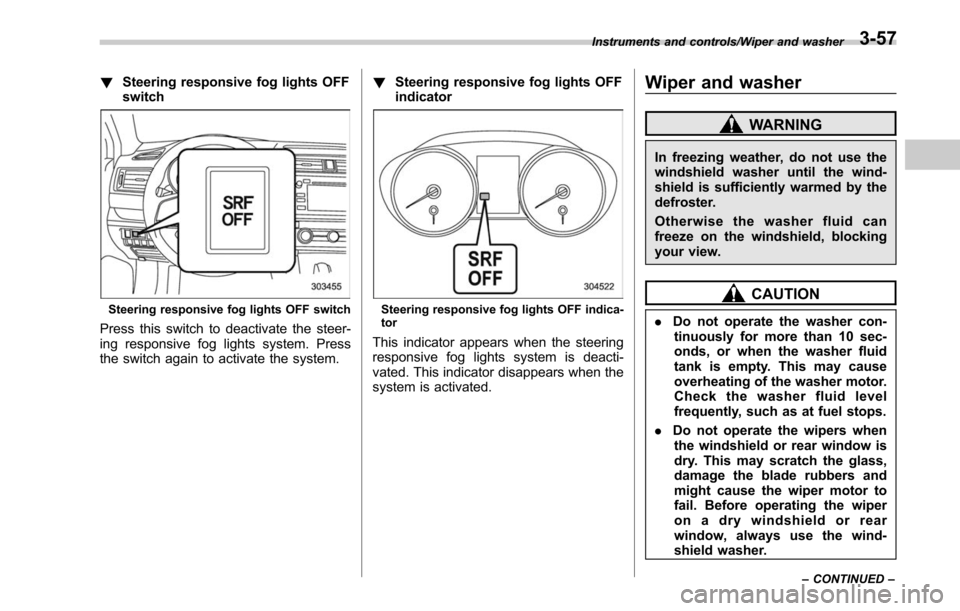
!Steering responsive fog lights OFF
switch
Steering responsive fog lights OFF switch
Press this switch to deactivate the steer-
ing responsive fog lights system. Press
the switch again to activate the system. !
Steering responsive fog lights OFF
indicator
Steering responsive fog lights OFF indica-
tor
This indicator appears when the steering
responsive fog lights system is deacti-
vated. This indicator disappears when the
system is activated.
Wiper and washer
WARNING
In freezing weather, do not use the
windshield washer until the wind-
shield is sufficiently warmed by the
defroster.
Otherwise the washer fluid can
freeze on the windshield, blocking
your view.
CAUTION
.Do not operate the washer con-
tinuously for more than 10 sec-
onds, or when the washer fluid
tank is empty. This may cause
overheating of the washer motor.
Check the washer fluid level
frequently, such as at fuel stops.
. Do not operate the wipers when
the windshield or rear window is
dry. This may scratch the glass,
damage the blade rubbers and
might cause the wiper motor to
fail. Before operating the wiper
on a dry windshield or rear
window, always use the wind-
shield washer.
Instruments and controls/Wiper and washer
–CONTINUED –3-57
Page 215 of 610
Instruments and controls/Wiper and washer
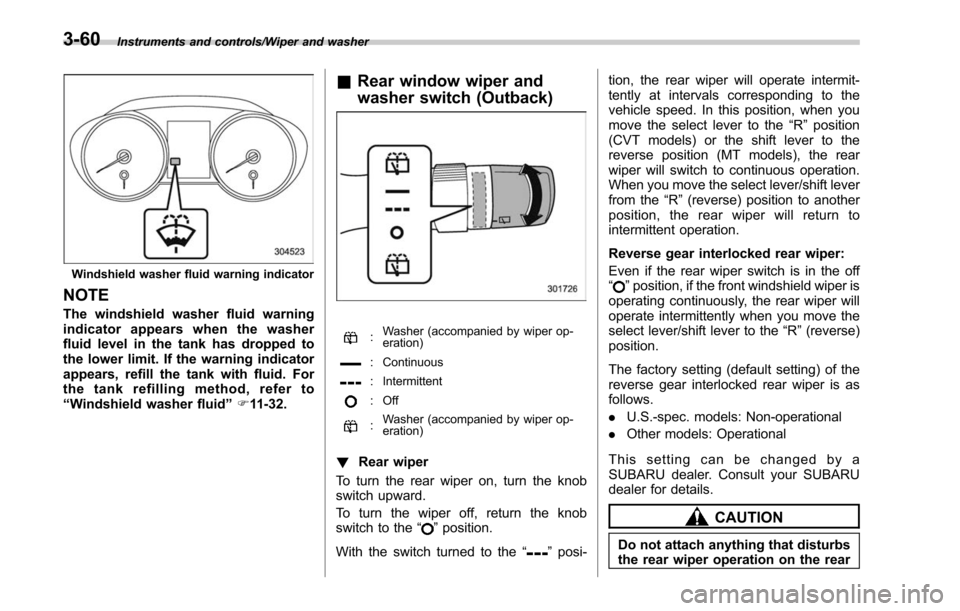
Windshield washer fluid warning indicator
NOTE
The windshield washer fluid warning
indicator appears when the washer
fluid level in the tank has dropped to
the lower limit. If the warning indicator
appears, refill the tank with fluid. For
the tank refilling method, refer to
“Windshield washer fluid ”F 11-32.
& Rear window wiper and
washer switch (Outback)
:Washer (accompanied by wiper op-
eration)
: Continuous
: Intermittent
: Off
:Washer (accompanied by wiper op-
eration)
!
Rear wiper
To turn the rear wiper on, turn the knob
switch upward.
To turn the wiper off, return the knob
switch to the “
”position.
With the switch turned to the “
”posi- tion, the rear wiper will operate intermit-
tently at intervals corresponding to the
vehicle speed. In this position, when you
move the select lever to the
“R”position
(CVT models) or the shift lever to the
reverse position (MT models), the rear
wiper will switch to continuous operation.
When you move the select lever/shift lever
from the “R”(reverse) position to another
position, the rear wiper will return to
intermittent operation.
Reverse gear interlocked rear wiper:
Even if the rear wiper switch is in the off
“
” position, if the front windshield wiper is
operating continuously, the rear wiper will
operate intermittently when you move the
select lever/shift lever to the “R”(reverse)
position.
The factory setting (default setting) of the
reverse gear interlocked rear wiper is as
follows.
. U.S.-spec. models: Non-operational
. Other models: Operational
This setting can be changed by a
SUBARU dealer. Consult your SUBARU
dealer for details.
CAUTION
Do not attach anything that disturbs
the rear wiper operation on the rear
3-60
Page 224 of 610
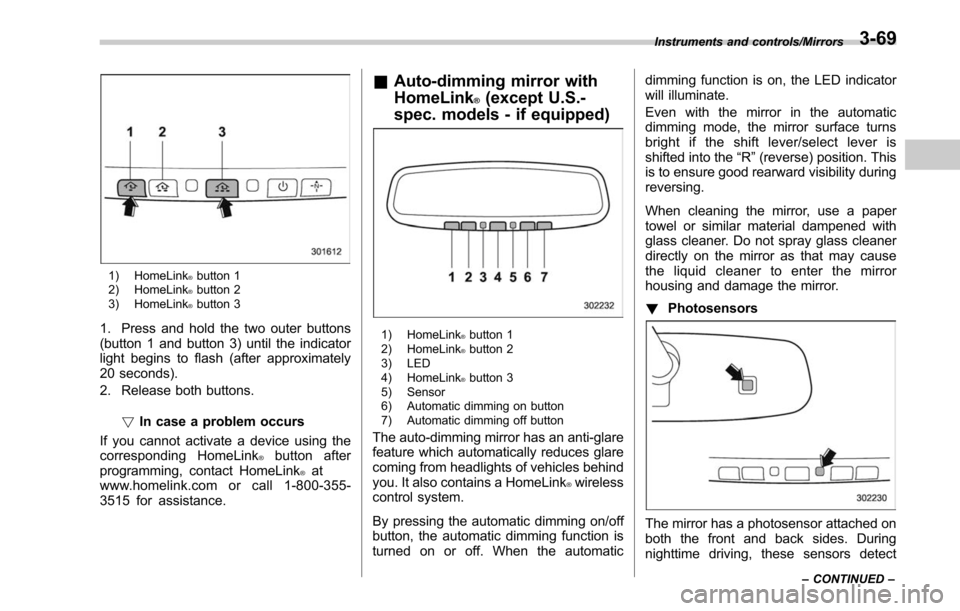
1) HomeLink®button 1
2) HomeLink®button 2
3) HomeLink®button 3
1. Press and hold the two outer buttons
(button 1 and button 3) until the indicator
light begins to flash (after approximately
20 seconds).
2. Release both buttons.
!In case a problem occurs
If you cannot activate a device using the
corresponding HomeLink
®button after
programming, contact HomeLink®at
www.homelink.com or call 1-800-355-
3515 for assistance.
& Auto-dimming mirror with
HomeLink
®(except U.S.-
spec. models - if equipped)
1) HomeLink®button 1
2) HomeLink®button 2
3) LED
4) HomeLink
®button 3
5) Sensor
6) Automatic dimming on button
7) Automatic dimming off button
The auto-dimming mirror has an anti-glare
feature which automatically reduces glare
coming from headlights of vehicles behind
you. It also contains a HomeLink
®wireless
control system.
By pressing the automatic dimming on/off
button, the automatic dimming function is
turned on or off. When the automatic dimming function is on, the LED indicator
will illuminate.
Even with the mirror in the automatic
dimming mode, the mirror surface turns
bright if the shift lever/select lever is
shifted into the
“R ”(reverse) position. This
is to ensure good rearward visibility during
reversing.
When cleaning the mirror, use a paper
towel or similar material dampened with
glass cleaner. Do not spray glass cleaner
directly on the mirror as that may cause
the liquid cleaner to enter the mirror
housing and damage the mirror.
! Photosensors
The mirror has a photosensor attached on
both the front and back sides. During
nighttime driving, these sensors detect
Instruments and controls/Mirrors
–CONTINUED –3-69
Page 229 of 610
Instruments and controls/Mirrors
begins to flash slowly (after approximately
20 seconds), position the hand-held trans-
mitter of the device between 1 to 3 inches
(25 to 76 mm) away from the HomeLink
®button you wish to program.
3. Press and hold the hand-held trans-
mitter button. The HomeLink
®indicator
light will flash, first slowly and then rapidly.
4. When the indicator light begins to flash
rapidly, release both buttons.
The programming for the previous device
is now erased and the new device can be
operated by pressing the HomeLink
®button.
!Erasing HomeLink
®button mem-
ory
NOTE
. Performing this procedure erases
the memory of all the preprogrammed
buttons simultaneously. The memory
of individual buttons cannot be erased.
. It is recommended that upon the
sale of the vehicle, the memory of all
programmed HomeLink
®buttons be
erased for security purposes.
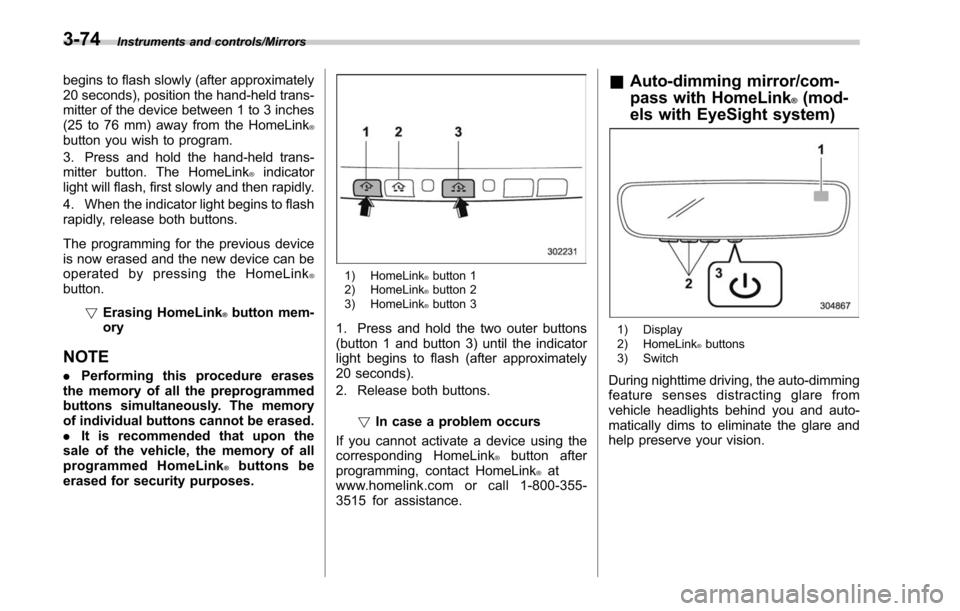
1) HomeLink®button 1
2) HomeLink®button 2
3) HomeLink®button 3
1. Press and hold the two outer buttons
(button 1 and button 3) until the indicator
light begins to flash (after approximately
20 seconds).
2. Release both buttons.
!In case a problem occurs
If you cannot activate a device using the
corresponding HomeLink
®button after
programming, contact HomeLink®at
www.homelink.com or call 1-800-355-
3515 for assistance.
& Auto-dimming mirror/com-
pass with HomeLink
®(mod-
els with EyeSight system)
1) Display
2) HomeLink®buttons
3) Switch
During nighttime driving, the auto-dimming
feature senses distracting glare from
vehicle headlights behind you and auto-
matically dims to eliminate the glare and
help preserve your vision.
3-74