remote SUBARU SOLTERRA 2023 Service Manual
[x] Cancel search | Manufacturer: SUBARU, Model Year: 2023, Model line: SOLTERRA, Model: SUBARU SOLTERRA 2023Pages: 628, PDF Size: 11.91 MB
Page 376 of 628
3765-4. Using the driving support systems
Owners Manual_USA_M42C01_en
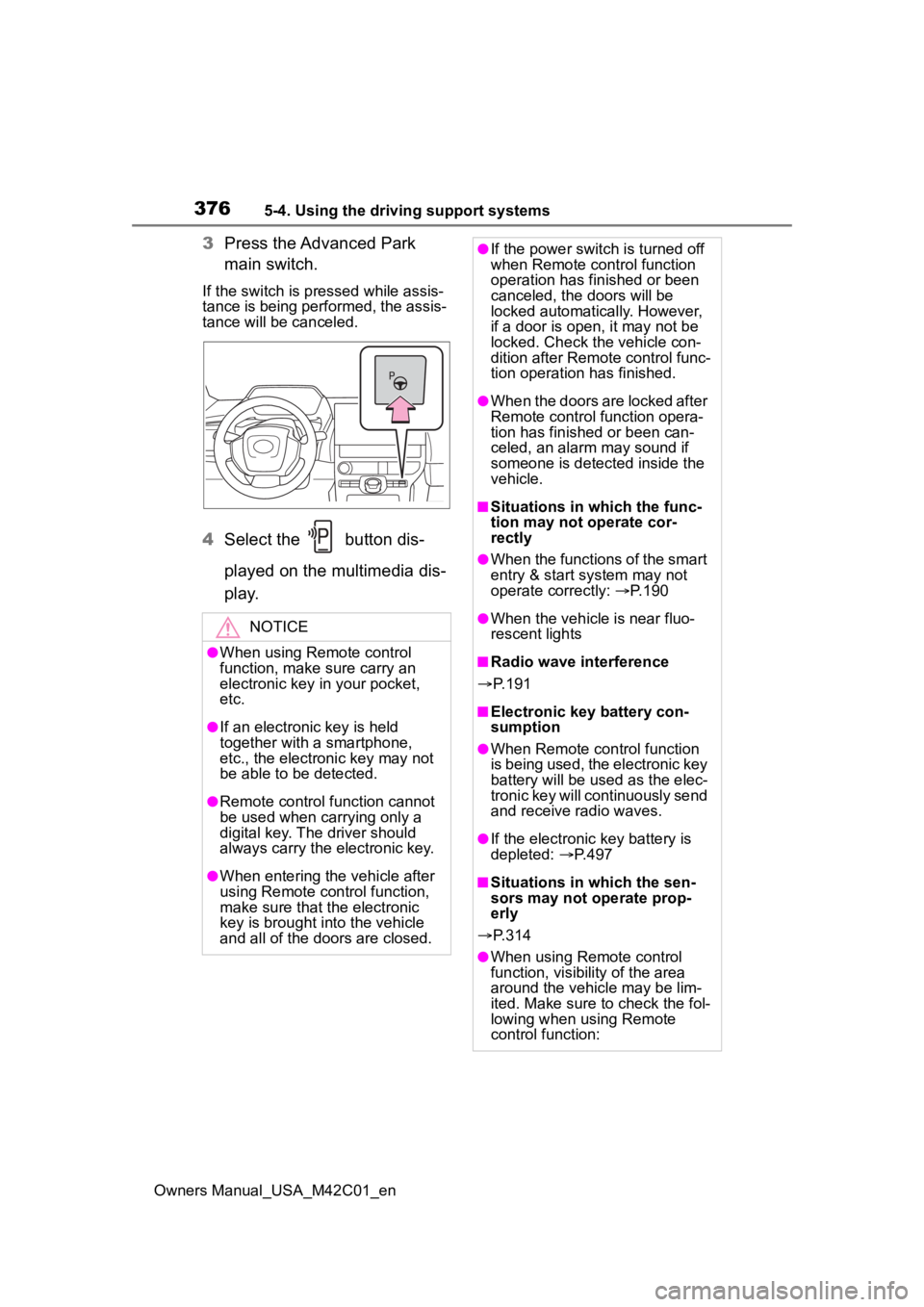
3Press the Advanced Park
main switch.
If the switch is pressed while assis-
tance is being performed, the assis-
tance will be canceled.
4Select the button dis-
played on the multimedia dis-
p l a y.
NOTICE
●When using Remote control
function, make sure carry an
electronic key in your pocket,
etc.
●If an electronic key is held
together with a smartphone,
etc., the electronic key may not
be able to be detected.
●Remote control function cannot
be used when carrying only a
digital key. The driver should
always carry the electronic key.
●When entering the vehicle after
using Remote control function,
make sure that the electronic
key is brought i nto the vehicle
and all of the doors are closed.
●If the power switch is turned off
when Remote control function
operation has finished or been
canceled, the doors will be
locked automatica lly. However,
if a door is open , it may not be
locked. Check the vehicle con-
dition after Remote control func-
tion operation has finished.
●When the doors are locked after
Remote control function opera-
tion has finished or been can-
celed, an alarm may sound if
someone is detected inside the
vehicle.
■Situations in which the func-
tion may not operate cor-
rectly
●When the functions of the smart
entry & start system may not
operate correctly: P. 1 9 0
●When the vehicle is near fluo-
rescent lights
■Radio wave interference
P. 1 9 1
■Electronic key battery con-
sumption
●When Remote control function
is being used, the electronic key
battery will be used as the elec-
tronic key will continuously send
and receive radio waves.
●If the electronic key battery is
depleted: P. 4 9 7
■Situations in which the sen-
sors may not operate prop-
erly
P. 3 1 4
●When using Remote control
function, visibility of the area
around the vehicle may be lim-
ited. Make sure to check the fol-
lowing when using Remote
control function:
Page 377 of 628
3775-4. Using the driving support systems
Owners Manual_USA_M42C01_en
5
Driving■Assistance will be can-
celed when
In situations such as the follow-
ing, Advanced Park operation
will be canceled.
As system operation has been can-
celed, begin the operation again or
continue parking manually, using
the steering wheel.
The Advanced Park main
switch is pushed
The shift position has been
changed to P
The parking brake is engaged
A door or back door is opened
The driver’s seat belt is unfas-
tened
The outside rear view mirrors are folded
The TRAC or VSC is turned
off
The TRAC, VSC or ABS oper-
ates
The power switch is pushed
The system determines assis-
tance cannot be continued in
the current parking environ-
ment
The system malfunctions
While the vehicle was
stopped, “Cancel” was
selected on the multimedia
display
■Assistance will be sus-
pended when
In situations such as the follow-
ing, Advanced Park operation
will be suspended.
Assistance can be started again by
following the directions displayed
on the multimedia display.
Also, when assistance is sus-
pended, if the shift position is
changed twice with the brake pedal
depressed, assistance will be can-
celed in tha t shift position. How-
ever, if assistance is suspended by
changing the shift position, assis-
tance will be canceled if the shift
position is changed once.
The steering wheel is oper-
ated
The accelerator pedal is
depressed
The shift position has been
NOTICE
• The vehicle and area around
the vehicle are clearly visible
• There are no people, animals, or objects in the path of the
vehicle
• An appropriate distance from the vehicle can be maintained
and the safety of yourself and
others can be ensured
• Caution for the area around the vehicle is always maintained
and there is no potential for
danger
• You can cancel Remote control function immediately if neces-
sary
Advanced Park cancel-
ation/suspension
Page 378 of 628

3785-4. Using the driving support systems
Owners Manual_USA_M42C01_en
changed
Brake control operates
Camera switch is pressed
The PKSB (Parking Support
Brake) PCS (Pre-Collision
System) has operates
■Remote control function
assistance will be canceled
when
In situations such as the follow-
ing, Remote control function
operation will be canceled.
As system operation has been
canceled, while carrying an
electronic key, enter the vehicle
and park the vehicle manually,
using the steering wheel.
When a condition for stopping
Advanced Park assistance is
met, with the exception sus-
pension due to a door being
opened or the driver’s seat
belt being released
When Remote control func-
tion is operated while the
remote air conditioning is
operating and the power
switch is changed to ON
before remote air conditioning
has ended
When 5 minutes have
elapsed since Remote con-
trol function operation was
started
When 3 minutes have
elapsed since any operation
was performed
When 30 seconds have
elapsed with the vehicle not
being able to be driven, even
though the screen of the
smartphone is being operated
to drive the vehicle
When the power button on the
screen of the smartphone is
selected
When the Remote Park app is
force closed
When the vehicle is on a
steep slope
When an electronic key is
detected inside the vehicle
while Remote control function
operation is suspended
When the ambient tempera-
ture is 14°F (-10°C) or less
■Remote control function
assistance will be sus-
pended when
In situations such as the follow-
ing, assistance will be sus-
pended.
When the Bluetooth commu-
nication between the smart-
phone and multimedia system
get lost
When smartphone continuous
operation is suspended
When the Remote Park app is
pushed to the background (a
call is received, the home but-
ton is pressed, etc.)
When electronic key does not
detected
Page 379 of 628
3795-4. Using the driving support systems
Owners Manual_USA_M42C01_en
5
Driving
When there is an obstruction
in the movement direction of
the vehicle
When the vehicle is operated
while it is being driven by
assistance
When the smart key is oper-
ated while it is being driven by
assistance
When the door is unlocked
while it is being driven by
assistance
When a door is opened while
the vehicle is being driven
Select on the multimedia
display, and then select
“Advanced Park”.
■Remote Park
Remote control function can be
turned on/off.
■Speed Profile
The vehicle speed for when
assistance is performed can be
set.
This setting cannot be changed
when registering a parking space to
the memory function.
■Detect. range
The distance from which obsta-
cles will be avoided while assis-
tance is being performed can be
set.
■Prk. Method
The preferred parking direction
displayed when at a parking
space which perpendicular (for-
ward/reverse) or parallel parking
is possible can be set.
■Prk. direction
The preferred parking direction
displayed when it is possible to
pull perpendicular forward or
reverse into a parking space can
be selected.
■Exit dir .: Per.
The preferred exit direction dis-
played when it is possible to pull
forward or reverse to the left or
right out of a parking space can
be selected.
■Exit dir .: Par.
The preferred exit direction dis-
played when it is possible to exit
to the left or right from a parallel
parking space can be selected.
■Parking view
The display angle of the camera
image when using the perpen-
dicular parking (for-
ward/reverse) function or
parallel parking function can be
set.
■Exit view
The display angle of the camera
image when using the perpen-
dicular exiting (forward/reverse)
function or parallel parking exit
function can be set.
Changing the Advanced
Park settings
Page 380 of 628
3805-4. Using the driving support systems
Owners Manual_USA_M42C01_en
■Parking Path Adjustment
The course for when parking
assistance is operating can be
adjusted inward or outward.
If the tires are worn, the path of
vehicle may be offset from the cen-
ter of the parking space. In this
case, use this setting to adjust the
parking course.
■Road Width Adjustment
When parking assistance is
started, the amount of lateral
movement while the vehicle is
moving forward can be
adjusted.
■Park Position Adjustment
(fwd.)
The position at which perpendic-
ular parking (forward/reverse) is
completed can be adjusted.
(Except when using the memory
function.)
■Park Position Adjustment
(rev.)
The position at which perpendic-
ular parking (forward/reverse) is
completed can be adjusted.
(Except when using the memory
function.)
■Rear Accessory Setting
If an accessory, such as a trailer
hitch, has been installed to the
rear of the vehicle, the length of
the rear of the vehicle can be
adjusted to help avoid colliding
with objects to the rear of the
vehicle.
■Clear Registered Parking
Space
The parking spaces registered
to the memory function can be
deleted. Parking space informa-
tion cannot be deleted when
assistance is being performed
or when registering parking
space information to the mem-
ory function.
■Intuitive parking assist-sen-
sor warning sound ON/OFF
(Smartphone setting)
The warning sounds of the intui-
tive parking assist-sensor from
smartphone application can be
turned on/off using the Remote
Park app.
■Intuitive parking assist-sen-
sor warning sound volume
adjustment (Smartphone
setting)
The volume of the warning
sounds of the intuitive parking
assist-sensor from smartphone
application can be adjusted
using the Remote Park app.
The operating state, assistance
operation, etc. of the Advanced
Park is displayed on the multi-
media display. If a message is
Changing the Remote
Park app settings
Advanced Park Displayed
messages
Page 394 of 628
3945-5. Driving tips
Owners Manual_USA_M42C01_en
to the driving conditions:
Do not try to forcibly open a
window or move a wiper that
is frozen. Pour warm water
over the frozen area to melt
the ice. Wipe away the water
immediately to prevent it from
freezing.
To ensure proper operation of
the climate control system
fan, remove any snow that
has accumulated on the air
inlet vents in front of the wind-
shield.
Check for and remove any
excess ice or snow that may
have accumulated on the
exterior lights, vehicle’s roof,
chassis, around the tires or on
the brakes.
Remove any snow or mud
from the bottom of your shoes
before getting in the vehicle.
Accelerate the vehicle slowly,
keep a safe distance between
you and the vehicle ahead, and
drive at a reduced speed suit-
able to road conditions.
Turn automatic mode of the
parking brake off. Otherwise,
the parking brake may freeze
and not be able to be
released automatically. Also, avoid using the following
as the parking brake may
operate automatically, even if
automatic mode is off.
• Brake hold system
• Remote parking function
Park the vehicle and shift the
shift position to P without set-
ting the parking brake. The
parking brake may freeze up,
preventing it from being
released. If the vehicle is
parked without setting the
parking brake, make sure to
block the wheels.
Failure to do so may be dan-
gerous because it may cause
the vehicle to move unexpect-
edly, possibly leading to an
accident.
When the parking brake is in
automatic mode, release the
parking brake after shifting
the shift position to P.
( P.244)
If the vehicle is parked without
setting the parking brake,
confirm that the shift position
cannot be moved out of P.
If the vehicle is left parked
with the brakes damp in cold
temperatures, there is a pos-
sibility of the brakes freezing.
When driving the vehicle
When parking the vehicle
Page 399 of 628
399
Owners Manual_USA_M42C01_en
6
6
Interior features
Interior features
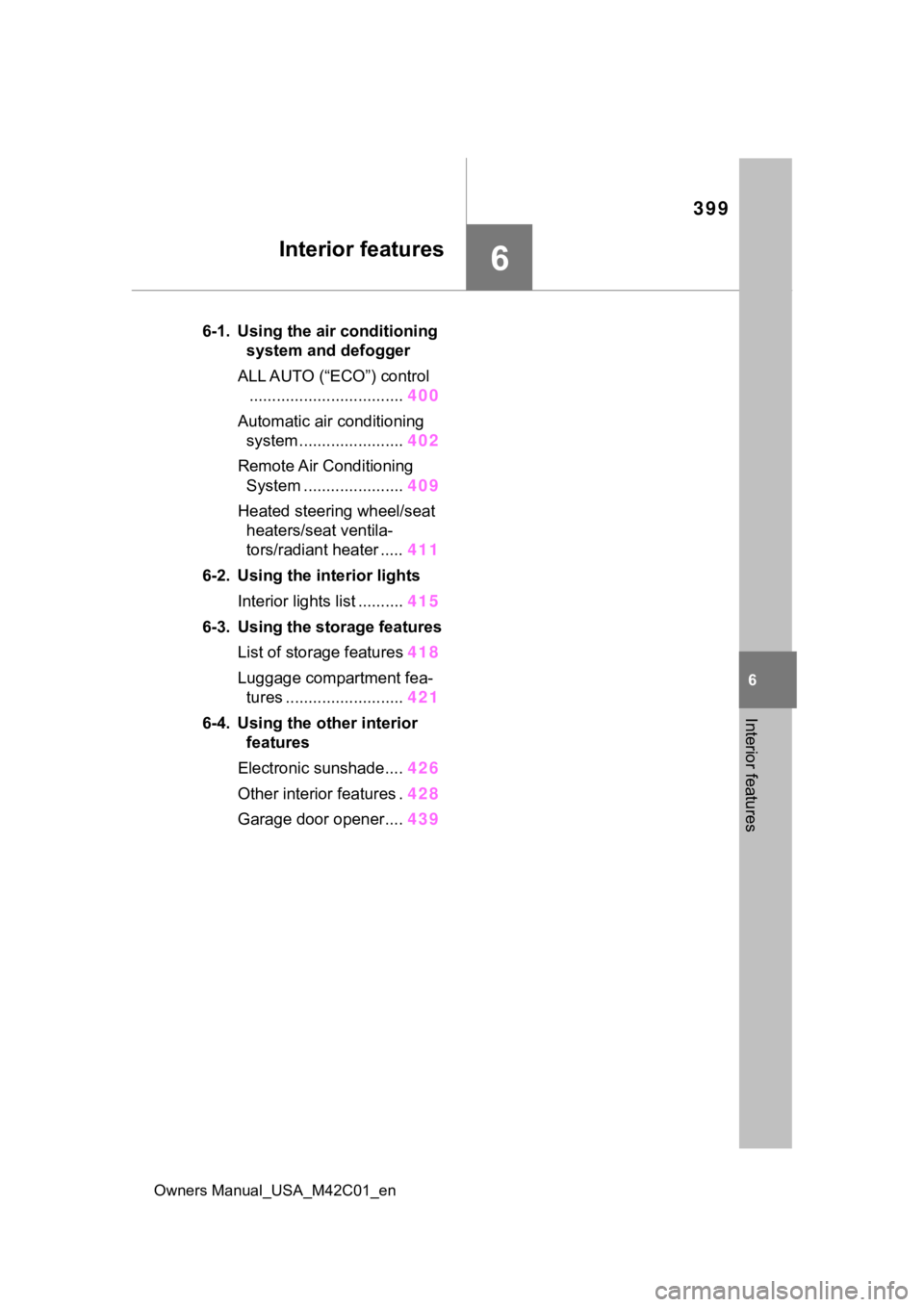
6-1. Using the air conditioning system and defogger
ALL AUTO (“ECO”) control .................................. 400
Automatic air conditioning system ....................... 402
Remote Air Conditioning System ...................... 409
Heated steering wheel/seat heaters/seat ventila-
tors/radiant heater ..... 411
6-2. Using the interior lights Interior lights list .......... 415
6-3. Using the storage features List of storage features 418
Luggage compartment fea- tures .......................... 421
6-4. Using the other interior features
Electronic sunshade.... 426
Other interior features . 428
Garage door opener.... 439
Page 409 of 628
4096-1. Using the air conditioning system and defogger
Owners Manual_USA_M42C01_en
6
Interior features
■To return to automatic airflow
control
1 With the indicator off, turn the
power switch off.
2 After 60 minutes or more elapse,
turn the power switch to ON.
Check the temperature setting
of the air conditioning system.
(P.403)
The Remote Air Conditioning Sys-
tem will operate in accordance with
the temperature settings of the air
conditioning system.
Press and hold “A/C” on the
wireless remote control to oper-
ate the Remote Air Conditioning
Remote Air Condition-
ing System
The Remote Air Condition-
ing System uses electrical
energy stored in the trac-
tion battery and allows the
air conditioning to be oper-
ated by remote control.
If the Remote Air Condition-
ing System is used while
the charging cable is con-
nected to the vehicle, the
reduction of charge in the
traction battery will be sup-
pressed to allow you to use
electricity from an external
power source.
Charging will be conducted
automatically after the
Remote Air Conditioning Sys-
tem is stopped.
Before leaving the vehicle
Activating the Remote Air
Conditioning System
Page 410 of 628
4106-1. Using the air conditioning system and defogger
Owners Manual_USA_M42C01_en
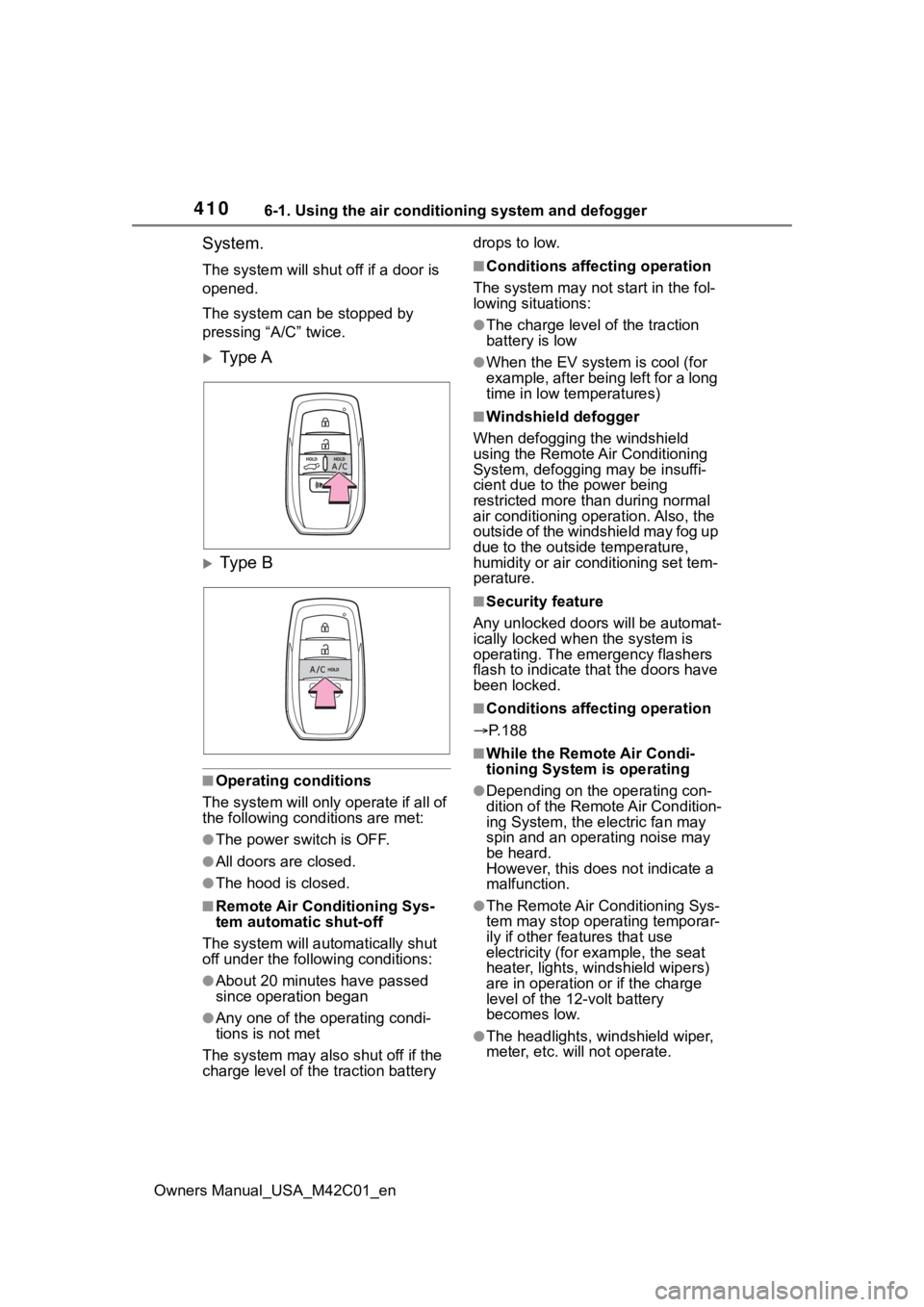
System.
The system will shut off if a door is
opened.
The system can be stopped by
pressing “A/C” twice.
Ty p e A
Ty p e B
■Operating conditions
The system will only operate if all of
the following cond itions are met:
●The power switch is OFF.
●All doors are closed.
●The hood is closed.
■Remote Air Conditioning Sys-
tem automatic shut-off
The system will auto matically shut
off under the following conditions:
●About 20 minutes have passed
since operation began
●Any one of the operating condi-
tions is not met
The system may also shut off if the
charge level of the traction battery drops to low.
■Conditions affecting operation
The system may not start in the fol-
lowing situations:
●The charge level of the traction
battery is low
●When the EV system is cool (for
example, after being left for a long
time in low temperatures)
■Windshield defogger
When defogging the windshield
using the Remote Air Conditioning
System, defogging may be insuffi-
cient due to the power being
restricted more than during normal
air conditioning operation. Also, the
outside of the windshield may fog up
due to the outsi de temperature,
humidity or air conditioning set tem-
perature.
■Security feature
Any unlocked doors will be automat-
ically locked when the system is
operating. The emergency flashers
flash to indicate that the doors have
been locked.
■Conditions affecting operation
P.188
■While the Remote Air Condi-
tioning System is operating
●Depending on the operating con-
dition of the Remote Air Condition-
ing System, the e lectric fan may
spin and an operating noise may
be heard.
However, this does not indicate a
malfunction.
●The Remote Air Conditioning Sys-
tem may stop operating temporar-
ily if other features that use
electricity (for example, the seat
heater, lights, windshield wipers)
are in operation or if the charge
level of the 12-volt battery
becomes low.
●The headlights, windshield wiper,
meter, etc. will not operate.
Page 411 of 628
4116-1. Using the air conditioning system and defogger
Owners Manual_USA_M42C01_en
6
Interior features
■Electronic key battery depletion
P. 1 6 2
■When the electronic key bat-
tery is fully depleted
P. 4 9 7
■Customization
Setting (e.g. Operation using “A/C”
on the wireless remote control) can
be changed. (Customizable fea-
tures: P.575)*: If equipped
WARNING
■Precautions for the Remote
Air Conditioning System
●Do not use the system if people
are in the vehicle.
Even when the system is in use,
the internal temperature may
still reach a high or low level
due to features such as the
automatic shut-off. Children and
pets left inside the vehicle may
suffer heatstroke dehydration or
hypothermia, or could result in
death or serious injury.
●Depending on the surrounding
environment, signals from the
wireless switch may transmit
further than expected. Pay
appropriate attention to the
vehicle’s surroundings and use
the switch only when necessary.
●Do not operate “A/C” if the hood
is open. The air conditioning
may operate unintentionally and
objects may be drawn into the
electrical cooling fan.
NOTICE
■To prevent the traction bat-
tery from being discharged
through incorrect operation
Use “A/C” only when necessary.
Heated steering
wheel*/seat heat-
ers*/seat ventila-
tors*/radiant heater*
Heated steering wheel
Warms up the grip of the
steering wheel
Seat heaters
Warm up the seat upholstery
Seat ventilators
Maintain good airflow on the
seat upholstery by sucking air
into the seats
Radiant heaters
Warm up the feet of the front
seats
WARNING
■To prevent minor burn inju-
ries
Care should be taken if anyone in
the following categories comes in
contact with the steering wheel or
seats when the heater is on:
●Babies, small children, the
elderly, the sick and the physi-
cally challenged
●Persons with sensitive skin
●Persons who are fatigued
●Persons who have taken alco-
hol or drugs that induce sleep
(sleeping drugs, cold remedies,
etc.)