remote SUBARU SOLTERRA 2023 Owners Manual
[x] Cancel search | Manufacturer: SUBARU, Model Year: 2023, Model line: SOLTERRA, Model: SUBARU SOLTERRA 2023Pages: 628, PDF Size: 11.91 MB
Page 4 of 628
4TABLE OF CONTENTS
Owners Manual_USA_M42C01_en
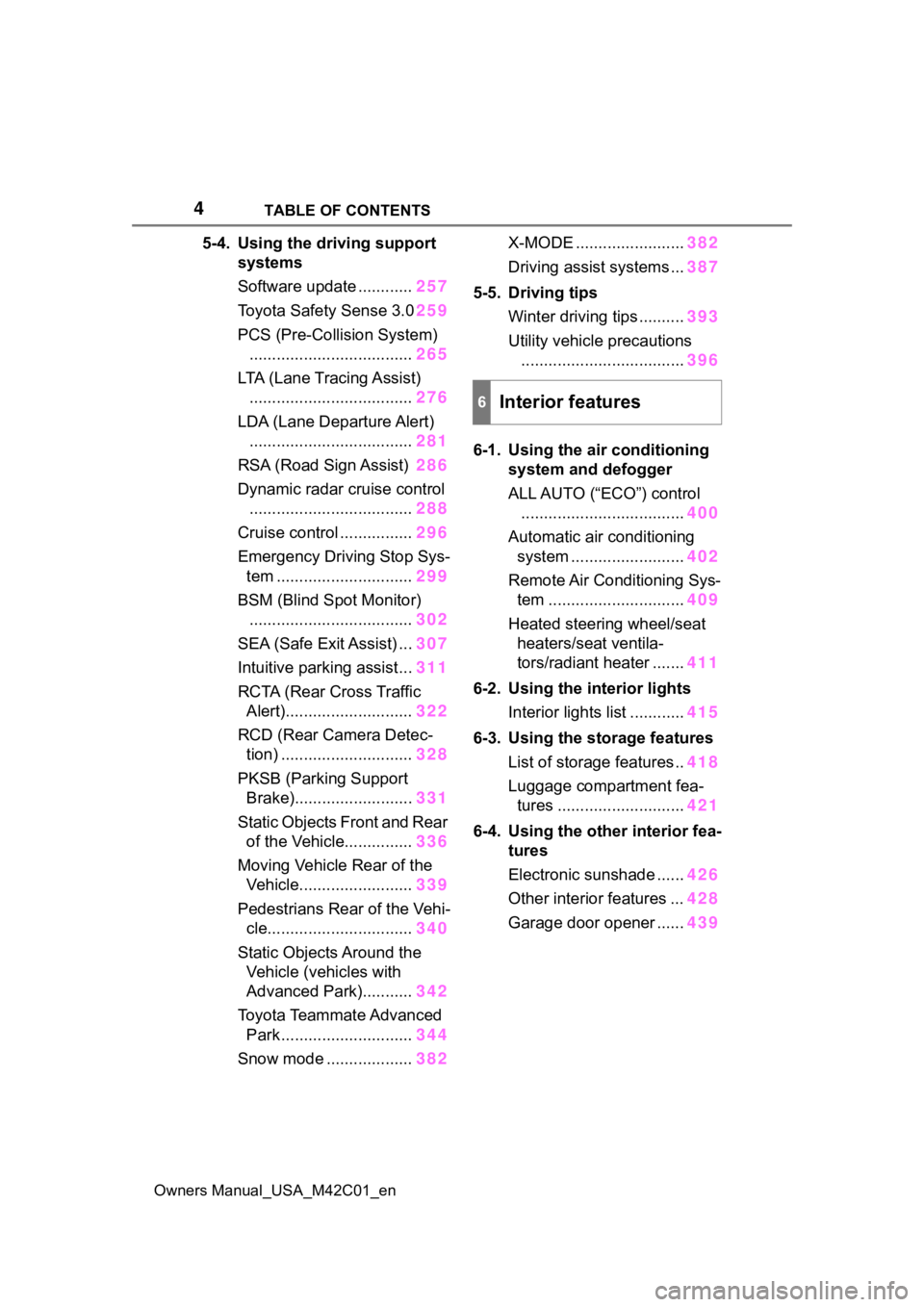
5-4. Using the driving support
systems
Software update ............ 257
Toyota Safety Sense 3.0 259
PCS (Pre-Collision System) .................................... 265
LTA (Lane Tracing Assist) .................................... 276
LDA (Lane Departure Alert) .................................... 281
RSA (Road Sign Assist) 286
Dynamic radar cruise control .................................... 288
Cruise control ................ 296
Emergency Driving Stop Sys- tem .............................. 299
BSM (Blind Spot Monitor) .................................... 302
SEA (Safe Exit Assist) ... 307
Intuitive parking assist... 311
RCTA (Rear Cross Traffic Alert)............................ 322
RCD (Rear Camera Detec- tion) ............................. 328
PKSB (Parking Support Brake).......................... 331
Static Objects Front and Rear of the Vehicle............... 336
Moving Vehicle Rear of the Vehicle......................... 339
Pedestrians Rear of the Vehi- cle................................ 340
Static Objects Around the Vehicle (vehicles with
Advanced Park)........... 342
Toyota Teammate Advanced Park ............................. 344
Snow mode ................... 382X-MODE ........................
382
Driving assist systems ... 387
5-5. Driving tips Winter driving tips .......... 393
Utility vehicle precautions .................................... 396
6-1. Using the ai r conditioning
system and defogger
ALL AUTO (“ECO”) control .................................... 400
Automatic air conditioning system ......................... 402
Remote Air Conditioning Sys- tem .............................. 409
Heated steering wheel/seat heaters/seat ventila-
tors/radiant heater ....... 411
6-2. Using the interior lights Interior lights list ............ 415
6-3. Using the storage features List of storage features .. 418
Luggage compartment fea- tures ............................ 421
6-4. Using the other interior fea- tures
Electronic sunshade ...... 426
Other interior features ... 428
Garage door opener ...... 439
6Interior features
Page 10 of 628
10
Owners Manual_USA_M42C01_enrecorded in an EDR to a third party
except when:
• An agreement from the vehicle’s
owner (or the lessee for a leased
vehicle) is obtained
• In response to an official request by the police, a court of law or a
government agency
• For use by Toyota in a lawsuit
However, if necessary, Toyota may:
• Use the data for research on vehicle safety performance
• Disclose the data to a third party for research purposes without
disclosing information about the
specific vehicle or vehicle owner
The SRS airbag and seat belt
pretensioner devices in your
Toyota contain explosive chemi-
cals. If the vehicle is scrapped
with the airbags and seat belt
pretensioners left as they are,
this may cause an accident such
as fire. Be sure to have the sys-
tems of the SRS airbag and seat
belt pretensioner removed and
disposed of by a qualified ser-
vice shop or by your Toyota
dealer before you scrap your
vehicle.
Special handling may apply,
See www.dtsc.ca.gov/
hazardouswaste/perchlorate.
Your vehicle has components that may contain perchlorate.
These components may include
the airbags, seat belt preten-
sioners, wireless remote control
batteries, and the batteries in
the tire pressure warning valve
and transmitters.
The word “QR Code” is regis-
tered trademark of DENSO
WAVE INCORPORATED in
Japan and other countries.
Scrapping of your Toyota
Perchlorate Material
“QR Code”
WARNING
■General precautions while
driving
Driving under the influence: Never
drive your vehicle when under the
influence of alcohol or drugs that
have impaired your ability to oper-
ate your vehicle. Alcohol and cer-
tain drugs delay reaction time,
impair judgment and reduce coor-
dination, which could lead to an
accident that could result in death
or serious injury.
Defensive driving: Always drive
defensively. Anticipate mistakes
that other drivers or pedestrians
might make and be ready to avoid
accidents.
Driver distraction: Always give
your full attention to driving. Any-
thing that distracts the driver, such
as adjusting controls, talking on a
cellular phone or reading can
result in a collision with resulting
death or serious injury to you,
your occupants or others.
Page 21 of 628
21Pictorial index
Owners Manual_USA_M42C01_en
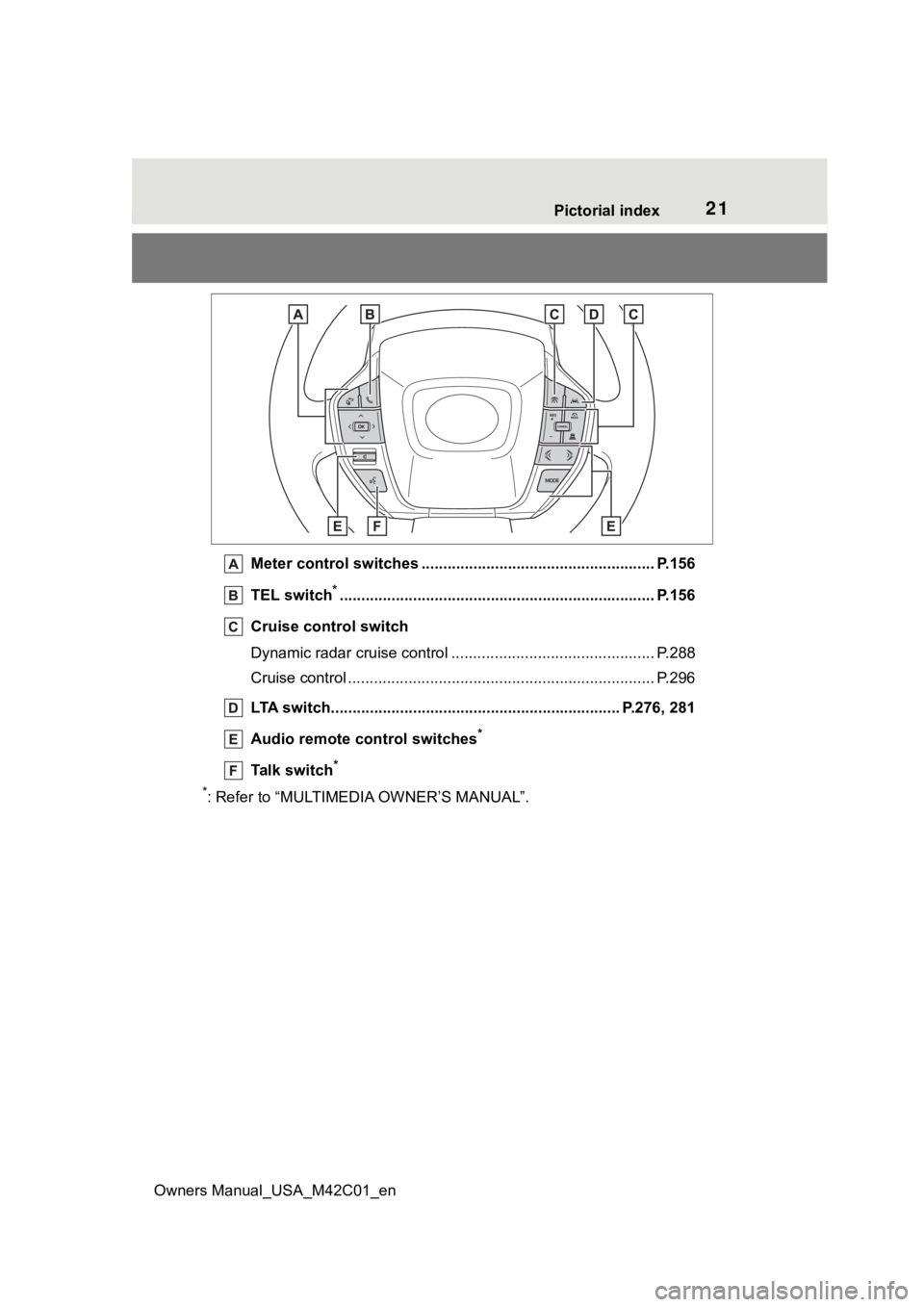
Meter control switches .. .................................................... P.156
TEL switch
*............................................................... .......... P.156
Cruise control switch
Dynamic radar cruise control ................................... ............ P.288
Cruise control ................................................. ...................... P.296
LTA switch..................................................... .............. P.276, 281
Audio remote control switches
*
Talk switch*
*
: Refer to “MULTIMEDIA OWNER’S MANUAL”.
Page 69 of 628
691-4. Theft deterrent system
Owners Manual_USA_M42C01_en
1
For safety and security
■Items to check before lock-
ing the vehicle
To prevent unexpected trigger-
ing of the alarm and vehicle
theft, make sure of the following:
Nobody is in the vehicle.
The side windows are closed
before the alarm is set.
No valuables or other per-
sonal items are left in the
vehicle.
■Setting
Close the doors and hood, and
lock all the doors. The system
will be set automatically after 30
seconds.
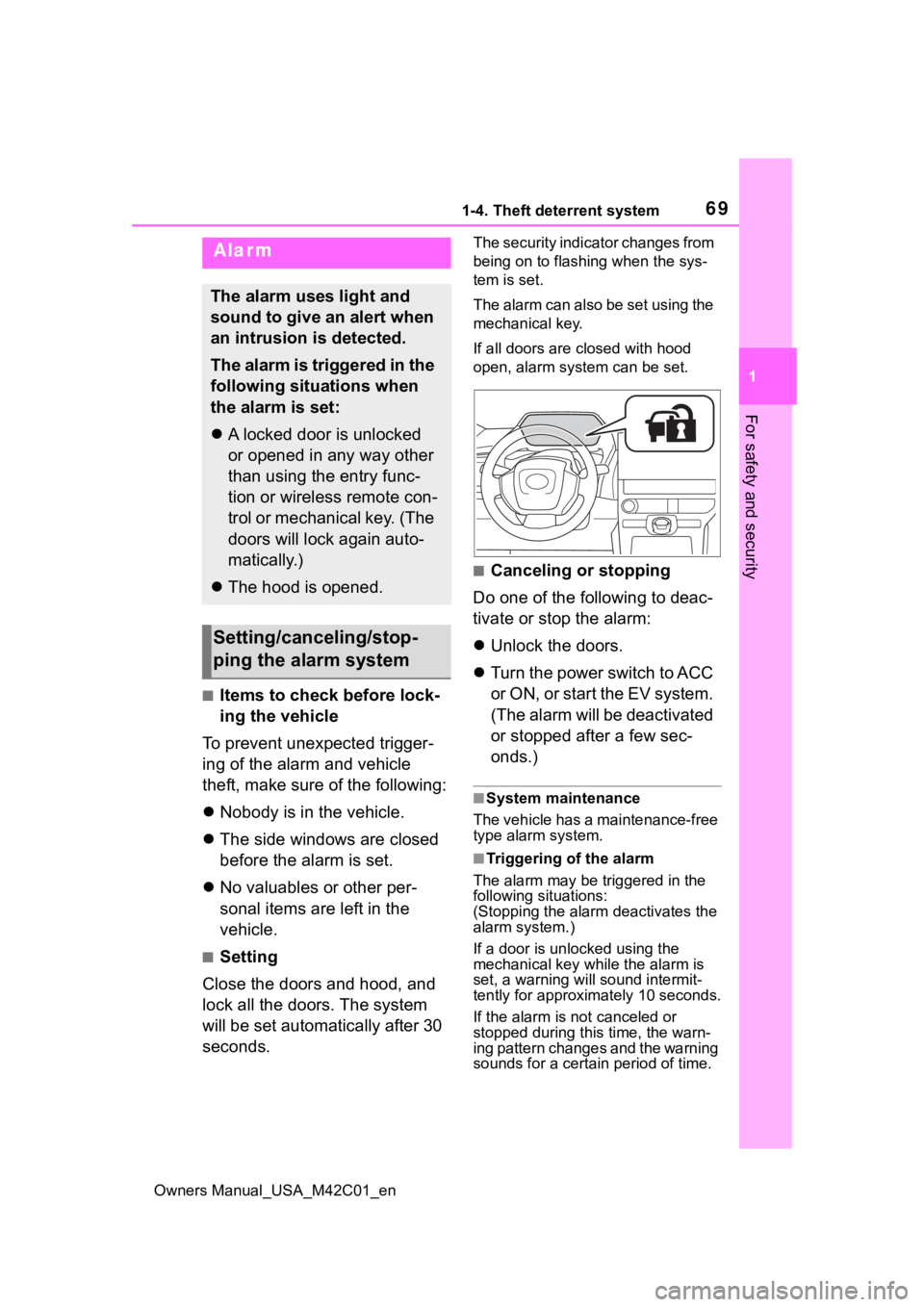
The security indicator changes from
being on to flashing when the sys-
tem is set.
The alarm can also be set using the
mechanical key.
If all doors are closed with hood
open, alarm system can be set.
■Canceling or stopping
Do one of the following to deac-
tivate or stop the alarm:
Unlock the doors.
Turn the power switch to ACC
or O N, or s tart the E V s ys tem .
(The alarm will be deactivated
or stopped after a few sec-
onds.)
■System maintenance
The vehicle has a maintenance-free
type alarm system.
■Triggering of the alarm
The alarm may be triggered in the
following situations:
(Stopping the alarm deactivates the
alarm system.)
If a door is unl ocked using the
mechanical key while the alarm is
set, a warning will sound intermit-
tently for approxi mately 10 seconds.
If the alarm is not canceled or
stopped during this time, the warn-
ing pattern changes and the warning
sounds for a certain period of time.
Alarm
The alarm uses light and
sound to give an alert when
an intrusion is detected.
The alarm is triggered in the
following situations when
the alarm is set:
A locked door is unlocked
or opened in any way other
than using the entry func-
tion or wireless remote con-
trol or mechanical key. (The
doors will lock again auto-
matically.)
The hood is opened.
Setting/canceling/stop-
ping the alarm system
Page 82 of 628
822-1. Electric vehicle system
Owners Manual_USA_M42C01_en
battery cannot be charged. Also,
when using the air conditioning
system, etc., the traction battery
electricity is consumed.
(P.237)
Repeated acceleration and
deceleration due to traffic con-
gestion, long waits at traffic
lights, and driving on steep
inclines will lead to poor electric-
ity consumption. In order to
avoid those situations as much
as possible, check traffic reports
before leaving. If the vehicle is
driven in traffic congestion, gen-
tly release the brake pedal to
allow the vehicle to move for-
ward slightly, avoid overuse of
the accelerator pedal. Doing so
can help minimize unnecessary
electricity consumption.
Make sure to operate the brakes
gently and a timely manner. A
greater amount of electrical
energy can be regenerated
when slowing down.
Control and maintain the vehicle
at a constant speed. Before
stopping at a toll booth or simi-
lar, allow plenty of time to release the accelerator and gen-
tly apply the brakes. A greater
amount of electrical energy can
be regenerated when slowing
down.
Use the air conditioning only
when necessary. Doing so
can help reduce excessive
electricity consumption.
In summer: When the ambient tem-
perature is high, use the recircu-
lated air mode. Doing so will help to
reduce the burden on the air condi-
tioning system and reduce electric-
ity consumption as well.
In winter: Exce ssive or unneces-
sary heating should be avoided.
Also, electricity consumption can
be improved by avoiding overuse of
the heater.
When using the Remote Air
Conditioning System
( P.409) while the AC
charging cable is connected
to the vehicle, electricity con-
sumption immediately after
starting off will be reduced
because air conditioning is
operated mainly using elec-
tricity from an external power
source.
Make sure to check the tire infla-
tion pressure frequently.
Delays
When braking
Highway (or freeways)
driving
Air conditioning
Checking tire inflation
pressure
Page 93 of 628
932-2. Charging
Owners Manual_USA_M42C01_en
2
Electric Vehicle system
■Locking the charging con-
nector
The AC charging connector will
be automatically locked when
inserting it into the AC charging
inlet.
(The setting can be
changed: P.93)
■Unlocking the charging
connector
The AC charging connector will
be unlocked when the doors are
unlocked using the smart key
system or wireless remote con-
trol.
The AC charging connector
locks when connected and
unlocks when the door is
unlocked, so locking/unlocking
the AC charging connector does
not necessarily correspond to
locking/unlocking the door. If the door is unlocked and the
AC charging connector is
locked, you can unlock it by
doing the following:
• When using the smart key
system, lock the door once
and then unlock it again.
( P.167)
• When using the wireless remote control, press the
unlock button to unlock the
door. ( P.167)
■Changing the AC charging
connector lock settings
The method for locking and
unlocking the AC charging con-
nector can be changed on the
multi-information display or mul-
timedia.
The charging connector lock
settings cannot be changed
when the AC charging cable is
connected to the vehicle.
The settings cannot be changed
when the power switch is in
ACC.
Multi-information display
operation
1 Press or of the meter
control switches to select
.
2 Press or of the meter
control switches to select
“Vehicle Settings”, and then
press and hold .
Locking and unlock-
ing AC charging con-
nector
The AC charging connector
will be locked when it is
connected to the AC
charging inlet, preventing
the AC charging cable from
being disconnected while
charging.
Locking and unlocking
the AC charging connec-
tor
Page 95 of 628
952-2. Charging
Owners Manual_USA_M42C01_en
2
Electric Vehicle system
■AC charging connector lock
function
If the AC charging connector is
locked/unlocked repeatedly, it may
not work temporarily due to protect
the system by AC charging system.
In this case, wait for a while before
connecting the AC charging connec-
tor to AC charging inlet again.
The AC charging connector lock
function does not guarantee that
theft of the AC charging cable will be
prevented, and is not necessarily
effective for all mischiefs.
■Security function for unlocking
If the AC charging connector is not
removed within approximately 30
seconds after the vehicle is
unlocked, the secur ity function auto-
matically locks the connector again.
■When the AC charging connec-
tor cannot be inserted into the
AC charging inlet
If the connector lock pin is
extended, the connector lock is
operating.
Unlock the doors using the smart
key system or wireless remote con-
trol and unlock the AC charging con-
nector lock and check that the
connector lock pin is not extended.
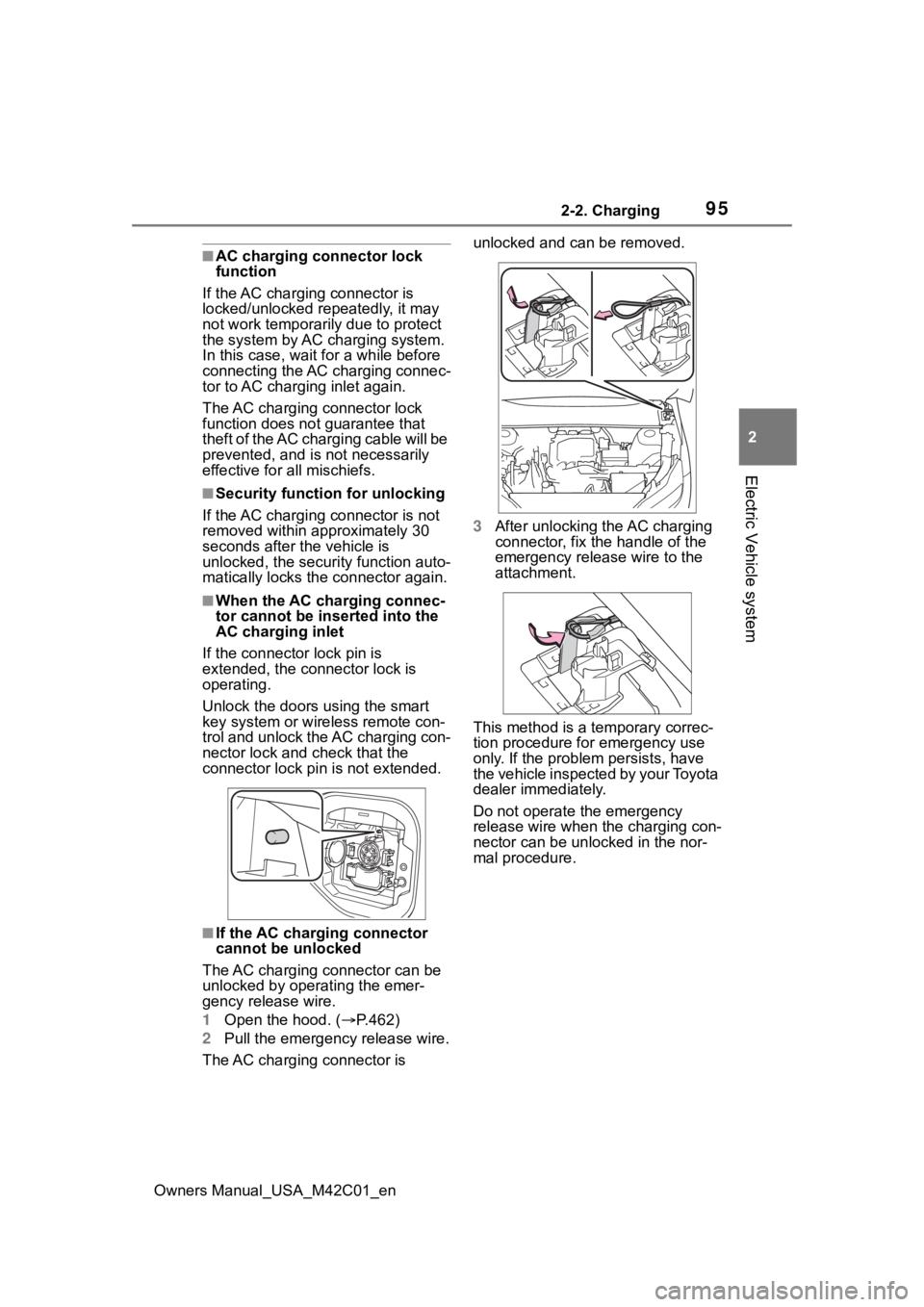
■If the AC charging connector
cannot be unlocked
The AC charging connector can be
unlocked by operating the emer-
gency release wire.
1 Open the hood. ( P.462)
2 Pull the emergency release wire.
The AC charging connector is unlocked and can be removed.
3
After unlocking the AC charging
connector, fix the handle of the
emergency release wire to the
attachment.
This method is a temporary correc-
tion procedure for emergency use
only. If the problem persists, have
the vehicle inspected by your Toyota
dealer immediately.
Do not operate the emergency
release wire when the charging con-
nector can be unlocked in the nor-
mal procedure.
Page 100 of 628
1002-2. Charging
Owners Manual_USA_M42C01_enminate when the tr
action battery
cooler is on standby or operating.
●When the charge level of the trac-
tion battery is low, the traction bat-
tery cooler may n ot operate, even
if the temperature of the traction
battery is high.
●When the following conditions are
met while the trac tion battery
cooler is operating, the cooling
operation will stop.
• The hood is opened
• The power switch is turned to ACC or ON.
• The shift position is changed to any position other than P
• The Remote Air Conditioning Sys- tem is operated ( P.409)
• The remaining charge of the trac-
tion battery drops below a certain
amount
●The traction battery cooler oper-
ates using power s upplied by the
traction battery and an external
power source.
• While the traction battery cooler is
operating, the charge of the trac-
tion battery will increase and
decrease within a certain range,
and will not increase as during AC
charging.
• When the traction battery cooler operates, charger will recognize it
as the battery being charged. If
this function ope rates while a
charger which charges a charging
fee is connected to the vehicle,
AC charging fees will apply.
■Changing of the traction battery
cooler setting
Setting can be changed on the
multi-information display.
Use the meter control switches
( P.156) and select “Vehicle Set-
tings”, “Charging Se ttings”, “Battery
Cooler”, and change the setting.
When selecting to off, the traction
battery output may be restricted
depending on the driving situation.
To enable the use of battery
electric vehicle, we recommend
systematically charging the
vehicle.
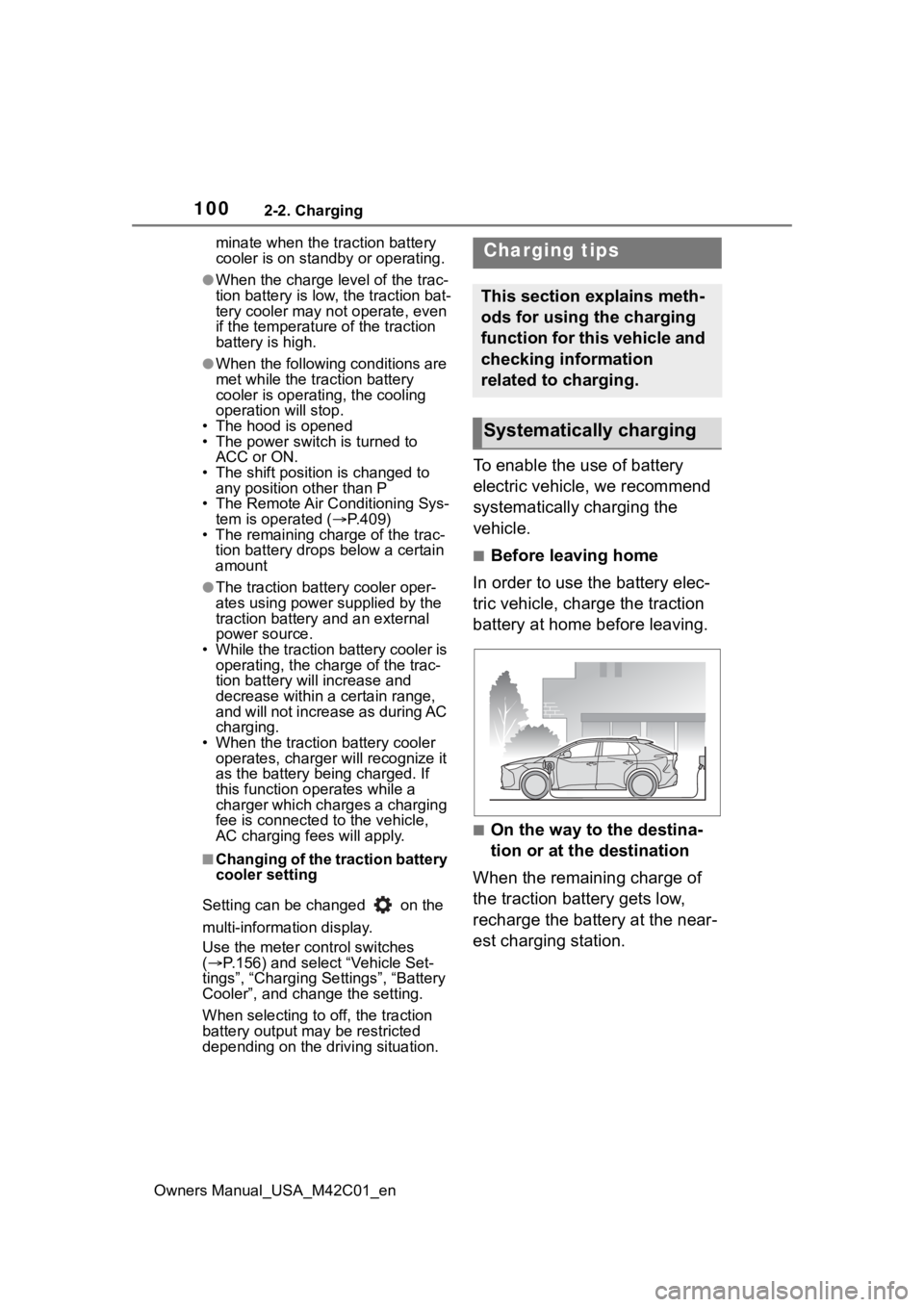
■Before leaving home
In order to use the battery elec-
tric vehicle, charge the traction
battery at home before leaving.
■On the way to the destina-
tion or at the destination
When the remaining charge of
the traction battery gets low,
recharge the battery at the near-
est charging station.
Charging tips
This section explains meth-
ods for using the charging
function for this vehicle and
checking information
related to charging.
Systematically charging
Page 112 of 628
1122-2. Charging
Owners Manual_USA_M42C01_en
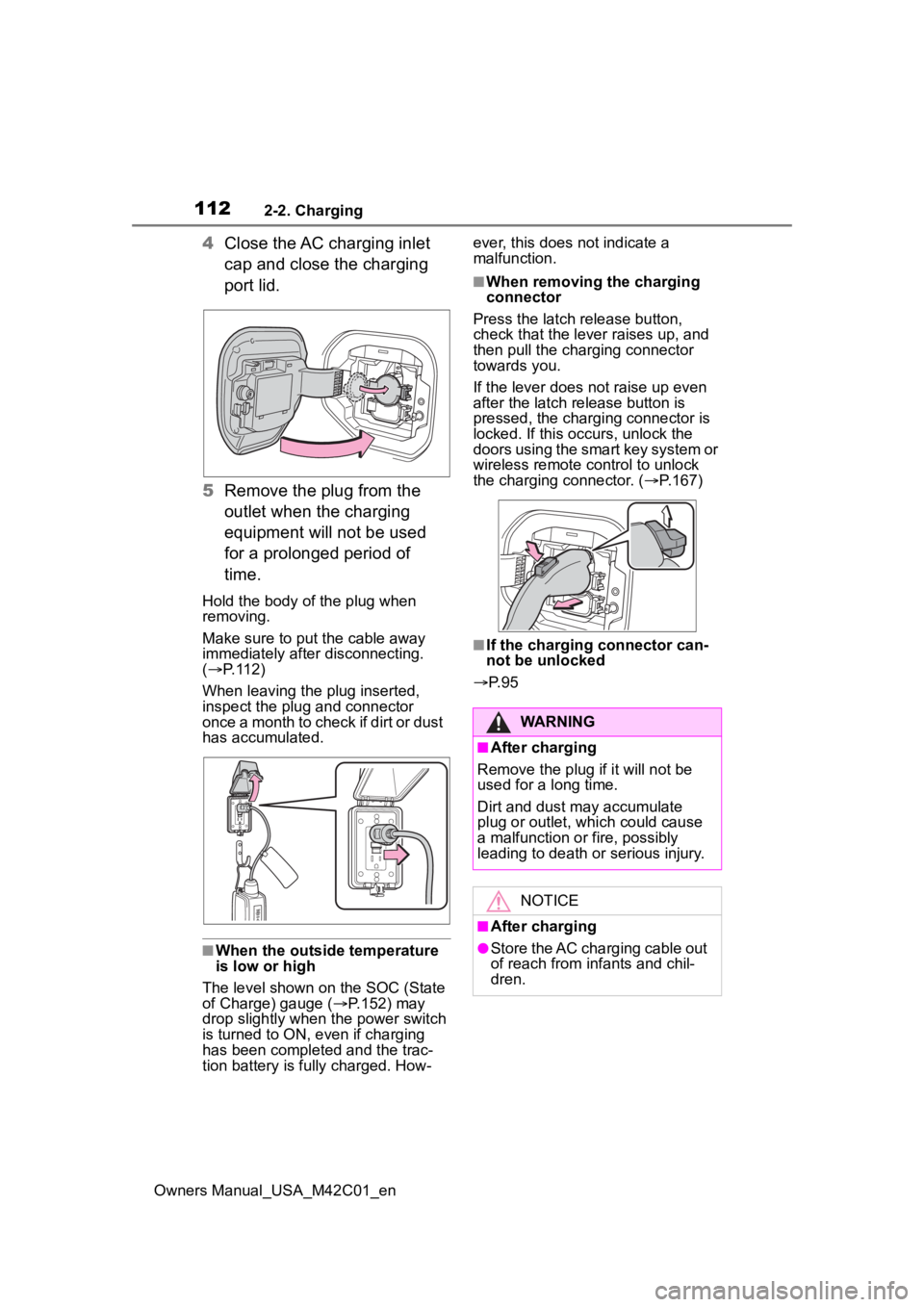
4Close the AC charging inlet
cap and close the charging
port lid.
5 Remove the plug from the
outlet when the charging
equipment will not be used
for a prolonged period of
time.
Hold the body of the plug when
removing.
Make sure to put the cable away
immediately afte r disconnecting.
( P. 1 1 2 )
When leaving the plug inserted,
inspect the plug and connector
once a month to check if dirt or dust
has accumulated.
■When the outside temperature
is low or high
The level shown on the SOC (State
of Charge) gauge ( P.152) may
drop slightly when the power switch
is turned to ON, e ven if charging
has been completed and the trac-
tion battery is fully charged. How- ever, this does not indicate a
malfunction.
■When removing the charging
connector
Press the latch release button,
check that the lever raises up, and
then pull the charging connector
towards you.
If the lever does not raise up even
after the latch release button is
pressed, the charging connector is
locked. If this occurs, unlock the
doors using the smart key system or
wireless remote control to unlock
the charging connector. ( P.167)
■If the charging connector can-
not be unlocked
P. 9 5
WARNING
■After charging
Remove the plug if it will not be
used for a long time.
Dirt and dust may accumulate
plug or outlet, which could cause
a malfunction or fire, possibly
leading to death or serious injury.
NOTICE
■After charging
●Store the AC charging cable out
of reach from infants and chil-
dren.
Page 120 of 628
1202-2. Charging
Owners Manual_USA_M42C01_enschedule, connect the AC
charging connector
The charging start time is deter-
mined based on the charging
schedule at the t ime that the AC
charging connector was connected.
●Connect the AC charging connec-
tor before the start time
When the charging mode is set to
“Start”, if you connect the AC
charging connector after the set
start time, the next charging sched-
ule will be referenced.
When the charging mode is “Start-
Stop”, if you connect the AC
charging connector after the start
time, charging will start immediately
and charging will be performed until
the stop time.
●After connecting the AC charging
connector, check that the charging
indicator of the charging port
flashes ( P. 8 6 )
●Do not use an ou tlet that has a
power cut off function (including a
timer function)
Use an outlet that constantly sup-
plies electricity. For outlets where
the power is cut off due to a timer
function, etc., charging may not be
carried out accord ing to plan if the
power is cut off during the set time.
■When the AC charging connec-
tor remains connected to the
vehicle
●When the charging mode is set to
“Start”, even if multiple consecu-
tive charging schedules are regis-
tered, the next charge will not be
carried out according to the
charging schedule until the AC
charging connector is removed
and reconnected after charging
completes. Also, when the traction
battery is fully charged, charging
according to the charging sched- ule will not be carried out.
●If the charging stop time is
reached before t
he traction bat-
tery is fully cha rged and the
charging mode is set to “Start-
Stop”, the nearest charging
schedule after the stop time is
updated as the next charging
schedule, and charging is
repeated until the battery is fully
charged.
■Smartphone-linked operation
After applying to Toyota App, it is
possible to use the smartphone
application to change charging
schedule settings.
For details about Toyota Apps, refer
to http://www.toyota.com/
connected-services in the United
States and http://www.toy-
ota.ca/connected in Canada.
■When charging schedules are
ignored
When the following operations are
performed while the charging
schedule is on standby, charging
schedule is temporarily canceled
and charging is started.
●When the Remote Air Condition-
ing System ( P.409) is operated
●When turning “My Room Mode”
on ( P.129)
●When turning “Charge Now” on
( P.124, 128)
●When an operation that temporar-
ily cancel charging using the
charging schedule ( P.107)
■Battery heater ( P.99)/“Battery
Cooler” ( P. 9 9 )
Depending on the temperature of
the traction battery , the traction bat-
tery heater or traction battery cooler
may be activated and the charging
indicator may light up while the timer
is waiting for charging.