monitor SUBARU TRIBECA 2009 1.G Service Workshop Manual
[x] Cancel search | Manufacturer: SUBARU, Model Year: 2009, Model line: TRIBECA, Model: SUBARU TRIBECA 2009 1.GPages: 2453, PDF Size: 46.32 MB
Page 638 of 2453
SL-9
Door Lock Control System
SECURITY AND LOCKS
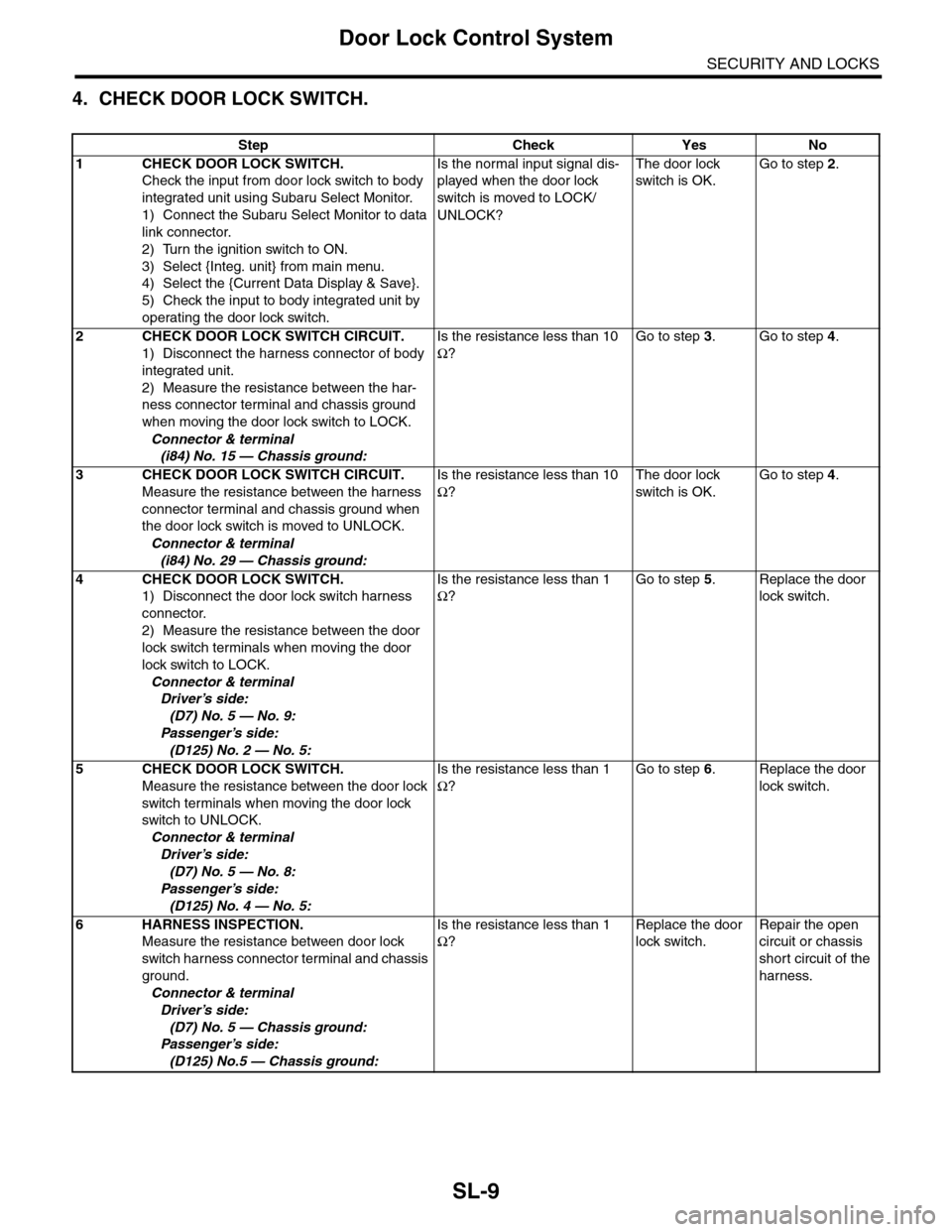
4. CHECK DOOR LOCK SWITCH.
Step Check Yes No
1CHECK DOOR LOCK SWITCH.
Check the input from door lock switch to body
integrated unit using Subaru Select Monitor.
1) Connect the Subaru Select Monitor to data
link connector.
2) Turn the ignition switch to ON.
3) Select {Integ. unit} from main menu.
4) Select the {Current Data Display & Save}.
5) Check the input to body integrated unit by
operating the door lock switch.
Is the normal input signal dis-
played when the door lock
switch is moved to LOCK/
UNLOCK?
The door lock
switch is OK.
Go to step 2.
2CHECK DOOR LOCK SWITCH CIRCUIT.
1) Disconnect the harness connector of body
integrated unit.
2) Measure the resistance between the har-
ness connector terminal and chassis ground
when moving the door lock switch to LOCK.
Connector & terminal
(i84) No. 15 — Chassis ground:
Is the resistance less than 10
Ω?
Go to step 3.Go to step 4.
3CHECK DOOR LOCK SWITCH CIRCUIT.
Measure the resistance between the harness
connector terminal and chassis ground when
the door lock switch is moved to UNLOCK.
Connector & terminal
(i84) No. 29 — Chassis ground:
Is the resistance less than 10
Ω?
The door lock
switch is OK.
Go to step 4.
4CHECK DOOR LOCK SWITCH.
1) Disconnect the door lock switch harness
connector.
2) Measure the resistance between the door
lock switch terminals when moving the door
lock switch to LOCK.
Connector & terminal
Driver’s side:
(D7) No. 5 — No. 9:
Passenger’s side:
(D125) No. 2 — No. 5:
Is the resistance less than 1
Ω?
Go to step 5.Replace the door
lock switch.
5CHECK DOOR LOCK SWITCH.
Measure the resistance between the door lock
switch terminals when moving the door lock
switch to UNLOCK.
Connector & terminal
Driver’s side:
(D7) No. 5 — No. 8:
Passenger’s side:
(D125) No. 4 — No. 5:
Is the resistance less than 1
Ω?
Go to step 6.Replace the door
lock switch.
6HARNESS INSPECTION.
Measure the resistance between door lock
switch harness connector terminal and chassis
ground.
Connector & terminal
Driver’s side:
(D7) No. 5 — Chassis ground:
Passenger’s side:
(D125) No.5 — Chassis ground:
Is the resistance less than 1
Ω?
Replace the door
lock switch.
Repair the open
circuit or chassis
short circuit of the
harness.
Page 644 of 2453
SL-15
Keyless Entry System
SECURITY AND LOCKS
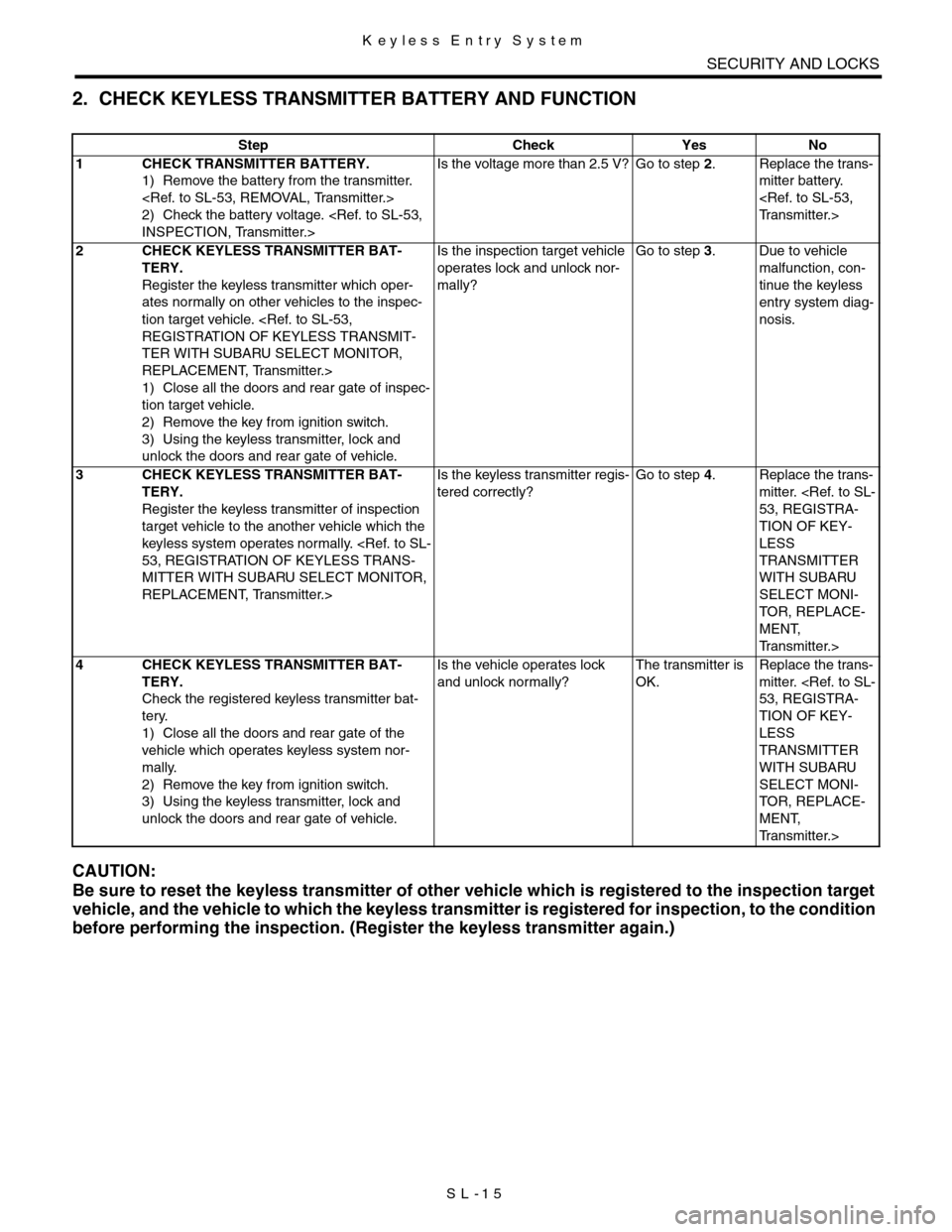
2. CHECK KEYLESS TRANSMITTER BATTERY AND FUNCTION
CAUTION:
Be sure to reset the keyless transmitter of other vehicle which is registered to the inspection target
vehicle, and the vehicle to which the keyless transmitter is registered for inspection, to the condition
before performing the inspection. (Register the keyless transmitter again.)
Step Check Yes No
1CHECK TRANSMITTER BATTERY.
1) Remove the battery from the transmitter.
2) Check the battery voltage.
Is the voltage more than 2.5 V? Go to step 2.Replace the trans-
mitter battery.
2CHECK KEYLESS TRANSMITTER BAT-
TERY.
Register the keyless transmitter which oper-
ates normally on other vehicles to the inspec-
tion target vehicle.
TER WITH SUBARU SELECT MONITOR,
REPLACEMENT, Transmitter.>
1) Close all the doors and rear gate of inspec-
tion target vehicle.
2) Remove the key from ignition switch.
3) Using the keyless transmitter, lock and
unlock the doors and rear gate of vehicle.
Is the inspection target vehicle
operates lock and unlock nor-
mally?
Go to step 3.Due to vehicle
malfunction, con-
tinue the keyless
entry system diag-
nosis.
3CHECK KEYLESS TRANSMITTER BAT-
TERY.
Register the keyless transmitter of inspection
target vehicle to the another vehicle which the
keyless system operates normally.
MITTER WITH SUBARU SELECT MONITOR,
REPLACEMENT, Transmitter.>
Is the keyless transmitter regis-
tered correctly?
Go to step 4.Replace the trans-
mitter.
TION OF KEY-
LESS
TRANSMITTER
WITH SUBARU
SELECT MONI-
TO R , R E P L ACE -
MENT,
Tr a n s m i t t e r . >
4CHECK KEYLESS TRANSMITTER BAT-
TERY.
Check the registered keyless transmitter bat-
tery.
1) Close all the doors and rear gate of the
vehicle which operates keyless system nor-
mally.
2) Remove the key from ignition switch.
3) Using the keyless transmitter, lock and
unlock the doors and rear gate of vehicle.
Is the vehicle operates lock
and unlock normally?
The transmitter is
OK.
Replace the trans-
mitter.
TION OF KEY-
LESS
TRANSMITTER
WITH SUBARU
SELECT MONI-
TO R , R E P L ACE -
MENT,
Tr a n s m i t t e r . >
Page 645 of 2453
SL-16
Keyless Entry System
SECURITY AND LOCKS
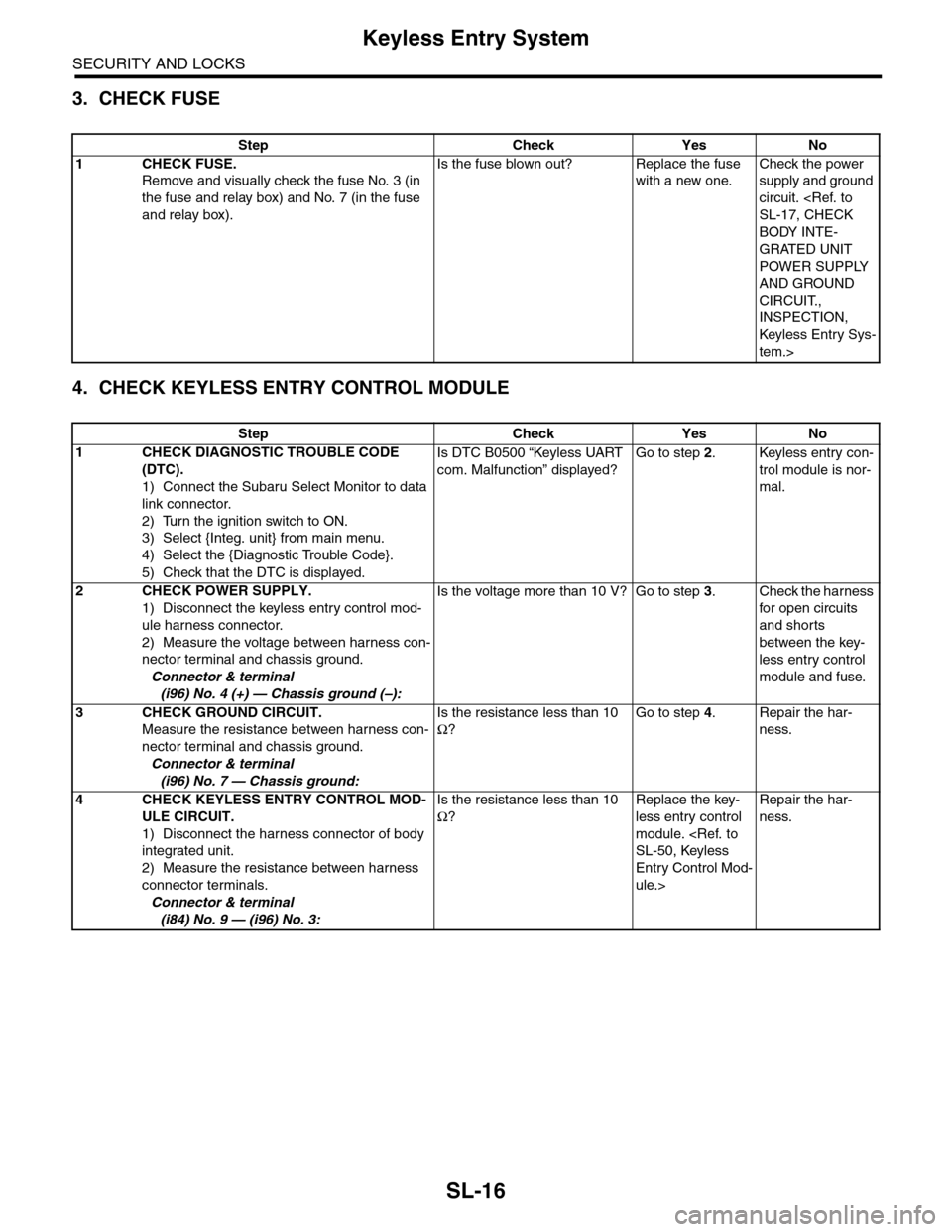
3. CHECK FUSE
4. CHECK KEYLESS ENTRY CONTROL MODULE
Step Check Yes No
1CHECK FUSE.
Remove and visually check the fuse No. 3 (in
the fuse and relay box) and No. 7 (in the fuse
and relay box).
Is the fuse blown out? Replace the fuse
with a new one.
Check the power
supply and ground
circuit.
BODY INTE-
GRATED UNIT
POWER SUPPLY
AND GROUND
CIRCUIT.,
INSPECTION,
Keyless Entr y Sys-
tem.>
Step Check Yes No
1CHECK DIAGNOSTIC TROUBLE CODE
(DTC).
1) Connect the Subaru Select Monitor to data
link connector.
2) Turn the ignition switch to ON.
3) Select {Integ. unit} from main menu.
4) Select the {Diagnostic Trouble Code}.
5) Check that the DTC is displayed.
Is DTC B0500 “Keyless UART
com. Malfunction” displayed?
Go to step 2.Keyless entry con-
trol module is nor-
mal.
2CHECK POWER SUPPLY.
1) Disconnect the keyless entry control mod-
ule harness connector.
2) Measure the voltage between harness con-
nector terminal and chassis ground.
Connector & terminal
(i96) No. 4 (+) — Chassis ground (–):
Is the voltage more than 10 V? Go to step 3.Check the harness
for open circuits
and shorts
between the key-
less entry control
module and fuse.
3CHECK GROUND CIRCUIT.
Measure the resistance between harness con-
nector terminal and chassis ground.
Connector & terminal
(i96) No. 7 — Chassis ground:
Is the resistance less than 10
Ω?
Go to step 4.Repair the har-
ness.
4CHECK KEYLESS ENTRY CONTROL MOD-
ULE CIRCUIT.
1) Disconnect the harness connector of body
integrated unit.
2) Measure the resistance between harness
connector terminals.
Connector & terminal
(i84) No. 9 — (i96) No. 3:
Is the resistance less than 10
Ω?
Replace the key-
less entry control
module.
Entry Control Mod-
ule.>
Repair the har-
ness.
Page 649 of 2453
SL-20
Keyless Entry System
SECURITY AND LOCKS
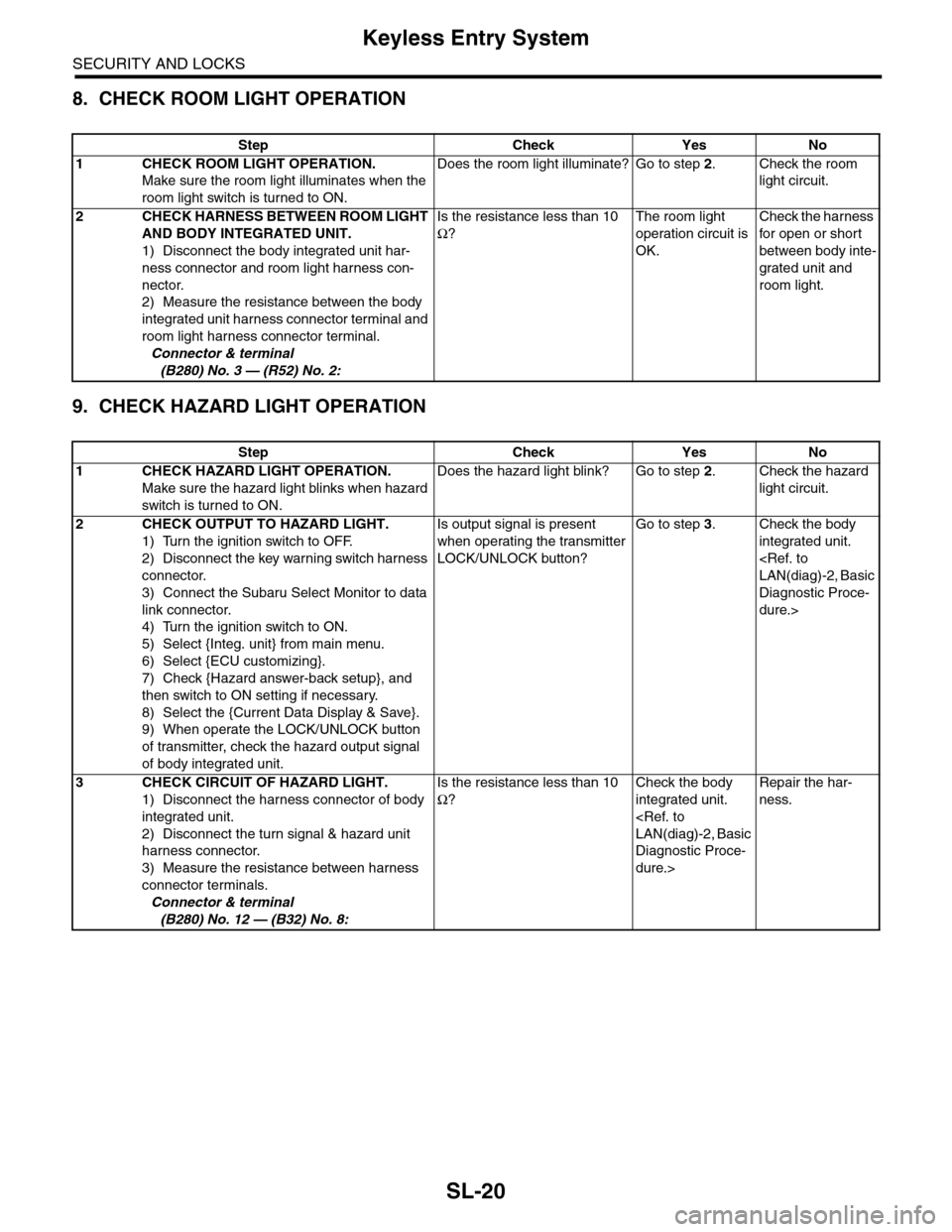
8. CHECK ROOM LIGHT OPERATION
9. CHECK HAZARD LIGHT OPERATION
Step Check Yes No
1CHECK ROOM LIGHT OPERATION.
Make sure the room light illuminates when the
room light switch is turned to ON.
Does the room light illuminate? Go to step 2.Check the room
light circuit.
2CHECK HARNESS BETWEEN ROOM LIGHT
AND BODY INTEGRATED UNIT.
1) Disconnect the body integrated unit har-
ness connector and room light harness con-
nector.
2) Measure the resistance between the body
integrated unit harness connector terminal and
room light harness connector terminal.
Connector & terminal
(B280) No. 3 — (R52) No. 2:
Is the resistance less than 10
Ω?
The room light
operation circuit is
OK.
Check the harness
for open or shor t
between body inte-
grated unit and
room light.
Step Check Yes No
1CHECK HAZARD LIGHT OPERATION.
Make sure the hazard light blinks when hazard
switch is turned to ON.
Does the hazard light blink? Go to step 2.Check the hazard
light circuit.
2CHECK OUTPUT TO HAZARD LIGHT.
1) Turn the ignition switch to OFF.
2) Disconnect the key warning switch harness
connector.
3) Connect the Subaru Select Monitor to data
link connector.
4) Turn the ignition switch to ON.
5) Select {Integ. unit} from main menu.
6) Select {ECU customizing}.
7) Check {Hazard answer-back setup}, and
then switch to ON setting if necessary.
8) Select the {Current Data Display & Save}.
9) When operate the LOCK/UNLOCK button
of transmitter, check the hazard output signal
of body integrated unit.
Is output signal is present
when operating the transmitter
LOCK/UNLOCK button?
Go to step 3.Check the body
integrated unit.
Diagnostic Proce-
dure.>
3CHECK CIRCUIT OF HAZARD LIGHT.
1) Disconnect the harness connector of body
integrated unit.
2) Disconnect the turn signal & hazard unit
harness connector.
3) Measure the resistance between harness
connector terminals.
Connector & terminal
(B280) No. 12 — (B32) No. 8:
Is the resistance less than 10
Ω?
Check the body
integrated unit.
Diagnostic Proce-
dure.>
Repair the har-
ness.
Page 650 of 2453
SL-21
Keyless Entry System
SECURITY AND LOCKS
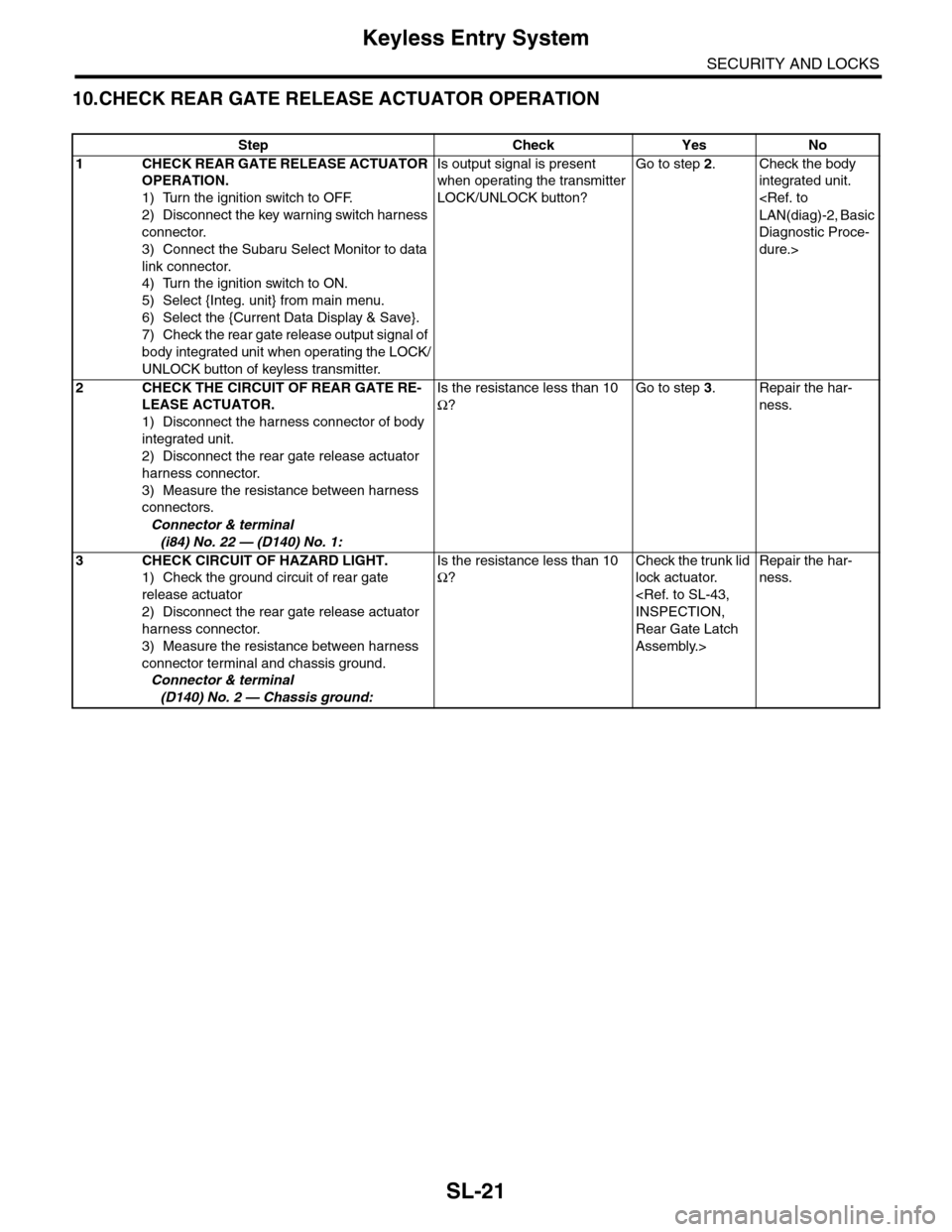
10.CHECK REAR GATE RELEASE ACTUATOR OPERATION
Step Check Yes No
1CHECK REAR GATE RELEASE ACTUATOR
OPERATION.
1) Turn the ignition switch to OFF.
2) Disconnect the key warning switch harness
connector.
3) Connect the Subaru Select Monitor to data
link connector.
4) Turn the ignition switch to ON.
5) Select {Integ. unit} from main menu.
6) Select the {Current Data Display & Save}.
7) Check the rear gate release output signal of
body integrated unit when operating the LOCK/
UNLOCK button of keyless transmitter.
Is output signal is present
when operating the transmitter
LOCK/UNLOCK button?
Go to step 2.Check the body
integrated unit.
Diagnostic Proce-
dure.>
2CHECK THE CIRCUIT OF REAR GATE RE-
LEASE ACTUATOR.
1) Disconnect the harness connector of body
integrated unit.
2) Disconnect the rear gate release actuator
harness connector.
3) Measure the resistance between harness
connectors.
Connector & terminal
(i84) No. 22 — (D140) No. 1:
Is the resistance less than 10
Ω?
Go to step 3.Repair the har-
ness.
3CHECK CIRCUIT OF HAZARD LIGHT.
1) Check the ground circuit of rear gate
release actuator
2) Disconnect the rear gate release actuator
harness connector.
3) Measure the resistance between harness
connector terminal and chassis ground.
Connector & terminal
(D140) No. 2 — Chassis ground:
Is the resistance less than 10
Ω?
Check the trunk lid
lock actuator.
Rear Gate Latch
Assembly.>
Repair the har-
ness.
Page 651 of 2453
SL-22
Keyless Entry System
SECURITY AND LOCKS
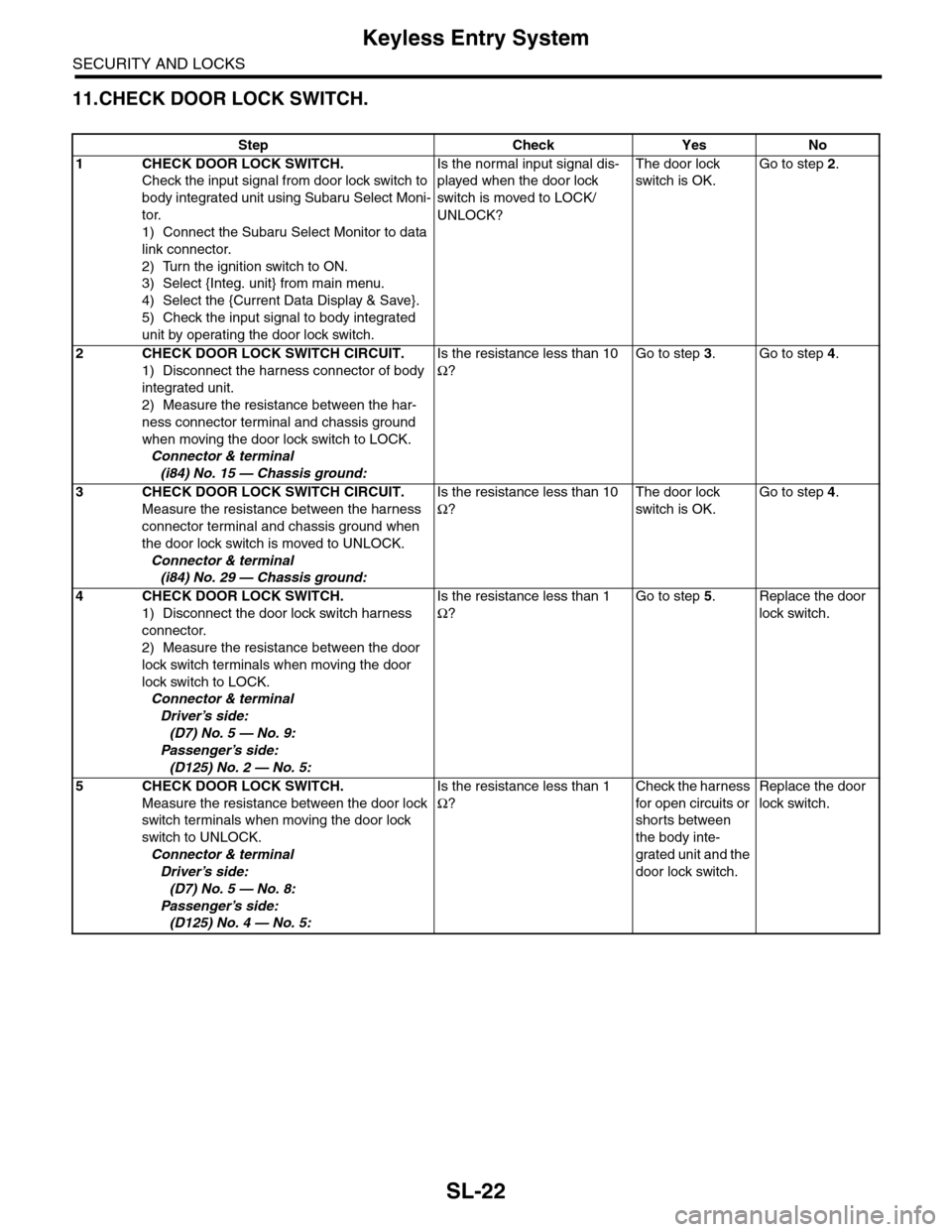
11.CHECK DOOR LOCK SWITCH.
Step Check Yes No
1CHECK DOOR LOCK SWITCH.
Check the input signal from door lock switch to
body integrated unit using Subaru Select Moni-
tor.
1) Connect the Subaru Select Monitor to data
link connector.
2) Turn the ignition switch to ON.
3) Select {Integ. unit} from main menu.
4) Select the {Current Data Display & Save}.
5) Check the input signal to body integrated
unit by operating the door lock switch.
Is the normal input signal dis-
played when the door lock
switch is moved to LOCK/
UNLOCK?
The door lock
switch is OK.
Go to step 2.
2CHECK DOOR LOCK SWITCH CIRCUIT.
1) Disconnect the harness connector of body
integrated unit.
2) Measure the resistance between the har-
ness connector terminal and chassis ground
when moving the door lock switch to LOCK.
Connector & terminal
(i84) No. 15 — Chassis ground:
Is the resistance less than 10
Ω?
Go to step 3.Go to step 4.
3CHECK DOOR LOCK SWITCH CIRCUIT.
Measure the resistance between the harness
connector terminal and chassis ground when
the door lock switch is moved to UNLOCK.
Connector & terminal
(i84) No. 29 — Chassis ground:
Is the resistance less than 10
Ω?
The door lock
switch is OK.
Go to step 4.
4CHECK DOOR LOCK SWITCH.
1) Disconnect the door lock switch harness
connector.
2) Measure the resistance between the door
lock switch terminals when moving the door
lock switch to LOCK.
Connector & terminal
Driver’s side:
(D7) No. 5 — No. 9:
Passenger’s side:
(D125) No. 2 — No. 5:
Is the resistance less than 1
Ω?
Go to step 5.Replace the door
lock switch.
5CHECK DOOR LOCK SWITCH.
Measure the resistance between the door lock
switch terminals when moving the door lock
switch to UNLOCK.
Connector & terminal
Driver’s side:
(D7) No. 5 — No. 8:
Passenger’s side:
(D125) No. 4 — No. 5:
Is the resistance less than 1
Ω?
Check the harness
for open circuits or
shorts between
the body inte-
grated unit and the
door lock switch.
Replace the door
lock switch.
Page 656 of 2453
SL-27
Security System
SECURITY AND LOCKS
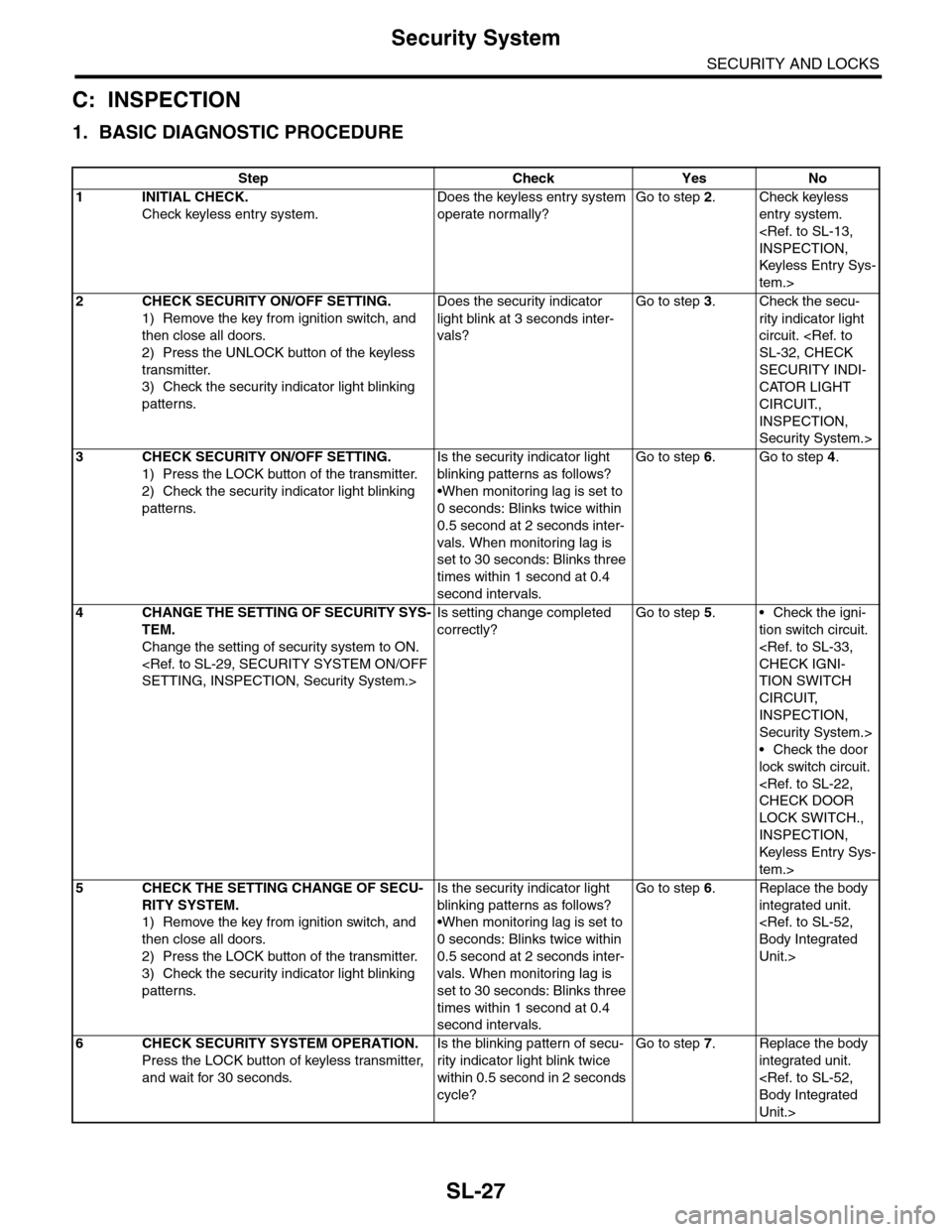
C: INSPECTION
1. BASIC DIAGNOSTIC PROCEDURE
Step Check Yes No
1 INITIAL CHECK.
Check keyless entry system.
Does the keyless entry system
operate normally?
Go to step 2.Check keyless
entry system.
Keyless Entr y Sys-
tem.>
2CHECK SECURITY ON/OFF SETTING.
1) Remove the key from ignition switch, and
then close all doors.
2) Press the UNLOCK button of the keyless
transmitter.
3) Check the security indicator light blinking
patterns.
Does the security indicator
light blink at 3 seconds inter-
vals?
Go to step 3.Check the secu-
rity indicator light
circuit.
SECURITY INDI-
CATOR LIGHT
CIRCUIT.,
INSPECTION,
Security System.>
3CHECK SECURITY ON/OFF SETTING.
1) Press the LOCK button of the transmitter.
2) Check the security indicator light blinking
patterns.
Is the security indicator light
blinking patterns as follows?
•When monitoring lag is set to
0 seconds: Blinks twice within
0.5 second at 2 seconds inter-
vals. When monitoring lag is
set to 30 seconds: Blinks three
times within 1 second at 0.4
second intervals.
Go to step 6.Go to step 4.
4CHANGE THE SETTING OF SECURITY SYS-
TEM.
Change the setting of security system to ON.
Is setting change completed
correctly?
Go to step 5.•Check the igni-
tion switch circuit.
TION SWITCH
CIRCUIT,
INSPECTION,
Security System.>
•Check the door
lock switch circuit.
LOCK SWITCH.,
INSPECTION,
Keyless Entr y Sys-
tem.>
5CHECK THE SETTING CHANGE OF SECU-
RITY SYSTEM.
1) Remove the key from ignition switch, and
then close all doors.
2) Press the LOCK button of the transmitter.
3) Check the security indicator light blinking
patterns.
Is the security indicator light
blinking patterns as follows?
•When monitoring lag is set to
0 seconds: Blinks twice within
0.5 second at 2 seconds inter-
vals. When monitoring lag is
set to 30 seconds: Blinks three
times within 1 second at 0.4
second intervals.
Go to step 6.Replace the body
integrated unit.
Unit.>
6CHECK SECURITY SYSTEM OPERATION.
Press the LOCK button of keyless transmitter,
and wait for 30 seconds.
Is the blinking pattern of secu-
rity indicator light blink twice
within 0.5 second in 2 seconds
cycle?
Go to step 7.Replace the body
integrated unit.
Unit.>
Page 657 of 2453
SL-28
Security System
SECURITY AND LOCKS
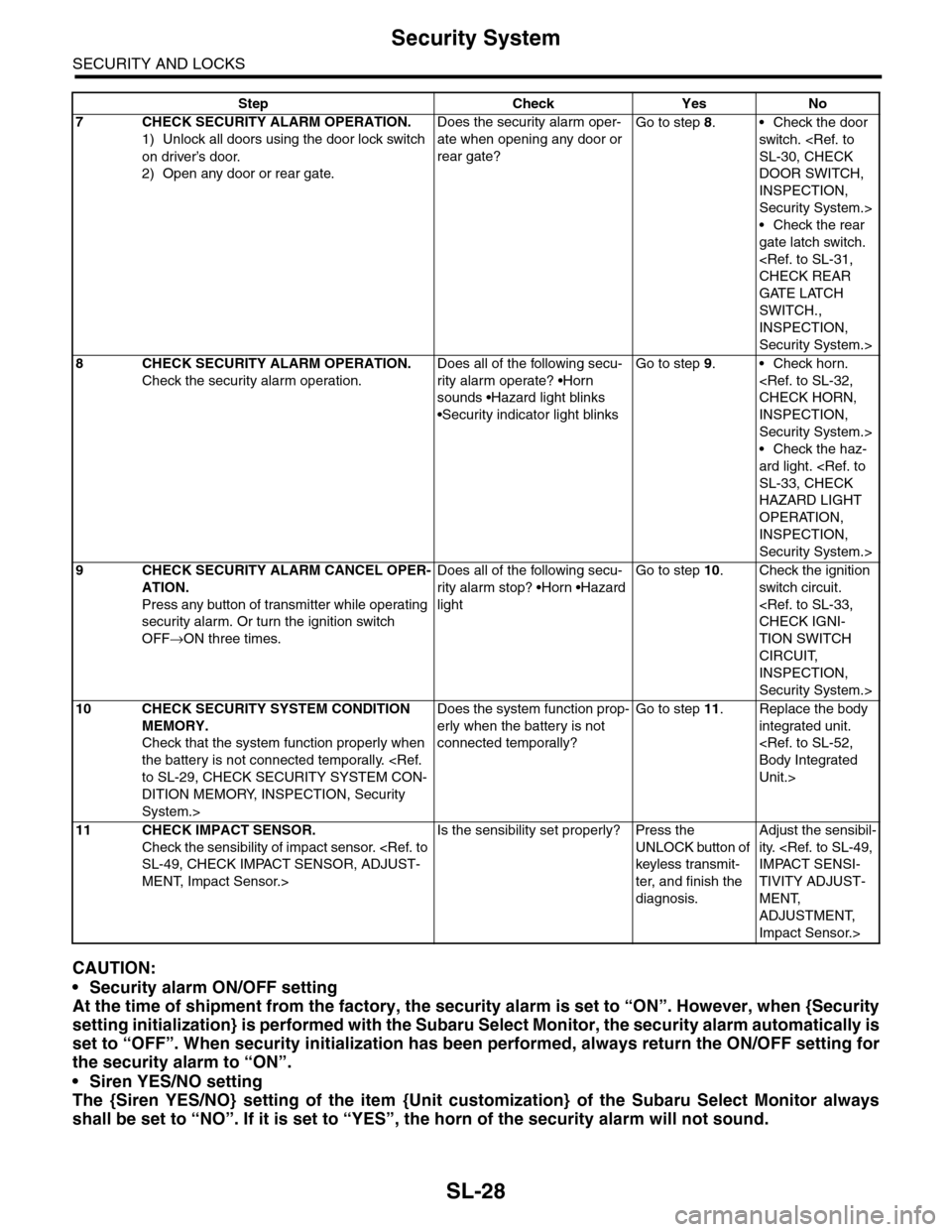
CAUTION:
•Security alarm ON/OFF setting
At the time of shipment from the factory, the security alarm is set to “ON”. However, when {Security
setting initialization} is performed with the Subaru Select Monitor, the security alarm automatically is
set to “OFF”. When security initialization has been performed, always return the ON/OFF setting for
the security alarm to “ON”.
•Siren YES/NO setting
The {Siren YES/NO} setting of the item {Unit customization} of the Subaru Select Monitor always
shall be set to “NO”. If it is set to “YES”, the horn of the security alarm will not sound.
7CHECK SECURITY ALARM OPERATION.
1) Unlock all doors using the door lock switch
on driver’s door.
2) Open any door or rear gate.
Does the security alarm oper-
ate when opening any door or
rear gate?
Go to step 8.•Check the door
switch.
DOOR SWITCH,
INSPECTION,
Security System.>
•Check the rear
gate latch switch.
GATE LATCH
SWITCH.,
INSPECTION,
Security System.>
8CHECK SECURITY ALARM OPERATION.
Check the security alarm operation.
Does all of the following secu-
rity alarm operate? •Horn
sounds •Hazard light blinks
•Security indicator light blinks
Go to step 9.•Check horn.
INSPECTION,
Security System.>
•Check the haz-
ard light.
HAZARD LIGHT
OPERATION,
INSPECTION,
Security System.>
9CHECK SECURITY ALARM CANCEL OPER-
ATION.
Press any button of transmitter while operating
security alarm. Or turn the ignition switch
OFF→ON three times.
Does all of the following secu-
rity alarm stop? •Horn •Hazard
light
Go to step 10.Check the ignition
switch circuit.
TION SWITCH
CIRCUIT,
INSPECTION,
Security System.>
10 CHECK SECURITY SYSTEM CONDITION
MEMORY.
Check that the system function properly when
the battery is not connected temporally.
DITION MEMORY, INSPECTION, Security
System.>
Does the system function prop-
erly when the battery is not
connected temporally?
Go to step 11.Replace the body
integrated unit.
Unit.>
11 CHECK IMPACT SENSOR.
Check the sensibility of impact sensor.
MENT, Impact Sensor.>
Is the sensibility set properly? Press the
UNLOCK button of
keyless transmit-
ter, and finish the
diagnosis.
Adjust the sensibil-
ity.
TIVITY ADJUST-
MENT,
ADJUSTMENT,
Impact Sensor.>
Step Check Yes No
Page 659 of 2453
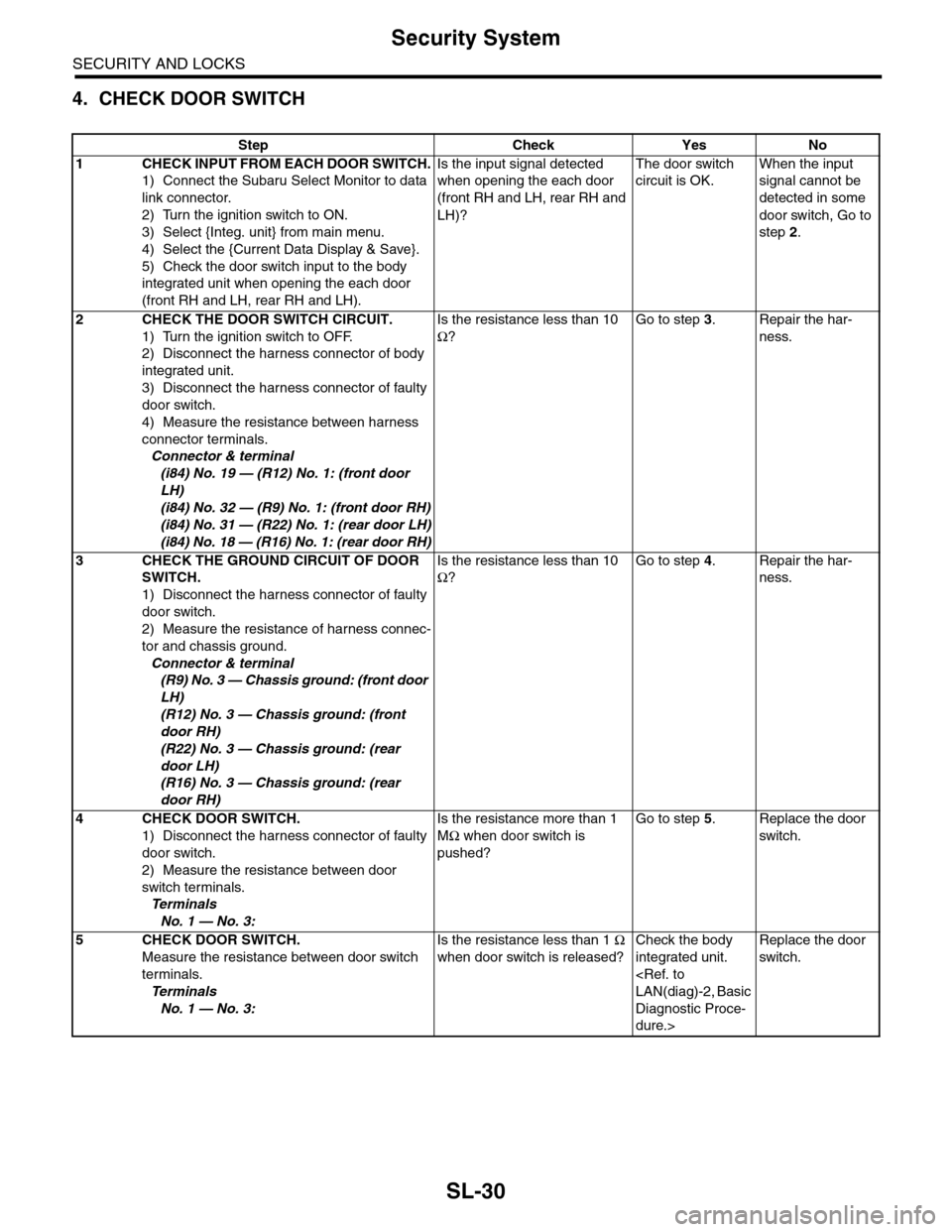
SL-30
Security System
SECURITY AND LOCKS
4. CHECK DOOR SWITCH
Step Check Yes No
1CHECK INPUT FROM EACH DOOR SWITCH.
1) Connect the Subaru Select Monitor to data
link connector.
2) Turn the ignition switch to ON.
3) Select {Integ. unit} from main menu.
4) Select the {Current Data Display & Save}.
5) Check the door switch input to the body
integrated unit when opening the each door
(front RH and LH, rear RH and LH).
Is the input signal detected
when opening the each door
(front RH and LH, rear RH and
LH)?
The door switch
circuit is OK.
When the input
signal cannot be
detected in some
door switch, Go to
step 2.
2CHECK THE DOOR SWITCH CIRCUIT.
1) Turn the ignition switch to OFF.
2) Disconnect the harness connector of body
integrated unit.
3) Disconnect the harness connector of faulty
door switch.
4) Measure the resistance between harness
connector terminals.
Connector & terminal
(i84) No. 19 — (R12) No. 1: (front door
LH)
(i84) No. 32 — (R9) No. 1: (front door RH)
(i84) No. 31 — (R22) No. 1: (rear door LH)
(i84) No. 18 — (R16) No. 1: (rear door RH)
Is the resistance less than 10
Ω?
Go to step 3.Repair the har-
ness.
3CHECK THE GROUND CIRCUIT OF DOOR
SWITCH.
1) Disconnect the harness connector of faulty
door switch.
2) Measure the resistance of harness connec-
tor and chassis ground.
Connector & terminal
(R9) No. 3 — Chassis ground: (front door
LH)
(R12) No. 3 — Chassis ground: (front
door RH)
(R22) No. 3 — Chassis ground: (rear
door LH)
(R16) No. 3 — Chassis ground: (rear
door RH)
Is the resistance less than 10
Ω?
Go to step 4.Repair the har-
ness.
4CHECK DOOR SWITCH.
1) Disconnect the harness connector of faulty
door switch.
2) Measure the resistance between door
switch terminals.
Te r m i n a l s
No. 1 — No. 3:
Is the resistance more than 1
MΩ when door switch is
pushed?
Go to step 5.Replace the door
switch.
5CHECK DOOR SWITCH.
Measure the resistance between door switch
terminals.
Te r m i n a l s
No. 1 — No. 3:
Is the resistance less than 1 Ω
when door switch is released?
Check the body
integrated unit.
Diagnostic Proce-
dure.>
Replace the door
switch.
Page 660 of 2453
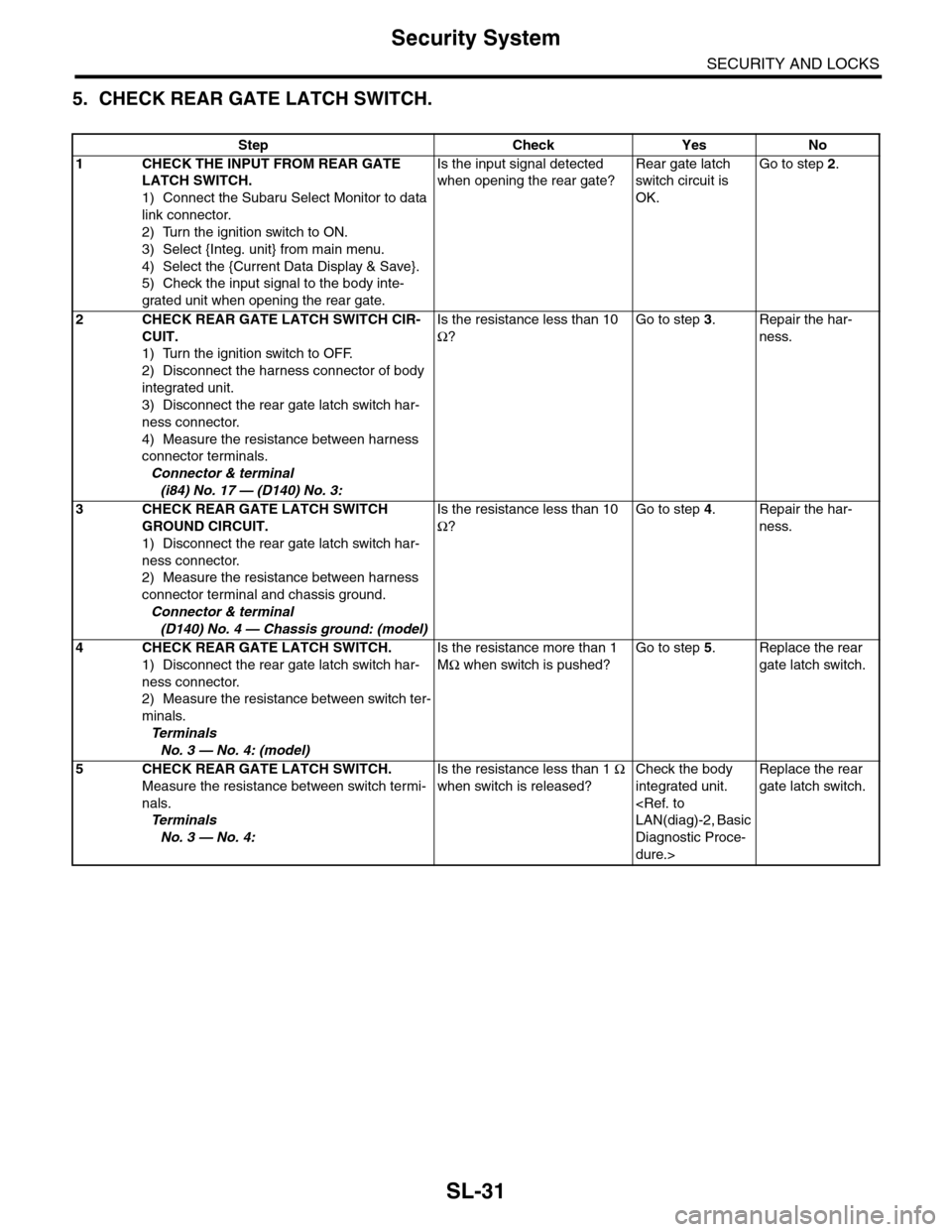
SL-31
Security System
SECURITY AND LOCKS
5. CHECK REAR GATE LATCH SWITCH.
Step Check Yes No
1CHECK THE INPUT FROM REAR GATE
LATCH SWITCH.
1) Connect the Subaru Select Monitor to data
link connector.
2) Turn the ignition switch to ON.
3) Select {Integ. unit} from main menu.
4) Select the {Current Data Display & Save}.
5) Check the input signal to the body inte-
grated unit when opening the rear gate.
Is the input signal detected
when opening the rear gate?
Rear gate latch
switch circuit is
OK.
Go to step 2.
2CHECK REAR GATE LATCH SWITCH CIR-
CUIT.
1) Turn the ignition switch to OFF.
2) Disconnect the harness connector of body
integrated unit.
3) Disconnect the rear gate latch switch har-
ness connector.
4) Measure the resistance between harness
connector terminals.
Connector & terminal
(i84) No. 17 — (D140) No. 3:
Is the resistance less than 10
Ω?
Go to step 3.Repair the har-
ness.
3CHECK REAR GATE LATCH SWITCH
GROUND CIRCUIT.
1) Disconnect the rear gate latch switch har-
ness connector.
2) Measure the resistance between harness
connector terminal and chassis ground.
Connector & terminal
(D140) No. 4 — Chassis ground: (model)
Is the resistance less than 10
Ω?
Go to step 4.Repair the har-
ness.
4CHECK REAR GATE LATCH SWITCH.
1) Disconnect the rear gate latch switch har-
ness connector.
2) Measure the resistance between switch ter-
minals.
Te r m i n a l s
No. 3 — No. 4: (model)
Is the resistance more than 1
MΩ when switch is pushed?
Go to step 5.Replace the rear
gate latch switch.
5CHECK REAR GATE LATCH SWITCH.
Measure the resistance between switch termi-
nals.
Te r m i n a l s
No. 3 — No. 4:
Is the resistance less than 1 Ω
when switch is released?
Check the body
integrated unit.
Diagnostic Proce-
dure.>
Replace the rear
gate latch switch.