light SUBARU TRIBECA 2014 1.G Owners Manual
[x] Cancel search | Manufacturer: SUBARU, Model Year: 2014, Model line: TRIBECA, Model: SUBARU TRIBECA 2014 1.GPages: 426, PDF Size: 6.37 MB
Page 224 of 426
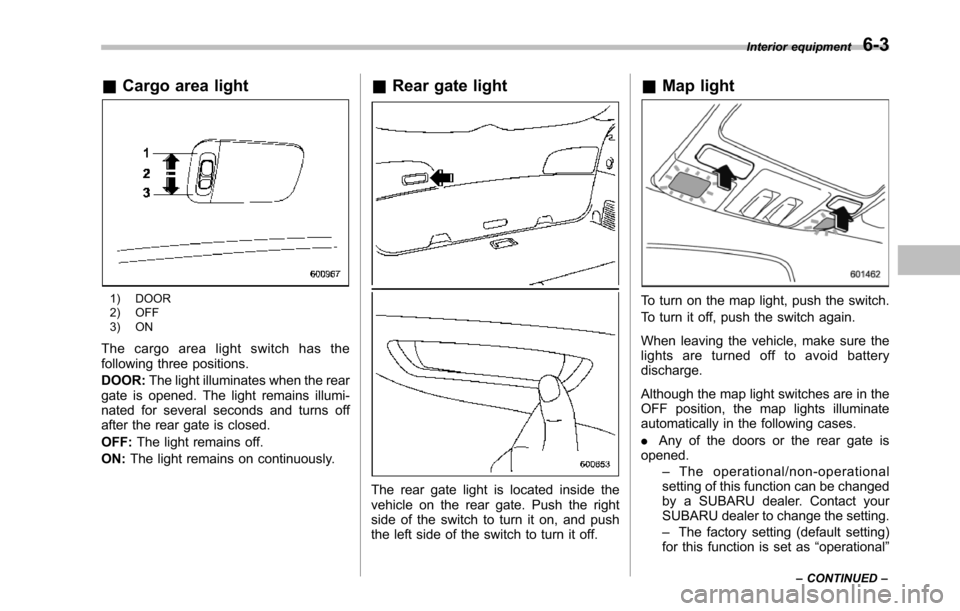
&Cargo area light
1) DOOR2) OFF3) ON
The cargo area light switch has thefollowing three positions.
DOOR:The light illuminates when the reargate is opened. The light remains illumi-nated for several seconds and turns offafter the rear gate is closed.
OFF:The light remains off.
ON:The light remains on continuously.
&Rear gate light
The rear gate light is located inside thevehicle on the rear gate. Push the rightside of the switch to turn it on, and pushthe left side of the switch to turn it off.
&Map light
To turn on the map light, push the switch.
To turn it off, push the switch again.
When leaving the vehicle, make sure thelights are turned off to avoid batterydischarge.
Although the map light switches are in theOFF position, the map lights illuminateautomatically in the following cases.
.Any of the doors or the rear gate isopened.–The operational/non-operationalsetting of this function can be changedby a SUBARU dealer. Contact yourSUBARU dealer to change the setting.–The factory setting (default setting)for this function is set as“operational”
Interior equipment6-3
–CONTINUED–
Page 225 of 426
6-4Interior equipment
(automatic illumination - ON)..The doors are unlocked using theremote keyless entry transmitter.
.The ignition switch is turned from the“Acc”position to the“LOCK”position.
The automatically illuminated map lightsremain illuminated for several secondsand then gradually turn off after all doorsare closed.
While the lights are illuminated, if any ofthe following operations are performed,the map lights turn off immediately.
.The ignition switch is turned from the“LOCK”position to the“Acc”or“ON”position.
.All doors and the rear gate are lockedusing the remote keyless entry transmitter.
The setting of the period for which the lightremains illuminated (OFF delay timer) canbe changed by a SUBARU dealer. Con-tact your SUBARU dealer for details.
NOTE
If any of the doors or the rear gate isnot completely closed, the map lightswill remain illuminated as a result.However, the map lights are automati-cally turned off by the battery drainageprevention function to prevent thebattery from discharging. For details,
refer to“Battery drainage preventionfunction”F2-6.
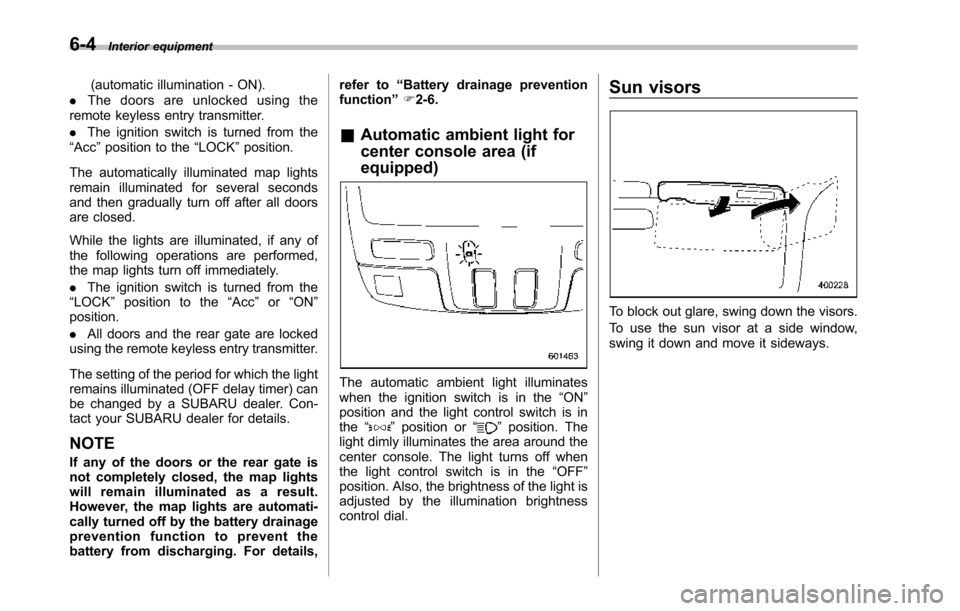
&Automatic ambient light for
center console area (if
equipped)
The automatic ambient light illuminateswhen the ignition switch is in the“ON”position and the light control switch is inthe“”position or“”position. Thelight dimly illuminates the area around thecenter console. The light turns off whenthe light control switch is in the“OFF”position. Also, the brightness of the light isadjusted by the illumination brightnesscontrol dial.
Sun visors
To block out glare, swing down the visors.
To use the sun visor at a side window,swing it down and move it sideways.
Page 226 of 426
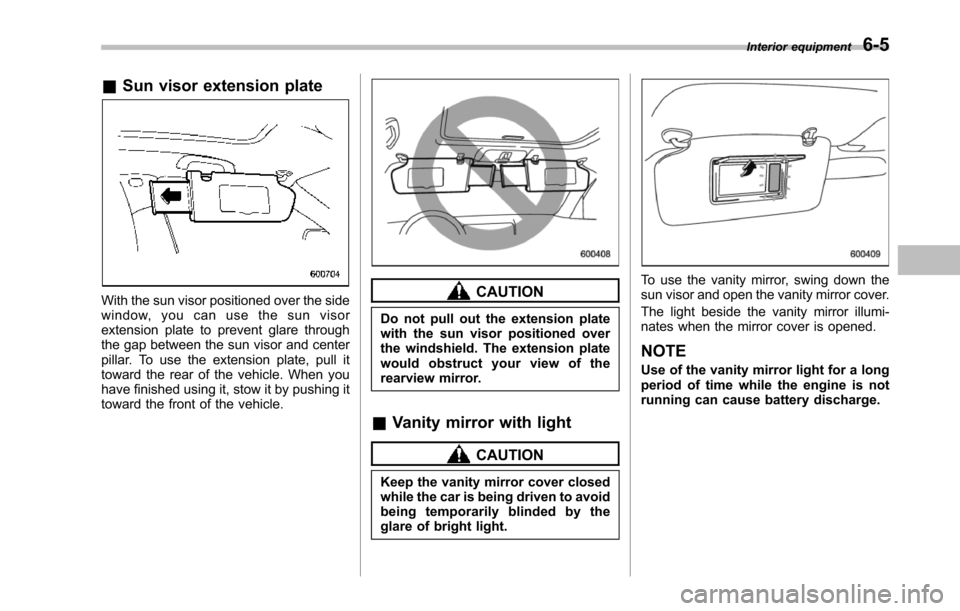
&Sun visor extension plate
With the sun visor positioned over the sidewindow, you can use the sun visorextension plate to prevent glare throughthe gap between the sun visor and centerpillar. To use the extension plate, pull ittoward the rear of the vehicle. When youhave finished using it, stow it by pushing ittoward the front of the vehicle.
CAUTION
Do not pull out the extension platewith the sun visor positioned overthe windshield. The extension platewould obstruct your view of therearview mirror.
&Vanity mirror with light
CAUTION
Keep the vanity mirror cover closedwhile the car is being driven to avoidbeing temporarily blinded by theglare of bright light.
To use the vanity mirror, swing down thesun visor and open the vanity mirror cover.
The light beside the vanity mirror illumi-nates when the mirror cover is opened.
NOTE
Use of the vanity mirror light for a longperiod of time while the engine is notrunning can cause battery discharge.
Interior equipment6-5
Page 229 of 426
6-8Interior equipment
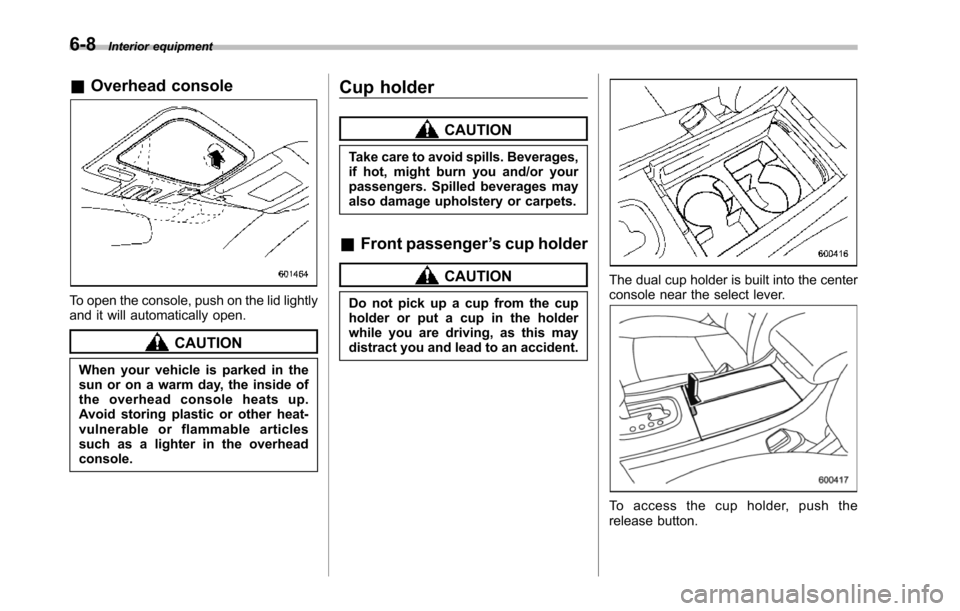
&Overhead console
To open the console, push on the lid lightlyand it will automatically open.
CAUTION
When your vehicle is parked in thesun or on a warm day, the inside ofthe overhead console heats up.Avoid storing plastic or other heat-vulnerable or flammable articlessuch as a lighter in the overheadconsole.
Cup holder
CAUTION
Take care to avoid spills. Beverages,if hot, might burn you and/or yourpassengers. Spilled beverages mayalso damageupholstery or carpets.
&Front passenger’s cup holder
CAUTION
Do not pick up a cup from the cupholder or put a cup in the holderwhile you are driving, as this maydistract you and lead to an accident.
The dual cup holder is built into the centerconsole near the select lever.
To a c c e s s t h e c u p h o l d e r , p u s h t h erelease button.
Page 231 of 426
6-10Interior equipment
trim can be used to hold beverage bottlesand other items.Accessory power outlets
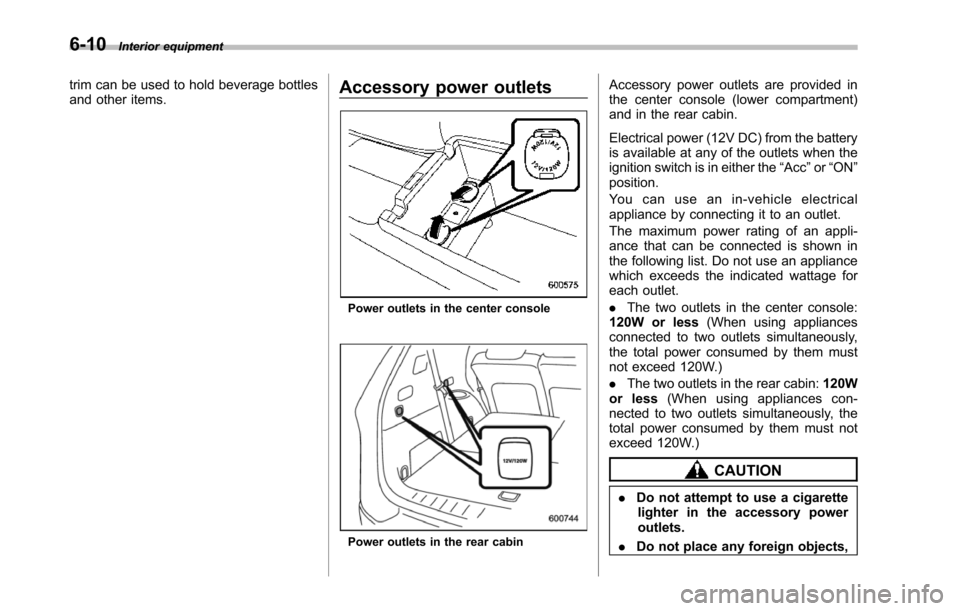
Poweroutlets in the center console
Power outlets in the rear cabin
Accessory power outlets are provided inthe center console (lower compartment)and in the rear cabin.
Electrical power (12V DC) from the batteryis available at any of the outlets when theignition switch is in either the“Acc”or“ON”position.
Yo u c a n u s e a n i n - v e h i c l e e l e c t r i c a lappliance by connecting it to an outlet.
The maximum power rating of an appli-ance that can be connected is shown inthe following list. Do not use an appliancewhich exceeds the indicated wattage foreach outlet.
.The two outlets in the center console:120W or less(When using appliancesconnected to two outlets simultaneously,the total power consumed by them mustnot exceed 120W.)
.The two outlets in the rear cabin:120Wor less(When using appliances con-nected to two outlets simultaneously, thetotal power consumed by them must notexceed 120W.)
CAUTION
.Do not attempt to use a cigarettelighter in the accessory poweroutlets.
.Do not place any foreign objects,
Page 235 of 426
6-14Interior equipment
.Do not use more than one floormat.Cargo area cover (if
equipped)
The cargo area cover is provided forcovering the cargo area and to protect itscontents from direct sunlight. This cover isdetachable to make room for additionalcargo.
&Using the cover
1) Holder
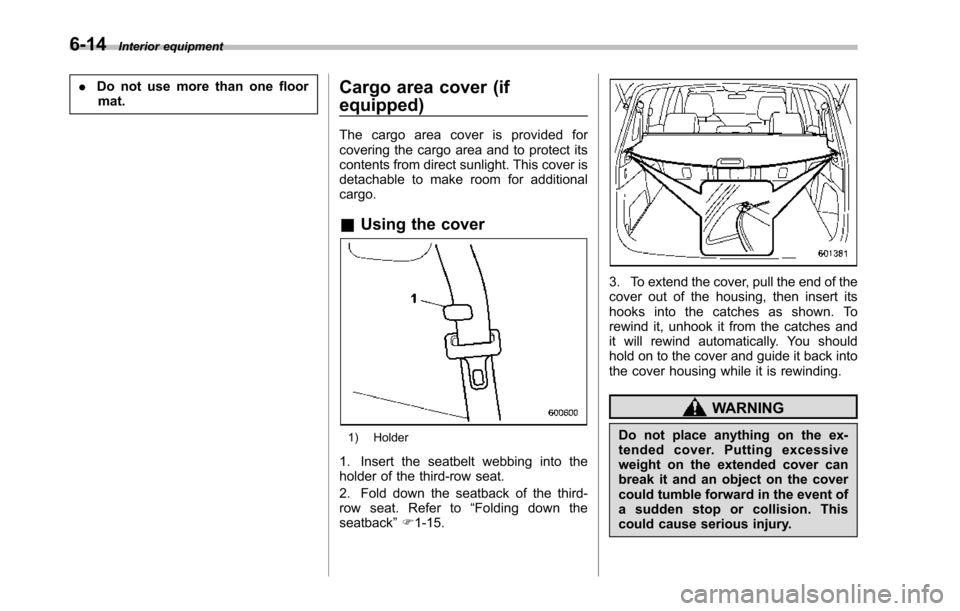
1. Insert the seatbelt webbing into theholder of the third-row seat.
2. Fold down the seatback of the third-row seat. Refer to“Folding down theseatback”F1-15.
3. To extend the cover, pull the end of thecover out of the housing, then insert itshooks into the catches as shown. Torewind it, unhook it from the catches andit will rewind automatically. You shouldhold on to the cover and guide it back intothe cover housing while it is rewinding.
WARNING
Do not place anything on the ex-tended cover. Putting excessiveweight on the extended cover canbreak it and an object on the covercould tumble forward in the event ofasuddenstoporcollision.Thiscould cause serious injury.
Page 237 of 426
6-16Interior equipment
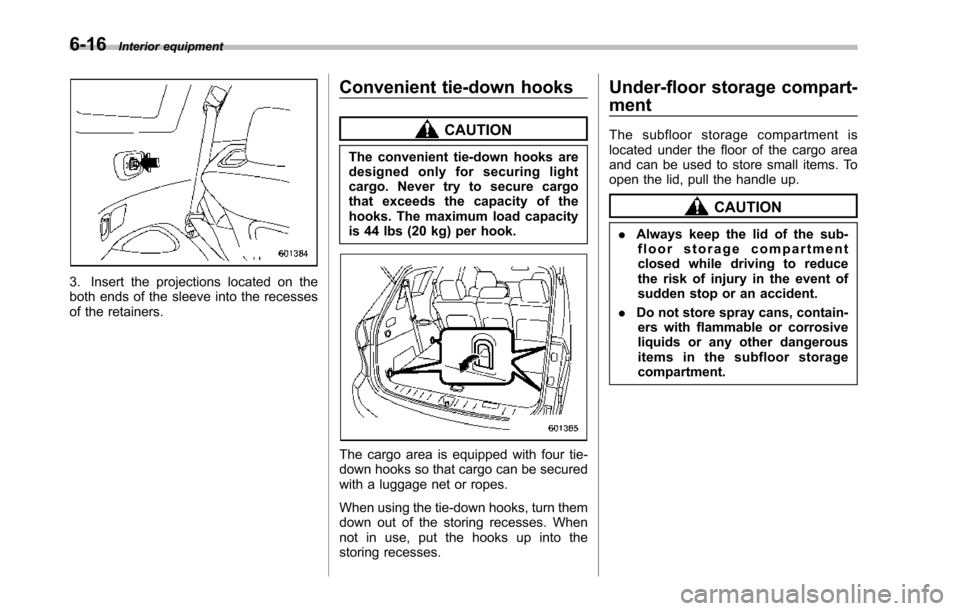
3. Insert the projections located on theboth ends of the sleeve into the recessesof the retainers.
Convenient tie-down hooks
CAUTION
The convenient tie-down hooks aredesigned only for securing lightcargo. Never try to secure cargothat exceeds the capacity of thehooks. The maximum load capacityis 44 lbs (20 kg) per hook.
Thecargo area is equipped with four tie-down hooks so that cargo can be securedwith a luggage net or ropes.
When using the tie-down hooks, turn themdown out of the storing recesses. Whennot in use, put the hooks up into thestoring recesses.
Under-floor storage compart-
ment
The subfloor storage compartment islocated under the floor of the cargo areaand can be used to store small items. Toopen the lid, pull the handle up.
CAUTION
.Always keep the lid of the sub-floor storage compartmentclosed whiledriving to reducethe risk of injury in the event ofsudden stop or an accident.
.Do not store spray cans, contain-ers with flammable or corrosiveliquids or any other dangerousitems in the subfloor storagecompartment.
Page 238 of 426
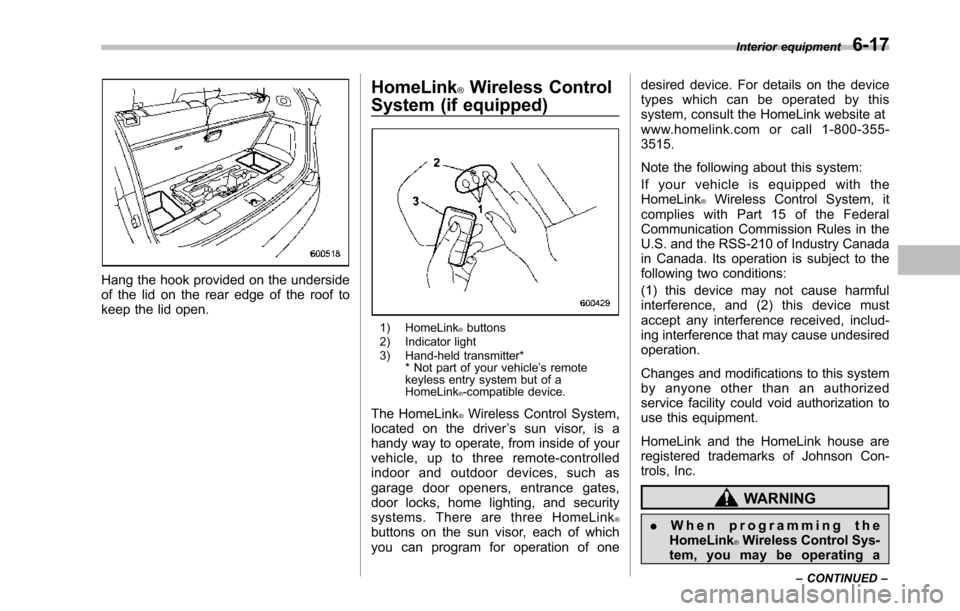
Hang the hook provided on the undersideof the lid on the rear edge of the roof tokeepthe lid open.
HomeLink®Wireless Control
System (if equipped)
1) HomeLink®buttons2) Indicator light3) Hand-held transmitter** Not part of your vehicle’s remotekeyless entry system but of aHomeLink®-compatible device.
The HomeLink®Wireless Control System,located on the driver’s sun visor, is ahandy way to operate, from inside of yourvehicle, up to three remote-controlledindoor and outdoor devices, such asgarage door openers, entrance gates,door locks, home lighting, and securitysystems. There are three HomeLink®buttons on the sun visor, each of whichyou can program for operation of one
desired device. For details on the devicetypes which can be operated by thissystem, consult the HomeLink website atwww.homelink.com or call 1-800-355-3515.
Note the following about this system:
If your vehicle is equipped with theHomeLink®Wireless Control System, itcomplies with Part 15 of the FederalCommunication Commission Rules in theU.S. and the RSS-210 of Industry Canadain Canada. Its operation is subject to thefollowing two conditions:
(1) this device may not cause harmfulinterference, and (2) this device mustaccept any interference received, includ-ing interference that may cause undesiredoperation.
Changes and modifications to this systemby anyone other than an authorizedservice facility could void authorization touse this equipment.
HomeLink and the HomeLink house areregistered trademarks of Johnson Con-trols, Inc.
WARNING
.When programming theHomeLink®Wireless Control Sys-tem, you may be operating a
Interior equipment6-17
–CONTINUED–
Page 239 of 426
6-18Interior equipment
garage door opener or otherdevice. Make sure that peopleand objects are out of the wayof the garage door opener orother device to prevent potentialharm or damage.
.Do not use the HomeLink®Wire-less Control System with anygarage door opener that lacksthe safety stopand reverse fea-ture as required by applicablesafety standards. A garage dooropener which cannot detect anobject, signaling the door to stopand reverse, does not meet thesesafetystandards. Using a garagedoor opener without these fea-tures increases risk of seriousinjury or death. For more infor-mation, consult the HomeLinkwebsite at www.homelink.comor call 1-800-355-3515.
CAUTION
When programming the HomeLink®WirelessControl System to operatea garage door opener or an entrancegate, unplug the device’smotorfrom the outlet during programmingto prevent motor burnout.
NOTE
.After programming your HomeLink®Wireless Control System for the de-sired devices, retain the hand-heldtransmitters for further programmingor device testing in the event of aproblem..It is recommended that you insert anew battery in the hand-held transmit-ter of a device to ensure correctprogramming.
&Garage door opener pro-
gramming in the U.S.A.
NOTE
When programming the HomeLink®Wireless ControlSystem for a garagedoor opener, it is suggested that youpark the vehicle outside the garage.
1. Unplug the motor of the garage dooropener from the outlet.
NOTE
When reprogramming any of theHomeLink®buttons that are alreadyprogrammed for other devices, performthe procedure in step 2.
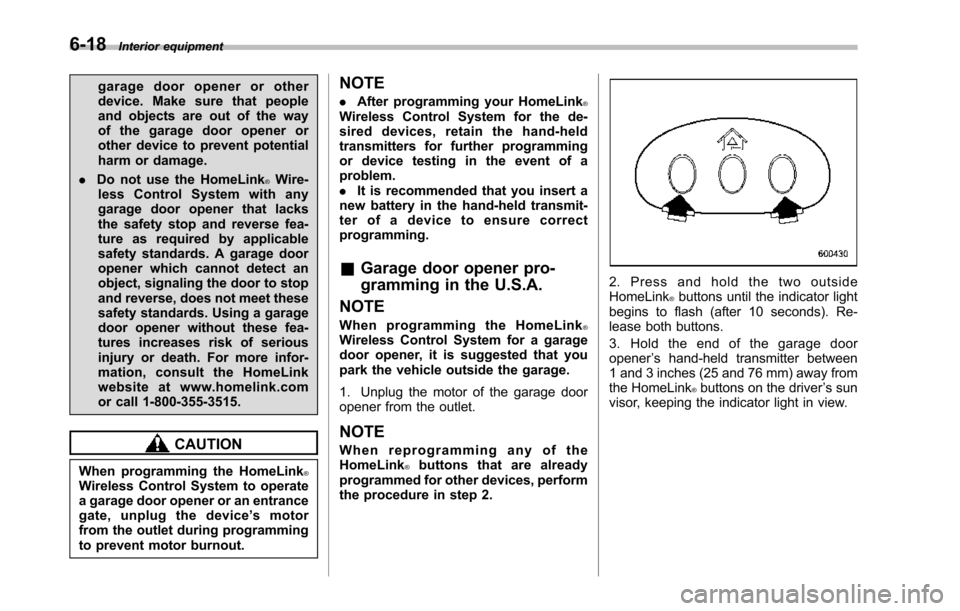
2. Press and hold the two outsideHomeLink®buttons until the indicator lightbegins to flash (after 10 seconds). Re-lease both buttons.
3. Hold the end of the garage dooropener’s hand-held transmitter between1 and 3 inches (25 and 76 mm) away fromthe HomeLink®buttons on the driver’s sunvisor, keeping the indicator light in view.
Page 240 of 426
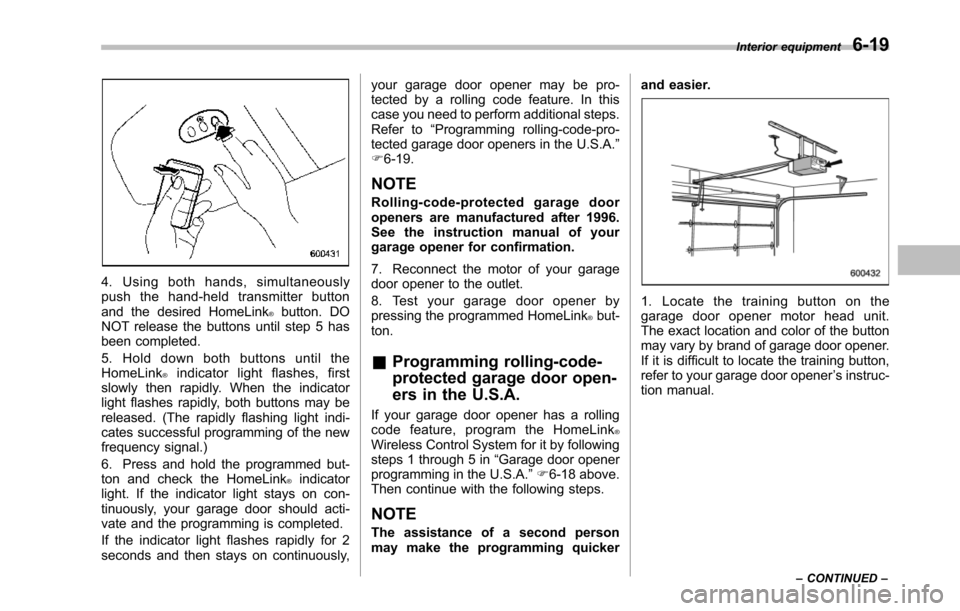
4. Using both hands, simultaneouslypush the hand-held transmitter buttonand the desired HomeLink®button. DONOT release the buttons until step 5 hasbeen completed.
5. Hold down both buttons until theHomeLink®indicator light flashes, firstslowly then rapidly. When the indicatorlight flashes rapidly, both buttons may bereleased. (The rapidly flashing light indi-cates successful programming of the newfrequency signal.)
6. Press and hold the programmed but-ton and checkthe HomeLink®indicatorlight. If the indicator light stays on con-tinuously, your garage door should acti-vate and the programming is completed.
If the indicator light flashes rapidly for 2seconds and then stays on continuously,
your garage door opener may be pro-tected by a rolling code feature. In thiscase you need to perform additional steps.Refer to“Programming rolling-code-pro-tected garage door openers in the U.S.A.”F6-19.
NOTE
Rolling-code-protected garage dooropeners are manufactured after 1996.See the instruction manual of yourgarage opener for confirmation.
7. Reconnect the motor of your garagedoor opener to the outlet.
8. Test your garage door opener bypressing the programmed HomeLink®but-ton.
&Programming rolling-code-
protected garage door open-
ers in the U.S.A.
If your garage door opener has a rollingcode feature, program the HomeLink®Wireless Control System for it by followingsteps1 through 5 in“Garagedoor openerprogramming in the U.S.A.”F6-18 above.Then continue with the following steps.
NOTE
The assistance of a second personmay make the programming quicker
and easier.
1. Locate the training button on thegarage door opener motor head unit.The exactlocation and color of the buttonmay vary by brand of garage door opener.If it is difficult to locate the training button,refer to your garage door opener’s instruc-tion manual.
Interior equipment6-19
–CONTINUED–