light SUBARU TRIBECA 2014 1.G Owners Manual
[x] Cancel search | Manufacturer: SUBARU, Model Year: 2014, Model line: TRIBECA, Model: SUBARU TRIBECA 2014 1.GPages: 426, PDF Size: 6.37 MB
Page 256 of 426
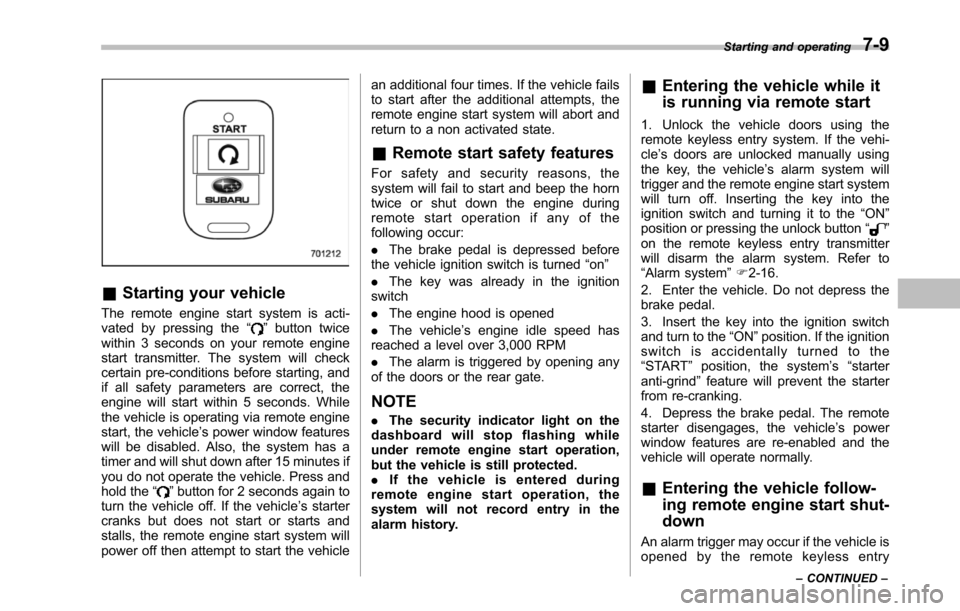
&Starting your vehicle
The remote engine start system is acti-vated by pressing the“”button twicewithin 3 seconds on your remote enginestart transmitter. The system will checkcertain pre-conditions before starting, andif all safety parameters are correct, theengine will start within 5 seconds. Whilethe vehicle is operating via remote enginestart, the vehicle’s power window featureswill be disabled. Also, the system has atimer and will shut down after 15 minutes ifyou do not operate the vehicle. Press andhold the“”button for 2 seconds again toturn the vehicle off. If the vehicle’s startercranks but does not start or starts andstalls, the remote engine start system willpower off then attempt to start the vehicle
an additional four times. If the vehicle failsto start after the additional attempts, theremote engine start system will abort andreturn to a non activated state.
&Remote start safety features
For safety and security reasons, thesystem will fail to start and beep the horntwice or shut down the engine duringremote start operation if any of thefollowing occur:
.The brake pedal is depressed beforethe vehicle ignition switch is turned“on”
.The key was already in the ignitionswitch
.The engine hood is opened
.The vehicle’s engine idle speed hasreached a level over 3,000 RPM
.The alarm is triggered by opening anyof the doors or the rear gate.
NOTE
.The security indicator light on thedashboard will stop flashing whileunder remote engine start operation,but the vehicle is still protected..If the vehicle is entered duringremote engine start operation, thesystem will not record entry in thealarm history.
&Entering the vehicle while it
is running via remote start
1. Unlock the vehicle doors using theremote keyless entry system. If the vehi-cle’s doors are unlocked manually usingthe key, the vehicle’s alarm system willtrigger and the remote engine start systemwill turn off. Inserting the key into theignition switch and turning it to the“ON”position or pressing the unlock button“”on the remote keyless entry transmitterwill disarm the alarm system. Refer to“Alarmsystem”F2-16.
2. Enter the vehicle. Do not depress thebrake pedal.
3. Insert the key into the ignition switchand turn to the“ON”position. If the ignitionswitch is accidentally turned to the“START”position, the system’s“starteranti-grind”feature will prevent the starterfrom re-cranking.
4. Depress the brake pedal. The remotestarter disengages, the vehicle’s powerwindow features are re-enabled and thevehicle will operate normally.
&Entering the vehicle follow-
ing remote engine start shut-
down
An alarm trigger may occur if the vehicle isopened by the remote keyless entry
Starting and operating7-9
–CONTINUED–
Page 257 of 426
7-10Starting and operating
transmitter within a few seconds immedi-ately following remote engine start shut-down.
&Pre-heating or pre-cooling
the interior of the vehicle
Before exiting the vehicle, set the tem-perature controls to the desired settingand operation. After the system starts thevehicle, the heater or air-conditioning willactivate and heat or cool the interior toyour setting.
&Service mode
In service mode, the remote start functionis temporarily disabled to prevent thesystem from unexpectedly starting theengine while being serviced.
!To engage the service mode
Turn the ignition switch to the“ON”position, depress and hold the brake pedalthen, press and release the“”button onthe remote engine start transmitter threetimes. The system will pause for 1 secondand then flash the parking lights and honkthe hornthree times indicating that thesystem is in service mode. When attempt-ing to activate the remote start systemwhile in service mode, the parking lightswill flash and the horn will honk two timesand will not start.
!To disengage the service mode
Turn the ignition switch to the“ON”position, depress and hold the brakepedal, then press and release the“”button on the remote engine start trans-mitter three times. The system will pausefor 1 second and flash the parking lightsone time indicating that the system hasexited service mode.
NOTE
When taking your vehicle in for service,it is recommended that you inform theservice personnel that your vehicle isequippedwith a remote engine startsystem.
&Remote engine start trans-
mitter programming and pro-
grammable feature option
New transmitters can be programmed tothe remote engine start system in theevent that remote engine start transmittersare lost, stolen or damaged. The remoteengine start system also has one pro-grammable feature that can be adjustedfor user preference.
The remote engine start system can beprogrammed to either make an audiblehorn chirp upon remote start activation ornot. Remote engine start transmitter pro-gramming and feature programming can
be adjusted using the following procedure.
1. Open the driver’s door (the driver’sdoor must remain opened throughout theentire process).
2. Insert the key into the vehicle’s ignitionswitch and turn to the“ON”position.
3. Locate the small black programmingbutton behind the fuse box cover, on thedriver’s side left under the dashboardpanel.
4. Press and hold the black programmingbutton for 10 to 15 seconds. The horn willhonk and the parking lights will flash threetimes to indicate that the system hasentered programming mode. At this pointyou can perform either action (step 5 orstep 6).
5. To program a remote transmitter:press and release the“”button on eachtransmitter. The horn will honk and theparking lights will flash one time to indicatea successful transmitter learn each timethe“”button is pressed. You canprogram up to eight transmitters.
6. To toggle the Horn Confirmation chirpsON/OFF: press and release the brake totoggle the feature. The horn will chirp andthe parking lights will flash one time toindicate Confirmation Horn Chirps are“OFF”. The horn will honk and the parkinglights will flash 2 times to indicate Con-firmation Horn Chirps are“ON”. Depres-
Page 261 of 426
7-14Starting and operating
is started.
If the select lever does not move from the“P”position with the brake pedal de-pressed, the select lever button pushedin, and the ignition switch in the ONposition, refer to“Shift lock function”F7-14.
!R (Reverse)
This position is for backing the vehicle.
To shift from the“N”to“R”position, stopthe vehicle completely then move thelever to the“R”position while pushingthe select leverbutton.
!N (Neutral)
This position is for restarting a stalledengine.
In this position the wheels and transmis-sion are not locked. In this position, thetransmission is neutral; the vehicle will rollfreely, even on the slightest incline unlessthe parking brake or foot brake is applied.
Avoid coasting with the transmissionneutral.
During coasting, there is no engine brak-ing effect.
NOTE
When the ignition switch has beenturned to the“LOCK”position, move-ment of the select lever from the“N”
position to the“R”position is possiblefor a limited time period by depressingthe brake pedal and then becomesimpossible. If the select lever becomesimpossible to be moved after a limitedtime period, turn the ignition switch tothe“ON”position. You will then be ableto move the select lever to the“P”position.
WARNING
Do not drive the vehicle with theselect lever in the“N”(Neutral)position. Engine braking has noeffect in this condition and the riskof an accident is consequently in-creased.
!D (Drive)
This position is for normal driving.
The transmission automatically shifts intoa suitable gear from 1st to 5th according tothe vehicle speed and the accelerationyou require.
When more acceleration is required in thisposition, depress the accelerator pedalfully to the floor and hold that position. Thetransmission will automatically downshiftto 4th, 3rd, 2nd or 1st gear. When yourelease the pedal, the transmission will
return to the original gear position.
To use the SPORT mode, move the leverfrom this position into the manual gate.
To use the manual mode, move the leverfrom this position into the manual gatethen move it toward the“+”end or“!”end.
!While climbing a grade
When drivingup a hill, undesired upshift to4th or 5th gear is prevented from takingplace when the accelerator is released.This minimizes the chance of subsequentdownshifting to a lower gear when accel-erating again. This prevents repeatedupshifting and downshifting resulting in asmoother operation of the vehicle.
NOTE
The transmission may downshift to 2ndor 1st gear, depending on the way theaccelerator pedal is depressed to ac-celerate the vehicle again.
&Shift lock function
The shift lock function helps prevent theimproper operationof the select lever.
.The select lever cannot be operatedunless the ignition switch is turned to the“ON”position and the brake pedal isdepressed.
.The select lever cannot be moved from
Page 264 of 426
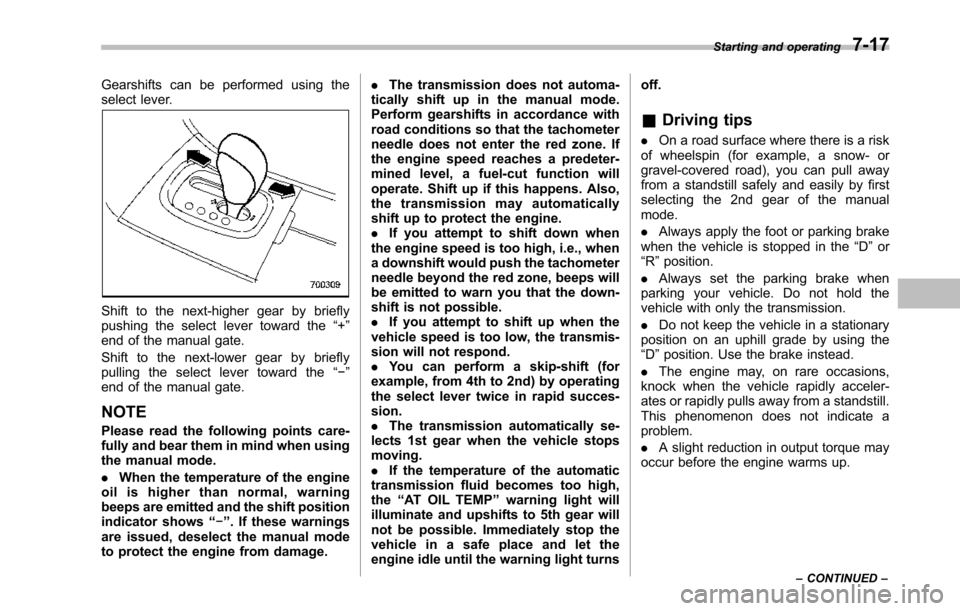
Gearshifts can be performed using theselect lever.
Shift to the next-higher gear by brieflypushing the select lever toward the“+”end of the manual gate.
Shift to the next-lower gear by brieflypulling the select lever toward the“!”end of the manual gate.
NOTE
Pleaseread the following points care-fully and bear them in mind when usingthe manual mode.
.When the temperature of the engineoil is higher than normal, warningbeeps are emitted and the shift positionindicator shows“!”. If these warningsare issued, deselect the manual modeto protect the engine from damage.
.The transmission does not automa-tically shift up in the manual mode.Perform gearshifts in accordance withroad conditions so that the tachometerneedle does not enter the red zone. Ifthe engine speed reaches a predeter-mined level, a fuel-cut function willoperate. Shift up if this happens. Also,the transmission may automaticallyshift up to protect the engine..If you attempt to shift down whenthe engine speed is too high, i.e., whena downshift would push the tachometerneedle beyond the red zone, beeps willbe emitted to warn you that the down-shift is not possible..If you attempt to shift up when thevehicle speed is too low, the transmis-sion will not respond..You can perform a skip-shift (forexample, from 4th to 2nd) by operatingthe select lever twice in rapid succes-sion..The transmission automatically se-lects 1st gear when the vehicle stopsmoving..If the temperature of the automatictransmission fluid becomes too high,the“AT OIL TEMP”warning light willilluminate and upshifts to 5th gear willnot be possible. Immediately stop thevehicle in a safe place and let theengineidle until the warning light turns
off.
&Driving tips
.On a road surface where there is a riskof wheelspin (for example, a snow- orgravel-covered road), you can pull awayfrom a standstill safely and easily by firstselecting the 2nd gear of the manualmode.
.Always apply the foot or parking brakewhen thevehicle is stopped in the“D”or“R”position.
.Always set the parking brake whenparking your vehicle. Do not hold thevehicle withonly the transmission.
.Do not keep the vehicle in a stationaryposition on an uphill grade by using the“D”position. Usethe brake instead.
.The engine may, on rare occasions,knock when the vehicle rapidly acceler-ates or rapidly pulls away from a standstill.This phenomenon does not indicate aproblem.
.A slight reduction in output torque mayoccur before the engine warms up.
Starting and operating7-17
–CONTINUED–
Page 265 of 426
7-18Starting and operating
&SPORT mode
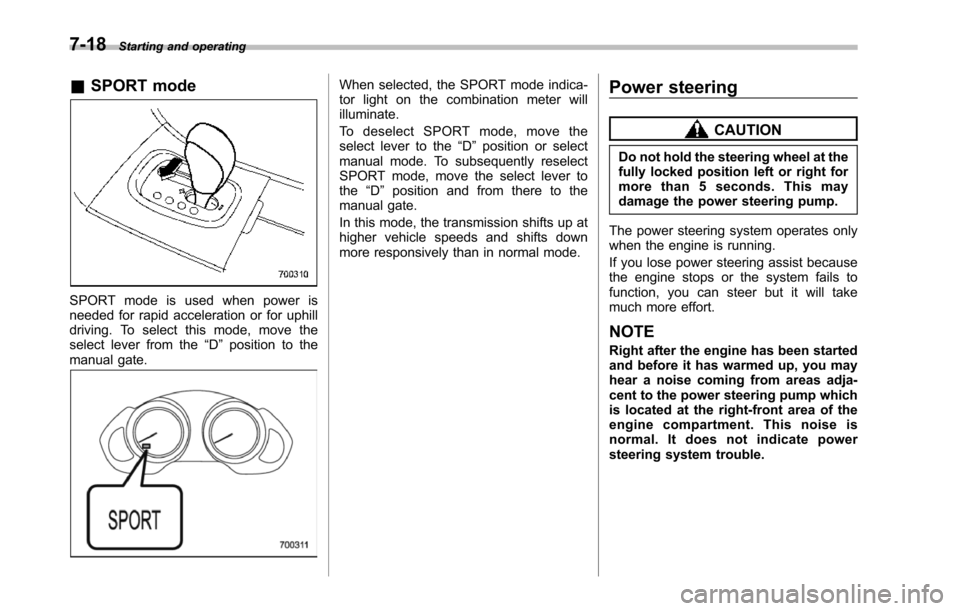
SPORT mode is used when power isneeded for rapid acceleration or for uphilldriving. To select this mode, move theselect lever from the“D”position to themanual gate.
When selected, the SPORT mode indica-tor light on the combination meter willilluminate.
To d e s e l e c t S P O R T m o d e , m o v e t h eselect lever to the“D”position or selectmanual mode. To subsequently reselectSPORT mode, move the select lever tothe“D”position and from there to themanual gate.
In this mode, the transmission shifts up athigher vehicle speeds and shifts downmore responsivelythan in normal mode.
Power steering
CAUTION
Do not hold the steering wheel at thefully locked position left or right formore than 5 seconds. This maydamage thepower steering pump.
The power steering system operates onlywhen the engine is running.
If you lose power steering assist becausethe engine stops or the system fails tofunction, you can steer but it will takemuch more effort.
NOTE
Right after the engine has been startedand before it has warmed up, you mayhear a noise coming from areas adja-centto the power steering pump whichis located at the right-front area of theengine compartment. This noise isnormal. It does not indicate powersteering system trouble.
Page 266 of 426
Braking
&Braking tips
WARNING
Never rest your foot on the brakepedal whiledriving. This can causedangerous overheating of thebrakes and needless wear on thebrake pads and linings.
!When the brakes get wet
When driving in rain or after washing thevehicle, the brakes may get wet. As aresult, brake stopping distance will belonger. To dry the brakes, drive the vehicleat a safe speed while lightly depressingthe brake pedal to heat up the brakes.
!Use of engine braking
Remember to make use of engine brakingin addition to foot braking. When descend-ing a grade, if only the foot brake is used,the brakes may start working improperlybecause of brake fluid overheating,caused by overheated brake pads. Tohelp prevent this, shift into a lower gear toget stronger engine braking.
!Brakingwhen a tire is punctured
Do not depress the brake pedal suddenlywhen a tire is punctured. This could cause
a loss of control of the vehicle. Keepdriving straight ahead while graduallyreducing speed. Then slowly pull off theroad to a safe place.
&Brake system
!Two separate circuits
Your vehicle has a dual circuit brakesystem. Each circuit works diagonallyacross the vehicle. If one circuit of thebrake system should fail, the other half ofthe system still works. If one circuit fails,the brake pedalwill go down much closerto the floor than usual and you will need todepress it down much harder. And a muchlonger distance will be needed to stop thevehicle.
!Brake booster
The brake booster uses engine manifoldvacuum to assist braking force. If enginemanifold vacuum becomes insufficient,such as when driving at high altitude, avacuum pump assures a sufficient va-cuum to operate the brake booster. Do notturn off the engine while driving becausethat will turn off the brake booster, result-ing in poor braking power.
The brakes will continue to work evenwhen the brake booster completely stopsfunctioning. If this happens, however, youwill have to depress the pedal much
harder than normal and the braking dis-tance will increase.
NOTE
Some sound accompanying operationof the vacuum pump may be heardfrom the engine compartment duringdriving. This does not indicate a mal-function.
!Brake assist system
WARNING
Do not be overconfident about thebrake assist. It is not a system thatbrings more braking ability to thevehicle beyond its braking capabil-ity. Always use the utmost carewhen driving regarding vehiclespeed and safe distance.
CAUTION
When you need to brake suddenly,continue depressing the brake pedalstrongly to bring the effect of thebrake assist.
Starting and operating7-19
–CONTINUED–
Page 268 of 426
constant brake pedal pressure.Do not pump the brake pedalsince doing so may defeat theoperation of the ABS system.
The ABS system prevents the lock-up ofwheels which may occur during suddenbraking or braking on slippery road sur-faces. This helps prevent the loss ofsteering control and directional stabilitycaused by wheel lock-up.
When the ABS system is operating, youmay hear a chattering noise or feel a slightvibration in the brake pedal. This is normalwhen the ABS operates.
The ABS system will not operate when thevehicle speed is below approximately 6mph (10 km/h).
&ABS system self-check
You may feel a slight shock in the brakepedal and hear the operating sound ofABS from the engine compartment justafter the vehicle is started. This is causedby an automatic functional test of the ABSsystem being carried out and does notindicate any abnormal condition.
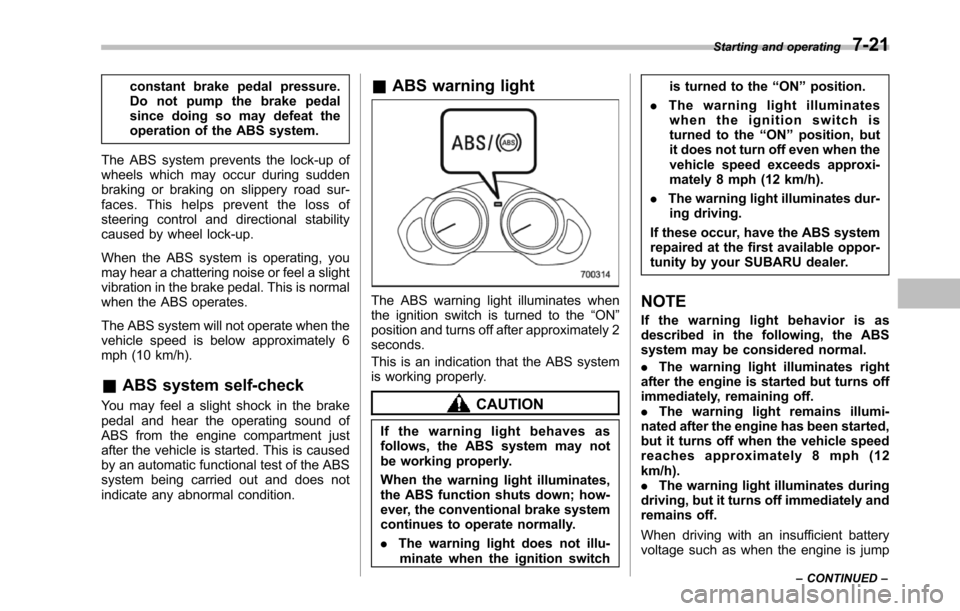
&ABS warning light
The ABS warning light illuminates whenthe ignition switch is turned to the“ON”position and turns off after approximately 2seconds.
This is an indication that the ABS systemis working properly.
CAUTION
If the warning light behaves asfollows, the ABS system may notbe working properly.
Whenthe warning light illuminates,the ABS function shuts down; how-ever, the conventional brake systemcontinues to operate normally.
.The warning light does not illu-minatewhen the ignition switch
is turned to the“ON”position.
.The warning light illuminateswhen the ignition switch isturned to the“ON”position, butit does not turn off even when thevehicle speed exceeds approxi-mately 8 mph (12 km/h).
.The warning light illuminates dur-ing driving.
If these occur, have the ABS systemrepaired at the first available oppor-tunity by your SUBARU dealer.
NOTE
If the warning light behavior is asdescribed in the following, the ABSsystem may be considered normal.
.The warning light illuminates rightafterthe engine is started but turns offimmediately, remaining off..The warning light remains illumi-nated after the engine has been started,but it turns off when the vehicle speedreaches approximately 8 mph (12km/h)..The warning light illuminates duringdriving, but it turns off immediately andremains off.
When driving with an insufficient batteryvoltage suchas when the engine is jump
Starting and operating7-21
–CONTINUED–
Page 269 of 426
7-22Starting and operating
started, the ABS warning light may illumi-nate. This is due to the low battery voltageand does not indicate a malfunction.When the battery becomes fully charged,the light will turn off.
Electronic Brake Force Dis-
tribution (EBD) system
The EBD system maximizes the effective-ness of the brakes by allowing the rearbrakes to supply a greater proportion ofthe braking force. It functions by adjustingthe distribution of braking force to the rearwheels in accordance with the vehicle’sloading condition and speed.
The EBD system is an integral part of theABS system anduses some of the ABSsystem’s components to perform its func-tion of optimizing the distribution of brak-ing force. If any of the ABS componentsused by the EBD system malfunction, theEBD system also stops working.
Whenthe EBD system is operating, youmay hear a chattering noise or feel a slightvibration in the brake pedal. This is normaland does not indicate a malfunction.
&Steps to take if EBD system
malfunctions
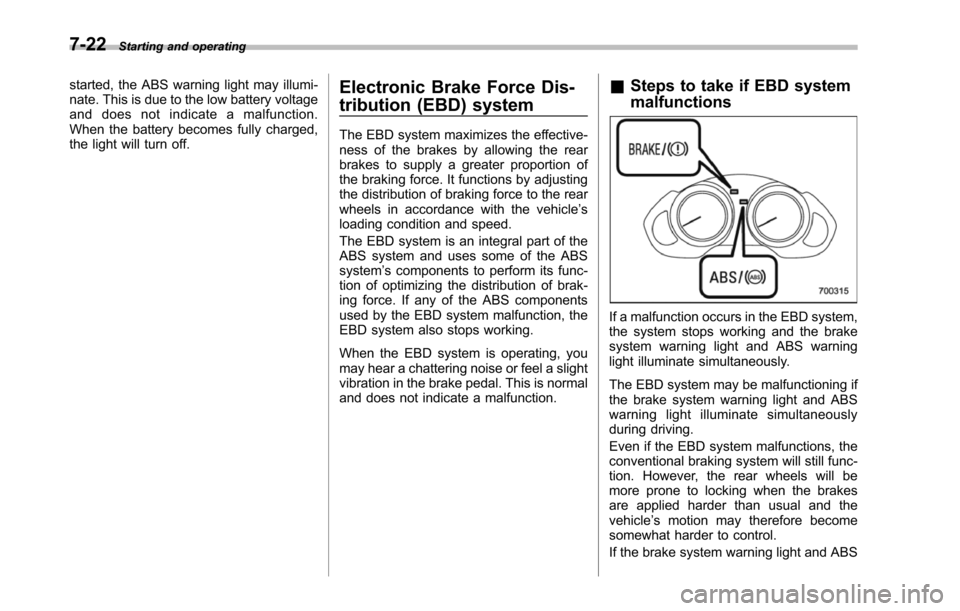
If a malfunction occurs in the EBD system,the system stops working and the brakesystem warning light and ABS warninglightilluminate simultaneously.
The EBD system may be malfunctioning ifthebrake system warning light and ABSwarning light illuminate simultaneouslyduring driving.
Even if the EBD system malfunctions, theconventional braking system will still func-tion. However, the rear wheels will bemore prone to locking when the brakesare applied harder than usual and thevehicle’s motion may therefore becomesomewhat harder to control.
If the brake system warning light and ABS
Page 270 of 426
warning light illuminate simultaneously,take the following steps.
1. Stop the vehicle in the nearest safe,flat location.
2. Shut down the engine, apply theparking brake, and then restart it.
3. Release the parking brake. If bothwarning lights turn off, the EBD systemmay be malfunctioning.
Drive carefully to the nearest SUBARUdealer and have the system inspected.
4. If both warning lights illuminate againand remain illuminated after the enginehas been restarted, shut down the engineagain, apply the parking brake, and checkthe brake fluid level. Refer to“Brake fluid”F11-17.
5. If the brake fluid level is not below the“MIN”mark, the EBD system may bemalfunctioning. Drive carefully to thenearest SUBARU dealer and have thesystem inspected.
6. If the brake fluid level is below the“MIN”mark, DO NOT drive the vehicle.Instead, have the vehicle towed to thenearest SUBARU dealer for repair.
WARNING
.Driving with the brake systemwarning light illuminated is dan-
gerous. This indicates your brakesystem may not be workingproperly. If the light remainsilluminated, have the brakes in-spected by a SUBARU dealerimmediately.
.If at all in doubt about whetherthe brakes are operating prop-erly, do not drive the vehicle.Have your vehicle towed to thenearest SUBARU dealer for re-pair.
Vehicle Dynamics Control
system
WARNING
Always use the utmost care indriving–overconfidence becauseyou are driving with a Vehicle Dy-namics Control system equippedvehicle could easily lead to a ser-ious accident.
CAUTION
.Even if your vehicle is equippedwith Vehicle Dynamics Controlsystem, winter tires should beused when driving on snow-cov-ered or icy roads; in addition,vehicle speed should be reducedconsiderably. Simply having aVehicle Dynamics Control sys-tem does not guarantee that thevehicle will be able to avoidaccidents in any situation.
.Activation of the Vehicle Dy-namics Control system is anindication that the road beingtravelled on has a slippery sur-face; since having Vehicle Dy-namics Control is no guarantee
Starting and operating7-23
–CONTINUED–
Page 271 of 426
7-24Starting and operating
that full vehicle control will bemaintained at all times and underall conditions, its activationshould be seen as a sign thatthe speed of the vehicle shouldbe reduced considerably.
.Whenever suspension compo-nents, steering components, oran axle are removed from avehicle equipped with VehicleDynamics Control system, havean inspection of that systemperformed by an authorizedSUBARU dealer.
.The following precautions shouldbe observed in order to ensurethat the Vehicle Dynamics Con-trol system is operating properly.
–All four wheels should befitted with tires of the samesize, type, and brand. Further-more, the amount of wearshould be the same for allfour tires.
–Keep the tire pressure at theproper level as shown on thevehicle placard attached tothe driver’s side door pillar.
In the event of wheelspin and/or skiddingon a slippery road surface and/or during
cornering and/or an evasive maneuver,the Vehicle Dynamics Control systemadjusts the engine’soutputandthewheels’respective braking forces to helpmaintain traction and directional control.
.Traction Control Function
The traction control function is designed toprevent spinning of the driving wheels onslippery road surfaces, thereby helping tomaintain traction and directional control.Activation of this function is shown bysteady illumination of the Vehicle Dy-namics Control operation indicator light.
.Skid Suppression Function
The skid suppression function is designedto help maintain directional stability bysuppressing the wheels’tendency to slidesideways during steering operations. Acti-vation of this function is shown by flashingof the Vehicle Dynamics Control operationindicator light.
NOTE
.Slight twitching of the brake pedalmay be felt when the Vehicle DynamicsControl system operates; a small de-gree of vehicle or steering wheel shak-ingmay also be noticed in this situa-tion. These are normal characteristicsof Vehicle Dynamics Control operationand are no cause for alarm..When driving off immediately after
starting the engine, a short operationnoise may be noticed coming from theengine compartment. This noise isgenerated as a result of a check beingperformed on the Vehicle DynamicsControl system and is normal..Depending on the timing of activa-tion of the brakes, the brake pedal mayseem to jolt when you drive off afterstarting the engine. This is a conse-quence of the Vehicle Dynamics Con-trol operational check and is normal..In the circumstances shown in thefollowing list, the vehicle may be lessstable than it feels to the driver. TheVehicle Dynamics Control System maytherefore operate. Such operation doesnot indicate a system malfunction.–on gravel-covered or ruttedroads–on unfinished roads–when the vehicle is towing atrailer–when the vehicle is fitted withsnow tires or winter tires.Activation of the Vehicle DynamicsControl system will cause operation ofthe steering wheel to feel slightlydifferent compared to that for normalconditions.
.Even if the vehicle is equipped witha Vehicle Dynamics Control system, it