set clock SUBARU WRX 2016 Owners Manual
[x] Cancel search | Manufacturer: SUBARU, Model Year: 2016, Model line: WRX, Model: SUBARU WRX 2016Pages: 594, PDF Size: 19.43 MB
Page 178 of 594
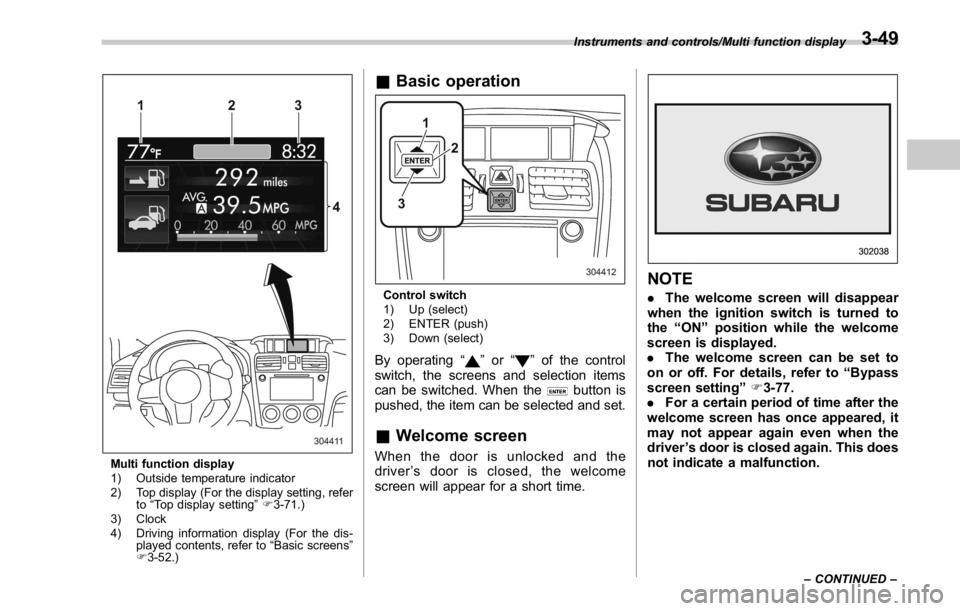
Multi function display
1) Outside temperature indicator
2) Top display (For the display setting, refer
to “ Top display setting ” F 3-71.)
3) Clock
4) Driving information display (For the dis-
played contents, refer to “ Basic screens ”
F 3-52.) & Basic operation
Control switch
1) Up (select)
2) ENTER (push)
3) Down (select)
By operating “ ” or “ ” of the control
switch, the screens and selection items
can be switched. When the
button is
pushed, the item can be selected and set.
& Welcome screen When the door is unlocked and the
driver ’ s door is closed, the welcome
screen will appear for a short time. NOTE . The welcome screen will disappear
when the ignition switch is turned to
the “ ON ” position while the welcome
screen is displayed.
. The welcome screen can be set to
on or off. For details, refer to “ Bypass
screen setting ” F 3-77.
. For a certain period of time after the
welcome screen has once appeared, it
may not appear again even when the
driver ’ s door is closed again. This does
not indicate a malfunction.Instruments and controls/Multi function display
– CONTINUED –3-49
Page 182 of 594
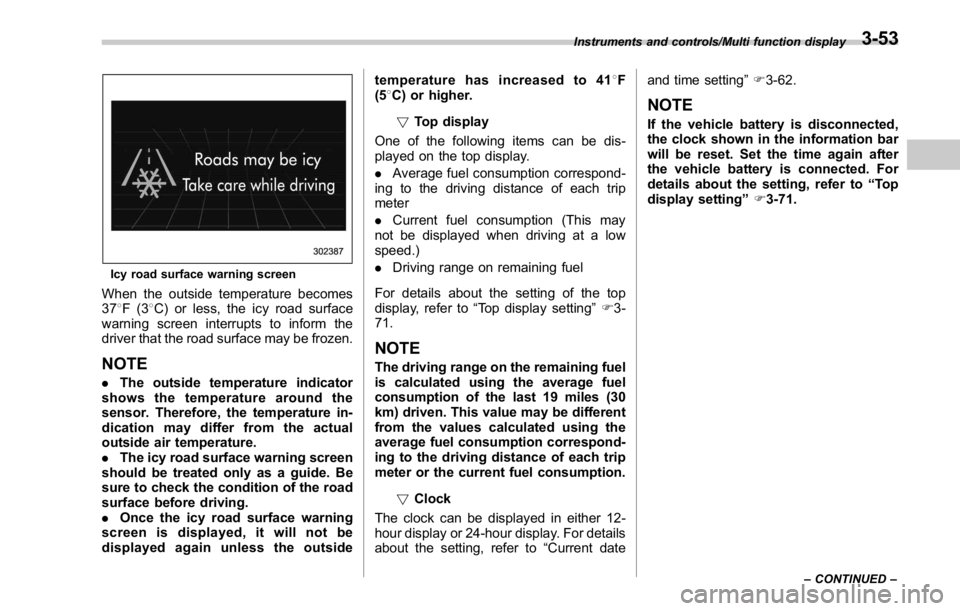
Icy road surface warning screen
When the outside temperature becomes
37 8 F(3 8 C) or less, the icy road surface
warning screen interrupts to inform the
driver that the road surface may be frozen.
NOTE . The outside temperature indicator
shows the temperature around the
sensor. Therefore, the temperature in-
dication may differ from the actual
outside air temperature.
. The icy road surface warning screen
should be treated only as a guide. Be
sure to check the condition of the road
surface before driving.
. Once the icy road surface warning
screen is displayed, it will not be
displayed again unless the outside temperature has increased to 41 8 F
(5 8 C) or higher.
! Top display
One of the following items can be dis-
played on the top display.
. Average fuel consumption correspond-
ing to the driving distance of each trip
meter
. Current fuel consumption (This may
not be displayed when driving at a low
speed.)
. Driving range on remaining fuel
For details about the setting of the top
display, refer to “ Top display setting ” F 3-
71.
NOTE The driving range on the remaining fuel
is calculated using the average fuel
consumption of the last 19 miles (30
km) driven. This value may be different
from the values calculated using the
average fuel consumption correspond-
ing to the driving distance of each trip
meter or the current fuel consumption.
! Clock
The clock can be displayed in either 12-
hour display or 24-hour display. For details
about the setting, refer to “ Current date and time setting ” F 3-62.
NOTE If the vehicle battery is disconnected,
the clock shown in the information bar
will be reset. Set the time again after
the vehicle battery is connected. For
details about the setting, refer to “ To p
display setting ” F 3-71.Instruments and controls/Multi function display
– CONTINUED –3-53
Page 186 of 594
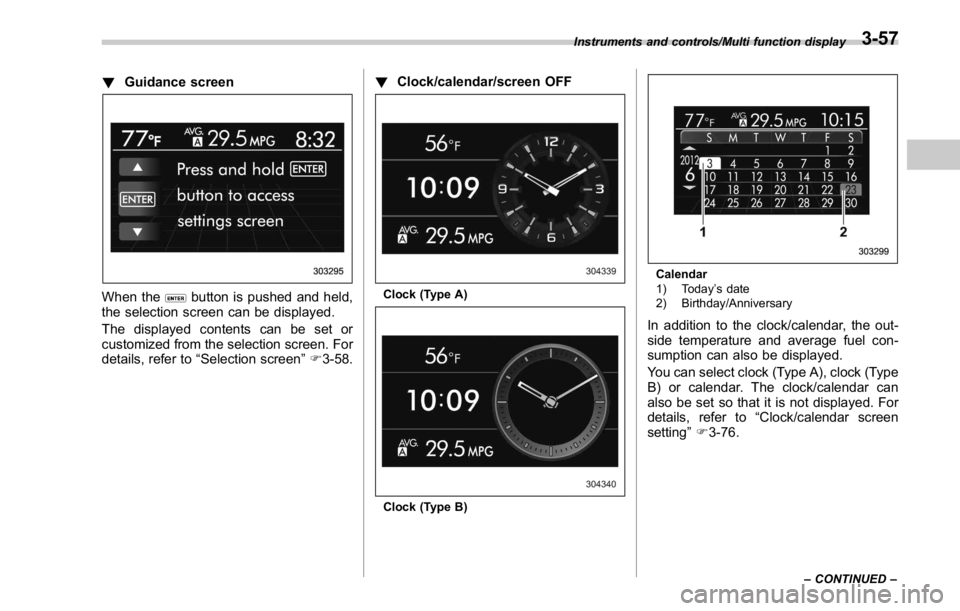
! Guidance screen
When the button is pushed and held,
the selection screen can be displayed.
The displayed contents can be set or
customized from the selection screen. For
details, refer to “ Selection screen ” F 3-58. ! Clock/calendar/screen OFF
Clock (Type A)
Clock (Type B) Calendar
1) Today ’ s date
2) Birthday/Anniversary
In addition to the clock/calendar, the out-
side temperature and average fuel con-
sumption can also be displayed.
You can select clock (Type A), clock (Type
B) or calendar. The clock/calendar can
also be set so that it is not displayed. For
details, refer to “ Clock/calendar screen
setting ” F 3-76.Instruments and controls/Multi function display
– CONTINUED –3-57
Page 188 of 594

Top menu Menu option Description Initial setting Page
Screen
Setting Top Display Set and customize the top display information
contents. Avg Cons, Inst Cons, Range
or Off Avg Cons 3-71
Cons Customize the fuel consumption information display. Upper part: Driv-
ing range, lower
part: Fuel con-
sumption 3-72
Eco History Set and customize the time of logging fuel
consumption history. 30 min, 60 min or 120 min 30 min 3-73
Triple Meter Set and customize the triple meter. Left: Lifetime fuel
consumption,
center: Average
fuel consumption,
right: Accelerator
opening ratio 3-75
Clock Select the clock format. Type A clock, Type B clock,
Calendar or Off Analog clock 3-76
Bypass Screen Set the bypass screen for each item. On or Off Welcome screen:
On
Eco Summary: Off
Birthday Remin-
der: On
Anniversary Re-
minder: On 3-77
Languages Select the display language. English or French or Spanish
(U.S.-spec. models only) The default lan-
guage settings
vary depending
on individual
countries. 3-78
Go Back Return to the top menu. ——Instruments and controls/Multi function display
– CONTINUED –3-59
Page 191 of 594
Instruments and controls/Multi function display
& Date and time settingsThe items in the date and time settings
can be set. To change the items, operate
the “
” or “ ” switch.
NOTE . The “ Time/Date ” item must be set to
display the “ Birthday ” , “ Anniversary ”
and notifications for vehicle mainte-
nance.
. The “ Birthday ” and “ Anniversary ”
items can be entered after the “ Time/
Date ” item has been set.
. Dates that do not exist in the
Gregorian calendar cannot be set (for
example, April 31).
. If your vehicle is equipped with the
genuine SUBARU navigation system,
the clock of navigation system must be
set separately.
! Preparation for date setting
1. Turn the ignition switch to the “ ON ”
position.
2. Push and hold the
button to show
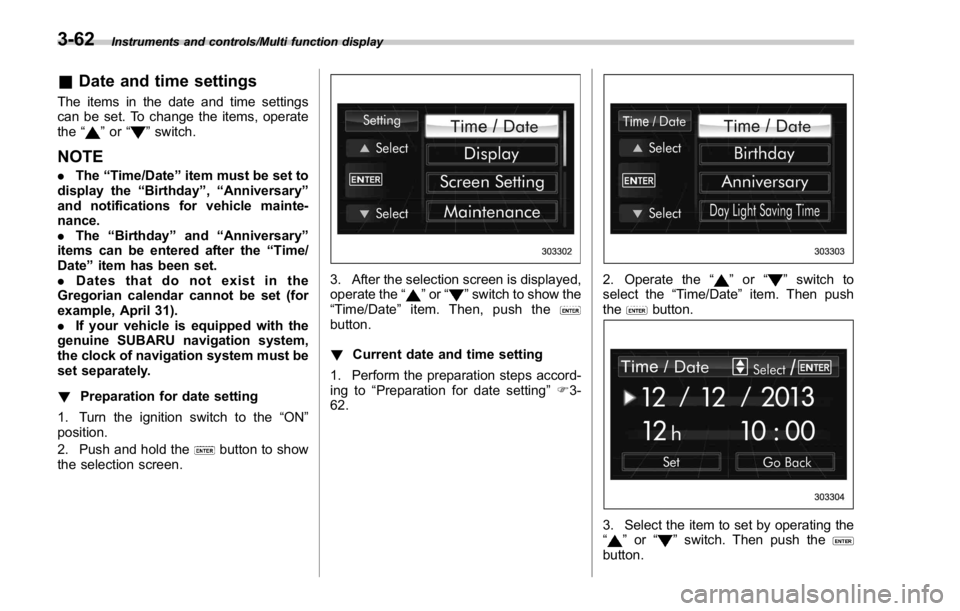
the selection screen. 3. After the selection screen is displayed,
operate the “
” or “ ” switch to show the
“ Time/Date ” item. Then, push the
button.
! Current date and time setting
1. Perform the preparation steps accord-
ing to “ Preparation for date setting ” F 3-
62. 2. Operate the “ ” or “ ” switch to
select the “ Time/Date ” item. Then push
the
button.
3. Select the item to set by operating the
“
” or “ ” switch. Then push the
button.3-62
Page 192 of 594
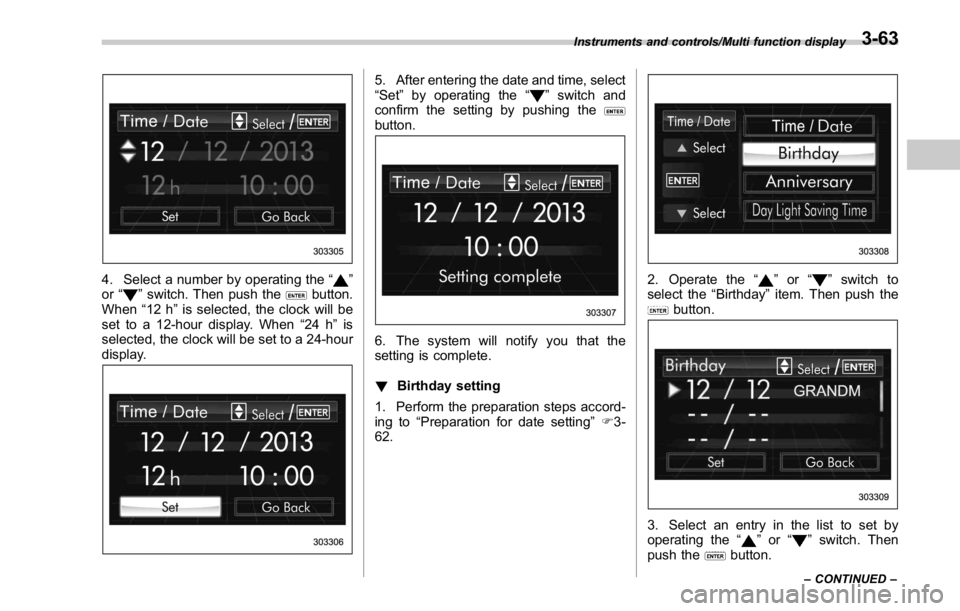
4. Select a number by operating the “ ”
or “
” switch. Then push the button.
When “ 12 h ” is selected, the clock will be
set to a 12-hour display. When “ 24 h ” is
selected, the clock will be set to a 24-hour
display. 5. After entering the date and time, select
“ Set ” by operating the “
” switch and
confirm the setting by pushing the
button.
6. The system will notify you that the
setting is complete.
! Birthday setting
1. Perform the preparation steps accord-
ing to “ Preparation for date setting ” F 3-
62. 2. Operate the “ ” or “ ” switch to
select the “ Birthday ” item. Then push the
button.
3. Select an entry in the list to set by
operating the “
” or “ ” switch. Then
push the
button.Instruments and controls/Multi function display
– CONTINUED –3-63
Page 205 of 594
Instruments and controls/Multi function display
switch, and confirm the setting by pushing
the
button.
6. The system will notify you that the
setting is complete.
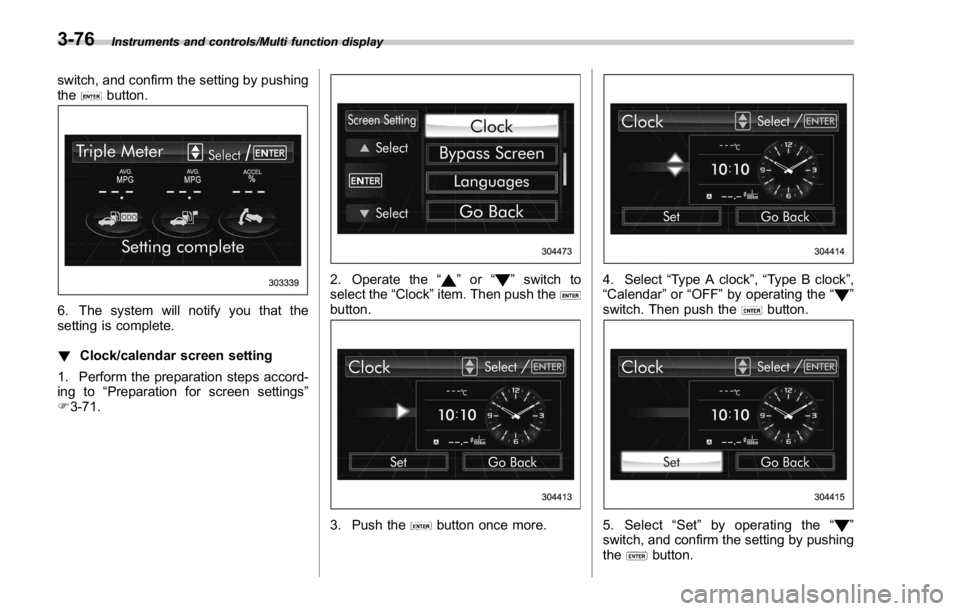
! Clock/calendar screen setting
1. Perform the preparation steps accord-
ing to “ Preparation for screen settings ”
F 3-71. 2. Operate the “ ” or “ ” switch to
select the “ Clock ” item. Then push the
button.
3. Push the button once more. 4. Select “ Type A clock ” , “ Type B clock ” ,
“ Calendar ” or “ OFF ” by operating the “
”
switch. Then push the
button.
5. Select “ Set ” by operating the “ ”
switch, and confirm the setting by pushing
the
button.3-76
Page 250 of 594

both side windows to prevent fogging.)
(Heat-def): Windshield defroster outlets,
foot outlets and both side outlets of the
instrument panel (Refer to “ Defrosting ”
F 4-9.)
(Defrost): Windshield defroster outlets and both side outlets of the instrument
panel (Refer to “ Defrosting ” F 4-9.)
NOTE When the “ ” or “ ” mode is se-
lected, the air conditioner compressor
operates automatically regardless of
the position of the air conditioner
button to defrost the windshield more
quickly. However the indicator on the
air conditioner button will not illumi-
nate. At the same time, the air inlet
selection is automatically set to the
outside air mode. After defrosting the
windshield by pressing the defroster
button “
” , pressing the button again
returns the system to the setting that
had been selected before the defroster
was activated.
& Temperature control Turn the temperature control dial to set the
preferred interior temperature. With the
dial set to your preferred temperature, the
system automatically adjusts the tempera-
ture of air supplied from the outlets so that
the preferred temperature is achieved and
maintained.
If the dial is turned fully counterclockwise,
the system provides maximum cooling
performance. If the dial is turned fully
clockwise, the system provides maximum heating performance.
NOTE The controllable temperature range
may vary depending on the regional
specifications of the vehicle.
! “ DUAL ” mode (type B)
a) Front passenger ’ s side temperature
b) Driver ’ s side temperature
You can change the setting of the driver ’ s
side and front passenger ’ s side tempera-
ture independently by selecting the
“ DUAL ” mode.
You can select the “ DUAL ” mode by
performing either of the following proce-
dures.
. Press the “ DUAL ” buttonClimate control/Manual climate control operation
– CONTINUED –4-7
Page 395 of 594
Starting and operating/Fuel
left. Do not remove the cap
quickly. Fuel may be under pres-
sure and spray out of the fuel
filler neck, especially in hot
weather. If you hear a hissing
sound while you are removing
the cap, wait for the sound to
stop and then slowly open the
cap to prevent fuel from spraying
out and creating a fire hazard.
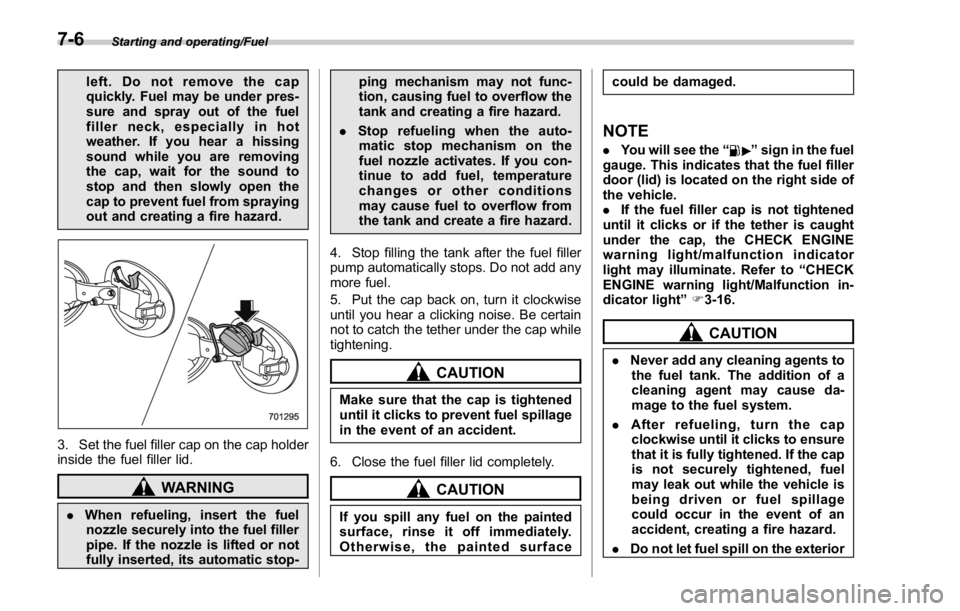
3. Set the fuel filler cap on the cap holder
inside the fuel filler lid.
WARNING
. When refueling, insert the fuel
nozzle securely into the fuel filler
pipe. If the nozzle is lifted or not
fully inserted, its automatic stop- ping mechanism may not func-
tion, causing fuel to overflow the
tank and creating a fire hazard.
. Stop refueling when the auto-
matic stop mechanism on the
fuel nozzle activates. If you con-
tinue to add fuel, temperature
changes or other conditions
may cause fuel to overflow from
the tank and create a fire hazard.
4. Stop filling the tank after the fuel filler
pump automatically stops. Do not add any
more fuel.
5. Put the cap back on, turn it clockwise
until you hear a clicking noise. Be certain
not to catch the tether under the cap while
tightening.
CAUTION
Make sure that the cap is tightened
until it clicks to prevent fuel spillage
in the event of an accident.
6. Close the fuel filler lid completely.
CAUTION
If you spill any fuel on the painted
surface, rinse it off immediately.
Otherwise, the painted surface could be damaged.
NOTE . You will see the “ ” sign in the fuel
gauge. This indicates that the fuel filler
door (lid) is located on the right side of
the vehicle.
. If the fuel filler cap is not tightened
until it clicks or if the tether is caught
under the cap, the CHECK ENGINE
warning light/malfunction indicator
light may illuminate. Refer to “ CHECK
ENGINE warning light/Malfunction in-
dicator light ” F 3-16.
CAUTION. Never add any cleaning agents to
the fuel tank. The addition of a
cleaning agent may cause da-
mage to the fuel system.
. After refueling, turn the cap
clockwise until it clicks to ensure
that it is fully tightened. If the cap
is not securely tightened, fuel
may leak out while the vehicle is
being driven or fuel spillage
could occur in the event of an
accident, creating a fire hazard.
. Do not let fuel spill on the exterior7-6
Page 470 of 594
. Always turn off the engine before
raising the flat tire off the ground
using the jack. Never swing or
push the vehicle supported with
the jack. The jack can come out
of the jacking point due to a jolt
and this can result in a severe
accident.
1. Park on a hard, level surface, when-
ever possible, then stop the engine.
2. Set the parking brake securely and
shift the shift lever in reverse (MT models)
or the select lever to the “ P ” (Park)
position (CVT models).
3. Turn on the hazard warning flasher
and have everyone get out of the vehicle.
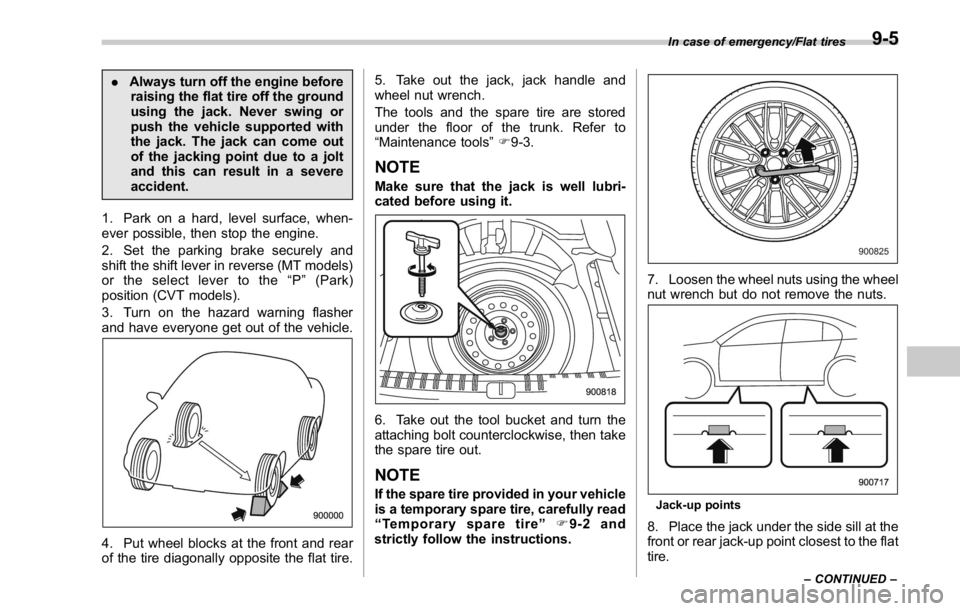
4. Put wheel blocks at the front and rear
of the tire diagonally opposite the flat tire. 5. Take out the jack, jack handle and
wheel nut wrench.
The tools and the spare tire are stored
under the floor of the trunk. Refer to
“ Maintenance tools ” F 9-3.
NOTE Make sure that the jack is well lubri-
cated before using it.
6. Take out the tool bucket and turn the
attaching bolt counterclockwise, then take
the spare tire out.
NOTE If the spare tire provided in your vehicle
is a temporary spare tire, carefully read
“ Temporary spare tire ” F 9-2 and
strictly follow the instructions. 7. Loosen the wheel nuts using the wheel
nut wrench but do not remove the nuts.
Jack-up points
8. Place the jack under the side sill at the
front or rear jack-up point closest to the flat
tire. In case of emergency/Flat tires
– CONTINUED –9-5