CVT SUBARU WRX 2018 Owner's Manual
[x] Cancel search | Manufacturer: SUBARU, Model Year: 2018, Model line: WRX, Model: SUBARU WRX 2018Pages: 578, PDF Size: 33.21 MB
Page 347 of 578
(358,1)
北米Model "A1700BE-B" EDITED: 2017/ 10/ 11
&How to cancel the Front View
Monitor!Manual cancellation
Press the VIEW switch again.
!Automatic cancellation
If any of the following conditions are met,
the Front View Monitor is canceled auto-
matically.
After accessing the Front View Monitor
by pressing the VIEW switch:
.You press the VIEW switch.
.Approximately 3 minutes have passed
since the last operation.
.The vehicle speed becomes 12.5 mph
(20 km/h) or more*.
.The select lever (CVT models) is
shifted to the“P”position.
.The parking brake is applied.
*: The Front View Monitor can be activated
when pressing the VIEW switch, regard-
less of the vehicle speed.
After accessing the Front View Monitor
by using the select lever:
.Shift the select lever into the“P”
position.
.The vehicle speed becomes 5 mph (8
km/h) or more*.
.Approximately 9 seconds have passedsince the last operation.
.The parking brake is applied.
*: When the Front View Monitor is acti-
vated at speeds of more than 12.5 mph (20
km/h), to cancel the Front View Monitor,
the vehicle speed needs to be decreased
to less than 12.5 mph (20 km/h) and then
increased to more than 12.5 mph (20
km/h).
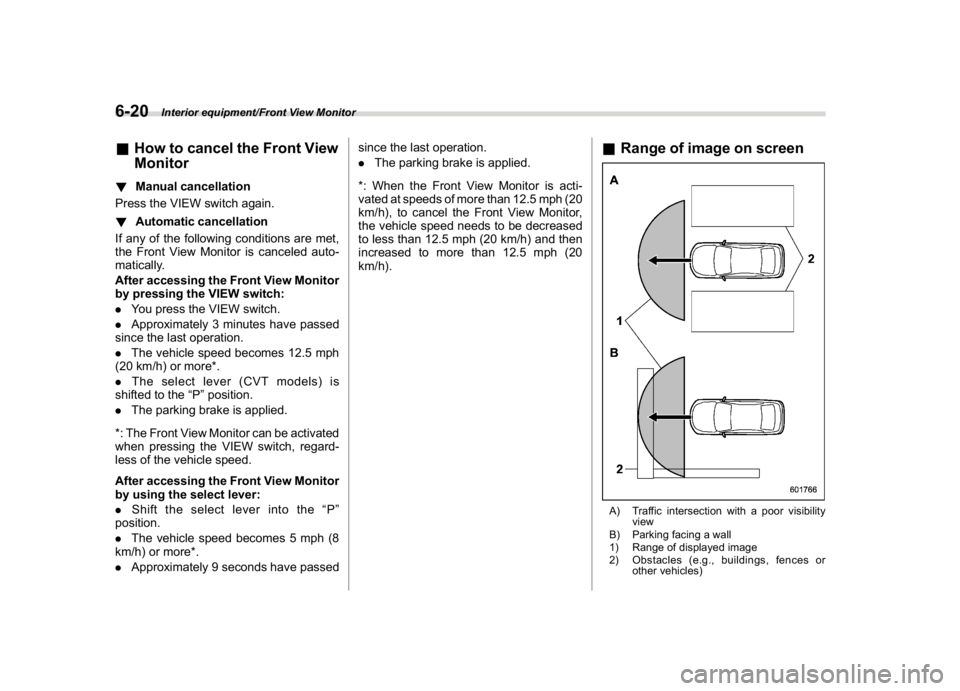
&Range of image on screenA) Traffic intersection with a poor visibility
view
B) Parking facing a wall
1) Range of displayed image
2) Obstacles (e.g., buildings, fences or
other vehicles)
Interior equipment/Front View Monitor
6-20
Page 359 of 578

(372,1)
北米Model "A1700BE-B" EDITED: 2017/ 10/ 11
controlled throttle’s self-diagnosis
function. To overcome it, keep the
ignition switch in the“ON”position
for approximately 10 seconds before
starting the engine.&Models without push-button
start systems!Starting engine
CAUTION
Do not operate the starter motor
continuously for more than 10 sec-
onds. If the engine fails to start after
operating the starter for 5 to 10
seconds, wait for 10 seconds or
more before trying again.NOTEDo not shift the shift lever/select lever
while the starter is cranking.
!MT models
1. Apply the parking brake.
2. Turn off unnecessary lights and acces-
sories.
3. Depress the clutch pedal to the floor
and shift the shift lever into neutral. Hold
the clutch pedal to the floor while starting
the engine.The starter motor will only operate when
the clutch pedal is depressed fully to the
floor.
4. Turn the ignition switch to the“ON”
position and check the operation of the
warning and indicator lights. Refer to
“Warning and indicator lights”F3-13.
5. Turn the ignition switch to the“START”
positionwithoutdepressing the accelera-
tor pedal. Release the key immediately
after the engine has started.
If the engine does not start, perform the
procedure described in“If the engine does
not start”F7-11.
6. Confirm that all warning and indicator
lights have turned off after the engine has
started.
!CVT models
1. Apply the parking brake.
2. Turn off unnecessary lights and acces-
sories.
3. Shift the select lever to the“P”or“N”
position (preferably the“P”position).
The starter motor will only operate when
the select lever is at the“P”or“N”position.
4. Turn the ignition switch to the“ON”
position and check the operation of the
warning and indicator lights. Refer to
“Warning and indicator lights”F3-13.
5. Turn the ignition switch to the“START”positionwithoutdepressing the accelera-
tor pedal. Release the key immediately
after the engine has started.
If the engine does not start, perform the
procedure described in“If the engine does
not start”F7-11.
6. Confirm that all warning and indicator
lights have turned off after the engine has
started.
While the engine is warming up, make sure
that the select lever is at the“P”or“
N”
position and that the parking brake is
applied.
CAUTION
If you restart the engine while the
vehicle is moving, shift the select
lever into the“N”position. Do not
attempt to place the select lever of a
moving vehicle into the“P”position.
Starting and operating/Starting and stopping the engine
7-10
Page 361 of 578
(374,1)
北米Model "A1700BE-B" EDITED: 2017/ 10/ 11
switch the power status to“OFF”.
Wait 10 seconds, and then push
the push-button ignition switch
to start the engine.
NOTE.When pressing the push-button igni-
tion switch with the clutch pedal (MT
models) or the brake pedal (CVT mod-
els) depressed:
–The engine starter operates for a
maximum of 10 seconds and after
starting the engine, the starter stops
automatically.
–You can start the engine regard-
less of the power status.
.If the engine does not start, check
the security indicator light. Then press
the push-button ignition switch without
depressing the clutch pedal (MT mod-
els) or the brake pedal (CVT models) to
switch the power to“OFF”.
–If the light had illuminated, try to
start the engine again.
–If the light had been off, press the
push-button ignition switch while
depressing the clutch pedal (MT
models) or the brake pedal (CVT
models) more forcefully.
.The engine may not start depending
on the radio wave conditions aroundthe vehicle. In such a case, refer to
“Starting engine”F9-27.
.If the vehicle battery is discharged,
the steering cannot be unlocked.
Charge the battery.
.Do not shift the shift lever/select
lever while the starter is cranking.
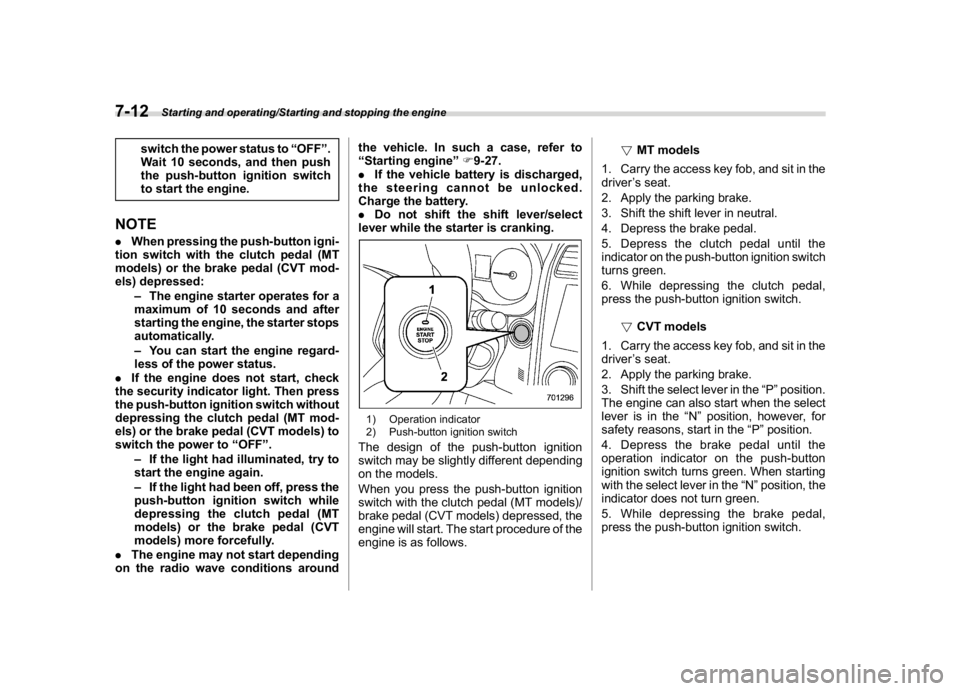
1) Operation indicator
2) Push-button ignition switchThe design of the push-button ignition
switch may be slightly different depending
on the models.
When you press the push-button ignition
switch with the clutch pedal (MT models)/
brake pedal (CVT models) depressed, the
engine will start. The start procedure of the
engine is as follows.!MT models
1. Carry the access key fob, and sit in the
driver’s seat.
2. Apply the parking brake.
3. Shift the shift lever in neutral.
4. Depress the brake pedal.
5. Depress the clutch pedal until the
indicator on the push-button ignition switch
turns green.
6. While depressing the clutch pedal,
press the push-button ignition switch.
!CVT models
1. Carry the access key fob, and sit in the
driver’s seat.
2. Apply the parking brake.
3. Shift the select lever in the“P”position.
The engine can also start when the select
lever is in the“N”position, however, for
safety reasons, start in the“P”position.
4. Depress the brake pedal until the
operation indicator on the push-button
ignition switch turns green. When starting
with the select lever in the“N”position, the
indicator does not turn green.
5. While depressing the brake pedal,
press the push-button ignition switch.
Starting and operating/Starting and stopping the engine
7-12
Page 362 of 578
(375,1)
北米Model "A1700BE-B" EDITED: 2017/ 10/ 11
NOTE.While pressing the select lever but-
ton in, the indicator on the push-button
ignition switch will not turn green even
when the select lever is in the“P”
position.
.When the engine is not started, the
brake pedal may feel stiff. In such a
case, depress the brake pedal more
forcefully than usual. Check that the
operation indicator on the push-button
ignition switch turns green, and press
the push-button ignition switch to start
the engine.
!In case of the engine does not
start by the normal engine start
procedure
1. Move the shift lever to the neutral
position (MT models), or move the select
lever to the“P”position (CVT models).
2. Switch the power status to“ACC”.
3. Press and hold the push-button ignition
switch for at least 15 seconds with the
clutch pedal (MT models)/brake pedal
(CVT models) depressed.
Although the engine may start, only use
this procedure in the case of an emer-
gency. If the engine still does not start,
refer to“Starting engine”F9-27.!Stopping engine
1. Stop the vehicle completely.
2. Move the select lever to the“P”
position (CVT models).
3. Press the push-button ignition switch.
The engine will stop, and the power will be
switched to“OFF”.
WARNING
.Do not touch the push-button
ignition switch while driving.
When you operate the push-but-
ton ignition switch as follows, the
engine will stop.
–Pressing and holding the
switch for 3 seconds or longer.
–Pressing the switch briefly 3
times or more in succession.
When the engine stops, the brake
booster will not function. A great-
er foot pressure will be required
on the brake pedal.
The power steering system will
not operate either. A greater force
will be required to steer, and it
may result in an accident.
.If the engine stops while driving,
do not operate the push-button
ignition switch or open any of thedoors until the vehicle is stopped
in a safe location. It is dangerous
because the steering may be
locked. Stop the vehicle in a safe
location, and contact a SUBARU
dealer immediately.
CAUTION
For CVT models:
.Do not stop the engine while the
select lever is in a position other
than the“P”position.
.If the engine is stopped while the
select lever is in a position other
than the“P”position, the power
will be in“ACC”. If the vehicle is
left in this condition, the battery
may be discharged.NOTEAlthough you can stop the engine by
operating the push-button ignition
switch, do not stop the engine while
driving except in an emergency.
–CONTINUED–
Starting and operating/Starting and stopping the engine
7-13
7
Page 394 of 578
(407,1)
北米Model "A1700BE-B" EDITED: 2017/ 10/ 11
–If the electronic parking brake is
applied after the ignition switch is
turned OFF.
This is a normal operating sound under
any of these conditions.
!Automatic release function by ac-
celerator pedal
The parking brake will be automatically
released by depressing the accelerator
pedal. However, the automatic release
function does not operate under the
following conditions.
.Any door (other than the trunk lid) is
open.
.The driver’s seatbelt is not fastened.
If the parking brake is automatically
released, the electronic parking brake
indicator light and the indicator light on
the parking brake switch turn off.
!Emergency brake
CAUTION
Use the emergency brake only in
case of an emergency. If the emer-
gency brake is excessively used, the
brake parts will wear down faster or
the brake may not work sufficiently
due to brake overheating.
NOTEWhile using the emergency brake:
.The electronic parking brake indica-
tor light and the indicator light on the
parking brake switch illuminate and a
chirp sounds.
.A sound may be heard from the
engine compartment. This is the oper-
ating sound of the brake that is acti-
vated by the Vehicle Dynamics Control
system, and does not indicate a mal-
function.
If the foot brake has a malfunction, you can
stop the vehicle by pulling the parking
brake switch continuously.
While applying the emergency brake, the
electronic parking brake indicator light and
the indicator light on the parking brake
switch illuminate and a chirp sounds.
!Electronic parking brake system
warning
CAUTION
If the brake system warning light
turns on, the electronic parking
brake system may be malfunction-
ing. Immediately stop your vehicle in
the nearest safe location and con-
tact your SUBARU dealer.If a malfunction occurs in the electronic
parking brake system, the brake system
warning light turns on. Refer to“Electronic
parking brake indicator light (models with
electronic parking brake system)”F3-23.
&Parking tipsWhen parking your vehicle, always per-
form the following items.
.Apply the parking brake firmly.
.For MT models, put the shift lever in the
“1”(1st) for upgrade or“R”(Reverse) for a
downgrade.
.For CVT models, put the select lever in
the“P”(Park) position.
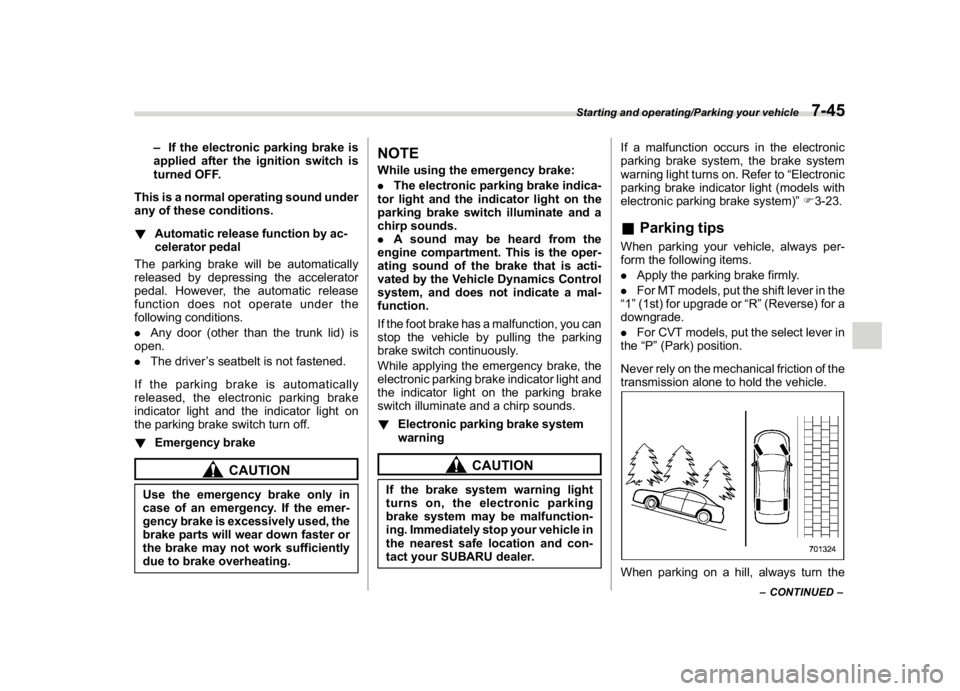
Never rely on the mechanical friction of the
transmission alone to hold the vehicle.When parking on a hill, always turn the
–CONTINUED–
Starting and operating/Parking your vehicle
7-45
7
Page 398 of 578
(411,1)
北米Model "A1700BE-B" EDITED: 2017/ 10/ 11
electronic parking brake indicator light is
off.
–Depress the accelerator pedal with
the driver’s seatbelt fastened and with
the doors closed.
–Press the electronic parking brake
switch with the brake pedal depressed.
.Under certain conditions, including a
malfunction of the Auto Vehicle Hold, a
warning buzzer will sound and a warning
message will appear on the combination
meter display (color LCD). All warning
messages should be strictly observed.
.On a steep slope, the vehicle cannot be
kept stopped by the Auto Vehicle Hold
function. In such a case, depress and hold
the brake pedal.
.When stopping on a steep slope with
the Auto Vehicle Hold function activated,
the electronic parking brake may automa-
tically be applied after stopping, then the
electronic parking brake indicator light
may flash. In such a case, depress and
hold the brake pedal while stopped.
Otherwise, the vehicle may move. When
getting out of the vehicle, stop the vehicle
on a flat surface, then apply the electronic
parking brake.
.If the Auto Vehicle Hold ON indicator
light does not illuminates even after
pressing the Auto Vehicle Hold switch with
the operating conditions met, the functionmay have a malfunction. Contact your
SUBARU dealer for an inspection.
.You may hear a sound while the Auto
Vehicle Hold function is keeping your
vehicle stopped. This is normal, and does
not represent a malfunction.
.While the vehicle is kept stopped by the
Auto Vehicle Hold function, the brake
pedal may feel stiff. However, this is not a
malfunction.
.When using the Auto Vehicle Hold
function, depress the brake pedal firmly.
Otherwise, the Auto Vehicle Hold may not
operate.
.When the Auto Vehicle Hold switch is
pressed and held for more than 30
seconds, the Auto Vehicle Hold ON in-
dicator light will turn off and further opera-
tion of the switch will be ignored. To make
the switch usable again, turn the ignition
switch to the“LOCK”/“OFF”position and
then turn it to the“ON”position.
Hill start assist system
WARNING
.The Hill start assist system is a
device only for helping the driver
to START the vehicle on an uphill
grade. To prevent accidents
when the vehicle is parked on a
slope, be sure to firmly set the
parking brake. When setting the
parking brake, make sure that the
vehicle remains stationary when
the clutch pedal (MT models) and
brake pedal (both MT and CVT
models) are released.
.Do not turn the ignition switch to
the“LOCK”/“OFF”position while
the Hill start assist system is
operating. The Hill start assist
system will be deactivated, caus-
ing an accident.NOTEFor models with the electronic parking
brake system:
.The Hill start assist system will
activate when the Auto Vehicle Hold
function is deactivated.
.The Hill start assist system will
–CONTINUED–
Starting and operating/Hill start assist system
7-49
7
Page 399 of 578

(412,1)
北米Model "A1700BE-B" EDITED: 2017/ 10/ 11
deactivate when the Auto Vehicle Hold
function is activated.
The Hill start assist system is a device to
make the following vehicle operations
easier.
1) Starting forward facing uphill
2) Starting backward facing downhill
A) Brake pedal (both MT models and CVT
models)
B) Clutch pedal (MT models only)In both these cases, the Hill start assist
system operates under the following con-ditions.
.when depressing both the clutch pedal
and the brake pedal (MT models)
.when the vehicle has stopped with the
brake pedal depressed (CVT models)
Braking power is maintained temporarily
(for approximately 2 seconds) by the Hill
start assist system after the brake pedal is
released. The driver is therefore able to
start the vehicle in the same way as on a
level grade, just using the clutch pedal (MT
models only) and accelerator pedal (all
models).
If the braking power of the Hill start assist
system is insufficient after the brake pedal
is released, apply more braking power by
depressing the brake pedal again.
The Hill start assist system may not
operate on slight grades. Also, the Hill
start assist system does not operate in the
following cases.
Starting and operating/Hill start assist system
7-50
Page 403 of 578
(416,1)
北米Model "A1700BE-B" EDITED: 2017/ 10/ 11
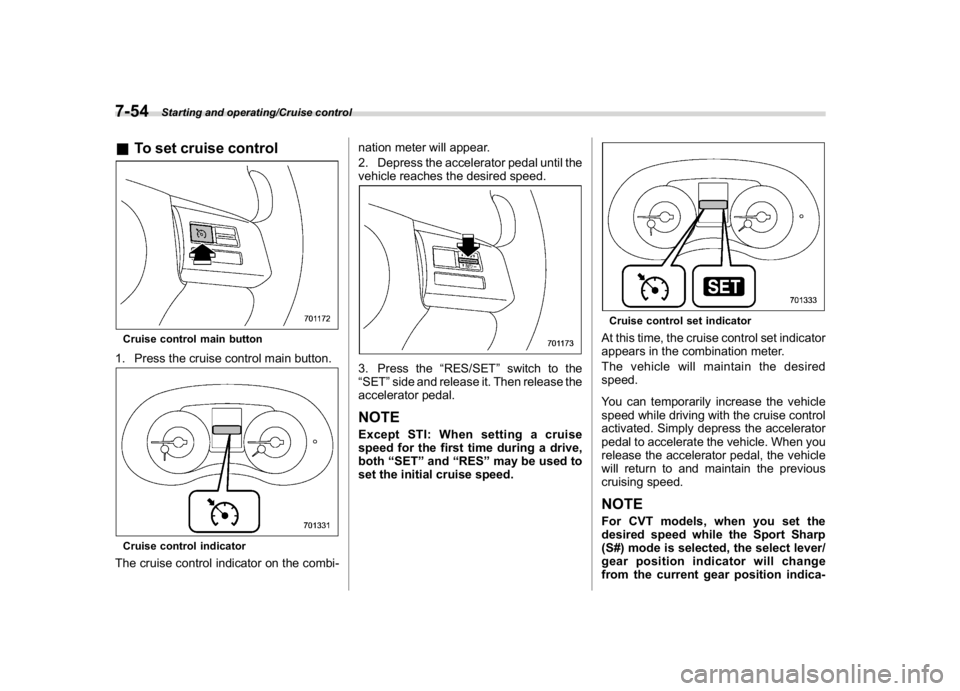
&To set cruise controlCruise control main button1. Press the cruise control main button.Cruise control indicatorThe cruise control indicator on the combi-nation meter will appear.
2. Depress the accelerator pedal until the
vehicle reaches the desired speed.
3. Press the“RES/SET”switch to the
“SET”side and release it. Then release the
accelerator pedal.NOTEExcept STI: When setting a cruise
speed for the first time during a drive,
both“SET”and“RES”may be used to
set the initial cruise speed.
Cruise control set indicatorAt this time, the cruise control set indicator
appears in the combination meter.
The vehicle will maintain the desired
speed.
You can temporarily increase the vehicle
speed while driving with the cruise control
activated. Simply depress the accelerator
pedal to accelerate the vehicle. When you
release the accelerator pedal, the vehicle
will return to and maintain the previous
cruising speed.NOTEFor CVT models, when you set the
desired speed while the Sport Sharp
(S#) mode is selected, the select lever/
gear position indicator will change
from the current gear position indica-
Starting and operating/Cruise control
7-54
Page 404 of 578
(417,1)
北米Model "A1700BE-B" EDITED: 2017/ 10/ 11
tion to the“D”indication.&To temporarily cancel the
cruise controlYou can temporarily cancel the cruise
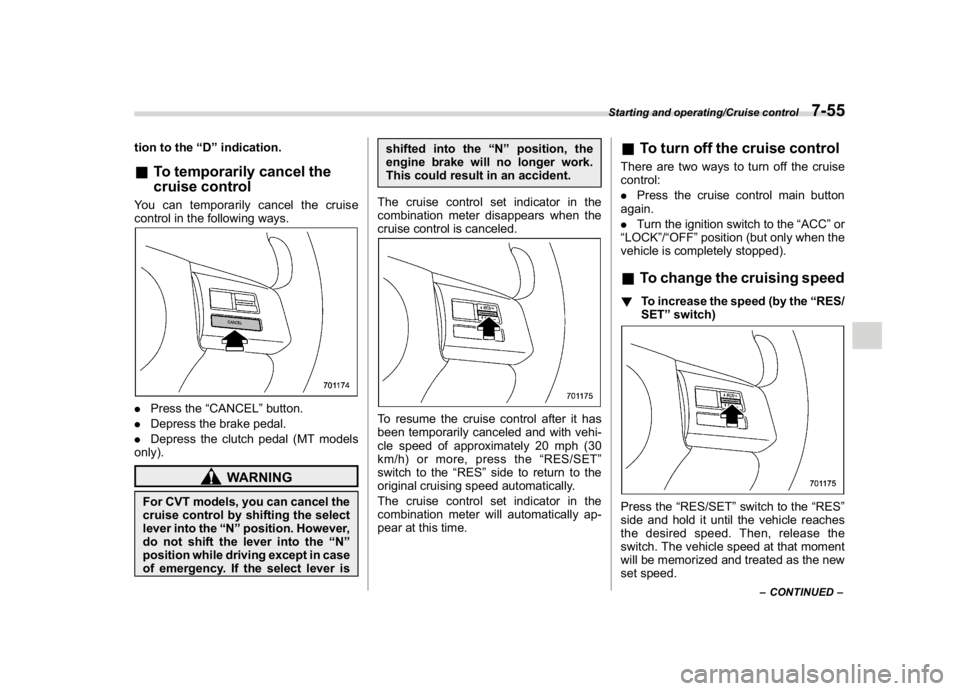
control in the following ways..Press the“CANCEL”button.
.Depress the brake pedal.
.Depress the clutch pedal (MT models
only).
WARNING
For CVT models, you can cancel the
cruise control by shifting the select
lever into the“N”position. However,
do not shift the lever into the“N”
position while driving except in case
of emergency. If the select lever isshifted into the“N”position, the
engine brake will no longer work.
This could result in an accident.
The cruise control set indicator in the
combination meter disappears when the
cruise control is canceled.
To resume the cruise control after it has
been temporarily canceled and with vehi-
cle speed of approximately 20 mph (30
km/h) or more, press the“RES/SET”
switch to the“RES”side to return to the
original cruising speed automatically.
The cruise control set indicator in the
combination meter will automatically ap-
pear at this time.
&To turn off the cruise controlThere are two ways to turn off the cruise
control:
.Press the cruise control main button
again.
.Turn the ignition switch to the“ACC”or
“LOCK”/“OFF”position (but only when the
vehicle is completely stopped).&To change the cruising speed!To increase the speed (by the“RES/
SET”switch)Press the“RES/SET”switch to the“RES”
side and hold it until the vehicle reaches
the desired speed. Then, release the
switch. The vehicle speed at that moment
will be memorized and treated as the new
set speed.
–CONTINUED–
Starting and operating/Cruise control
7-55
7
Page 405 of 578
(418,1)
北米Model "A1700BE-B" EDITED: 2017/ 10/ 11
You can increase the set speed 1 mph (1.6
km/h) or 1 km/h (0.6 mph) each time by
pressing the“RES/SET”switch to the
“RES”side quickly.
!To increase the speed (by accelera-
tor pedal)
1. Depress the accelerator pedal to ac-
celerate the vehicle to the desired speed.
2. Press the“RES/SET”switch to the
“SET”side once. Now the desired speed is
set and the vehicle will keep running at that
speed without depressing the accelerator
pedal.NOTECVT models:
.If you depress the accelerator pedal
with the Sport Sharp (S#) mode se-
lected, the select lever/gear position
indicator may change from the“D”
indication to the current gear position
indication.
.If you depress the accelerator pedal
fully with the Intelligent (I) mode or the
Sport (S) mode selected, the transmis-
sion will operate like a conventional
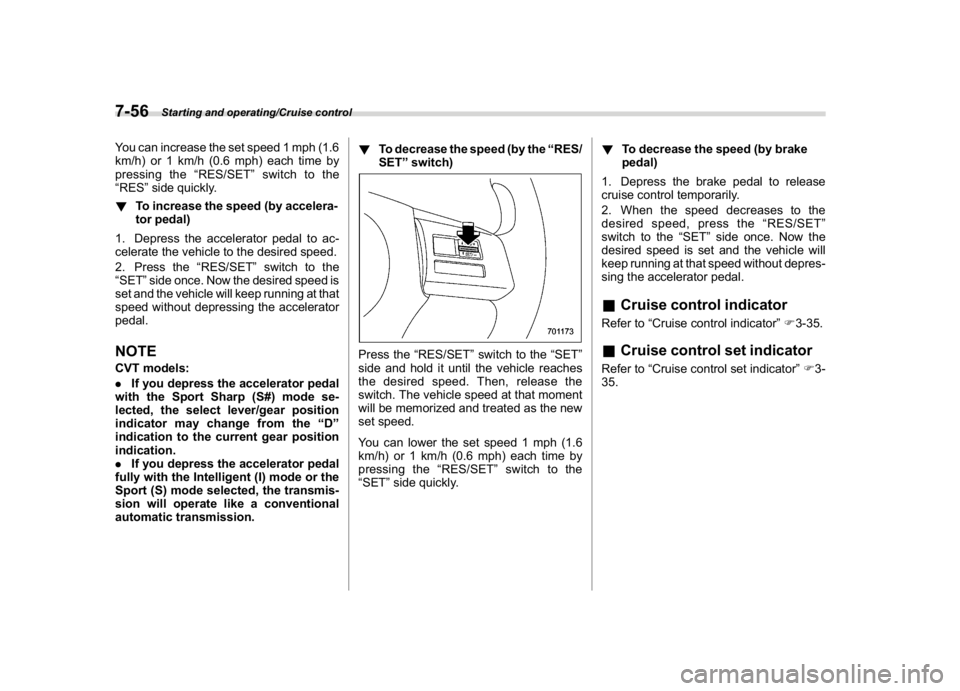
automatic transmission.!To decrease the speed (by the“RES/
SET”switch)
Press the“RES/SET”switch to the“SET”
side and hold it until the vehicle reaches
the desired speed. Then, release the
switch. The vehicle speed at that moment
will be memorized and treated as the new
set speed.
You can lower the set speed 1 mph (1.6
km/h) or 1 km/h (0.6 mph) each time by
pressing the“RES/SET”switch to the
“SET”side quickly.!To decrease the speed (by brake
pedal)
1. Depress the brake pedal to release
cruise control temporarily.
2. When the speed decreases to the
desired speed, press the“RES/SET”
switch to the“SET”side once. Now the
desired speed is set and the vehicle will
keep running at that speed without depres-
sing the accelerator pedal.
&Cruise control indicatorRefer to“Cruise control indicator”F3-35.&Cruise control set indicatorRefer to“Cruise control set indicator”F3-
35.
Starting and operating/Cruise control
7-56