ignition SUBARU WRX 2018 Repair Manual
[x] Cancel search | Manufacturer: SUBARU, Model Year: 2018, Model line: WRX, Model: SUBARU WRX 2018Pages: 578, PDF Size: 33.21 MB
Page 176 of 578
(181,1)
北米Model "A1700BE-B" EDITED: 2017/ 10/ 11
&Basic operationPull“
”or“
”of the control switch
toward you to switch the screens and
selection items. Pull the“
/SET”switch
toward you to select and set the item.
If there are some useful messages, such
as vehicle information, warning informa-
tion, etc., they will interrupt the current
screen, and appear on the display accom-
panied by a beep. If such a screen is
displayed, take proper action according to
the message shown on the screen.
The warning screen will return to the
original screen after a few seconds. While
the“
”information reminder is shown on
the display, it may be possible to display
the warning screen again. To recall the
message marked with“
”on the display,
pull the“
/SET”switch toward you.
&Welcome screen (opening
animation) and Good-bye
screen (ending animation)When the driver’s door is opened and
closed after unlocking the door, the Wel-
come screen (opening animation) will
appear on the combination meter display
(color LCD) for approximately 20 seconds.
When the ignition switch is turned to the
“LOCK”/“OFF”position, the combination
meter display (color LCD) gradually turns
off while showing the Good-bye screen
(ending animation).NOTE.The welcome screen and the good-
bye screen may differ in the actual
words and appearance.
.Once the Welcome screen appears,
it takes a certain period of time to
display it again.
.The Welcome screen will disappear
after turning the ignition switch to the
“ON”position while the Welcome
screen is displayed.
.If you open any of the doors while
the Welcome screen is displayed, the
door ajar warning will appear.
.You can set the Welcome screen and
Good-byescreentoonoroff.For
details, refer to“Welcome Good-bye
Screen”F3-43.
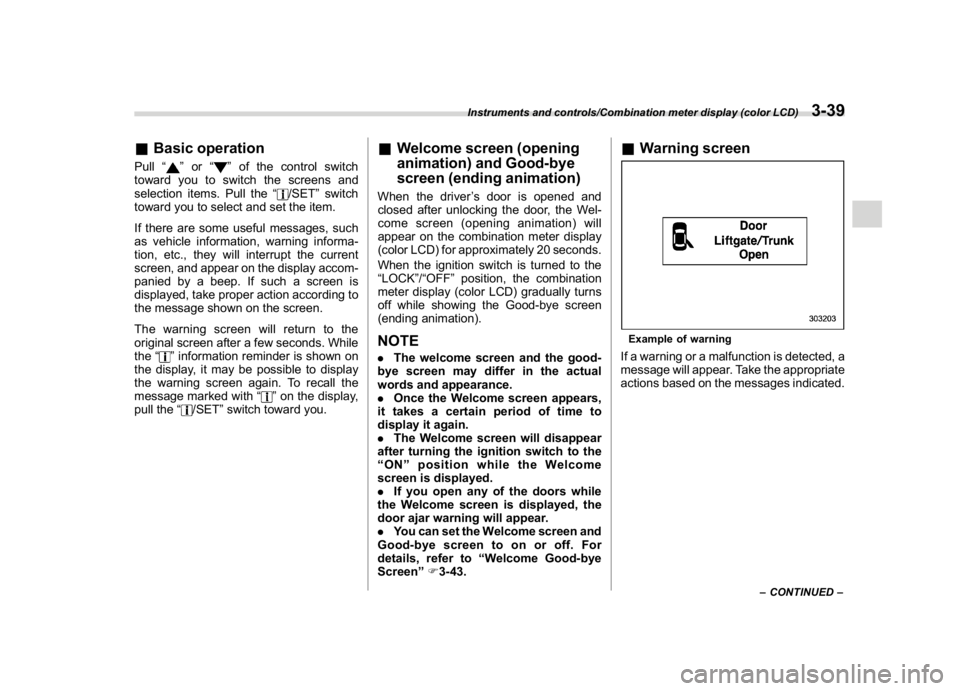
&Warning screenExample of warningIf a warning or a malfunction is detected, a
message will appear. Take the appropriate
actions based on the messages indicated.
–CONTINUED–
Instruments and controls/Combination meter display (color LCD)
3-39
3
Page 177 of 578
(182,1)
北米Model "A1700BE-B" EDITED: 2017/ 10/ 11
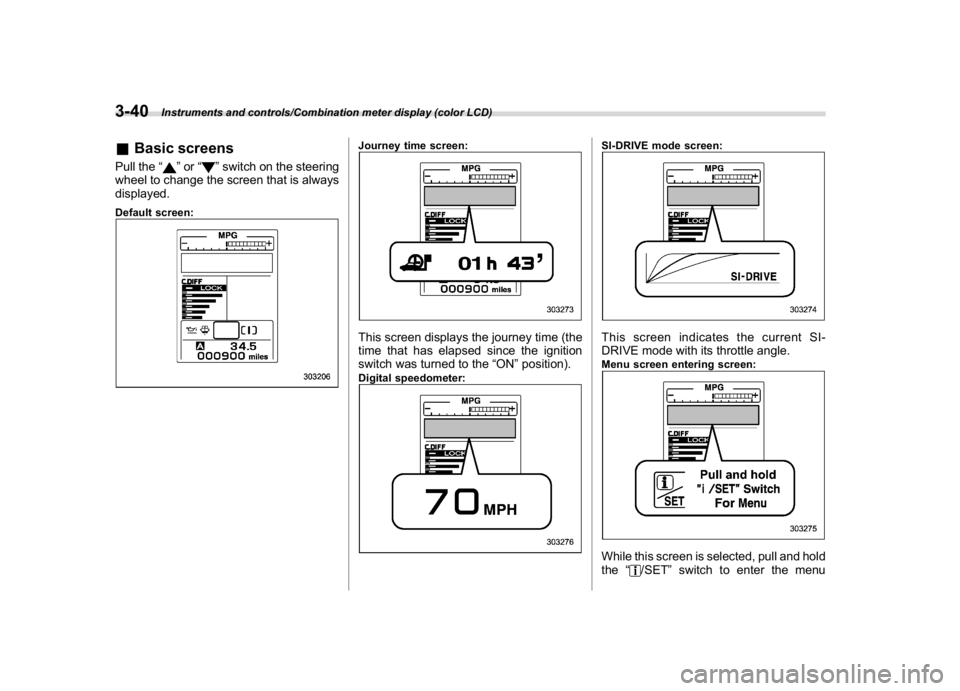
&Basic screensPull the“
”or“
”switch on the steering
wheel to change the screen that is always
displayed.
Default screen:
Journey time screen:This screen displays the journey time (the
time that has elapsed since the ignition
switch was turned to the“ON”position).Digital speedometer:
SI-DRIVE mode screen:This screen indicates the current SI-
DRIVE mode with its throttle angle.Menu screen entering screen:While this screen is selected, pull and hold
the“
/SET”switch to enter the menu
Instruments and controls/Combination meter display (color LCD)
3-40
Page 180 of 578
(185,1)
北米Model "A1700BE-B" EDITED: 2017/ 10/ 11
!Screen Settings
After entering the“Screen Settings”menu,
select one of the following menus.
!Welcome Good-bye Screen
The welcome screen/good-bye screens
can be activated or deactivated. Select
“On”to activate the screens. Select“Off”to
deactivate the screens.
!Gauge Initial Movement
The movement of the meter needles and
gauge needles that occurs when the
ignition switch is turned to the“ON”
position can be activated or deactivated.
Select“On”to activate. Select“Off”to
deactivate.
!Gear Position Indicator Setting
(MT models)
Display of the shift position indicator can
be activated or deactivated. Select“On”to
activate display of the shift position in-
dicator or“Off”to deactivate it.
!Languages
Operate the“
”or“
”switch on the
steering wheel to display the preferred
language. Then pull the“/SET”switch to
select the displayed language.!SRH (if equipped)
Select“On”to activate the Steering Re-
sponsive Headlight (SRH). Select“Off”to
deactivate the SRH.
!REV settings (STI)
NOTEIf the setting of the REV Indicator Light
is“Off”, the setting menus of the REV
Alarm Level Engine Speed and the REV
Buzzer are not displayed.
After entering the“REV settings”menu,
select any of the following menus.
!REV Indicator Light
Display of the REV indicator light can be
activated or deactivated. Select“On”to
activate display of the REV indicator light
or“Off”to deactivate it.
!REV Alarm Level Engine Speed
The alarm-level engine speed can be set
(in 100 rpm steps) within the range from
2,000 rpm to the red zone.
!REV Buzzer
The REV buzzer can be activated or
deactivated. Select“On”to activate the
REV buzzer or“Off”to deactivate it.!EyeSight (models with the EyeSight
system)
NOTERefer to the Owner’s Manual supple-
ment for the EyeSight system.
!BSD/RCTA (if equipped)
After entering the“BSD/RCTA”menu,
select the“Warning Volume”menu. You
can set the volume of the warning buzzer
for RCTA (Rear Cross Traffic Alert). You
can select“Max”,“Mid”,“Min”or“Off”.
!RAB (models with the EyeSight
system)
After entering the“RAB”menu, select one
of the following menus.NOTEFor details about the Reverse Auto-
matic Braking system, refer to“Re-
verse Automatic Braking System”F7-
66.
!Warning Volume
The volume of the warning sound that is
activated when the Reverse Automatic
Braking system is in operation can be set
in 3 stages (“Max”,“Mid”and“Min”).
–CONTINUED–
Instruments and controls/Combination meter display (color LCD)
3-43
3
Page 182 of 578
(187,1)
北米Model "A1700BE-B" EDITED: 2017/ 10/ 11
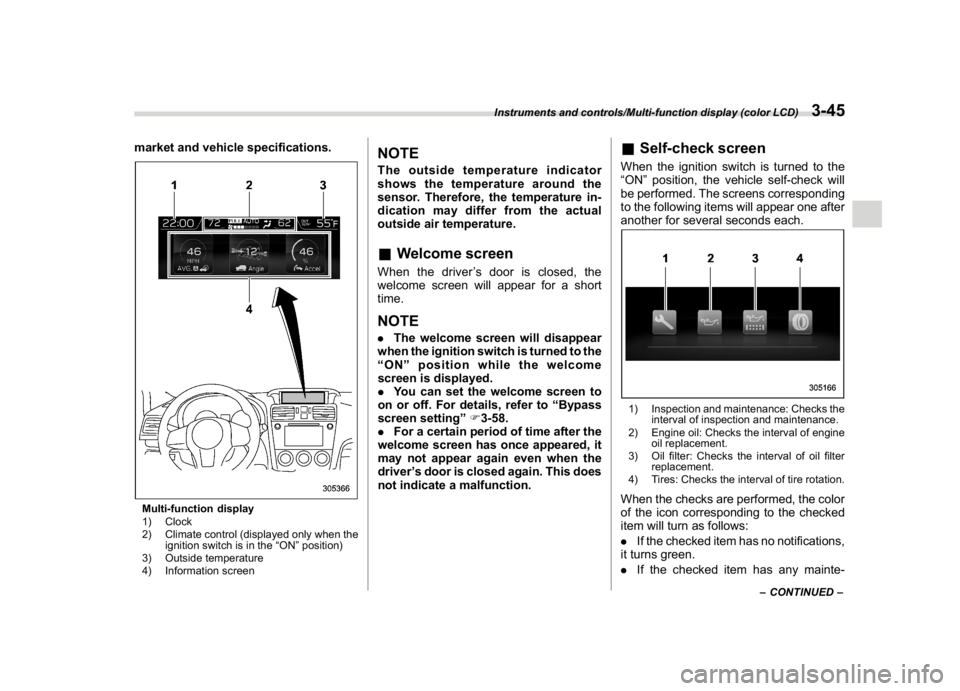
market and vehicle specifications.Multi-function display
1) Clock
2) Climate control (displayed only when the
ignition switch is in the“ON”position)
3) Outside temperature
4) Information screen
NOTEThe outside temperature indicator
shows the temperature around the
sensor. Therefore, the temperature in-
dication may differ from the actual
outside air temperature.&Welcome screenWhen the driver’s door is closed, the
welcome screen will appear for a short
time.NOTE.The welcome screen will disappear
when the ignition switch is turned to the
“ON”position while the welcome
screen is displayed.
.You can set the welcome screen to
on or off. For details, refer to“Bypass
screen setting”F3-58.
.For a certain period of time after the
welcome screen has once appeared, it
may not appear again even when the
driver’s door is closed again. This does
not indicate a malfunction.
&Self-check screenWhen the ignition switch is turned to the
“ON”position, the vehicle self-check will
be performed. The screens corresponding
to the following items will appear one after
another for several seconds each.1) Inspection and maintenance: Checks the
interval of inspection and maintenance.
2) Engine oil: Checks the interval of engine
oil replacement.
3) Oil filter: Checks the interval of oil filter
replacement.
4) Tires: Checks the interval of tire rotation.When the checks are performed, the color
of the icon corresponding to the checked
item will turn as follows:
.If the checked item has no notifications,
it turns green.
.If the checked item has any mainte-
–CONTINUED–
Instruments and controls/Multi-function display (color LCD)
3-45
3
Page 186 of 578
(191,1)
北米Model "A1700BE-B" EDITED: 2017/ 10/ 11
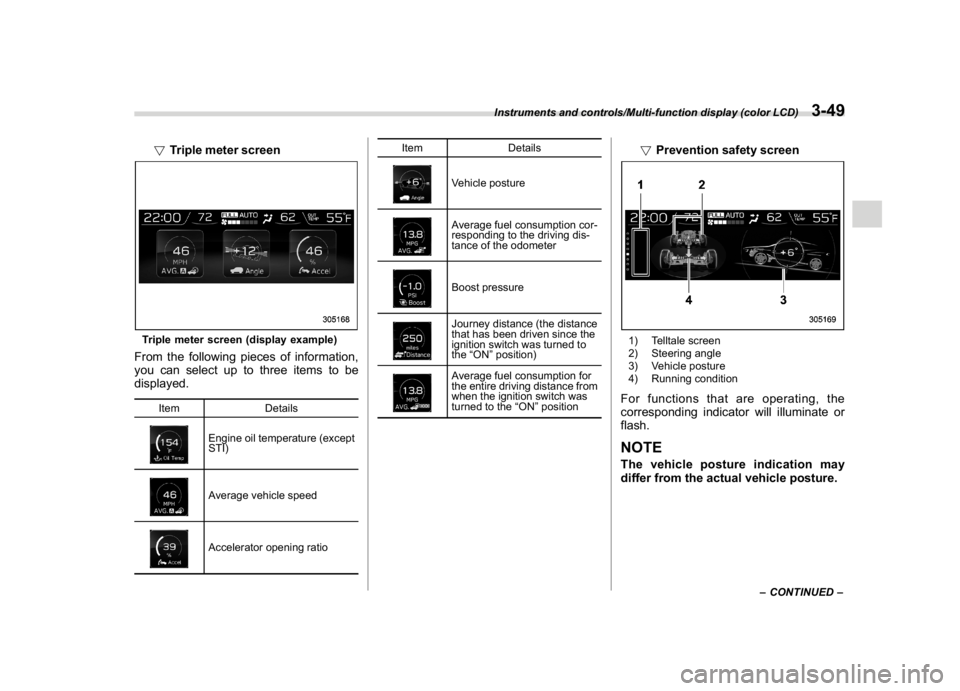
!Triple meter screenTriple meter screen (display example)From the following pieces of information,
you can select up to three items to be
displayed.
Item Details
Engine oil temperature (except
STI)Average vehicle speedAccelerator opening ratioItem Details
Vehicle postureAverage fuel consumption cor-
responding to the driving dis-
tance of the odometerBoost pressureJourney distance (the distance
that has been driven since the
ignition switch was turned to
the“ON”position)Average fuel consumption for
the entire driving distance from
when the ignition switch was
turned to the“ON”position
!Prevention safety screen1) Telltale screen
2) Steering angle
3) Vehicle posture
4) Running conditionFor functions that are operating, the
corresponding indicator will illuminate or
flash.NOTEThe vehicle posture indication may
differ from the actual vehicle posture.
–CONTINUED–
Instruments and controls/Multi-function display (color LCD)
3-49
3
Page 190 of 578
(195,1)
北米Model "A1700BE-B" EDITED: 2017/ 10/ 11
Top menu Menu option Description Page
Mainte-
nanceMaintenance Schedule Set and adjust the vehicle maintenance notification date. 3-59
Engine Oil Set and adjust the oil maintenance notification date. 3-59
Oil Filter Set and adjust the oil filter maintenance notification date. 3-59
Tires Set and adjust the tire maintenance notification date. 3-59
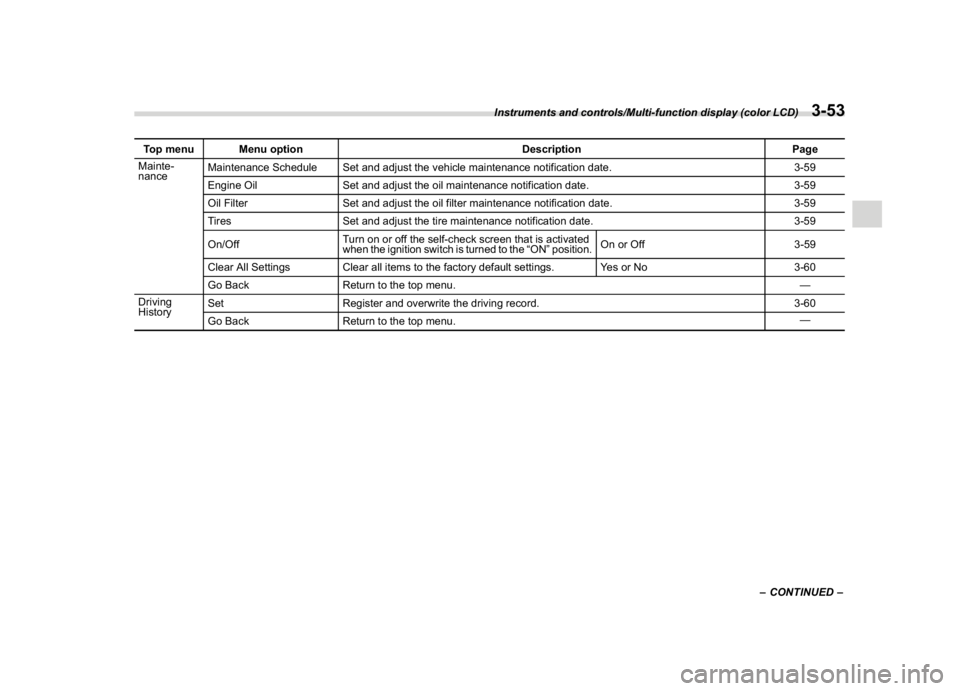
On/OffTurn on or off the self-check screen that is activated
when the ignition switch is turned to the“ON”position.On or Off 3-59
Clear All Settings Clear all items to the factory default settings. Yes or No 3-60
Go Back Return to the top menu.—
Driving
HistorySet Register and overwrite the driving record. 3-60
Go Back Return to the top menu.—
–CONTINUED–
Instruments and controls/Multi-function display (color LCD)
3-53
3
Page 192 of 578
(197,1)
北米Model "A1700BE-B" EDITED: 2017/ 10/ 11
!Date and time settings
If a birthday or anniversary is approaching,
a message will be displayed when turning
the ignition switch to the“ON”position. You
can set this function to on or off. For
details, refer to“Bypass screen setting”
F3-58.
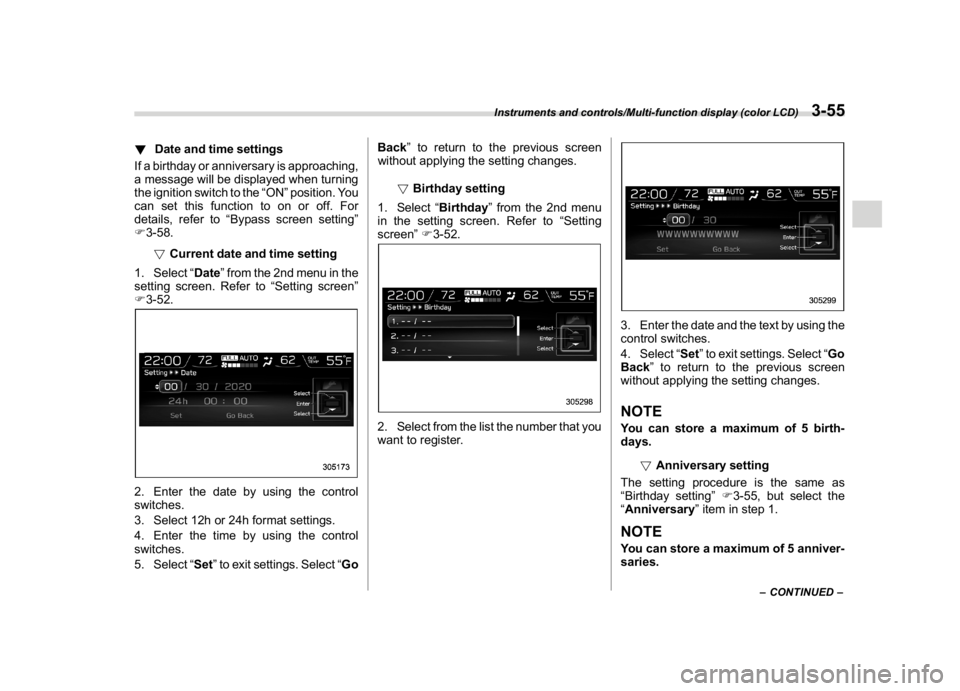
!Current date and time setting
1. Select“Date”from the 2nd menu in the
setting screen. Refer to“Setting screen”
F3-52.2. Enter the date by using the control
switches.
3. Select 12h or 24h format settings.
4. Enter the time by using the control
switches.
5. Select“Set”to exit settings. Select“GoBack”to return to the previous screen
without applying the setting changes.
!Birthday setting
1. Select“Birthday”from the 2nd menu
in the setting screen. Refer to“Setting
screen”F3-52.
2. Select from the list the number that you
want to register.
3. Enter the date and the text by using the
control switches.
4. Select“Set”to exit settings. Select“Go
Back”to return to the previous screen
without applying the setting changes.NOTEYou can store a maximum of 5 birth-
days.
!Anniversary setting
The setting procedure is the same as
“Birthday setting”F3-55, but select the
“Anniversary”item in step 1.NOTEYou can store a maximum of 5 anniver-
saries.
–CONTINUED–
Instruments and controls/Multi-function display (color LCD)
3-55
3
Page 193 of 578
(198,1)
北米Model "A1700BE-B" EDITED: 2017/ 10/ 11
!Daylight saving time setting
1. Select“Daylight Saving Time”from
the 2nd menu in the setting screen. Refer
to“Setting screen”F3-52.
2. Select“On”or“Off”by using the
control switches.
3. Select“Set”to exit settings. Select“Go
Back”to return to the previous screen
without applying the setting changes.!Display/Beep settings
You can set the display settings and
volume settings.
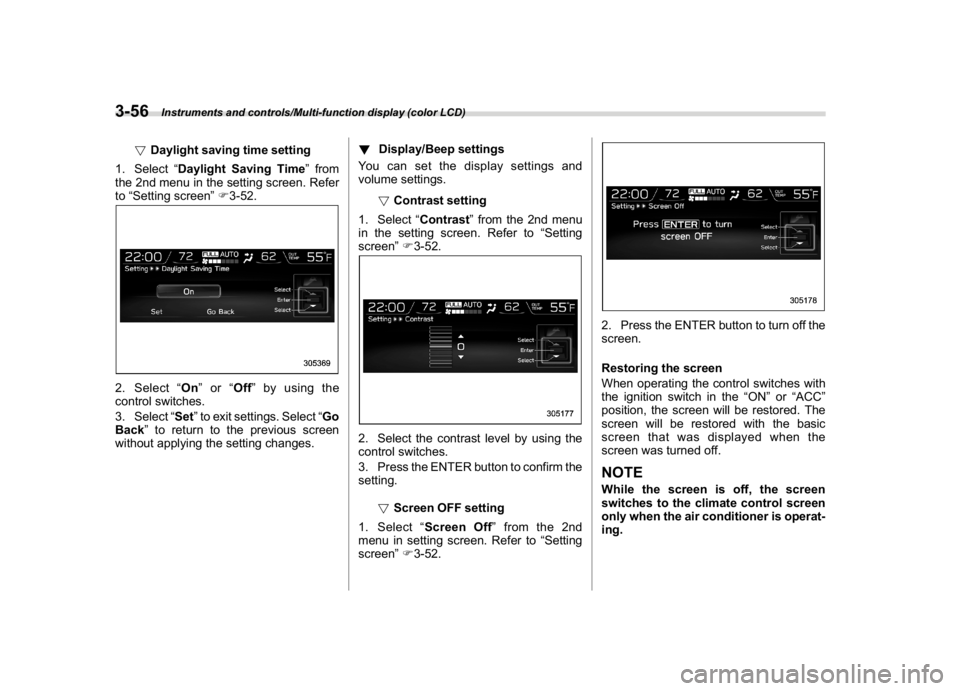
!Contrast setting
1. Select“Contrast”from the 2nd menu
in the setting screen. Refer to“Setting
screen”F3-52.
2. Select the contrast level by using the
control switches.
3. Press the ENTER button to confirm the
setting.
!Screen OFF setting
1. Select“Screen Off”from the 2nd
menu in setting screen. Refer to“Setting
screen”F3-52.
2. Press the ENTER button to turn off the
screen.
Restoring the screen
When operating the control switches with
the ignition switch in the“ON”or“ACC”
position, the screen will be restored. The
screen will be restored with the basic
screen that was displayed when the
screen was turned off.NOTEWhile the screen is off, the screen
switches to the climate control screen
only when the air conditioner is operat-
ing.
Instruments and controls/Multi-function display (color LCD)
3-56
Page 200 of 578
(205,1)
北米Model "A1700BE-B" EDITED: 2017/ 10/ 11
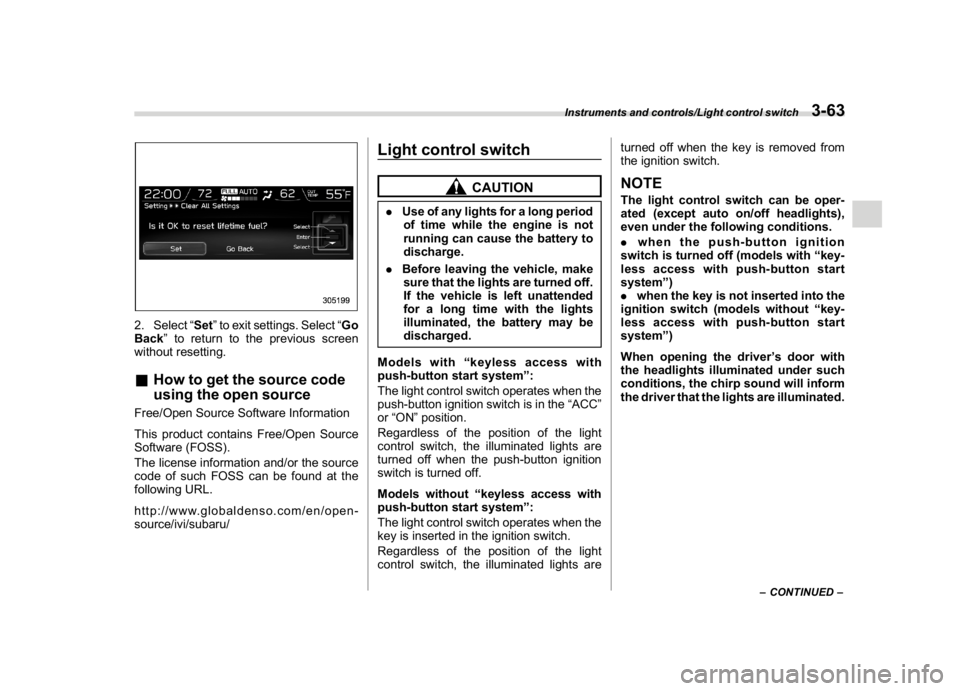
2. Select“Set”to exit settings. Select“Go
Back”to return to the previous screen
without resetting.&How to get the source code
using the open sourceFree/Open Source Software Information
This product contains Free/Open Source
Software (FOSS).
The license information and/or the source
code of such FOSS can be found at the
following URL.
http://www.globaldenso.com/en/open-
source/ivi/subaru/
Light control switch
CAUTION
.Use of any lights for a long period
of time while the engine is not
running can cause the battery to
discharge.
.Before leaving the vehicle, make
sure that the lights are turned off.
If the vehicle is left unattended
for a long time with the lights
illuminated, the battery may be
discharged.
Models with“keyless access with
push-button start system”:
The light control switch operates when the
push-button ignition switch is in the“ACC”
or“ON”position.
Regardless of the position of the light
control switch, the illuminated lights are
turned off when the push-button ignition
switch is turned off.
Models without“keyless access with
push-button start system”:
The light control switch operates when the
key is inserted in the ignition switch.
Regardless of the position of the light
control switch, the illuminated lights areturned off when the key is removed from
the ignition switch.
NOTEThe light control switch can be oper-
ated (except auto on/off headlights),
even under the following conditions.
.when the push-button ignition
switch is turned off (models with“key-
less access with push-button start
system”)
.when the key is not inserted into the
ignition switch (models without“key-
less access with push-button start
system”)
When opening the driver’s door with
the headlights illuminated under such
conditions, the chirp sound will inform
the driver that the lights are illuminated.
–CONTINUED–
Instruments and controls/Light control switch
3-63
3
Page 201 of 578
(206,1)
北米Model "A1700BE-B" EDITED: 2017/ 10/ 11
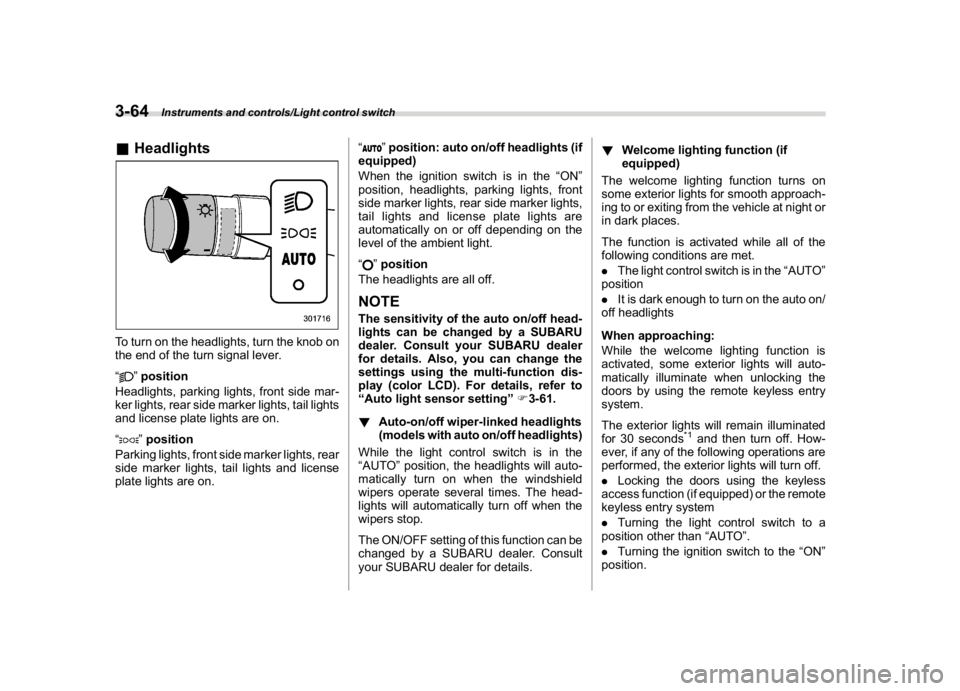
&HeadlightsTo turn on the headlights, turn the knob on
the end of the turn signal lever.
“
”position
Headlights, parking lights, front side mar-
ker lights, rear side marker lights, tail lights
and license plate lights are on.
“”position
Parking lights, front side marker lights, rear
side marker lights, tail lights and license
plate lights are on.“
”position: auto on/off headlights (if
equipped)
When the ignition switch is in the“ON”
position, headlights, parking lights, front
side marker lights, rear side marker lights,
tail lights and license plate lights are
automatically on or off depending on the
level of the ambient light.
“”position
The headlights are all off.
NOTEThe sensitivity of the auto on/off head-
lights can be changed by a SUBARU
dealer. Consult your SUBARU dealer
for details. Also, you can change the
settings using the multi-function dis-
play (color LCD). For details, refer to
“Auto light sensor setting”F3-61.
!Auto-on/off wiper-linked headlights
(models with auto on/off headlights)
While the light control switch is in the
“AUTO”position, the headlights will auto-
matically turn on when the windshield
wipers operate several times. The head-
lights will automatically turn off when the
wipers stop.
The ON/OFF setting of this function can be
changed by a SUBARU dealer. Consult
your SUBARU dealer for details.!Welcome lighting function (if
equipped)
The welcome lighting function turns on
some exterior lights for smooth approach-
ing to or exiting from the vehicle at night or
in dark places.
The function is activated while all of the
following conditions are met.
.The light control switch is in the“AUTO”
position
.It is dark enough to turn on the auto on/
off headlights
When approaching:
While the welcome lighting function is
activated, some exterior lights will auto-
matically illuminate when unlocking the
doors by using the remote keyless entry
system.
The exterior lights will remain illuminated
for 30 seconds
*1and then turn off. How-
ever, if any of the following operations are
performed, the exterior lights will turn off.
.Locking the doors using the keyless
access function (if equipped) or the remote
keyless entry system
.Turning the light control switch to a
position other than“AUTO”.
.Turning the ignition switch to the“ON”
position.
Instruments and controls/Light control switch
3-64