lock SUZUKI AERIO 2007 1.G Owner's Manual
[x] Cancel search | Manufacturer: SUZUKI, Model Year: 2007, Model line: AERIO, Model: SUZUKI AERIO 2007 1.GPages: 232, PDF Size: 3.34 MB
Page 57 of 232
Downloaded from www.Manualslib.com manuals search engine 3-2 STEERING COLUMN CONTROLS
54G27-03E
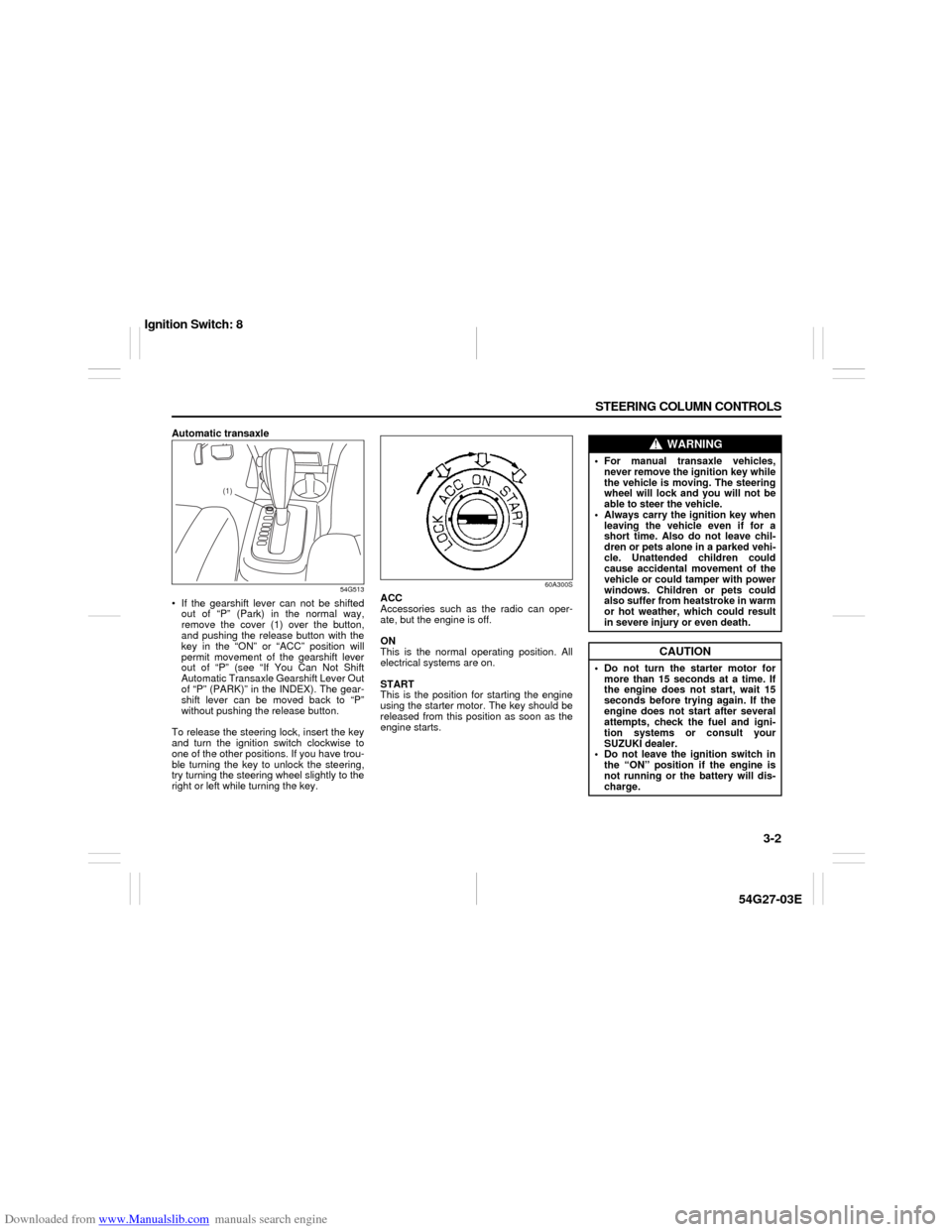
Automatic transaxle
54G513
If the gearshift lever can not be shifted
out of “P” (Park) in the normal way,
remove the cover (1) over the button,
and pushing the release button with the
key in the “ON” or “ACC” position will
permit movement of the gearshift lever
out of “P” (see “If You Can Not Shift
Automatic Transaxle Gearshift Lever Out
of “P” (PARK)” in the INDEX). The gear-
shift lever can be moved back to “P”
without pushing the release button.
To release the steering lock, insert the key
and turn the ignition switch clockwise to
one of the other positions. If you have trou-
ble turning the key to unlock the steering,
try turning the steering wheel slightly to the
right or left while turning the key.
60A300S
ACC
Accessories such as the radio can oper-
ate, but the engine is off.
ON
This is the normal operating position. All
electrical systems are on.
START
This is the position for starting the engine
using the starter motor. The key should be
released from this position as soon as the
engine starts.
(1)
WARNING
For manual transaxle vehicles,
never remove the ignition key while
the vehicle is moving. The steering
wheel will lock and you will not be
able to steer the vehicle.
Always carry the ignition key when
leaving the vehicle even if for a
short time. Also do not leave chil-
dren or pets alone in a parked vehi-
cle. Unattended children could
cause accidental movement of the
vehicle or could tamper with power
windows. Children or pets could
also suffer from heatstroke in warm
or hot weather, which could result
in severe injury or even death.
CAUTION
Do not turn the starter motor for
more than 15 seconds at a time. If
the engine does not start, wait 15
seconds before trying again. If the
engine does not start after several
attempts, check the fuel and igni-
tion systems or consult your
SUZUKI dealer.
Do not leave the ignition switch in
the “ON” position if the engine is
not running or the battery will dis-
charge.
Ignition Switch: 8
Page 61 of 232
Downloaded from www.Manualslib.com manuals search engine 3-6 STEERING COLUMN CONTROLS
54G27-03E
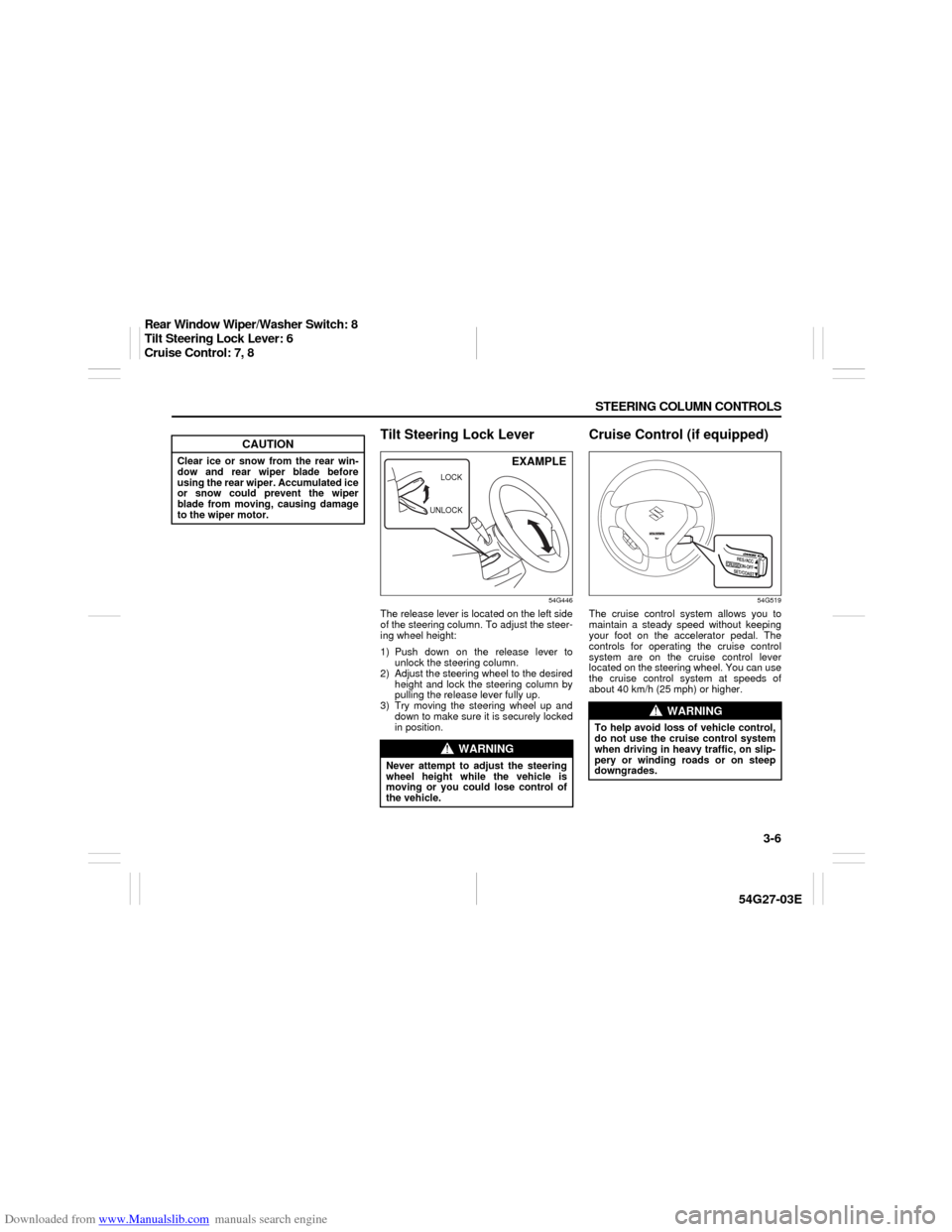
Tilt Steering Lock Lever
54G446
The release lever is located on the left side
of the steering column. To adjust the steer-
ing wheel height:
1) Push down on the release lever to
unlock the steering column.
2) Adjust the steering wheel to the desired
height and lock the steering column by
pulling the release lever fully up.
3) Try moving the steering wheel up and
down to make sure it is securely locked
in position.
Cruise Control (if equipped)
54G519
The cruise control system allows you to
maintain a steady speed without keeping
your foot on the accelerator pedal. The
controls for operating the cruise control
system are on the cruise control lever
located on the steering wheel. You can use
the cruise control system at speeds of
about 40 km/h (25 mph) or higher.
CAUTION
Clear ice or snow from the rear win-
dow and rear wiper blade before
using the rear wiper. Accumulated ice
or snow could prevent the wiper
blade from moving, causing damage
to the wiper motor.
WARNING
Never attempt to adjust the steering
wheel height while the vehicle is
moving or you could lose control of
the vehicle.
UNLOCKLOCK
EXAMPLE
WARNING
To help avoid loss of vehicle control,
do not use the cruise control system
when driving in heavy traffic, on slip-
pery or winding roads or on steep
downgrades.
Rear Window Wiper/Washer Switch: 8
Tilt Steering Lock Lever: 6
Cruise Control: 7, 8
Page 68 of 232
Downloaded from www.Manualslib.com manuals search engine 4-3 INSTRUMENT PANEL
54G27-03E
Warning and Indicator LightsBrake System Warning Light
65D477
This light comes on briefly when the igni-
tion switch is turned to the “ON” position.
The light also comes on under the follow-
ing conditions: 1) when the parking brake
is engaged and 2) when the fluid in the
brake fluid reservoir falls below the speci-
fied level. The light should go out after fully
releasing the parking brake, if the fluid
level in the brake fluid reservoir is ade-
quate.
If this light and the ABS warning light stay
on, or come on simultaneously when driv-
ing, then there may be something wrong
with both the rear brake proportioning
valve function and anti-lock function of the
ABS.
If the brake system warning light comes on
while you are driving the vehicle, it may
mean that there is something wrong with
the vehicle’s brake system. If this happens,
you should:
1) Pull off the road and stop carefully.2) Test the brakes by carefully starting and
stopping on the shoulder of the road.
3) If you determine that it is safe, drive
cautiously at low speed to the nearest
dealer for repairs,
or
4) Have the vehicle towed to the nearest
dealer for repairs.NOTE:
Because the disc brake system is self-
adjusting, the fluid level will drop as the
brake pads become worn.
Replenishing the brake fluid reservoir is
considered normal periodic maintenance.
Anti-Lock Brake System (ABS)
Warning Light (if equipped)
65D529
When the ignition switch is turned to the
“ON” position, the light comes on briefly so
you can check that the light is working. If
the light stays on, or comes on when driv-
ing, there may be something wrong with
the ABS.
If the ABS light and the brake system
warning light stay on, or come on simulta-
neously when driving, then there may be
something wrong with both the rear brake
proportioning valve function and anti-lock
function of the ABS.
If one of these happens, have the system
inspected by your SUZUKI dealer. If the
ABS becomes inoperative, the brake sys-
tem will function as an ordinary brake sys-
tem that has no ABS.
WARNING
Remember that stopping distance
may be longer, you may have to push
harder on the pedal, and the pedal
may go down farther than normal.
WARNING
If any of the following conditions
occur, you should immediately ask
your SUZUKI dealer to inspect the
brake system.
If the brake system warning light
does not go out after the parking
brake has been fully released.
If the brake system warning light
does not come on when the igni-
tion switch is turned to the “ON”
position.
If the brake system warning light
comes on at any time during vehi-
cle operation.
Warning and Indicator Lights: 8
Page 69 of 232
Downloaded from www.Manualslib.com manuals search engine 4-4 INSTRUMENT PANEL
54G27-03E
For details of the ABS, refer to “Anti-Lock
Brake System (ABS)” in the “OPERATING
YOUR VEHICLE” section.Oil Pressure Light
50G051
This light comes on when the ignition
switch is turned to the “ON” position, and
goes out when the engine is started. The
light will come on and remain on if there is
insufficient oil pressure. If the light comes
on when driving, pull off the road as soon
as you can and stop the engine. Check the
oil level and add oil if necessary. If there is
enough oil, the lubrication system should
be inspected by your SUZUKI dealer
before you drive the vehicle again.
Charging Light
50G052
This light comes on when the ignition
switch is turned to the “ON” position, and
goes out when the engine is started. The
light will come on and remain on if there is
something wrong with the battery charging
system. If the light comes on when the
engine is running, the charging system
should be inspected immediately by your
SUZUKI dealer.
Driver’s Seat Belt Reminder Light
60G049
If the driver’s seat belt is unbuckled when
the ignition switch is turned to the “ON”
position, this light will come on and then
blink. When the light comes on, a buzzer
will also sound intermittently for about 6
seconds. The reminder will repeat several
times under certain conditions until the
driver’s seat belt is buckled. After repeating
several times, the reminder will be can-
celed even if the driver’s seat belt remains
unbuckled.
For details about the seat belt reminder,
refer to “Seat Belts and Child Restraint
Systems” in the “BEFORE DRIVING” sec-
tion.
CAUTION
If you operate the engine with this
light on, severe engine damage can
result.
Do not rely on the Oil Pressure
Light to indicate the need to add
oil. Be sure to periodically check
the engine oil level.
WARNING
It is absolutely essential that the
driver and passengers wear their seat
belts at all times. Persons who are
not wearing seat belts have a much
greater risk of injury if an accident
occurs. Make a regular habit of buck-
ling your seat belt before putting the
key in the ignition.
Warning and Indicator Lights: 8
Page 77 of 232
Downloaded from www.Manualslib.com manuals search engine 4-12 INSTRUMENT PANEL
54G27-03E
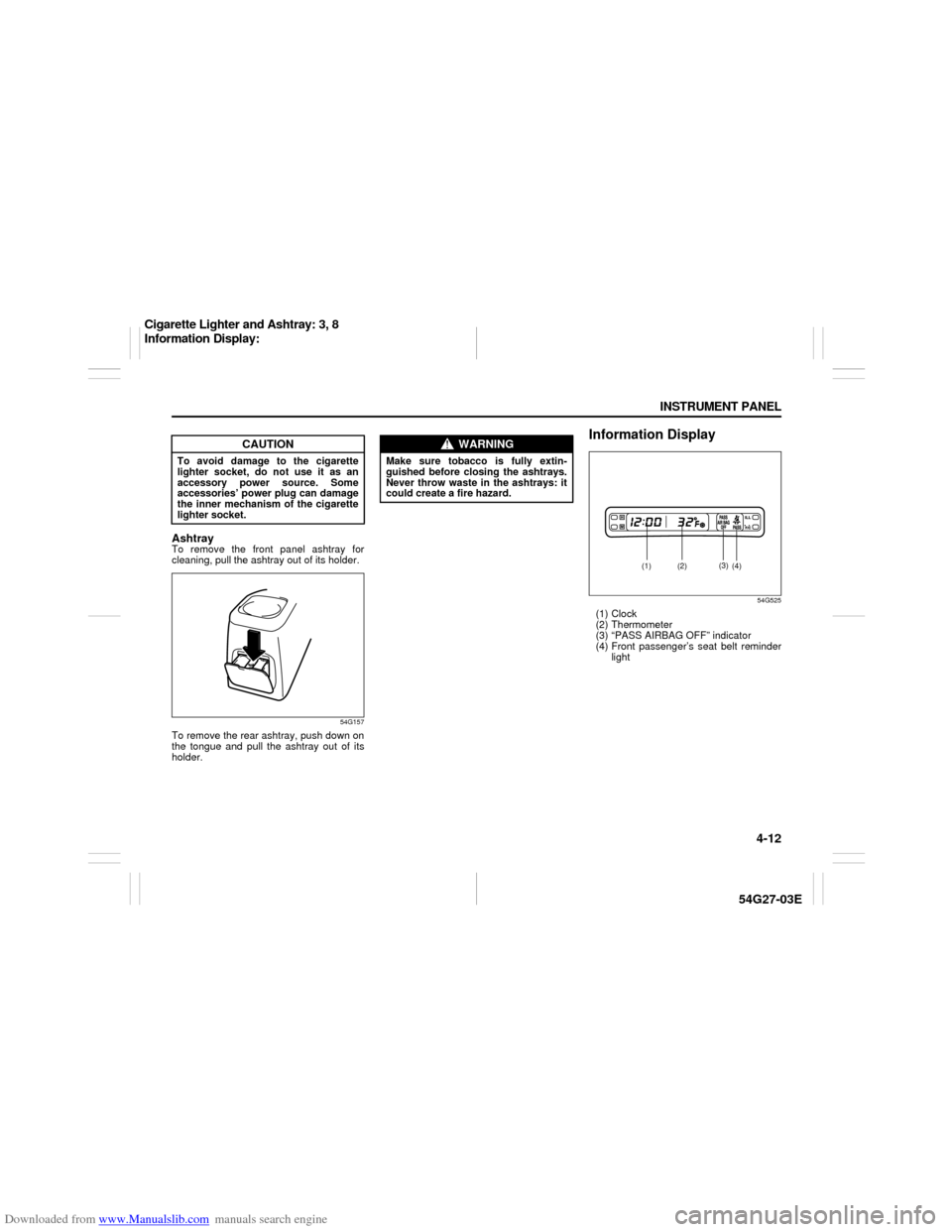
AshtrayTo remove the front panel ashtray for
cleaning, pull the ashtray out of its holder.
54G157
To remove the rear ashtray, push down on
the tongue and pull the ashtray out of its
holder.
Information Display
54G525
(1) Clock
(2) Thermometer
(3) “PASS AIRBAG OFF” indicator
(4) Front passenger’s seat belt reminder
light
CAUTION
To avoid damage to the cigarette
lighter socket, do not use it as an
accessory power source. Some
accessories’ power plug can damage
the inner mechanism of the cigarette
lighter socket.
WARNING
Make sure tobacco is fully extin-
guished before closing the ashtrays.
Never throw waste in the ashtrays: it
could create a fire hazard.
(1)
(2)
(3)
(4)
Cigarette Lighter and Ashtray: 3, 8
Information Display:
Page 78 of 232
Downloaded from www.Manualslib.com manuals search engine 4-13 INSTRUMENT PANEL
54G27-03E
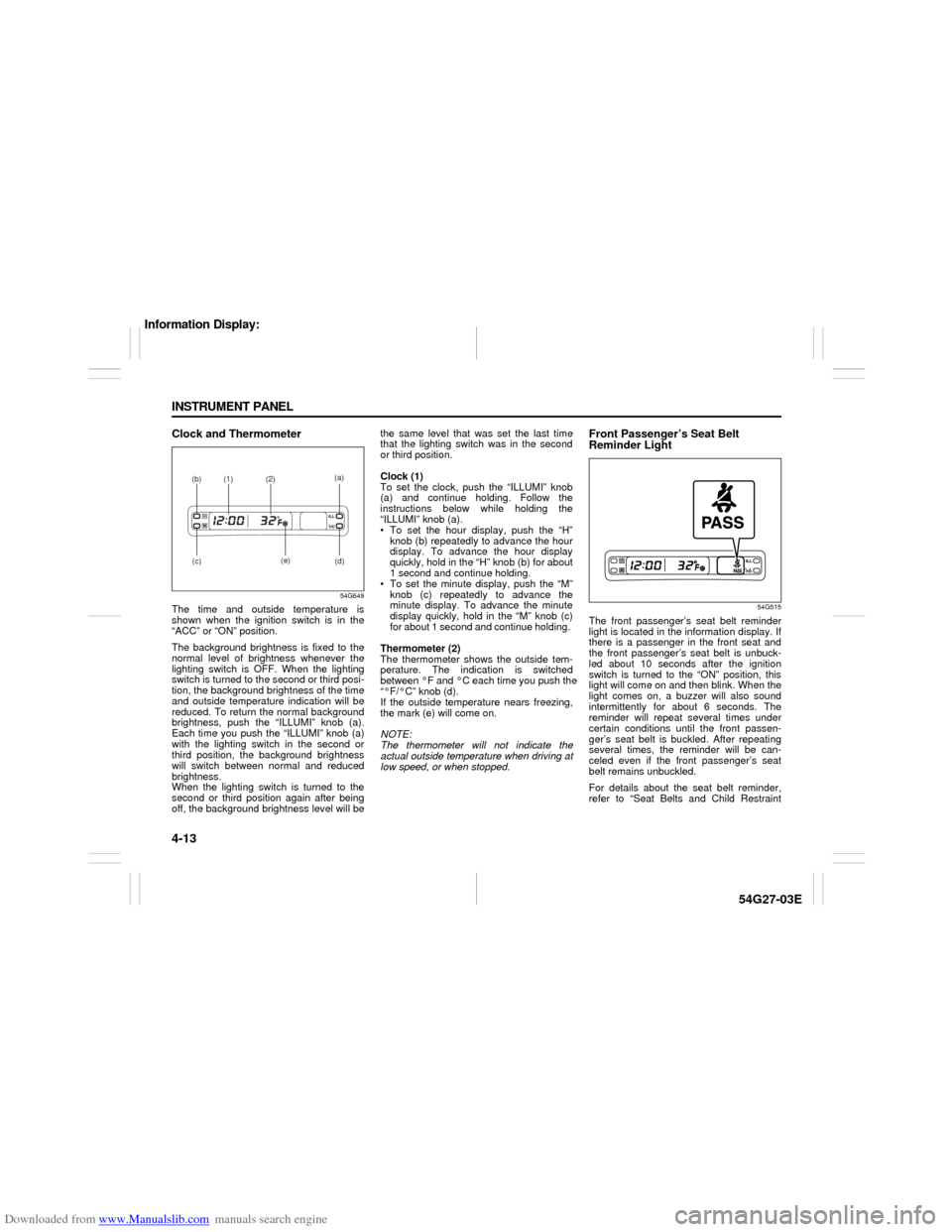
Clock and Thermometer
54G649
The time and outside temperature is
shown when the ignition switch is in the
“ACC” or “ON” position.
The background brightness is fixed to the
normal level of brightness whenever the
lighting switch is OFF. When the lighting
switch is turned to the second or third posi-
tion, the background brightness of the time
and outside temperature indication will be
reduced. To return the normal background
brightness, push the “ILLUMI” knob (a).
Each time you push the “ILLUMI” knob (a)
with the lighting switch in the second or
third position, the background brightness
will switch between normal and reduced
brightness.
When the lighting switch is turned to the
second or third position again after being
off, the background brightness level will bethe same level that was set the last time
that the lighting switch was in the second
or third position.
Clock (1)
To set the clock, push the “ILLUMI” knob
(a) and continue holding. Follow the
instructions below while holding the
“ILLUMI” knob (a).
To set the hour display, push the “H”
knob (b) repeatedly to advance the hour
display. To advance the hour display
quickly, hold in the “H” knob (b) for about
1 second and continue holding.
To set the minute display, push the “M”
knob (c) repeatedly to advance the
minute display. To advance the minute
display quickly, hold in the “M” knob (c)
for about 1 second and continue holding.
Thermometer (2)
The thermometer shows the outside tem-
perature. The indication is switched
between °F and °C each time you push the
“°F/°C” knob (d).
If the outside temperature nears freezing,
the mark (e) will come on.
NOTE:
The thermometer will not indicate the
actual outside temperature when driving at
low speed, or when stopped.
Front Passenger’s Seat Belt
Reminder Light
54G515
The front passenger’s seat belt reminder
light is located in the information display. If
there is a passenger in the front seat and
the front passenger’s seat belt is unbuck-
led about 10 seconds after the ignition
switch is turned to the “ON” position, this
light will come on and then blink. When the
light comes on, a buzzer will also sound
intermittently for about 6 seconds. The
reminder will repeat several times under
certain conditions until the front passen-
ger’s seat belt is buckled. After repeating
several times, the reminder will be can-
celed even if the front passenger’s seat
belt remains unbuckled.
For details about the seat belt reminder,
refer to “Seat Belts and Child Restraint
(a)
(b)
(1)
(2)
(c)
(d) (e)
Information Display:
Page 94 of 232
Downloaded from www.Manualslib.com manuals search engine 4-29 INSTRUMENT PANEL
54G27-03E
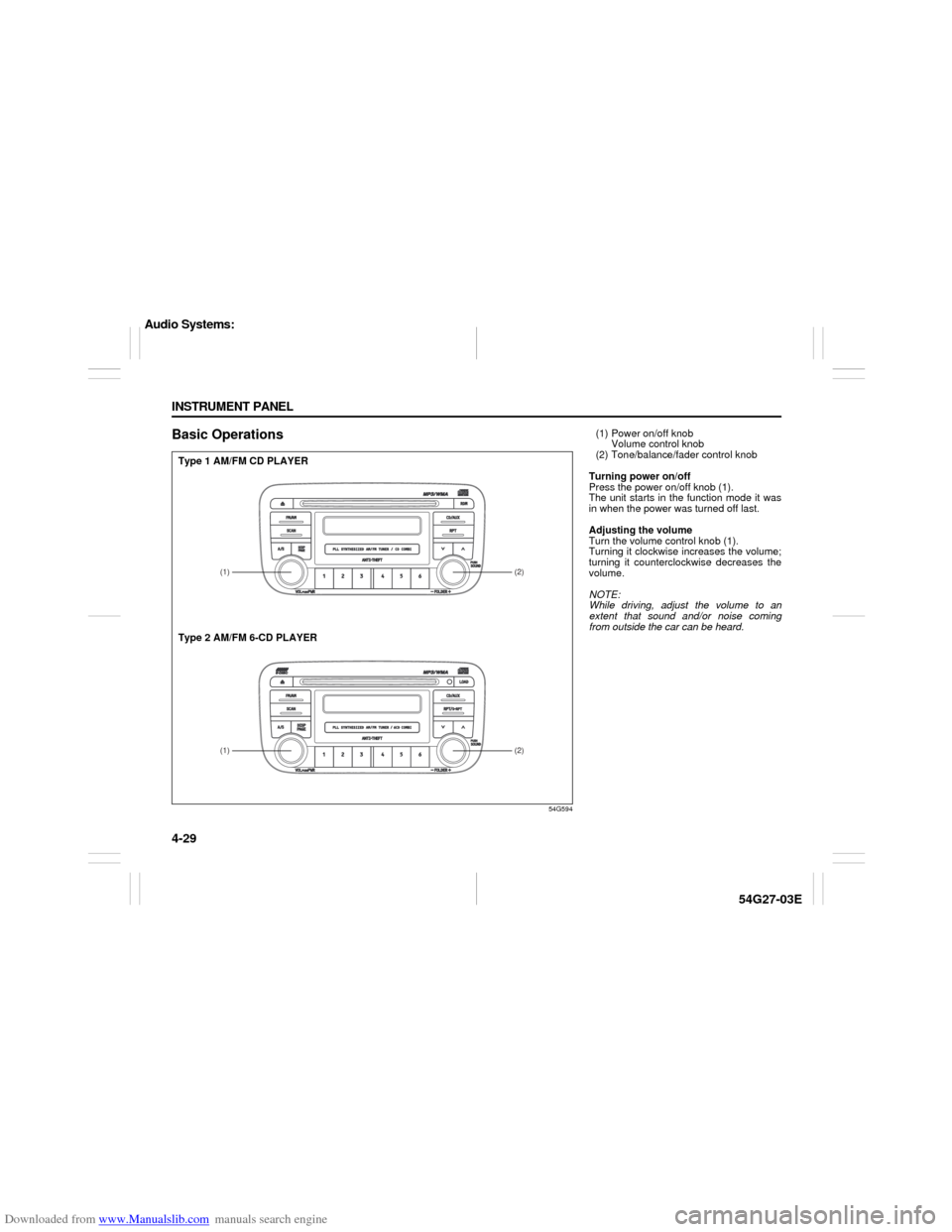
Basic Operations
54G594
(1)
(2)(2)
(1)
Type 1 AM/FM CD PLAYER
Type 2 AM/FM 6-CD PLAYER
(1) Power on/off knob
Volume control knob
(2) Tone/balance/fader control knob
Turning power on/off
Press the power on/off knob (1).
The unit starts in the function mode it was
in when the power was turned off last.
Adjusting the volume
Turn the volume control knob (1).
Turning it clockwise increases the volume;
turning it counterclockwise decreases the
volume.
NOTE:
While driving, adjust the volume to an
extent that sound and/or noise coming
from outside the car can be heard.
Audio Systems:
Page 102 of 232

Downloaded from www.Manualslib.com manuals search engine 4-37 INSTRUMENT PANEL
54G27-03E
Loading a CD
Insert a CD in the CD insertion slot (1).
When a CD is loaded, play starts and the
disc indicator (A) lights.
Ejecting a CD
Press the CD eject button (2).
The backup eject function:
This function allows you to eject a CD with
the power turned off by pressing the CD
eject button (2).
Listening to a CD
When a CD is inserted, it is automatically
played back.
When a CD is already inside the unit,
press the CD button (3) to play back the
CD. When a CD is inside the unit, the disc
indicator (A) is lit on the display unit.
When a disc included CD-DA and MP3/
WMA files is loaded and played back,
pressing and holding the CD/AUX button
(3) for 2 seconds changes the file type
between CD-DA and MP3/WMA. If a file
type is not selected, CD-DA files are
played back first. After all CD-DA files are
played back, MP3/WMA files are automati-
cally played back.Selecting a track
Press the track up button (4) to listen to
the next track.
Press the track down button (5) twice to
listen to the previous track.
When the track down button (5) is
pressed once, the track being currently
played will return to the beginning.
Fast forwarding/Rewinding a track
Press the fast forward button (4) to
advance a track rapidly.
Press the rewind button (5) to rewind a
track.
Selecting a folder (while an MP3/WMA
file is played back)
Turning button (9) clockwise advances
to the next folder.
Turning button (9) counterclockwise
returns to the previous folder.
Repeat play
Press the repeat button (6).
The repeat indicator “RPT” (B) lights and a
track being currently played is played
repeatedly.
Press the repeat button (6) again to cancel
repeat play.
Repeat play in the current folder (while
an MP3/WMA file is played back)
Press and hold the repeat button (6) for 2
seconds.The repeat indicator “D-RPT” (B) lights,
and tracks in the current folder are played
back repeatedly.
Press the repeat button (6) again to cancel
repeat play in the current folder.
Random play
Press the random button (7).
The random indicator “RDM” (C) lights and
tracks on the disc are played randomly.
Press the random button (7) again to can-
cel random play.
While an MP3/WMA file is played back,
tracks in the current folder are played back
at random. (If CD-DA and MP3/WMA files
are loaded and played back, the playback
operation is performed in the same for-
mat.)
All-folder random play (while an MP3/
WMA file is played back)
Press and hold the random button (7) for 2
seconds.
The random indicator “D-RDM” (C) lights,
and tracks in all folders in the current disc
are played back at random.
Press the random button (7) again to can-
cel the all-folder random play.
CAUTION
If you forcefully try to push an ejected
CD inside the unit before auto reload-
ing, the disc surface might be
scratched.
Audio Systems:
Page 106 of 232

Downloaded from www.Manualslib.com manuals search engine 4-41 INSTRUMENT PANEL
54G27-03E
The back up eject mechanism:
This function allows you to eject the CD
loaded in the unit with the unit turned off
only by pressing the CD eject button (4).
Listening to a CD
1) When a CD is inserted, it is automati-
cally played back.
When a CD is already inside the unit,
press the CD button (5) to play back the
CD. When a CD is inside the unit, the
CD indicator (A) is lit on the display
unit.
2) If you want to play another CD, select it
with the disc select buttons (2).
Play starts from the point on the disc
that the unit played last (Last position
memory).
When a disc included CD-DA and MP3/
WMA files is loaded and played back,
pressing and holding the CD/AUX button
(5) for 2 seconds changes the file type
between CD-DA and MP3/WMA. If a file
type is not selected, CD-DA files are
played back first. After all CD-DA files are
played back, MP3/WMA files are automati-
cally played back.Selecting a track
Press the track up button (6) to listen to
the next track.
Press the track down button (7) twice to
listen to the previous track.
When the track down button (7) is
pressed once, the track being currently
played will return to the beginning.
Fast forwarding/Rewinding a track
Press the fast forward button (6) to
advance a track rapidly.
Press the rewind button (7) to rewind a
track.
Selecting a folder (while an MP3/WMA
file is played back)
Turning button (11) clockwise advances
to the next folder.
Turning button (11) counterclockwise
returns to the previous folder.
Repeat play
Press the repeat button (8).
The repeat indicator “RPT” (C) lights and a
track being currently played is played
repeatedly.
Press the repeat button (8) again to cancel
repeat play.
Disc repeat play (while a CD-DA file is
played back)
Press the disc repeat play button (8) for 2
seconds or longer.
The repeat indicator “D-RPT” (C) lights.When all the tracks on a disc being cur-
rently played finish playing, the beginning
of the disc is returned and play starts.
To cancel disc repeat play, press the disc
repeat play button (8) again.
Repeat play in the current folder (while
an MP3/WMA file is played back)
Press and hold the repeat button (8) for 2
seconds.
The repeat indicator “D-RPT” (C) lights,
and tracks in the current folder are played
back repeatedly.
Press the repeat button (8) again to cancel
repeat play in the current folder.
CAUTION
If you try to push an ejected CD
inside the unit forcibly before auto
reloading, the disc surface might be
scratched.
Audio Systems:
Page 118 of 232
Downloaded from www.Manualslib.com manuals search engine 5-3 OTHER CONTROLS AND EQUIPMENT
54G27-03E
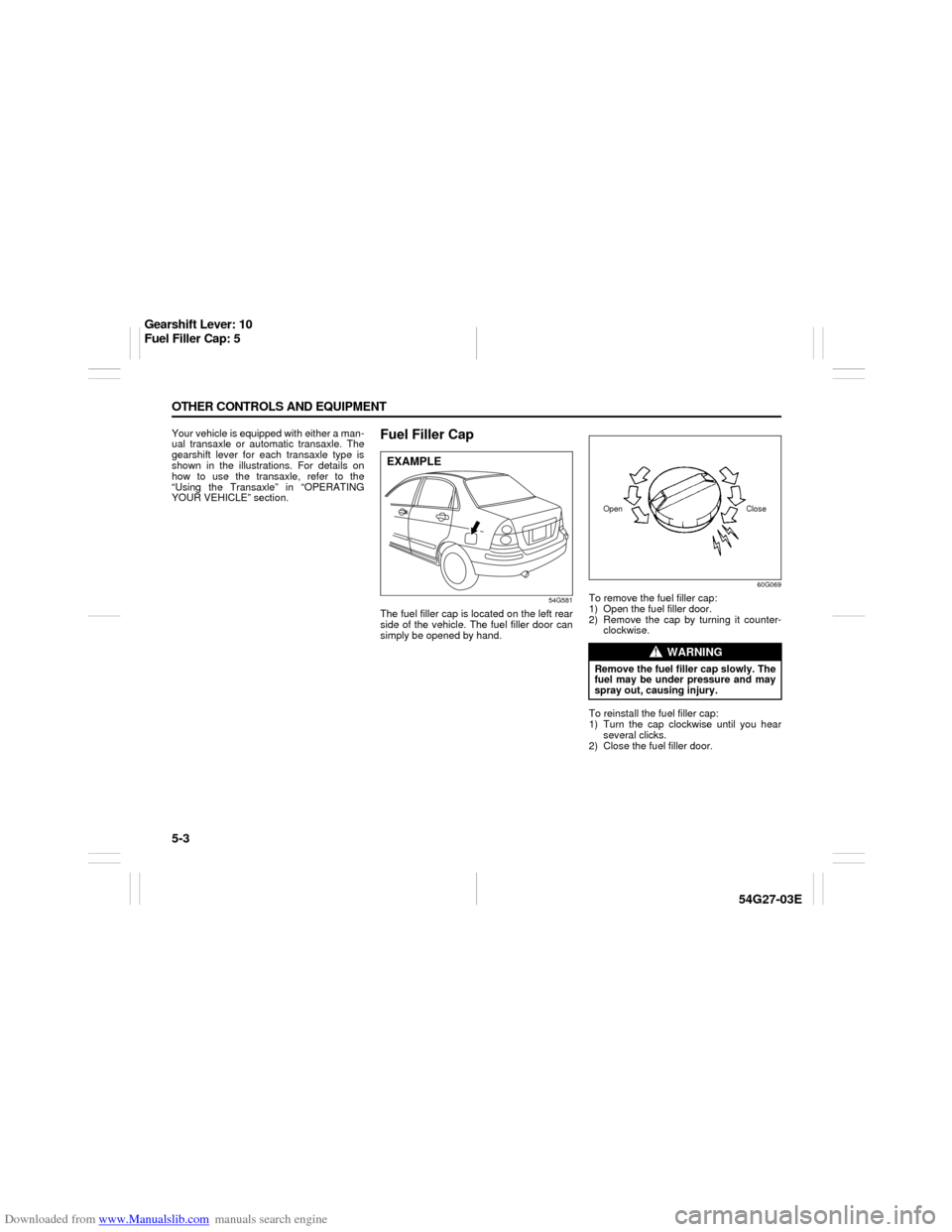
Your vehicle is equipped with either a man-
ual transaxle or automatic transaxle. The
gearshift lever for each transaxle type is
shown in the illustrations. For details on
how to use the transaxle, refer to the
“Using the Transaxle” in “OPERATING
YOUR VEHICLE” section.
Fuel Filler Cap
54G581
The fuel filler cap is located on the left rear
side of the vehicle. The fuel filler door can
simply be opened by hand.
60G069
To remove the fuel filler cap:
1) Open the fuel filler door.
2) Remove the cap by turning it counter-
clockwise.
To reinstall the fuel filler cap:
1) Turn the cap clockwise until you hear
several clicks.
2) Close the fuel filler door.
EXAMPLE
WARNING
Remove the fuel filler cap slowly. The
fuel may be under pressure and may
spray out, causing injury.Open Close
Gearshift Lever: 10
Fuel Filler Cap: 5