ECO mode SUZUKI GRAND VITARA 2015 Workshop Manual
[x] Cancel search | Manufacturer: SUZUKI, Model Year: 2015, Model line: GRAND VITARA, Model: SUZUKI GRAND VITARA 2015Pages: 482, PDF Size: 21 MB
Page 228 of 482
3-88
OPERATING YOUR VEHICLE
54P00-01E
TPMS setting
• You can check the current tire inflation
pressure on the information display.
• You can set one of the initial value of tire
pressure below that is indicated on the
tire information label.
– Comfort Mode
–Eco Mode
– Load ModeTo check the current tire inflation pres-
sure
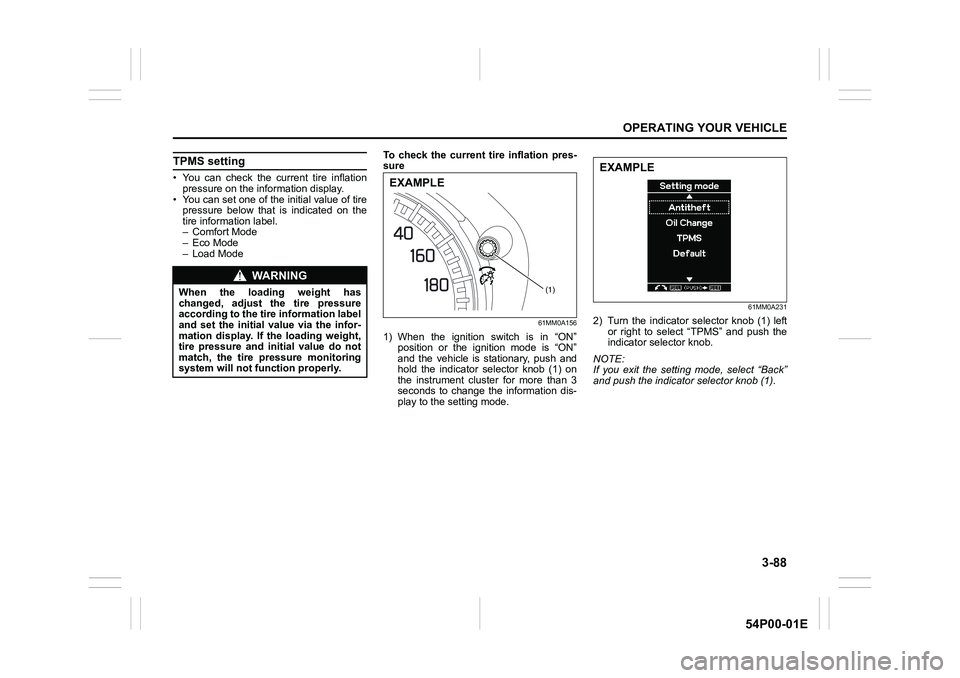
61MM0A156
1) When the ignition switch is in “ON”
position or the ignition mode is “ON”
and the vehicle is stationary, push and
hold the indicator selector knob (1) on
the instrument cluster for more than 3
seconds to change the information dis-
play to the setting mode.
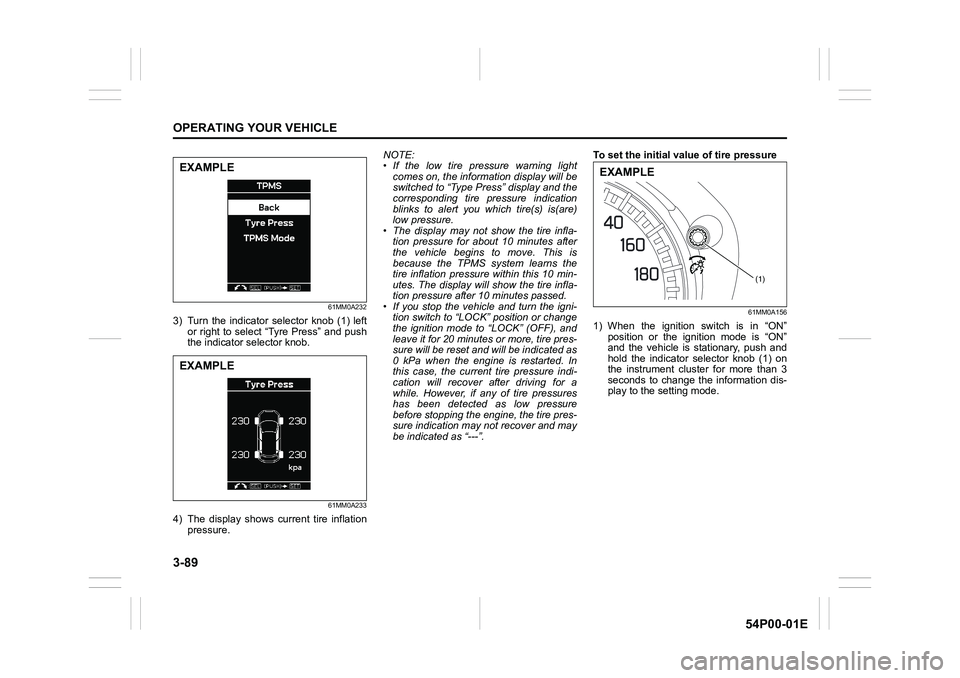
61MM0A231
2) Turn the indicator selector knob (1) left
or right to select “TPMS” and push the
indicator selector knob.
NOTE:
If you exit the setting mode, select “Back”
and push the indicator selector knob (1).
WA R N I N G
When the loading weight has
changed, adjust the tire pressure
according to the tire information label
and set the initial value via the infor-
mation display. If the loading weight,
tire pressure and initial value do not
match, the tire pressure monitoring
system will not function properly.(1)
EXAMPLE
EXAMPLE
Page 229 of 482
3-89
OPERATING YOUR VEHICLE
54P00-01E
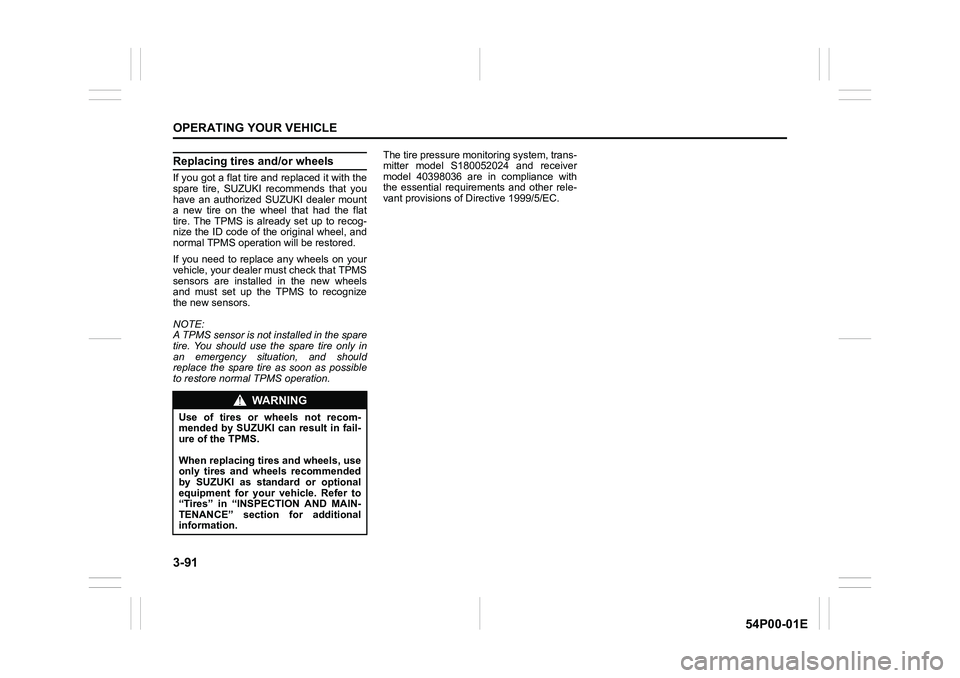
61MM0A232
3) Turn the indicator selector knob (1) left
or right to select “Tyre Press” and push
the indicator selector knob.
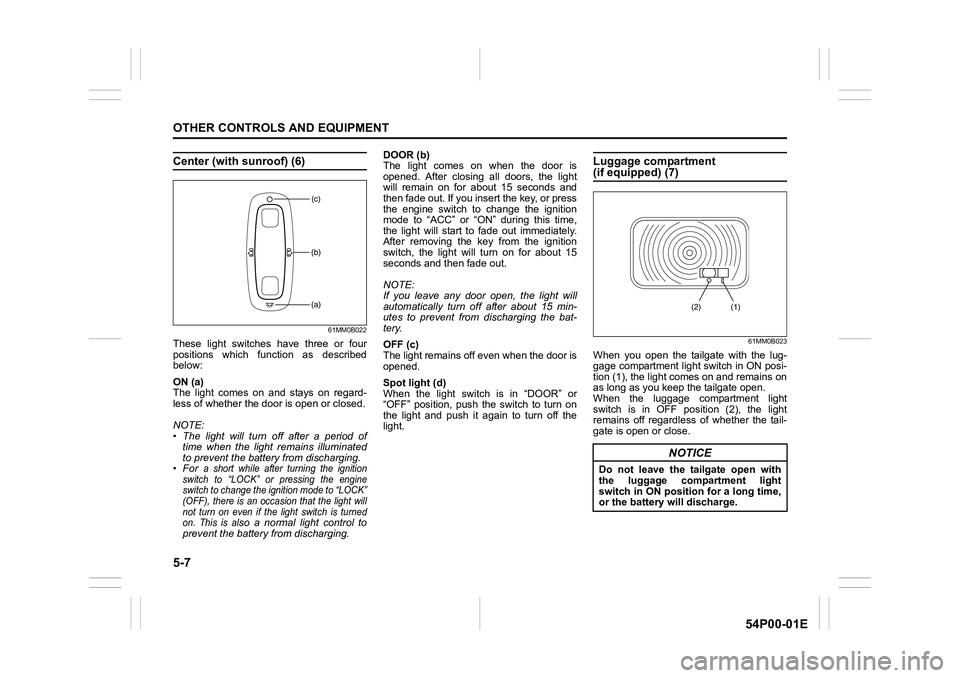
61MM0A233
4) The display shows current tire inflation
pressure.NOTE:
• If the low tire pressure warning light
comes on, the information display will be
switched to “Type Press” display and the
corresponding tire pressure indication
blinks to alert you which tire(s) is(are)
low pressure.
• The display may not show the tire infla-
tion pressure for about 10 minutes after
the vehicle begins to move. This is
because the TPMS system learns the
tire inflation pressure within this 10 min-
utes. The display will show the tire infla-
tion pressure after 10 minutes passed.
• If you stop the vehicle and turn the igni-
tion switch to “LOCK” position or change
the ignition mode to “LOCK” (OFF), and
leave it for 20 minutes or more, tire pres-
sure will be reset and will be indicated as
0 kPa when the engine is restarted. In
this case, the current tire pressure indi-
cation will recover after driving for a
while. However, if any of tire pressures
has been detected as low pressure
before stopping the engine, the tire pres-
sure indication may not recover and may
be indicated as “---”.To set the initial value of tire pressure
61MM0A156
1) When the ignition switch is in “ON”
position or the ignition mode is “ON”
and the vehicle is stationary, push and
hold the indicator selector knob (1) on
the instrument cluster for more than 3
seconds to change the information dis-
play to the setting mode.
EXAMPLE
EXAMPLE
(1)
EXAMPLE
Page 231 of 482
3-91
OPERATING YOUR VEHICLE
54P00-01E
Replacing tires and/or wheels
If you got a flat tire and replaced it with the
spare tire, SUZUKI recommends that you
have an authorized SUZUKI dealer mount
a new tire on the wheel that had the flat
tire. The TPMS is already set up to recog-
nize the ID code of the original wheel, and
normal TPMS operation will be restored.
If you need to replace any wheels on your
vehicle, your dealer must check that TPMS
sensors are installed in the new wheels
and must set up the TPMS to recognize
the new sensors.
NOTE:
A TPMS sensor is not installed in the spare
tire. You should use the spare tire only in
an emergency situation, and should
replace the spare tire as soon as possible
to restore normal TPMS operation.The tire pressure monitoring system, trans-
mitter model S180052024 and receiver
model 40398036 are in compliance with
the essential requirements and other rele-
vant provisions of Directive 1999/5/EC.
WA R N I N G
Use of tires or wheels not recom-
mended by SUZUKI can result in fail-
ure of the TPMS.
When replacing tires and wheels, use
only tires and wheels recommended
by SUZUKI as standard or optional
equipment for your vehicle. Refer to
“Tires” in “INSPECTION AND MAIN-
TENANCE” section for additional
information.
Page 249 of 482
5-7
OTHER CONTROLS AND EQUIPMENT
54P00-01E
Center (with sunroof) (6)
61MM0B022
These light switches have three or four
positions which function as described
below:
ON (a)
The light comes on and stays on regard-
less of whether the door is open or closed.
NOTE:
• The light will turn off after a period of
time when the light remains illuminated
to prevent the battery from discharging.
•For
a short while after turning the ignition
switch to “LOCK” or pressing the engine
switch to change the ignition mode to “LOCK”
(OFF), there is an occasion that the light will
not turn on even if the light switch is turned
on. This is al
so a normal light control to
prevent the battery from discharging.DOOR (b)
The light comes on when the door is
opened. After closing all doors, the light
will remain on for about 15 seconds and
then fade out. If you insert the key, or press
the engine switch to change the ignition
mode to “ACC” or “ON” during this time,
the light will start to fade out immediately.
After removing the key from the ignition
switch, the light will turn on for about 15
seconds and then fade out.
NOTE:
If you leave any door open, the light will
automatically turn off after about 15 min-
utes to prevent from discharging the bat-
tery.
OFF (c)
The light remains off even when the door is
opened.
Spot light (d)
When the light switch is in “DOOR” or
“OFF” position, push the switch to turn on
the light and push it again to turn off the
light.
Luggage compartment (if equipped) (7)
61MM0B023
When you open the tailgate with the lug-
gage compartment light switch in ON posi-
tion (1), the light comes on and remains on
as long as you keep the tailgate open.
When the luggage compartment light
switch is in OFF position (2), the light
remains off regardless of whether the tail-
gate is open or close.
(b)
(c)
(a)
NOTICE
Do not leave the tailgate open with
the luggage compartment light
switch in ON position for a long time,
or the battery will discharge.
(1) (2)
Page 268 of 482
5-26
OTHER CONTROLS AND EQUIPMENT
54P00-01E
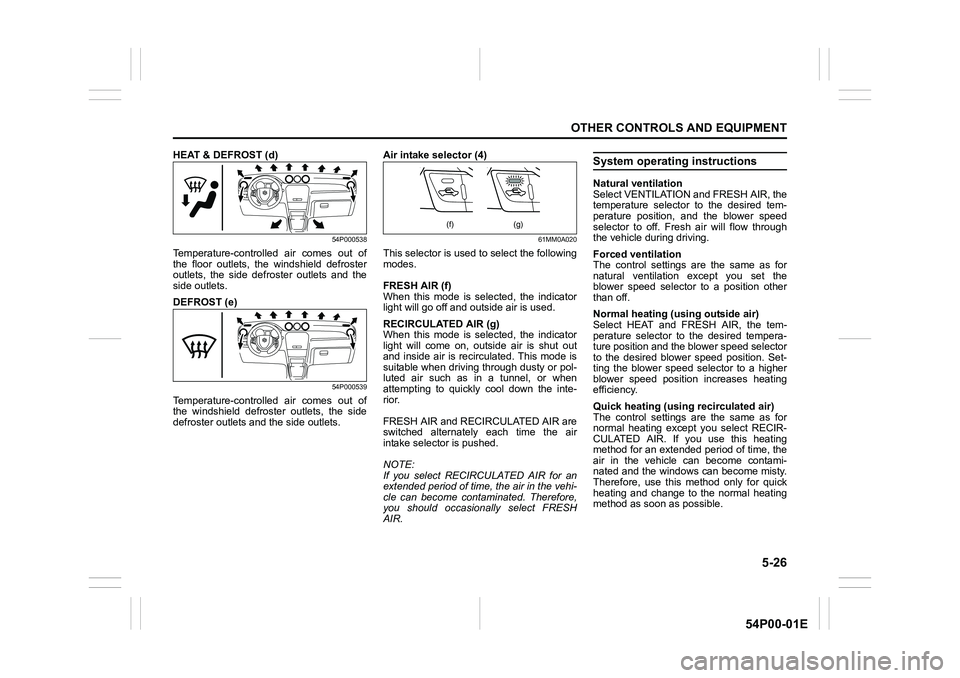
HEAT & DEFROST (d)
54P000538
Temperature-controlled air comes out of
the floor outlets, the windshield defroster
outlets, the side defroster outlets and the
side outlets.
DEFROST (e)
54P000539
Temperature-controlled air comes out of
the windshield defroster outlets, the side
defroster outlets and the side outlets.Air intake selector (4)
61MM0A020
This selector is used to select the following
modes.
FRESH AIR (f)
When this mode is selected, the indicator
light will go off and outside air is used.
RECIRCULATED AIR (g)
When this mode is selected, the indicator
light will come on, outside air is shut out
and inside air is recirculated. This mode is
suitable when driving through dusty or pol-
luted air such as in a tunnel, or when
attempting to quickly cool down the inte-
rior.
FRESH AIR and RECIRCULATED AIR are
switched alternately each time the air
intake selector is pushed.
NOTE:
If you select RECIRCULATED AIR for an
extended period of time, the air in the vehi-
cle can become contaminated. Therefore,
you should occasionally select FRESH
AIR.
System operating instructions
Natural ventilation
Select VENTILATION and FRESH AIR, the
temperature selector to the desired tem-
perature position, and the blower speed
selector to off. Fresh air will flow through
the vehicle during driving.
Forced ventilation
The control settings are the same as for
natural ventilation except you set the
blower speed selector to a position other
than off.
Normal heating (using outside air)
Select HEAT and FRESH AIR, the tem-
perature selector to the desired tempera-
ture position and the blower speed selector
to the desired blower speed position. Set-
ting the blower speed selector to a higher
blower speed position increases heating
efficiency.
Quick heating (using recirculated air)
The control settings are the same as for
normal heating except you select RECIR-
CULATED AIR. If you use this heating
method for an extended period of time, the
air in the vehicle can become contami-
nated and the windows can become misty.
Therefore, use this method only for quick
heating and change to the normal heating
method as soon as possible.
(f) (g)
Page 271 of 482
5-29
OTHER CONTROLS AND EQUIPMENT
54P00-01E
Air intake selector (4)
61MM0A020
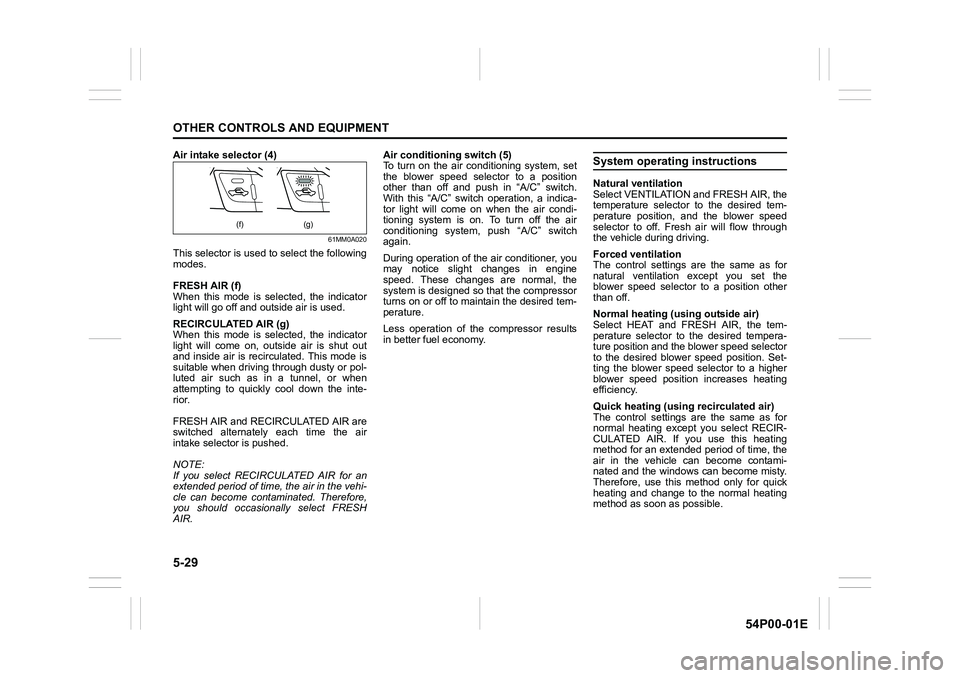
This selector is used to select the following
modes.
FRESH AIR (f)
When this mode is selected, the indicator
light will go off and outside air is used.
RECIRCULATED AIR (g)
When this mode is selected, the indicator
light will come on, outside air is shut out
and inside air is recirculated. This mode is
suitable when driving through dusty or pol-
luted air such as in a tunnel, or when
attempting to quickly cool down the inte-
rior.
FRESH AIR and RECIRCULATED AIR are
switched alternately each time the air
intake selector is pushed.
NOTE:
If you select RECIRCULATED AIR for an
extended period of time, the air in the vehi-
cle can become contaminated. Therefore,
you should occasionally select FRESH
AIR.Air conditioning switch (5)
To turn on the air conditioning system, set
the blower speed selector to a position
other than off and push in “A/C” switch.
With this “A/C” switch operation, a indica-
tor light will come on when the air condi-
tioning system is on. To turn off the air
conditioning system, push “A/C” switch
again.
During operation of the air conditioner, you
may notice slight changes in engine
speed. These changes are normal, the
system is designed so that the compressor
turns on or off to maintain the desired tem-
perature.
Less operation of the compressor results
in better fuel economy.
System operating instructions
Natural ventilation
Select VENTILATION and FRESH AIR, the
temperature selector to the desired tem-
perature position, and the blower speed
selector to off. Fresh air will flow through
the vehicle during driving.
Forced ventilation
The control settings are the same as for
natural ventilation except you set the
blower speed selector to a position other
than off.
Normal heating (using outside air)
Select HEAT and FRESH AIR, the tem-
perature selector to the desired tempera-
ture position and the blower speed selector
to the desired blower speed position. Set-
ting the blower speed selector to a higher
blower speed position increases heating
efficiency.
Quick heating (using recirculated air)
The control settings are the same as for
normal heating except you select RECIR-
CULATED AIR. If you use this heating
method for an extended period of time, the
air in the vehicle can become contami-
nated and the windows can become misty.
Therefore, use this method only for quick
heating and change to the normal heating
method as soon as possible.
(f) (g)
Page 276 of 482
5-34
OTHER CONTROLS AND EQUIPMENT
54P00-01E
FRESH AIR (b)
When this mode is selected, outside air is
introduced.
FRESH AIR and RECIRCULATED AIR are
selected alternately each time the air
intake selector is pushed.
NOTE:
If you select RECIRCULATED AIR for an
extended period of time, the air in the vehi-
cle can become contaminated. Therefore,
you should occasionally select FRESH
AIR.
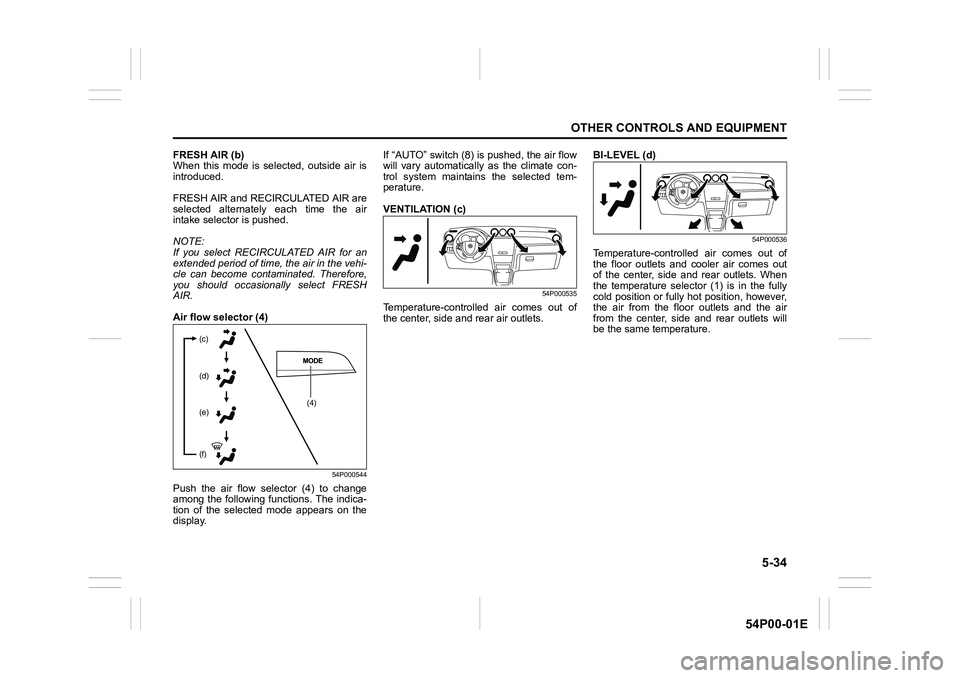
Air flow selector (4)
54P000544
Push the air flow selector (4) to change
among the following functions. The indica-
tion of the selected mode appears on the
display.If “AUTO” switch (8) is pushed, the air flow
will vary automatically as the climate con-
trol system maintains the selected tem-
perature.
VENTILATION (c)
54P000535
Temperature-controlled air comes out of
the center, side and rear air outlets.BI-LEVEL (d)
54P000536
Temperature-controlled air comes out of
the floor outlets and cooler air comes out
of the center, side and rear outlets. When
the temperature selector (1) is in the fully
cold position or fully hot position, however,
the air from the floor outlets and the air
from the center, side and rear outlets will
be the same temperature.
(4) (c)
(d)
(e)
(f)
Page 293 of 482
5-51
OTHER CONTROLS AND EQUIPMENT
54P00-01E
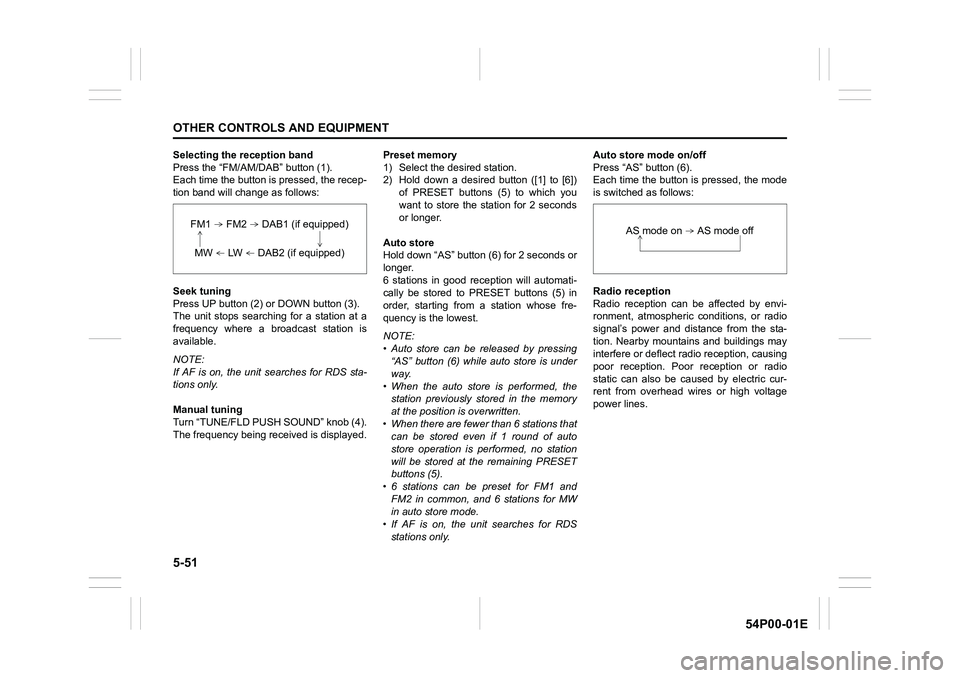
Selecting the reception band
Press the “FM/AM/DAB” button (1).
Each time the button is pressed, the recep-
tion band will change as follows:
Seek tuning
Press UP button (2) or DOWN button (3).
The unit stops searching for a station at a
frequency where a broadcast station is
available.
NOTE:
If AF is on, the unit searches for RDS sta-
tions only.
Manual tuning
Turn “TUNE/FLD PUSH SOUND” knob (4).
The frequency being received is displayed.Preset memory
1) Select the desired station.
2) Hold down a desired button ([1] to [6])
of PRESET buttons (5) to which you
want to store the station for 2 seconds
or longer.
Auto store
Hold down “AS” button (6) for 2 seconds or
longer.
6 stations in good reception will automati-
cally be stored to PRESET buttons (5) in
order, starting from a station whose fre-
quency is the lowest.
NOTE:
• Auto store can be released by pressing
“AS” button (6) while auto store is under
way.
• When the auto store is performed, the
station previously stored in the memory
at the position is overwritten.
• When there are fewer than 6 stations that
can be stored even if 1 round of auto
store operation is performed, no station
will be stored at the remaining PRESET
buttons (5).
• 6 stations can be preset for FM1 and
FM2 in common, and 6 stations for MW
in auto store mode.
• If AF is on, the unit searches for RDS
stations only.Auto store mode on/off
Press “AS” button (6).
Each time the button is pressed, the mode
is switched as follows:
Radio reception
Radio reception can be affected by envi-
ronment, atmospheric conditions, or radio
signal’s power and distance from the sta-
tion. Nearby mountains and buildings may
interfere or deflect radio reception, causing
poor reception. Poor reception or radio
static can also be caused by electric cur-
rent from overhead wires or high voltage
power lines.
FM1 FM2 DAB1 (if equipped)
MW LW DAB2 (if equipped)
AS mode on AS mode off
Page 295 of 482
5-53
OTHER CONTROLS AND EQUIPMENT
54P00-01E
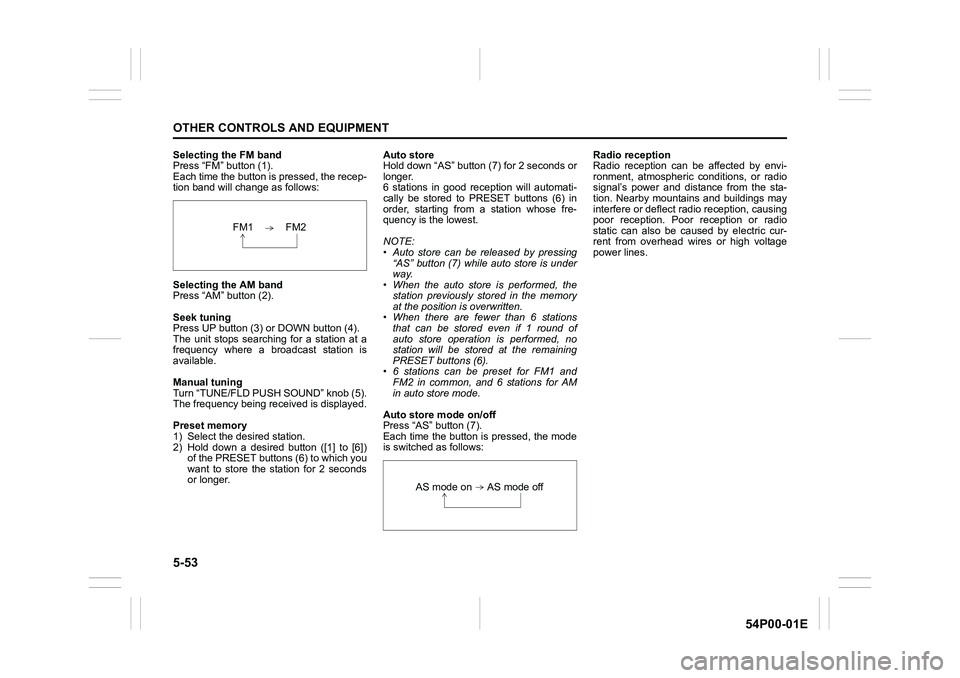
Selecting the FM band
Press “FM” button (1).
Each time the button is pressed, the recep-
tion band will change as follows:
Selecting the AM band
Press “AM” button (2).
Seek tuning
Press UP button (3) or DOWN button (4).
The unit stops searching for a station at a
frequency where a broadcast station is
available.
Manual tuning
Turn “TUNE/FLD PUSH SOUND” knob (5).
The frequency being received is displayed.
Preset memory
1) Select the desired station.
2) Hold down a desired button ([1] to [6])
of the PRESET buttons (6) to which you
want to store the station for 2 seconds
or longer.Auto store
Hold down “AS” button (7) for 2 seconds or
longer.
6 stations in good reception will automati-
cally be stored to PRESET buttons (6) in
order, starting from a station whose fre-
quency is the lowest.
NOTE:
• Auto store can be released by pressing
“AS” button (7) while auto store is under
way.
• When the auto store is performed, the
station previously stored in the memory
at the position is overwritten.
• When there are fewer than 6 stations
that can be stored even if 1 round of
auto store operation is performed, no
station will be stored at the remaining
PRESET buttons (6).
• 6 stations can be preset for FM1 and
FM2 in common, and 6 stations for AM
in auto store mode.
Auto store mode on/off
Press “AS” button (7).
Each time the button is pressed, the mode
is switched as follows:Radio reception
Radio reception can be affected by envi-
ronment, atmospheric conditions, or radio
signal’s power and distance from the sta-
tion. Nearby mountains and buildings may
interfere or deflect radio reception, causing
poor reception. Poor reception or radio
static can also be caused by electric cur-
rent from overhead wires or high voltage
power lines.
FM1 FM2
AS mode on AS mode off
Page 297 of 482
5-55
OTHER CONTROLS AND EQUIPMENT
54P00-01E
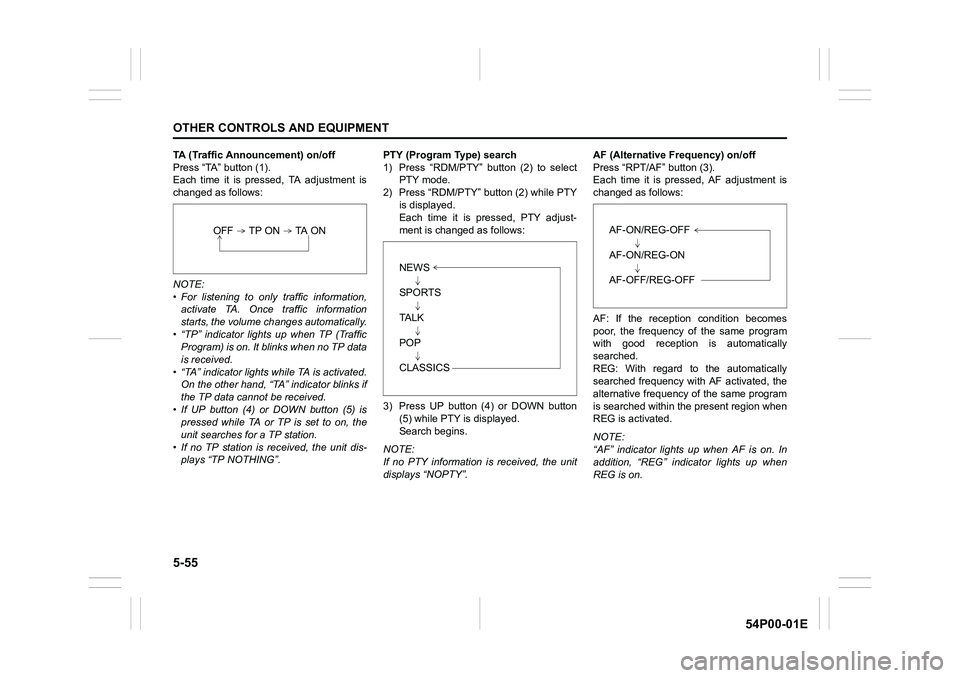
TA (Traffic Announcement) on/off
Press “TA” button (1).
Each time it is pressed, TA adjustment is
changed as follows:
NOTE:
• For listening to only traffic information,
activate TA. Once traffic information
starts, the volume changes automatically.
• “TP” indicator lights up when TP (Traffic
Program) is on. It blinks when no TP data
is received.
• “TA” indicator lights while TA is activated.
On the other hand, “TA” indicator blinks if
the TP data cannot be received.
• If UP button (4) or DOWN button (5) is
pressed while TA or TP is set to on, the
unit searches for a TP station.
• If no TP station is received, the unit dis-
plays “TP NOTHING”.PTY (Program Type) search
1) Press “RDM/PTY” button (2) to select
PTY mode.
2) Press “RDM/PTY” button (2) while PTY
is displayed.
Each time it is pressed, PTY adjust-
ment is changed as follows:
3) Press UP button (4) or DOWN button
(5) while PTY is displayed.
Search begins.
NOTE:
If no PTY information is received, the unit
displays “NOPTY”.AF (Alternative Frequency) on/off
Press “RPT/AF” button (3).
Each time it is pressed, AF adjustment is
changed as follows:
AF: If the reception condition becomes
poor, the frequency of the same program
with good reception is automatically
searched.
REG: With regard to the automatically
searched frequency with AF activated, the
alternative frequency of the same program
is searched within the present region when
REG is activated.
NOTE:
“AF” indicator lights up when AF is on. In
addition, “REG” indicator lights up when
REG is on.
OFF TP ON TA ON
NEWS
SPORTS
TA L K
POP
CLASSICS
AF-ON/REG-OFF
AF-ON/REG-ON
AF-OFF/REG-OFF