2d high SUZUKI GRAND VITARA 2016 User Guide
[x] Cancel search | Manufacturer: SUZUKI, Model Year: 2016, Model line: GRAND VITARA, Model: SUZUKI GRAND VITARA 2016Pages: 482, PDF Size: 21 MB
Page 48 of 482
2-26
BEFORE DRIVING
54P00-01E
Head restraints
Head restraints are designed to help
reduce the risk of neck injuries in the case
of an accident.
NOTE:
It may be necessary to fold forward the
seatback to provide enough overhead
clearance to remove the head restraint.
Adjust the head restraint to the position
which places the center of the head
restraint closest to the top of your ears. If
this is not possible for very tall passengers,
adjust the head restraint as high as possi-
ble.Rear
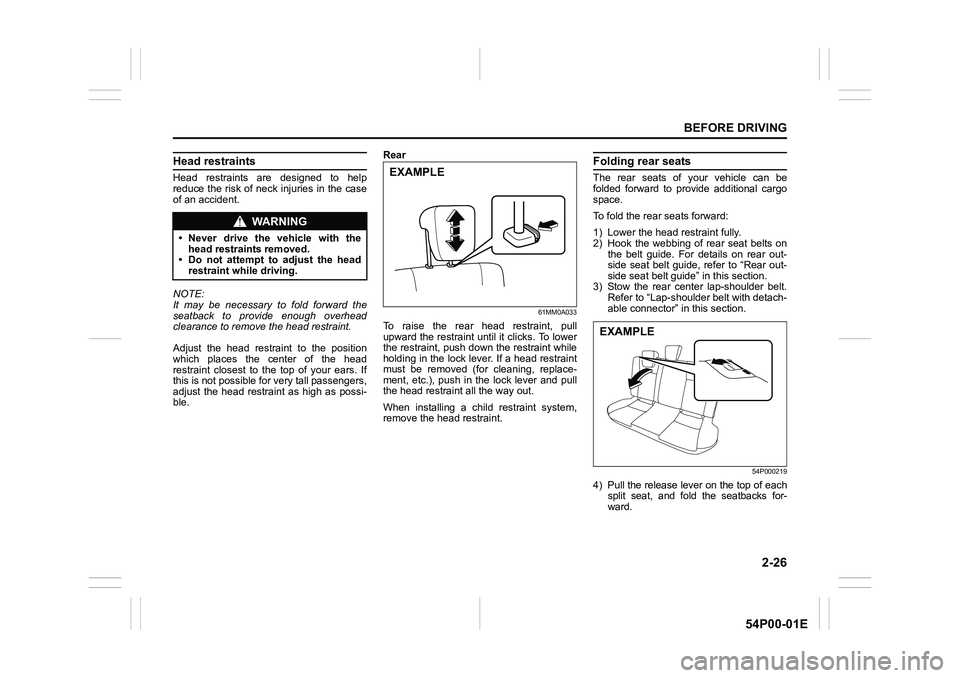
61MM0A033
To raise the rear head restraint, pull
upward the restraint until it clicks. To lower
the restraint, push down the restraint while
holding in the lock lever. If a head restraint
must be removed (for cleaning, replace-
ment, etc.), push in the lock lever and pull
the head restraint all the way out.
When installing a child restraint system,
remove the head restraint.
Folding rear seats
The rear seats of your vehicle can be
folded forward to provide additional cargo
space.
To fold the rear seats forward:
1) Lower the head restraint fully.
2) Hook the webbing of rear seat belts on
the belt guide. For details on rear out-
side seat belt guide, refer to “Rear out-
side seat belt guide” in this section.
3) Stow the rear center lap-shoulder belt.
Refer to “Lap-shoulder belt with detach-
able connector” in this section.
54P000219
4) Pull the release lever on the top of each
split seat, and fold the seatbacks for-
ward.
WA R N I N G
• Never drive the vehicle with the
head restraints removed.
• Do not attempt to adjust the head
restraint while driving.
EXAMPLE
EXAMPLE
Page 49 of 482
2-27
BEFORE DRIVING
54P00-01E
To return the seat to the normal position,
follow the procedure below.
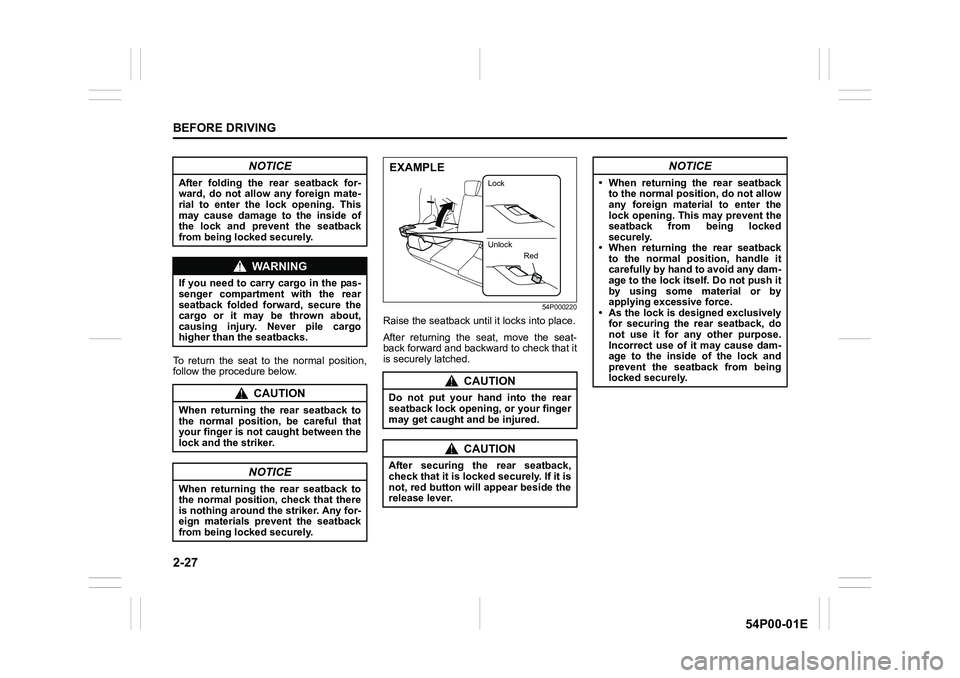
54P000220
Raise the seatback until it locks into place.
After returning the seat, move the seat-
back forward and backward to check that it
is securely latched.
NOTICE
After folding the rear seatback for-
ward, do not allow any foreign mate-
rial to enter the lock opening. This
may cause damage to the inside of
the lock and prevent the seatback
from being locked securely.
WA R N I N G
If you need to carry cargo in the pas-
senger compartment with the rear
seatback folded forward, secure the
cargo or it may be thrown about,
causing injury. Never pile cargo
higher than the seatbacks.
CAUTION
When returning the rear seatback to
the normal position, be careful that
your finger is not caught between the
lock and the striker.
NOTICE
When returning the rear seatback to
the normal position, check that there
is nothing around the striker. Any for-
eign materials prevent the seatback
from being locked securely.
CAUTION
Do not put your hand into the rear
seatback lock opening, or your finger
may get caught and be injured.
CAUTION
After securing the rear seatback,
check that it is locked securely. If it is
not, red button will appear beside the
release lever.
EXAMPLE
Lock
Unlock
Red
NOTICE
• When returning the rear seatback
to the normal position, do not allow
any foreign material to enter the
lock opening. This may prevent the
seatback from being locked
securely.
• When returning the rear seatback
to the normal position, handle it
carefully by hand to avoid any dam-
age to the lock itself. Do not push it
by using some material or by
applying excessive force.
• As the lock is designed exclusively
for securing the rear seatback, do
not use it for any other purpose.
Incorrect use of it may cause dam-
age to the inside of the lock and
prevent the seatback from being
locked securely.
Page 57 of 482
2-35
BEFORE DRIVING
54P00-01E
Driver’s seat belt reminder
If the driver’s seat belt remains unbuckled
when the ignition switch is turned to “ON”
position or the engine switch is pressed to
change the ignition mode to “ON”, the
reminder works as follows:
1) The driver’s seat belt reminder light will
come on. The front passenger’s seat
belt reminder light (if equipped) will also
come on if a front passenger does not
fasten his/her seat belt.
2) After the vehicle’s speed has reached
about 15 km/h, the driver’s seat belt
reminder light will blink and a buzzer
will sound for about 95 seconds.
3) The reminder light will remain on until
the driver’s seat belt is buckled.
If the driver has buckled his or her seat belt
and later unbuckles the seat belt, the
reminder system will be activated from
Step 1) or 2) according to the vehicle’s
speed. When the vehicle’s speed is less
than 15 km/h, the reminder will start from
Step 1). When the vehicle’s speed is more
than 15 km/h, the reminder will start from
Step 2).
The reminder will be automatically can-
celed when the driver’s seat belt is buckled
or the ignition switch is turned off, or the
engine switch is pressed to change the
ignition mode to “LOCK” (OFF).Front passenger’s seat belt reminder (if
equipped)
The front passenger’s seat belt reminder
will activate only when there is a passen-
ger sitting in the front seat. In some situa-
tions, however, such as when you place
heavy objects in the front seat, the seat
belt reminder can be activated as if a pas-
senger was present. The front passenger’s
seat belt reminder works in the same man-
ner as the driver’s seat belt reminder.
Rear passenger’s seat belt reminder (if
equipped)
If a rear seat belt is not fastened when the
engine is started, all the rear passenger’s
seat belt reminder lights will come on for
about 35 seconds and then go out. Within
this 35 seconds, the corresponding
reminder is highlighted. The reminder
fades when the seat belt is fastened.
The rear passenger’s seat belt reminder
lights will also come on for about 35 sec-
onds in the following conditions.
• If a seat belt is unfastened when the
vehicle speed is less than 15 km/h, the
corresponding light will be highlighted.
• If a seat belt is unfastened when the
vehicle speed is more than 15 km/h, the
corresponding light will be highlighted
and a buzzer will sound.The reminder will be automatically can-
celed when the rear seat belt is buckled or
the ignition switch is turned off, or the
engine switch is pressed to change the
ignition mode to “LOCK” (OFF).
Page 60 of 482
2-38
BEFORE DRIVING
54P00-01E
Child restraint
80JC016
Booster seat
80JC008
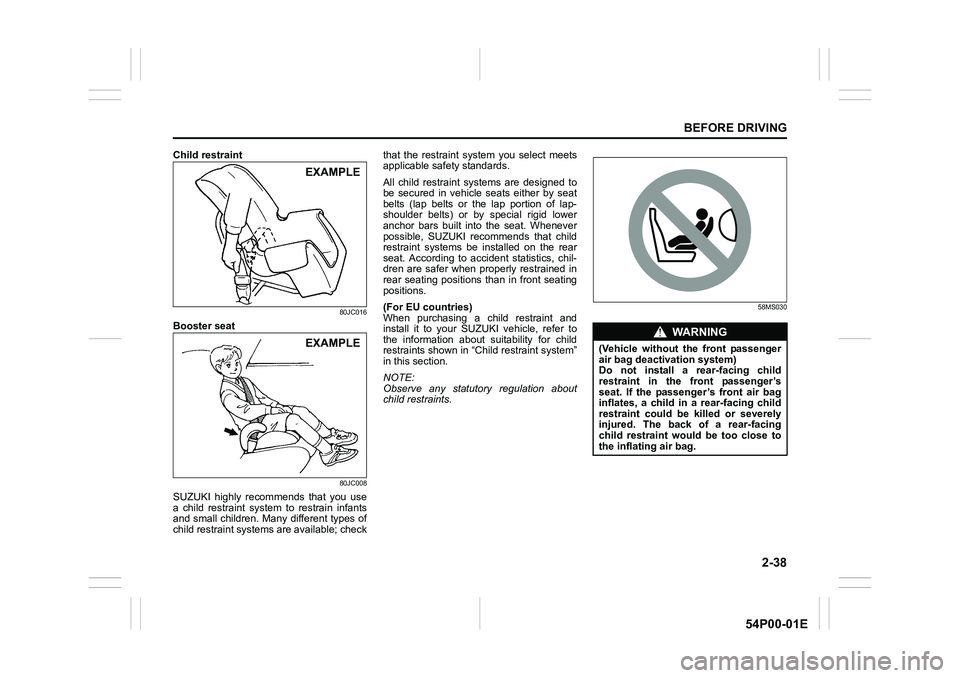
SUZUKI highly recommends that you use
a child restraint system to restrain infants
and small children. Many different types of
child restraint systems are available; checkthat the restraint system you select meets
applicable safety standards.
All child restraint systems are designed to
be secured in vehicle seats either by seat
belts (lap belts or the lap portion of lap-
shoulder belts) or by special rigid lower
anchor bars built into the seat. Whenever
possible, SUZUKI recommends that child
restraint systems be installed on the rear
seat. According to accident statistics, chil-
dren are safer when properly restrained in
rear seating positions than in front seating
positions.
(For EU countries)
When purchasing a child restraint and
install it to your SUZUKI vehicle, refer to
the information about suitability for child
restraints shown in “Child restraint system”
in this section.
NOTE:
Observe any statutory regulation about
child restraints.
58MS030
EXAMPLE
EXAMPLEWA R N I N G
(Vehicle without the front passenger
air bag deactivation system)
Do not install a rear-facing child
restraint in the front passenger’s
seat. If the passenger’s front air bag
inflates, a child in a rear-facing child
restraint could be killed or severely
injured. The back of a rear-facing
child restraint would be too close to
the inflating air bag.
Page 79 of 482
2-57
BEFORE DRIVING
54P00-01E
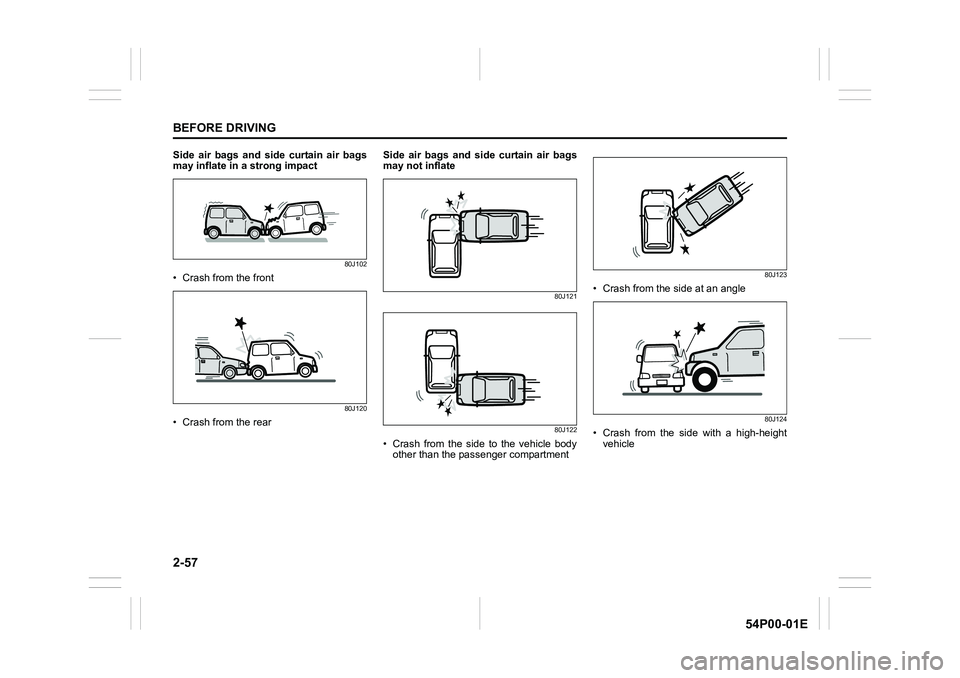
Side air bags and side curtain air bags
may inflate in a strong impact
80J102
• Crash from the front
80J120
• Crash from the rearSide air bags and side curtain air bags
may not inflate
80J121
80J122
• Crash from the side to the vehicle body
other than the passenger compartment
80J123
• Crash from the side at an angle
80J124
• Crash from the side with a high-height
vehicle
Page 87 of 482
2-65
BEFORE DRIVING
54P00-01E
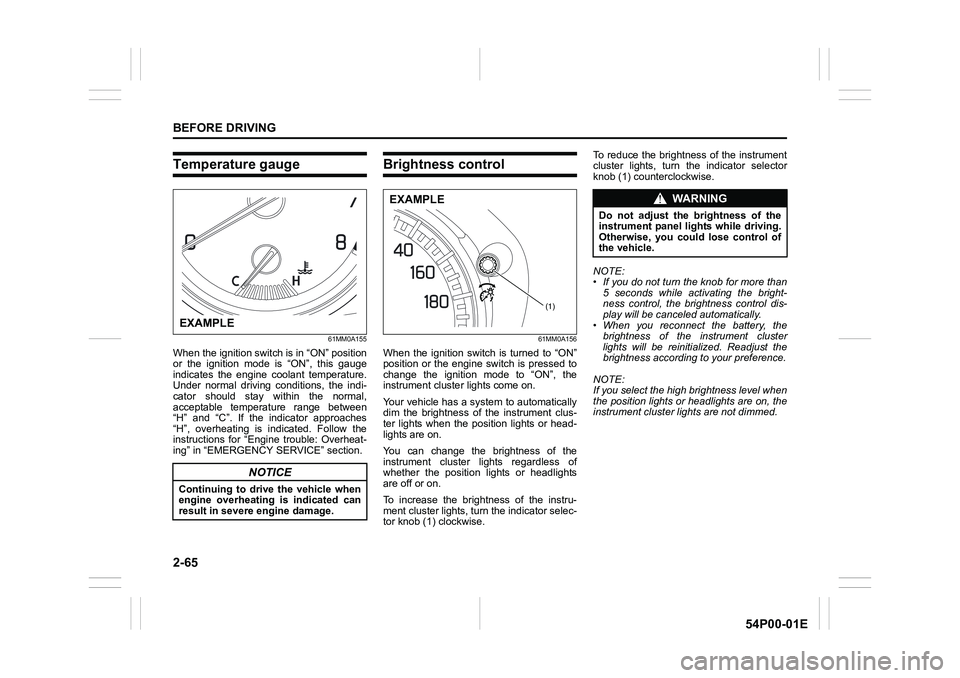
Temperature gauge
61MM0A155
When the ignition switch is in “ON” position
or the ignition mode is “ON”, this gauge
indicates the engine coolant temperature.
Under normal driving conditions, the indi-
cator should stay within the normal,
acceptable temperature range between
“H” and “C”. If the indicator approaches
“H”, overheating is indicated. Follow the
instructions for “Engine trouble: Overheat-
ing” in “EMERGENCY SERVICE” section.
Brightness control
61MM0A156
When the ignition switch is turned to “ON”
position or the engine switch is pressed to
change the ignition mode to “ON”, the
instrument cluster lights come on.
Your vehicle has a system to automatically
dim the brightness of the instrument clus-
ter lights when the position lights or head-
lights are on.
You can change the brightness of the
instrument cluster lights regardless of
whether the position lights or headlights
are off or on.
To increase the brightness of the instru-
ment cluster lights, turn the indicator selec-
tor knob (1) clockwise. To reduce the brightness of the instrument
cluster lights, turn the indicator selector
knob (1) counterclockwise.
NOTE:
• If you do not turn the knob for more than
5 seconds while activating the bright-
ness control, the brightness control dis-
play will be canceled automatically.
• When you reconnect the battery, the
brightness of the instrument cluster
lights will be reinitialized. Readjust the
brightness according to your preference.
NOTE:
If you select the high brightness level when
the position lights or headlights are on, the
instrument cluster lights are not dimmed.
NOTICE
Continuing to drive the vehicle when
engine overheating is indicated can
result in severe engine damage.
EXAMPLE
(1)
EXAMPLEWA R N I N G
Do not adjust the brightness of the
instrument panel lights while driving.
Otherwise, you could lose control of
the vehicle.
Page 91 of 482
2-69
BEFORE DRIVING
54P00-01E
Instantaneous fuel consumption
The display shows instantaneous fuel con-
sumption with a bar graph only when the
vehicle is moving.
NOTE:
• The display does not show the bar graph
unless the vehicle is moving.
• Depending on the vehicle’s specification,
the fuel consumption units of initial set-
ting are indicated as L/100km, km/L or
MPG.
• For L/100km or km/L setting, the indi-
cated maximum value of instantaneous
fuel consumption is 30. No more than 30
will be indicated on the display even if
the actual instantaneous fuel consump-
tion is higher.
• For MPG setting, the indicated maxi-
mum value of instantaneous fuel con-
sumption is 80. No more than 80 will be
indicated on the display even if the
actual instantaneous fuel consumption is
higher.
• The indication on the display may be
delayed if fuel consumption is greatly
affected by driving conditions.
• The display shows estimated values.
Indications may not be the same as
actual values.
Average fuel consumption
If you selected average fuel consumption
the last time you drove the vehicle, the dis-
play shows the last value of average fuel
consumption from previous driving whenthe ignition switch is turned to “ON” posi-
tion or the engine switch is pressed to
change the ignition mode to “ON”. Unless
you reset the value of average fuel con-
sumption, the display indicates the value of
average fuel consumption based on the
average fuel consumption during previous
driving.
NOTE:
When you reconnect the negative (–) ter-
minal to the battery, the value of average
fuel consumption will be shown after driv-
ing for a period of time.
You can select when the value of average
fuel consumption is reset from among the
following three methods;
• Reset after refuel: the value of average
fuel consumption will be reset automati-
cally by refueling.
• Reset with trip meter A: the value of
average fuel consumption will be reset
automatically by resetting trip meter A.
• Reset manually: the value of average
fuel consumption will be reset by push-
ing and holding the indicator selector
knob (2) when the display indicates the
average fuel consumption.
To change when the value of average fuel
consumption is reset, refer to “Setting
mode” in this section. NOTE:
If you add only a small amount of fuel
when you select “Reset after refuel”, the
average fuel consumption value may not
be reset.
Driving range
If you selected driving range the last time
you drove the vehicle, the display indicates
“---” for a few seconds and then indicates
the current driving range when the ignition
switch is turned to “ON” position or the
engine switch is pressed to change the
ignition mode to “ON”.
The driving range shown in the display is
the approximate distance you can drive
until the fuel gauge indicates “E”, based on
current driving conditions.
When the low fuel warning light comes on,
the display “---” will appear.
If the low fuel warning light comes on, fill
the fuel tank immediately regardless of the
value of driving range shown in the display.
As the driving range after refueling is cal-
culated based on the most recent driving
condition, the value is different each time
you refuel.
NOTE:
• If you refuel when the ignition switch is in
“ON” position or the ignition mode is
“ON”, the driving range may not indicate
the correct value.
Page 120 of 482
2-98
BEFORE DRIVING
54P00-01E
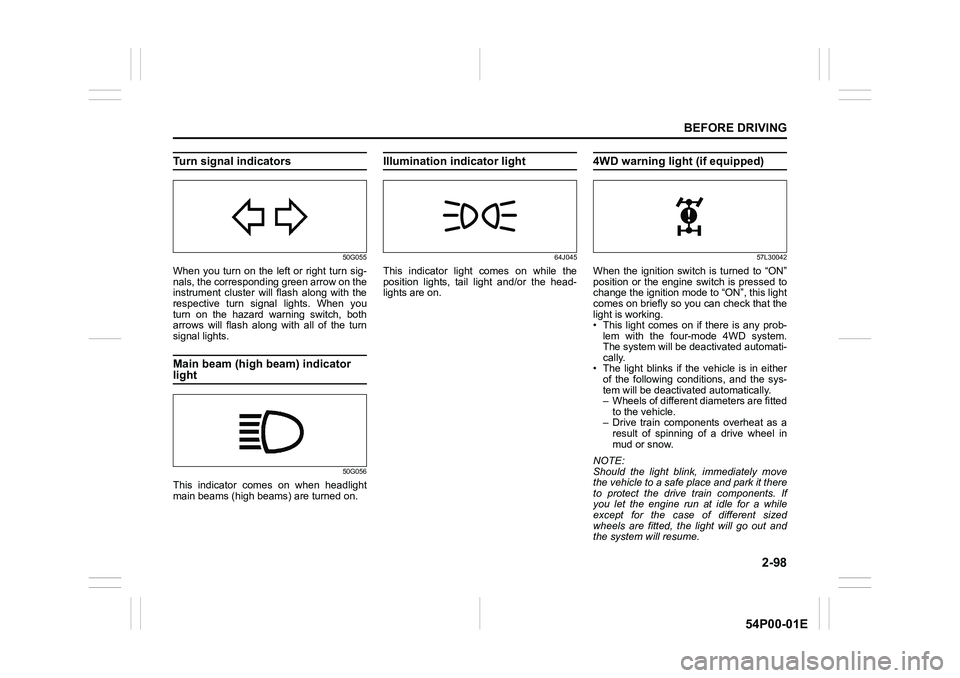
Turn signal indicators
50G055
When you turn on the left or right turn sig-
nals, the corresponding green arrow on the
instrument cluster will flash along with the
respective turn signal lights. When you
turn on the hazard warning switch, both
arrows will flash along with all of the turn
signal lights.
Main beam (high beam) indicator
light
50G056
This indicator comes on when headlight
main beams (high beams) are turned on.
Illumination indicator light
64J045
This indicator light comes on while the
position lights, tail light and/or the head-
lights are on.
4WD warning light (if equipped)
57L30042
When the ignition switch is turned to “ON”
position or the engine switch is pressed to
change the ignition mode to “ON”, this light
comes on briefly so you can check that the
light is working.
• This light comes on if there is any prob-
lem with the four-mode 4WD system.
The system will be deactivated automati-
cally.
• The light blinks if the vehicle is in either
of the following conditions, and the sys-
tem will be deactivated automatically.
– Wheels of different diameters are fitted
to the vehicle.
– Drive train components overheat as a
result of spinning of a drive wheel in
mud or snow.
NOTE:
Should the light blink, immediately move
the vehicle to a safe place and park it there
to protect the drive train components. If
you let the engine run at idle for a while
except for the case of different sized
wheels are fitted, the light will go out and
the system will resume.
Page 123 of 482
2-101
BEFORE DRIVING
54P00-01E
Diesel particulate filter (DPF®)
warning light (for diesel engine
model)
64J244
When the ignition switch is turned to “ON”
position or the engine switch is pressed to
change the ignition mode to “ON”, this light
comes on for several seconds so you can
check that the light is working. If the light
comes on when driving, the DPF
® is nearly
clogged. To turn off the warning light, the
vehicle must stay in motion until regenera-
tion has been completed.
The process normally takes about 25 min-
utes.
The optimum condition for ending the pro-
cess are achieved by keeping the vehicle
in motion at a speed of 50 km/h (31 mph)
or higher, or an engine speed higher than
2,000 rpm.
If you drive your vehicle until the light goes
out, the regeneration of the DPF
® will be
completed.
For details of the DPF
®, refer to “Diesel
particulate filter (DPF®) (For diesel enginemodel)” in “OPERATING YOUR VEHICLE”
section.
“ENG A-STOP” indicator light
(if equipped)
72M00032
When the ignition switch is turned to “ON”
position or the engine switch is pressed to
change the ignition mode to “ON”, this light
comes on briefly so you can check that the
light is working.
When the engine is stopped by “ENG A-
STOP” system, this light comes on.
For details, refer to “ENG A-STOP system
(engine auto stop start system) (if
equipped)” in “OPERATING YOUR VEHI-
CLE” section.
“ENG A-STOP OFF” light (if equipped)
72M00159
When the ignition switch is turned to “ON”
position or the engine switch is pressed to
change the ignition mode to “ON”, this light
comes on briefly so you can check that the
light is working.
When you push “ENG A-STOP OFF”
switch, this light comes on.
If this light blinks when driving, there may
be something wrong with “ENG A-STOP”
system. You should have the system
inspected by an authorized SUZUKI
dealer.
For details, refer to “ENG A-STOP system
(engine auto stop start system) (if
equipped)” in “OPERATING YOUR VEHI-
CLE” section.
NOTICE
Regenerate the DPF® when the DPF®
warning light comes on.
Failure to regenerate the DPF® will
cause the vehicle malfunction due to
the clogged filter.
Page 125 of 482
2-103
BEFORE DRIVING
54P00-01E
61MM0A073
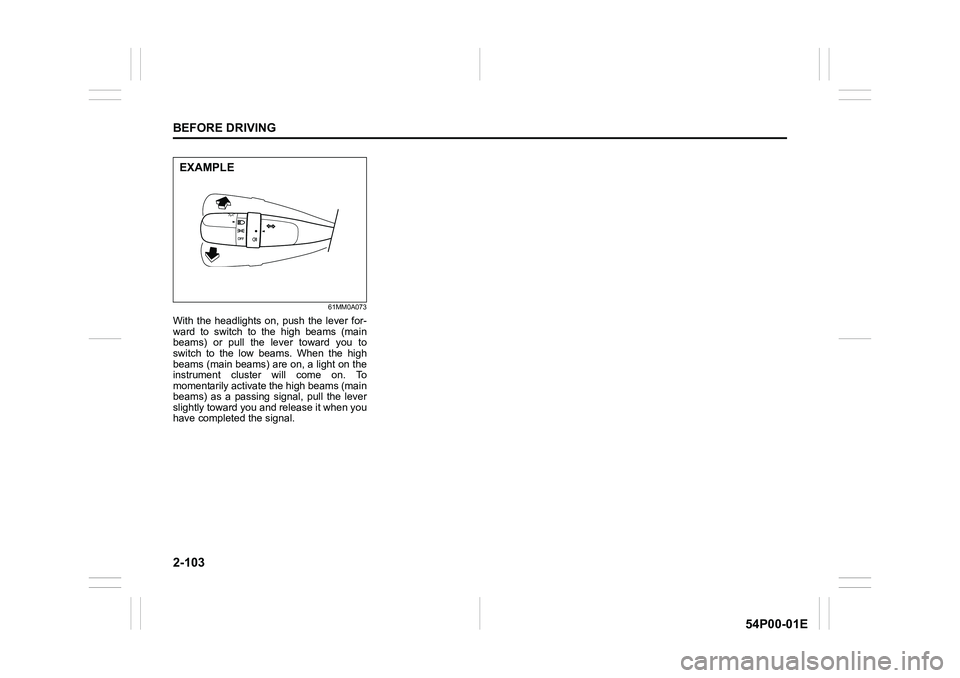
With the headlights on, push the lever for-
ward to switch to the high beams (main
beams) or pull the lever toward you to
switch to the low beams. When the high
beams (main beams) are on, a light on the
instrument cluster will come on. To
momentarily activate the high beams (main
beams) as a passing signal, pull the lever
slightly toward you and release it when you
have completed the signal.
EXAMPLE