change time SUZUKI GRAND VITARA 2016 User Guide
[x] Cancel search | Manufacturer: SUZUKI, Model Year: 2016, Model line: GRAND VITARA, Model: SUZUKI GRAND VITARA 2016Pages: 482, PDF Size: 21 MB
Page 117 of 482
2-95
BEFORE DRIVING
54P00-01E
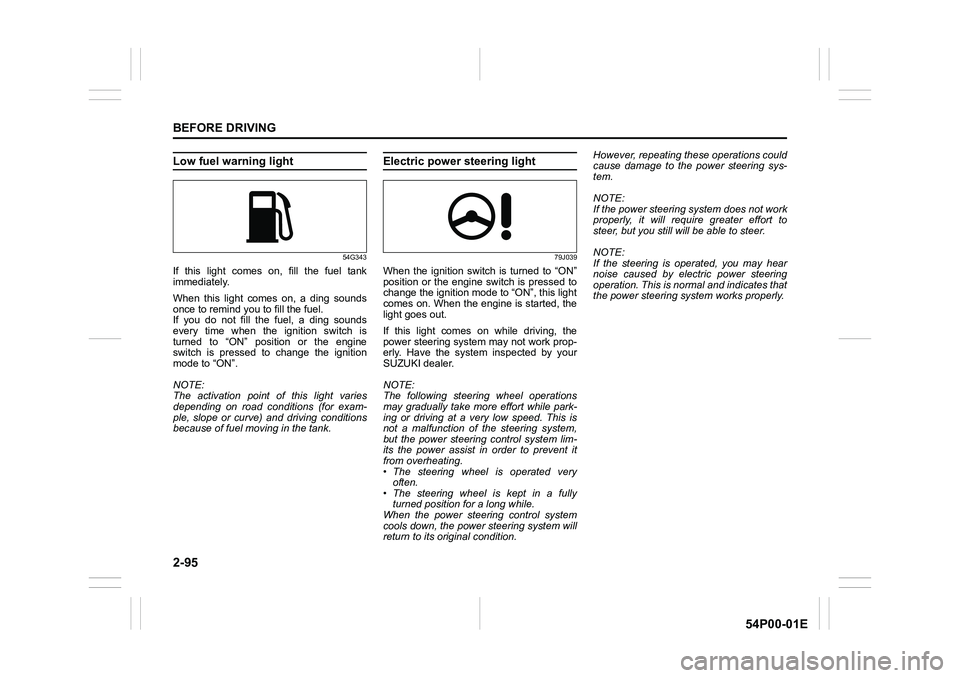
Low fuel warning light
54G343
If this light comes on, fill the fuel tank
immediately.
When this light comes on, a ding sounds
once to remind you to fill the fuel.
If you do not fill the fuel, a ding sounds
every time when the ignition switch is
turned to “ON” position or the engine
switch is pressed to change the ignition
mode to “ON”.
NOTE:
The activation point of this light varies
depending on road conditions (for exam-
ple, slope or curve) and driving conditions
because of fuel moving in the tank.
Electric power steering light
79J039
When the ignition switch is turned to “ON”
position or the engine switch is pressed to
change the ignition mode to “ON”, this light
comes on. When the engine is started, the
light goes out.
If this light comes on while driving, the
power steering system may not work prop-
erly. Have the system inspected by your
SUZUKI dealer.
NOTE:
The following steering wheel operations
may gradually take more effort while park-
ing or driving at a very low speed. This is
not a malfunction of the steering system,
but the power steering control system lim-
its the power assist in order to prevent it
from overheating.
• The steering wheel is operated very
often.
• The steering wheel is kept in a fully
turned position for a long while.
When the power steering control system
cools down, the power steering system will
return to its original condition.However, repeating these operations could
cause damage to the power steering sys-
tem.
NOTE:
If the power steering system does not work
properly, it will require greater effort to
steer, but you still will be able to steer.
NOTE:
If the steering is operated, you may hear
noise caused by electric power steering
operation. This is normal and indicates that
the power steering system works properly.
Page 121 of 482
2-99
BEFORE DRIVING
54P00-01E
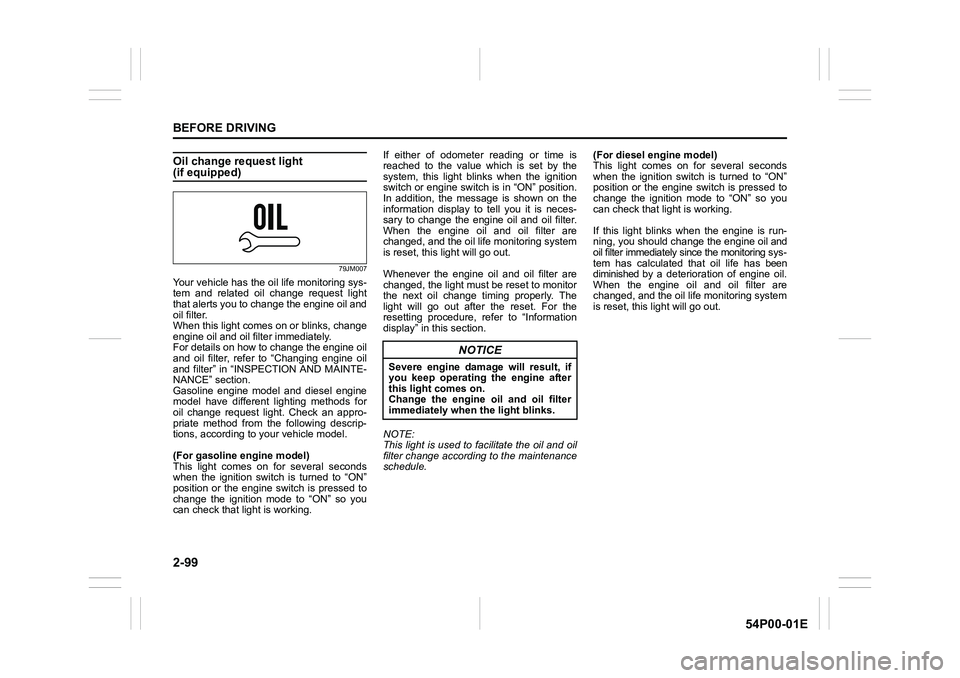
Oil change request light(if equipped)
79JM007
Your vehicle has the oil life monitoring sys-
tem and related oil change request light
that alerts you to change the engine oil and
oil filter.
When this light comes on or blinks, change
engine oil and oil filter immediately.
For details on how to change the engine oil
and oil filter, refer to “Changing engine oil
and filter” in “INSPECTION AND MAINTE-
NANCE” section.
Gasoline engine model and diesel engine
model have different lighting methods for
oil change request light. Check an appro-
priate method from the following descrip-
tions, according to your vehicle model.
(For gasoline engine model)
This light comes on for several seconds
when the ignition switch is turned to “ON”
position or the engine switch is pressed to
change the ignition mode to “ON” so you
can check that light is working.If either of odometer reading or time is
reached to the value which is set by the
system, this light blinks when the ignition
switch or engine switch is in “ON” position.
In addition, the message is shown on the
information display to tell you it is neces-
sary to change the engine oil and oil filter.
When the engine oil and oil filter are
changed, and the oil life monitoring system
is reset, this light will go out.
Whenever the engine oil and oil filter are
changed, the light must be reset to monitor
the next oil change timing properly. The
light will go out after the reset. For the
resetting procedure, refer to “Information
display” in this section.
NOTE:
This light is used to facilitate the oil and oil
filter change according to the maintenance
schedule.(For diesel engine model)
This light comes on for several seconds
when the ignition switch is turned to “ON”
position or the engine switch is pressed to
change the ignition mode to “ON” so you
can check that light is working.
If this light blinks when the engine is run-
ning, you should change the engine oil and
oil filter immediately since the monitoring sys-
tem has calculated that oil life has been
diminished by a deterioration of engine oil.
When the engine oil and oil filter are
changed, and the oil life monitoring system
is reset, this light will go out.
NOTICE
Severe engine damage will result, if
you keep operating the engine after
this light comes on.
Change the engine oil and oil filter
immediately when the light blinks.
Page 122 of 482
2-100
BEFORE DRIVING
54P00-01E
Whenever the engine oil and oil filter are
changed, the light must be reset to monitor
the next oil change timing properly. To
reset the light, consult your SUZUKI
dealer.
NOTE:
• Note that engine oil degrades faster
under the following conditions:
– Mainly urban use of the vehicle,
requiring more frequent regeneration
of the DPF
®;
– Use of the vehicle for short drives, in
which the engine does not have time
to reach its regular operating tem-
perature;
– Repeated interruptions to the regen-
eration process signaled by the DPF
®
warning light coming on.
• Since special procedures and tools are
required, ask your authorized SUZUKI
dealer to reset the oil life monitoring sys-
tem for diesel engine.
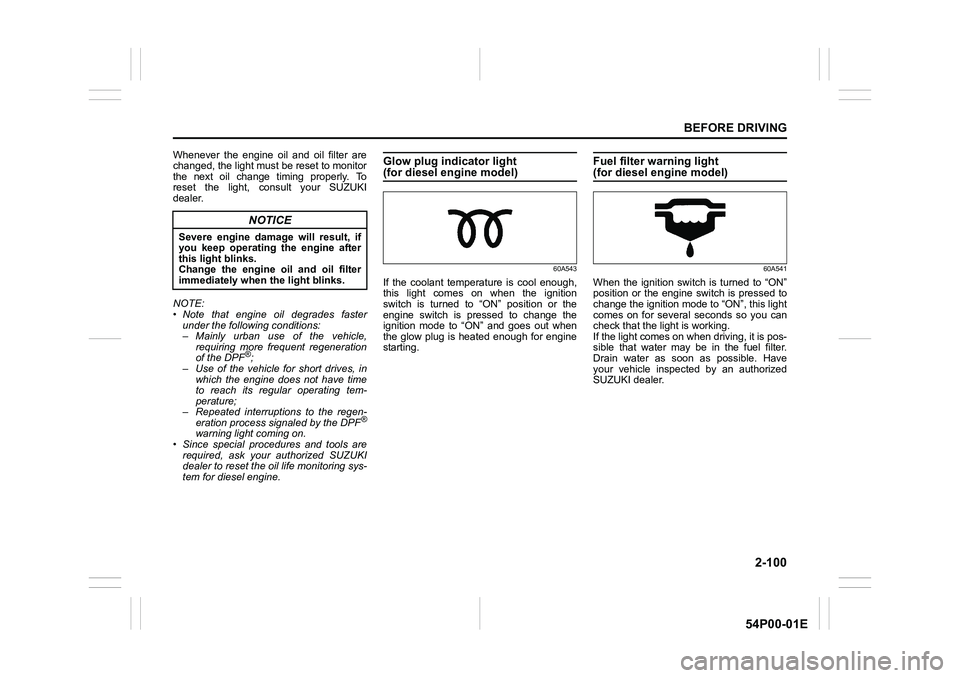
Glow plug indicator light (for diesel engine model)
60A543
If the coolant temperature is cool enough,
this light comes on when the ignition
switch is turned to “ON” position or the
engine switch is pressed to change the
ignition mode to “ON” and goes out when
the glow plug is heated enough for engine
starting.
Fuel filter warning light (for diesel engine model)
60A541
When the ignition switch is turned to “ON”
position or the engine switch is pressed to
change the ignition mode to “ON”, this light
comes on for several seconds so you can
check that the light is working.
If the light comes on when driving, it is pos-
sible that water may be in the fuel filter.
Drain water as soon as possible. Have
your vehicle inspected by an authorized
SUZUKI dealer.
NOTICE
Severe engine damage will result, if
you keep operating the engine after
this light blinks.
Change the engine oil and oil filter
immediately when the light blinks.
Page 127 of 482
2-105
BEFORE DRIVING
54P00-01E
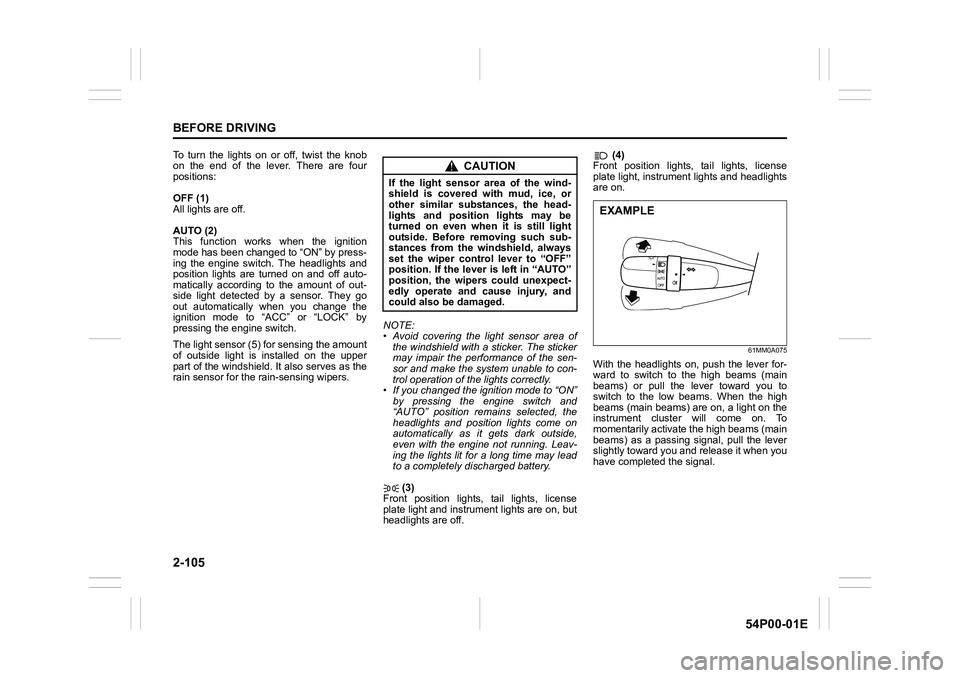
To turn the lights on or off, twist the knob
on the end of the lever. There are four
positions:
OFF (1)
All lights are off.
AUTO (2)
This function works when the ignition
mode has been changed to “ON” by press-
ing the engine switch. The headlights and
position lights are turned on and off auto-
matically according to the amount of out-
side light detected by a sensor. They go
out automatically when you change the
ignition mode to “ACC” or “LOCK” by
pressing the engine switch.
The light sensor (5) for sensing the amount
of outside light is installed on the upper
part of the windshield. It also serves as the
rain sensor for the rain-sensing wipers.NOTE:
• Avoid covering the light sensor area of
the windshield with a sticker. The sticker
may impair the performance of the sen-
sor and make the system unable to con-
trol operation of the lights correctly.
• If you changed the ignition mode to “ON”
by pressing the engine switch and
“AUTO” position remains selected, the
headlights and position lights come on
automatically as it gets dark outside,
even with the engine not running. Leav-
ing the lights lit for a long time may lead
to a completely discharged battery.
(3)
Front position lights, tail lights, license
plate light and instrument lights are on, but
headlights are off. (4)
Front position lights, tail lights, license
plate light, instrument lights and headlights
are on.
61MM0A075
With the headlights on, push the lever for-
ward to switch to the high beams (main
beams) or pull the lever toward you to
switch to the low beams. When the high
beams (main beams) are on, a light on the
instrument cluster will come on. To
momentarily activate the high beams (main
beams) as a passing signal, pull the lever
slightly toward you and release it when you
have completed the signal.
CAUTION
If the light sensor area of the wind-
shield is covered with mud, ice, or
other similar substances, the head-
lights and position lights may be
turned on even when it is still light
outside. Before removing such sub-
stances from the windshield, always
set the wiper control lever to “OFF”
position. If the lever is left in “AUTO”
position, the wipers could unexpect-
edly operate and cause injury, and
could also be damaged.
EXAMPLE
Page 131 of 482
2-109
BEFORE DRIVING
54P00-01E
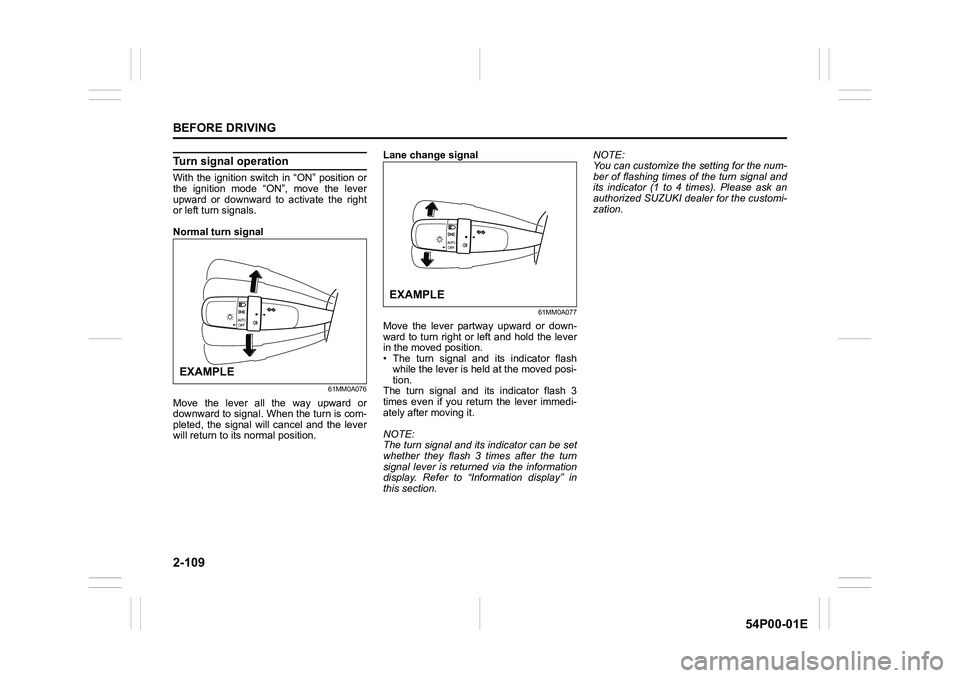
Turn signal operation
With the ignition switch in “ON” position or
the ignition mode “ON”, move the lever
upward or downward to activate the right
or left turn signals.
Normal turn signal
61MM0A076
Move the lever all the way upward or
downward to signal. When the turn is com-
pleted, the signal will cancel and the lever
will return to its normal position.Lane change signal
61MM0A077
Move the lever partway upward or down-
ward to turn right or left and hold the lever
in the moved position.
• The turn signal and its indicator flash
while the lever is held at the moved posi-
tion.
The turn signal and its indicator flash 3
times even if you return the lever immedi-
ately after moving it.
NOTE:
The turn signal and its indicator can be set
whether they flash 3 times after the turn
signal lever is returned via the information
display. Refer to “Information display” in
this section.NOTE:
You can customize the setting for the num-
ber of flashing times of the turn signal and
its indicator (1 to 4 times). Please ask an
authorized SUZUKI dealer for the customi-
zation.
EXAMPLE
EXAMPLE
Page 133 of 482
2-111
BEFORE DRIVING
54P00-01E
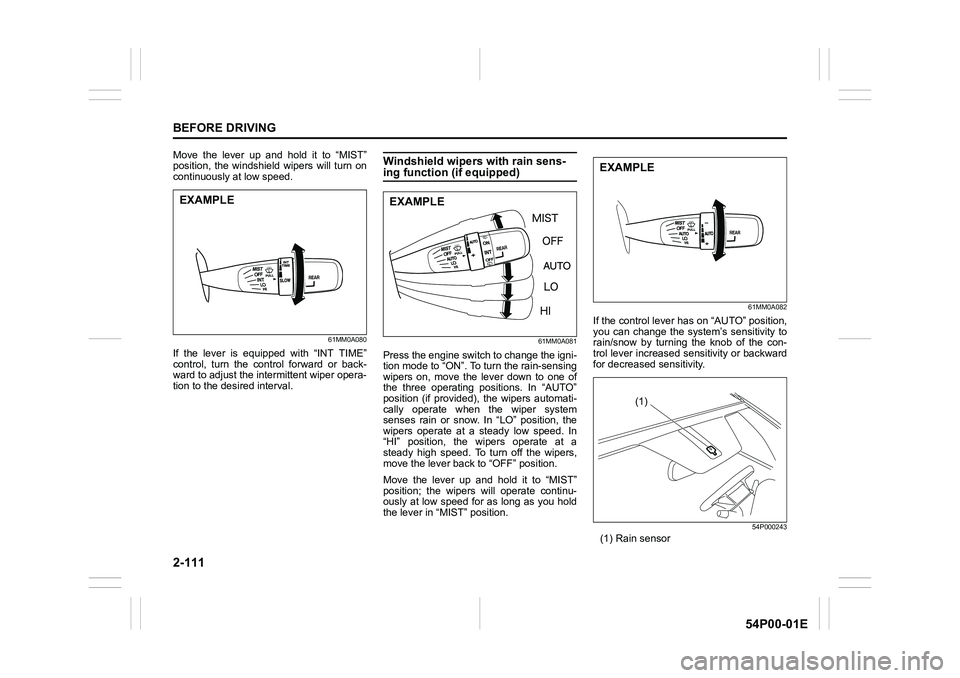
Move the lever up and hold it to “MIST”
position, the windshield wipers will turn on
continuously at low speed.
61MM0A080
If the lever is equipped with “INT TIME”
control, turn the control forward or back-
ward to adjust the intermittent wiper opera-
tion to the desired interval.
Windshield wipers with rain sens-ing function (if equipped)
61MM0A081
Press the engine switch to change the igni-
tion mode to “ON”. To turn the rain-sensing
wipers on, move the lever down to one of
the three operating positions. In “AUTO”
position (if provided), the wipers automati-
cally operate when the wiper system
senses rain or snow. In “LO” position, the
wipers operate at a steady low speed. In
“HI” position, the wipers operate at a
steady high speed. To turn off the wipers,
move the lever back to “OFF” position.
Move the lever up and hold it to “MIST”
position; the wipers will operate continu-
ously at low speed for as long as you hold
the lever in “MIST” position.
61MM0A082
If the control lever has on “AUTO” position,
you can change the system’s sensitivity to
rain/snow by turning the knob of the con-
trol lever increased sensitivity or backward
for decreased sensitivity.
54P000243
(1) Rain sensor
EXAMPLEEXAMPLE
EXAMPLE
(1)
Page 142 of 482
3-2
OPERATING YOUR VEHICLE
54P00-01E
NOTE:
It is normal for water to drip from the air
conditioning system after use.
4) Check that the hood is fully closed and
latched.
5) Check the headlights, turn signal lights,
brake lights and horn for proper opera-
tion.
6) Adjust the seat and head restraint.
7) Check the brake pedal and the parking
brake lever.
8) Adjust the mirrors.
9) Check that you and all passengers
have properly fastened your seat belts.
10)Check that all warning lights come on
as the ignition switch is turned to “ON”
position or the engine switch is pressed
to change the ignition mode to “ON”.
11)Check all gauges.
12)Check that the brake system warning
light turns off when the parking brake is
released.
Once a week, or each time you fill your fuel
tank, perform the following under-hood
checks:
1) Engine oil level
2) Coolant level
3) Brake fluid level
4) Battery solution level
5) Windshield washer fluid level
6) Hood latch operation
Pull the hood release handle inside the
vehicle. Check that you cannot openthe hood all the way without releasing
the secondary latch. Close the hood
securely after checking for proper latch
operation. See the item “All latches,
hinges and locks” of “Chassis, body
and others” in “Maintenance schedule”
in “INSPECTION AND MAINTE-
NANCE” section for lubrication sched-
ule.
Once a month, or each time you fill your
fuel tank, check the tire pressure using a
tire pressure gauge. Also check the tire
pressure of the spare tire.Engine oil consumption
It is normal for the engine to consume
some engine oil during normal vehicle
operation.
The amount of engine oil consumption
depends on viscosity and quality of the oil
and your driving conditions.
More oil is consumed during high-speed
driving and when there is frequent acceler-
ation and deceleration. Under high loads,
your engine also will consume more oil.
A new engine also consumes more oil,
since its pistons, piston rings and cylinder
walls have not yet become conditioned.
New engines reach the normal level of oil
consumption only after approximately
5000 km (3000 miles) driving.
Oil consumption:
Max. 1.0 L per 1000 km
(1 Qt. per 600 miles)
When judging the amount of oil consump-
tion, note that the oil may become diluted
and it is difficult to judge the accurate oil
level.
As an example, if a vehicle is used for
repeated short trips, and consumes a nor-
mal amount of oil, the dipstick may not
show any drop in the oil level at all, even
after 1000 km (600 miles) or more of driv-
ing. This is because the oil gradually
becomes diluted with fuel or moisture,
WA R N I N G
Check that the hood is fully closed
and latched before driving. If it is not,
it can fly up unexpectedly during
driving, obstructing your view and
resulting in an accident.
Page 146 of 482
3-6
OPERATING YOUR VEHICLE
54P00-01E
NOTE:
In the presence of strong radio signals or
noise, you may not be able to change the
ignition mode to “ACC” or “ON” or to start
the engine using the engine switch. In this
case, the information display in the instru-
ment cluster will show the following mes-
sage: KEY FOB NOT DETECTED.
Unreleased steering lock warning
If the steering lock remains engaged when
you press the engine switch to change the
ignition mode to “ON”, the information dis-
play in the instrument cluster shows the
message: “TRN. STEERING WHEEL TO
RELEASE LOCK”. Refer to “Information
display” in “BEFORE DRIVING” section for
details.
NOTE:
The steering lock may not be released if
some load is acting on the steering wheel.
If this happens, turn the steering wheel to
the right or left to relieve it from the load
before you press the engine switch again
to change to the desired ignition mode.
Keyless push start system
(if equipped)
Provided the keyless push start system
remote controller is within the interior work-
able area (refer to the related explanation
in this section), you can use the engine
switch for starting the engine and selecting
an ignition mode (“ACC” or “ON”). In addi-
tion, the following functions can be used:
• Keyless entry function. Refer to “Keyless
push start system remote controller /
keyless entry system transmitter” in
“BEFORE DRIVING” section for details.
• Locking and unlocking doors (including
the tailgate) using a request switch.
Refer to “Keyless push start system
remote controller / keyless entry system
transmitter” in “BEFORE DRIVING” sec-
tion for details.
• Immobilizer (anti-theft) function. Refer to
“Immobilizer system” in “BEFORE DRIV-
ING” section for details.
Engine switch illumination
The engine switch is illuminated (lit) in the
following situations:
• When the engine is off and the driver’s
door is open, or for 15 seconds after the
driver’s door is closed. The illumination
will fade out after 15 seconds passed.
NOTICE
Do not leave the engine switch in
“ACC” or “ON” mode when the
engine is not running. Avoid using
the radio or other electric accesso-
ries for a long time when the engine
switch is in “ACC” or “ON” mode
when the engine is not running, oth-
erwise the battery may discharge.
Page 147 of 482
3-7
OPERATING YOUR VEHICLE
54P00-01E
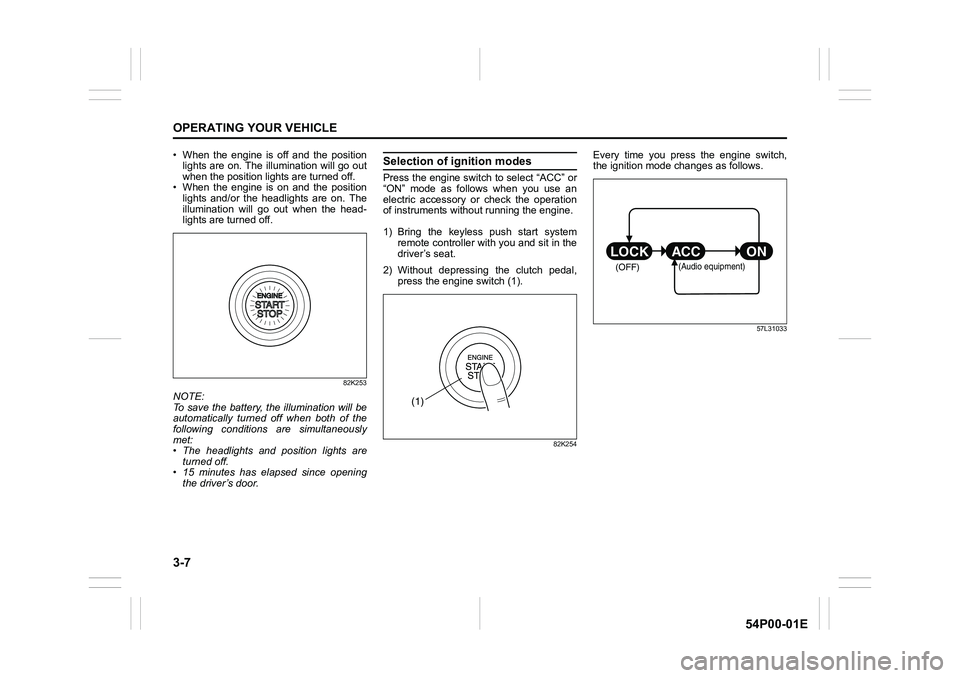
• When the engine is off and the position
lights are on. The illumination will go out
when the position lights are turned off.
• When the engine is on and the position
lights and/or the headlights are on. The
illumination will go out when the head-
lights are turned off.
82K253
NOTE:
To save the battery, the illumination will be
automatically turned off when both of the
following conditions are simultaneously
met:
• The headlights and position lights are
turned off.
• 15 minutes has elapsed since opening
the driver’s door.
Selection of ignition modes
Press the engine switch to select “ACC” or
“ON” mode as follows when you use an
electric accessory or check the operation
of instruments without running the engine.
1) Bring the keyless push start system
remote controller with you and sit in the
driver’s seat.
2) Without depressing the clutch pedal,
press the engine switch (1).
82K254
Every time you press the engine switch,
the ignition mode changes as follows.
57L31033
(1)
(OFF)
ON ACC LOCK
(Audio equipment)
Page 148 of 482
3-8
OPERATING YOUR VEHICLE
54P00-01E
NOTE:
When selecting the ignition modes, the
information display in the instrument clus-
ter shows certain messages. Refer to
“Information display” in “BEFORE DRIV-
ING” section for details.
If the master warning indicator light
blinks and the ignition modes cannot
be selected
Your keyless push start system remote con-
troller may not be sensed as being within the
interior workable area (refer to the related
explanation in this section). Try again after
checking that you have the remote controller
with you. If the ignition modes still cannot be
selected, the battery of the remote controller
may be discharged. To select an ignition
mode, you must then use the following
method:
58MST0302
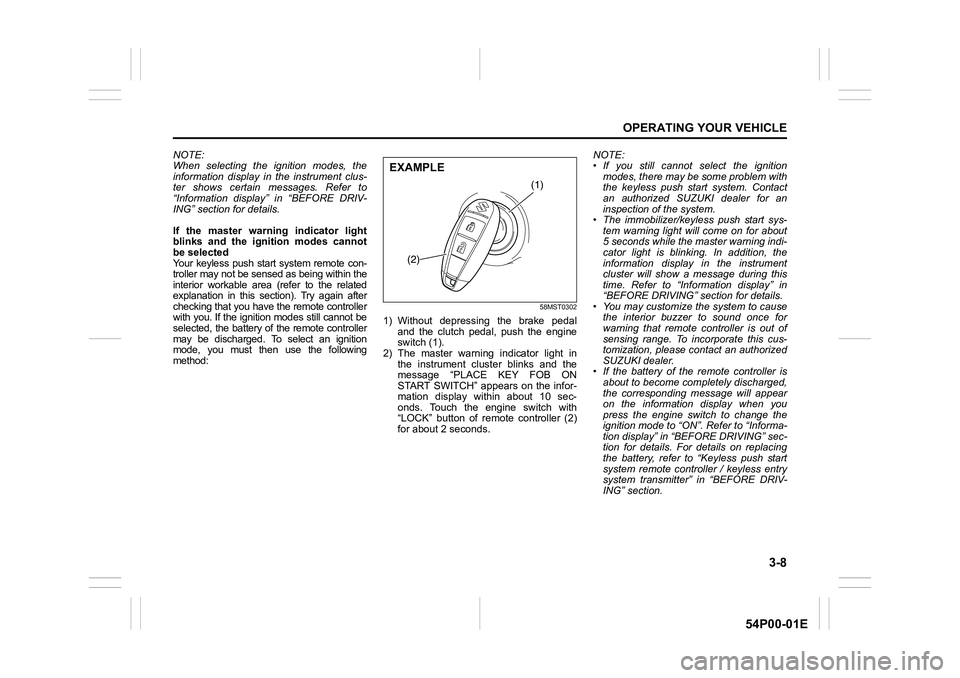
1) Without depressing the brake pedal
and the clutch pedal, push the engine
switch (1).
2) The master warning indicator light in
the instrument cluster blinks and the
message “PLACE KEY FOB ON
START SWITCH” appears on the infor-
mation display within about 10 sec-
onds. Touch the engine switch with
“LOCK” button of remote controller (2)
for about 2 seconds.NOTE:
• If you still cannot select the ignition
modes, there may be some problem with
the keyless push start system. Contact
an authorized SUZUKI dealer for an
inspection of the system.
• The immobilizer/keyless push start sys-
tem warning light will come on for about
5 seconds while the master warning indi-
cator light is blinking. In addition, the
information display in the instrument
cluster will show a message during this
time. Refer to “Information display” in
“BEFORE DRIVING” section for details.
• You may customize the system to cause
the interior buzzer to sound once for
warning that remote controller is out of
sensing range. To incorporate this cus-
tomization, please contact an authorized
SUZUKI dealer.
• If the battery of the remote controller is
about to become completely discharged,
the corresponding message will appear
on the information display when you
press the engine switch to change the
ignition mode to “ON”. Refer to “Informa-
tion display” in “BEFORE DRIVING” sec-
tion for details. For details on replacing
the battery, refer to “Keyless push start
system remote controller / keyless entry
system transmitter” in “BEFORE DRIV-
ING” section.
(1)
(2)
EXAMPLE