load SUZUKI GRAND VITARA 2016 User Guide
[x] Cancel search | Manufacturer: SUZUKI, Model Year: 2016, Model line: GRAND VITARA, Model: SUZUKI GRAND VITARA 2016Pages: 482, PDF Size: 21 MB
Page 213 of 482
3-73
OPERATING YOUR VEHICLE
54P00-01E
NOTE:
• Images shown on the display from the
rearview camera are reversed images
(mirror images).
• The colors of objects on the rearview
camera may differ from the actual object
colors.
• The rearview camera display may be dif-
ficult to see under the following condi-
tions, but this is not a system
malfunction.
– In dark areas, on a rainy day or at
night.
– When the temperature around the lens
is too high/low, or the camera is wet
such as on a rainy day or during peri-
ods of high humidity (dew condensa-
tion may occur on the camera lens).
– When a foreign object such as mud or
a drop of water is stuck around the
camera lens.
– When strong light directly enters the
camera (vertical lines may be seen on
the display).
– Under fluorescent light. (The display
may flicker.)
– When the outside temperature is low
(the image on the display may be
darkened).
Rearview camera screen indication
The distance viewed in the rearview cam-
era may differ from the actual distance
according to the condition of the road or
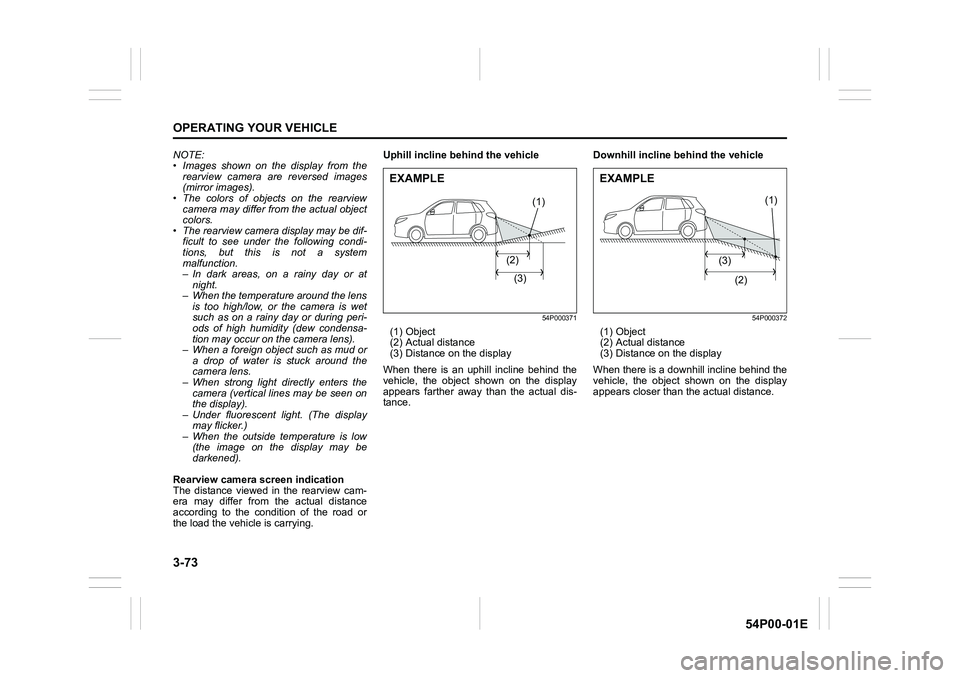
the load the vehicle is carrying.Uphill incline behind the vehicle
54P000371
(1) Object
(2) Actual distance
(3) Distance on the display
When there is an uphill incline behind the
vehicle, the object shown on the display
appears farther away than the actual dis-
tance.Downhill incline behind the vehicle
54P000372
(1) Object
(2) Actual distance
(3) Distance on the display
When there is a downhill incline behind the
vehicle, the object shown on the display
appears closer than the actual distance.
(1)
(2)
(3)
EXAMPLE
(1)
(3)
(2)
EXAMPLE
Page 219 of 482
3-79
OPERATING YOUR VEHICLE
54P00-01E
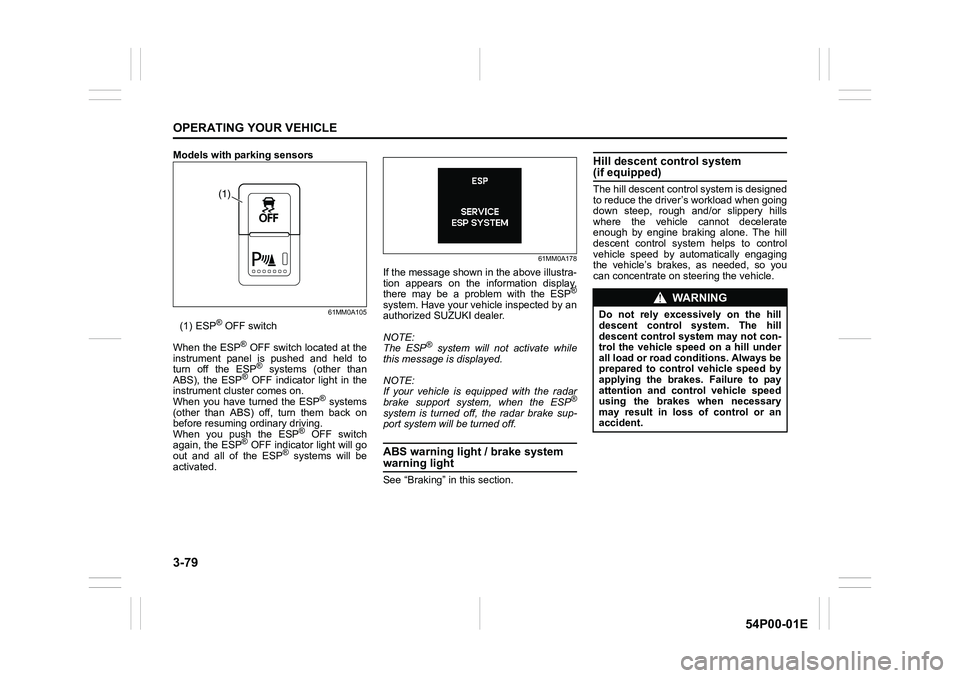
Models with parking sensors
61MM0A105
(1) ESP® OFF switch
When the ESP
® OFF switch located at the
instrument panel is pushed and held to
turn off the ESP
® systems (other than
ABS), the ESP® OFF indicator light in the
instrument cluster comes on.
When you have turned the ESP
® systems
(other than ABS) off, turn them back on
before resuming ordinary driving.
When you push the ESP
® OFF switch
again, the ESP® OFF indicator light will go
out and all of the ESP® systems will be
activated.
61MM0A178
If the message shown in the above illustra-
tion appears on the information display,
there may be a problem with the ESP
®
system. Have your vehicle inspected by an
authorized SUZUKI dealer.
NOTE:
The ESP
® system will not activate while
this message is displayed.
NOTE:
If your vehicle is equipped with the radar
brake support system, when the ESP
®
system is turned off, the radar brake sup-
port system will be turned off.
ABS warning light / brake system
warning light
See “Braking” in this section.
Hill descent control system (if equipped)
The hill descent control system is designed
to reduce the driver’s workload when going
down steep, rough and/or slippery hills
where the vehicle cannot decelerate
enough by engine braking alone. The hill
descent control system helps to control
vehicle speed by automatically engaging
the vehicle’s brakes, as needed, so you
can concentrate on steering the vehicle.(1)
WA R N I N G
Do not rely excessively on the hill
descent control system. The hill
descent control system may not con-
trol the vehicle speed on a hill under
all load or road conditions. Always be
prepared to control vehicle speed by
applying the brakes. Failure to pay
attention and control vehicle speed
using the brakes when necessary
may result in loss of control or an
accident.
Page 222 of 482
3-82
OPERATING YOUR VEHICLE
54P00-01E
NOTE:
If any of the following conditions occur,
there may be a problem with the hill
descent control system or the ESP
® sys-
tem. Have your vehicle inspected by an
authorized SUZUKI dealer.
• The hill descent control indicator does
not come on or blink when you push the
hill descent control switch.
• The hill descent control indicator stays
on when driving without pushing the hill
descent control switch.
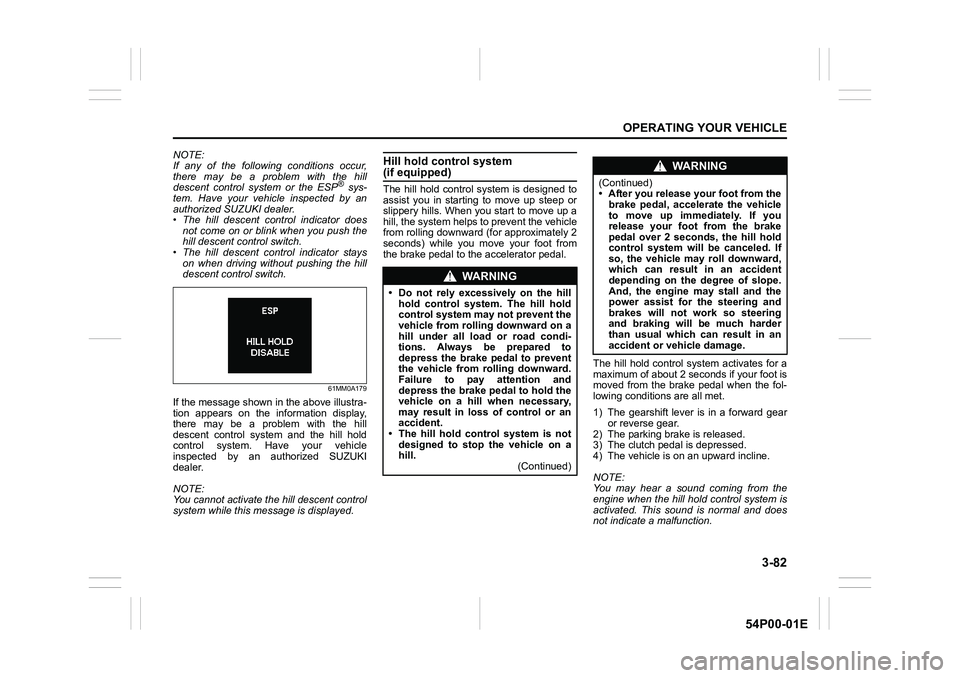
61MM0A179
If the message shown in the above illustra-
tion appears on the information display,
there may be a problem with the hill
descent control system and the hill hold
control system. Have your vehicle
inspected by an authorized SUZUKI
dealer.
NOTE:
You cannot activate the hill descent control
system while this message is displayed.
Hill hold control system (if equipped)
The hill hold control system is designed to
assist you in starting to move up steep or
slippery hills. When you start to move up a
hill, the system helps to prevent the vehicle
from rolling downward (for approximately 2
seconds) while you move your foot from
the brake pedal to the accelerator pedal.
The hill hold control system activates for a
maximum of about 2 seconds if your foot is
moved from the brake pedal when the fol-
lowing conditions are all met.
1) The gearshift lever is in a forward gear
or reverse gear.
2) The parking brake is released.
3) The clutch pedal is depressed.
4) The vehicle is on an upward incline.
NOTE:
You may hear a sound coming from the
engine when the hill hold control system is
activated. This sound is normal and does
not indicate a malfunction.
WA R N I N G
• Do not rely excessively on the hill
hold control system. The hill hold
control system may not prevent the
vehicle from rolling downward on a
hill under all load or road condi-
tions. Always be prepared to
depress the brake pedal to prevent
the vehicle from rolling downward.
Failure to pay attention and
depress the brake pedal to hold the
vehicle on a hill when necessary,
may result in loss of control or an
accident.
• The hill hold control system is not
designed to stop the vehicle on a
hill.
(Continued)
WA R N I N G
(Continued)
• After you release your foot from the
brake pedal, accelerate the vehicle
to move up immediately. If you
release your foot from the brake
pedal over 2 seconds, the hill hold
control system will be canceled. If
so, the vehicle may roll downward,
which can result in an accident
depending on the degree of slope.
And, the engine may stall and the
power assist for the steering and
brakes will not work so steering
and braking will be much harder
than usual which can result in an
accident or vehicle damage.
Page 224 of 482
3-84
OPERATING YOUR VEHICLE
54P00-01E
affect the vehicle’s handling and stopping
ability.
Please note that the TPMS is not a substi-
tute for proper tire maintenance, and it is
the driver’s responsibility to maintain cor-
rect tire pressure, even if under-inflation
has not reached the level to trigger illumi-
nation of the TPMS low tire pressure tell-
tale.
WA R N I N G
Relying only on the tire pressure
monitoring system to determine
when it is necessary to add air to the
tires can result in loss of control or
an accident.
Check tire inflation pressures
monthly when the tires are cold. If
necessary, adjust them to the recom-
mended inflation pressure as speci-
fied on the vehicle’s tire information
placard and in this owner’s manual.
Refer to “Tires” in “INSPECTION AND
MAINTENANCE” section.
WA R N I N G
Failure to take corrective action when
the low tire pressure warning light is
not working or when it comes on and
blinks while driving can lead to an
accident.
If the low tire pressure warning light
does not come on for 2 seconds after
the ignition switch is turned to “ON”
position or the engine switch is
pressed to change the ignition mode
to “ON”, or comes on and blinks
while driving, have your vehicle
inspected by an authorized SUZUKI
dealer. Even if the light turns off after
blinking, indicating that the monitor-
ing system has recovered, you
should still have the system checked
by your authorized SUZUKI dealer.
WA R N I N G
The load-carrying capacity of your
tires is reduced at lower inflation
pressures. If your tires are even mod-
erately under-inflated, the load on the
tires may exceed the load-carrying
capacity of the tires, which could lead
to tire failure. The low tire pressure
warning light will not alert you to this
condition, because it only comes on
when one or more of your tires
becomes significantly under-inflated.
Check and adjust your tire inflation
pressure at least once a month. Refer
to “Tires” in “INSPECTION AND
MAINTENANCE” section.
Page 228 of 482
3-88
OPERATING YOUR VEHICLE
54P00-01E
TPMS setting
• You can check the current tire inflation
pressure on the information display.
• You can set one of the initial value of tire
pressure below that is indicated on the
tire information label.
– Comfort Mode
–Eco Mode
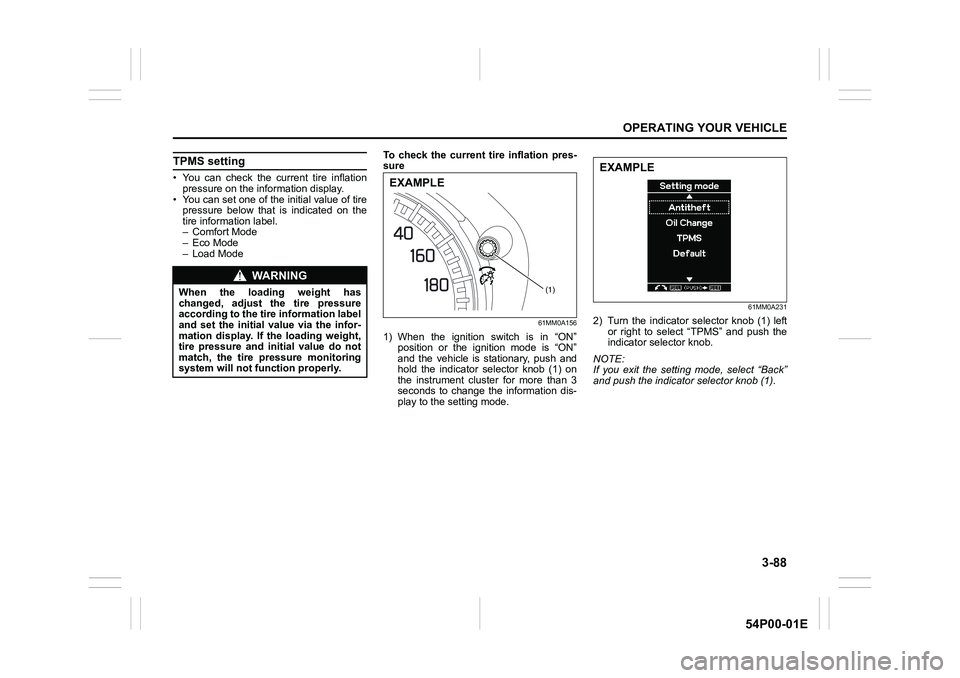
– Load ModeTo check the current tire inflation pres-
sure
61MM0A156
1) When the ignition switch is in “ON”
position or the ignition mode is “ON”
and the vehicle is stationary, push and
hold the indicator selector knob (1) on
the instrument cluster for more than 3
seconds to change the information dis-
play to the setting mode.
61MM0A231
2) Turn the indicator selector knob (1) left
or right to select “TPMS” and push the
indicator selector knob.
NOTE:
If you exit the setting mode, select “Back”
and push the indicator selector knob (1).
WA R N I N G
When the loading weight has
changed, adjust the tire pressure
according to the tire information label
and set the initial value via the infor-
mation display. If the loading weight,
tire pressure and initial value do not
match, the tire pressure monitoring
system will not function properly.(1)
EXAMPLE
EXAMPLE
Page 237 of 482
4-3
DRIVING TIPS
54P00-01E
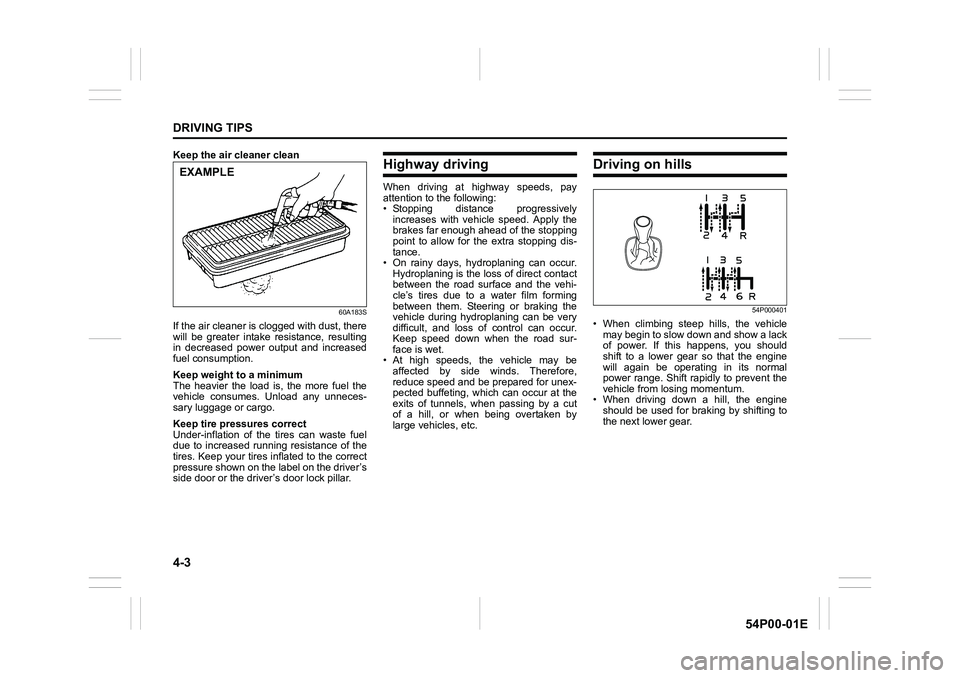
Keep the air cleaner clean
60A183S
If the air cleaner is clogged with dust, there
will be greater intake resistance, resulting
in decreased power output and increased
fuel consumption.
Keep weight to a minimum
The heavier the load is, the more fuel the
vehicle consumes. Unload any unneces-
sary luggage or cargo.
Keep tire pressures correct
Under-inflation of the tires can waste fuel
due to increased running resistance of the
tires. Keep your tires inflated to the correct
pressure shown on the label on the driver’s
side door or the driver’s door lock pillar.
Highway driving
When driving at highway speeds, pay
attention to the following:
• Stopping distance progressively
increases with vehicle speed. Apply the
brakes far enough ahead of the stopping
point to allow for the extra stopping dis-
tance.
• On rainy days, hydroplaning can occur.
Hydroplaning is the loss of direct contact
between the road surface and the vehi-
cle’s tires due to a water film forming
between them. Steering or braking the
vehicle during hydroplaning can be very
difficult, and loss of control can occur.
Keep speed down when the road sur-
face is wet.
• At high speeds, the vehicle may be
affected by side winds. Therefore,
reduce speed and be prepared for unex-
pected buffeting, which can occur at the
exits of tunnels, when passing by a cut
of a hill, or when being overtaken by
large vehicles, etc.
Driving on hills
54P000401
• When climbing steep hills, the vehicle
may begin to slow down and show a lack
of power. If this happens, you should
shift to a lower gear so that the engine
will again be operating in its normal
power range. Shift rapidly to prevent the
vehicle from losing momentum.
• When driving down a hill, the engine
should be used for braking by shifting to
the next lower gear.
EXAMPLE
Page 261 of 482
5-19
OTHER CONTROLS AND EQUIPMENT
54P00-01E
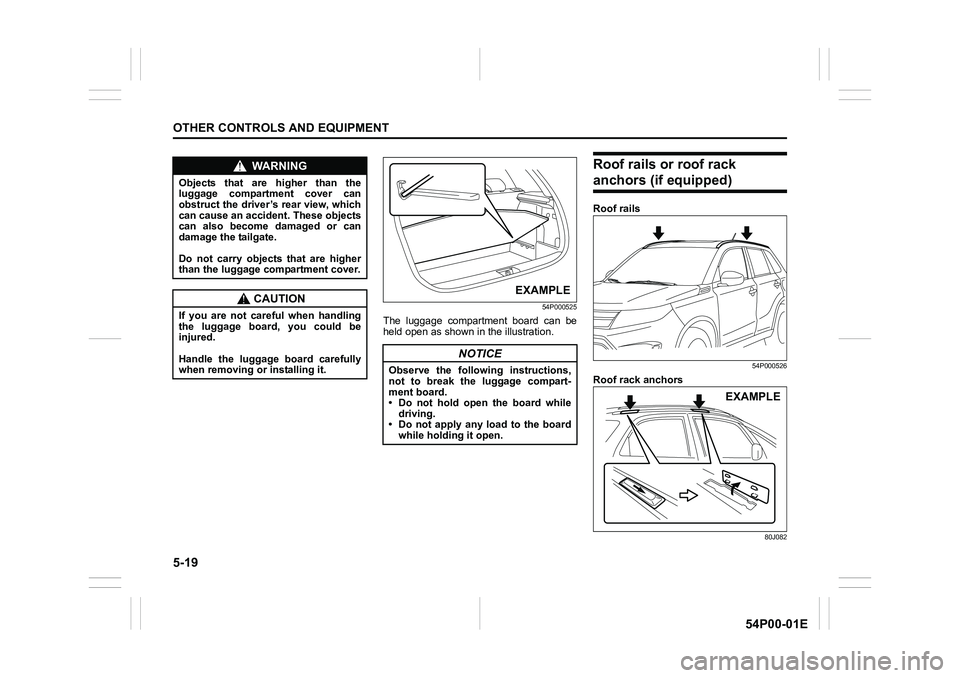
54P000525
The luggage compartment board can be
held open as shown in the illustration.
Roof rails or roof rack
anchors (if equipped)
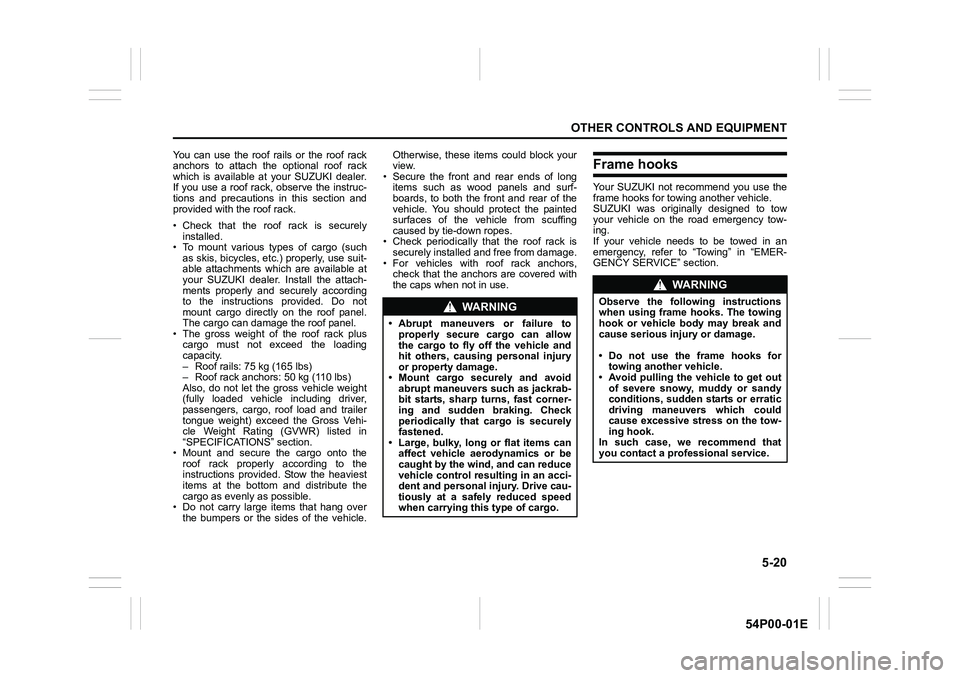
Roof rails
54P000526
Roof rack anchors
80J082
WA R N I N G
Objects that are higher than the
luggage compartment cover can
obstruct the driver’s rear view, which
can cause an accident. These objects
can also become damaged or can
damage the tailgate.
Do not carry objects that are higher
than the luggage compartment cover.
CAUTION
If you are not careful when handling
the luggage board, you could be
injured.
Handle the luggage board carefully
when removing or installing it.
NOTICE
Observe the following instructions,
not to break the luggage compart-
ment board.
• Do not hold open the board while
driving.
• Do not apply any load to the board
while holding it open.
EXAMPLE
EXAMPLE
Page 262 of 482
5-20
OTHER CONTROLS AND EQUIPMENT
54P00-01E
You can use the roof rails or the roof rack
anchors to attach the optional roof rack
which is available at your SUZUKI dealer.
If you use a roof rack, observe the instruc-
tions and precautions in this section and
provided with the roof rack.
• Check that the roof rack is securely
installed.
• To mount various types of cargo (such
as skis, bicycles, etc.) properly, use suit-
able attachments which are available at
your SUZUKI dealer. Install the attach-
ments properly and securely according
to the instructions provided. Do not
mount cargo directly on the roof panel.
The cargo can damage the roof panel.
• The gross weight of the roof rack plus
cargo must not exceed the loading
capacity.
– Roof rails: 75 kg (165 lbs)
– Roof rack anchors: 50 kg (110 lbs)
Also, do not let the gross vehicle weight
(fully loaded vehicle including driver,
passengers, cargo, roof load and trailer
tongue weight) exceed the Gross Vehi-
cle Weight Rating (GVWR) listed in
“SPECIFICATIONS” section.
• Mount and secure the cargo onto the
roof rack properly according to the
instructions provided. Stow the heaviest
items at the bottom and distribute the
cargo as evenly as possible.
• Do not carry large items that hang over
the bumpers or the sides of the vehicle.Otherwise, these items could block your
view.
• Secure the front and rear ends of long
items such as wood panels and surf-
boards, to both the front and rear of the
vehicle. You should protect the painted
surfaces of the vehicle from scuffing
caused by tie-down ropes.
• Check periodically that the roof rack is
securely installed and free from damage.
• For vehicles with roof rack anchors,
check that the anchors are covered with
the caps when not in use.Frame hooks
Your SUZUKI not recommend you use the
frame hooks for towing another vehicle.
SUZUKI was originally designed to tow
your vehicle on the road emergency tow-
ing.
If your vehicle needs to be towed in an
emergency, refer to “Towing” in “EMER-
GENCY SERVICE” section.
WA R N I N G
• Abrupt maneuvers or failure to
properly secure cargo can allow
the cargo to fly off the vehicle and
hit others, causing personal injury
or property damage.
• Mount cargo securely and avoid
abrupt maneuvers such as jackrab-
bit starts, sharp turns, fast corner-
ing and sudden braking. Check
periodically that cargo is securely
fastened.
• Large, bulky, long or flat items can
affect vehicle aerodynamics or be
caught by the wind, and can reduce
vehicle control resulting in an acci-
dent and personal injury. Drive cau-
tiously at a safely reduced speed
when carrying this type of cargo.
WA R N I N G
Observe the following instructions
when using frame hooks. The towing
hook or vehicle body may break and
cause serious injury or damage.
• Do not use the frame hooks for
towing another vehicle.
• Avoid pulling the vehicle to get out
of severe snowy, muddy or sandy
conditions, sudden starts or erratic
driving maneuvers which could
cause excessive stress on the tow-
ing hook.
In such case, we recommend that
you contact a professional service.
Page 286 of 482
5-44
OTHER CONTROLS AND EQUIPMENT
54P00-01E
The Bluetooth® word mark and logo are
registered trademarks and are owned by
the Bluetooth SIG, Ink.
Stop using this unit and a Bluetooth
®
ready device whenever requested.
This unit shares the communication fre-
quency with other private or public wireless
communication equipment such as a wire-
less LAN and other wireless communica-
tion radios.
You should stop using this unit whenever
you are notified that your unit disturbs
other wireless communication immediately.The latest “DECLARATION of CONFOR-
MITY” (DoC) is available at the following
address:
http://www.ptc.panasonic.eu/
To check DoC, access the above men-
tioned URL.
And then search DoC by entering the fol-
lowing Model No. into “Keyword Search”
box in “Downloads” page.
Model No. YEP0PTA606A0
WA R N I N G
This is a class I laser product. Use
of controls or adjustments or perfor-
mance of procedures other than
those specified herein may result in
hazardous radiation exposure.
Do not open covers and do not
attempt to repair this unit by your-
self.
Ask an authorized dealer for the
repair.
“Questo prodotto e’ conforme al DM
28/8/1955, N.548, ottemperando alle
prescrizioni di cui al DM 25/6/1985
(par. 3, All. A) e DM 27/8/1987 (All. I).”
Page 300 of 482
5-58
OTHER CONTROLS AND EQUIPMENT
54P00-01E
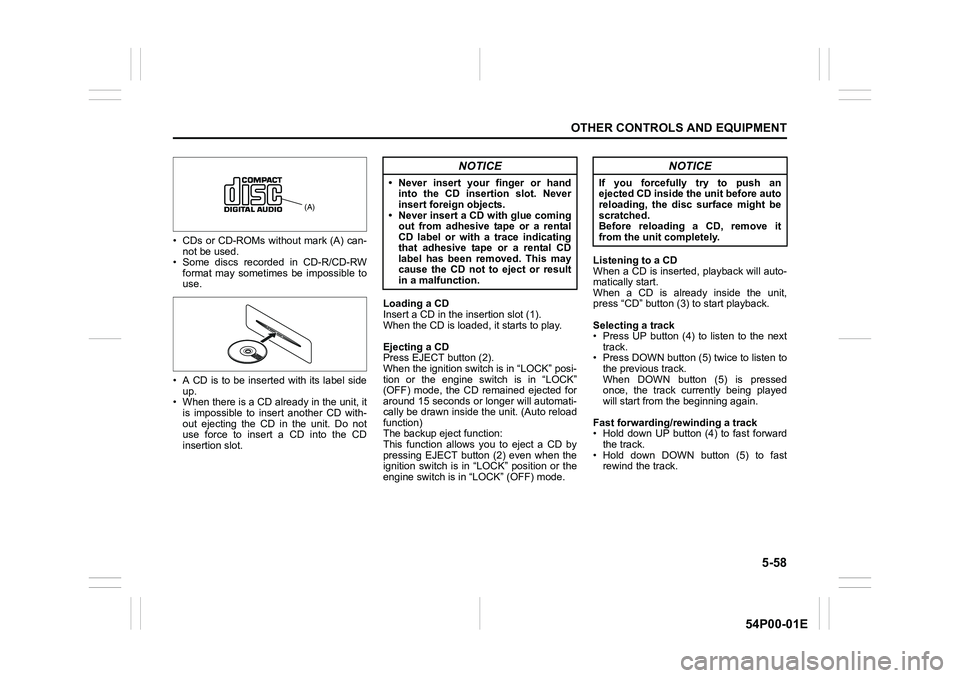
• CDs or CD-ROMs without mark (A) can-
not be used.
• Some discs recorded in CD-R/CD-RW
format may sometimes be impossible to
use.
• A CD is to be inserted with its label side
up.
• When there is a CD already in the unit, it
is impossible to insert another CD with-
out ejecting the CD in the unit. Do not
use force to insert a CD into the CD
insertion slot.Loading a CD
Insert a CD in the insertion slot (1).
When the CD is loaded, it starts to play.
Ejecting a CD
Press EJECT button (2).
When the ignition switch is in “LOCK” posi-
tion or the engine switch is in “LOCK”
(OFF) mode, the CD remained ejected for
around 15 seconds or longer will automati-
cally be drawn inside the unit. (Auto reload
function)
The backup eject function:
This function allows you to eject a CD by
pressing EJECT button (2) even when the
ignition switch is in “LOCK” position or the
engine switch is in “LOCK” (OFF) mode.Listening to a CD
When a CD is inserted, playback will auto-
matically start.
When a CD is already inside the unit,
press “CD” button (3) to start playback.
Selecting a track
• Press UP button (4) to listen to the next
track.
• Press DOWN button (5) twice to listen to
the previous track.
When DOWN button (5) is pressed
once, the track currently being played
will start from the beginning again.
Fast forwarding/rewinding a track
• Hold down UP button (4) to fast forward
the track.
• Hold down DOWN button (5) to fast
rewind the track.
(A)
NOTICE
• Never insert your finger or hand
into the CD insertion slot. Never
insert foreign objects.
• Never insert a CD with glue coming
out from adhesive tape or a rental
CD label or with a trace indicating
that adhesive tape or a rental CD
label has been removed. This may
cause the CD not to eject or result
in a malfunction.
NOTICE
If you forcefully try to push an
ejected CD inside the unit before auto
reloading, the disc surface might be
scratched.
Before reloading a CD, remove it
from the unit completely.