load SUZUKI GRAND VITARA 2016 Owners Manual
[x] Cancel search | Manufacturer: SUZUKI, Model Year: 2016, Model line: GRAND VITARA, Model: SUZUKI GRAND VITARA 2016Pages: 482, PDF Size: 21 MB
Page 8 of 482
54P00-01E
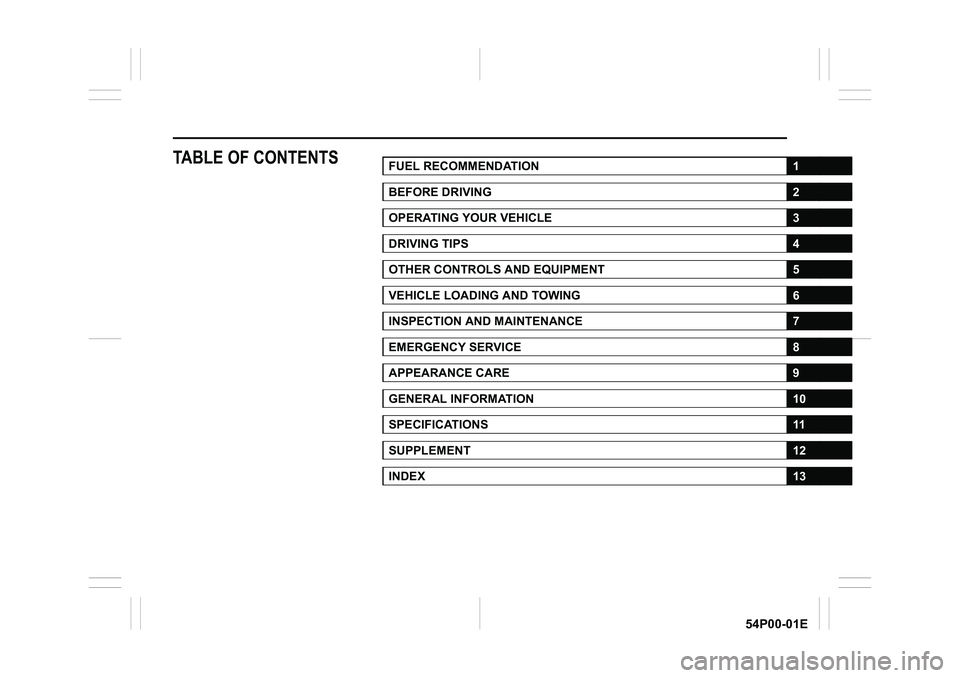
TABLE OF CONTENTSFUEL RECOMMENDATION1
BEFORE DRIVING2
OPERATING YOUR VEHICLE3
DRIVING TIPS4
OTHER CONTROLS AND EQUIPMENT5
VEHICLE LOADING AND TOWING6
INSPECTION AND MAINTENANCE7
EMERGENCY SERVICE8
APPEARANCE CARE9
GENERAL INFORMATION10
SPECIFICATIONS11
SUPPLEMENT12
INDEX13
Page 95 of 482
2-73
BEFORE DRIVING
54P00-01E
Door lock (Door lock setting)
You can choose either once or twice oper-
ation(s) to unlock all doors (including the
tailgate) or release the dead lock system (if
equipped) by turning the key, or operating
the keyless entry system transmitter, key-
less push start system remote controller or
request switch.
You can also turn off or on the buzzer
sound when the door(s) is(are) locked or
unlocked.
Lights (Light setting)
(Footwell light setting) (if equipped)
The footwell lights can be programmed for
interlocked operation with either lighting
control or door operation and for no light-
ing.
Lane change (Turn signal light setting)
The turn signal and its indicator can be set
whether they flash three times even if you
return the turn signal control lever immedi-
ately after moving it.Antitheft (Theft deterrent alarm system
setting) (if equipped)
You can switch the theft deterrent alarm
system from the enabled state to the dis-
abled state, and vice versa.
The state of the theft deterrent alarm sys-
tem is shown on the information display as
follows:
• Mode A: Disabled state
• Mode D: Enabled state
NOTE:
For the theft deterrent alarm system of
Mexico and South Africa models, refer to
“For European countries, Mexico and
South Africa” in “SUPPLEMENT” section.Oil change (Oil life monitoring system
reset setting) (if equipped for gasoline
engine model)
The oil life monitoring system must be
reset after changing the engine oil and oil
filter.
TPMS (Tire pressure monitoring system
setting) (if equipped)
• You can check the current tire inflation
pressure on the information display.
• You can set one of the initial values of
tire pressure below that are indicated on
the tire information label.
– Comfort Mode
–Eco Mode
– Load Mode
Refer to “Tire pressure monitoring system
(TPMS) (if equipped)” in “OPERATING
YOUR VEHICLE” section for details.
Page 111 of 482
2-89
BEFORE DRIVING
54P00-01E
Refer to “Tire pressure monitoring system
(TPMS) (if equipped)” in “OPERATING
YOUR VEHICLE” section for additional
details on the tire pressure monitoring sys-
tem. Refer to “Tires” in “INSPECTION AND
MAINTENANCE” section for information
on maintaining proper tire pressure.
WA R N I N G
The load-carrying capacity of your
tires is reduced at lower inflation
pressures. If your tires are even mod-
erately under-inflated, the load on the
tires may exceed the load-carrying
capacity of the tires, which could lead
to tire failure. The low tire pressure
warning light will not alert you to this
condition, because it only comes on
when one or more of your tires
becomes significantly under-inflated.
Check and adjust your tire inflation
pressure at least once a month. Refer
to “Tires” in “INSPECTION AND
MAINTENANCE” section.
WA R N I N G
Continuing to drive with the low tire
pressure warning light on can lead to
an accident, resulting in severe injury
or death.
If the low tire pressure warning light
comes on and stays on, reduce your
speed and avoid abrupt steering and
braking. Be aware that driving on a
significantly under-inflated tire can
cause the tire to overheat and can
lead to tire failure, and may affect
steering control and brake effective-
ness. Stop the vehicle in a safe place
as soon as possible and check your
tires.
• If you have a flat tire, replace it with
the spare tire (if equipped). Refer to
“Jacking instructions” in “EMER-
GENCY SERVICE” section for the
tire replacement method. Also refer
to “Replacing tires and/or wheels”
for instructions on how to restore
normal operation of the TPMS after
you have had a flat tire.
(Continued)
WA R N I N G
(Continued)
• If your vehicle is equipped with a
flat tire repair kit instead of a spare
tire, refer to “Flat tire repair kit (if
equipped)” in “EMERGENCY SER-
VICE” section for instructions on
how to perform an emergency
repair of a flat tire.
• If one or more of your tires is
under-inflated, adjust the inflation
pressure of all tires to the recom-
mended inflation pressure as soon
as possible.
Page 130 of 482
2-108
BEFORE DRIVING
54P00-01E
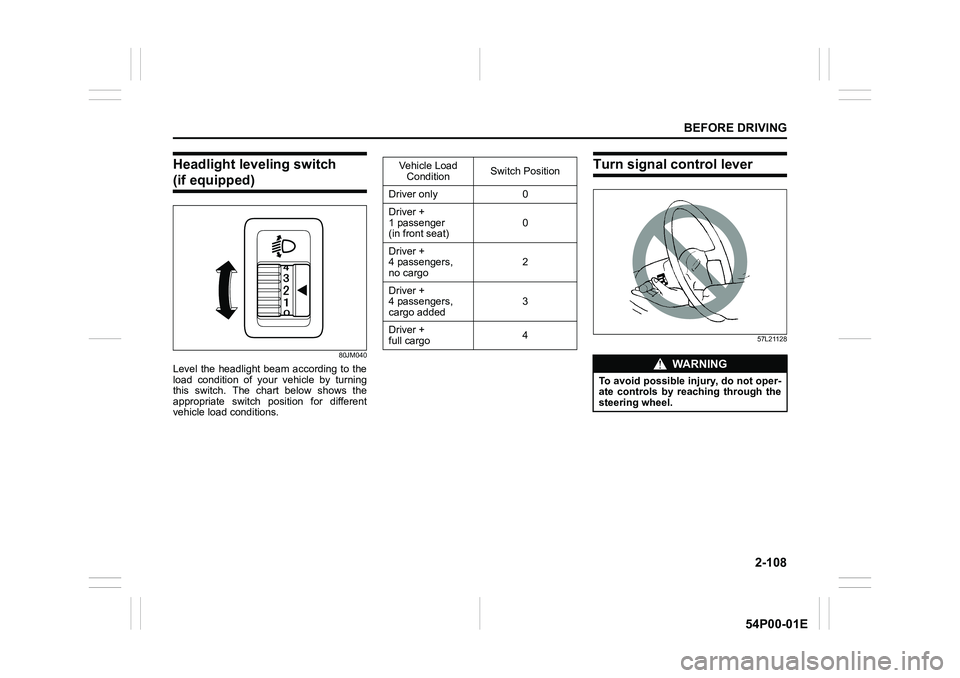
Headlight leveling switch
(if equipped)
80JM040
Level the headlight beam according to the
load condition of your vehicle by turning
this switch. The chart below shows the
appropriate switch position for different
vehicle load conditions.
Turn signal control lever
57L21128
Vehicle Load
ConditionSwitch Position
Driver only 0
Driver +
1 passenger
(in front seat)0
Driver +
4 passengers,
no cargo2
Driver +
4 passengers,
cargo added3
Driver +
full cargo4
WA R N I N G
To avoid possible injury, do not oper-
ate controls by reaching through the
steering wheel.
Page 142 of 482
3-2
OPERATING YOUR VEHICLE
54P00-01E
NOTE:
It is normal for water to drip from the air
conditioning system after use.
4) Check that the hood is fully closed and
latched.
5) Check the headlights, turn signal lights,
brake lights and horn for proper opera-
tion.
6) Adjust the seat and head restraint.
7) Check the brake pedal and the parking
brake lever.
8) Adjust the mirrors.
9) Check that you and all passengers
have properly fastened your seat belts.
10)Check that all warning lights come on
as the ignition switch is turned to “ON”
position or the engine switch is pressed
to change the ignition mode to “ON”.
11)Check all gauges.
12)Check that the brake system warning
light turns off when the parking brake is
released.
Once a week, or each time you fill your fuel
tank, perform the following under-hood
checks:
1) Engine oil level
2) Coolant level
3) Brake fluid level
4) Battery solution level
5) Windshield washer fluid level
6) Hood latch operation
Pull the hood release handle inside the
vehicle. Check that you cannot openthe hood all the way without releasing
the secondary latch. Close the hood
securely after checking for proper latch
operation. See the item “All latches,
hinges and locks” of “Chassis, body
and others” in “Maintenance schedule”
in “INSPECTION AND MAINTE-
NANCE” section for lubrication sched-
ule.
Once a month, or each time you fill your
fuel tank, check the tire pressure using a
tire pressure gauge. Also check the tire
pressure of the spare tire.Engine oil consumption
It is normal for the engine to consume
some engine oil during normal vehicle
operation.
The amount of engine oil consumption
depends on viscosity and quality of the oil
and your driving conditions.
More oil is consumed during high-speed
driving and when there is frequent acceler-
ation and deceleration. Under high loads,
your engine also will consume more oil.
A new engine also consumes more oil,
since its pistons, piston rings and cylinder
walls have not yet become conditioned.
New engines reach the normal level of oil
consumption only after approximately
5000 km (3000 miles) driving.
Oil consumption:
Max. 1.0 L per 1000 km
(1 Qt. per 600 miles)
When judging the amount of oil consump-
tion, note that the oil may become diluted
and it is difficult to judge the accurate oil
level.
As an example, if a vehicle is used for
repeated short trips, and consumes a nor-
mal amount of oil, the dipstick may not
show any drop in the oil level at all, even
after 1000 km (600 miles) or more of driv-
ing. This is because the oil gradually
becomes diluted with fuel or moisture,
WA R N I N G
Check that the hood is fully closed
and latched before driving. If it is not,
it can fly up unexpectedly during
driving, obstructing your view and
resulting in an accident.
Page 146 of 482
3-6
OPERATING YOUR VEHICLE
54P00-01E
NOTE:
In the presence of strong radio signals or
noise, you may not be able to change the
ignition mode to “ACC” or “ON” or to start
the engine using the engine switch. In this
case, the information display in the instru-
ment cluster will show the following mes-
sage: KEY FOB NOT DETECTED.
Unreleased steering lock warning
If the steering lock remains engaged when
you press the engine switch to change the
ignition mode to “ON”, the information dis-
play in the instrument cluster shows the
message: “TRN. STEERING WHEEL TO
RELEASE LOCK”. Refer to “Information
display” in “BEFORE DRIVING” section for
details.
NOTE:
The steering lock may not be released if
some load is acting on the steering wheel.
If this happens, turn the steering wheel to
the right or left to relieve it from the load
before you press the engine switch again
to change to the desired ignition mode.
Keyless push start system
(if equipped)
Provided the keyless push start system
remote controller is within the interior work-
able area (refer to the related explanation
in this section), you can use the engine
switch for starting the engine and selecting
an ignition mode (“ACC” or “ON”). In addi-
tion, the following functions can be used:
• Keyless entry function. Refer to “Keyless
push start system remote controller /
keyless entry system transmitter” in
“BEFORE DRIVING” section for details.
• Locking and unlocking doors (including
the tailgate) using a request switch.
Refer to “Keyless push start system
remote controller / keyless entry system
transmitter” in “BEFORE DRIVING” sec-
tion for details.
• Immobilizer (anti-theft) function. Refer to
“Immobilizer system” in “BEFORE DRIV-
ING” section for details.
Engine switch illumination
The engine switch is illuminated (lit) in the
following situations:
• When the engine is off and the driver’s
door is open, or for 15 seconds after the
driver’s door is closed. The illumination
will fade out after 15 seconds passed.
NOTICE
Do not leave the engine switch in
“ACC” or “ON” mode when the
engine is not running. Avoid using
the radio or other electric accesso-
ries for a long time when the engine
switch is in “ACC” or “ON” mode
when the engine is not running, oth-
erwise the battery may discharge.
Page 155 of 482
3-15
OPERATING YOUR VEHICLE
54P00-01E
NOTE:
• You do not need to keep the engine
switch pressed to start the engine.
• The engine will not start unless the
clutch pedal is depressed.
• During the engine starting procedure,
messages on the information display will
help you. Refer to “Information display”
in “BEFORE DRIVING” section for
details.
• You should turn off such loads as the
headlights and air conditioning system to
facilitate starting of the engine.
• Even if you fail to start the engine, the
starter motor will stop turning automati-
cally after a short time. After the starter
motor has stopped or if there is some
problem with the system, the starter
motor will rotate only while the engine
switch is being pressed.
Stopping engine
• Depress the engine switch to stop the
engine after the vehicle stopped com-
pletely.
• In case of emergency, you can stop the
engine by quickly pushing the engine
switch more than 3 times, or pushing
and holding the engine switch for more
than 2 seconds while the vehicle is in
motion.
NOTE:
Except in cases of emergency, do not stop
the engine while the vehicle is in motion.
The steering and braking operation will
require more effort when the engine is
stopped.
Refer to “Braking” in this section.
• If the engine remains stopped for while
after it was stopped unexpectedly or was
raced before stopping, a clicking sound
may be heard from around the engine
when it is restarted. This is not a mal-
function. Always let the engine idle
before stopping it.
Starting a cold and warm engine
(For gasoline engine model)
With your foot taken off the accelerator
pedal, crank the engine by pressing the
engine switch to change the ignition mode
to “START”.
After pressing the engine switch to change
the ignition mode to “START”, the starter
cranks the engine for about 12 seconds
before it can start the engine. If the engine
fails to start at the first attempt, wait about
15 seconds, and then try again while keep-
ing the engine switch pressed while press-
ing down the accelerator pedal 1/3 of full
capacity. Release the accelerator pedal
when the engine starts.
If the engine still does not start, try holding
the accelerator pedal all the way to the
floor while cranking. This should clear the
engine if it is flooded.
If you are unable to start the engine using
this procedure, consult your SUZUKI
dealer.NOTICE
• Do not depress the accelerator
during the engine starting proce-
dure.
• If the engine does not respond
when you try to start it with the
engine switch or if the engine
switch repeats cycling through
“LOCK” (OFF) - “ACC” - “ON”
mode, the vehicle battery may be
discharged. Check the voltage of
the vehicle battery before trying
again.
NOTICE
Do not crank the engine for more
than 12 seconds at a time.
If the engine does not start on the
first try, wait about 15 seconds before
trying again.
Page 174 of 482
3-34
OPERATING YOUR VEHICLE
54P00-01E
54P000374
• Highway gate
• When the vehicle cannot move in a
straight manner without consistently
steering, due to an accident or break-
down
• When the vehicle is running left turn lane
or right turn lane
• When the radiator grill or front bumper
hit a hard object
• When the system is temporarily stopped
or malfunctioning, some of the following
indicator and messages will come on:
– Adaptive cruise control system warn-
ing light
– “INSPECT CRUISE SYSTEM” mes-
sage
– “RADAR BRAKE SUPPORT: NOT
ACTIVE BY SENSOR.” message
– “RADAR BRAKE SUPPORT SYS
INSPECTION REQUIRED” message
– “RADAR BRAKE SUPPORT FCN
TEMPORARILY DISABLED” message
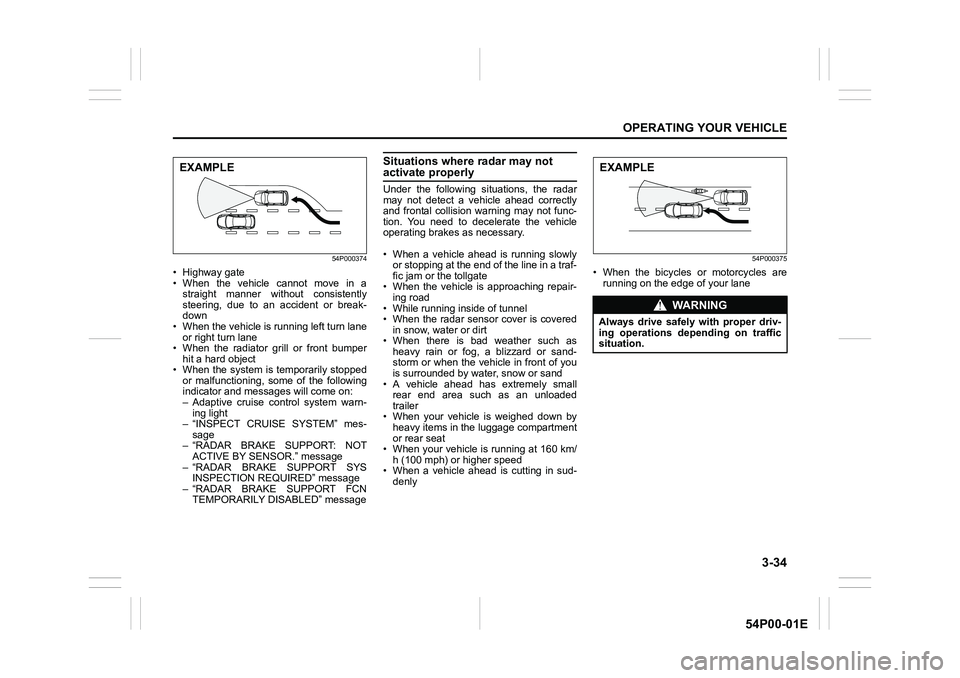
Situations where radar may not activate properly
Under the following situations, the radar
may not detect a vehicle ahead correctly
and frontal collision warning may not func-
tion. You need to decelerate the vehicle
operating brakes as necessary.
• When a vehicle ahead is running slowly
or stopping at the end of the line in a traf-
fic jam or the tollgate
• When the vehicle is approaching repair-
ing road
• While running inside of tunnel
• When the radar sensor cover is covered
in snow, water or dirt
• When there is bad weather such as
heavy rain or fog, a blizzard or sand-
storm or when the vehicle in front of you
is surrounded by water, snow or sand
• A vehicle ahead has extremely small
rear end area such as an unloaded
trailer
• When your vehicle is weighed down by
heavy items in the luggage compartment
or rear seat
• When your vehicle is running at 160 km/
h (100 mph) or higher speed
• When a vehicle ahead is cutting in sud-
denly
54P000375
• When the bicycles or motorcycles are
running on the edge of your lane
EXAMPLE
WA R N I N G
Always drive safely with proper driv-
ing operations depending on traffic
situation.
EXAMPLE
Page 193 of 482
3-53
OPERATING YOUR VEHICLE
54P00-01E
54P000324
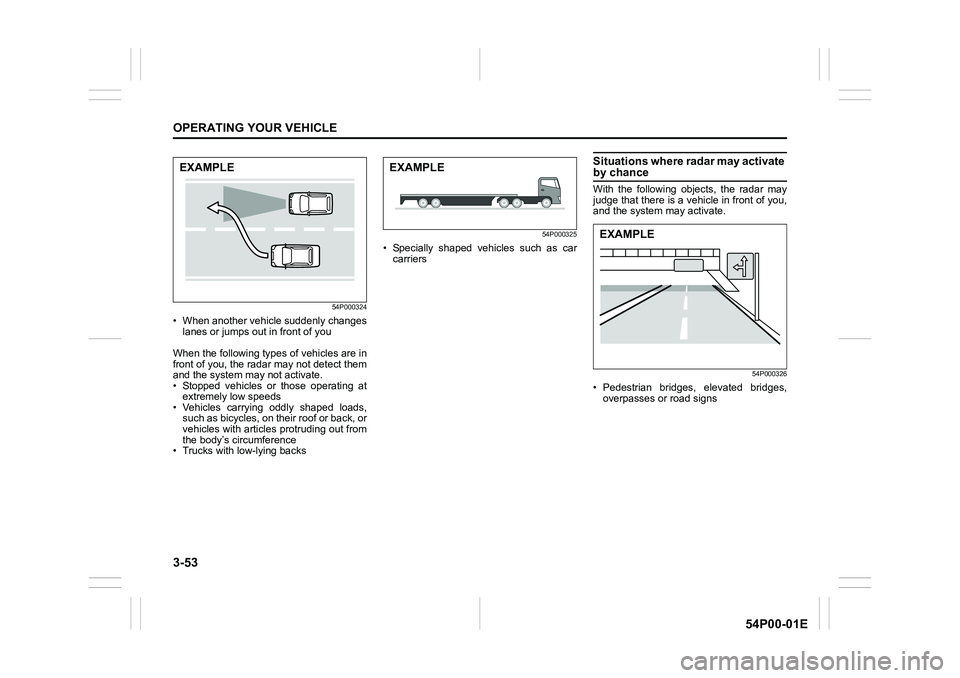
• When another vehicle suddenly changes
lanes or jumps out in front of you
When the following types of vehicles are in
front of you, the radar may not detect them
and the system may not activate.
• Stopped vehicles or those operating at
extremely low speeds
• Vehicles carrying oddly shaped loads,
such as bicycles, on their roof or back, or
vehicles with articles protruding out from
the body’s circumference
• Trucks with low-lying backs
54P000325
• Specially shaped vehicles such as car
carriers
Situations where radar may activate by chance
With the following objects, the radar may
judge that there is a vehicle in front of you,
and the system may activate.
54P000326
• Pedestrian bridges, elevated bridges,
overpasses or road signs
EXAMPLEEXAMPLE
EXAMPLE
Page 211 of 482
3-71
OPERATING YOUR VEHICLE
54P00-01E
Rearview camera
(if equipped)
When the gearshift lever is shifted to “R”
position while the ignition switch is in “ON”
position or the ignition mode is “ON”, the
rearview camera system automatically
shows the view behind the vehicle on the
display.
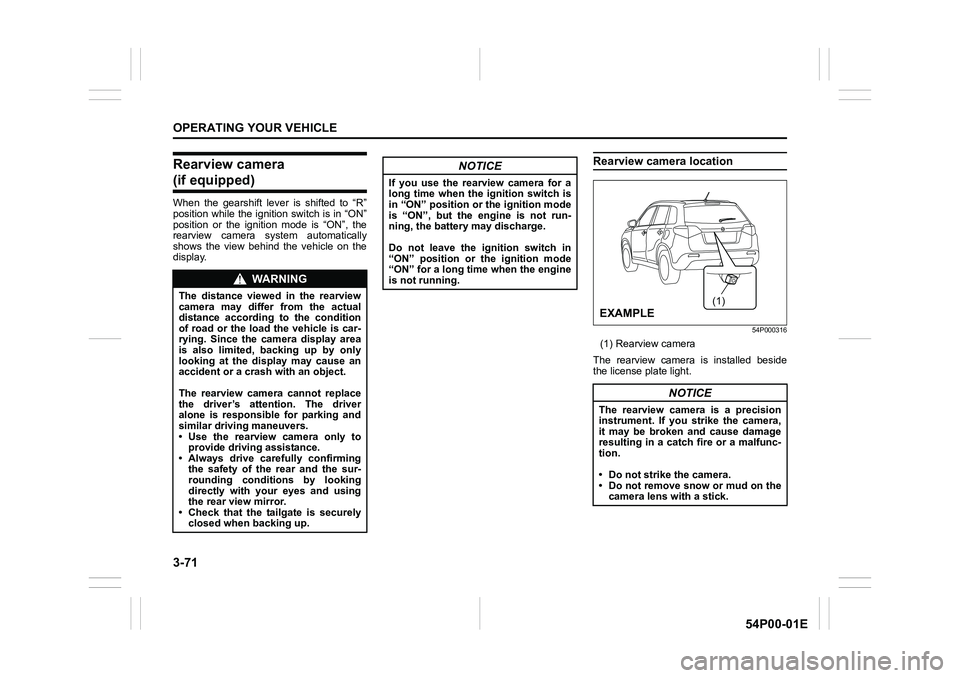
Rearview camera location
54P000316
(1) Rearview camera
The rearview camera is installed beside
the license plate light.
WA R N I N G
The distance viewed in the rearview
camera may differ from the actual
distance according to the condition
of road or the load the vehicle is car-
rying. Since the camera display area
is also limited, backing up by only
looking at the display may cause an
accident or a crash with an object.
The rearview camera cannot replace
the driver’s attention. The driver
alone is responsible for parking and
similar driving maneuvers.
• Use the rearview camera only to
provide driving assistance.
• Always drive carefully confirming
the safety of the rear and the sur-
rounding conditions by looking
directly with your eyes and using
the rear view mirror.
• Check that the tailgate is securely
closed when backing up.
NOTICE
If you use the rearview camera for a
long time when the ignition switch is
in “ON” position or the ignition mode
is “ON”, but the engine is not run-
ning, the battery may discharge.
Do not leave the ignition switch in
“ON” position or the ignition mode
“ON” for a long time when the engine
is not running.
NOTICE
The rearview camera is a precision
instrument. If you strike the camera,
it may be broken and cause damage
resulting in a catch fire or a malfunc-
tion.
• Do not strike the camera.
• Do not remove snow or mud on the
camera lens with a stick.
(1)
EXAMPLE