Gear SUZUKI GRAND VITARA 2022 Owner's Manual
[x] Cancel search | Manufacturer: SUZUKI, Model Year: 2022, Model line: GRAND VITARA, Model: SUZUKI GRAND VITARA 2022Pages: 482, PDF Size: 21 MB
Page 214 of 482
3-74
OPERATING YOUR VEHICLE
54P00-01E
If the rear view from the rearview cam-
era is not shown or there is a poor
image
• If the rear view from the rearview camera
is not shown.
– Check that the ignition switch is in
“ON” position or the ignition mode is
“ON”.
– Check that the gearshift lever is
shifted to “R” position.
• If the image from the rearview camera is
poor.
– Check that the camera lens is not dirty.
– Check that light from the sun or the
beam of the headlights from the vehi-
cle behind is not shining directly into
the lens.
If the rearview camera system is still not
working properly after checking the above,
have the system inspected by an autho-
rized SUZUKI dealer as soon as possible.Braking
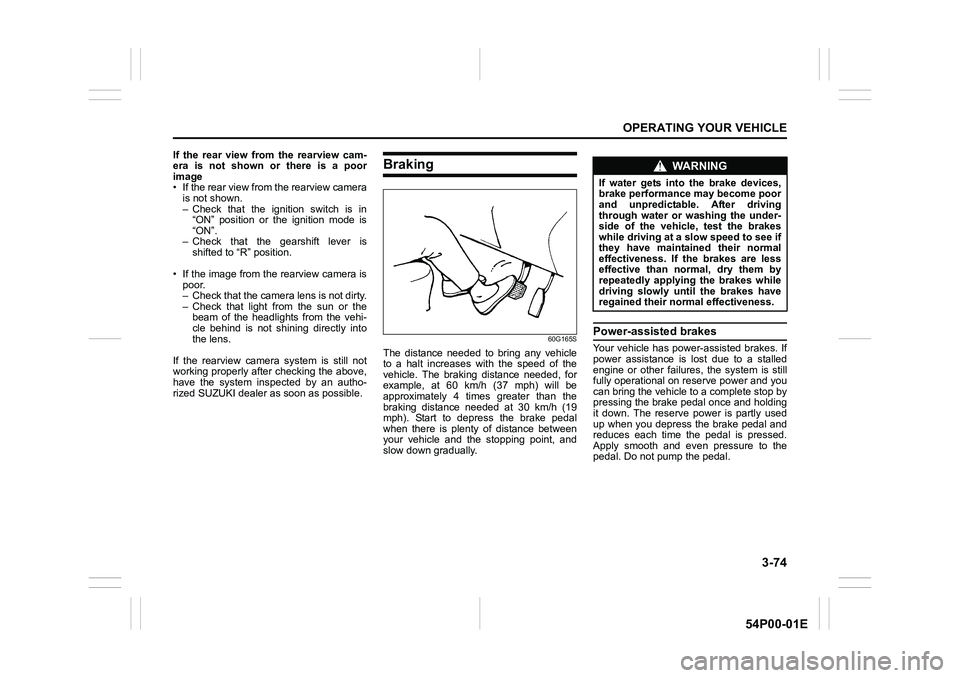
60G165S
The distance needed to bring any vehicle
to a halt increases with the speed of the
vehicle. The braking distance needed, for
example, at 60 km/h (37 mph) will be
approximately 4 times greater than the
braking distance needed at 30 km/h (19
mph). Start to depress the brake pedal
when there is plenty of distance between
your vehicle and the stopping point, and
slow down gradually.
Power-assisted brakes
Your vehicle has power-assisted brakes. If
power assistance is lost due to a stalled
engine or other failures, the system is still
fully operational on reserve power and you
can bring the vehicle to a complete stop by
pressing the brake pedal once and holding
it down. The reserve power is partly used
up when you depress the brake pedal and
reduces each time the pedal is pressed.
Apply smooth and even pressure to the
pedal. Do not pump the pedal.
WA R N I N G
If water gets into the brake devices,
brake performance may become poor
and unpredictable. After driving
through water or washing the under-
side of the vehicle, test the brakes
while driving at a slow speed to see if
they have maintained their normal
effectiveness. If the brakes are less
effective than normal, dry them by
repeatedly applying the brakes while
driving slowly until the brakes have
regained their normal effectiveness.
Page 220 of 482
3-80
OPERATING YOUR VEHICLE
54P00-01E
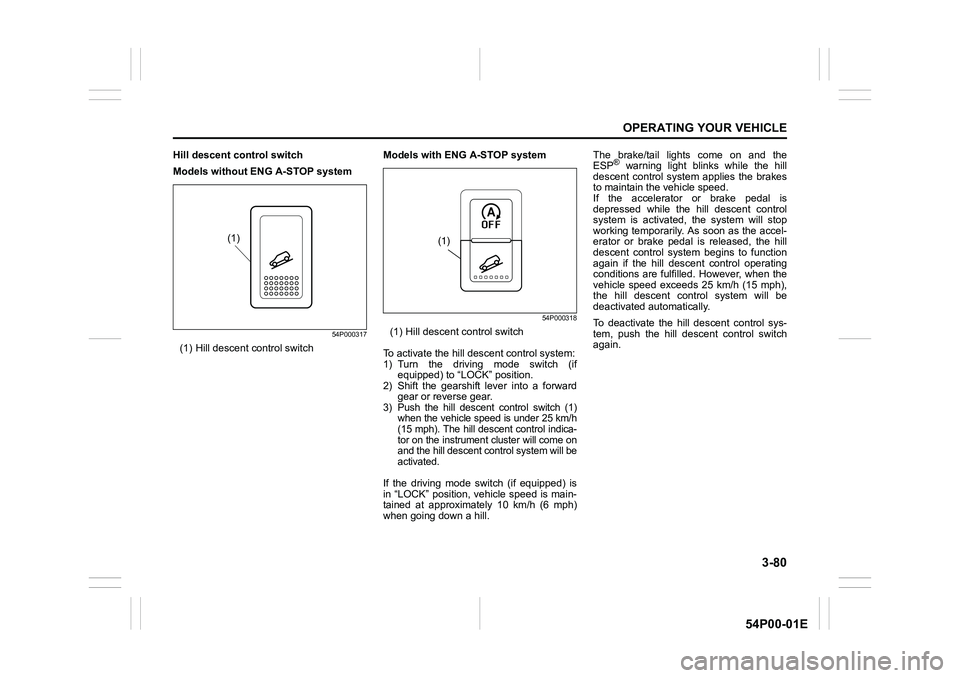
Hill descent control switch
Models without ENG A-STOP system
54P000317
(1) Hill descent control switchModels with ENG A-STOP system
54P000318
(1) Hill descent control switch
To activate the hill descent control system:
1) Turn the driving mode switch (if
equipped) to “LOCK” position.
2) Shift the gearshift lever into a forward
gear or reverse gear.
3) Push the hill descent control switch (1)
when the vehicle speed is under 25 km/h
(15 mph). The hill descent control indica-
tor on the instrument cluster will come on
and the hill descent control system will be
activated.
If the driving mode switch (if equipped) is
in “LOCK” position, vehicle speed is main-
tained at approximately 10 km/h (6 mph)
when going down a hill.The brake/tail lights come on and the
ESP
® warning light blinks while the hill
descent control system applies the brakes
to maintain the vehicle speed.
If the accelerator or brake pedal is
depressed while the hill descent control
system is activated, the system will stop
working temporarily. As soon as the accel-
erator or brake pedal is released, the hill
descent control system begins to function
again if the hill descent control operating
conditions are fulfilled. However, when the
vehicle speed exceeds 25 km/h (15 mph),
the hill descent control system will be
deactivated automatically.
To deactivate the hill descent control sys-
tem, push the hill descent control switch
again.
(1)(1)
Page 221 of 482
3-81
OPERATING YOUR VEHICLE
54P00-01E
NOTE:
You may hear a sound coming from the
engine when the hill descent control sys-
tem is activated. This sound is normal and
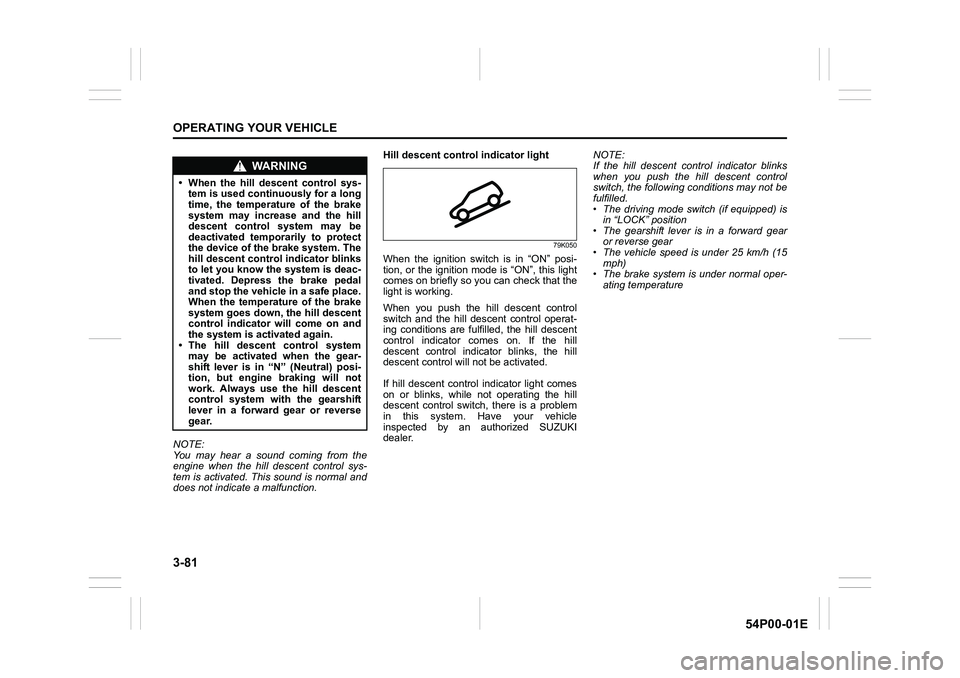
does not indicate a malfunction.Hill descent control indicator light
79K050
When the ignition switch is in “ON” posi-
tion, or the ignition mode is “ON”, this light
comes on briefly so you can check that the
light is working.
When you push the hill descent control
switch and the hill descent control operat-
ing conditions are fulfilled, the hill descent
control indicator comes on. If the hill
descent control indicator blinks, the hill
descent control will not be activated.
If hill descent control indicator light comes
on or blinks, while not operating the hill
descent control switch, there is a problem
in this system. Have your vehicle
inspected by an authorized SUZUKI
dealer.NOTE:
If the hill descent control indicator blinks
when you push the hill descent control
switch, the following conditions may not be
fulfilled.
• The driving mode switch (if equipped) is
in “LOCK” position
• The gearshift lever is in a forward gear
or reverse gear
• The vehicle speed is under 25 km/h (15
mph)
• The brake system is under normal oper-
ating temperature
WA R N I N G
• When the hill descent control sys-
tem is used continuously for a long
time, the temperature of the brake
system may increase and the hill
descent control system may be
deactivated temporarily to protect
the device of the brake system. The
hill descent control indicator blinks
to let you know the system is deac-
tivated. Depress the brake pedal
and stop the vehicle in a safe place.
When the temperature of the brake
system goes down, the hill descent
control indicator will come on and
the system is activated again.
• The hill descent control system
may be activated when the gear-
shift lever is in “N” (Neutral) posi-
tion, but engine braking will not
work. Always use the hill descent
control system with the gearshift
lever in a forward gear or reverse
gear.
Page 222 of 482
3-82
OPERATING YOUR VEHICLE
54P00-01E
NOTE:
If any of the following conditions occur,
there may be a problem with the hill
descent control system or the ESP
® sys-
tem. Have your vehicle inspected by an
authorized SUZUKI dealer.
• The hill descent control indicator does
not come on or blink when you push the
hill descent control switch.
• The hill descent control indicator stays
on when driving without pushing the hill
descent control switch.
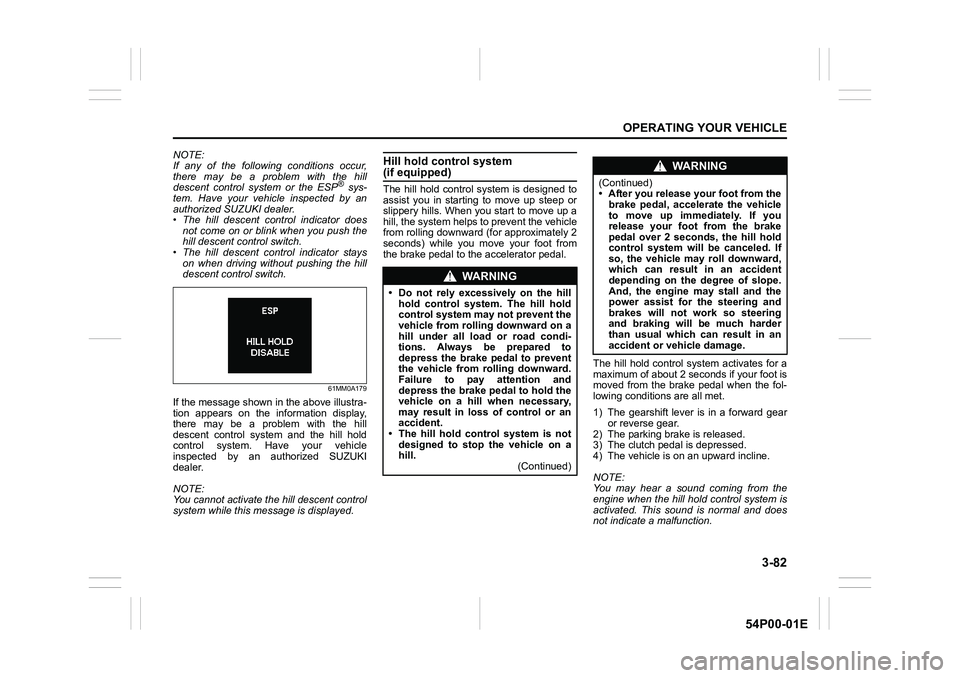
61MM0A179
If the message shown in the above illustra-
tion appears on the information display,
there may be a problem with the hill
descent control system and the hill hold
control system. Have your vehicle
inspected by an authorized SUZUKI
dealer.
NOTE:
You cannot activate the hill descent control
system while this message is displayed.
Hill hold control system (if equipped)
The hill hold control system is designed to
assist you in starting to move up steep or
slippery hills. When you start to move up a
hill, the system helps to prevent the vehicle
from rolling downward (for approximately 2
seconds) while you move your foot from
the brake pedal to the accelerator pedal.
The hill hold control system activates for a
maximum of about 2 seconds if your foot is
moved from the brake pedal when the fol-
lowing conditions are all met.
1) The gearshift lever is in a forward gear
or reverse gear.
2) The parking brake is released.
3) The clutch pedal is depressed.
4) The vehicle is on an upward incline.
NOTE:
You may hear a sound coming from the
engine when the hill hold control system is
activated. This sound is normal and does
not indicate a malfunction.
WA R N I N G
• Do not rely excessively on the hill
hold control system. The hill hold
control system may not prevent the
vehicle from rolling downward on a
hill under all load or road condi-
tions. Always be prepared to
depress the brake pedal to prevent
the vehicle from rolling downward.
Failure to pay attention and
depress the brake pedal to hold the
vehicle on a hill when necessary,
may result in loss of control or an
accident.
• The hill hold control system is not
designed to stop the vehicle on a
hill.
(Continued)
WA R N I N G
(Continued)
• After you release your foot from the
brake pedal, accelerate the vehicle
to move up immediately. If you
release your foot from the brake
pedal over 2 seconds, the hill hold
control system will be canceled. If
so, the vehicle may roll downward,
which can result in an accident
depending on the degree of slope.
And, the engine may stall and the
power assist for the steering and
brakes will not work so steering
and braking will be much harder
than usual which can result in an
accident or vehicle damage.
Page 235 of 482
4-1
DRIVING TIPS
54P00-01E
52D078S
Running-inCatalytic converter
80G106
The purpose of the catalytic converter is to
minimize the amount of harmful pollutants
in your vehicle’s exhaust. Use of leaded
fuel in vehicles equipped with catalytic
converters is prohibited, because lead
deactivates the pollutant-reducing compo-
nents of the catalyst system.
The converter is designed to last the life of
the vehicle under normal usage and when
unleaded fuel is used. No special mainte-
nance is required on the converter. How-
ever, it is very important to keep the engine
properly tuned. Engine misfiring, which can
result from an improperly tuned engine,
may cause overheating of the catalytic
converter. This may result in permanent
WA R N I N G
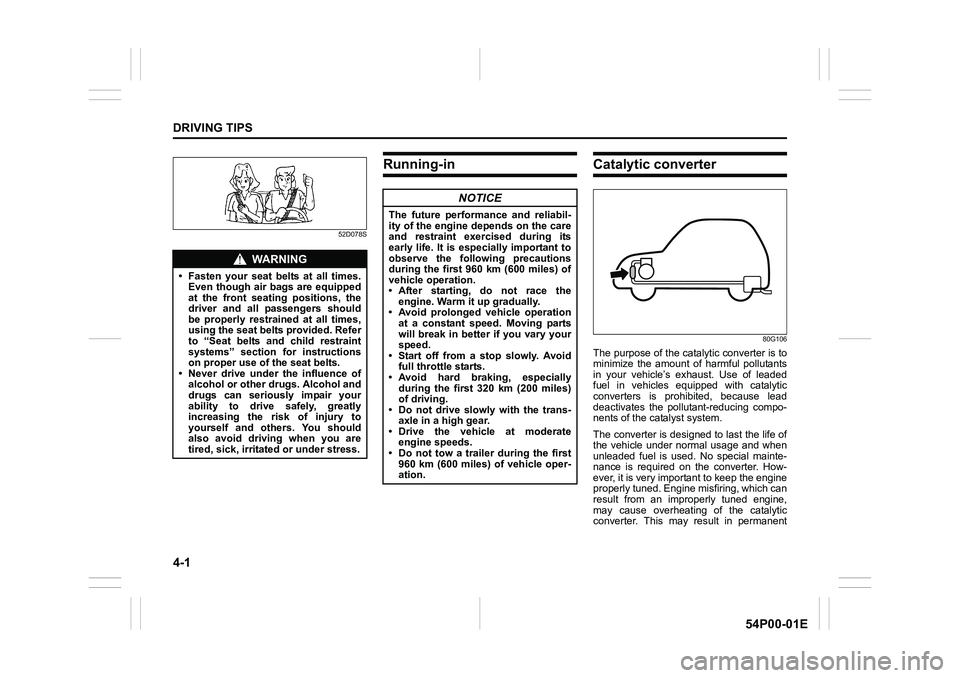
• Fasten your seat belts at all times.
Even though air bags are equipped
at the front seating positions, the
driver and all passengers should
be properly restrained at all times,
using the seat belts provided. Refer
to “Seat belts and child restraint
systems” section for instructions
on proper use of the seat belts.
• Never drive under the influence of
alcohol or other drugs. Alcohol and
drugs can seriously impair your
ability to drive safely, greatly
increasing the risk of injury to
yourself and others. You should
also avoid driving when you are
tired, sick, irritated or under stress.
NOTICE
The future performance and reliabil-
ity of the engine depends on the care
and restraint exercised during its
early life. It is especially important to
observe the following precautions
during the first 960 km (600 miles) of
vehicle operation.
• After starting, do not race the
engine. Warm it up gradually.
• Avoid prolonged vehicle operation
at a constant speed. Moving parts
will break in better if you vary your
speed.
• Start off from a stop slowly. Avoid
full throttle starts.
• Avoid hard braking, especially
during the first 320 km (200 miles)
of driving.
• Do not drive slowly with the trans-
axle in a high gear.
• Drive the vehicle at moderate
engine speeds.
• Do not tow a trailer during the first
960 km (600 miles) of vehicle oper-
ation.
Page 236 of 482
4-2
DRIVING TIPS
54P00-01E
heat damage to the catalytic converter and
other vehicle components.
54G584S
Improving fuel economy
The following instructions will help you
improve fuel economy.
Avoid excessive idling
If you park your vehicle for more than one
minute, stop the engine and start it again
later. When warming up a cold engine,
allow the engine to idle until the tempera-
ture gauge pointer comes up to “C” posi-
tion (if the idling is not prohibited). In this
position, the engine is sufficiently warm for
starting off.
Avoid fast starts
Fast starts away from lights or stop signs
will consume fuel unnecessarily and
shorten engine life. Start off slowly.
Avoid unnecessary stops
Avoid unnecessary deceleration and stop-
ping. Try to maintain a slow, steady speed
whenever possible. Slowing down and
then accelerating again uses more fuel.
Keep a steady cruising speed
Drive at a constant speed that road and
traffic conditions will permit.NOTICE
To minimize the possibility of cata-
lytic converter or other vehicle dam-
age:
• Maintain the engine in the proper
operating condition.
• In the event of an engine malfunc-
tion, particularly one involving
engine misfire or other apparent
loss of performance, have the vehi-
cle serviced promptly.
• Do not turn off the engine or inter-
rupt the ignition when the transaxle
is in gear and the vehicle is in
motion.
• Do not try to start the engine by
pushing or towing the vehicle, or
coasting down a hill.
• Do not idle the engine with any
spark plug wires disconnected or
removed, such as during diagnos-
tic testing.
• Do not idle the vehicle for pro-
longed periods if idling seems
rough or there are other malfunc-
tions.
• Do not allow the fuel tank to get
near the empty level.
WA R N I N G
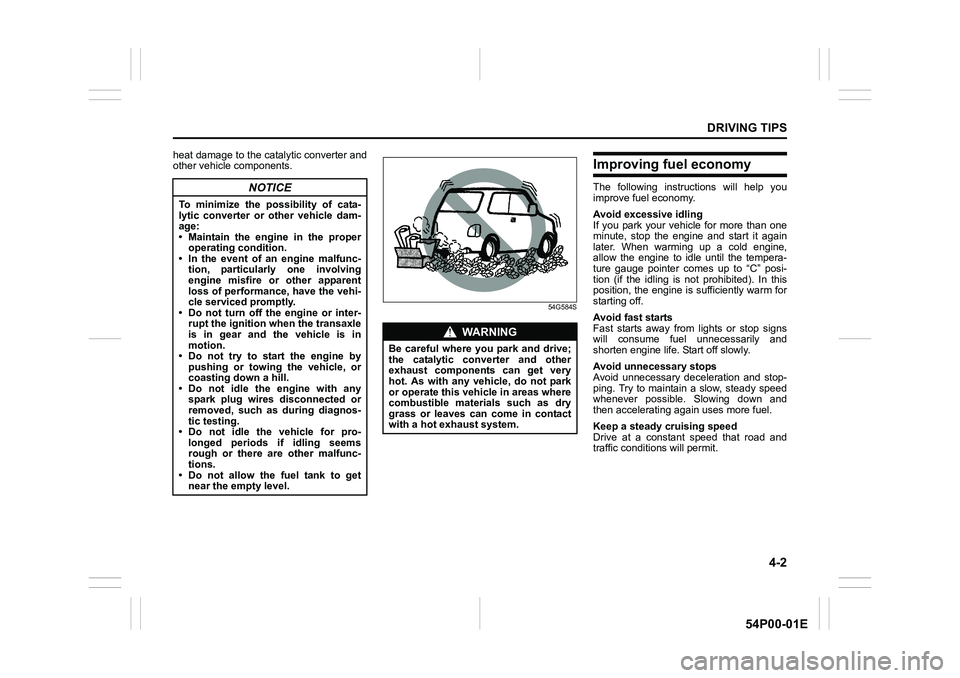
Be careful where you park and drive;
the catalytic converter and other
exhaust components can get very
hot. As with any vehicle, do not park
or operate this vehicle in areas where
combustible materials such as dry
grass or leaves can come in contact
with a hot exhaust system.
Page 237 of 482
4-3
DRIVING TIPS
54P00-01E
Keep the air cleaner clean
60A183S
If the air cleaner is clogged with dust, there
will be greater intake resistance, resulting
in decreased power output and increased
fuel consumption.
Keep weight to a minimum
The heavier the load is, the more fuel the
vehicle consumes. Unload any unneces-
sary luggage or cargo.
Keep tire pressures correct
Under-inflation of the tires can waste fuel
due to increased running resistance of the
tires. Keep your tires inflated to the correct
pressure shown on the label on the driver’s
side door or the driver’s door lock pillar.
Highway driving
When driving at highway speeds, pay
attention to the following:
• Stopping distance progressively
increases with vehicle speed. Apply the
brakes far enough ahead of the stopping
point to allow for the extra stopping dis-
tance.
• On rainy days, hydroplaning can occur.
Hydroplaning is the loss of direct contact
between the road surface and the vehi-
cle’s tires due to a water film forming
between them. Steering or braking the
vehicle during hydroplaning can be very
difficult, and loss of control can occur.
Keep speed down when the road sur-
face is wet.
• At high speeds, the vehicle may be
affected by side winds. Therefore,
reduce speed and be prepared for unex-
pected buffeting, which can occur at the
exits of tunnels, when passing by a cut
of a hill, or when being overtaken by
large vehicles, etc.
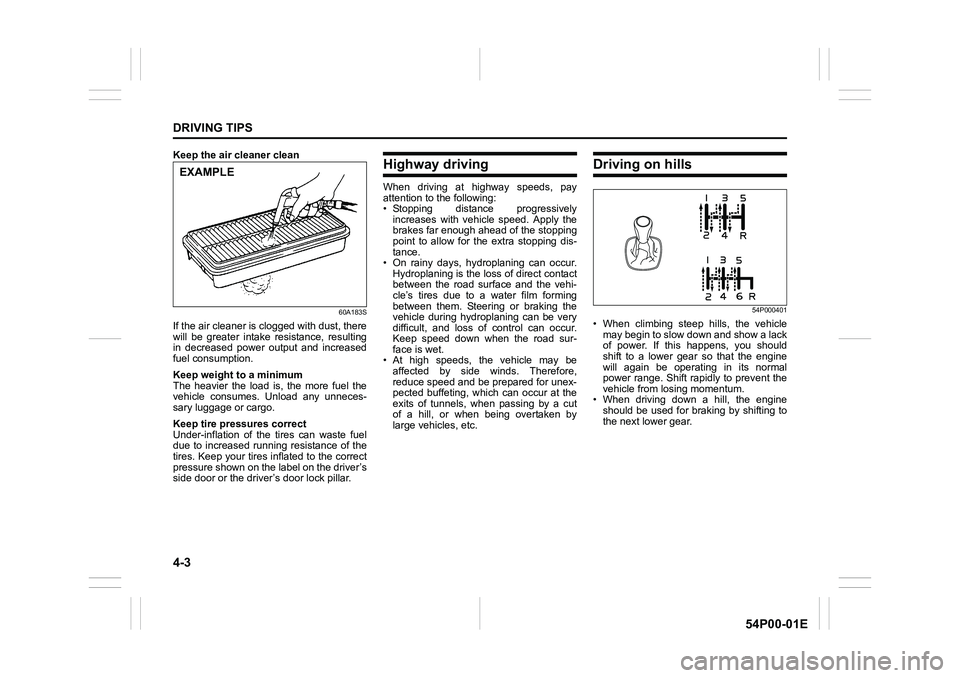
Driving on hills
54P000401
• When climbing steep hills, the vehicle
may begin to slow down and show a lack
of power. If this happens, you should
shift to a lower gear so that the engine
will again be operating in its normal
power range. Shift rapidly to prevent the
vehicle from losing momentum.
• When driving down a hill, the engine
should be used for braking by shifting to
the next lower gear.
EXAMPLE
Page 239 of 482
4-5
DRIVING TIPS
54P00-01E
Stuck vehicle
If your vehicle gets stuck in snow, mud or
sand, follow the directions below:
1) Shift the transaxle back and forth
between a forward range (or first gear
for manual transaxle) and reverse. This
will create a rocking motion which may
give you enough momentum to free the
vehicle. Press gently on the accelerator
to keep wheel spinning to a minimum
wheel rpm. Remove your foot from the
accelerator while shifting.
Do not race the engine. Excessive
wheel spin will cause the tires to dig
deeper, making it more difficult to free
the vehicle.
NOTE:
If your vehicle is equipped with the ESP
®,
you may have to turn the ESP® system off
in order to spin the wheels.
2) If your vehicle remains stuck after a few
minutes of rocking, we recommend you
to consult your SUZUKI dealer or a
roadside assistance service. If a towing
service is not available in an emer-
gency, your vehicle may be temporarily
towed by a towing cable or chain
secured to the towing hook either on
the front of the vehicle or on the rear of
the vehicle. Refer to “Frame hooks” in
“OTHER CONTROLS AND EQUIP-
MENT” section.
54G638S
WA R N I N G
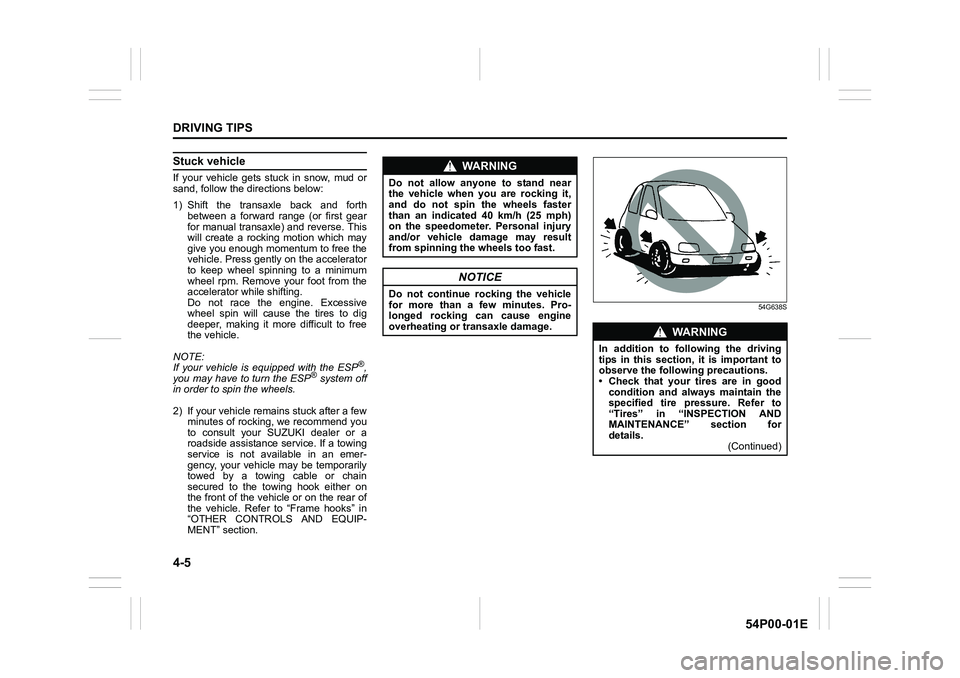
Do not allow anyone to stand near
the vehicle when you are rocking it,
and do not spin the wheels faster
than an indicated 40 km/h (25 mph)
on the speedometer. Personal injury
and/or vehicle damage may result
from spinning the wheels too fast.
NOTICE
Do not continue rocking the vehicle
for more than a few minutes. Pro-
longed rocking can cause engine
overheating or transaxle damage.
WA R N I N G
In addition to following the driving
tips in this section, it is important to
observe the following precautions.
• Check that your tires are in good
condition and always maintain the
specified tire pressure. Refer to
“Tires” in “INSPECTION AND
MAINTENANCE” section for
details.
(Continued)
Page 256 of 482
5-14
OTHER CONTROLS AND EQUIPMENT
54P00-01E
Instrument panel pocket (1) / Column hole cover pocket (8)Front cup holders (2) / Rear cup holder (4)
Use the rear cup holder to put a cup with a
lid or a bottle with a cap. Also, you can put
small articles in the rear cup holder.
Front bottle holder (3) / Rear bottle holder (6)
You should only place a bottle with a cap in
the holder.
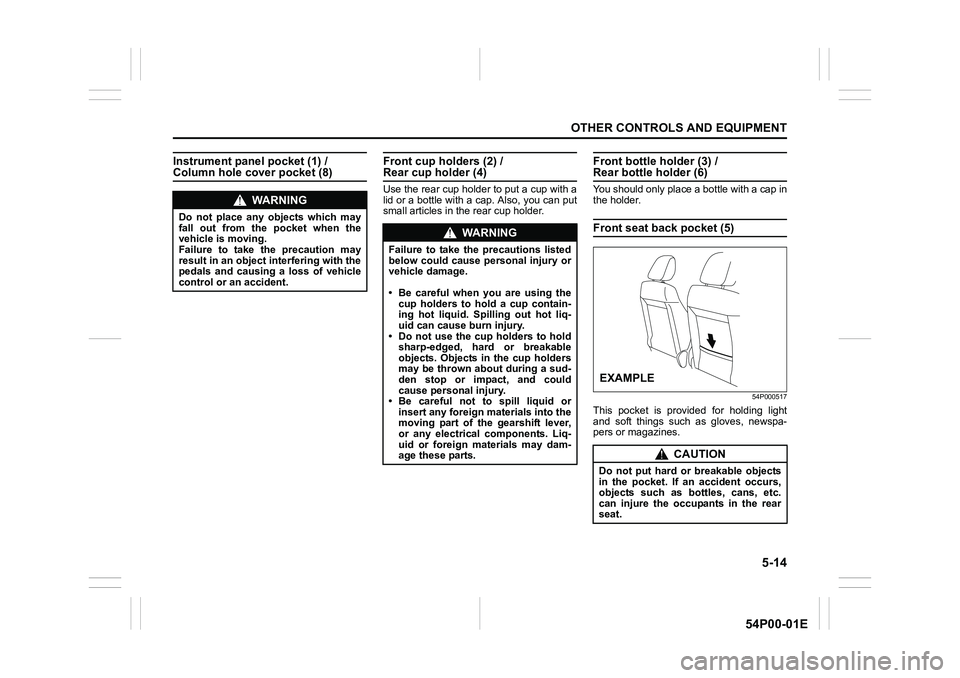
Front seat back pocket (5)
54P000517
This pocket is provided for holding light
and soft things such as gloves, newspa-
pers or magazines.
WA R N I N G
Do not place any objects which may
fall out from the pocket when the
vehicle is moving.
Failure to take the precaution may
result in an object interfering with the
pedals and causing a loss of vehicle
control or an accident.
WA R N I N G
Failure to take the precautions listed
below could cause personal injury or
vehicle damage.
• Be careful when you are using the
cup holders to hold a cup contain-
ing hot liquid. Spilling out hot liq-
uid can cause burn injury.
• Do not use the cup holders to hold
sharp-edged, hard or breakable
objects. Objects in the cup holders
may be thrown about during a sud-
den stop or impact, and could
cause personal injury.
• Be careful not to spill liquid or
insert any foreign materials into the
moving part of the gearshift lever,
or any electrical components. Liq-
uid or foreign materials may dam-
age these parts.
CAUTION
Do not put hard or breakable objects
in the pocket. If an accident occurs,
objects such as bottles, cans, etc.
can injure the occupants in the rear
seat.
EXAMPLE
Page 336 of 482
6-4
VEHICLE LOADING AND TOWING
54P00-01E
WA R N I N G
Your vehicle should be handled in a
different way when towing a trailer.
For the safety of yourself and others,
observe the following precautions:
• Practice turning, stopping, and
reversing before you begin towing
a trailer in traffic. Do not tow a
trailer in traffic until you are confi-
dent that you can handle the vehi-
cle and trailer safely.
• Never exceed towing speed limits
or 80 km/h (50 mph), whichever is
lower.
• Never drive at a speed that causes
shaking or swaying of the trailer. If
you notice even the slightest sign
of shaking or swaying, slow down.
• When roads are wet, slippery or
rough, drive at a slower speed than
you would on dry or smooth roads.
Failure to slow down when road
conditions are bad can result in
loss of control.
• Always have someone guide you
when reversing.
(Continued)
WA R N I N G
(Continued)
• Allow adequate stopping distance.
Stopping distance is increased
when you tow a trailer. For each 16
km/h (10 mph) of speed, allow at
least one vehicle and trailer length
between you and the vehicle
ahead. Allow a greater stopping
distance if roads are wet or slip-
pery.
• If the trailer has over-run brakes,
apply the brakes gradually to avoid
snatching caused by the trailer
wheels locking.
• Slow down before corners and
maintain a steady speed while cor-
nering. Deceleration or accelera-
tion while cornering can result in
loss of control. Remember that a
larger than normal turning radius is
needed because the trailer wheels
will be closer than vehicle wheels
to the inside of the turn.
• Avoid sudden acceleration and
stopping of the vehicle. Do not
make quick maneuvers unless they
are necessary.
• Slow down in cross winds and be
prepared for gusts of wind from
large passing vehicles.
(Continued)
WA R N I N G
(Continued)
• Be careful when overtaking other
vehicles. Allow enough room for
your trailer before changing lanes,
and use turn signal lights properly
in advance.
• Slow down and shift into a lower
gear before you reach long or steep
downhill grades. It is hazardous to
attempt downshifting while you are
descending a hill.
• Do not step on the brake pedal
strongly. This could cause the
brakes to over-heat resulting in
reduced braking efficiency. Use
engine braking as much as possi-
ble.
• Because of the added trailer
weight, your engine may overheat
on hot days when going up long or
steep hills. Pay attention to your
engine temperature gauge. If it indi-
cates overheating, pull off the road
and stop the vehicle in a safe place.
Refer to “Engine trouble: Overheat-
ing” in “EMERGENCY SERVICE”
section.