information display SUZUKI GRAND VITARA 2022 Owner's Guide
[x] Cancel search | Manufacturer: SUZUKI, Model Year: 2022, Model line: GRAND VITARA, Model: SUZUKI GRAND VITARA 2022Pages: 482, PDF Size: 21 MB
Page 164 of 482
3-24
OPERATING YOUR VEHICLE
54P00-01E
the other hand, the driving mode does not
return to the LOCK mode automatically. You
should select the LOCK mode according to
the driving conditions.
NOTE:
• The information display shows current
driving mode.
• When the ignition switch is turned to
“ON” position or the engine switch is
pressed to change the ignition mode to
“ON”, the AUTO mode is selected auto-
matically.
• The driving mode switch can be oper-
ated when the vehicle is either stopped
or moving.
• Check that the front wheels are in the
straight ahead position when operating
the driving mode switch.
• While making turns or accelerating and
decelerating, operating the driving mode
switch, turning the ignition switch to
“ACC” or “LOCK” position or pressing
the engine switch to change the ignition
mode to “ACC” or “LOCK” may cause a
shock, but this is not a system malfunc-
tion.
• When you operate your vehicle under
conditions that involve wheel spin, such
as driving off-road in the sand or water
or when a wheel has run off the road, the
difference in the amount of revolution
between front wheels and rear wheels
increases (wheels run idle). If this state
continues, the oil temperature of the
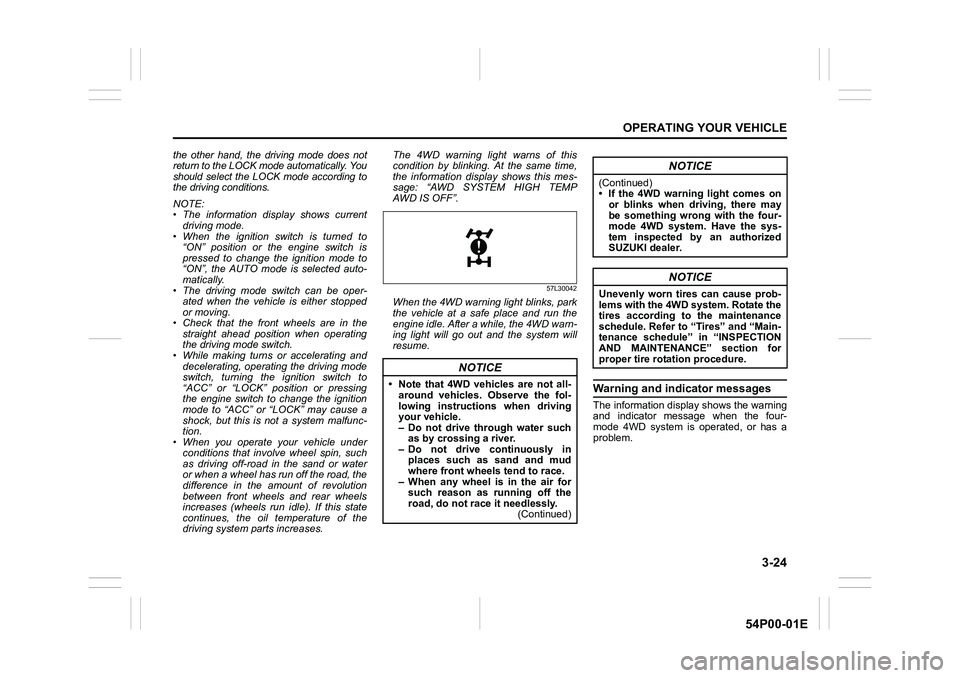
driving system parts increases. The 4WD warning light warns of this
condition by blinking. At the same time,
the information display shows this mes-
sage: “AWD SYSTEM HIGH TEMP
AWD IS OFF”.
57L30042
When the 4WD warning light blinks, park
the vehicle at a safe place and run the
engine idle. After a while, the 4WD warn-
ing light will go out and the system will
resume.
Warning and indicator messages
The information display shows the warning
and indicator message when the four-
mode 4WD system is operated, or has a
problem.
NOTICE
• Note that 4WD vehicles are not all-
around vehicles. Observe the fol-
lowing instructions when driving
your vehicle.
– Do not drive through water such
as by crossing a river.
– Do not drive continuously in
places such as sand and mud
where front wheels tend to race.
– When any wheel is in the air for
such reason as running off the
road, do not race it needlessly.
(Continued)
NOTICE
(Continued)
• If the 4WD warning light comes on
or blinks when driving, there may
be something wrong with the four-
mode 4WD system. Have the sys-
tem inspected by an authorized
SUZUKI dealer.
NOTICE
Unevenly worn tires can cause prob-
lems with the 4WD system. Rotate the
tires according to the maintenance
schedule. Refer to “Tires” and “Main-
tenance schedule” in “INSPECTION
AND MAINTENANCE” section for
proper tire rotation procedure.
Page 169 of 482
3-29
OPERATING YOUR VEHICLE
54P00-01E
ENG A-STOP system
(engine auto stop start
system) (if equipped)
The ENG A-STOP system (engine auto
stop start system) automatically stops and
restarts the engine without operating the
ignition switch or the engine switch when
the vehicle is stopped, such as at a traffic
signal or in a traffic jam, to reduce exhaust
gases and fuel consumption.
• When the vehicle will be stopped for a
long time or when you will leave the
vehicle unattended, turn the ignition
switch to “LOCK” position or press the
engine switch to stop the engine.
NOTE:
If your vehicle is equipped with the auto air
conditioning system, you can change the
auto engine stop condition via the informa-
tion display. Refer to “Information display”
in “BEFORE DRIVING” section.
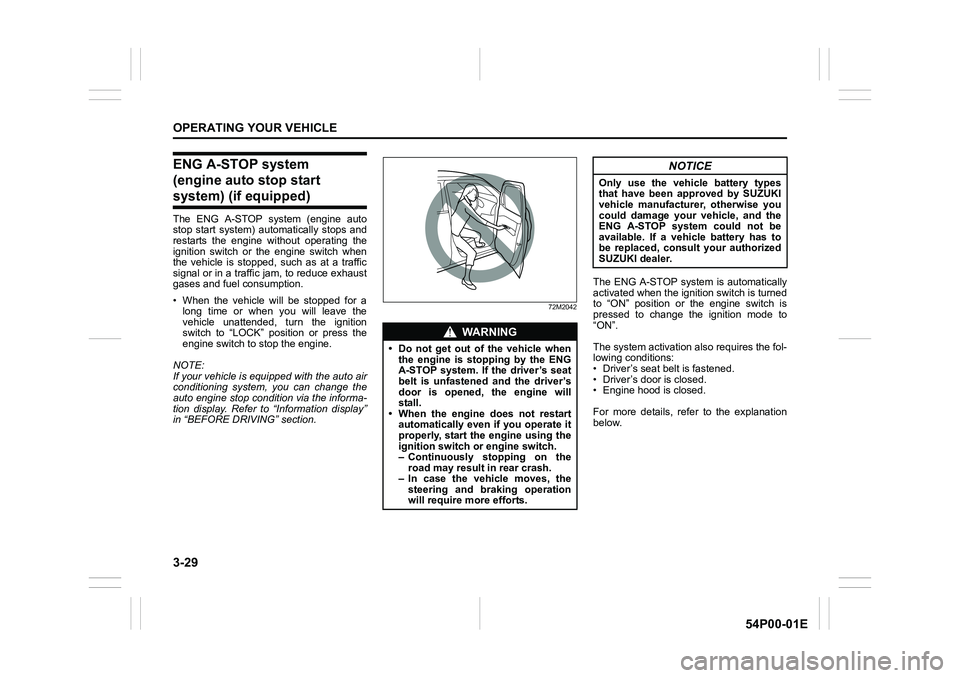
72M2042
The ENG A-STOP system is automatically
activated when the ignition switch is turned
to “ON” position or the engine switch is
pressed to change the ignition mode to
“ON”.
The system activation also requires the fol-
lowing conditions:
• Driver’s seat belt is fastened.
• Driver’s door is closed.
• Engine hood is closed.
For more details, refer to the explanation
below.
WA R N I N G
• Do not get out of the vehicle when
the engine is stopping by the ENG
A-STOP system. If the driver’s seat
belt is unfastened and the driver’s
door is opened, the engine will
stall.
• When the engine does not restart
automatically even if you operate it
properly, start the engine using the
ignition switch or engine switch.
– Continuously stopping on the
road may result in rear crash.
– In case the vehicle moves, the
steering and braking operation
will require more efforts.
NOTICE
Only use the vehicle battery types
that have been approved by SUZUKI
vehicle manufacturer, otherwise you
could damage your vehicle, and the
ENG A-STOP system could not be
available. If a vehicle battery has to
be replaced, consult your authorized
SUZUKI dealer.
Page 175 of 482
3-35
OPERATING YOUR VEHICLE
54P00-01E
Situations where radar may activate properly
Under the following situations, the radar
system detects a vehicle on the neighbor-
ing lane or roadside objects and frontal col-
lision warning may function.
• At a corner or narrow traffic lane
• The vehicle position in your lane
is unstable due to steering operation etc.
• Objects protruding from the road’s
surface such as manhole covers and
other metal objects, as well as falling
objects or level changes in the road
Setting cruising speed
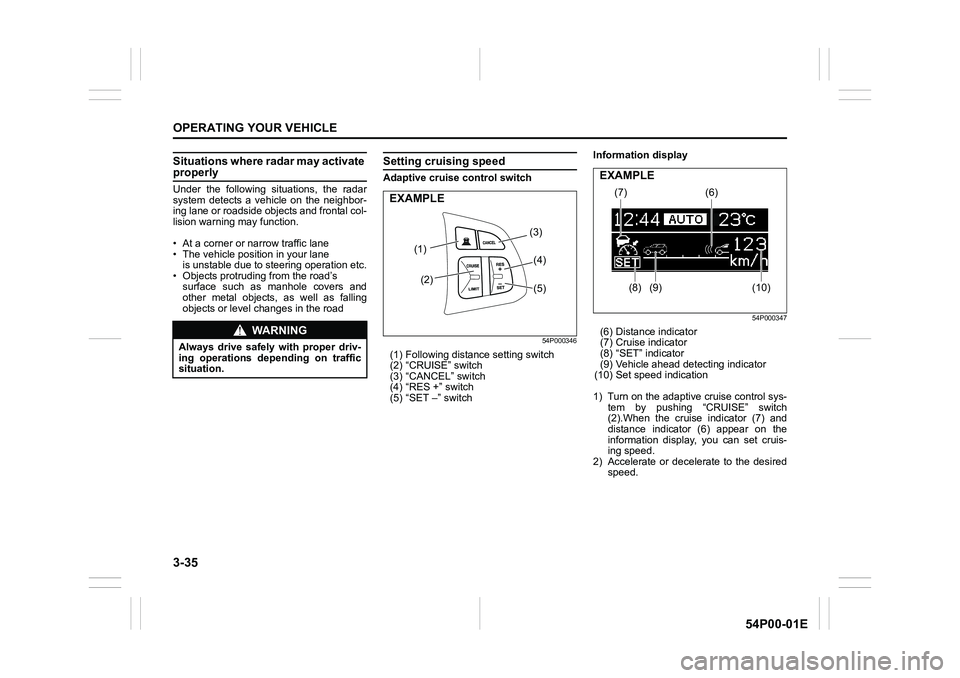
Adaptive cruise control switch
54P000346
(1) Following distance setting switch
(2) “CRUISE” switch
(3) “CANCEL” switch
(4) “RES +” switch
(5) “SET –” switchInformation display
54P000347
(6) Distance indicator
(7) Cruise indicator
(8) “SET” indicator
(9) Vehicle ahead detecting indicator
(10) Set speed indication
1) Turn on the adaptive cruise control sys-
tem by pushing “CRUISE” switch
(2).When the cruise indicator (7) and
distance indicator (6) appear on the
information display, you can set cruis-
ing speed.
2) Accelerate or decelerate to the desired
speed.WA R N I N G
Always drive safely with proper driv-
ing operations depending on traffic
situation.
(1)
(2)(3)
(4)
(5)
EXAMPLE(7)
(8) (9)(6)
(10)
EXAMPLE
Page 176 of 482
3-36
OPERATING YOUR VEHICLE
54P00-01E
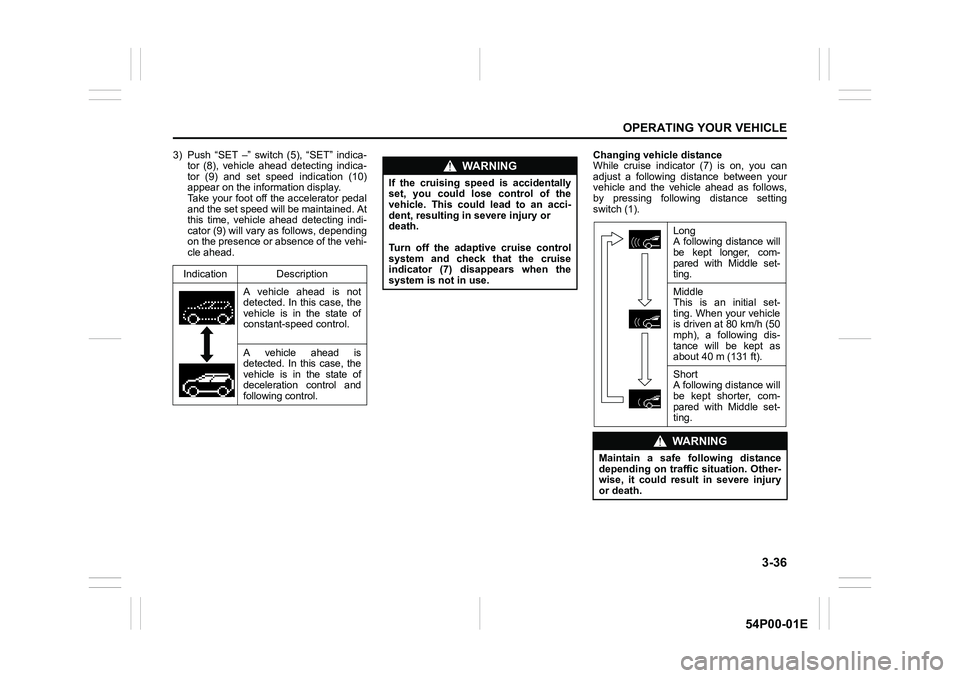
3) Push “SET –” switch (5), “SET” indica-
tor (8), vehicle ahead detecting indica-
tor (9) and set speed indication (10)
appear on the information display.
Take your foot off the accelerator pedal
and the set speed will be maintained. At
this time, vehicle ahead detecting indi-
cator (9) will vary as follows, depending
on the presence or absence of the vehi-
cle ahead.Changing vehicle distance
While cruise indicator (7) is on, you can
adjust a following distance between your
vehicle and the vehicle ahead as follows,
by pressing following distance setting
switch (1).
Indication Description
A vehicle ahead is not
detected. In this case, the
vehicle is in the state of
constant-speed control.
A vehicle ahead is
detected. In this case, the
vehicle is in the state of
deceleration control and
following control.
WA R N I N G
If the cruising speed is accidentally
set, you could lose control of the
vehicle. This could lead to an acci-
dent, resulting in severe injury or
death.
Turn off the adaptive cruise control
system and check that the cruise
indicator (7) disappears when the
system is not in use.
Long
A following distance will
be kept longer, com-
pared with Middle set-
ting.
Middle
This is an initial set-
ting. When your vehicle
is driven at 80 km/h (50
mph), a following dis-
tance will be kept as
about 40 m (131 ft).
Short
A following distance will
be kept shorter, com-
pared with Middle set-
ting.
WA R N I N G
Maintain a safe following distance
depending on traffic situation. Other-
wise, it could result in severe injury
or death.
Page 179 of 482
3-39
OPERATING YOUR VEHICLE
54P00-01E
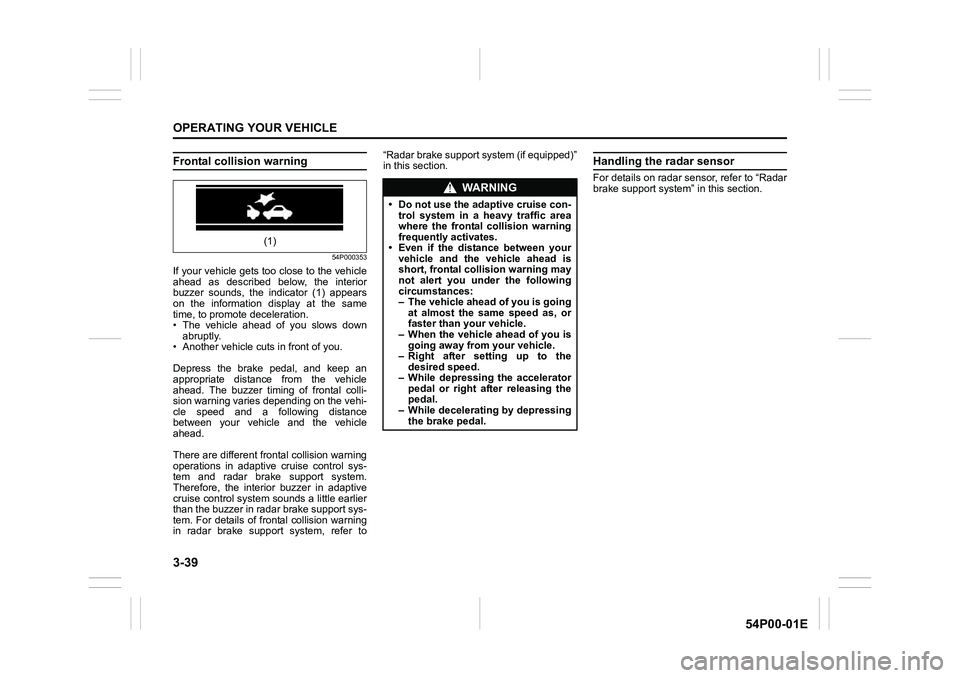
Frontal collision warning
54P000353
If your vehicle gets too close to the vehicle
ahead as described below, the interior
buzzer sounds, the indicator (1) appears
on the information display at the same
time, to promote deceleration.
• The vehicle ahead of you slows down
abruptly.
• Another vehicle cuts in front of you.
Depress the brake pedal, and keep an
appropriate distance from the vehicle
ahead. The buzzer timing of frontal colli-
sion warning varies depending on the vehi-
cle speed and a following distance
between your vehicle and the vehicle
ahead.
There are different frontal collision warning
operations in adaptive cruise control sys-
tem and radar brake support system.
Therefore, the interior buzzer in adaptive
cruise control system sounds a little earlier
than the buzzer in radar brake support sys-
tem. For details of frontal collision warning
in radar brake support system, refer to“Radar brake support system (if equipped)”
in this section.
Handling the radar sensor
For details on radar sensor, refer to “Radar
brake support system” in this section.
(1)
WA R N I N G
• Do not use the adaptive cruise con-
trol system in a heavy traffic area
where the frontal collision warning
frequently activates.
• Even if the distance between your
vehicle and the vehicle ahead is
short, frontal collision warning may
not alert you under the following
circumstances:
– The vehicle ahead of you is going
at almost the same speed as, or
faster than your vehicle.
– When the vehicle ahead of you is
going away from your vehicle.
– Right after setting up to the
desired speed.
– While depressing the accelerator
pedal or right after releasing the
pedal.
– While decelerating by depressing
the brake pedal.
Page 180 of 482
3-40
OPERATING YOUR VEHICLE
54P00-01E
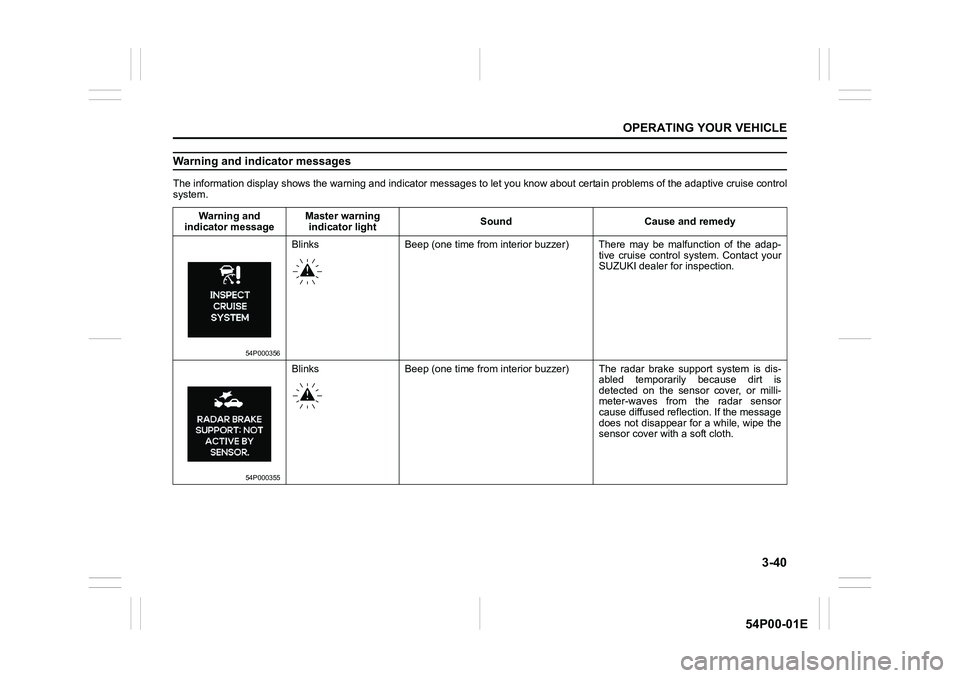
Warning and indicator messages
The information display shows the warning and indicator messages to let you know about certain problems of the adaptive cruise control
system.
Warning and
indicator messageMaster warning
indicator lightSound Cause and remedy
54P000356
Blinks Beep (one time from interior buzzer) There may be malfunction of the adap-
tive cruise control system. Contact your
SUZUKI dealer for inspection.
54P000355
Blinks Beep (one time from interior buzzer) The radar brake support system is dis-
abled temporarily because dirt is
detected on the sensor cover, or milli-
meter-waves from the radar sensor
cause diffused reflection. If the message
does not disappear for a while, wipe the
sensor cover with a soft cloth.
Page 183 of 482
3-43
OPERATING YOUR VEHICLE
54P00-01E
Setting cruising speed
1) Turn on the cruise control system by
pushing “CRUISE” switch (1). When the
cruise indicator (5) comes on, you can
set cruising speed.
2) Accelerate or decelerate to the desired
speed.
3) Push “SET –” switch (4) and turn on the
set indicator (6). Take your foot off the
accelerator pedal and the set speed will
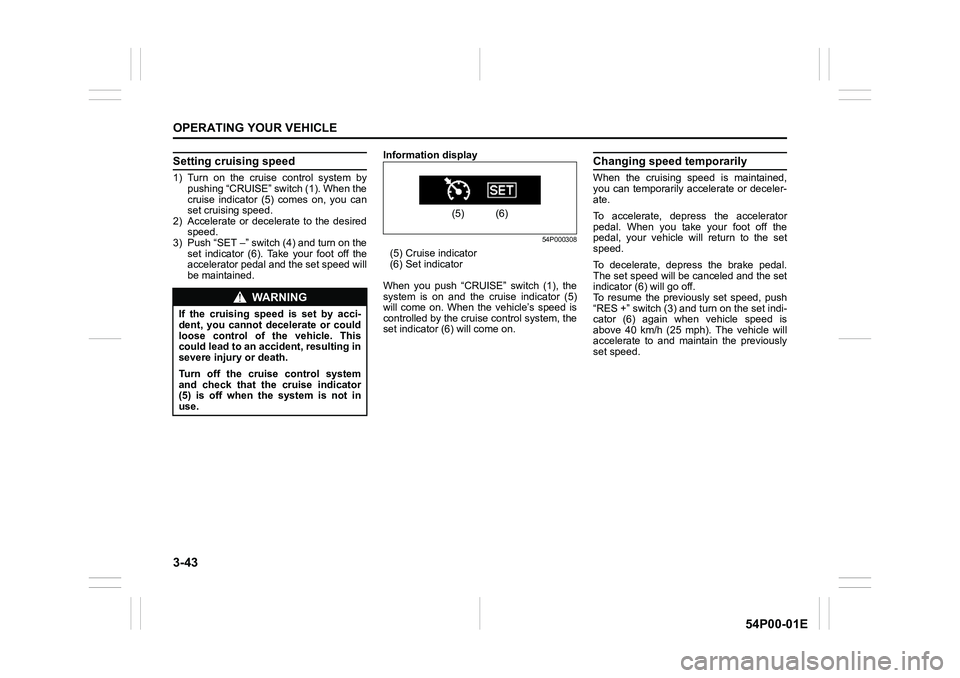
be maintained.Information display
54P000308
(5) Cruise indicator
(6) Set indicator
When you push “CRUISE” switch (1), the
system is on and the cruise indicator (5)
will come on. When the vehicle’s speed is
controlled by the cruise control system, the
set indicator (6) will come on.
Changing speed temporarily
When the cruising speed is maintained,
you can temporarily accelerate or deceler-
ate.
To accelerate, depress the accelerator
pedal. When you take your foot off the
pedal, your vehicle will return to the set
speed.
To decelerate, depress the brake pedal.
The set speed will be canceled and the set
indicator (6) will go off.
To resume the previously set speed, push
“RES +” switch (3) and turn on the set indi-
cator (6) again when vehicle speed is
above 40 km/h (25 mph). The vehicle will
accelerate to and maintain the previously
set speed.
WA R N I N G
If the cruising speed is set by acci-
dent, you cannot decelerate or could
loose control of the vehicle. This
could lead to an accident, resulting in
severe injury or death.
Turn off the cruise control system
and check that the cruise indicator
(5) is off when the system is not in
use.
(5) (6)
Page 186 of 482
3-46
OPERATING YOUR VEHICLE
54P00-01E
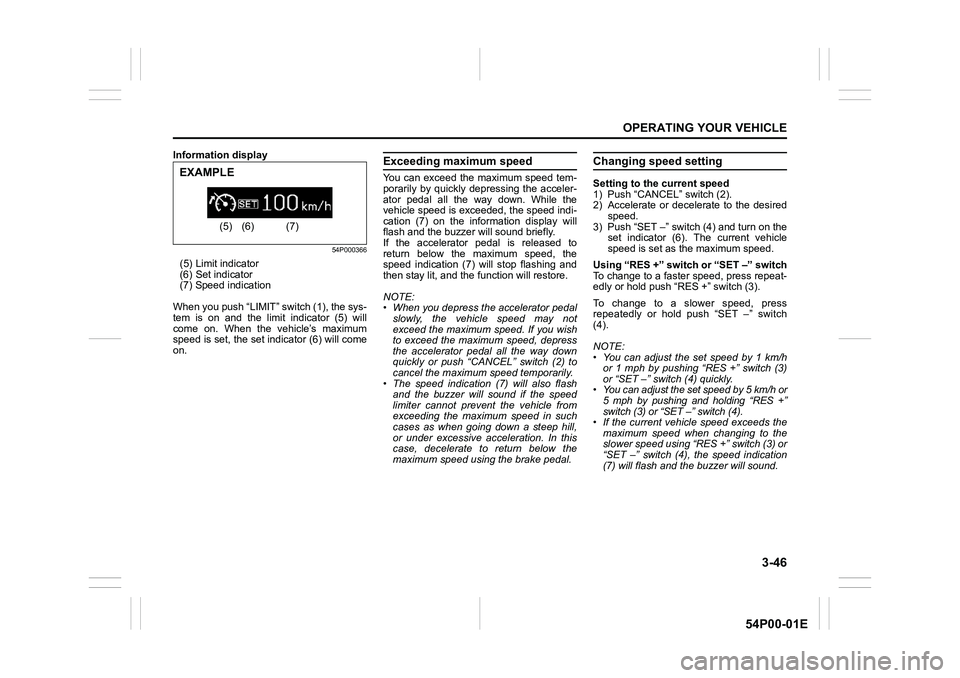
Information display
54P000366
(5) Limit indicator
(6) Set indicator
(7) Speed indication
When you push “LIMIT” switch (1), the sys-
tem is on and the limit indicator (5) will
come on. When the vehicle’s maximum
speed is set, the set indicator (6) will come
on.
Exceeding maximum speed
You can exceed the maximum speed tem-
porarily by quickly depressing the acceler-
ator pedal all the way down. While the
vehicle speed is exceeded, the speed indi-
cation (7) on the information display will
flash and the buzzer will sound briefly.
If the accelerator pedal is released to
return below the maximum speed, the
speed indication (7) will stop flashing and
then stay lit, and the function will restore.
NOTE:
• When you depress the accelerator pedal
slowly, the vehicle speed may not
exceed the maximum speed. If you wish
to exceed the maximum speed, depress
the accelerator pedal all the way down
quickly or push “CANCEL” switch (2) to
cancel the maximum speed temporarily.
• The speed indication (7) will also flash
and the buzzer will sound if the speed
limiter cannot prevent the vehicle from
exceeding the maximum speed in such
cases as when going down a steep hill,
or under excessive acceleration. In this
case, decelerate to return below the
maximum speed using the brake pedal.
Changing speed setting
Setting to the current speed
1) Push “CANCEL” switch (2).
2) Accelerate or decelerate to the desired
speed.
3) Push “SET –” switch (4) and turn on the
set indicator (6). The current vehicle
speed is set as the maximum speed.
Using “RES +” switch or “SET –” switch
To change to a faster speed, press repeat-
edly or hold push “RES +” switch (3).
To change to a slower speed, press
repeatedly or hold push “SET –” switch
(4).
NOTE:
• You can adjust the set speed by 1 km/h
or 1 mph by pushing “RES +” switch (3)
or “SET –” switch (4) quickly.
• You can adjust the set speed by 5 km/h or
5 mph by pushing and holding “RES +”
switch (3) or “SET –” switch (4).
• If the current vehicle speed exceeds the
maximum speed when changing to the
slower speed using “RES +” switch (3) or
“SET –” switch (4), the speed indication
(7) will flash and the buzzer will sound.
(5) (6) (7)
EXAMPLE
Page 195 of 482
3-55
OPERATING YOUR VEHICLE
54P00-01E
54P000331
• When your vehicle is weighed down by
heavy items in the luggage compartment
or rear seat
54P000332
• When there is a roadside guard rail, or
sign, on a curve
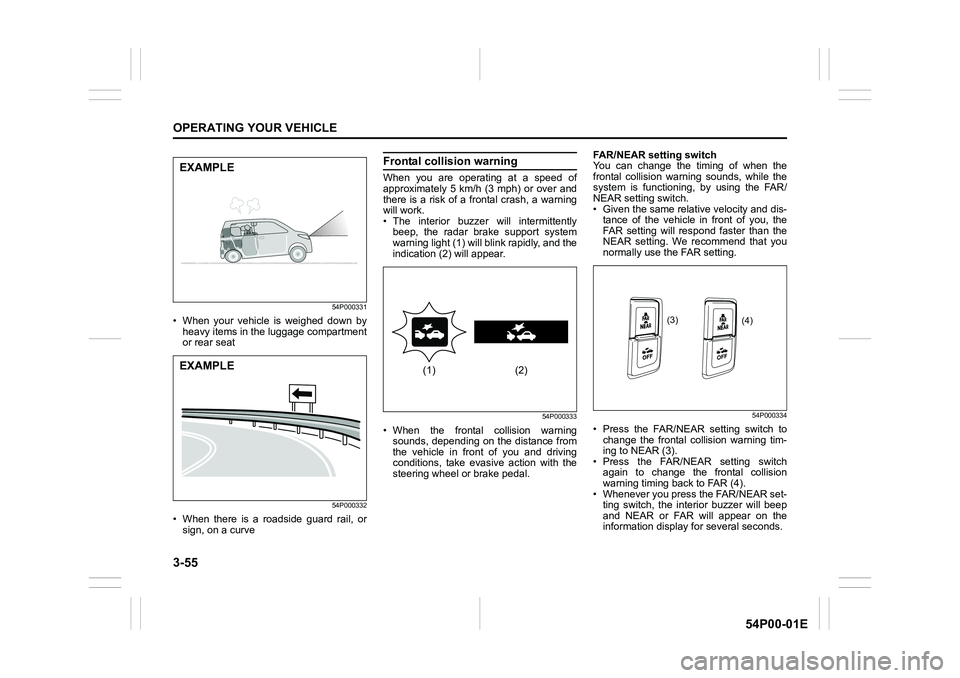
Frontal collision warning
When you are operating at a speed of
approximately 5 km/h (3 mph) or over and
there is a risk of a frontal crash, a warning
will work.
• The interior buzzer will intermittently
beep, the radar brake support system
warning light (1) will blink rapidly, and the
indication (2) will appear.
54P000333
• When the frontal collision warning
sounds, depending on the distance from
the vehicle in front of you and driving
conditions, take evasive action with the
steering wheel or brake pedal.FAR/NEAR setting switch
You can change the timing of when the
frontal collision warning sounds, while the
system is functioning, by using the FAR/
NEAR setting switch.
• Given the same relative velocity and dis-
tance of the vehicle in front of you, the
FAR setting will respond faster than the
NEAR setting. We recommend that you
normally use the FAR setting.
54P000334
• Press the FAR/NEAR setting switch to
change the frontal collision warning tim-
ing to NEAR (3).
• Press the FAR/NEAR setting switch
again to change the frontal collision
warning timing back to FAR (4).
• Whenever you press the FAR/NEAR set-
ting switch, the interior buzzer will beep
and NEAR or FAR will appear on the
information display for several seconds.
EXAMPLE
EXAMPLE(1) (2)
(3)
(4)
Page 201 of 482
3-61
OPERATING YOUR VEHICLE
54P00-01E
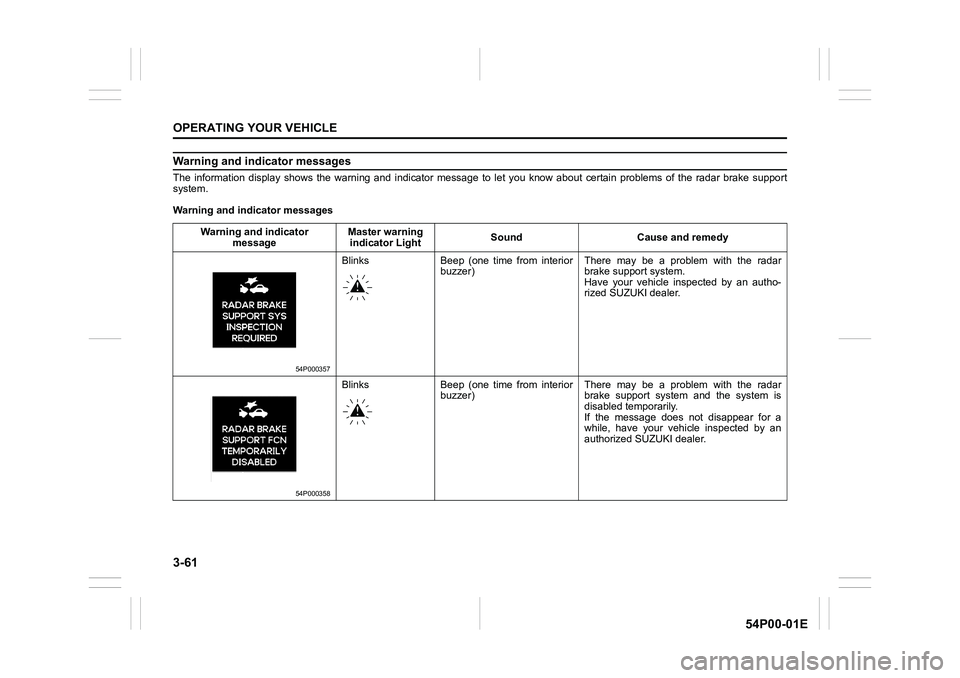
Warning and indicator messages
The information display shows the warning and indicator message to let you know about certain problems of the radar brake support
system.
Warning and indicator messages
Warning and indicator
messageMaster warning
indicator LightSound Cause and remedy
54P000357
Blinks Beep (one time from interior
buzzer)There may be a problem with the radar
brake support system.
Have your vehicle inspected by an autho-
rized SUZUKI dealer.
54P000358
Blinks Beep (one time from interior
buzzer)There may be a problem with the radar
brake support system and the system is
disabled temporarily.
If the message does not disappear for a
while, have your vehicle inspected by an
authorized SUZUKI dealer.