information display SUZUKI GRAND VITARA 2022 User Guide
[x] Cancel search | Manufacturer: SUZUKI, Model Year: 2022, Model line: GRAND VITARA, Model: SUZUKI GRAND VITARA 2022Pages: 482, PDF Size: 21 MB
Page 85 of 482
2-63
BEFORE DRIVING
54P00-01E
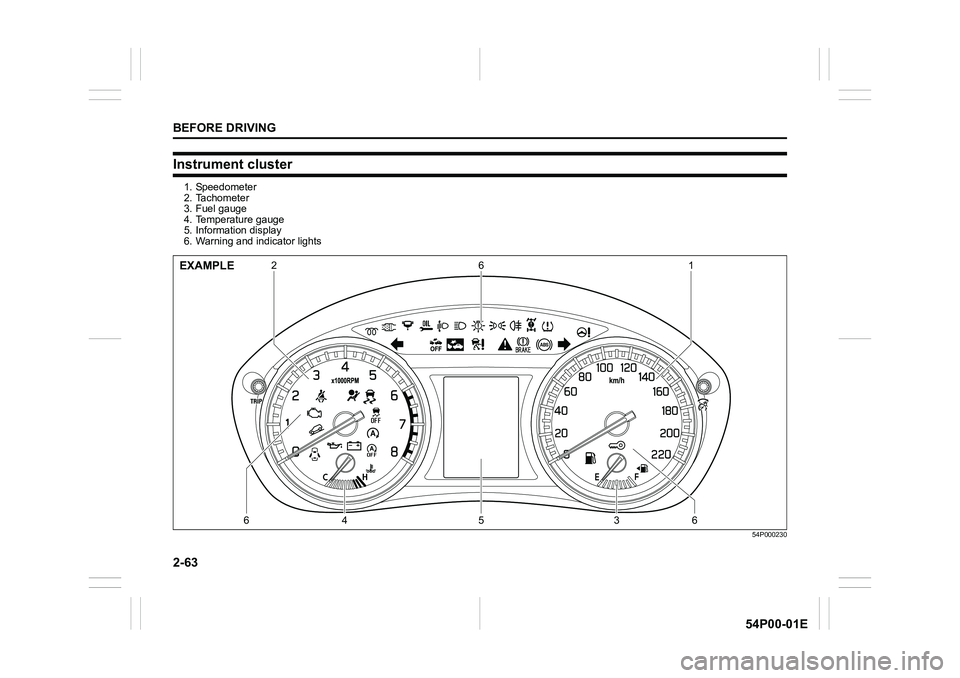
Instrument cluster
1. Speedometer
2. Tachometer
3. Fuel gauge
4. Temperature gauge
5. Information display
6. Warning and indicator lights
54P000230
21 6
64 5 36EXAMPLE
Page 88 of 482
2-66
BEFORE DRIVING
54P00-01E
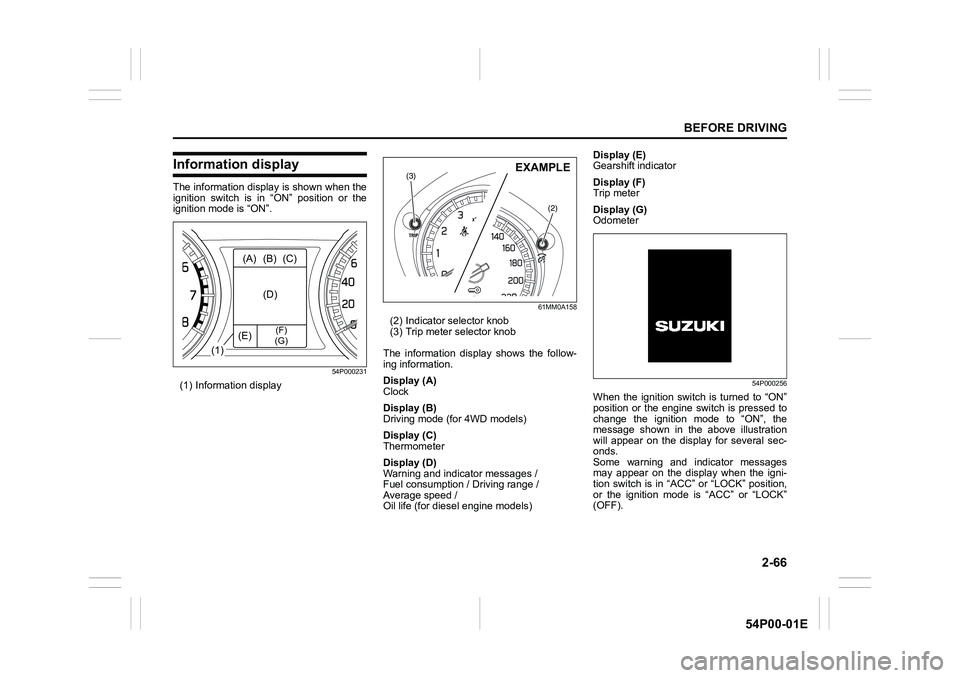
Information display
The information display is shown when the
ignition switch is in “ON” position or the
ignition mode is “ON”.
54P000231
(1) Information display
61MM0A158
(2) Indicator selector knob
(3) Trip meter selector knob
The information display shows the follow-
ing information.
Display (A)
Clock
Display (B)
Driving mode (for 4WD models)
Display (C)
Thermometer
Display (D)
Warning and indicator messages /
Fuel consumption / Driving range /
Average speed /
Oil life (for diesel engine models)Display (E)
Gearshift indicator
Display (F)
Trip meter
Display (G)
Odometer
54P000256
When the ignition switch is turned to “ON”
position or the engine switch is pressed to
change the ignition mode to “ON”, the
message shown in the above illustration
will appear on the display for several sec-
onds.
Some warning and indicator messages
may appear on the display when the igni-
tion switch is in “ACC” or “LOCK” position,
or the ignition mode is “ACC” or “LOCK”
(OFF).
(1)(A) (B) (C)
(D)
(E)
(F)
(G)
(3)
(2)
EXAMPLE
Page 93 of 482
2-71
BEFORE DRIVING
54P00-01E
Gearshift indicator
The display (E) shows the gearshift indica-
tor.
54P000232
Refer to “Gearshift indicator” in “OPERAT-
ING YOUR VEHICLE” section.
Trip meter
The display (F) shows the trip meter.
The trip meter can be used to measure the
distance traveled on short trips or between
fuel stops.
You can use trip meter A or trip meter B
independently.
To reset the trip meter to zero, push and
hold the trip meter selector knob (3) for
about 2 seconds when the display shows
the trip meter.
Odometer
The display (G) shows the odometer.
The odometer records the total distance
the vehicle has been driven.
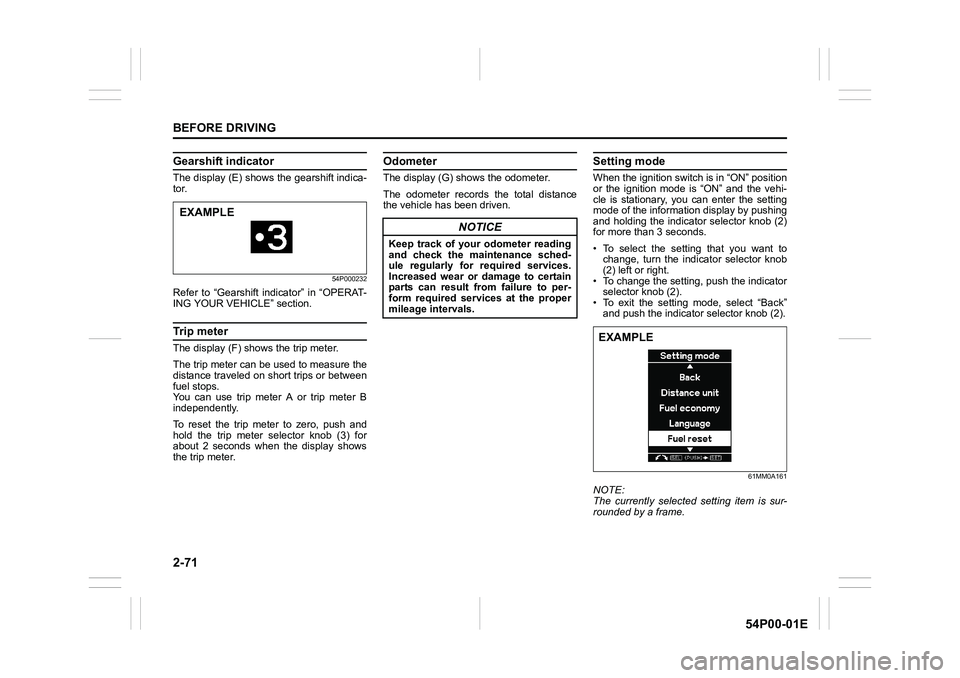
Setting mode
When the ignition switch is in “ON” position
or the ignition mode is “ON” and the vehi-
cle is stationary, you can enter the setting
mode of the information display by pushing
and holding the indicator selector knob (2)
for more than 3 seconds.
• To select the setting that you want to
change, turn the indicator selector knob
(2) left or right.
• To change the setting, push the indicator
selector knob (2).
• To exit the setting mode, select “Back”
and push the indicator selector knob (2).
61MM0A161
NOTE:
The currently selected setting item is sur-
rounded by a frame.
EXAMPLE
NOTICE
Keep track of your odometer reading
and check the maintenance sched-
ule regularly for required services.
Increased wear or damage to certain
parts can result from failure to per-
form required services at the proper
mileage intervals.
EXAMPLE
Page 94 of 482
2-72
BEFORE DRIVING
54P00-01E
NOTE:
• If you push and hold the indicator selec-
tor knob (2) to enter the setting mode
when the display (D) shows average fuel
consumption or average speed, the
value will be reset simultaneously. If you
do not want to reset the value, push the
indicator selector knob quickly to switch
the indication of the display.
• If you turn the ignition switch, press the
engine switch or start to move the vehi-
cle when the display is in the setting
mode, the setting mode will be canceled
automatically.
Distance unit
(Odometer / trip meter distance unit set-
ting)
You can change the units in which odome-
ter / trip meter distance is displayed.
NOTE:
When you change the units in which odom-
eter / trip meter distance is displayed, the
trip meter will be reset automatically.
Fuel economy
(Fuel consumption unit setting)
You can change the units that fuel con-
sumption is displayed in.
Language
You can change the language of the infor-
mation display.Fuel reset (Average fuel consumption
reset setting)
You can change when the value of aver-
age fuel consumption is reset.
Temperature
(Temperature unit setting)
You can change the units that temperature
is displayed in.
NOTE:
When you change the units that tempera-
ture is displayed in, the automatic heating
and air conditioning system (if equipped)
temperature display units will be changed
automatically.
Set sensors
(Parking sensor setting) (if equipped)
The parking sensor can be switched
between the normal mode and trailer
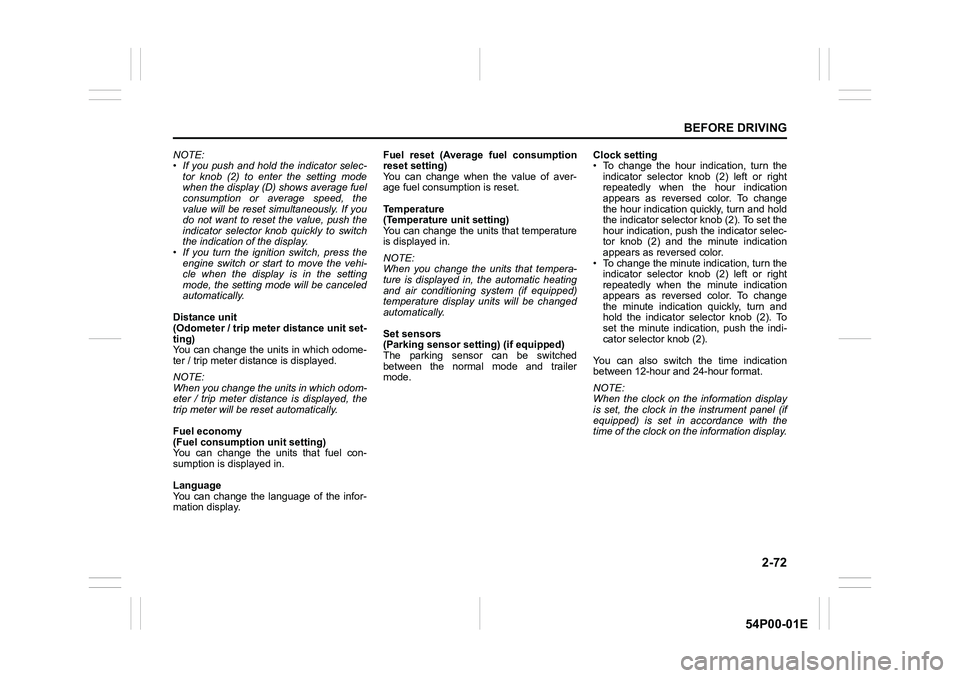
mode.Clock setting
• To change the hour indication, turn the
indicator selector knob (2) left or right
repeatedly when the hour indication
appears as reversed color. To change
the hour indication quickly, turn and hold
the indicator selector knob (2). To set the
hour indication, push the indicator selec-
tor knob (2) and the minute indication
appears as reversed color.
• To change the minute indication, turn the
indicator selector knob (2) left or right
repeatedly when the minute indication
appears as reversed color. To change
the minute indication quickly, turn and
hold the indicator selector knob (2). To
set the minute indication, push the indi-
cator selector knob (2).
You can also switch the time indication
between 12-hour and 24-hour format.
NOTE:
When the clock on the information display
is set, the clock in the instrument panel (if
equipped) is set in accordance with the
time of the clock on the information display.
Page 95 of 482
2-73
BEFORE DRIVING
54P00-01E
Door lock (Door lock setting)
You can choose either once or twice oper-
ation(s) to unlock all doors (including the
tailgate) or release the dead lock system (if
equipped) by turning the key, or operating
the keyless entry system transmitter, key-
less push start system remote controller or
request switch.
You can also turn off or on the buzzer
sound when the door(s) is(are) locked or
unlocked.
Lights (Light setting)
(Footwell light setting) (if equipped)
The footwell lights can be programmed for
interlocked operation with either lighting
control or door operation and for no light-
ing.
Lane change (Turn signal light setting)
The turn signal and its indicator can be set
whether they flash three times even if you
return the turn signal control lever immedi-
ately after moving it.Antitheft (Theft deterrent alarm system
setting) (if equipped)
You can switch the theft deterrent alarm
system from the enabled state to the dis-
abled state, and vice versa.
The state of the theft deterrent alarm sys-
tem is shown on the information display as
follows:
• Mode A: Disabled state
• Mode D: Enabled state
NOTE:
For the theft deterrent alarm system of
Mexico and South Africa models, refer to
“For European countries, Mexico and
South Africa” in “SUPPLEMENT” section.Oil change (Oil life monitoring system
reset setting) (if equipped for gasoline
engine model)
The oil life monitoring system must be
reset after changing the engine oil and oil
filter.
TPMS (Tire pressure monitoring system
setting) (if equipped)
• You can check the current tire inflation
pressure on the information display.
• You can set one of the initial values of
tire pressure below that are indicated on
the tire information label.
– Comfort Mode
–Eco Mode
– Load Mode
Refer to “Tire pressure monitoring system
(TPMS) (if equipped)” in “OPERATING
YOUR VEHICLE” section for details.
Page 109 of 482
2-87
BEFORE DRIVING
54P00-01E
NOTE:
• When you operate the four-mode 4WD system (if equipped), the information display may show messages other than those in the
above chart. Refer to “Four-mode 4WD system (if equipped)” in “OPERATING YOUR VEHICLE” section for details.
• If your vehicle is equipped with a parking sensor system, the information display also indicates warning and indicator messages
related to the system. For information on these messages, refer to “Parking sensors (if equipped)” in “OPERATING YOUR VEHICLE”
section.
• If your vehicle is equipped with the radar brake support system, the information display also indicates warning and indicator messages
related to the system. For information on these messages, refer to “Radar brake support system (if equipped)” in “OPERATING YOUR
VEHICLE” section.
• If your vehicle is equipped with the adaptive cruise control system, the information display also indicates warning and indicator mes-
sages related to the system. For information on these messages, refer to “Adaptive cruise control system (if equipped)” in “OPERAT-
ING YOUR VEHICLE” section.Warning and indicator
messageMaster warning
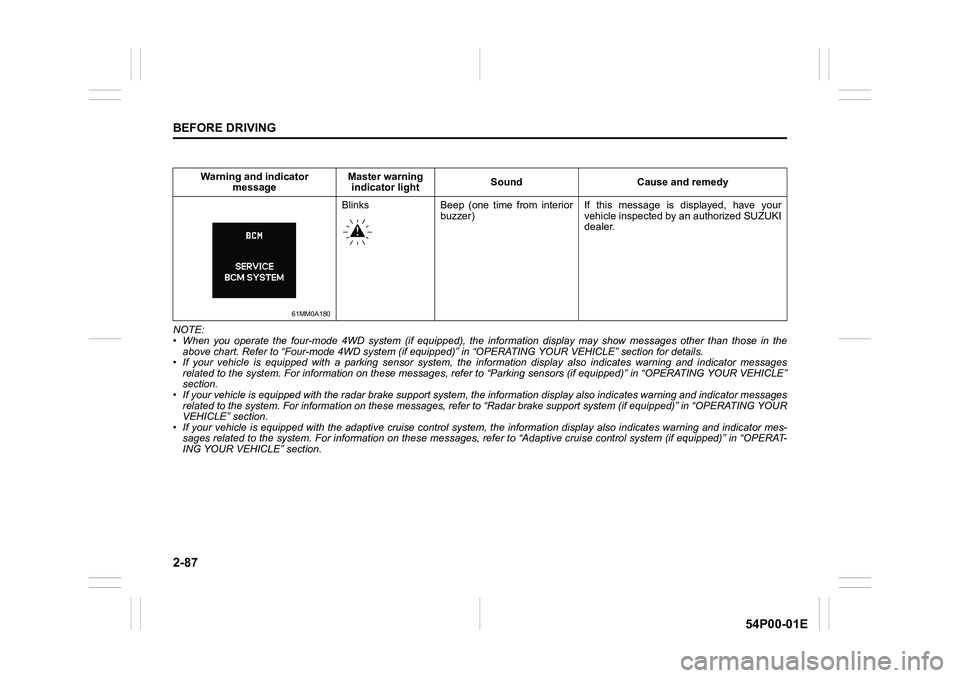
indicator lightSound Cause and remedy
61MM0A180
Blinks Beep (one time from interior
buzzer) If this message is displayed, have your
vehicle inspected by an authorized SUZUKI
dealer.
Page 110 of 482
2-88
BEFORE DRIVING
54P00-01E
Warning and indicator lights
NOTE:
If warning and indicator lights blink or
come on, the corresponding messages
may be shown on the information display.
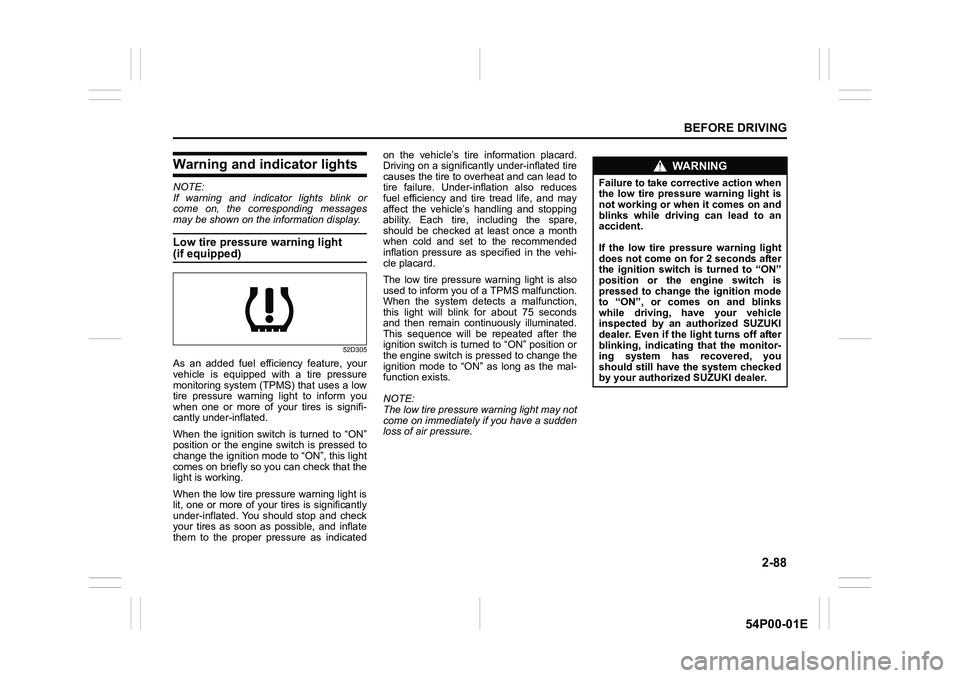
Low tire pressure warning light
(if equipped)
52D305
As an added fuel efficiency feature, your
vehicle is equipped with a tire pressure
monitoring system (TPMS) that uses a low
tire pressure warning light to inform you
when one or more of your tires is signifi-
cantly under-inflated.
When the ignition switch is turned to “ON”
position or the engine switch is pressed to
change the ignition mode to “ON”, this light
comes on briefly so you can check that the
light is working.
When the low tire pressure warning light is
lit, one or more of your tires is significantly
under-inflated. You should stop and check
your tires as soon as possible, and inflate
them to the proper pressure as indicatedon the vehicle’s tire information placard.
Driving on a significantly under-inflated tire
causes the tire to overheat and can lead to
tire failure. Under-inflation also reduces
fuel efficiency and tire tread life, and may
affect the vehicle’s handling and stopping
ability. Each tire, including the spare,
should be checked at least once a month
when cold and set to the recommended
inflation pressure as specified in the vehi-
cle placard.
The low tire pressure warning light is also
used to inform you of a TPMS malfunction.
When the system detects a malfunction,
this light will blink for about 75 seconds
and then remain continuously illuminated.
This sequence will be repeated after the
ignition switch is turned to “ON” position or
the engine switch is pressed to change the
ignition mode to “ON” as long as the mal-
function exists.
NOTE:
The low tire pressure warning light may not
come on immediately if you have a sudden
loss of air pressure.
WA R N I N G
Failure to take corrective action when
the low tire pressure warning light is
not working or when it comes on and
blinks while driving can lead to an
accident.
If the low tire pressure warning light
does not come on for 2 seconds after
the ignition switch is turned to “ON”
position or the engine switch is
pressed to change the ignition mode
to “ON”, or comes on and blinks
while driving, have your vehicle
inspected by an authorized SUZUKI
dealer. Even if the light turns off after
blinking, indicating that the monitor-
ing system has recovered, you
should still have the system checked
by your authorized SUZUKI dealer.
Page 121 of 482
2-99
BEFORE DRIVING
54P00-01E
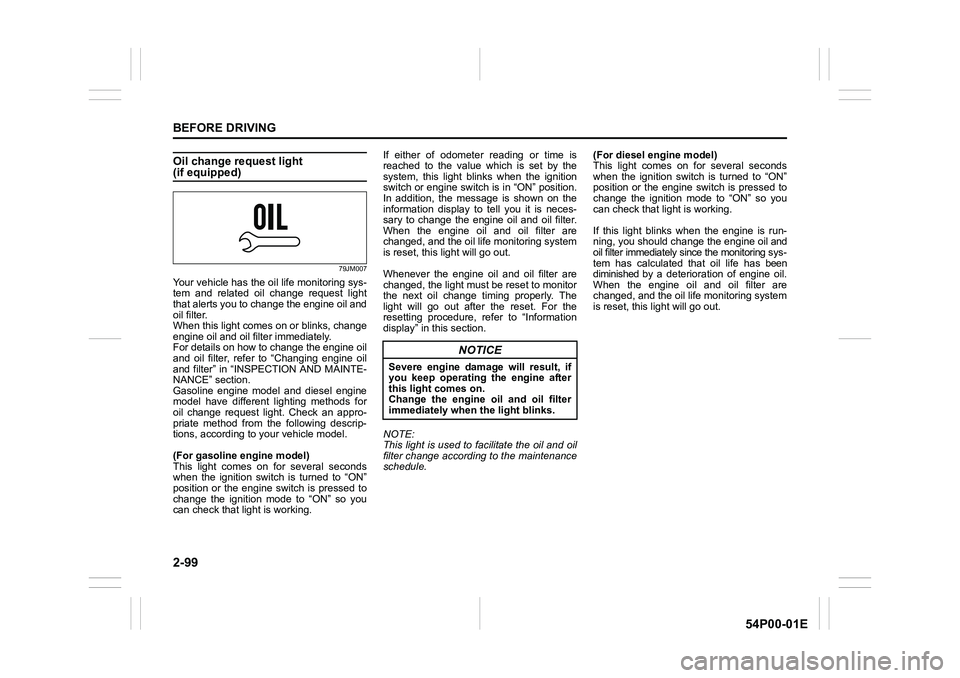
Oil change request light(if equipped)
79JM007
Your vehicle has the oil life monitoring sys-
tem and related oil change request light
that alerts you to change the engine oil and
oil filter.
When this light comes on or blinks, change
engine oil and oil filter immediately.
For details on how to change the engine oil
and oil filter, refer to “Changing engine oil
and filter” in “INSPECTION AND MAINTE-
NANCE” section.
Gasoline engine model and diesel engine
model have different lighting methods for
oil change request light. Check an appro-
priate method from the following descrip-
tions, according to your vehicle model.
(For gasoline engine model)
This light comes on for several seconds
when the ignition switch is turned to “ON”
position or the engine switch is pressed to
change the ignition mode to “ON” so you
can check that light is working.If either of odometer reading or time is
reached to the value which is set by the
system, this light blinks when the ignition
switch or engine switch is in “ON” position.
In addition, the message is shown on the
information display to tell you it is neces-
sary to change the engine oil and oil filter.
When the engine oil and oil filter are
changed, and the oil life monitoring system
is reset, this light will go out.
Whenever the engine oil and oil filter are
changed, the light must be reset to monitor
the next oil change timing properly. The
light will go out after the reset. For the
resetting procedure, refer to “Information
display” in this section.
NOTE:
This light is used to facilitate the oil and oil
filter change according to the maintenance
schedule.(For diesel engine model)
This light comes on for several seconds
when the ignition switch is turned to “ON”
position or the engine switch is pressed to
change the ignition mode to “ON” so you
can check that light is working.
If this light blinks when the engine is run-
ning, you should change the engine oil and
oil filter immediately since the monitoring sys-
tem has calculated that oil life has been
diminished by a deterioration of engine oil.
When the engine oil and oil filter are
changed, and the oil life monitoring system
is reset, this light will go out.
NOTICE
Severe engine damage will result, if
you keep operating the engine after
this light comes on.
Change the engine oil and oil filter
immediately when the light blinks.
Page 124 of 482
2-102
BEFORE DRIVING
54P00-01E
Master warning indicator light
78K049
When the information display shows warn-
ing and indicator messages, this indicator
light may also blink.
For details, refer to “Information display” in
this section.
Lighting control lever
57L21128
Lighting operation
61MM0A072
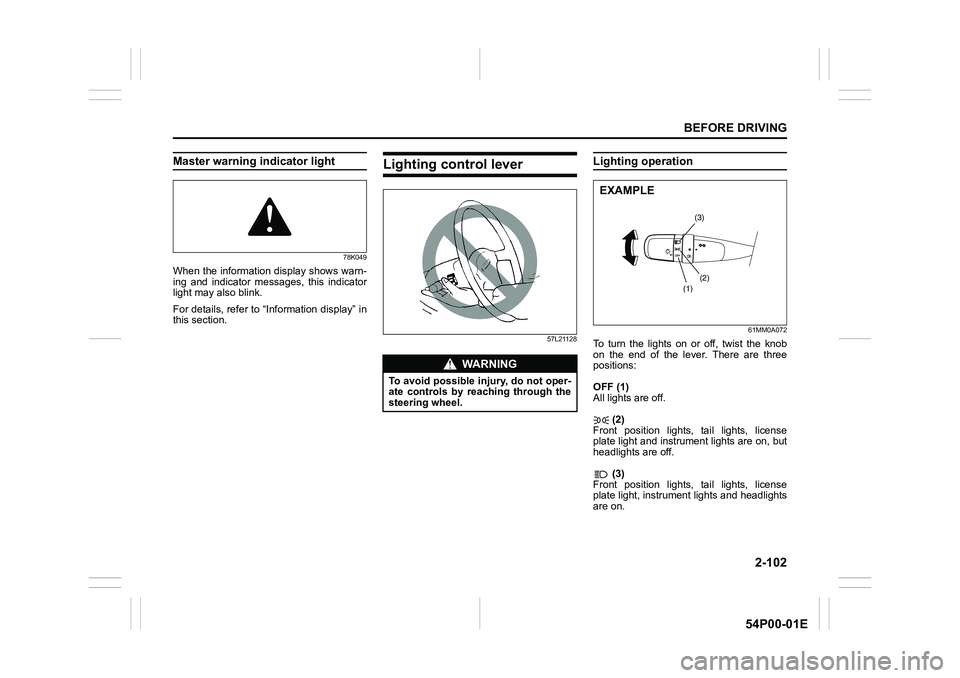
To turn the lights on or off, twist the knob
on the end of the lever. There are three
positions:
OFF (1)
All lights are off.
(2)
Front position lights, tail lights, license
plate light and instrument lights are on, but
headlights are off.
(3)
Front position lights, tail lights, license
plate light, instrument lights and headlights
are on.
WA R N I N G
To avoid possible injury, do not oper-
ate controls by reaching through the
steering wheel.
(3)
(2)
(1)
EXAMPLE
Page 128 of 482
2-106
BEFORE DRIVING
54P00-01E
Auto-on headlight system
54P000236
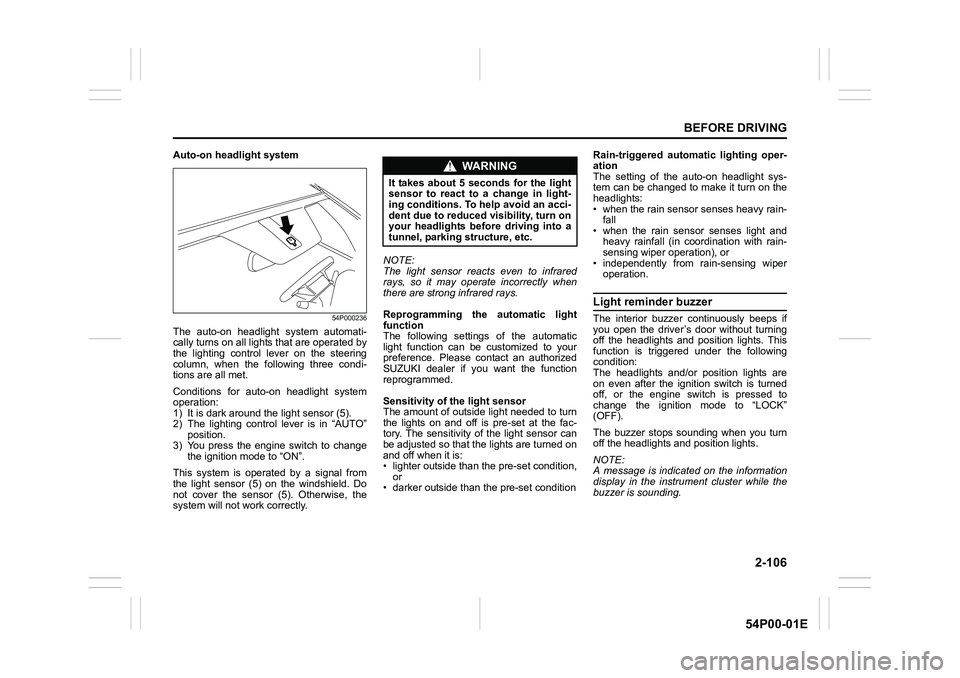
The auto-on headlight system automati-
cally turns on all lights that are operated by
the lighting control lever on the steering
column, when the following three condi-
tions are all met.
Conditions for auto-on headlight system
operation:
1) It is dark around the light sensor (5).
2) The lighting control lever is in “AUTO”
position.
3) You press the engine switch to change
the ignition mode to “ON”.
This system is operated by a signal from
the light sensor (5) on the windshield. Do
not cover the sensor (5). Otherwise, the
system will not work correctly.NOTE:
The light sensor reacts even to infrared
rays, so it may operate incorrectly when
there are strong infrared rays.
Reprogramming the automatic light
function
The following settings of the automatic
light function can be customized to your
preference. Please contact an authorized
SUZUKI dealer if you want the function
reprogrammed.
Sensitivity of the light sensor
The amount of outside light needed to turn
the lights on and off is pre-set at the fac-
tory. The sensitivity of the light sensor can
be adjusted so that the lights are turned on
and off when it is:
• lighter outside than the pre-set condition,
or
• darker outside than the pre-set conditionRain-triggered automatic lighting oper-
ation
The setting of the auto-on headlight sys-
tem can be changed to make it turn on the
headlights:
• when the rain sensor senses heavy rain-
fall
• when the rain sensor senses light and
heavy rainfall (in coordination with rain-
sensing wiper operation), or
• independently from rain-sensing wiper
operation.
Light reminder buzzer
The interior buzzer continuously beeps if
you open the driver’s door without turning
off the headlights and position lights. This
function is triggered under the following
condition:
The headlights and/or position lights are
on even after the ignition switch is turned
off, or the engine switch is pressed to
change the ignition mode to “LOCK”
(OFF).
The buzzer stops sounding when you turn
off the headlights and position lights.
NOTE:
A message is indicated on the information
display in the instrument cluster while the
buzzer is sounding.
WA R N I N G
It takes about 5 seconds for the light
sensor to react to a change in light-
ing conditions. To help avoid an acci-
dent due to reduced visibility, turn on
your headlights before driving into a
tunnel, parking structure, etc.