Infor SUZUKI IGNIS 2019 Owner's Manual
[x] Cancel search | Manufacturer: SUZUKI, Model Year: 2019, Model line: IGNIS, Model: SUZUKI IGNIS 2019Pages: 505, PDF Size: 8.36 MB
Page 59 of 505
2-36
BEFORE DRIVING
75RM4-01E
60A036
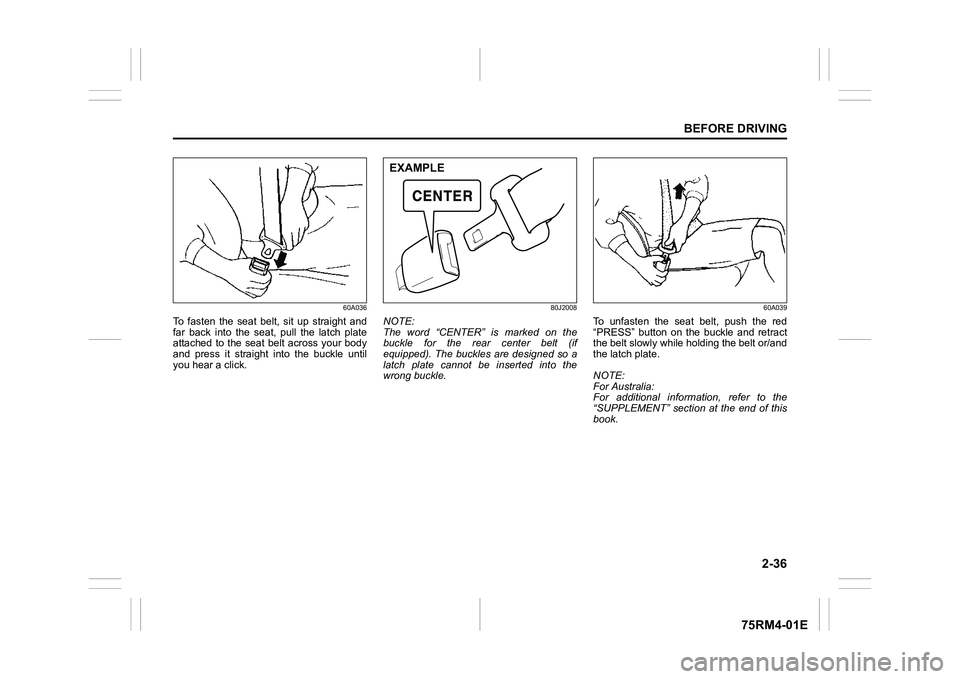
To fasten the seat belt, sit up straight and
far back into the seat, pull the latch plate
attached to the seat belt across your body
and press it straight into the buckle until
you hear a click.
80J2008
NOTE:
The word “CENTER” is marked on the
buckle for the rear center belt (if
equipped). The buckles are designed so a
latch plate cannot be inserted into the
wrong buckle.
60A039
To unfasten the seat belt, push the red
“PRESS” button on the buckle and retract
the belt slowly while holding the belt or/and
the latch plate.
NOTE:
For Australia:
For additional information, refer to the
“SUPPLEMENT” section at the end of this
book.
EXAMPLE
Page 64 of 505
2-41BEFORE DRIVING
75RM4-01E
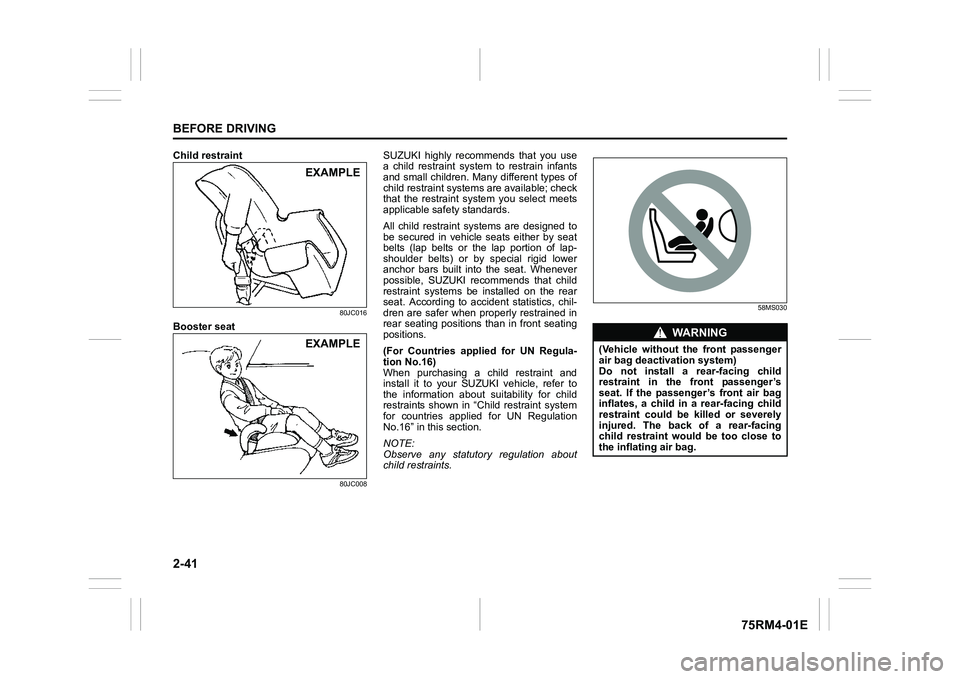
Child restraint
80JC016
Booster seat
80JC008
SUZUKI highly recommends that you use
a child restraint system to restrain infants
and small children. Many different types of
child restraint systems are available; check
that the restraint syst em you select meets
applicable safety standards.
All child restraint systems are designed to
be secured in vehicle seats either by seat
belts (lap belts or the lap portion of lap-
shoulder belts) or by special rigid lower
anchor bars built into the seat. Whenever
possible, SUZUKI recommends that child
restraint systems be installed on the rear
seat. According to accident statistics, chil-
dren are safer when properly restrained in
rear seating positions than in front seating
positions.
(For Countries applied for UN Regula-
tion No.16)
When purchasing a child restraint and
install it to your SUZUKI vehicle, refer to
the information about suitability for child
restraints shown in “Child restraint system
for countries applied for UN Regulation
No.16” in this section.
NOTE:
Observe any statutory regulation about
child restraints.
58MS030
EXAMPLEEXAMPLE
WA R N I N G
(Vehicle without the front passenger
air bag deactivation system)
Do not install a rear-facing child
restraint in the front passenger’s
seat. If the passenger’s front air bag
inflates, a child in a rear-facing child
restraint could be killed or severely
injured. The back of a rear-facing
child restraint would be too close to
the inflating air bag.
Page 74 of 505
2-51BEFORE DRIVING
75RM4-01E
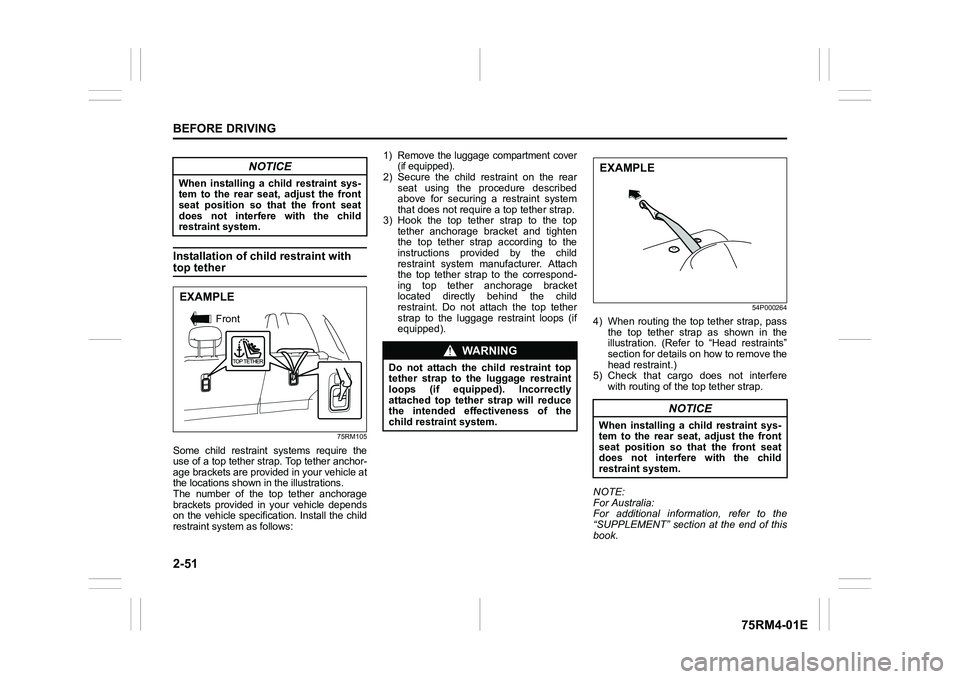
Installation of child restraint with top tether
75RM105
Some child restraint systems require the
use of a top tether strap. Top tether anchor-
age brackets are provided in your vehicle at
the locations shown in the illustrations.
The number of the top tether anchorage
brackets provided in your vehicle depends
on the vehicle specification. Install the child
restraint system as follows:
1) Remove the luggage compartment cover
(if equipped).2) Secure the child restraint on the rear
seat using the procedure described
above for securing a restraint system
that does not require a top tether strap.
3) Hook the top tether strap to the top tether anchorage bracket and tighten
the top tether strap according to the
instructions provided by the child
restraint system manufacturer. Attach
the top tether strap to the correspond-
ing top tether anchorage bracket
located directly behind the child
restraint. Do not attach the top tether
strap to the luggage restraint loops (if
equipped).
54P000264
4) When routing the top tether strap, passthe top tether strap as shown in the
illustration. (Refer to “Head restraints”
section for details on how to remove the
head restraint.)
5) Check that cargo does not interfere with routing of the top tether strap.
NOTE:
For Australia:
For additional information, refer to the
“SUPPLEMENT” section at the end of this
book.
NOTICE
When installing a child restraint sys-
tem to the rear seat, adjust the front
seat position so that the front seat
does not interfer e with the child
restraint system.EXAMPLE
Front
WA R N I N G
Do not attach the child restraint top
tether strap t o the luggage restraint
loops (if equipped). Incorrectly
attached top tether strap will reduce
the intended effectiveness of the
child restraint system.
NOTICE
When installing a child restraint sys-
tem to the rear seat, adjust the front
seat position so that the front seat
does not interfer e with the child
restraint system.EXAMPLE
Page 75 of 505
2-52
BEFORE DRIVING
75RM4-01E
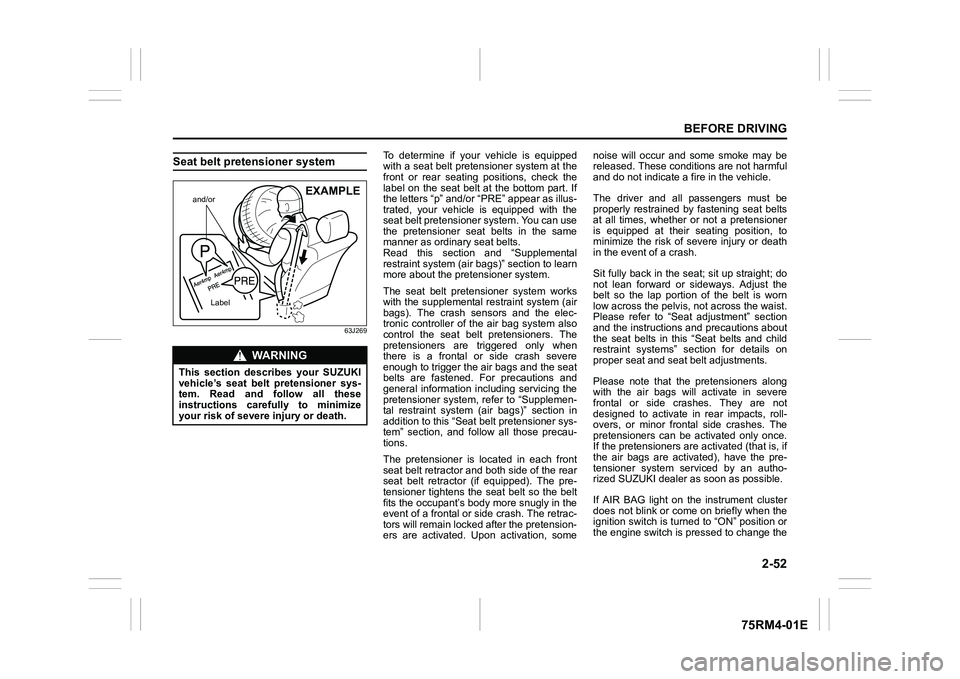
Seat belt pretensioner system
63J269
To determine if your vehicle is equipped
with a seat belt pretensioner system at the
front or rear seating positions, check the
label on the seat belt at the bottom part. If
the letters “p” and/or “PRE” appear as illus-
trated, your vehicle is equipped with the
seat belt pretensioner system. You can use
the pretensioner seat belts in the same
manner as ordinary seat belts.
Read this section and “Supplemental
restraint system (air bags)” section to learn
more about the pretensioner system.
The seat belt pretensioner system works
with the supplemental r estraint system (air
bags). The crash sensors and the elec-
tronic controller of t he air bag system also
control the seat belt pretensioners. The
pretensioners are triggered only when
there is a frontal or side crash severe
enough to trigger the air bags and the seat
belts are fastened. For precautions and
general information including servicing the
pretensioner system, refer to “Supplemen-
tal restraint system (air bags)” section in
addition to this “Seat belt pretensioner sys-
tem” section, and follow all those precau-
tions.
The pretensioner is located in each front
seat belt retractor and both side of the rear
seat belt retractor (if equipped). The pre-
tensioner tightens the seat belt so the belt
fits the occupant’s body more snugly in the
event of a frontal or side crash. The retrac-
tors will remain locked after the pretension-
ers are activated. Upon activation, some noise will occur and some smoke may be
released. These conditions are not harmful
and do not indicate a fire in the vehicle.
The driver and all passengers must be
properly restrained by fastening seat belts
at all times, whether or not a pretensioner
is equipped at their seating position, to
minimize the risk of severe injury or death
in the event o
f a crash.
Sit fully back in the seat; sit up straight; do
not lean forward or sideways. Adjust the
belt so the lap portion of the belt is worn
low across the pelvis , not across the waist.
Please refer to “Seat adjustment” section
and the instructions and precautions about
the seat belts in this “Seat belts and child
restraint systems” section for details on
proper seat and seat belt adjustments.
Please note that the pretensioners along
with the air bags will activate in severe
frontal or side crashes. They are not
designed to activate in rear impacts, roll-
overs, or minor frontal side crashes. The
pretensioners can be activated only once.
If the pretensioners are activated (that is, if
the air bags are activated), have the pre-
tensioner system serviced by an autho-
rized SUZUKI dealer as soon as possible.
If AIR BAG light on the instrument cluster
does not blink or come on briefly when the
ignition switch is turned to “ON” position or
the engine switch is pressed to change the
WA R N I N G
This section describes your SUZUKI
vehicle’s seat belt pretensioner sys-
tem. Read and follow all these
instructions carefully to minimize
your risk of severe injury or death.
and/or
Label
EXAMPLE
Page 88 of 505
2-65BEFORE DRIVING
75RM4-01E
Your vehicle is equipped with a diagnostic
module which records information about
the air bag system if the air bags deploy in
a crash. The module records information
about overall system status, and which
sensors activated the deployment.
Servicing the air bag system
If the air bags inflate, have the air bags
and related components replaced by an
authorized SUZUKI dealer as soon as pos-
sible.
If your vehicle ever gets in deep water and
the driver’s floor is submerged, the air bag
controller could be damaged. If this hap-
pens, ask your SUZUKI dealer to check
the air bag system as soon as possible.
Special procedures are required for servic-
ing or replacing an air bag. For that rea-
son, only an authorized SUZUKI dealer
should be allowed to service or replace
your air bags. Remind anyone who ser-
vices your SUZUKI vehicle that it has air
bags.
Service on or around air bag components
or wiring must be performed only by an
authorized SUZUKI dealer. Improper ser-
vice could result in unintended air bag
deployment or could render the air bag
inoperative. Either of these two conditions
may result in severe injury. To prevent damage or unintended inflation
of the air bag system, check that the lead-
acid battery is disconnected and the igni-
tion switch has been in “LOCK” position or
the ignition mode has been LOCK (OFF)
for at least 90 seconds before performing
any electrical service work on your
SUZUKI vehicle. Do not touch air bag sys-
tem components or wires. The wires are
wrapped with yellow tape or yellow tubing,
and the couplers are yellow for easy identi-
fication.
Scrapping a vehicle that has an uninflated
air bag can be hazardous. Ask your dealer,
body repair shop or scrap yard for help
with disposal.
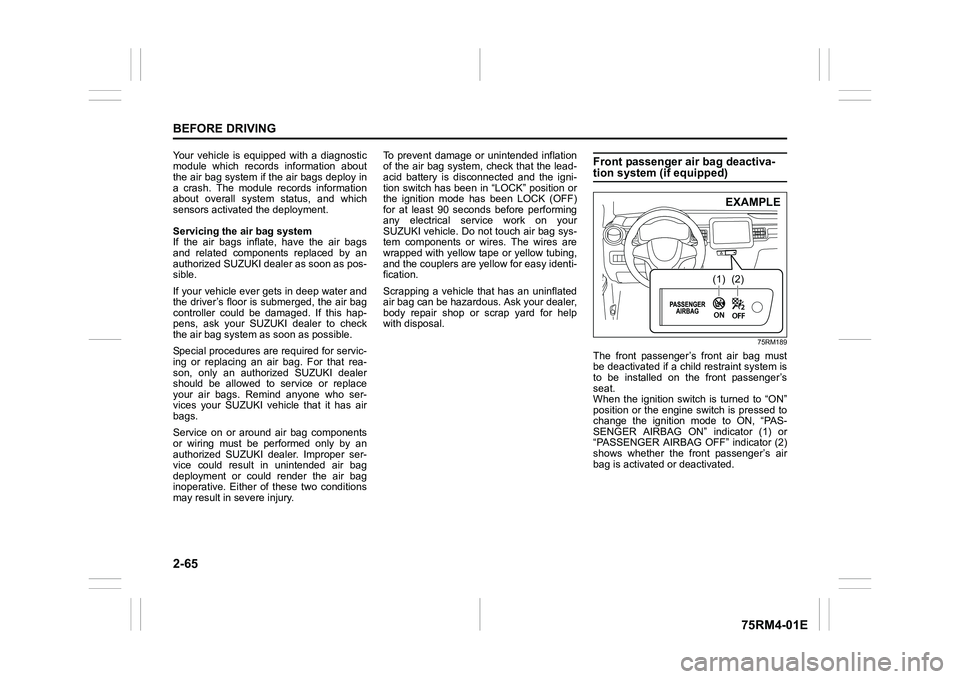
Front passenger air bag deactiva-tion system (if equipped)
75RM189
The front passenger’s front air bag must
be deactivated if a child restraint system is
to be installed on the front passenger’s
seat.
When the ignition switch is turned to “ON”
position or the engine switch is pressed to
change the ignition mode to ON, “PAS-
SENGER AIRBAG ON” indicator (1) or
“PASSENGER AIRBAG OFF” indicator (2)
shows whether the front passenger’s air
bag is activated or deactivated.
(1)
(2)EXAMPLE
Page 91 of 505
2-68
BEFORE DRIVING
75RM4-01E
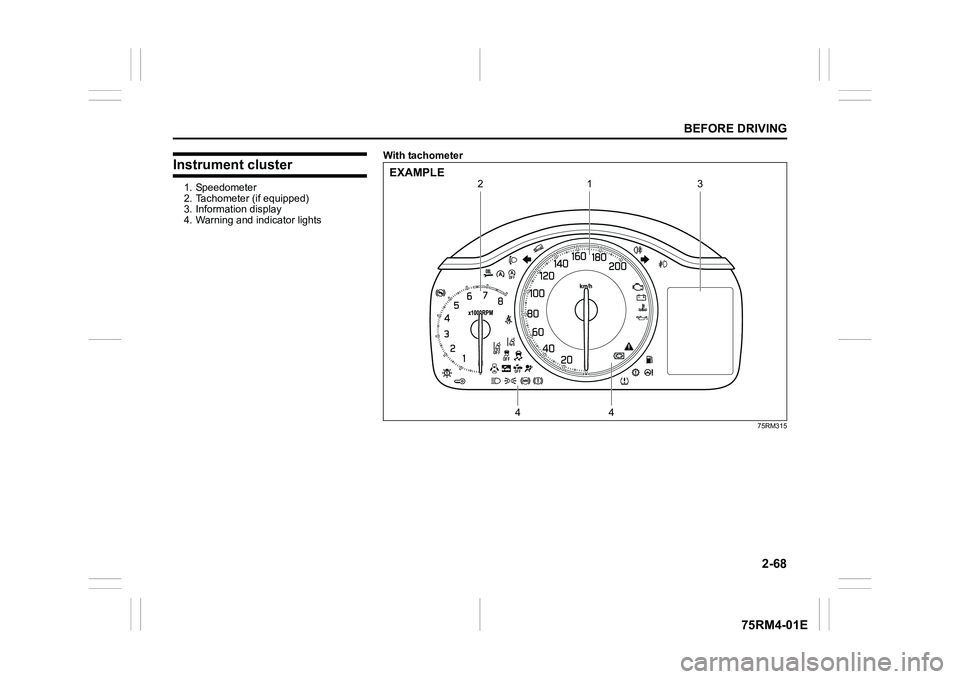
Instrument cluster1. Speedometer
2. Tachometer (if equipped)
3. Information display
4. Warning and indicator lightsWith tachometer
75RM315
1
4
4
2
3
EXAMPLE
Page 93 of 505
2-70
BEFORE DRIVING
75RM4-01E
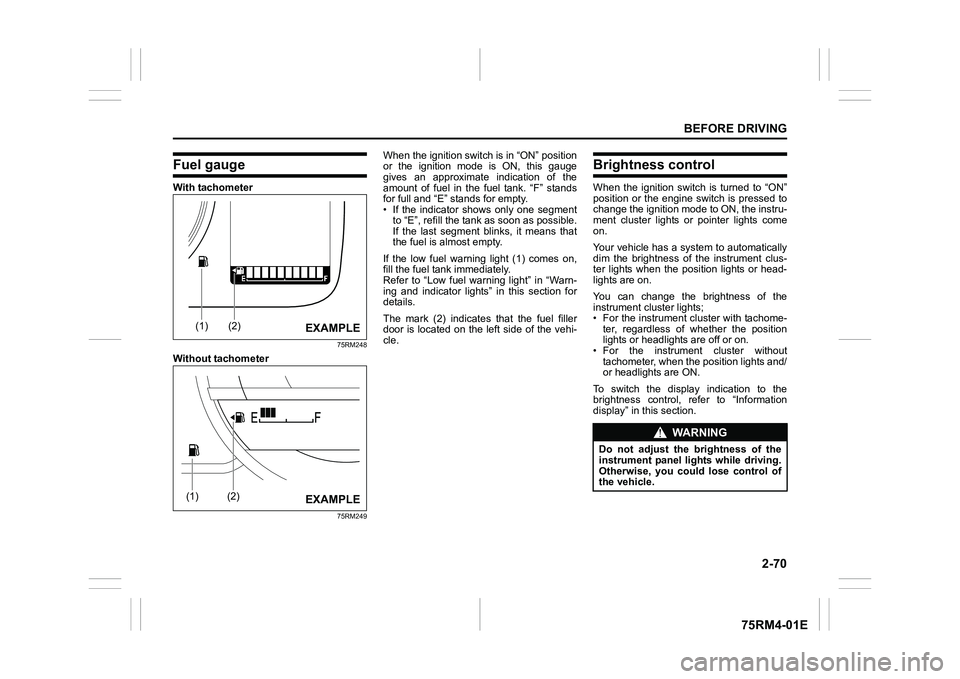
Fuel gaugeWith tachometer
75RM248
Without tachometer
75RM249
When the ignition switch is in “ON” position
or the ignition mode is ON, this gauge
gives an approximate indication of the
amount of fuel in the fuel tank. “F” stands
for full and “E” stands for empty.
• If the indicator shows only one segmentto “E”, refill the tank as soon as possible.
If the last segment blinks, it means that
the fuel is almost empty.
If the low fuel warning light (1) comes on,
fill the fuel tank immediately.
Refer to “Low fuel warning light” in “Warn-
ing and indicator lights” in this section for
details.
The mark (2) indicates that the fuel filler
door is located on the left side of the vehi-
cle.
Brightness controlWhen the ignition switch is turned to “ON”
position or the engine switch is pressed to
change the ignition mode to ON, the instru-
ment cluster lights or pointer lights come
on.
Your vehicle has a system to automatically
dim the brightness of the instrument clus-
ter lights when the position lights or head-
lights are on.
You can change the brightness of the
instrument cluster lights;
• For the instrument c luster with tachome-
ter, regardless of whether the position
lights or headlights are off or on.
• For the instrum ent cluster without
tachometer, when the position lights and/
or headlights are ON.
To switch the display indication to the
brightness control, re fer to “Information
display” in this section.
(1)
(2)
EXAMPLE
(1)
(2)
EXAMPLE
WA R N I N G
Do not adjust the brightness of the
instrument panel lights while driving.
Otherwise, you could lose control of
the vehicle.
Page 95 of 505
2-72
BEFORE DRIVING
75RM4-01E
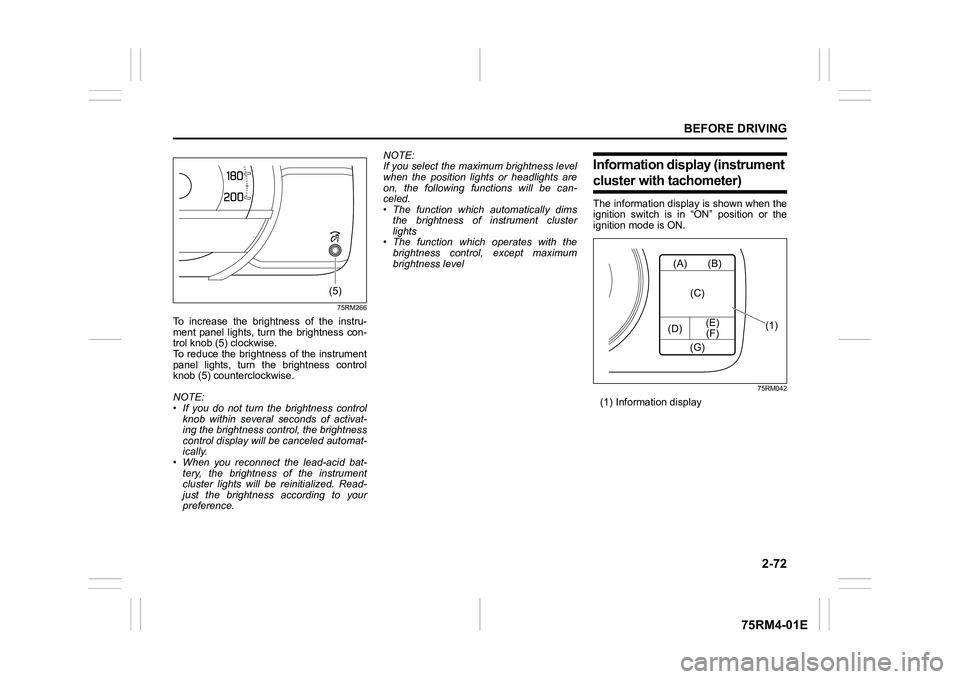
75RM266
To increase the brightness of the instru-
ment panel lights, turn the brightness con-
trol knob (5) clockwise.
To reduce the brightness of the instrument
panel lights, turn the brightness control
knob (5) counterclockwise.
NOTE:
• If you do not turn the brightness control
knob within several seconds of activat-
ing the brightness control, the brightness
control display will be canceled automat-
ically.
• When you reconnect the lead-acid bat-
tery, the brightness of the instrument
cluster lights will be reinitialized. Read-
just the brightness according to your
preference. NOTE:
If you select the maxi
mum brightness level
when the position lights or headlights are
on, the following functions will be can-
celed.
• The function which automatically dims
the brightness of instrument cluster
lights
• The function which operates with the
brightness control, except maximum
brightness level
Information display (instrument cluster with tachometer)The information display is shown when the
ignition switch is in “ON” position or the
ignition mode is ON.
75RM042
(1) Information display
(5)
(A)
(D) (E)
(F) (B)
(C)
(G)
(1)
Page 96 of 505
2-73BEFORE DRIVING
75RM4-01E
75RM183
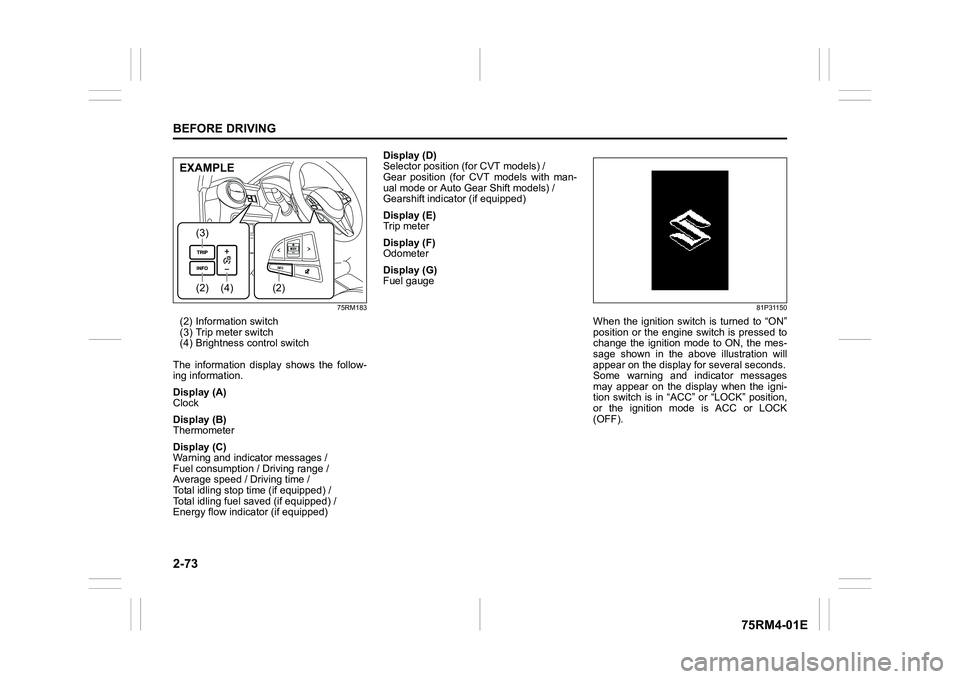
(2) Information switch
(3) Trip meter switch
(4) Brightness control switch
The information display shows the follow-
ing information.
Display (A)
Clock
Display (B)
Thermometer
Display (C)
Warning and indicator messages /
Fuel consumption / Driving range /
Average speed / Driving time /
Total idling stop time (if equipped) /
Total idling fuel saved (if equipped) /
Energy flow indicator (if equipped) Display (D)
Selector position (for CVT models) /
Gear position (for CVT models with man-
ual mode or Auto Gear Shift models) /
Gearshift indicator (if equipped)
Display (E)
Trip meter
Display (F)
Odometer
Display (G)
Fuel gauge
81P31150
When the ignition switch is turned to “ON”
position or the engine switch is pressed to
change the ignition mode to ON, the mes-
sage shown in the above illustration will
appear on the display
for several seconds.
Some warning and indicator messages
may appear on the display when the igni-
tion switch is in “ACC” or “LOCK” position,
or the ignition mode is ACC or LOCK
(OFF).
(4)
(2)(3)
(2)
EXAMPLE
Page 98 of 505
2-75BEFORE DRIVING
75RM4-01E
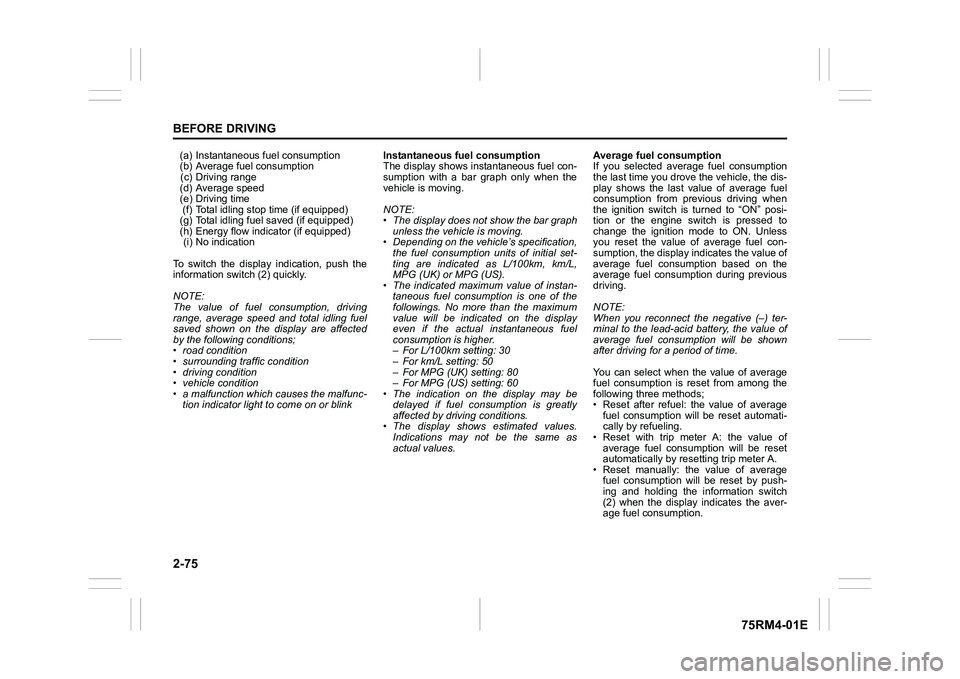
(a) Instantaneous fuel consumption
(b) Average fuel consumption(c) Driving range
(d) Average speed
(e) Driving time (f) Total idling stop time (if equipped)
(g) Total idling fuel saved (if equipped)
(h) Energy flow indicator (if equipped) (i) No indication
To switch the display indication, push the
information switch (2) quickly.
NOTE:
The value of fuel consumption, driving
range, average speed and total idling fuel
saved shown on the display are affected
by the following conditions;
• road condition
• surrounding traffic condition
• driving condition
• vehicle condition
• a malfunction which causes the malfunc- tion indicator light to come on or blink Instantaneous fuel consumption
The display shows instantaneous fuel con-
sumption with a bar graph only when the
vehicle is moving.
NOTE:
• The display does not show the bar graph
unless the vehicle is moving.
• Depending on the vehicle’s specification,
the fuel consumption units of initial set-
ting are indicated as L/100km, km/L,
MPG (UK) or MPG (US).
• The indicated maximum value of instan- taneous fuel consumption is one of the
followings. No more than the maximum
value will be indicated on the display
even if the actual instantaneous fuel
consumption is higher.
– For L/100km setting: 30
– For km/L setting: 50
– For MPG (UK) setting: 80
– For MPG (US) setting: 60
• The indication on the display may be
delayed if fuel consumption is greatly
affected by driving conditions.
• The display shows estimated values.
Indications may not be the same as
actual values. Average fuel consumption
If you selected average fuel consumption
the last time you drove
the vehicle, the dis-
play shows the last value of average fuel
consumption from previous driving when
the ignition switch is turned to “ON” posi-
tion or the engine switch is pressed to
change the ignition mode to ON. Unless
you reset the value of average fuel con-
sumption, the display indicates the value of
average fuel consumption based on the
average fuel consumption during previous
driving.
NOTE:
When you reconnect the negative (–) ter-
minal to the lead-acid battery, the value of
average fuel consumption will be shown
after driving for a period of time.
You can select when the value of average
fuel consumption is reset from among the
following three methods;
• Reset after refuel: the value of average fuel consumption will be reset automati-
cally by refueling.
• Reset with trip meter A: the value of average fuel consumption will be reset
automatically by resetting trip meter A.
• Reset manually: the value of average fuel consumption will be reset by push-
ing and holding the information switch
(2) when the display indicates the aver-
age fuel consumption.