Infor SUZUKI IGNIS 2019 Workshop Manual
[x] Cancel search | Manufacturer: SUZUKI, Model Year: 2019, Model line: IGNIS, Model: SUZUKI IGNIS 2019Pages: 505, PDF Size: 8.36 MB
Page 167 of 505
3-14
OPERATING YOUR VEHICLE
75RM4-01E
Starting engine
(vehicle with keyless push start system)Before starting engine
75RM257
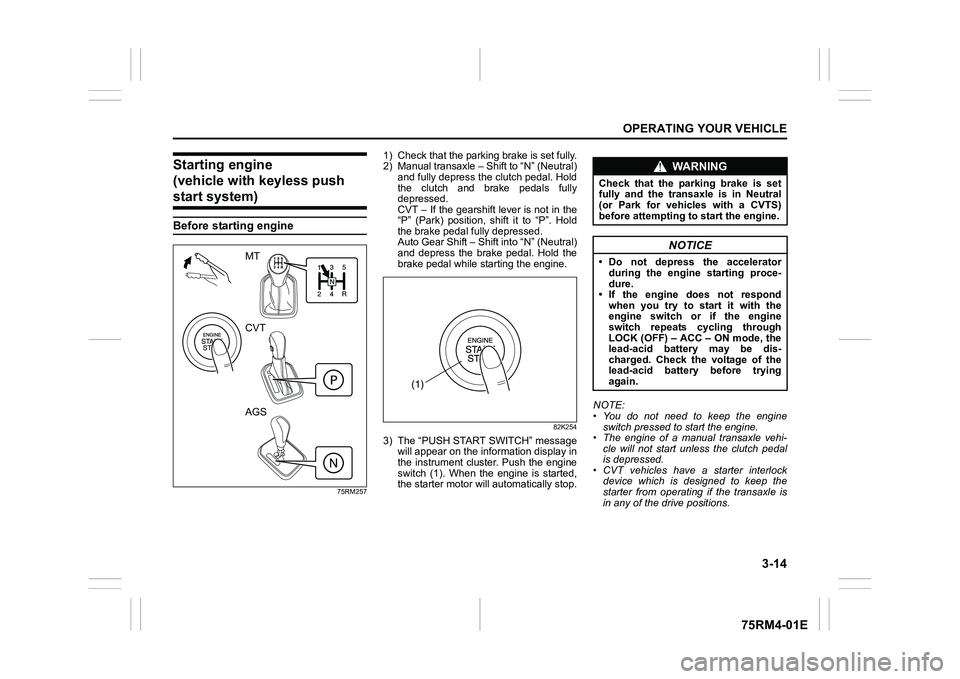
1) Check that the parking brake is set fully.
2) Manual transaxle – Shift to “N” (Neutral) and fully depress the clutch pedal. Hold
the clutch and brake pedals fully
depressed.
CVT – If the gearshift lever is not in the
“P” (Park) position, shift it to “P”. Hold
the brake pedal fully depressed.
Auto Gear Shift – Shift into “N” (Neutral)
and depress the brake pedal. Hold the
brake pedal while starting the engine.
82K254
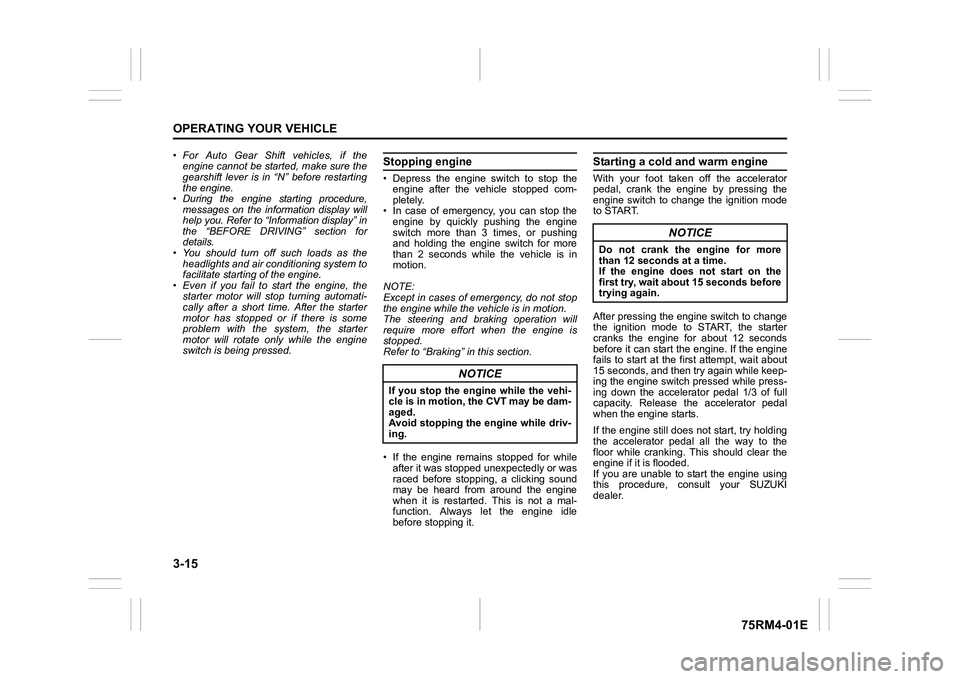
3) The “PUSH START SWITCH” messagewill appear on the information display in
the instrument cluster. Push the engine
switch (1). When the engine is started,
the starter motor will automatically stop. NOTE:
• You do not need to keep the engine
switch pressed to start the engine.
• The engine of a manual transaxle vehi- cle will not start unless the clutch pedal
is depressed.
• CVT vehicles have a starter interlock device which is designed to keep the
starter from operating if the transaxle is
in any of the drive positions.
MT
CVT
AGS
(1)
WA R N I N G
Check that the parking brake is set
fully and the transaxle is in Neutral
(or Park for vehicles with a CVTS)
before attempting to start the engine.
NOTICE
• Do not depress the accelerator
during the engine starting proce-
dure.
• If the engine does not respond when you try to start it with the
engine switch or if the engine
switch repeats cycling through
LOCK (OFF) – ACC – ON mode, the
lead-acid battery may be dis-
charged. Check the voltage of the
lead-acid battery before trying
again.
Page 168 of 505
3-15OPERATING YOUR VEHICLE
75RM4-01E
• For Auto Gear Shift vehicles, if theengine cannot be started, make sure the
gearshift lever is in “N” before restarting
the engine.
• During the engine starting procedure, messages on the information display will
help you. Refer to “Information display” in
the “BEFORE DRIVING” section for
details.
• You should turn off such loads as the headlights and air co nditioning system to
facilitate starting of the engine.
• Even if you fail to start the engine, the starter motor will stop turning automati-
cally after a short time. After the starter
motor has stopped or if there is some
problem with the system, the starter
motor will rotate only while the engine
switch is being pressed.
Stopping engine• Depress the engine switch to stop theengine after the vehicle stopped com-
pletely.
• In case of emergency, you can stop the engine by quickly pushing the engine
switch more than 3 times, or pushing
and holding the engine switch for more
than 2 seconds while the vehicle is in
motion.
NOTE:
Except in cases of emergency, do not stop
the engine while the vehicle is in motion.
The steering and braking operation will
require more effort when the engine is
stopped.
Refer to “Braking” in this section.
• If the engine remains stopped for while after it was stopped unexpectedly or was
raced before stopping, a clicking sound
may be heard from around the engine
when it is restarted. This is not a mal-
function. Always let the engine idle
before stopping it.
Starting a cold and warm engineWith your foot taken off the accelerator
pedal, crank the engine by pressing the
engine switch to change the ignition mode
to START.
After pressing the engine switch to change
the ignition mode to START, the starter
cranks the engine for about 12 seconds
before it can start the engine. If the engine
fails to start at the first attempt, wait about
15 seconds, and then try again while keep-
ing the engine switch pressed while press-
ing down the accelerator pedal 1/3 of full
capacity. Release the accelerator pedal
when the engine starts.
If the engine still does not start, try holding
the accelerator pedal all the way to the
floor while cranking. This should clear the
engine if it is flooded.
If you are unable to start the engine using
this procedure, consult your SUZUKI
dealer.
NOTICE
If you stop the engine while the vehi-
cle is in motion, the CVT may be dam-
aged.
Avoid stopping the engine while driv-
ing.
NOTICE
Do not crank the engine for more
than 12 seconds at a time.
If the engine does not start on the
first try, wait abou t 15 seconds before
trying again.
Page 169 of 505
3-16
OPERATING YOUR VEHICLE
75RM4-01E
If the master warning indicator light
blinks and the engine cannot be started
Your keyless push start system remote
controller may not be sensed as being
within the interior workable area. Try again
after checking that you have the remote
controller with you. If the engine still can-
not be started, the battery of the remote
controller may be discharged. To start the
engine, use the following method:
58MST0302
1) Check that the parking brake is set fully.
2) Manual transaxle – Shift to “N” (Neutral) and fully depress the clutch pedal. Hold
the clutch and brake pedals fully
depressed.
CVT – If the gearshift lever is not in the
“P” (Park) position, shift it to “P”. Hold
the brake pedal fully depressed.
Auto Gear Shift – Shift to “N” (Neutral)
and fully depress the brake pedal. Hold
the brake pedal fully depressed. 3) “PUSH START SWITCH.” message will
appear on the information display in the
instrument cluster. Press the engine
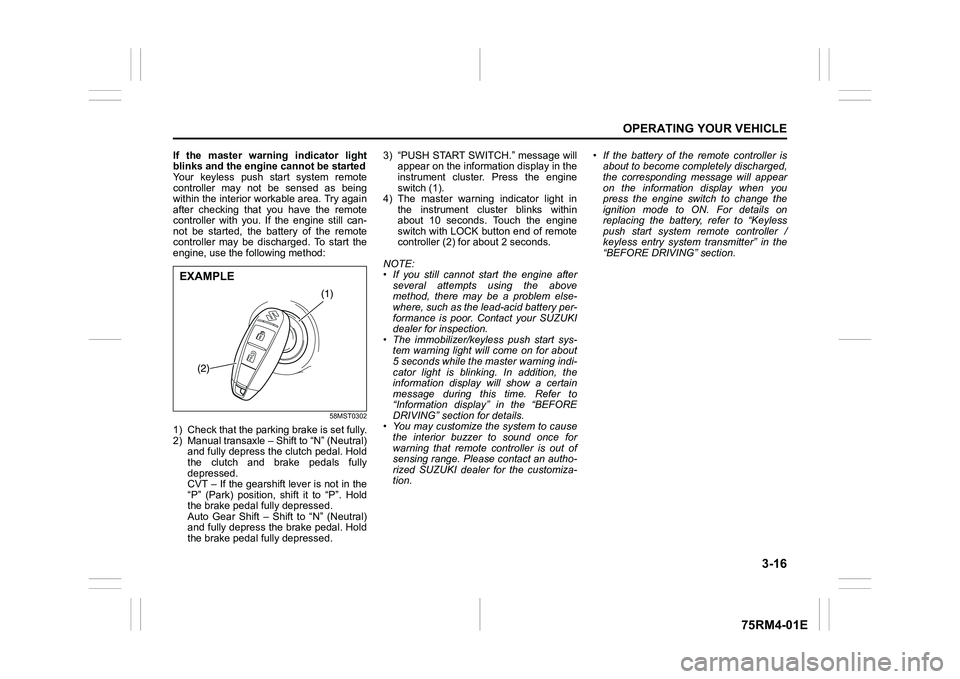
switch (1).
4) The master warning indicator light in the instrument cluster blinks within
about 10 seconds. Touch the engine
switch with LOCK button end of remote
controller (2) for about 2 seconds.
NOTE:
• If you still cannot start the engine after several attempts using the above
method, there may be a problem else-
where, such as the lead-acid battery per-
formance is poor. Contact your SUZUKI
dealer for inspection.
• The immobilizer/keyless push start sys- tem warning light will come on for about
5 seconds while the master warning indi-
cator light is blinking. In addition, the
information display will show a certain
message during this time. Refer to
“Information display” in the “BEFORE
DRIVING” section for details.
• You may customize the system to cause
the interior buzzer to sound once for
warning that remote controller is out of
sensing range. Please contact an autho-
rized SUZUKI dealer for the customiza-
tion. • If the battery of the remote controller is
about to become completely discharged,
the corresponding message will appear
on the information display when you
press the engine switch to change the
ignition mode to ON. For details on
replacing the battery, refer to “Keyless
push start system remote controller /
keyless entry system transmitter” in the
“BEFORE DRIVING” section.
(1)
(2)
EXAMPLE
Page 175 of 505
3-22
OPERATING YOUR VEHICLE
75RM4-01E
Manual mode (models with manual
mode)
The CVT can shift gears automatically.
When using the manual mode, you can
shift gears in the same manner as conven-
tional manual transaxle.
To use the manual mode, shift the gearshift
lever from “D” to “M”.
62R0098
75RM325
(1) Manual mode indicator
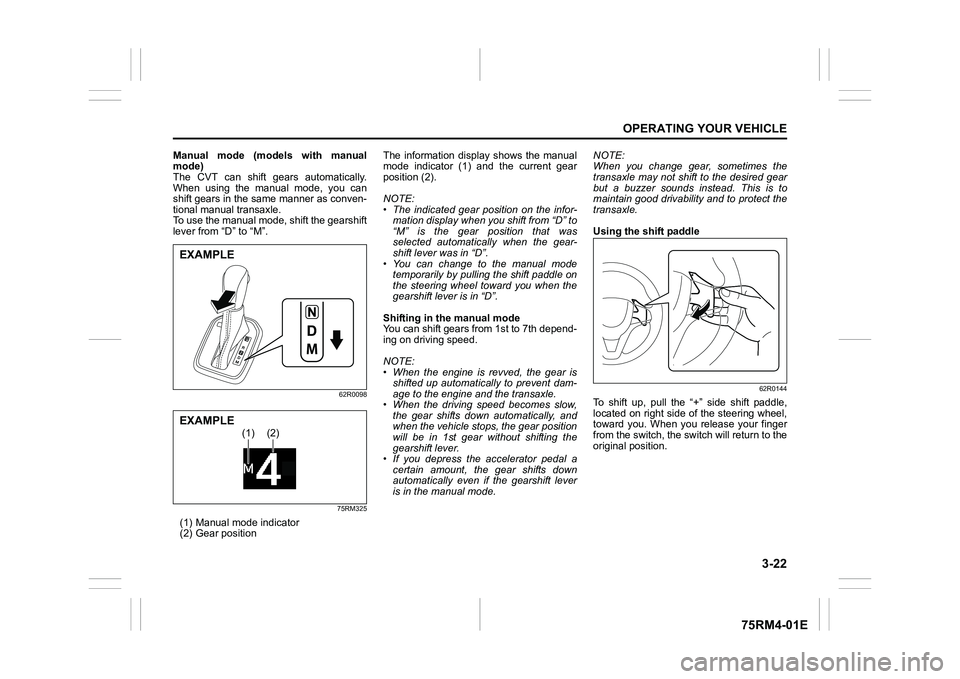
(2) Gear position The information display shows the manual
mode indicator (1) and the current gear
position (2).
NOTE:
• The indicated gear position on the infor-
mation display when you shift from “D” to
“M” is the gear position that was
selected automatically when the gear-
shift lever was in “D”.
• You can change to the manual mode temporarily by pulling the shift paddle on
the steering wheel toward you when the
gearshift lever is in “D”.
Shifting in the manual mode
You can shift gears from 1st to 7th depend-
ing on driving speed.
NOTE:
• When the engine is revved, the gear is shifted up automatically to prevent dam-
age to the engine and the transaxle.
• When the driving speed becomes slow, the gear shifts down automatically, and
when the vehicle stops, the gear position
will be in 1st gear without shifting the
gearshift lever.
• If you depress the accelerator pedal a
certain amount, the gear shifts down
automatically even if the gearshift lever
is in the manual mode. NOTE:
When you change gear, sometimes the
transaxle may not shift to the desired gear
but a buzzer sounds instead. This is to
maintain good drivability and to protect the
transaxle.
Using the shift paddle
62R0144
To shift up, pull the “+” side shift paddle,
located on right side of the steering wheel,
toward you. When you release your finger
from the switch, the switch will return to the
original position.
EXAMPLE
(1)
(2)
EXAMPLE
Page 176 of 505
3-23OPERATING YOUR VEHICLE
75RM4-01E
62R0145
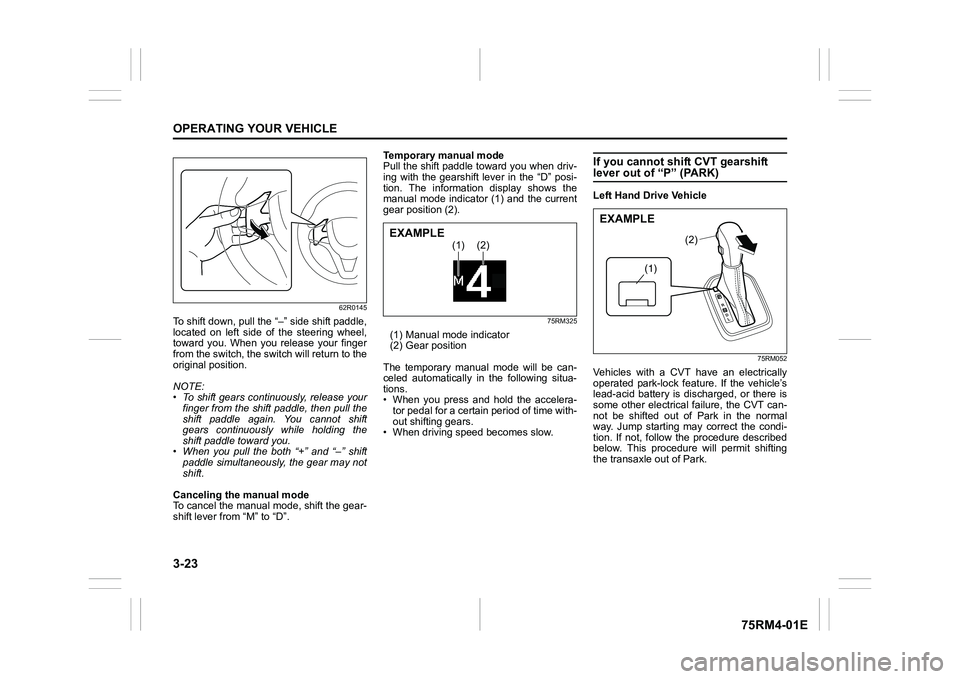
To shift down, pull the “–” side shift paddle,
located on left side of the steering wheel,
toward you. When you release your finger
from the switch, the switch will return to the
original position.
NOTE:
• To shift gears continuously, release yourfinger from the shift paddle, then pull the
shift paddle again. You cannot shift
gears continuously while holding the
shift paddle toward you.
• When you pull the both “+” and “ –” shift
paddle simultaneously, the gear may not
shift.
Canceling the manual mode
To cancel the manual mode, shift the gear-
shift lever from “M” to “D”. Temporary manual mode
Pull the shift paddle toward you when driv-
ing with the gearshift lever in the “D” posi-
tion. The information display shows the
manual mode indicator (1) and the current
gear position (2).
75RM325
(1) Manual mode indicator
(2) Gear position
The temporary manual mode will be can-
celed automatically in the following situa-
tions.
• When you press and hold the accelera- tor pedal for a certain period of time with-
out shifting gears.
• When driving spee d becomes slow.
If you cannot shift CVT gearshift lever out of “P” (PARK)Left Hand Drive Vehicle
75RM052
Vehicles with a CVT have an electrically
operated park-lock feat ure. If the vehicle’s
lead-acid battery is discharged, or there is
some other electrical failure, the CVT can-
not be shifted out of Park in the normal
way. Jump starting may correct the condi-
tion. If not, follow the procedure described
below. This procedure will permit shifting
the transaxle out of Park.
(1)
(2)
EXAMPLE
(1)
(2)
EXAMPLE
Page 186 of 505
3-33OPERATING YOUR VEHICLE
75RM4-01E
“N” indicator blinking
When the gear indicator lamp blinks “N”,
you should depress the brake pedal and
shift the gearshift lever to “N” position.
“1st” indicator blinking
When the gear indicator lamp blinks “1st”,
you should depress the brake pedal and
shift the gearshift lever to “N” position, then
shift to “D” or “M” position again a few sec-
onds later.
“R” indicator blinking
When the gear indicator lamp blinks “R”,
you should depress the brake pedal and
shift the gearshift lever to “N” position, then
shift to “R” position again a few seconds
later.
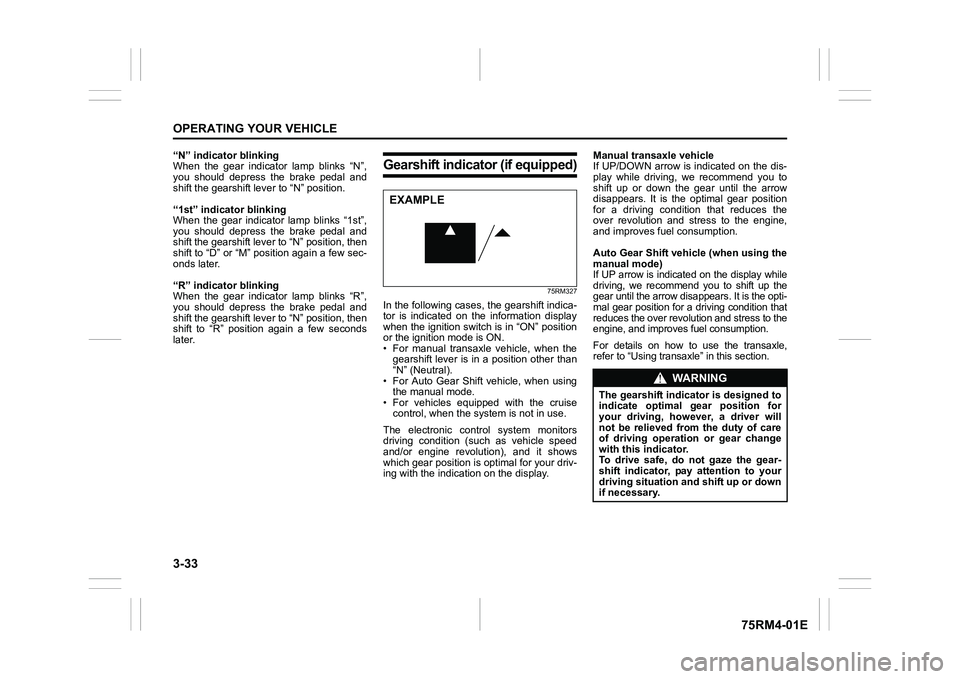
Gearshift indicator (if equipped)
75RM327
In the following cases, the gearshift indica-
tor is indicated on the information display
when the ignition switch is in “ON” position
or the ignition mode is ON.
• For manual transaxle vehicle, when thegearshift lever is in a position other than
“N” (Neutral).
• For Auto Gear Shift vehicle, when using the manual mode.
• For vehicles equipped with the cruise control, when the syst em is not in use.
The electronic control system monitors
driving condition (such as vehicle speed
and/or engine revolution), and it shows
which gear position is optimal for your driv-
ing with the indicati on on the display. Manual transaxle vehicle
If UP/DOWN arrow is indicated on the dis-
play while driving, we recommend you to
shift up or down the gear until the arrow
disappears. It is the optimal gear position
for a driving condition that reduces the
over revolution and stress to the engine,
and improves fuel consumption.
Auto Gear Shift vehicle (when using the
manual mode)
If UP arrow is indicated on the display while
driving, we recommend you to shift up the
gear until the arrow disappears. It is the opti-
mal gear position for a driving condition that
reduces the over revolut
ion and stress to the
engine, and improves fuel consumption.For details on how to use the transaxle,
refer to “Using transa xle” in this section.
EXAMPLE
WA R N I N G
The gearshift indicator is designed to
indicate optimal gear position for
your driving, however, a driver will
not be relieved from the duty of care
of driving operation or gear change
with this indicator.
To drive safe, do not gaze the gear-
shift indicator, pay attention to your
driving situation and shift up or down
if necessary.
Page 188 of 505
3-35OPERATING YOUR VEHICLE
75RM4-01E
ENG A-STOP system
(engine auto stop start system) (if equipped)The ENG A-STOP system (engine auto
stop start system) automatically stops and
restarts the engine when decelerating
before stopping and when the vehicle is
stopped, such as at a traffic signal, in order
to reduce exhaust gases, fuel consumption
and engine noise.
• This system automatically stops the engine under certain conditions. When
the vehicle will be stopped for a long
time or when you will leave the vehicle
unattended, set the parking brake firmly,
and then turn the ignition switch or press
the engine switch to stop the engine.
• If certain conditions are met, the engine is stopped automatically when decelerat-
ing (approximately 15 km/h (9 mph) or
less for manual transaxle vehicles,
approximately 13 km/h (8 mph) or less
for CVT vehicles) before stopping. How-
ever, the engine will not be stopped
automatically during deceleration until
confirmation of the system function is fin-
ished. NOTE:
If your vehicle is equipped with the auto-
matic heating and ai
r conditioning system,
you can change the automatic engine stop
condition via the information display. Refer
to “Setting mode” in “Information display
(instrument cluster with tachometer)” in the
“BEFORE DRIVING” section.
75RM054
CAUTION
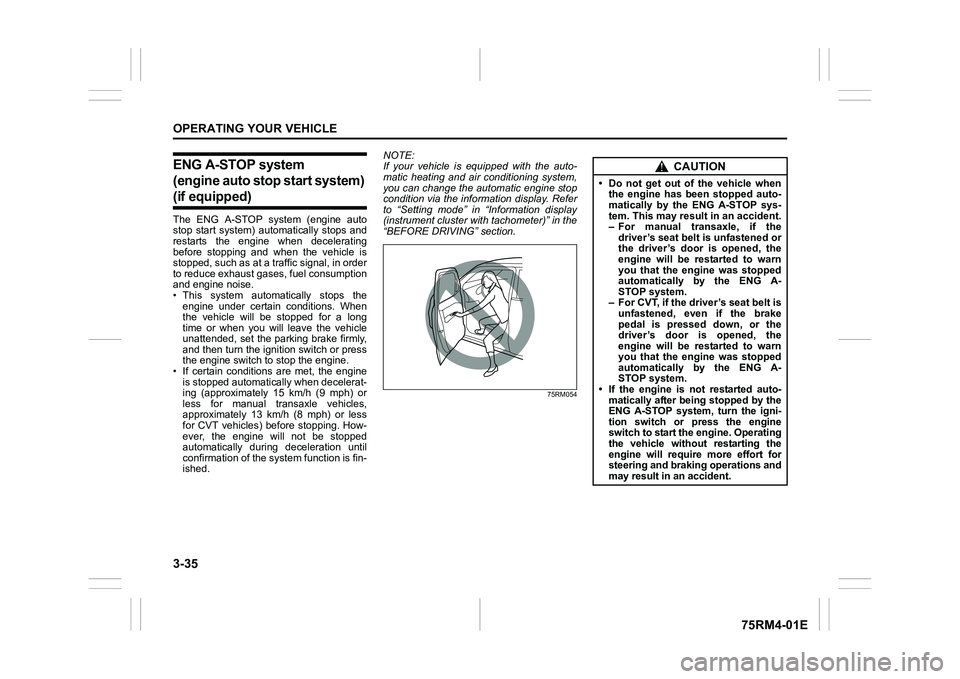
• Do not get out of the vehicle when the engine has been stopped auto-
matically by the ENG A-STOP sys-
tem. This may result in an accident.
– For manual transaxle, if the
driver’s seat belt is unfastened or
the driver’s door is opened, the
engine will be restarted to warn
you that the engine was stopped
automatically by the ENG A-
STOP system.
– For CVT, if the driver’s seat belt is unfastened, even if the brake
pedal is pressed down, or the
driver’s door is opened, the
engine will be restarted to warn
you that the engine was stopped
automatically by the ENG A-
STOP system.
• If the engine is not restarted auto- matically after being stopped by the
ENG A-STOP system, turn the igni-
tion switch or press the engine
switch to start the engine. Operating
the vehicle without restarting the
engine will require more effort for
steering and braking operations and
may result in an accident.
Page 200 of 505
3-47OPERATING YOUR VEHICLE
75RM4-01E
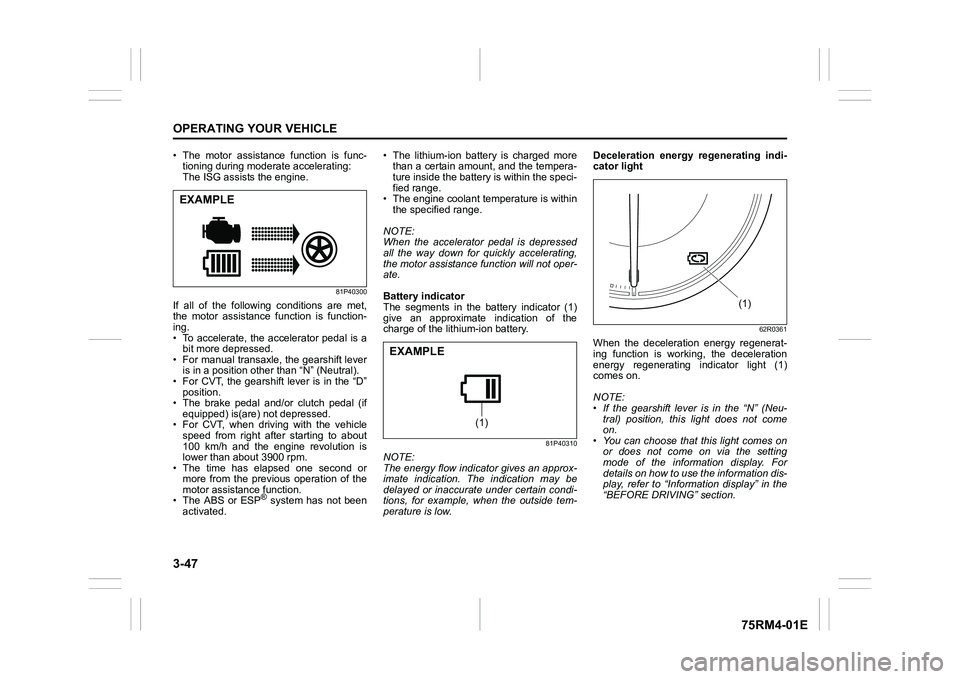
• The motor assistance function is func-tioning during moderate accelerating:
The ISG assists the engine.
81P40300
If all of the following conditions are met,
the motor assistance function is function-
ing.
• To accelerate, the accelerator pedal is a
bit more depressed.
• For manual transaxle, the gearshift lever is in a position other than “N” (Neutral).
• For CVT, the gearshift lever is in the “D” position.
• The brake pedal and/or clutch pedal (if
equipped) is(are) not depressed.
• For CVT, when driving with the vehicle speed from right after starting to about
100 km/h and the engine revolution is
lower than about 3900 rpm.
• The time has elapsed one second or
more from the previous operation of the
motor assistance function.
• The ABS or ESP
® system has not been
activated. • The lithium-ion battery is charged more
than a certain amount, and the tempera-
ture inside the battery is within the speci-
fied range.
• The engine coolant temperature is within the specified range.
NOTE:
When the accelerator pedal is depressed
all the way down for quickly accelerating,
the motor assistance function will not oper-
ate.
Battery indicator
The segments in the battery indicator (1)
give an approximate indication of the
charge of the lithium-ion battery.
81P40310
NOTE:
The energy flow indicator gives an approx-
imate indication. The indication may be
delayed or inaccurate under certain condi-
tions, for example, when the outside tem-
perature is low. Deceleration energy regenerating indi-
cator light
62R0361
When the deceleration energy regenerat-
ing function is working, the deceleration
energy regenerating indicator light (1)
comes on.
NOTE:
• If the gearshift lever is in the “N” (Neu-
tral) position, this light does not come
on.
• You can choose that this light comes on or does not come on via the setting
mode of the information display. For
details on how to use the information dis-
play, refer to “Informa tion display” in the
“BEFORE DRIVING” section.
EXAMPLE
(1)
EXAMPLE
(1)
Page 201 of 505
3-48
OPERATING YOUR VEHICLE
75RM4-01E
Eco-Cool (if equipped)When driving while using the air condi-
tioner, cold air is stored in the cooling stor-
age medium of the air conditioner unit.
Since stored cold air will be blown into the
vehicle when the engine has been stopped
automatically by the ENG A-STOP system,
the rise of the inside temperature can be
reduced when the air conditioner is not
running.
For the automatic heating and air condi-
tioning system, reducing the rise of the
inside temperature increases the length of
time that the engine is stopped automati-
cally, leading to improved fuel economy.
NOTE:
Sufficient cold air may not be stored if the
vehicle has not been running for very long
or in a traffic jam. The effect varies
depending on the outside temperature and
the air conditioner settings.
I/S AC Settings (if equipped)• When using the automatic heating andair conditioning system (if equipped),
you can select one of the following set-
tings via the setting mode of the informa-
tion display.
– Standard
– Economy
–Comfort
For details on how to use the information
display, refer to “Information display” in
the “BEFORE DRIVING” section.
• When “Economy” is selected, engine auto stop condition is eased, compared
with “Standard”. Engine auto stop condi-
tion will occur more f requently, the stop
time will be longer, leading to reduction
of fuel consumption.
• When “Comfort” is sel ected, engine auto
stop condition becomes severe, com-
pared with “Standard”. Engine auto stop
condition will occur less frequently, the
stop time will be shorter, leading to more
comfortable cabin condition by air condi-
tioner.
Cruise control (if equipped)The cruise control system allows you to
maintain a steady speed without keeping
your foot on the accelerator pedal. The
controls for operating the cruise control
system are on the steering wheel.
You can use the cruise control system
under the following conditions:
• For manual transaxle vehicle, the gear position is in 3rd, 4th or 5th.
• For CVT vehicle, the select lever is in “D” position, or the gear position is in 3rd,
4th, 5th, 6th or 7th in the manual mode
(if equipped).
• For Auto Gear Shift vehicle, the select lever is in “D” position, or the gear posi-
tion is in 3rd, 4th or 5th in the manual
mode.
• The vehicle speed is about 45 km/h (28
mph) or higher.
WA R N I N G
To help avoid loss of vehicle control,
do not use the cruise control system
when driving in heavy traffic, on slip-
pery or winding roads, or on steep
downhills.
Page 205 of 505

3-52
OPERATING YOUR VEHICLE
75RM4-01E
Setting maximum speed1) Turn on the speed limiter system bypushing “LIMIT” switch (1). When the
limit indicator (4) comes on, you can set
the maximum speed.
2) Accelerate or decelerate to the desired
speed.
3) Push down the “RES +/SET –” switch (3) and turn on the set indicator (5). The
current vehicle speed is set as the max-
imum speed.
NOTE:If you push down the “RES +/SET –” switch
(3) when the vehicle speed is less than 30
km/h or 20 mph, the maximum speed will be
set to 30 km/h or 20 mph.Information display
75RM117
(4) Limit indicator
(5) Set indicator
(6) Speed indication
When you push “LIMIT” switch (1), the sys-
tem is on and the limit indicator (4) will come
on. When the vehicle’s maximum speed is
set, the set indicator (5) will come on.
Exceeding maximum speedYou can exceed the maximum speed tem-
porarily by quickly depressing the acceler-
ator pedal all the way down . While the
vehicle speed is exceeded, the speed indi-
cation (6) on the information display will
flash and the buzzer will sound briefly.
If the accelerator pedal is released to
return below the maximum speed, the
speed indication (6) will stop flashing and
then stay lit, and the function will restore.
NOTE:
• When you depress the accelerator pedal slowly, the vehicl e speed may not
exceed the maximum speed. If you wish
to exceed the maximum speed, depress
the accelerator pedal all the way down
quickly or push “CANCEL” switch (2) to
cancel the maximum speed temporarily.
• The speed indication (6) will also flash
and the buzzer will sound if the speed
limiter cannot prevent the vehicle from
exceeding the maximum speed in such
cases as when going down a steep hill,
or under excessive acceleration. In this
case, decelerate to return below the
maximum speed using the brake pedal.
Changing speed settingSetting to the current speed
1) Push “CANCEL” switch (2).
2) Accelerate or decelerate to the desired speed.
3) Push down the “RES +/SET –” switch (3) and turn on the se t indicator (5). The
current vehicle speed is set as the max-
imum speed.
Using “RES +/ SET –” switch
To change to a faster speed, press repeat-
edly or hold push up the “RES +/SET –”
switch (3).
To change to a slower speed, press
repeatedly or hold push down the “RES +/
SET –” switch (3).
NOTE:
• You can adjust the set speed by 1 km/h or 1 mph by pushing “RES +/SET –”
switch (3) quickly.
• You can adjust the set speed by 5 km/h or 5 mph by pushing and holding “RES +/
SET –” switch (3)
• If the current vehicle speed exceeds the maximum speed when changing to the
slower speed using “RES +/SET –”
switch (3), the speed indication (6) will
flash and the buzzer will sound.
(4) (5) (6)
EXAMPLE