ignition SUZUKI IGNIS 2020 Owners Manual
[x] Cancel search | Manufacturer: SUZUKI, Model Year: 2020, Model line: IGNIS, Model: SUZUKI IGNIS 2020Pages: 505, PDF Size: 8.36 MB
Page 239 of 505
3-86
OPERATING YOUR VEHICLE
75RM4-01E
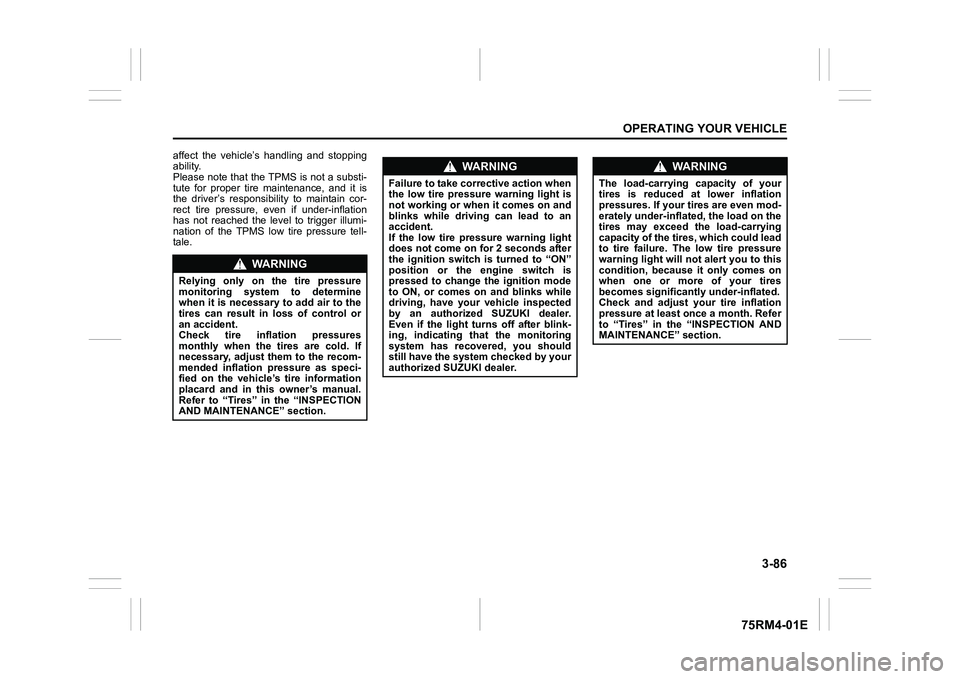
affect the vehicle’s handling and stopping
ability.
Please note that the TPMS is not a substi-
tute for proper tire maintenance, and it is
the driver’s responsibility to maintain cor-
rect tire pressure, even if under-inflation
has not reached the level to trigger illumi-
nation of the TPMS low tire pressure tell-
tale.
WA R N I N G
Relying only on the tire pressure
monitoring system to determine
when it is necessary to add air to the
tires can result in loss of control or
an accident.
Check tire inflation pressures
monthly when the tires are cold. If
necessary, adjust them to the recom-
mended inflation pressure as speci-
fied on the vehicle’s tire information
placard and in this owner’s manual.
Refer to “Tires” in the “INSPECTION
AND MAINTENANCE” section.
WA R N I N G
Failure to take corrective action when
the low tire pressure warning light is
not working or when it comes on and
blinks while driving can lead to an
accident.
If the low tire pressure warning light
does not come on for 2 seconds after
the ignition switch is turned to “ON”
position or the engine switch is
pressed to change the ignition mode
to ON, or comes on and blinks while
driving, have your vehicle inspected
by an authorized SUZUKI dealer.
Even if the light tu rns off after blink-
ing, indicating that the monitoring
system has recovered, you should
still have the system checked by your
authorized SUZUKI dealer.
WA R N I N G
The load-carrying capacity of your
tires is reduced at lower inflation
pressures. If your tires are even mod-
erately under-inflated, the load on the
tires may exceed the load-carrying
capacity of the tires, which could lead
to tire failure. The low tire pressure
warning light will not alert you to this
condition, because it only comes on
when one or more of your tires
becomes significantly under-inflated.
Check and adjust your tire inflation
pressure at least once a month. Refer
to “Tires” in the “INSPECTION AND
MAINTENANCE” section.
Page 243 of 505
3-90
OPERATING YOUR VEHICLE
75RM4-01E
TPMS setting• For the instrument cluster with tachome-
ter, you can check the current tire infla-
tion pressure on the information display.
• You can set one of the initial value of tire pressure below that is indicated on the
tire information label.
– Comfort Mode (Unladen Mode)
– Load Mode (Laden Mode) To check the current tire inflation pres-
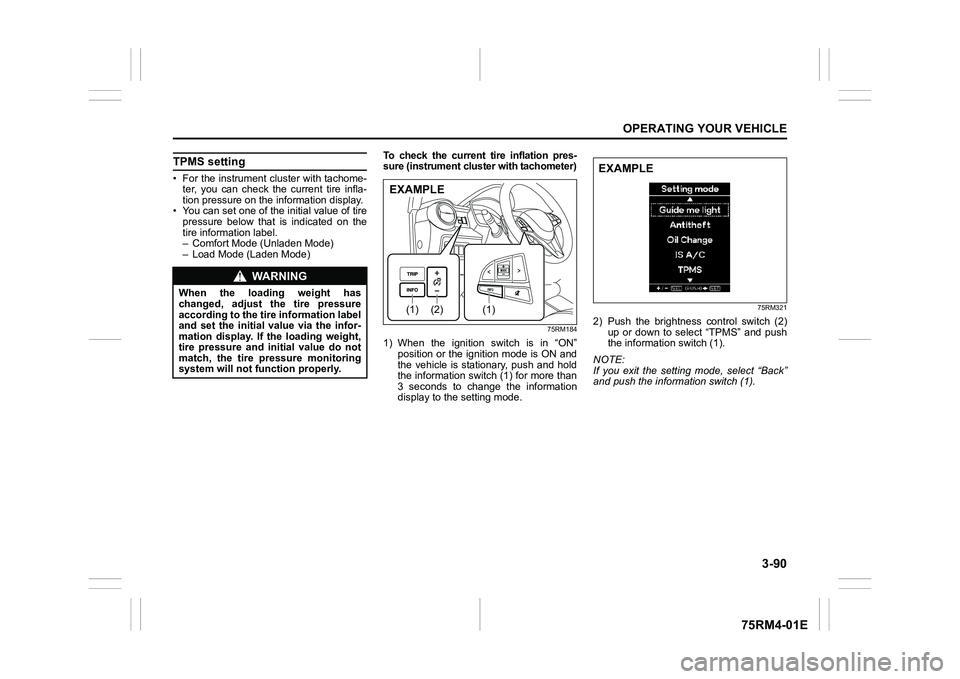
sure (instrument cluster with tachometer)
75RM184
1) When the ignition switch is in “ON”
position or the ignition mode is ON and
the vehicle is stationary, push and hold
the information switch (1) for more than
3 seconds to change the information
display to the setting mode.
75RM321
2) Push the brightness control switch (2)
up or down to select “TPMS” and push
the information switch (1).
NOTE:
If you exit the setting mode, select “Back”
and push the information switch (1).
WA R N I N G
When the loading weight has
changed, adjust the tire pressure
according to the tire information label
and set the initial value via the infor-
mation display. If the loading weight,
tire pressure and initial value do not
match, the tire pressure monitoring
system will not function properly.
(2)
(1)
(1)
EXAMPLE
EXAMPLE
Page 244 of 505
3-91OPERATING YOUR VEHICLE
75RM4-01E
75RM332
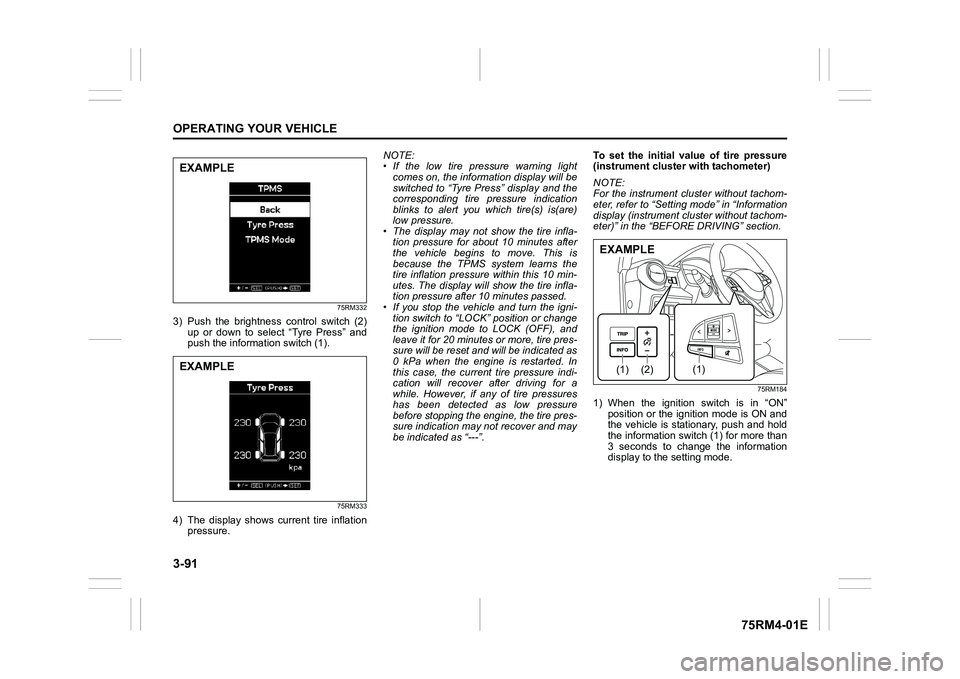
3) Push the brightness control switch (2)
up or down to select “Tyre Press” and
push the information switch (1).
75RM333
4) The display shows current tire inflation pressure. NOTE:
• If the low tire pressure warning light
comes on, the information display will be
switched to “Tyre Press” display and the
corresponding tire pressure indication
blinks to alert you which tire(s) is(are)
low pressure.
• The display may not show the tire infla- tion pressure for about 10 minutes after
the vehicle begins to move. This is
because the TPMS system learns the
tire inflation pressure within this 10 min-
utes. The display will show the tire infla-
tion pressure after 10 minutes passed.
• If you stop the vehicle and turn the igni-
tion switch to “LOCK” position or change
the ignition mode to LOCK (OFF), and
leave it for 20 minutes or more, tire pres-
sure will be reset and will be indicated as
0 kPa when the engine is restarted. In
this case, the current tire pressure indi-
cation will recover after driving for a
while. However, if any of tire pressures
has been detected as low pressure
before stopping the engine, the tire pres-
sure indication may not recover and may
be indicated as “---”. To set the initial value of tire pressure
(instrument
cluster with tachometer)
NOTE:
For the instrument cl uster without tachom-
eter, refer to “Setting mode” in “Information
display (instrument cluster without tachom-
eter)” in the “BEFORE DRIVING” section.
75RM184
1) When the ignition switch is in “ON” position or the ignition mode is ON and
the vehicle is stationary, push and hold
the information switch (1) for more than
3 seconds to change the information
display to the setting mode.
EXAMPLEEXAMPLE
(2)
(1)
(1)
EXAMPLE
Page 249 of 505
4-2
DRIVING TIPS
75RM4-01E
heat damage to the catalytic converter and
other vehicle components.
54G584S
Improving fuel economyThe following instructions will help you
improve fuel economy.
Avoid excessive idling
If you are to wait for more than a minute
while you are parked, stop the engine and
start it again later. When warming up a
cold engine, do not allow the engine to idle
or apply full throttle until the engine has
reached operating temperature. Allow the
engine to warm up by driving.
Avoid fast starts
Fast starts away from lights or stop signs
will consume fuel unnecessarily and
shorten engine life. Start off slowly.
Avoid unnecessary stops
Avoid unnecessary deceleration and stop-
ping. Try to maintain a slow, steady speed
whenever possible. Slowing down and
then accelerating aga in uses more fuel.
Keep a steady cruising speed
Drive at a constant speed that road and
traffic conditions will permit.
NOTICE
To minimize the possibility of cata-
lytic converter or other vehicle dam-
age:
• Maintain the engine in the proper operating condition.
• In the event of an engine malfunc-
tion, particularly one involving
engine misfire or other apparent
loss of performance, have the vehi-
cle serviced promptly.
• Do not turn off the engine or inter-
rupt the ignition when the transaxle
is in gear and the vehicle is in
motion.
• Do not try to start the engine by pushing or towing the vehicle, or
coasting down a hill.
• Do not idle the engine with any spark plug wires disconnected or
removed, such as during diagnos-
tic testing.
• Do not idle the vehicle for pro- longed periods if idling seems
rough or there are other malfunc-
tions.
• Do not allow the fuel tank to get
near the empty level.
WA R N I N G
Be careful where you park and drive;
the catalytic converter and other
exhaust components can get very
hot. As with any vehicle, do not park
or operate this vehicle in areas where
combustible materials such as dry
grass or leaves can come in contact
with a hot exhaust system.
Page 251 of 505
4-4
DRIVING TIPS
75RM4-01E
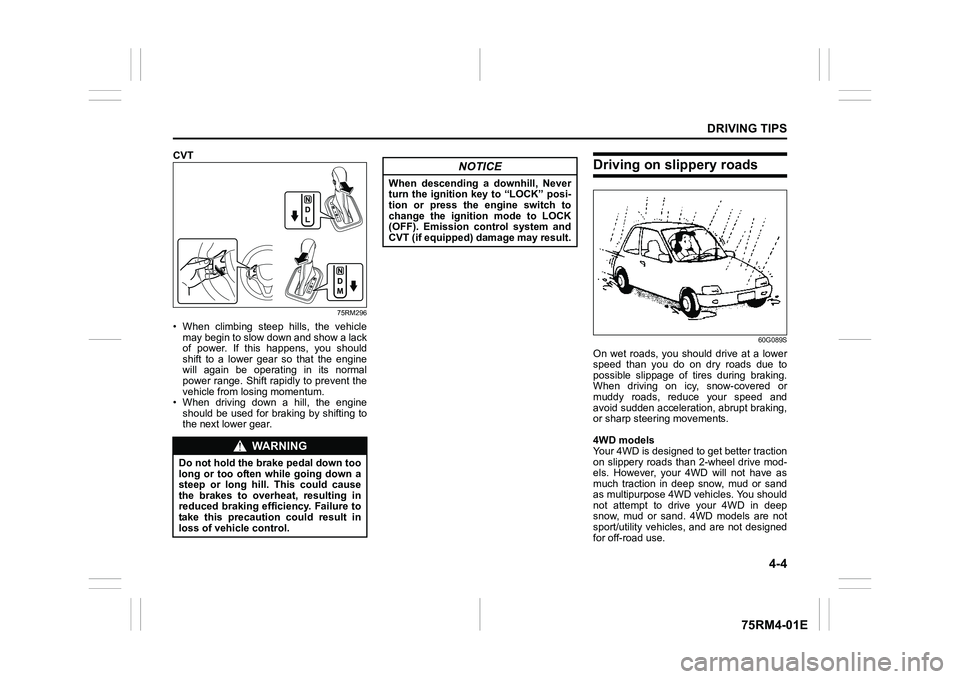
CVT
75RM296
• When climbing steep hills, the vehiclemay begin to slow down and show a lack
of power. If this happens, you should
shift to a lower gear so that the engine
will again be operating in its normal
power range. Shift rapidly to prevent the
vehicle from losing momentum.
• When driving down a hill, the engine
should be used for braking by shifting to
the next lower gear.
Driving on slippery roads
60G089S
On wet roads, you shou ld drive at a lower
speed than you do on dry roads due to
possible slippage of tires during braking.
When driving on icy, snow-covered or
muddy roads, reduce your speed and
avoid sudden acceleration, abrupt braking,
or sharp steering movements.
4WD models
Your 4WD is designed to get better traction
on slippery roads than 2-wheel drive mod-
els. However, your 4WD will not have as
much traction in deep snow, mud or sand
as multipurpose 4WD vehicles. You should
not attempt to drive your 4WD in deep
snow, mud or sand. 4WD models are not
sport/utility vehicles, and are not designed
for off-road use.
WA R N I N G
Do not hold the brake pedal down too
long or too often while going down a
steep or long hill. This could cause
the brakes to overheat, resulting in
reduced braking efficiency. Failure to
take this precaution could result in
loss of vehicle control.
NOTICE
When descending a downhill, Never
turn the ignition key to “LOCK” posi-
tion or press the engine switch to
change the ignition mode to LOCK
(OFF). Emission control system and
CVT (if equipped) damage may result.
Page 260 of 505
5-5OTHER CONTROLS AND EQUIPMENT
75RM4-01E
Interior lightFront
62R0294
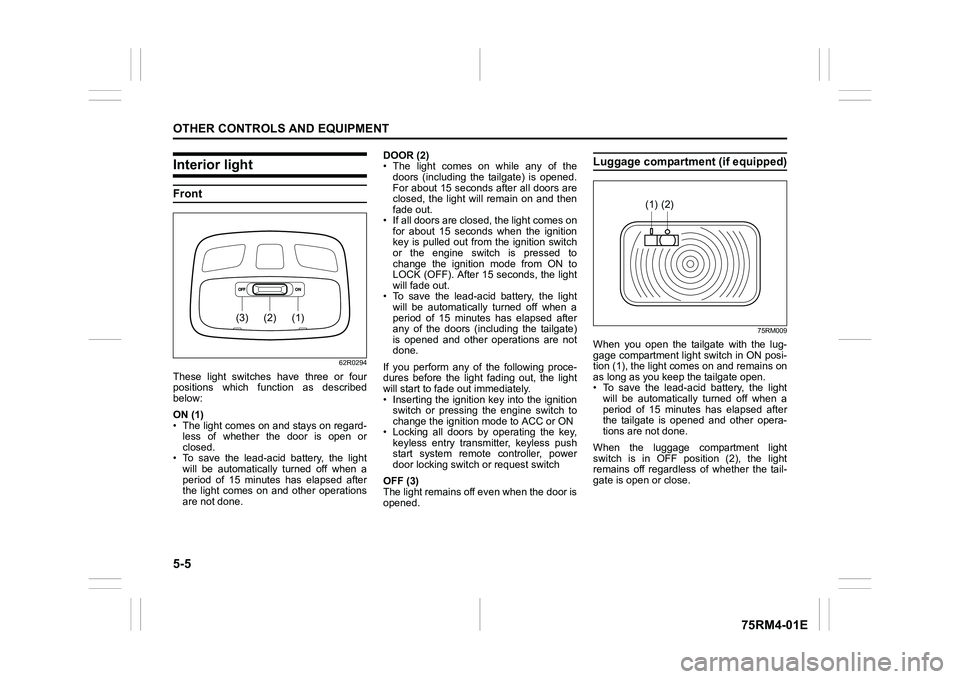
These light switches have three or four
positions which function as described
below:
ON (1)
• The light comes on and stays on regard-less of whether the door is open or
closed.
• To save the lead-acid battery, the light
will be automatically turned off when a
period of 15 minutes has elapsed after
the light comes on and other operations
are not done. DOOR (2)
• The light comes on while any of the
doors (including the tailgate) is opened.
For about 15 seconds after all doors are
closed, the light will remain on and then
fade out.
• If all doors are closed, the light comes on for about 15 seconds when the ignition
key is pulled out from the ignition switch
or the engine switch is pressed to
change the ignition mode from ON to
LOCK (OFF). After 15 seconds, the light
will fade out.
• To save the lead-acid battery, the light will be automatically turned off when a
period of 15 minutes has elapsed after
any of the doors (including the tailgate)
is opened and other operations are not
done.
If you perform any of the following proce-
dures before the light fading out, the light
will start to fade out immediately.
• Inserting the ignition key into the ignition switch or pressing the engine switch to
change the ignition mode to ACC or ON
• Locking all doors by operating the key, keyless entry transmitter, keyless push
start system remote controller, power
door locking switc h or request switch
OFF (3)
The light remains off even when the door is
opened.
Luggage compartment (if equipped)
75RM009
When you open the tailgate with the lug-
gage compartment light switch in ON posi-
tion (1), the light com es on and remains on
as long as you keep the tailgate open.
• To save the lead-acid battery, the light
will be automatically turned off when a
period of 15 minutes has elapsed after
the tailgate is opened and other opera-
tions are not done.
When the luggage compartment light
switch is in OFF position (2), the light
remains off regardless of whether the tail-
gate is open or close.
(1)
(2)
(3)
(2)
(1)
Page 261 of 505
5-6
OTHER CONTROLS AND EQUIPMENT
75RM4-01E
75RM193
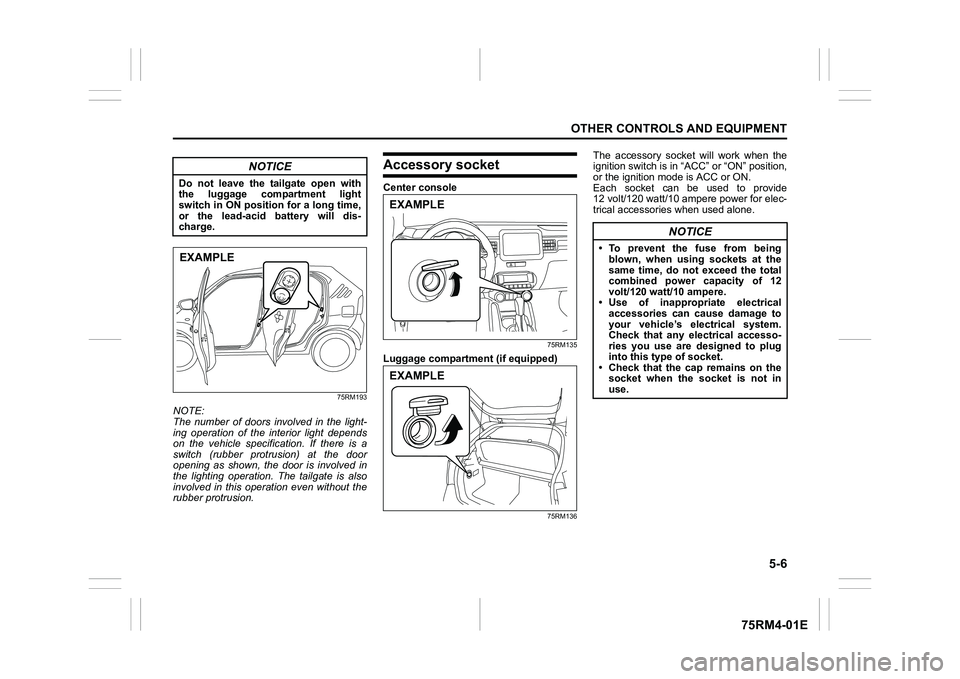
NOTE:
The number of doors involved in the light-
ing operation of the interior light depends
on the vehicle specification. If there is a
switch (rubber protrusion) at the door
opening as shown, the door is involved in
the lighting operation. The tailgate is also
involved in this operation even without the
rubber protrusion.
Accessory socketCenter console
75RM135
Luggage compartmen t (if equipped)
75RM136
The accessory socket will work when the
ignition switch is in “ACC” or “ON” position,
or the ignition mode is ACC or ON.
Each socket can be used to provide
12 volt/120 watt/10 ampere power for elec-
trical accessories when used alone.
NOTICE
Do not leave the tailgate open with
the luggage compartment light
switch in ON position for a long time,
or the lead-acid battery will dis-
charge.EXAMPLE
EXAMPLEEXAMPLE
NOTICE
• To prevent the fuse from being blown, when using sockets at the
same time, do not exceed the total
combined power capacity of 12
volt/120 watt/10 ampere.
• Use of inappropriate electrical accessories can cause damage to
your vehicle’s electrical system.
Check that any electrical accesso-
ries you use are designed to plug
into this type of socket.
• Check that the cap remains on the socket when the socket is not in
use.
Page 306 of 505
5-51OTHER CONTROLS AND EQUIPMENT
75RM4-01E
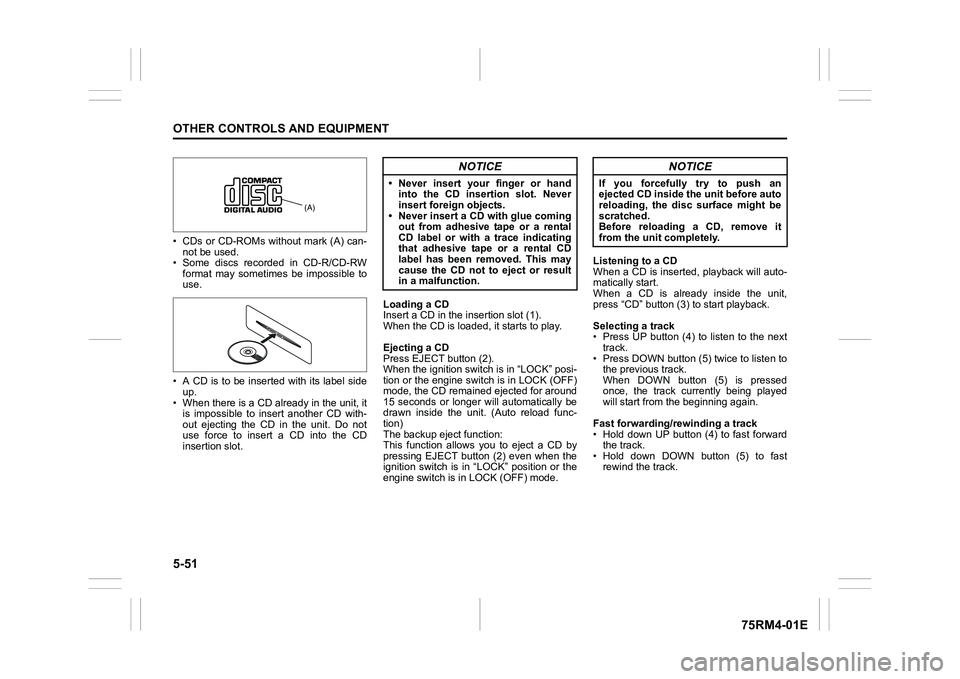
• CDs or CD-ROMs without mark (A) can-not be used.
• Some discs recorded in CD-R/CD-RW format may sometime s be impossible to
use.
• A CD is to be inserted with its label side up.
• When there is a CD already in the unit, it is impossible to insert another CD with-
out ejecting the CD in the unit. Do not
use force to insert a CD into the CD
insertion slot. Loading a CD
Insert a CD in the insertion slot (1).
When the CD is loaded, it starts to play.
Ejecting a CD
Press EJECT button (2).
When the ignition switch is in “LOCK” posi-
tion or the engine switch is in LOCK (OFF)
mode, the CD remained ejected for around
15 seconds or longer will automatically be
drawn inside the unit. (Auto reload func-
tion)
The backup eject function:
This function allows you to eject a CD by
pressing EJECT button (2) even when the
ignition switch is in “LOCK” position or the
engine switch is in LOCK (OFF) mode. Listening to a CD
When a CD is inserted, playback will auto-
matically start.
When a CD is already inside the unit,
press “CD” button (3
) to start playback.
Selecting a track
• Press UP button (4) to listen to the next track.
• Press DOWN button (5) twice to listen to the previous track.
When DOWN button (5) is pressed
once, the track currently being played
will start from the beginning again.
Fast forwarding/rewinding a track
• Hold down UP button (4) to fast forward the track.
• Hold down DOWN button (5) to fast rewind the track.
(A)
NOTICE
• Never insert your finger or handinto the CD insertion slot. Never
insert foreign objects.
• Never insert a CD with glue coming out from adhesive tape or a rental
CD label or with a trace indicating
that adhesive tape or a rental CD
label has been removed. This may
cause the CD not to eject or result
in a malfunction.
NOTICE
If you forcefully try to push an
ejected CD inside the unit before auto
reloading, the disc surface might be
scratched.
Before reloading a CD, remove it
from the unit completely.
Page 317 of 505
![SUZUKI IGNIS 2020 Owners Manual 5-62
OTHER CONTROLS AND EQUIPMENT
75RM4-01E
Playing mode selection
1) Press the button numbered [6] of PRE-SET buttons (8) for 1 second or longer.
2) Turn “TUNE/FLD PUSH SOUND” knob (2).
Eac](/img/20/43482/w960_43482-316.png "SUZUKI IGNIS 2020 Owners Manual 5-62
OTHER CONTROLS AND EQUIPMENT
75RM4-01E
Playing mode selection
1) Press the button numbered [6] of PRE-SET buttons (8) for 1 second or longer.
2) Turn “TUNE/FLD PUSH SOUND” knob (2).
Eac")
5-62
OTHER CONTROLS AND EQUIPMENT
75RM4-01E
Playing mode selection
1) Press the button numbered [6] of PRE-SET buttons (8) for 1 second or longer.
2) Turn “TUNE/FLD PUSH SOUND” knob (2).
Each time the knob is turned, the mode
will change as follows:
3) Press “TUNE/FLD PUSH SOUND” knob (2) to select the desired mode.
NOTE:
• When the button numbered [6] of PRE- SET buttons (8) is pressed, the previous
mode will be displayed.
Notes on iPod
®
Supported iPod
®
•iPod
® touch (6th generation)
•iPod® touch (5th generation)
•iPod® touch (4th generation)
•iPod® touch (3rd generation)
•iPod® touch (2nd generation)
•iPod® touch (1st generation)
•iPod® classic
•iPod® nano (7th generation)
•iPod® nano (6th generation)
•iPod® nano (5th generation)
•iPod® nano (4th generation)
•iPod® nano (3rd generation)
•iPod® nano (2nd generation)
•iPod® nano (1st generation)
•iPod® (5th generation)
• iPhone® 6S Plus
• iPhone® 6S
• iPhone® 6 Plus
• iPhone® 6
• iPhone® 5S
• iPhone® 5C
• iPhone® 5
• iPhone® 4S
• iPhone® 4
• iPhone® 3GS
• iPhone® 3G
• iPhone®
* Some functions may not be available depending on the model of iPod
®.
*iPod
® is a trademark of Apple Inc., regis-
tered in the U.S. and other countries.
* iPhone® is a trademark of Apple Inc.,
registered in the U.S. and other coun-
tries.
* Apple is not responsible for the opera- tion of this device or its compliance with
safety and regulatory standards.
iPod
® connection
• Make sure to detach the iPod
® after
turning the ignition switch to “LOCK”
position or pressing the engine switch to
change the ignition mode to LOCK
(OFF). The iPod
® may not be shut down
when it is being connected and may
result in battery depletion.
• Do not connect iPod
® accessories such
as an iPod
® remote control or head-
phones while connecting the iPod
® with
the unit. The unit may not operate cor-
rectly.
PLAYLIST
ARTIST
ALBUM
SONGS
PODCAST
GENRE
AUDIOBOOK
Page 332 of 505

5-77OTHER CONTROLS AND EQUIPMENT
75RM4-01E
Deletion of audio device information
(Delete Audio)
Follow the instructions below to delete the
registered audio device information.
1) Press the Bluetooth
® setup button (7)
or (8).
The Bluetooth
® setup menu will be dis-
played.
2) Turn “TUNE/FLD PUSH SOUND” knob
(2) to select “Setup Bluetooth”, and
press the knob (2) to determine the
selection.
3) Turn “TUNE/FLD PUSH SOUND” knob (2) to select “List Audio”, and press the
knob (2) to determine the selection.
4) Turn “TUNE/FLD PUSH SOUND” knob (2) to select an audio device to be
deleted, and press the knob (2) to
determine the selection.
5) Turn “TUNE/FLD PUSH SOUND” knob
(2) to select “Delete”, and press the
knob (2) to determine the selection.
6) Turn “TUNE/FLD PUSH SOUND” knob
(2) to select “Delete?”, and press the
knob (2) to determine the selection.
7) Turn “TUNE/FLD PUSH SOUND” knob
(2) to select “Confirm”, and press the
knob (2) to complete the deletion.
NOTE:
When selecting “Go Back” or pressing
BACK button (6), the previous menu will
be displayed.
Disclaimer for Bluetooth
® function
• Depending on compatibility of mobile phone models, no Bluetooth
® function
can be used, or some Bluetooth® func-
tions may be restricted.
• Connectivity or voice quality may get
affected depending on circumstances.
• After the ignition switch is turned to “ON” position or the engine switch is pressed
to change the ignition mode to ON, the
audio system takes few seconds to
detect and connect to the Bluetooth
®
device (if already paired).
Remote audio controls (if equipped)Controlling basic functions of the audio
system is available us ing the switches on
the steering wheel.
75RM063
(4) (4)
(2)
(1) (3)