ignition SUZUKI IGNIS 2020 Manual Online
[x] Cancel search | Manufacturer: SUZUKI, Model Year: 2020, Model line: IGNIS, Model: SUZUKI IGNIS 2020Pages: 505, PDF Size: 8.36 MB
Page 186 of 505
3-33OPERATING YOUR VEHICLE
75RM4-01E
“N” indicator blinking
When the gear indicator lamp blinks “N”,
you should depress the brake pedal and
shift the gearshift lever to “N” position.
“1st” indicator blinking
When the gear indicator lamp blinks “1st”,
you should depress the brake pedal and
shift the gearshift lever to “N” position, then
shift to “D” or “M” position again a few sec-
onds later.
“R” indicator blinking
When the gear indicator lamp blinks “R”,
you should depress the brake pedal and
shift the gearshift lever to “N” position, then
shift to “R” position again a few seconds
later.
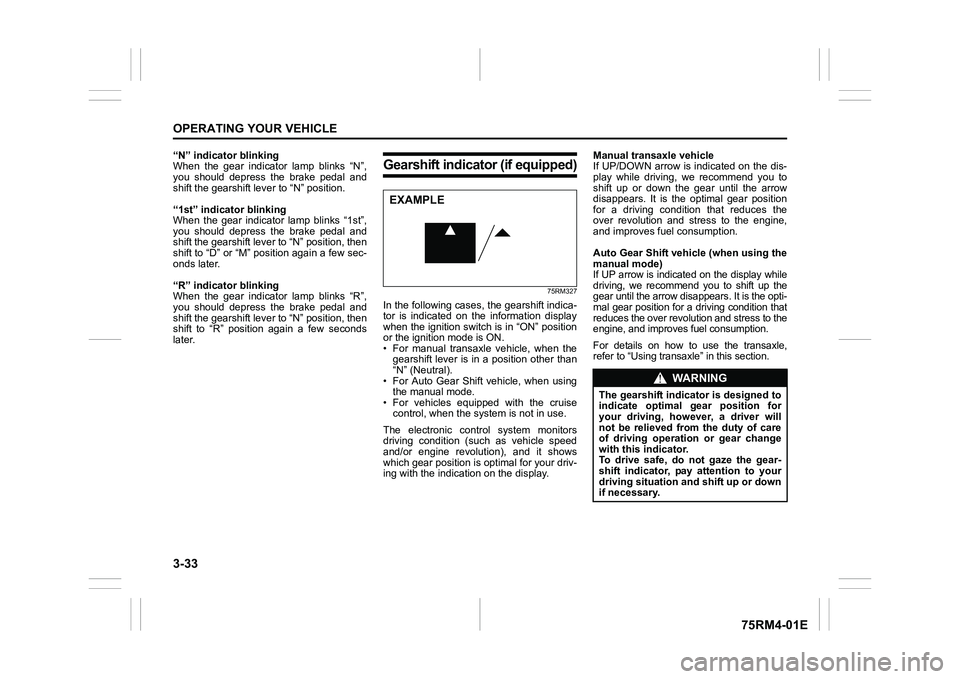
Gearshift indicator (if equipped)
75RM327
In the following cases, the gearshift indica-
tor is indicated on the information display
when the ignition switch is in “ON” position
or the ignition mode is ON.
• For manual transaxle vehicle, when thegearshift lever is in a position other than
“N” (Neutral).
• For Auto Gear Shift vehicle, when using the manual mode.
• For vehicles equipped with the cruise control, when the syst em is not in use.
The electronic control system monitors
driving condition (such as vehicle speed
and/or engine revolution), and it shows
which gear position is optimal for your driv-
ing with the indicati on on the display. Manual transaxle vehicle
If UP/DOWN arrow is indicated on the dis-
play while driving, we recommend you to
shift up or down the gear until the arrow
disappears. It is the optimal gear position
for a driving condition that reduces the
over revolution and stress to the engine,
and improves fuel consumption.
Auto Gear Shift vehicle (when using the
manual mode)
If UP arrow is indicated on the display while
driving, we recommend you to shift up the
gear until the arrow disappears. It is the opti-
mal gear position for a driving condition that
reduces the over revolut
ion and stress to the
engine, and improves fuel consumption.For details on how to use the transaxle,
refer to “Using transa xle” in this section.
EXAMPLE
WA R N I N G
The gearshift indicator is designed to
indicate optimal gear position for
your driving, however, a driver will
not be relieved from the duty of care
of driving operation or gear change
with this indicator.
To drive safe, do not gaze the gear-
shift indicator, pay attention to your
driving situation and shift up or down
if necessary.
Page 188 of 505
3-35OPERATING YOUR VEHICLE
75RM4-01E
ENG A-STOP system
(engine auto stop start system) (if equipped)The ENG A-STOP system (engine auto
stop start system) automatically stops and
restarts the engine when decelerating
before stopping and when the vehicle is
stopped, such as at a traffic signal, in order
to reduce exhaust gases, fuel consumption
and engine noise.
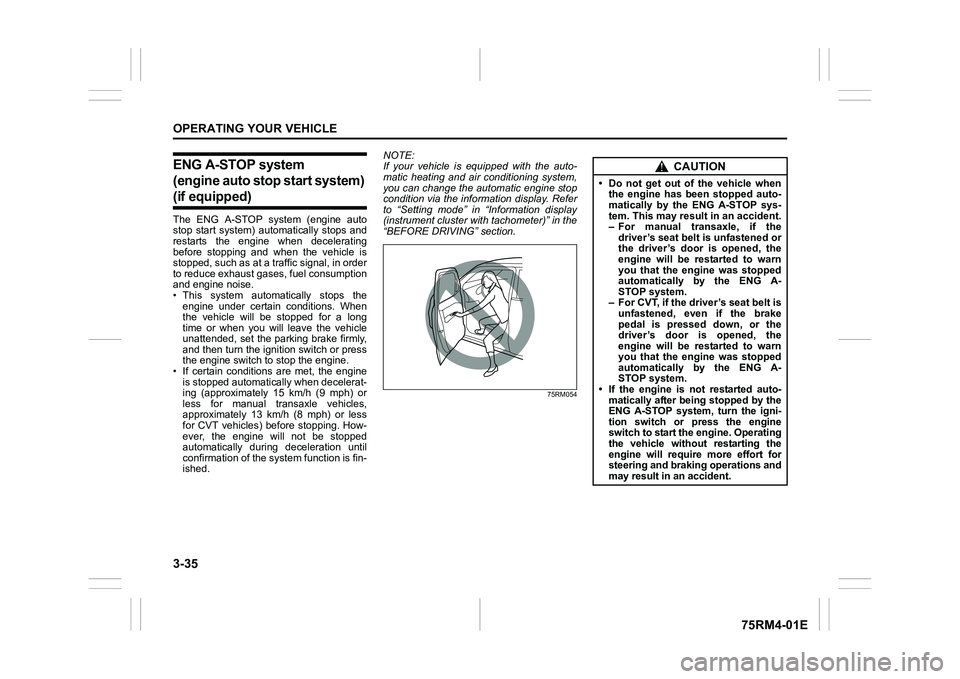
• This system automatically stops the engine under certain conditions. When
the vehicle will be stopped for a long
time or when you will leave the vehicle
unattended, set the parking brake firmly,
and then turn the ignition switch or press
the engine switch to stop the engine.
• If certain conditions are met, the engine is stopped automatically when decelerat-
ing (approximately 15 km/h (9 mph) or
less for manual transaxle vehicles,
approximately 13 km/h (8 mph) or less
for CVT vehicles) before stopping. How-
ever, the engine will not be stopped
automatically during deceleration until
confirmation of the system function is fin-
ished. NOTE:
If your vehicle is equipped with the auto-
matic heating and ai
r conditioning system,
you can change the automatic engine stop
condition via the information display. Refer
to “Setting mode” in “Information display
(instrument cluster with tachometer)” in the
“BEFORE DRIVING” section.
75RM054
CAUTION
• Do not get out of the vehicle when the engine has been stopped auto-
matically by the ENG A-STOP sys-
tem. This may result in an accident.
– For manual transaxle, if the
driver’s seat belt is unfastened or
the driver’s door is opened, the
engine will be restarted to warn
you that the engine was stopped
automatically by the ENG A-
STOP system.
– For CVT, if the driver’s seat belt is unfastened, even if the brake
pedal is pressed down, or the
driver’s door is opened, the
engine will be restarted to warn
you that the engine was stopped
automatically by the ENG A-
STOP system.
• If the engine is not restarted auto- matically after being stopped by the
ENG A-STOP system, turn the igni-
tion switch or press the engine
switch to start the engine. Operating
the vehicle without restarting the
engine will require more effort for
steering and braking operations and
may result in an accident.
Page 192 of 505
3-39OPERATING YOUR VEHICLE
75RM4-01E
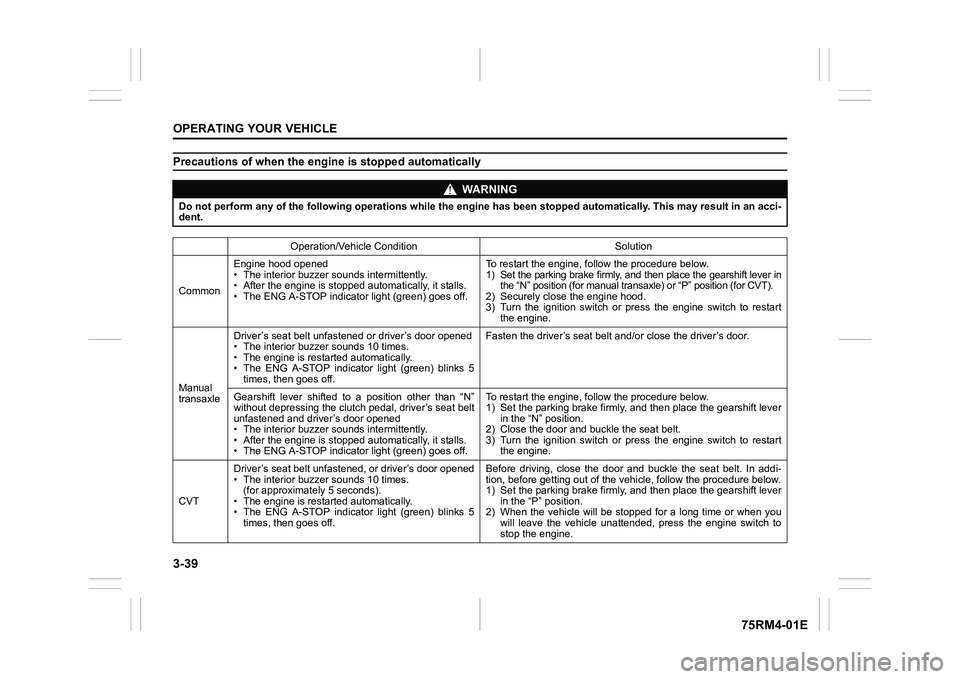
Precautions of when the engine is stopped automatically
WA R N I N G
Do not perform any of the following operations while the engine has been stopped automatically. This may result in an acci-
dent.
Operation/Vehicle Condition Solution
Common Engine hood opened
• The interior buzzer sounds intermittently.
• After the engine is stopped automatically, it stalls.
• The ENG A-STOP indicator light (green) goes off. To restart the engine, follow the procedure below.
1) Set the parking brake firmly, and then place the gearshift le
ver in
the “N” position (for m anual transaxle) or “P” position (for CVT).
2) Securely close the engine hood.
3) Turn the ignition switch or press the engine switch to restar t
the engine.
Manual
transaxle Driver’s seat belt unfast
ened or driver’s door opened
• The interior buzze r sounds 10 times.
• The engine is restarted automatically.
• The ENG A-STOP indicator light (green) blinks 5 times, then goes off. Fasten the driver’s seat belt
and/or close the driver’s door.
Gearshift lever shifted to a position other than “N”
without depressing the clutch pedal, driver’s seat belt
unfastened and driver’s door opened
• The interior buzzer sounds intermittently.
• After the engine is stopped automatically, it stalls.
• The ENG A-STOP indicator light (green) goes off. To restart the engine, follow the procedure below.
1) Set the parking brake firmly, a
nd then place the gearshift lever
in the “N” position.
2) Close the door and bu ckle the seat belt.
3) Turn the ignition switch or press the engine switch to restar t
the engine.
CVT Driver’s seat belt unfasten
ed, or driver’s door opened
• The interior buzzer sounds 10 times.
(for approximately 5 seconds).
• The engine is restarted automatically.
• The ENG A-STOP indicator light (green) blinks 5 times, then goes off. Before driving, close the door and buckle the seat belt. In add
i-
tion, before getting out of the vehicle, follow the procedure b elow.
1) Set the parking brake firmly, a nd then place the gearshift lever
in the “P” position.
2) When the vehicle will be stopped for a long time or when you will leave the vehicle unattended, press the engine switch to
stop the engine.
Page 198 of 505
3-45OPERATING YOUR VEHICLE
75RM4-01E
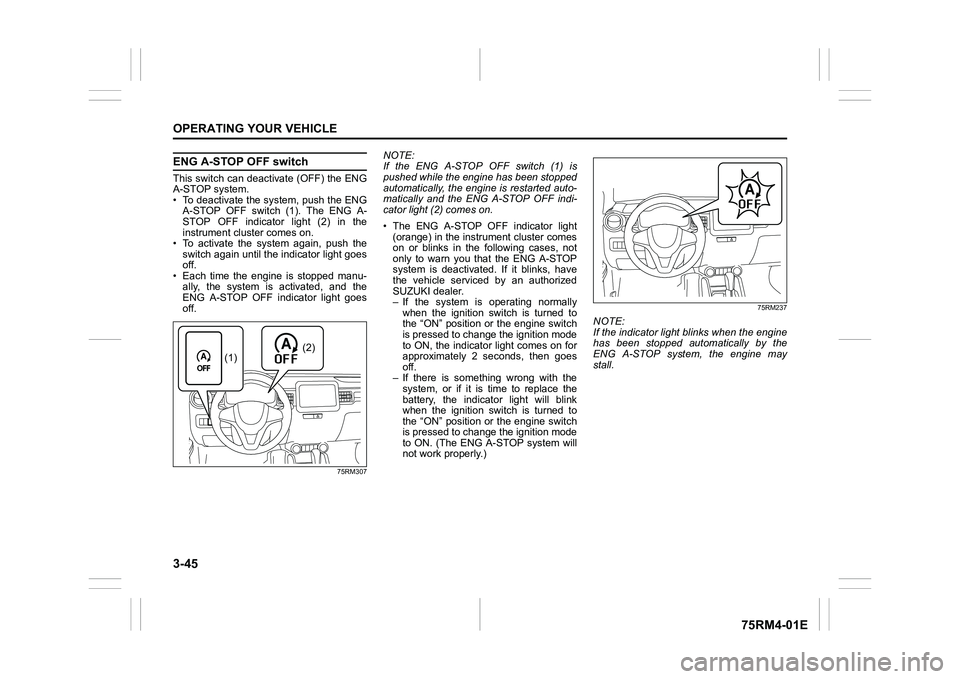
ENG A-STOP OFF switchThis switch can deactivate (OFF) the ENG
A-STOP system.
• To deactivate the system, push the ENGA-STOP OFF switch (1). The ENG A-
STOP OFF indicator light (2) in the
instrument cluster comes on.
• To activate the system again, push the switch again until the indicator light goes
off.
• Each time the engine is stopped manu- ally, the system is activated, and the
ENG A-STOP OFF indicator light goes
off.
75RM307
NOTE:
If the ENG A-STOP OFF switch (1) is
pushed while the engine has been stopped
automatically, the engine is restarted auto-
matically and the ENG A-STOP OFF indi-
cator light (2) comes on.
• The ENG A-STOP OFF indicator light (orange) in the instrument cluster comes
on or blinks in the following cases, not
only to warn you that the ENG A-STOP
system is deactivated. If it blinks, have
the vehicle serviced by an authorized
SUZUKI dealer.
– If the system is operating normally
when the ignition switch is turned to
the “ON” position or the engine switch
is pressed to change the ignition mode
to ON, the indicator light comes on for
approximately 2 seconds, then goes
off.
– If there is something wrong with the system, or if it is time to replace the
battery, the indicator light will blink
when the ignition switch is turned to
the “ON” position or the engine switch
is pressed to change the ignition mode
to ON. (The ENG A-STOP system will
not work properly.)
75RM237
NOTE:
If the indicator light blinks when the engine
has been stopped automatically by the
ENG A-STOP system, the engine may
stall.
(2)
(1)
Page 219 of 505
3-66
OPERATING YOUR VEHICLE
75RM4-01E
Temporary stop of the stereo camera
Under the following situations, the function
of the stereo camera stops temporarily.
When the situations are improved, the
temporary stop of the function will be can-
celed.
• When the visibility of the stereo camerais poor
• When the temperature of the body of
stereo camera i s low or high
• When the systems related the dual cam- era brake support stops temporarily
• When the lead-acid battery has a volt- age abnormality
• When the automatic adjustment of the
stereo camera is insufficient
Failure of the stereo camera
When the stereo camera is failure, the
function of the stereo camera stops until
the ignition switch is turned to “LOCK”
position or the engine switch is pressed to
change the ignition mode to LOCK (OFF).
Find a safe place to park and turn the igni-
tion switch to “LOCK” position or change
the ignition mode to LOCK (OFF) by press-
ing the engine switch.
Restart the engine, and check that the dual
camera brake support indicator light and
lane departure warning indicator light go
off.
• If both of the indicators stay on after restarting the engine, there may be a
failure of the stereo camera. Ask your
SUZUKI dealer to have the stereo cam-
era inspected. It is thought that the cause of failure is the
followings.
• When the stereo camera has an abnor-
mality
• When the temperature of the body of stereo camera is t oo low or too high
• When the mounting position of the ste- reo camera is shifted greatly
• When there are communication abnor-
malities among the engine, transaxle
and brake controller
• When the dual camera brake support
OFF switch has an abnormality
• When the steering angle sensor has an abnormality
• When the power supply of the stereo camera is cut
NOTE:
• Under the following situations, the dual camera brake support indicator light and
lane departure warning indicator light
come on after the engine has started, it
does not indicate a malfunction. Once
the ignition switch is turned to “LOCK”
position or the engine switch is pressed
to change the ignition mode to LOCK
(OFF) and then the engine is restarted,
these indicators will go off.
– When the automatic brake system hasbeen operating 3 times
– When the automatic brake system has
been operating for long periods • The function of the stereo camera stops
if the dual camera brake support indica-
tor light and lane departure warning indi-
cator light come on and there may be a
failure of the stereo camera, but it does
not hinder normal driving.
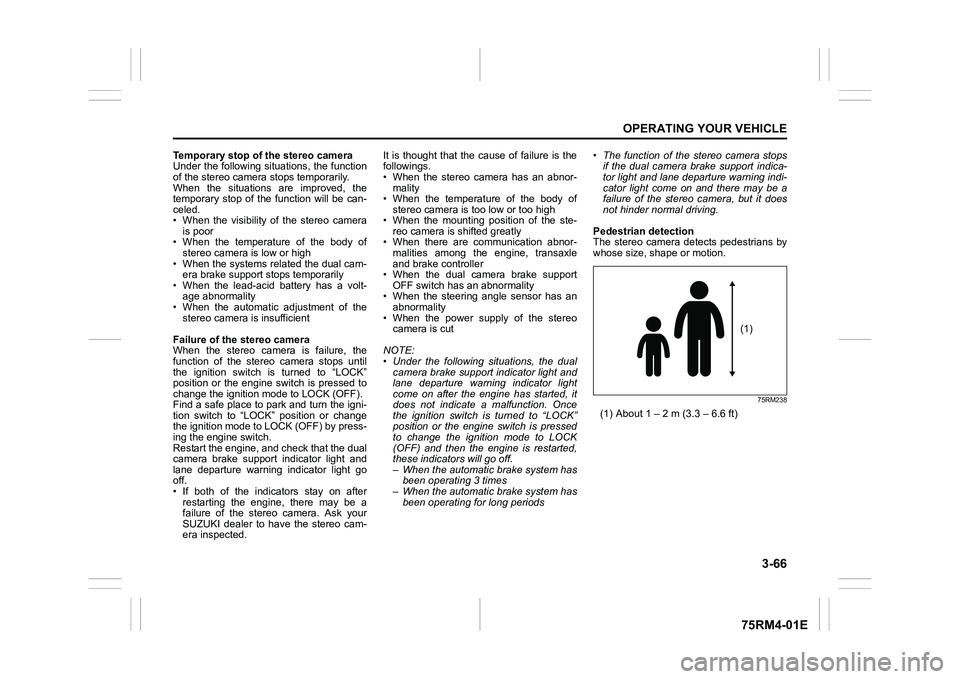
Pedestrian detection
The stereo camera detects pedestrians by
whose size, shape or motion.
75RM238
(1) About 1 – 2 m (3.3 – 6.6 ft)
(1)
Page 225 of 505
3-72
OPERATING YOUR VEHICLE
75RM4-01E
Rearview camera (if equipped)When the gearshift lever is shifted to “R”
position while the ignition switch is in “ON”
position or the ignition mode is ON, the
rearview camera system automatically
shows the view behind the vehicle on the
display.
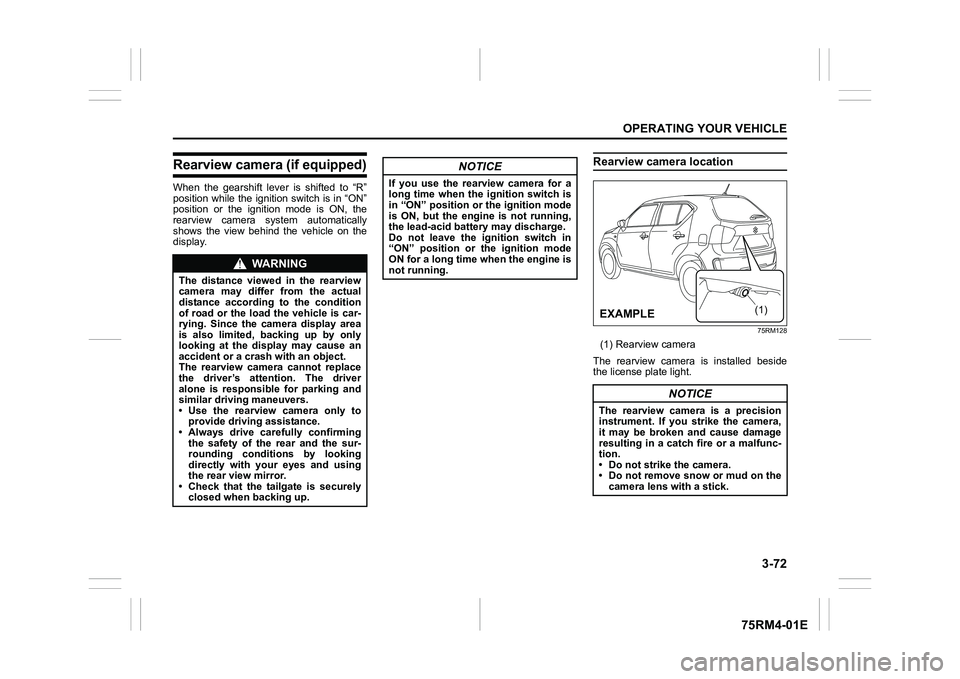
Rearview camera location
75RM128
(1) Rearview camera
The rearview camera is installed beside
the license plate light.
WA R N I N G
The distance viewed in the rearview
camera may differ from the actual
distance according to the condition
of road or the load the vehicle is car-
rying. Since the camera display area
is also limited, backing up by only
looking at the display may cause an
accident or a crash with an object.
The rearview camera cannot replace
the driver’s attention. The driver
alone is responsible for parking and
similar driving maneuvers.
• Use the rearview camera only to provide driving assistance.
• Always drive carefully confirming
the safety of the rear and the sur-
rounding conditions by looking
directly with your eyes and using
the rear view mirror.
• Check that the tailgate is securely closed when backing up.
NOTICE
If you use the rearview camera for a
long time when the ignition switch is
in “ON” position or the ignition mode
is ON, but the engine is not running,
the lead-acid battery may discharge.
Do not leave the ignition switch in
“ON” position or the ignition mode
ON for a long time when the engine is
not running.
NOTICE
The rearview camera is a precision
instrument. If you strike the camera,
it may be broken and cause damage
resulting in a catch fire or a malfunc-
tion.
• Do not strike the camera.
• Do not remove snow or mud on thecamera lens with a stick.
(1)
(ΟΝ03/(
Page 226 of 505

3-73OPERATING YOUR VEHICLE
75RM4-01E
NOTE:
If body wax gets on the camera lens, wipe
off the wax with a clean cloth dampened
with mild detergent diluted with water, and
then wipe the lens with a dry cloth.
How to use rearview camera1) Turn the ignition switch to “ON” positionor press the engine switch to change
the ignition mode to ON.
2) Shift the gearshift lever in “R” position. • The display automatically shows the
view behind the vehicle.
• When the gearshift lever is shifted from “R” to another gearshift lever
position, the display returns to the
previous display.
NOTE:
The rearview camera display has first pri-
ority in any display mode. However, the
rearview camera display does not show
the rear view while the system is initializ-
ing.Display range of rearview cameraThe rearview camera display shows the
area behind the rear end of the tailgate.
The display cannot show objects which are
close to the bumper o r under the bumper.
The rearview camera display cannot show
obstacles which are higher than the cam-
era. Upper parts of tall objects such as
road signs cannot be viewed on the dis-
play. Display range of rearview camera
75RM293
54P000370
(1) Display range
NOTICE
If water enters the rearview camera, it
may cause a malfunction or catch
fire.
Do not use high pressure water
around the camera.
NOTICE
This lens is hard coated to prevent
damage or discoloration. Damage or
discoloration of lens may obscure
the image.
• Do not use a brush to clean lens.
• Do not use alcohol, benzene or thinner to clean the lens.
• Do not use wax on the camera lens.
(1)
EXAMPLE
(1)
EXAMPLE
Page 228 of 505
3-75OPERATING YOUR VEHICLE
75RM4-01E
If the rear view from the rearview cam-
era is not shown or there is a poor
image
• If the rear view from the rearview camerais not shown.
– Check that the ignition switch is in
“ON” position or the ignition mode is
ON.
– Check that the gearshift lever is
shifted to “R” position.
• If the image from the rearview camera is poor.
– Check that the camera lens is not dirty.
– Check that light from the sun or thebeam of the headlights from the vehi-
cle behind is not shining directly into
the lens.
If the rearview camera system is still not
working properly after checking the above,
have the system inspected by an autho-
rized SUZUKI dealer as soon as possible.
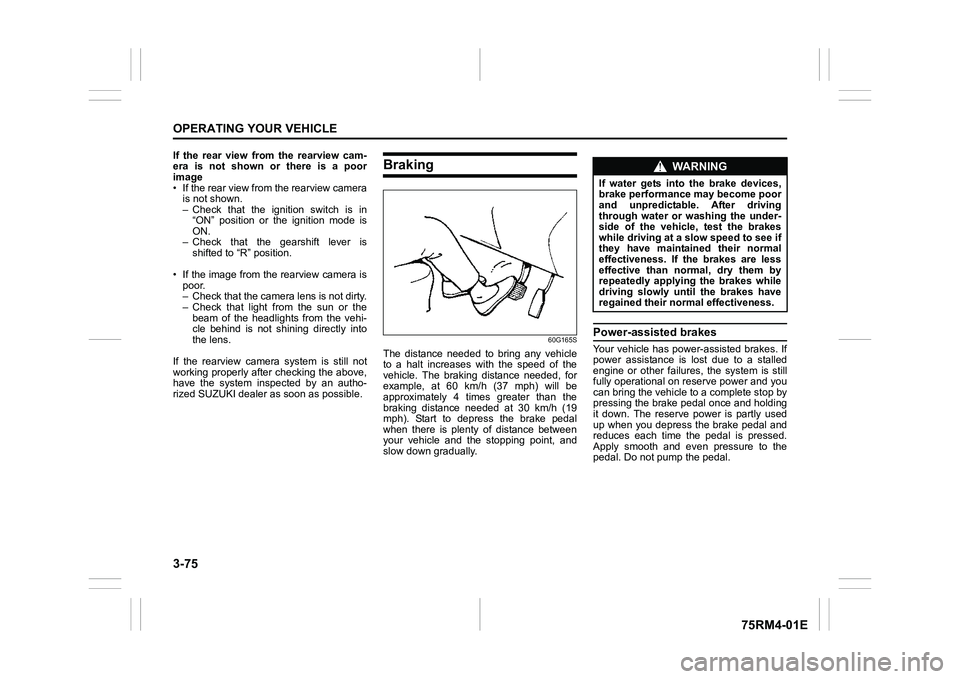
Braking
60G165S
The distance needed to bring any vehicle
to a halt increases with the speed of the
vehicle. The braking distance needed, for
example, at 60 km/h (37 mph) will be
approximately 4 times greater than the
braking distance needed at 30 km/h (19
mph). Start to depress the brake pedal
when there is plenty of distance between
your vehicle and the stopping point, and
slow down gradually.
Power-assisted brakesYour vehicle has power-assisted brakes. If
power assistance is lo st due to a stalled
engine or other failure s, the system is still
fully operational on reserve power and you
can bring the vehicle to a complete stop by
pressing the brake pedal once and holding
it down. The reserve power is partly used
up when you depress the brake pedal and
reduces each time the pedal is pressed.
Apply smooth and even pressure to the
pedal. Do not pump the pedal.
WA R N I N G
If water gets into the brake devices,
brake performance may become poor
and unpredictable. After driving
through water or washing the under-
side of the vehicle, test the brakes
while driving at a slow speed to see if
they have maintained their normal
effectiveness. If the brakes are less
effective than normal, dry them by
repeatedly applying the brakes while
driving slowly until the brakes have
regained their normal effectiveness.
Page 232 of 505
3-79OPERATING YOUR VEHICLE
75RM4-01E
NOTE:
• If the ESP
® system is activated, you may
hear a clunking noise and/or feel pulsat-
ing in the brake pedal. This is normal
and indicates that the brake fluid pres-
sure is being controlled properly.
• You may hear an operation sound when you start the engine or after the vehicle
begins to move. This means that the
above systems are in the self-check
mode. This sound does not indicate a
malfunction. The ESP
® indicator lights are described
below:
ESP
® warning light
52KM133
This light blinks 5 times per second when
one of the following sy stems is activated.
• Stability control system
• Traction control system
• Hill descent control system (if equipped)
• Grip control system (if equipped)
If this light blinks, drive carefully.
When the ignition switch is turned to “ON”
position, or the engine switch is pressed to
change the ignition mode to ON, this light
comes on briefly so you can check that the
light is working. NOTE:
When the ESP
® warning light comes on
and stays on while driving, indicating a
malfunction of the ESP
® systems (other
than ABS), the brake system will function
as an ordinary ABS with no additional
ESP
® functions.
ESP
® OFF indicator light
57L30045
You should turn the ESP
® on during your
ordinary driving, so that you have the ben-
efits of all of the ESP
® systems.
It may be required to turn the ESP
® sys-
tems (other than ABS) off if your vehicle is
stuck in sand, mud, or snow, where wheel
spin is necessary.
WA R N I N G
(Continued)
• The ESP
® may not work properly if
the tires are excessively worn.
Replace tires when the tread wear
indicators in the grooves appear on
the tread surface.
• The ESP® is not a substitute for
winter tires or tire chains on a
snow-covered road.
WA R N I N G
• The ESP
® may not work properly if
engine related parts such as the
muffler are not equivalent to stan-
dard equipment or are extremely
deteriorated.
• Do not modify the vehicle’s sus- pension since the ESP
® may not
work properly.
NOTICE
If the ESP
® warning light comes on
and stays on while driving, there may
be a malfunction of the ESP
® sys-
tems (other than ABS). You should
have the systems inspected by an
authorized SUZUKI dealer.
Page 235 of 505
3-82
OPERATING YOUR VEHICLE
75RM4-01E
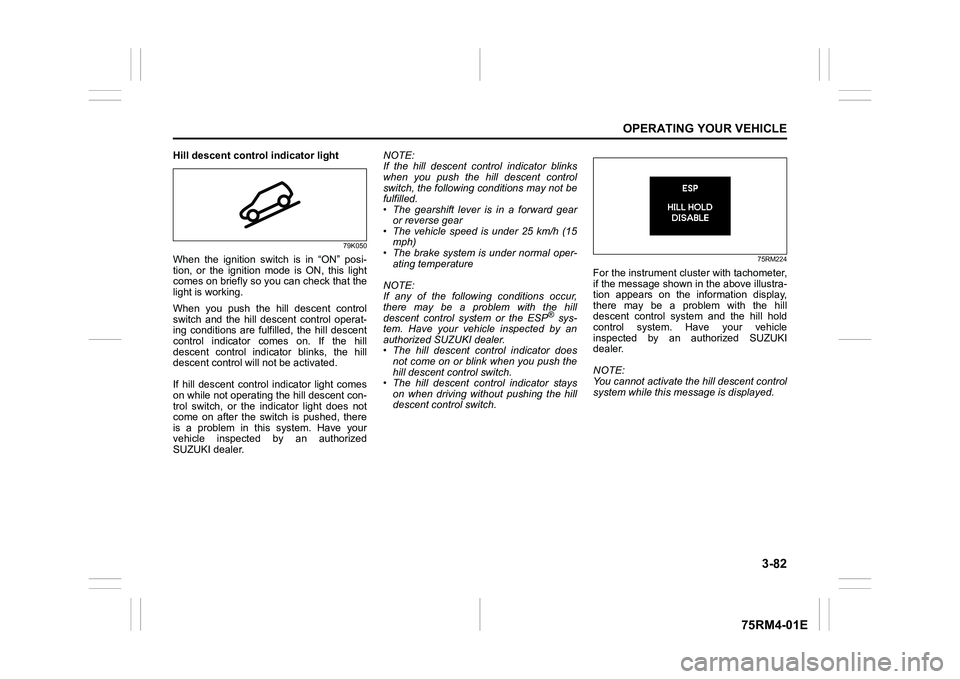
Hill descent control indicator light
79K050
When the ignition switch is in “ON” posi-
tion, or the ignition mode is ON, this light
comes on briefly so you can check that the
light is working.
When you push the hill descent control
switch and the hill descent control operat-
ing conditions are fulfilled, the hill descent
control indicator comes on. If the hill
descent control indicator blinks, the hill
descent control will not be activated.
If hill descent control indicator light comes
on while not operating the hill descent con-
trol switch, or the indicator light does not
come on after the switch is pushed, there
is a problem in this system. Have your
vehicle inspected by an authorized
SUZUKI dealer. NOTE:
If the hill descent control indicator blinks
when you push the hill descent control
switch, the following conditions may not be
fulfilled.
• The gearshift lever is in a forward gear
or reverse gear
• The vehicle speed is under 25 km/h (15 mph)
• The brake system is under normal oper- ating temperature
NOTE:
If any of the followin g conditions occur,
there may be a problem with the hill
descent control system or the ESP
® sys-
tem. Have your vehicle inspected by an
authorized SUZUKI dealer.
• The hill descent control indicator does not come on or blink when you push the
hill descent co ntrol switch.
• The hill descent control indicator stays on when driving without pushing the hill
descent control switch.
75RM224
For the instrument cluster with tachometer,
if the message shown in the above illustra-
tion appears on the information display,
there may be a problem with the hill
descent control system and the hill hold
control system. Ha ve your vehicle
inspected by an authorized SUZUKI
dealer.
NOTE:
You cannot activate the hill descent control
system while this me ssage is displayed.