seat SUZUKI JIMNY 2022 Workshop Manual
[x] Cancel search | Manufacturer: SUZUKI, Model Year: 2022, Model line: JIMNY, Model: SUZUKI JIMNY 2022Pages: 421, PDF Size: 6.35 MB
Page 100 of 421
BEFORE DRIVING
Display (E) Trip meter I Rear passenger's seat belt reminder (if equipped)
Display (F) Odometer
Display (G) Fuel gauge
52RS20420
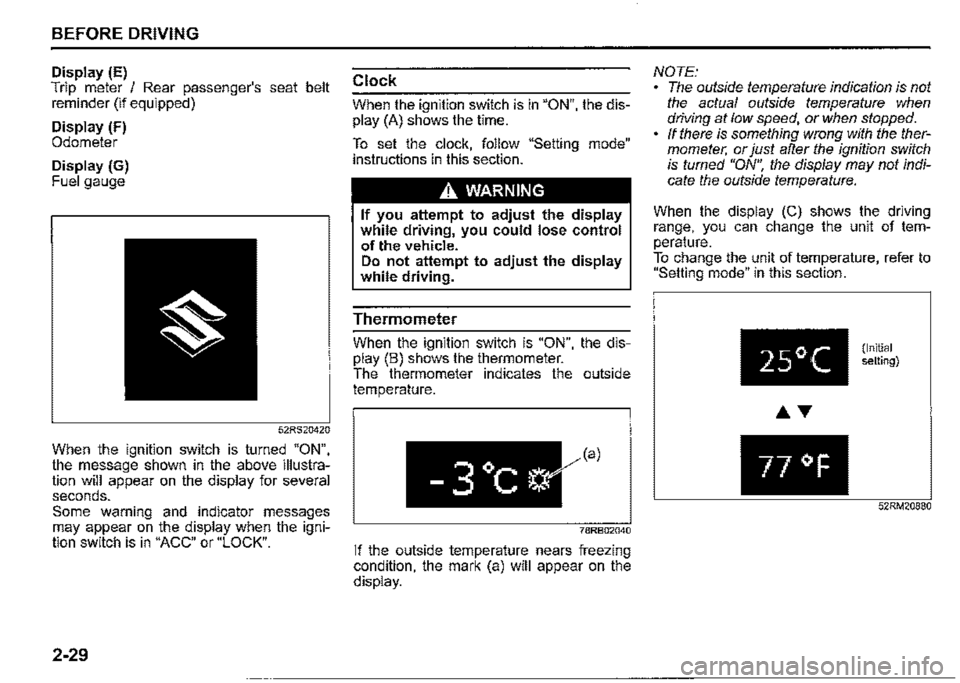
When the ignition switch is turned "ON", the message shown in the above illustration will appear on the display for several seconds. Some warning and indicator messages may appear on the display when the ignition switch is in "ACC" or "LOCK".
2-29
Clock
When the ignition switch is in "ON", the dis
play (A) shows the time.
To set the clock, follow "Setting mode" instructions in this section.
,A WARNING
If you attempt to adjust the display while driving, you could lose control of the vehicle. Do not attempt to adjust the display while driving.
Thermometer
When the ignition switch is "ON", the display (B) shows the thermometer. The thermometer indicates the outside temperature.
-3°c
78RB02040
If the outside temperature nears freezing condition, the mark (a) will appear on the display.
NOTE: The outside temperature indication is not the actual outside temperature when driving at low speed, or when stopped. If there is something wrong with the thermometer, or just after the ignition switch is turned "ON", the display may not indicate the outside temperature.
When the display (C) shows the driving range, you can change the unit of temperature. To change the unit of temperature, refer to "Setting mode" in this section.
25°(
77 °F
(Initial setting)
52RM20880
Page 115 of 421
Oil pressure light
50G051
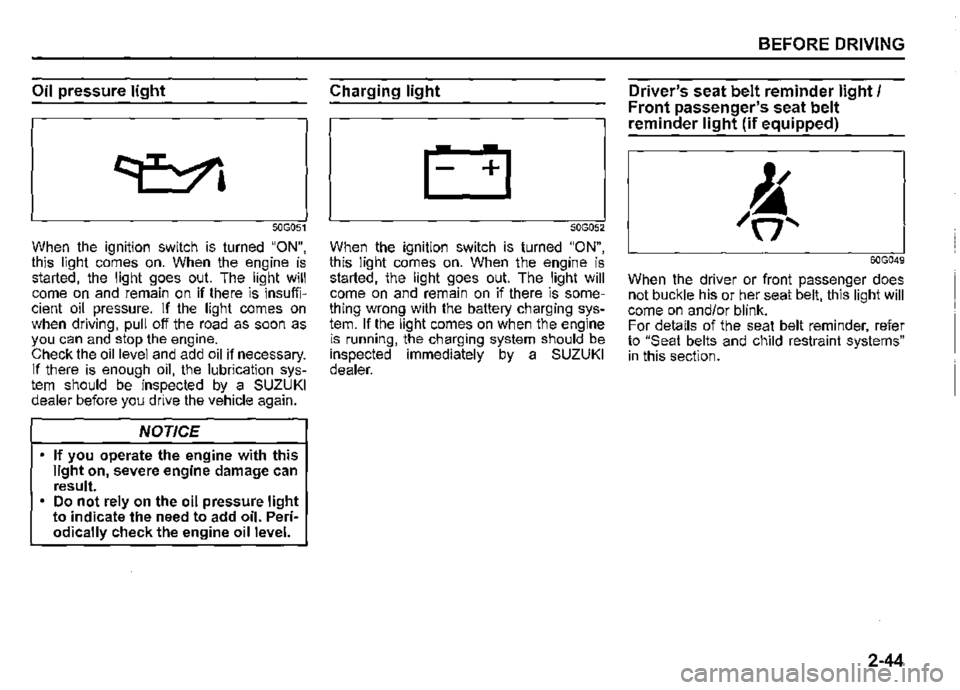
When the ignition switch is turned "ON", this light comes on. When the engine is started, the light goes out. The light will come on and remain on if there is insufficient oil pressure. If the light comes on when driving, pull off the road as soon as you can and stop the engine. Check the oil level and add oil if necessary. If there is enough oil, the lubrication system should be inspected by a SUZUKI dealer before you drive the vehicle again.
NOTICE
If you operate the engine with this light on, severe engine damage can result. Do not rely on the oil pressure light to indicate the need to add oil. Periodically check the engine oil level.
Charging light
50G052
When the ignition switch is turned "ON", this light comes on. When the engine is started, the light goes out. The light will come on and remain on if there is something wrong with the battery charging system. If the light comes on when the engine is running, the charging system should be inspected immediately by a SUZUKI dealer.
BEFORE DRIVING
Driver's seat belt reminder light/ Front passenger's seat belt
reminder light (if equipped)
60G049
When the driver or front passenger does not buckle his or her seat belt, this light will come on and/or blink. For details of the seat belt reminder, refer to "Seat belts and child restraint systems" in this section.
2-44
Page 116 of 421

BEFORE DRIVING
Rear passenger's seat belt
reminder light (if equipped)
78RB02087
When the rear passenger does not buckle his or her seat belt, this light will come on and/or blink. For details of the seat belt reminder, refer to "Seat belts and child restraint systems" in this section.
2-45
AIRBAG light
63J030
When the ignition switch is turned "ON", this light comes on for several seconds so you can check that the light is working.
The light will come on and stay on if there is a problem in the airbag system or the seat belt pretensioner system.
A WARNING
If AIRBAG light does not blink or come on briefly when the ignition switch is turned "ON", stays on for more than 10 seconds, or comes on while driving, the airbag system or the seat belt pretensioner system may not work properly, which could result in serious injury in the event of a collision. Have both systems inspected by a SUZUKI dealer.
Malfunction indicator light
65D530
Your vehicle has a computer-controlled emission control system. A malfunction indicator light is provided on the instrument cluster to indicate when it is necessary to have the emission control system serviced. When the ignition switch is turned "ON", this light comes on. When the engine is started, the light goes out.
If the malfunction indicator light comes on or blinks when the engine is running, there is a damage in the emission control system. Bring the vehicle to a SUZUKI dealer to have the damage fixed.
Also, if this light comes on when the engine is running, there is a problem with the automatic transmission system. Ask a SUZUKI dealer to have the system inspected.
Page 128 of 421

BEFORE DRIVING
To turn the lights on or off, twist the knob on the end of the lever. There are four positions:
OFF (1) All lights are off.
AUTO (2) This function works when the ignition switch is turned "ON". The headlights and position lights are turned on and off automatically according to the amount of outside light detected by the sensor. They go out automatically when you turn the ignition switch to "ACC" or "LOCK" position.
The light sensor (5) for sensing the amount of outside light is installed on the passenger's seat side instrument panel.
When headlights are turned on and the lighting control lever is in "AUTO" position, you can use the high beam assist (if equipped). For details, refer to "High beam assist" in "OPERATING YOUR VEHICLE" section.
2-57
A CAUTION
If the light sensor area of the windshield is covered with mud, ice1 or other similar substances, the headlights and position lights may be turned on even when it is still light outside.
NOTE: Avoid covering the light sensor area of the windshield with a sticker. The sticker may impair the performance of the sensor and make the system unable to control operation of the lights correctly. If you turned the ignition switch to "ON" position and "AUTO" position remains selected, the headlights and position lights come on automatically as it gets dark outside, even with the engine not running. Leaving the lights lit for a long time may lead to a completely discharged battery.
oOO~ (3) Front position lights, tail lights, license plate lights and instrument lights are on, but headlights are off.
~D (4) Front position lights, tail lights, license plate lights, instrument lights and headlights are on.
= IO · OFF 01
f,
68PM00230
With the headlights on, push the lever forward to switch to the high beams (main beams) or pull the lever toward you to switch to the low beams. When the high beams (main beams) are on, a light on the instrument cluster will come on. To momentarily activate the high beams (main beams) as a passing signal, pull the lever slightly toward you and release it when you have completed the signal.
Page 136 of 421

BEFORE DRIVING
Headlight leveling switch
{if equipped)
75RM008
Level the headlight beam according to the load condition of your vehicle by turning this switch. The chart shows the appropriate switch position for different vehicle load conditions.
2-65
Vehicle Load Condition
Driver only
Driver+ 1 passenger (in front seat)
Driver+ 3 passengers, no cargo
Driver + 3 passengers,
cargo added
Driver + full cargo
Switch Position
0
0.5
2
3
4.5
Headlight washer switch
{if equipped)
-. =IQ···· = .
78RB02057
With the ignition switch in the "ON" position and the headlights are turned on, push the headlight washer switch to wash the headlight lenses. Washer fluid is sprayed for half a second. If necessary, push the switch again. Under the same conditions, if you operate the windshield washer two or more times successively at short intervals, the headlight washers also operate automatically but only once at the same time as the first windshield washer operation.
Page 143 of 421
Vehicle loading
Your vehicle is designed for specific weight capacities. The weight capacities of your vehicle are indicated by the Gross Vehicle Weight Rating (GVWR) and the Permissible maximum Axle Weight (PAW, front and rear). The GVWR and PAW (front and_ rear) are listed in "SPECIFICATIONS" section.
GVWR -Maximum permissible overall weight of the fully loaded vehicle (including all the occupants, accessories and cargo plus the trailer nose weight if towing a trailer). PAW (front and rear) -Maximum permissible weight on an individual axle.
Actual weight of the loaded vehicle and actual loads at the front and rear axles can only be determined by weighing the vehicle. Compare these weights to the GVWR and PAW (front and rear). If the g_ross vehicle weight or the load on either axle exceeds these ratings, you must remove enough weight to bring the load down to the rated capacity.
A_ WARNING
Never overload your vehicle. The gross vehicle weight (sum of the weights of the vehicle, all the occupants, accessories, cargo p~us trailer nose weight if towing a trailer) must never exceed the Gross Vehicle Weight Rating (GVWR). In addition, never distribute a load so that the weight on either the front or rear axle exceeds the Permissible maximum Axle Weight (PAW).
A_ WARNING
Always distribute cargo evenly. To avoid personal injury or damage to
your vehicle, always_ se~ure carg'? to prevent it from sh1ftmg 1f the vehicle moves suddenly. Place heavier objects on the floor and as far _forward in the cargo area as possible. Never pile cargo higher than the top of the seat backs.
BEFORE DRIVING
Trailer towing
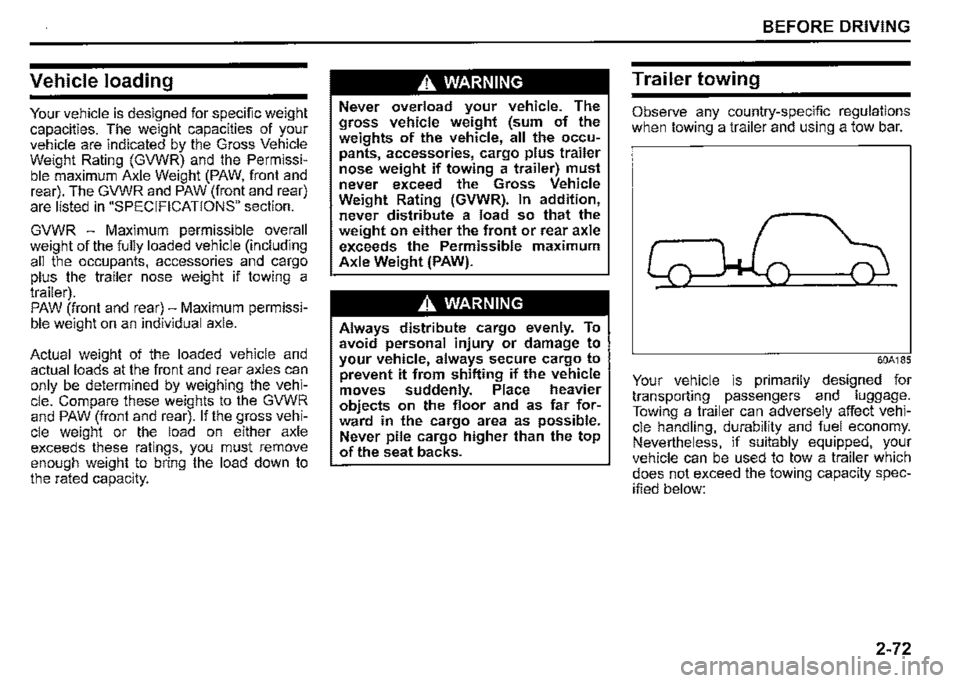
Observe any country-specific regulations when towing a trailer and using a tow bar.
60A185
Your vehicle is primarily designed for transporting passengers and luggage. Towing a trailer can adversely affect vehicle handling, durability and fuel economy. Nevertheless, if suitably equipped, your vehicle can be used to tow a trailer which does not exceed the towing capacity specified below:
2-72
Page 152 of 421
OPERATING YOUR VEHICLE
Daily inspection checklist
Before driving
60A187
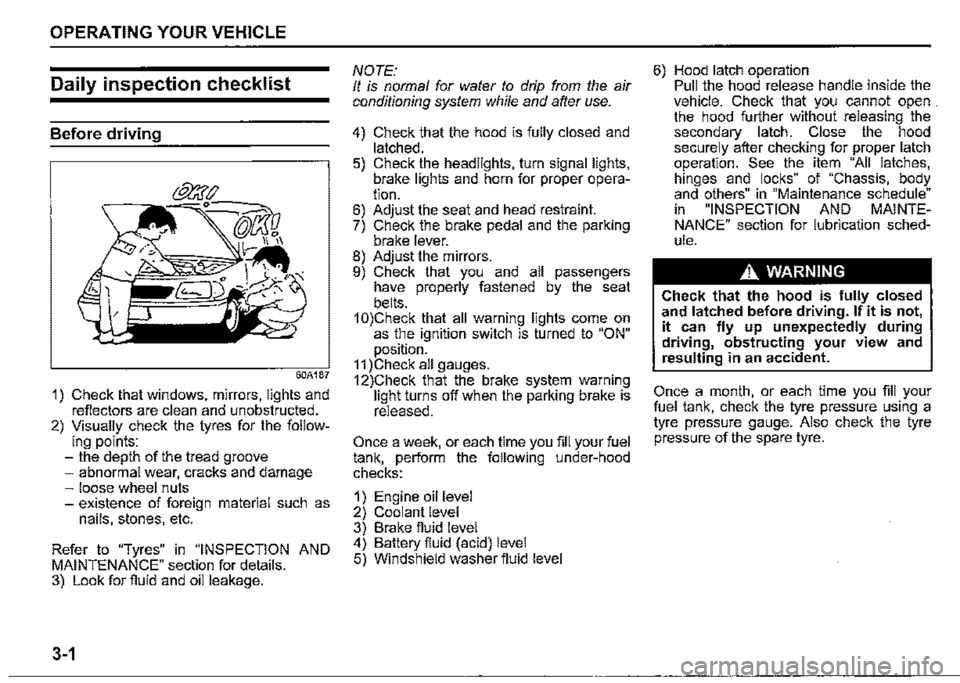
1) Check that windows, mirrors, lights and reflectors are clean and unobstructed. 2) Visually check the tyres for the follow-ing points: -the depth of the tread groove -abnormal wear, cracks and damage -loose wheel nuts -existence of foreign material such as nails, stones, etc.
Refer to "Tyres" in "INSPECTION AND MAINTENANCE" section for details. 3) Look for fluid and oil leakage.
3-1
NOTE: It is normal for water to drip from the air conditioning system while and after use.
4) Check that the hood is fully closed and latched. 5) Check the headlights, turn signal lights, brake lights and horn for proper operation. 6) Adjust the seat and head restraint. 7) Check the brake pedal and the parking brake lever. 8) Adjust the mirrors. 9) Check that you and all passengers have properly fastened by the seat belts. 1 0)Check that all warning lights come on as the ignition switch is turned to "ON" position. 11 )Check all gauges. 12)Check that the brake system warning light turns off when the parking brake is released.
Once a week, or each time you fill your fuel tank, perform the following under-hood checks:
1) Engine oil level 2) Coolant level 3) Brake fluid level 4) Battery fluid (acid) level 5) Windshield washer fluid level
6) Hood latch operation Pull the hood release handle inside the vehicle. Check that you cannot open . the hood further without releasing the secondary latch. Close the hood securely after checking for proper latch operation. See the item "All latches, hinges and locks" of "Chassis, body and others" in "Maintenance schedule" in "INSPECTION AND MAINTENANCE" section for lubrication schedule.
A WARNING
Check that the hood is fully closed and latched before driving. If it is not, it can fly up unexpectedly during driving, obstructing your view and resulting in an accident.
Once a month, or each time you fill your fuel tank, check the tyre pressure using a tyre pressure gauge. Also check the tyre pressure of the spare tyre.
Page 156 of 421
OPERATING YOUR VEHICLE
Parking brake lever
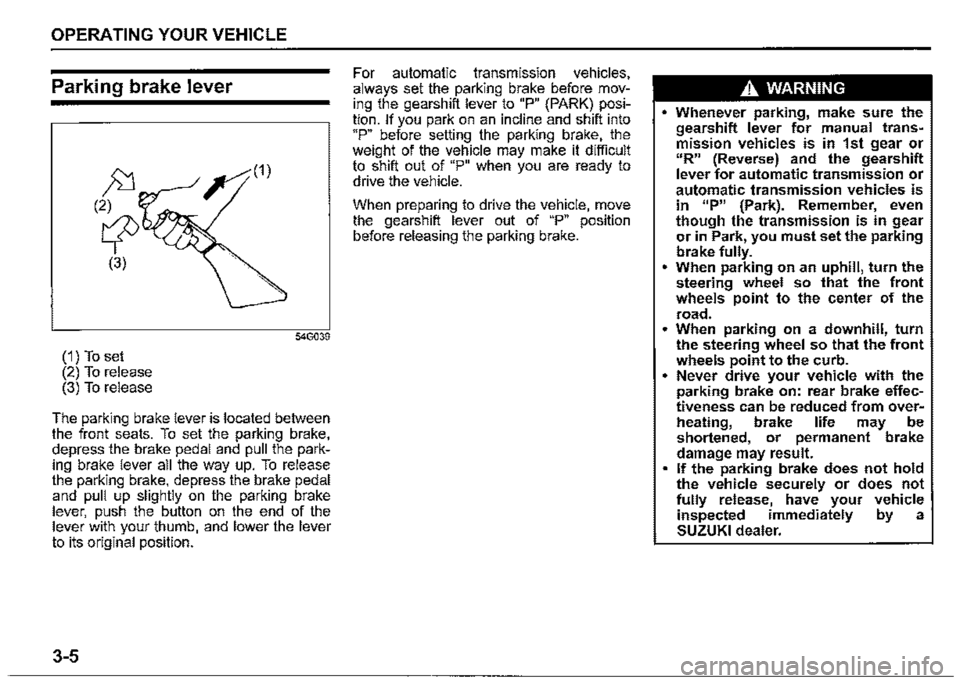
(1) To set (2) To release (3) To release
The parking brake lever is located between the front seats. To set the parking brake, depress the brake pedal and pull the parking brake lever all the way up. To release the parking brake, depress the brake pedal and pull up slightly on the parking brake lever, push the button on the end of the lever with your thumb, and lower the lever to its original position.
3-5
For automatic transmission vehicles, always set the parking brake before moving the gearshift lever to "P" (PARK) position. If you park on an incline and shift into "P" before setting the parking brake, the weight of the vehicle may make it difficult to shift out of "P" when you are ready to drive the vehicle.
When preparing to drive the vehicle, move the gearshift lever out of "P" position before releasing the parking brake.
A WARNING
• Whenever parking, make sure the gearshift lever for manual transmission vehicles is in 1st gear or "R" (Reverse) and the gearshift lever for automatic transmission or automatic transmission vehicles is in 11P" {Park). Remember, even though the transmission is in gear or in Park, you must set the parking brake fully. • When parking on an uphill, turn the steering wheel so that the front wheels point to the center of the
road. • When parking on a downhill, turn the steering wheel so that the front wheels point to the curb. • Never drive your vehicle with the parking brake on: rear brake effectiveness can be reduced from overM heating, brake life may be shortened, or permanent brake damage may result. • If the parking brake does not hold the vehicle securely or does not fully release, have your vehicle inspected immediately by a SUZUKI dealer.
Page 178 of 421
OPERATING YOUR VEHICLE
Cancelling speed limiter
To cancel the speed limiter, push "CANCEL" switch (2). The set indicator (5) will disappear. To resume the previously set speed, pull up the "RES +/SET -" switch (3) and show "SET" indicator (5).
To turn off the speed limiter system, push "LIMIT" switch (1) and check that limit indicator (4) disappears. Also, you can turn off the speed limiter by turning off the engine.
NOTE: If you turn off the speed limiter system, the previously set speed in the memory is cleared. Set your speed again.
3-27
SUZUKI SAFETY SUPPORT
(if equipped)
Dual sensor brake support
Dual sensor brake support is a system that detects a vehicle or a pedestrian in front of your vehicle by the dual sensor, attempts to avoid a collision by giving warning to the driver, and attempts to reduce damage in the event of a collision.
A WARNING
• Dual sensor brake support has limits and may not function properly depending on the driving conditions. Do not rely excessively on the system and always drive in a safe manner. For safety reasons, do not check the operation of the system by yourself. Check that all passengers fasten their seat belts when the vehicle is being operated. When the system is activated, there is a risk of serious injury from being thrown.
NOTE: While the system is working, if a vehicle in front of you moves outside the dual sensor's detection field or the vehicle can no longer be detected, the system may stop functioning. While the system is working, a braking sound may be heard even if you do not depress the brake pedal, but this is normal. • As the function of the dual sensor brake support is different depending on some destinations or areas, there are type of vehicles with the function not to detect the pedestrians.
Page 187 of 421
Situations where the system does not activate When the high beam assist warning light (orange) comes on by the temporary stop or malfunction of system.
NOTE: When the function of the dual sensor brake support is temporarily stopped, high beam assist will be temporarily stopped. Refer to "Temporary stop or failure of the dual sensor'' in this section for details.
When high beam assist warning light (orange) is initially lighting immediately after the ignition switch is turned to "ON".
Under the following situations, high beam may not automatically switched to low beam. When you pass by an oncoming vehicle on a curvy road where the visibility is poor When another vehicle crosses in front of you When the vehicle in front of you glimpses due to continuous curves, medial strip or street trees When the vehicle in front of you approaches towards you from the far lane When the vehicle in front of you is driving without lights
For the following cause, there is case where the switching timing of the high beam and low beam is varied. When the lights of the vehicle in front of you is dark When only one side of the lights of the vehicle in front of you is turned on The directions and movements of the vehicle in front of you When the vehicle in front of you is a motorcycle When driving on the following roads -On sharp curves or extremely rough surfaces -On a steep slope
When your vehicle is weighed down by heavy items in the luggage compartment or rear seat
OPERATING YOUR VEHICLE
Under the following situations, the brightness of the surrounding area can not be detected accurately, and there is a case where the high beam is a nuisance to pedestrians or the vehicle ahead, or low beam will remain to continue. In these cases, change high beam or low beam manually. When lights are similar to headlights or taillights are around When the vehicle in front of you is driving without lights When the headlights of oncoming vehicle are covered in dirt or discolored When the optical axis of the headlight of oncoming vehicle is deviated When the brightness is changed extremely and continuously When driving on an undulated or bumpy road When driving on the road with a lot of curves When there are things that strongly reflect light, such as road signs or mirrors in front of the vehicle When the rear part of the preceding vehicle strongly reflects light, such as containers When the headlights of your car are damaged or covered in dirt When the vehicle is tilted due to the flat tyres or being towed
3-36