engine SUZUKI KIZASHI 2010 1.G Owners Manual
[x] Cancel search | Manufacturer: SUZUKI, Model Year: 2010, Model line: KIZASHI, Model: SUZUKI KIZASHI 2010 1.GPages: 388, PDF Size: 4.94 MB
Page 173 of 388
4-2
DRIVING TIPS
57L20-03E
54G584S
Improving Fuel EconomyThe following instructions will help you
improve fuel economy.
Avoid excessive idling
If you are to wait for more than a minute
while you are parked, stop the engine and
start it again later. When warming up a
cold engine, allow the engine to idle until
the temperature gauge pointer comes up
to the “C” position. In this position, the
engine is sufficiently warm for starting off.
Avoid “jackrabbit” starts
Fast starts away from lights or stop signs
will consume fuel unnecessarily and
shorten engine life. Start off slowly.
Avoid unnecessary stops
Avoid unnecessary deceleration and stop-
ping. Try to maintain a slow, steady speed
whenever possible. Slowing down and then
accelerating again uses more fuel.
Keep a steady cruising speed
Keep as constant a speed as road and traf-
fic conditions will permit.
CAUTION
To minimize the possibility of catalyst
or other vehicle damage:
Maintain the engine in the proper
operating condition.
In the event of an engine malfunc-
tion, particularly one involving
engine misfire or other apparent
loss of performance, have the vehi-
cle serviced promptly.
Do not shut off the engine or inter-
rupt the ignition when the transaxle
is in gear and the vehicle is in
motion.
Do not try to start the engine by
pushing or towing the vehicle or
coasting down a hill.
Do not idle the engine with any
spark plug wires disconnected or
removed, such as during diagnos-
tic testing.
Do not idle the vehicle for pro-
longed periods if idling seems
rough or there are other malfunc-
tions.
Do not allow the fuel tank to get
near the empty level.
WARNING
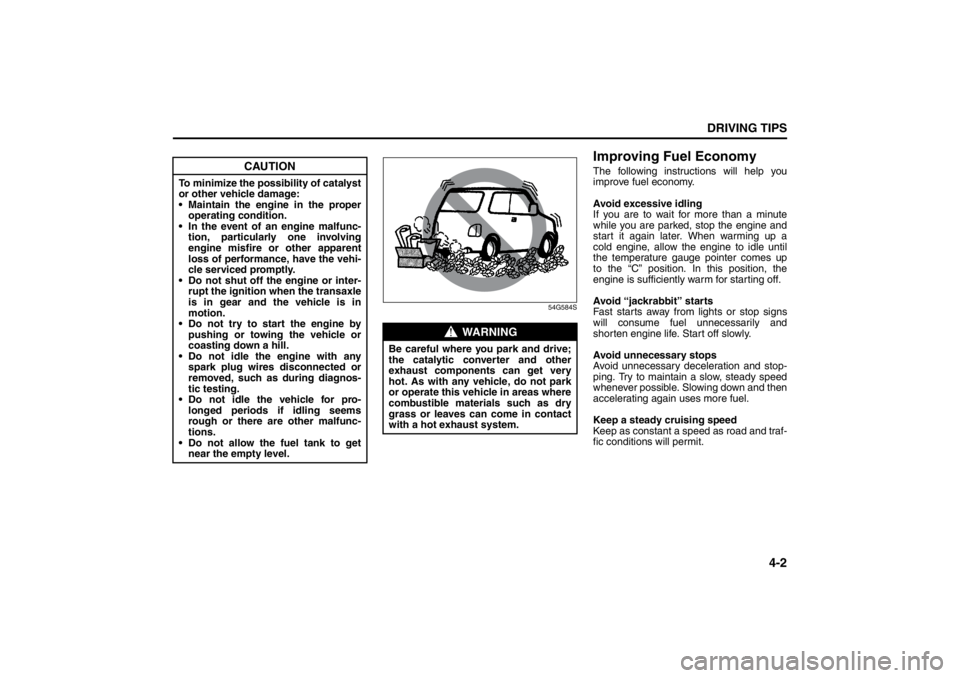
Be careful where you park and drive;
the catalytic converter and other
exhaust components can get very
hot. As with any vehicle, do not park
or operate this vehicle in areas where
combustible materials such as dry
grass or leaves can come in contact
with a hot exhaust system.
Instrument Cluster: 8
Page 174 of 388
4-3DRIVING TIPS
57L20-03E
60A183S
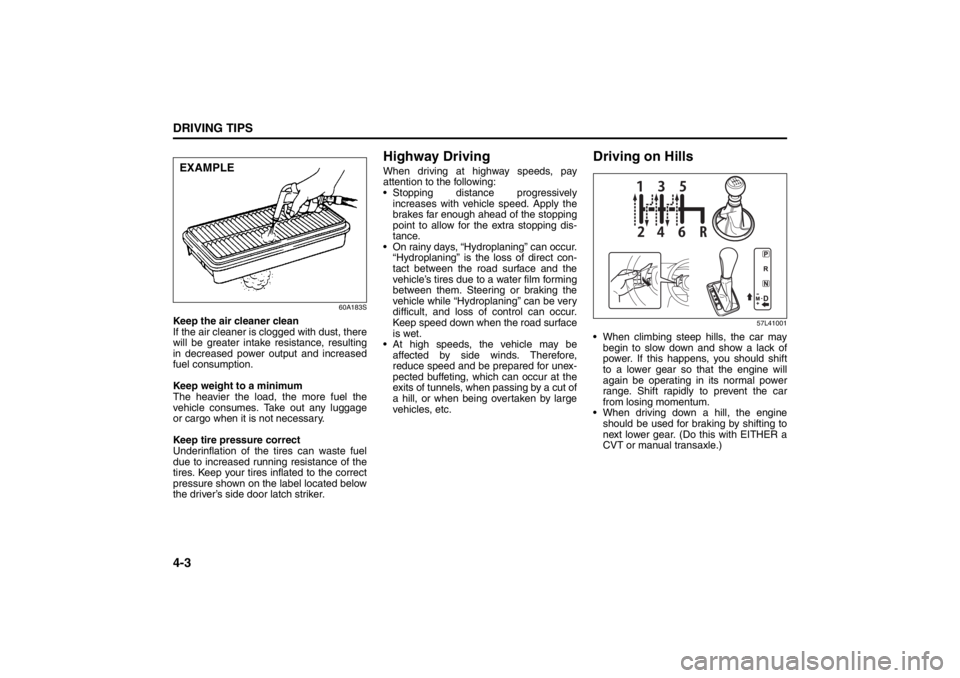
Keep the air cleaner clean
If the air cleaner is clogged with dust, there
will be greater intake resistance, resulting
in decreased power output and increased
fuel consumption.
Keep weight to a minimum
The heavier the load, the more fuel the
vehicle consumes. Take out any luggage
or cargo when it is not necessary.
Keep tire pressure correct
Underinflation of the tires can waste fuel
due to increased running resistance of the
tires. Keep your tires inflated to the correct
pressure shown on the label located below
the driver’s side door latch striker.
Highway DrivingWhen driving at highway speeds, pay
attention to the following:
Stopping distance progressively
increases with vehicle speed. Apply the
brakes far enough ahead of the stopping
point to allow for the extra stopping dis-
tance.
On rainy days, “Hydroplaning” can occur.
“Hydroplaning” is the loss of direct con-
tact between the road surface and the
vehicle’s tires due to a water film forming
between them. Steering or braking the
vehicle while “Hydroplaning” can be very
difficult, and loss of control can occur.
Keep speed down when the road surface
is wet.
At high speeds, the vehicle may be
affected by side winds. Therefore,
reduce speed and be prepared for unex-
pected buffeting, which can occur at the
exits of tunnels, when passing by a cut of
a hill, or when being overtaken by large
vehicles, etc.
Driving on Hills
57L41001
When climbing steep hills, the car may
begin to slow down and show a lack of
power. If this happens, you should shift
to a lower gear so that the engine will
again be operating in its normal power
range. Shift rapidly to prevent the car
from losing momentum.
When driving down a hill, the engine
should be used for braking by shifting to
next lower gear. (Do this with EITHER a
CVT or manual transaxle.)
EXAMPLE
Warning and Indicator Lights: 8
Page 175 of 388
4-4
DRIVING TIPS
57L20-03E
Driving on Slippery Roads
60G089S
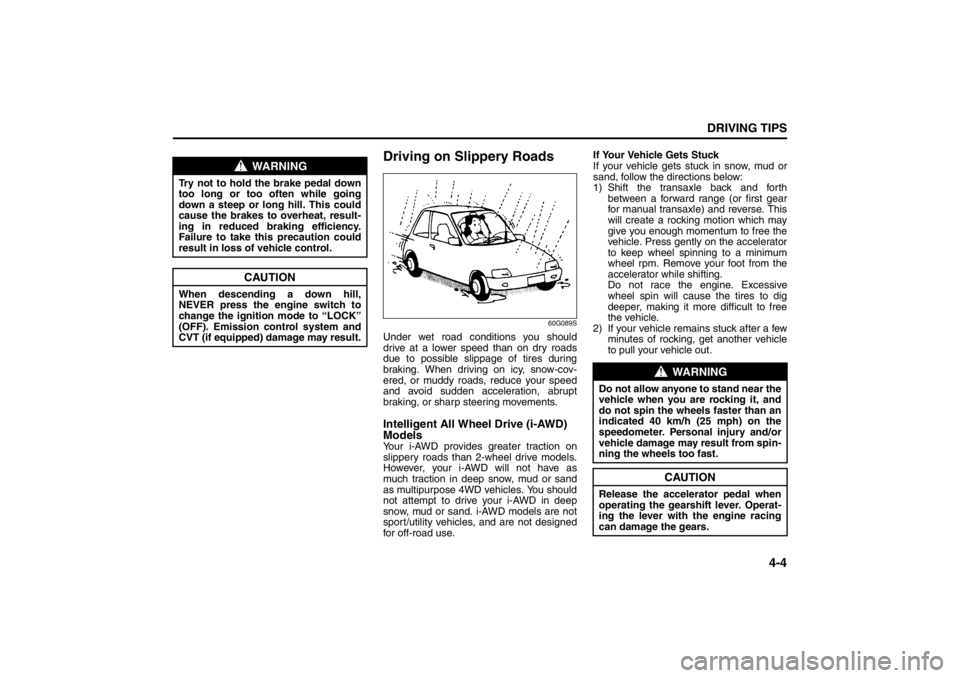
Under wet road conditions you should
drive at a lower speed than on dry roads
due to possible slippage of tires during
braking. When driving on icy, snow-cov-
ered, or muddy roads, reduce your speed
and avoid sudden acceleration, abrupt
braking, or sharp steering movements.Intelligent All Wheel Drive (i-AWD)
ModelsYour i-AWD provides greater traction on
slippery roads than 2-wheel drive models.
However, your i-AWD will not have as
much traction in deep snow, mud or sand
as multipurpose 4WD vehicles. You should
not attempt to drive your i-AWD in deep
snow, mud or sand. i-AWD models are not
sport/utility vehicles, and are not designed
for off-road use.If Your Vehicle Gets Stuck
If your vehicle gets stuck in snow, mud or
sand, follow the directions below:
1) Shift the transaxle back and forth
between a forward range (or first gear
for manual transaxle) and reverse. This
will create a rocking motion which may
give you enough momentum to free the
vehicle. Press gently on the accelerator
to keep wheel spinning to a minimum
wheel rpm. Remove your foot from the
accelerator while shifting.
Do not race the engine. Excessive
wheel spin will cause the tires to dig
deeper, making it more difficult to free
the vehicle.
2) If your vehicle remains stuck after a few
minutes of rocking, get another vehicle
to pull your vehicle out.
WARNING
Try not to hold the brake pedal down
too long or too often while going
down a steep or long hill. This could
cause the brakes to overheat, result-
ing in reduced braking efficiency.
Failure to take this precaution could
result in loss of vehicle control.
CAUTION
When descending a down hill,
NEVER press the engine switch to
change the ignition mode to “LOCK”
(OFF). Emission control system and
CVT (if equipped) damage may result.
WARNING
Do not allow anyone to stand near the
vehicle when you are rocking it, and
do not spin the wheels faster than an
indicated 40 km/h (25 mph) on the
speedometer. Personal injury and/or
vehicle damage may result from spin-
ning the wheels too fast.
CAUTION
Release the accelerator pedal when
operating the gearshift lever. Operat-
ing the lever with the engine racing
can damage the gears.
Warning and Indicator Lights: 8
Page 176 of 388
4-5DRIVING TIPS
57L20-03E
Tire ChainsTire chains should only be used if they are
needed to increase traction or are required
by law. Make sure that the chains you use
are small-link chains or cable-type chains
and are the correct size for your vehicle’s
tires. Also make sure that there is enough
clearance between the fenders and the
chains as installed on the tires.
Install the chains on the front tires tightly,
according to the chain manufacturer’s
instructions. Retighten the chains after
driving about 1.0 km (1/2 mile) if neces-
sary. With the chains installed, drive slowly.Do not drive through deep or rushing
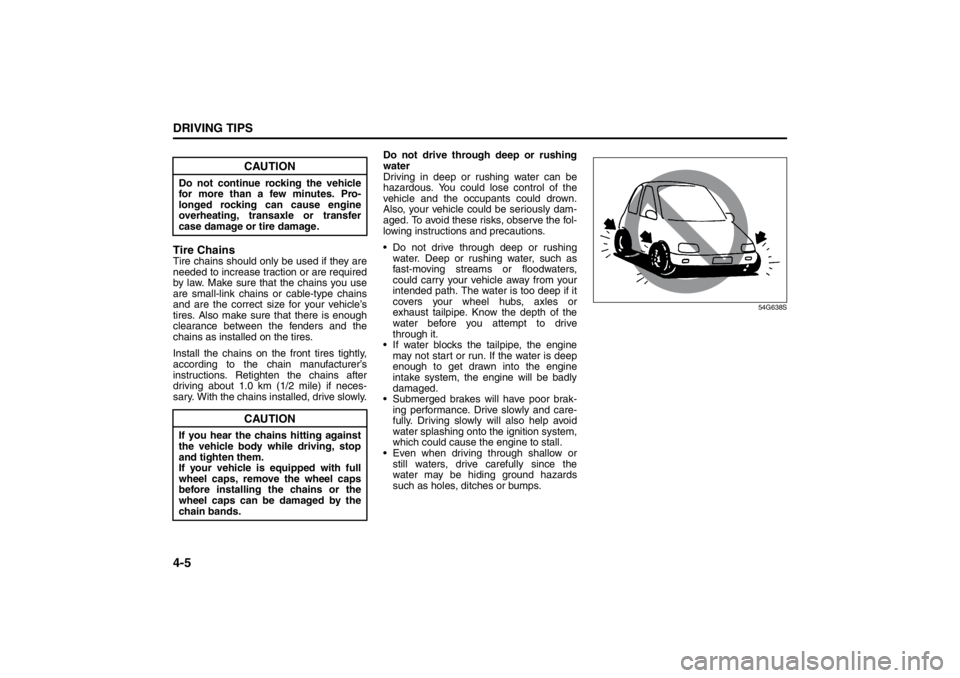
water
Driving in deep or rushing water can be
hazardous. You could lose control of the
vehicle and the occupants could drown.
Also, your vehicle could be seriously dam-
aged. To avoid these risks, observe the fol-
lowing instructions and precautions.
Do not drive through deep or rushing
water. Deep or rushing water, such as
fast-moving streams or floodwaters,
could carry your vehicle away from your
intended path. The water is too deep if it
covers your wheel hubs, axles or
exhaust tailpipe. Know the depth of the
water before you attempt to drive
through it.
If water blocks the tailpipe, the engine
may not start or run. If the water is deep
enough to get drawn into the engine
intake system, the engine will be badly
damaged.
Submerged brakes will have poor brak-
ing performance. Drive slowly and care-
fully. Driving slowly will also help avoid
water splashing onto the ignition system,
which could cause the engine to stall.
Even when driving through shallow or
still waters, drive carefully since the
water may be hiding ground hazards
such as holes, ditches or bumps.
54G638S
CAUTION
Do not continue rocking the vehicle
for more than a few minutes. Pro-
longed rocking can cause engine
overheating, transaxle or transfer
case damage or tire damage.
CAUTION
If you hear the chains hitting against
the vehicle body while driving, stop
and tighten them.
If your vehicle is equipped with full
wheel caps, remove the wheel caps
before installing the chains or the
wheel caps can be damaged by the
chain bands.
Warning and Indicator Lights: 8
Page 179 of 388
OTHER CONTROLS AND EQUIPMENT
5
57L20-03E
60G407
OTHER CONTROLS AND EQUIPMENTAutomatic Heating and Air Conditioning System
(Climate Control) ................................................................. 5-1
Radio Antenna ..................................................................... 5-9
Audio Systems .................................................................... 5-10
Fuel Filler Door .................................................................... 5-73
Fuel Filler Cap ..................................................................... 5-74
Engine Hood ........................................................................ 5-75
Sun Visor ............................................................................. 5-77
Interior Light Switch ........................................................... 5-78
Courtesy Lights ................................................................... 5-79
Footwell Lights .................................................................... 5-79
Trunk Light .......................................................................... 5-79
Spot Light ............................................................................ 5-80
Accessory Socket ............................................................... 5-80
Assist Grips ......................................................................... 5-82
Coat Hooks .......................................................................... 5-83
Sunroof (if equipped) .......................................................... 5-83
Glove Box ............................................................................ 5-85
Overhead Console .............................................................. 5-86
Lidded Instrument Panel Box ............................................ 5-87
Cup Holder and Storage Area (if equipped) ..................... 5-87
Front Seat Back Pocket (if equipped) ............................... 5-89
Footrest ................................................................................ 5-89
Center Console Box ............................................................ 5-89
Armrest ................................................................................ 5-90
Floor Mats (if equipped) ..................................................... 5-91
Luggage Under-box ............................................................ 5-92
Net/Rope Hooks .................................................................. 5-92
Roof Rack Anchors (if equipped) ...................................... 5-92
HomeLink
® (if equipped) .................................................... 5-93
Frame Hooks ....................................................................... 5-96
Page 186 of 388
5-7OTHER CONTROLS AND EQUIPMENT
57L20-03E
Temperature-controlled air comes out of
the windshield defroster outlets, the side
defroster outlets and the side outlets.
1. All areas other than Mexico
NOTE:
When you push the defrost switch (7), the
“FRESH AIR” mode will be automatically
selected and the air conditioning switch will
automatically turn on (“A/C” will appear on
the display). Furthermore, it is impossible
to return to the “RECIRCULATED AIR”
mode even if you push the air intake selec-
tor (5). In cold weather, air flows out of the
defroster outlets but the air conditioning
does not turn on even though the A/C indi-
cator comes on as well as the defrost indi-
cator.
2. Mexico
NOTE:
When you push the defrost switch (7), the
“FRESH AIR” mode will be automatically
selected and the air conditioning switch will
automatically turn on (“A/C” will appear on
the display). In cold weather, air flows out
of the defroster outlets but the air condi-
tioning does not turn on even though the A/
C indicator comes on as well as the defrost
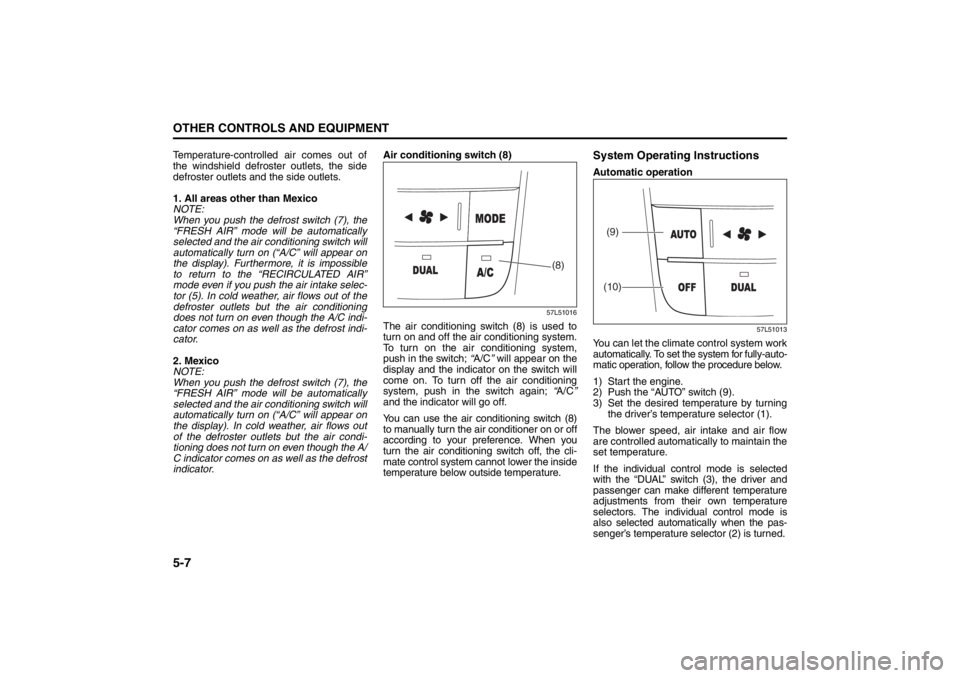
indicator.Air conditioning switch (8)
57L51016
The air conditioning switch (8) is used to
turn on and off the air conditioning system.
To turn on the air conditioning system,
push in the switch; “A/C” will appear on the
display and the indicator on the switch will
come on. To turn off the air conditioning
system, push in the switch again; “A/C”
and the indicator will go off.
You can use the air conditioning switch (8)
to manually turn the air conditioner on or off
according to your preference. When you
turn the air conditioning switch off, the cli-
mate control system cannot lower the inside
temperature below outside temperature.
System Operating InstructionsAutomatic operation
57L51013
You can let the climate control system work
automatically. To set the system for fully-auto-
matic operation, follow the procedure below.
1) Start the engine.
2) Push the “AUTO” switch (9).
3) Set the desired temperature by turning
the driver’s temperature selector (1).
The blower speed, air intake and air flow
are controlled automatically to maintain the
set temperature.
If the individual control mode is selected
with the “DUAL” switch (3), the driver and
passenger can make different temperature
adjustments from their own temperature
selectors. The individual control mode is
also selected automatically when the pas-
senger’s temperature selector (2) is turned.
(8)
(9)
(10)
Folding Rear Seats: 3
Page 188 of 388
5-9OTHER CONTROLS AND EQUIPMENT
57L20-03E
MaintenanceIf you do not use the air conditioner for a
long period, such as during winter, it may
not give the best performance when you
start using it again. To help maintain opti-
mum performance and durability of your air
conditioner, it needs to be run periodically.
Operate the air conditioner at least once a
month for one minute with the engine
idling. This circulates the refrigerant and oil
and helps protect the internal components.
Your air conditioner is equipped with air fil-
ters. Clean or replace them as specified in
the “Maintenance Schedule” in the
“INSPECTION AND MAINTENANCE” sec-
tion. Have this job done by your SUZUKI
dealer as the lower glove box must be low-
ered for this job.
NOTE:
Your vehicle uses the air conditioning
refrigerant HFC-134a, commonly called
“R-134a”. R-134a replaced R-12 around
1993 for automotive applications. Other
refrigerants are available, including recy-
cled R-12, but only R-134a should be used
in your vehicle.
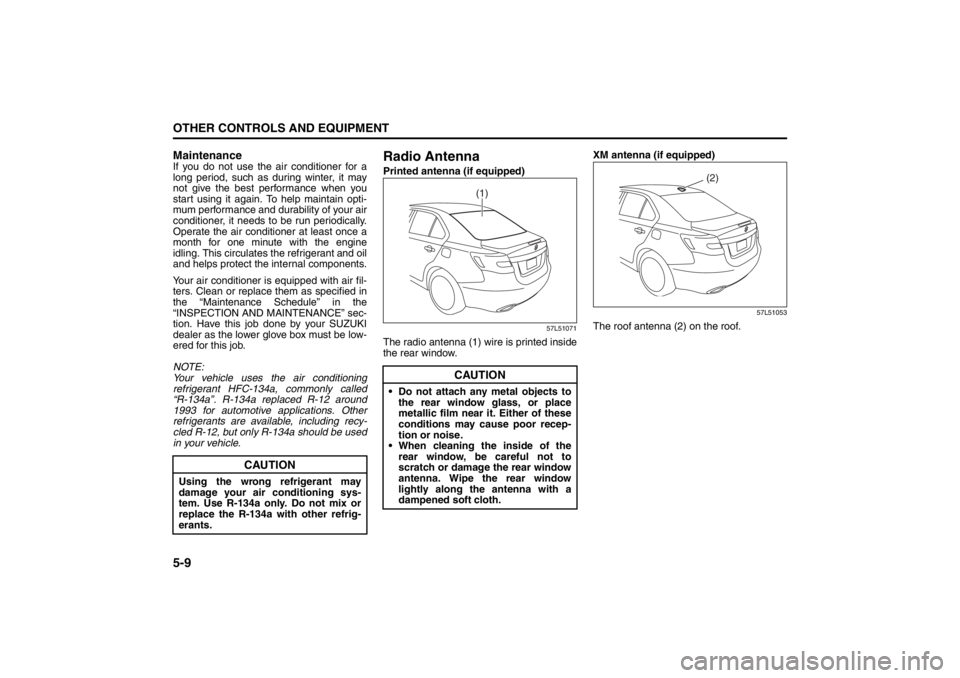
Radio AntennaPrinted antenna (if equipped)
57L51071
The radio antenna (1) wire is printed inside
the rear window.XM antenna (if equipped)
57L51053
The roof antenna (2) on the roof.
CAUTION
Using the wrong refrigerant may
damage your air conditioning sys-
tem. Use R-134a only. Do not mix or
replace the R-134a with other refrig-
erants.
CAUTION
Do not attach any metal objects to
the rear window glass, or place
metallic film near it. Either of these
conditions may cause poor recep-
tion or noise.
When cleaning the inside of the
rear window, be careful not to
scratch or damage the rear window
antenna. Wipe the rear window
lightly along the antenna with a
dampened soft cloth.
(1)
(2)
Folding Rear Seats: 3
Armrest: 3
Page 216 of 388

5-37OTHER CONTROLS AND EQUIPMENT
57L20-03E
Display change
Press the DISP button (7).
Each time it is pressed, display is changed
as follows:
NOTE:
If all the text data cannot be displayed, the
“>” mark appears at the right end. Holding
down the DISP button (7) for 1 sec. or
more calls the next page.Playing Mode selection
1) Press and hold the USB button (1) for
1 second or longer.
2) Turn the TUNE FOLDER PUSH
SOUND knob (2).
Each time it is turned, mode is
changed as follows:
3) Press the TUNE FOLDER PUSH
SOUND knob (2) to select an item.
NOTE:
When the USB button (1) is pressed, the
previous screen appears.
When the DISP button (7) is pressed,
the regular screen appears.
“NO SONGS” will appear if no song
exists.
Notes on iPod
®
Controllable iPod
®/software version
iPod
® touch
iPod® classic
iPod® nano (4th generation)
iPod® nano (3rd generation)
iPod® nano (2nd generation)
iPod® nano (1st generation)
iPod® (5th generation)
* Please update the firmware of your
iPod® before using it.
Some functions may not be available
depending on the model of iPod
® or its
firmware version.
iPod
® is a trademark of Apple Inc., reg-
istered in the U.S. and other countries.
Apple is not responsible for the opera-
tion of this device or its compliance with
safety and regulatory standards.
iPod
® connection
Please make sure to detach the iPod
®
after turning off the car engine (turning
the ACC to OFF). The iPod
® may not
shut down while still connected, which
may result in battery depletion.
Please do not connect iPod® accesso-
ries such as an iPod
® remote control or
headphones while connecting iPod
®
with the unit. The unit may not operate
correctly. Playlist name & Track title display
(Playlist mode only)
Artist name & Track title display
Album name & Track title display
Track title & Play time display
PLAYLIST
ARTIST
ALBUM
SONGS
GENRE
Page 246 of 388

5-67OTHER CONTROLS AND EQUIPMENT
57L20-03E
The anti-theft feature is intended to dis-
courage theft or the audio system by pre-
venting the system from operating when it
is moved to a different vehicle.
This feature works by allowing you to enter
a Personal Identification Number (PIN).
When the audio system is disconnected
from its power source, such as when the
audio system is removed or the battery is
disconnected, the system will not operate
again unless the PIN is reentered.Setting the Anti-Theft Function
1) Press the VOL PUSH POWER knob
(1) to power off.
2) Press the Preset buttons (2) 1, 6 and
VOL PUSH POWER knob (1) simulta-
neously.
“SECURITY” is displayed.
3) Press the Up button (3) and Preset
button (2) 1 simultaneously.
4) Enter a 4-digit PIN number using the
Preset buttons (2) 1-4.
5) Hold down TUNE FOLDER PUSH
SOUND knob (4) for 1 sec. or more.
NOTE:
Write down your PIN for the future use.
Canceling the anti-theft feature
This operation is to be done when you
want to cancel the anti-theft function or
change your PIN.
1) Press the Preset buttons (2) 1, 6 and
the VOL PUSH POWER knob (1)
simultaneously.
2) Press the Up button (3) and Preset
button (2) 1 simultaneously.
3) Enter a 4-digit PIN number using the
Preset buttons (2) 1-4.
4) Hold down the TUNE FOLDER PUSH
SOUND knob (4) for 1 sec. or more.
NOTE:
To change your PIN, first delete your cur-
rent PIN, then set a new one.Confirming Your Personal Identification
Number (PIN)
When the main power source is discon-
nected such as when you exchange your
battery, etc, you will have to confirm your
PIN to be able to use the audio system.
1) Press the engine switch to change the
ignition mode to “ACC”.
2) Press the Up button (3) and Preset
button (2) 1 simultaneously.
3) Enter a 4-digit PIN number using the
Preset buttons (2) 1-4.
4) Hold down the TUNE FOLDER PUSH
SOUND knob (4) for 1 sec. or more.
If the PIN that you input matches the
registered PIN, the power of the audio-
system will turn off, and you will be
able to operate the audio system.
NOTE:
If you input your PIN incorrectly, “ERROR”
will be displayed. If you enter an incorrect
PIN more than 10 times, “HELP” will be
displayed and you can not perform any
further operation.
Page 254 of 388
5-75OTHER CONTROLS AND EQUIPMENT
57L20-03E
Engine Hood
57L51020
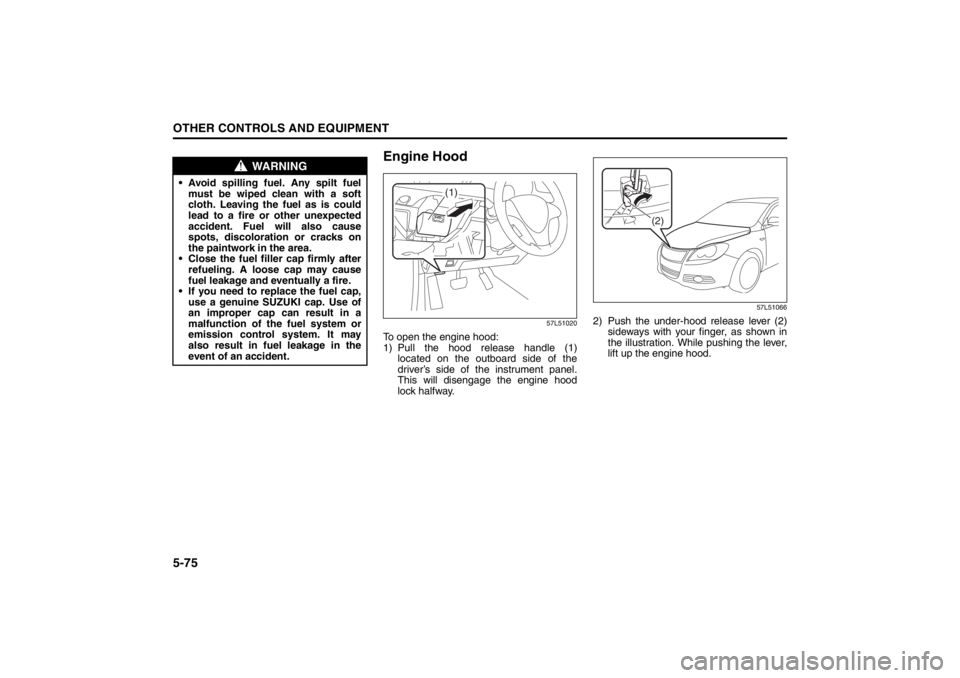
To open the engine hood:
1) Pull the hood release handle (1)located on the outboard side of the
driver’s side of the instrument panel.
This will disengage the engine hood
lock halfway.
57L51066
2) Push the under-hood release lever (2) sideways with your finger, as shown in
the illustration. While pushing the lever,
lift up the engine hood.
WARNING
• Avoid spilling fuel. Any spilt fuelmust be wiped clean with a soft
cloth. Leaving the fuel as is could
lead to a fire or other unexpected
accident. Fuel will also cause
spots, discoloration or cracks on
the paintwork in the area.
Close the fuel filler cap firmly after refueling. A loose cap may cause
fuel leakage and eventually a fire.
If you need to replace the fuel cap, use a genuine SUZUKI cap. Use of
an improper cap can result in a
malfunction of the fuel system or
emission control system. It may
also result in fuel leakage in the
event of an accident.
(1)
(2)