change time SUZUKI KIZASHI 2010 1.G User Guide
[x] Cancel search | Manufacturer: SUZUKI, Model Year: 2010, Model line: KIZASHI, Model: SUZUKI KIZASHI 2010 1.GPages: 388, PDF Size: 4.94 MB
Page 90 of 388
2-71BEFORE DRIVING
57L20-03E
1) Pull off the road and stop carefully.
2) Test the brakes by carefully starting and
stopping on the shoulder of the road.
3) If you determine that it is safe, drive
cautiously at low speed to the nearest
dealer for repairs,
or
4) Have the vehicle towed to the nearest
dealer for repairs.NOTE:
Because the disc brake system is self-
adjusting, the fluid level will drop as the
brake pads become worn.
Replenishing the brake fluid reservoir is
considered normal periodic maintenance.
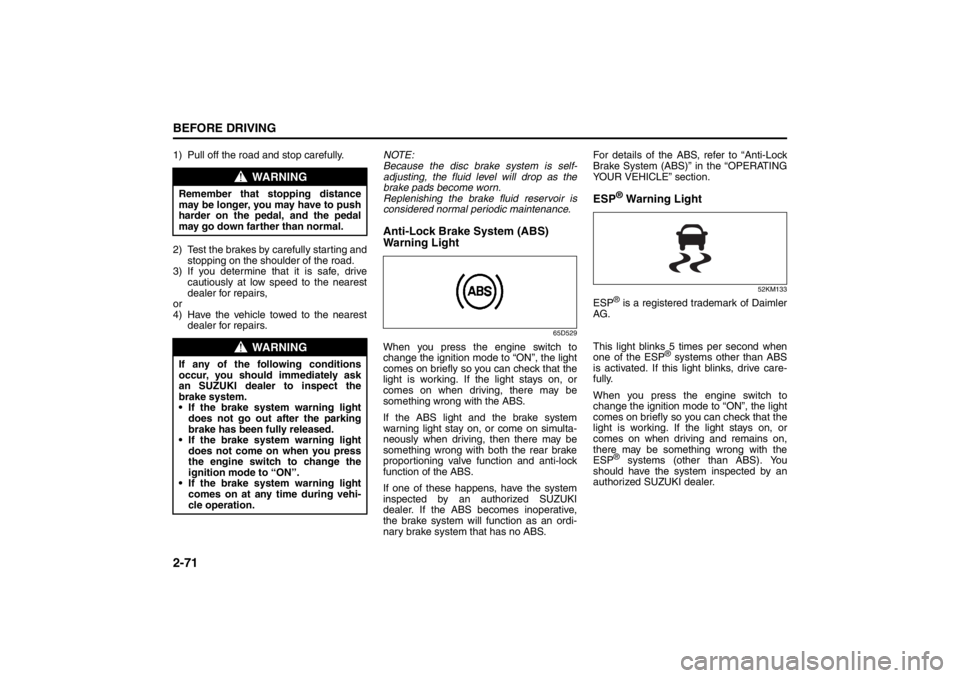
Anti-Lock Brake System (ABS)
Warning Light
65D529
When you press the engine switch to
change the ignition mode to “ON”, the light
comes on briefly so you can check that the
light is working. If the light stays on, or
comes on when driving, there may be
something wrong with the ABS.
If the ABS light and the brake system
warning light stay on, or come on simulta-
neously when driving, then there may be
something wrong with both the rear brake
proportioning valve function and anti-lock
function of the ABS.
If one of these happens, have the system
inspected by an authorized SUZUKI
dealer. If the ABS becomes inoperative,
the brake system will function as an ordi-
nary brake system that has no ABS.For details of the ABS, refer to “Anti-Lock
Brake System (ABS)” in the “OPERATING
YOUR VEHICLE” section.
ESP
® Warning Light
52KM133
ESP
® is a registered trademark of Daimler
AG.
This light blinks 5 times per second when
one of the ESP
® systems other than ABS
is activated. If this light blinks, drive care-
fully.
When you press the engine switch to
change the ignition mode to “ON”, the light
comes on briefly so you can check that the
light is working. If the light stays on, or
comes on when driving and remains on,
there may be something wrong with the
ESP
® systems (other than ABS). You
should have the system inspected by an
authorized SUZUKI dealer.
WARNING
Remember that stopping distance
may be longer, you may have to push
harder on the pedal, and the pedal
may go down farther than normal.
WARNING
If any of the following conditions
occur, you should immediately ask
an SUZUKI dealer to inspect the
brake system.
If the brake system warning light
does not go out after the parking
brake has been fully released.
If the brake system warning light
does not come on when you press
the engine switch to change the
ignition mode to “ON”.
If the brake system warning light
comes on at any time during vehi-
cle operation.
Page 92 of 388
2-73BEFORE DRIVING
57L20-03E
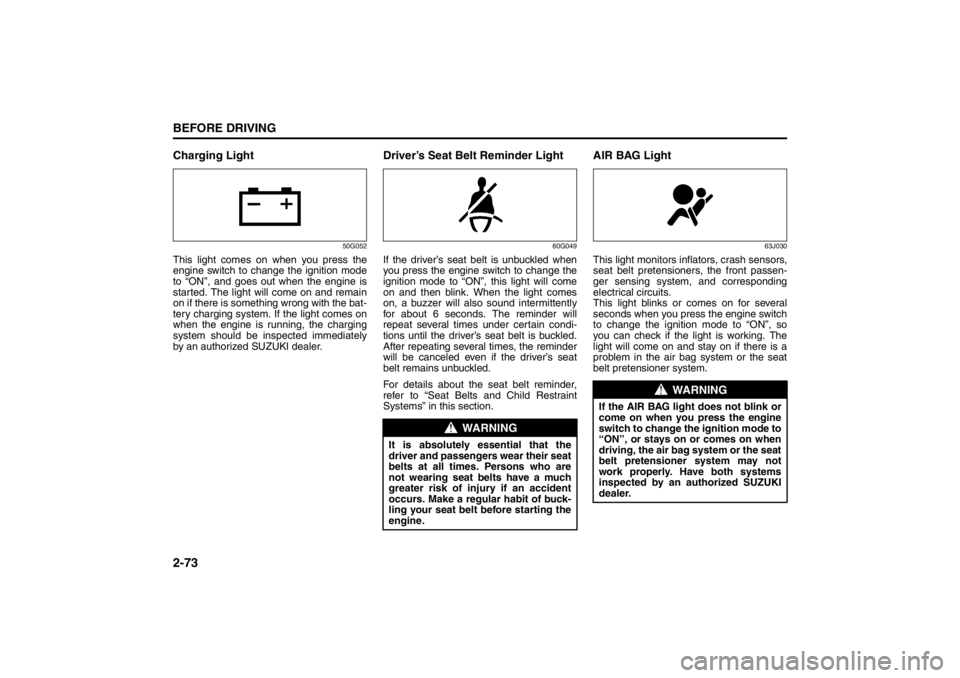
Charging Light
50G052
This light comes on when you press the
engine switch to change the ignition mode
to “ON”, and goes out when the engine is
started. The light will come on and remain
on if there is something wrong with the bat-
tery charging system. If the light comes on
when the engine is running, the charging
system should be inspected immediately
by an authorized SUZUKI dealer.
Driver’s Seat Belt Reminder Light
60G049
If the driver’s seat belt is unbuckled when
you press the engine switch to change the
ignition mode to “ON”, this light will come
on and then blink. When the light comes
on, a buzzer will also sound intermittently
for about 6 seconds. The reminder will
repeat several times under certain condi-
tions until the driver’s seat belt is buckled.
After repeating several times, the reminder
will be canceled even if the driver’s seat
belt remains unbuckled.
For details about the seat belt reminder,
refer to “Seat Belts and Child Restraint
Systems” in this section.
AIR BAG Light
63J030
This light monitors inflators, crash sensors,
seat belt pretensioners, the front passen-
ger sensing system, and corresponding
electrical circuits.
This light blinks or comes on for several
seconds when you press the engine switch
to change the ignition mode to “ON”, so
you can check if the light is working. The
light will come on and stay on if there is a
problem in the air bag system or the seat
belt pretensioner system.
WARNING
It is absolutely essential that the
driver and passengers wear their seat
belts at all times. Persons who are
not wearing seat belts have a much
greater risk of injury if an accident
occurs. Make a regular habit of buck-
ling your seat belt before starting the
engine.
WARNING
If the AIR BAG light does not blink or
come on when you press the engine
switch to change the ignition mode to
“ON”, or stays on or comes on when
driving, the air bag system or the seat
belt pretensioner system may not
work properly. Have both systems
inspected by an authorized SUZUKI
dealer.
Page 93 of 388
2-74
BEFORE DRIVING
57L20-03E
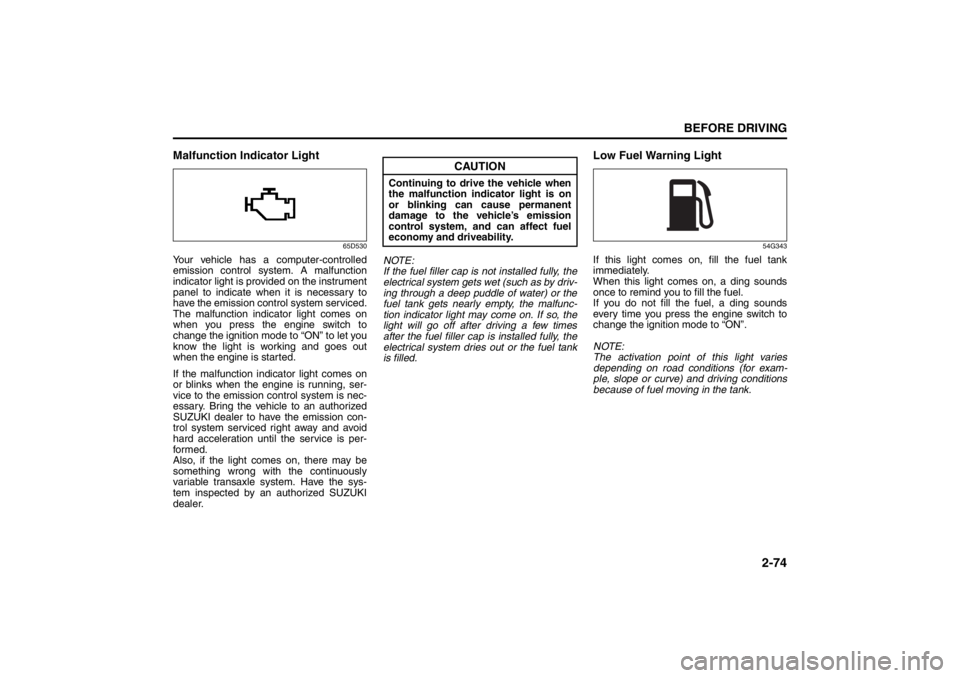
Malfunction Indicator Light
65D530
Your vehicle has a computer-controlled
emission control system. A malfunction
indicator light is provided on the instrument
panel to indicate when it is necessary to
have the emission control system serviced.
The malfunction indicator light comes on
when you press the engine switch to
change the ignition mode to “ON” to let you
know the light is working and goes out
when the engine is started.
If the malfunction indicator light comes on
or blinks when the engine is running, ser-
vice to the emission control system is nec-
essary. Bring the vehicle to an authorized
SUZUKI dealer to have the emission con-
trol system serviced right away and avoid
hard acceleration until the service is per-
formed.
Also, if the light comes on, there may be
something wrong with the continuously
variable transaxle system. Have the sys-
tem inspected by an authorized SUZUKI
dealer.NOTE:
If the fuel filler cap is not installed fully, the
electrical system gets wet (such as by driv-
ing through a deep puddle of water) or the
fuel tank gets nearly empty, the malfunc-
tion indicator light may come on. If so, the
light will go off after driving a few times
after the fuel filler cap is installed fully, the
electrical system dries out or the fuel tank
is filled.
Low Fuel Warning Light
54G343
If this light comes on, fill the fuel tank
immediately.
When this light comes on, a ding sounds
once to remind you to fill the fuel.
If you do not fill the fuel, a ding sounds
every time you press the engine switch to
change the ignition mode to “ON”.
NOTE:
The activation point of this light varies
depending on road conditions (for exam-
ple, slope or curve) and driving conditions
because of fuel moving in the tank.
CAUTION
Continuing to drive the vehicle when
the malfunction indicator light is on
or blinking can cause permanent
damage to the vehicle’s emission
control system, and can affect fuel
economy and driveability.
Page 95 of 388
2-76
BEFORE DRIVING
57L20-03E
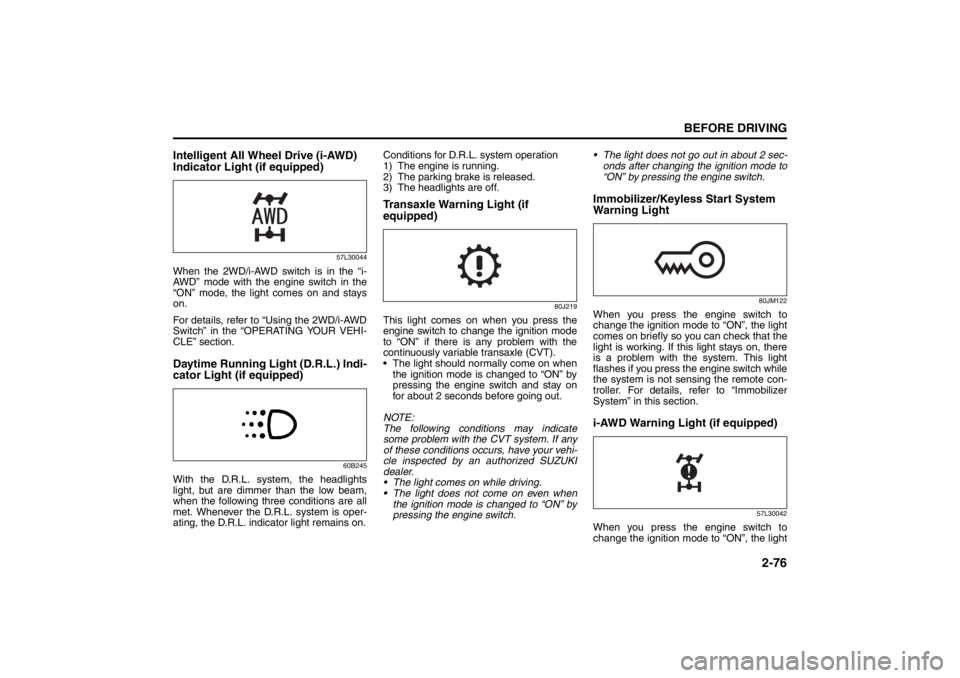
Intelligent All Wheel Drive (i-AWD)
Indicator Light (if equipped)
57L30044
When the 2WD/i-AWD switch is in the “i-
AWD” mode with the engine switch in the
“ON” mode, the light comes on and stays
on.
For details, refer to “Using the 2WD/i-AWD
Switch” in the “OPERATING YOUR VEHI-
CLE” section.Daytime Running Light (D.R.L.) Indi-
cator Light (if equipped)
60B245
With the D.R.L. system, the headlights
light, but are dimmer than the low beam,
when the following three conditions are all
met. Whenever the D.R.L. system is oper-
ating, the D.R.L. indicator light remains on.Conditions for D.R.L. system operation
1) The engine is running.
2) The parking brake is released.
3) The headlights are off.
Transaxle Warning Light (if
equipped)
80J219
This light comes on when you press the
engine switch to change the ignition mode
to “ON” if there is any problem with the
continuously variable transaxle (CVT).
The light should normally come on when
the ignition mode is changed to “ON” by
pressing the engine switch and stay on
for about 2 seconds before going out.
NOTE:
The following conditions may indicate
some problem with the CVT system. If any
of these conditions occurs, have your vehi-
cle inspected by an authorized SUZUKI
dealer.
The light comes on while driving.
The light does not come on even when
the ignition mode is changed to “ON” by
pressing the engine switch. The light does not go out in about 2 sec-
onds after changing the ignition mode to
“ON” by pressing the engine switch.
Immobilizer/Keyless Start System
Warning Light
80JM122
When you press the engine switch to
change the ignition mode to “ON”, the light
comes on briefly so you can check that the
light is working. If this light stays on, there
is a problem with the system. This light
flashes if you press the engine switch while
the system is not sensing the remote con-
troller. For details, refer to “Immobilizer
System” in this section.i-AWD Warning Light (if equipped)
57L30042
When you press the engine switch to
change the ignition mode to “ON”, the light
Page 98 of 388
2-79BEFORE DRIVING
57L20-03E
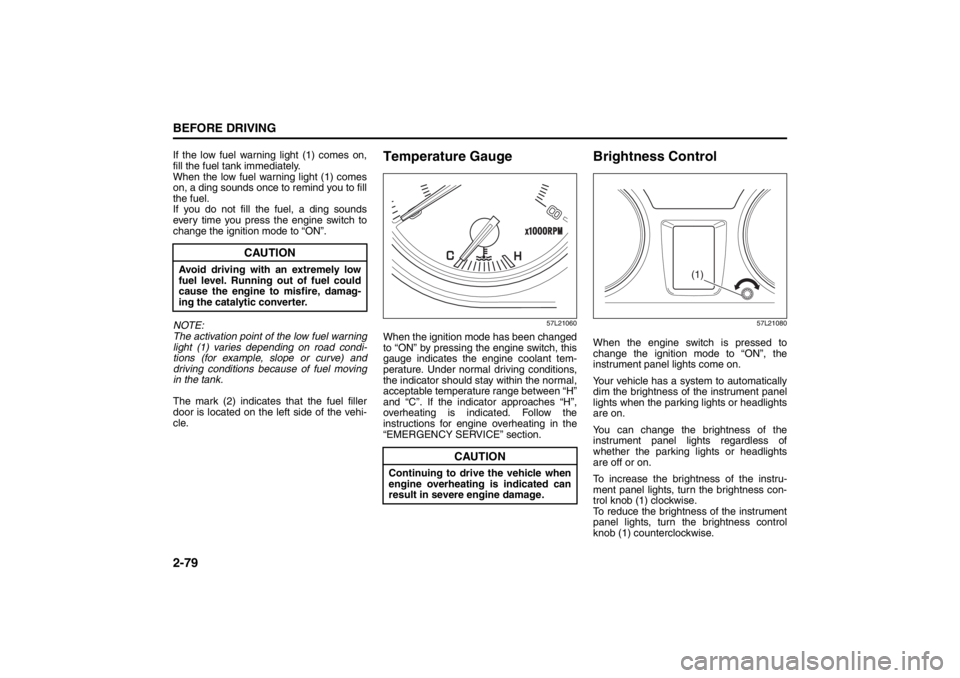
If the low fuel warning light (1) comes on,
fill the fuel tank immediately.
When the low fuel warning light (1) comes
on, a ding sounds once to remind you to fill
the fuel.
If you do not fill the fuel, a ding sounds
every time you press the engine switch to
change the ignition mode to “ON”.
NOTE:
The activation point of the low fuel warning
light (1) varies depending on road condi-
tions (for example, slope or curve) and
driving conditions because of fuel moving
in the tank.
The mark (2) indicates that the fuel filler
door is located on the left side of the vehi-
cle.
Temperature Gauge
57L21060
When the ignition mode has been changed
to “ON” by pressing the engine switch, this
gauge indicates the engine coolant tem-
perature. Under normal driving conditions,
the indicator should stay within the normal,
acceptable temperature range between “H”
and “C”. If the indicator approaches “H”,
overheating is indicated. Follow the
instructions for engine overheating in the
“EMERGENCY SERVICE” section.
Brightness Control
57L21080
When the engine switch is pressed to
change the ignition mode to “ON”, the
instrument panel lights come on.
Your vehicle has a system to automatically
dim the brightness of the instrument panel
lights when the parking lights or headlights
are on.
You can change the brightness of the
instrument panel lights regardless of
whether the parking lights or headlights
are off or on.
To increase the brightness of the instru-
ment panel lights, turn the brightness con-
trol knob (1) clockwise.
To reduce the brightness of the instrument
panel lights, turn the brightness control
knob (1) counterclockwise.
CAUTION
Avoid driving with an extremely low
fuel level. Running out of fuel could
cause the engine to misfire, damag-
ing the catalytic converter.
CAUTION
Continuing to drive the vehicle when
engine overheating is indicated can
result in severe engine damage.
(1)
Page 101 of 388
2-82
BEFORE DRIVING
57L20-03E
57L21082
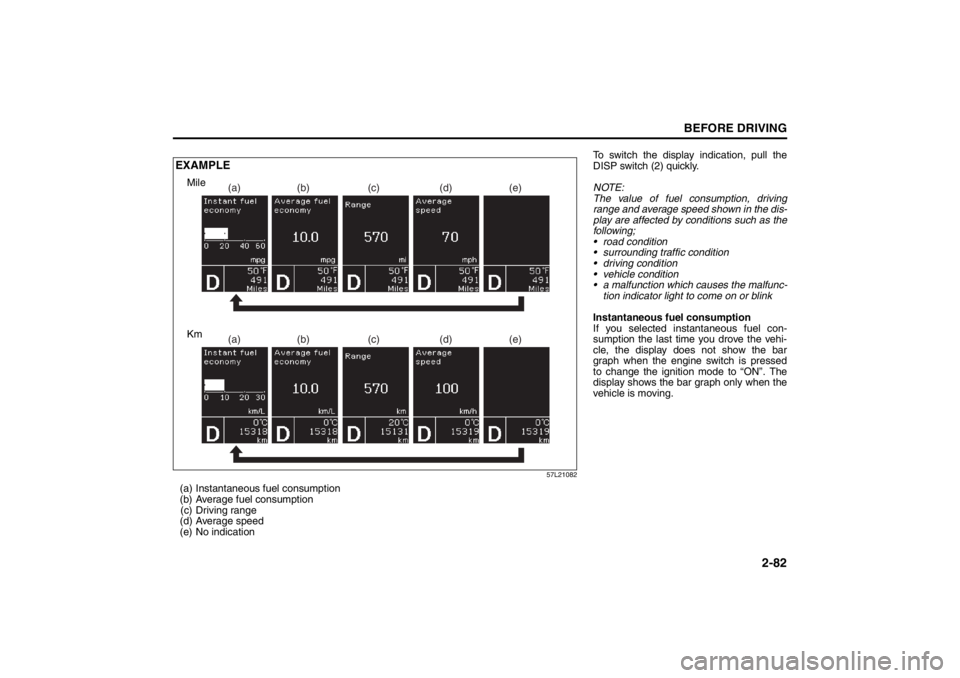
(a) Instantaneous fuel consumption
(b) Average fuel consumption(c) Driving range
(d) Average speed
(e) No indication
(a) (b) (c) (d) (e)(a) (b) (c) (d) (e)
EXAMPLE
Km Mile
To switch the display indication, pull the
DISP switch (2) quickly.
NOTE:
The value of fuel consumption, driving
range and average speed shown in the dis-
play are affected by conditions such as the
following;
road condition
surrounding traffic condition
driving condition
vehicle condition
a malfunction which causes the malfunc- tion indicator light to come on or blink
Instantaneous fuel consumption
If you selected instantaneous fuel con-
sumption the last time you drove the vehi-
cle, the display does not show the bar
graph when the engine switch is pressed
to change the ignition mode to “ON”. The
display shows the bar graph only when the
vehicle is moving.
Page 102 of 388

2-83BEFORE DRIVING
57L20-03E
Average fuel consumption
If you selected average fuel consumption
the last time you drove the vehicle, the dis-
play shows the last value of average fuel
consumption from previous driving when
the engine switch is pressed to change the
ignition mode to “ON”. Unless you reset
the value of average fuel consumption, the
display indicates the value of average fuel
consumption which includes average fuel
consumption during previous driving.
NOTE:
When you reconnect the negative (–) ter-
minal to the battery, the value of average
fuel consumption will be shown after driv-
ing for a period of time.
You can select when the value of average
fuel consumption is reset from among the
following three methods;
Reset after refuel: the value of averagefuel consumption will be reset automati-
cally by refueling.
Reset with trip A: the value of average fuel consumption will be reset automati-
cally by resetting trip meter A.
Reset manually: the value of average fuel consumption will be reset by pulling
and holding the DISP switch (2) when
the display indicates the average fuel
consumption. To change when the value of average fuel
consumption is reset, refer to “Setting
Mode” later in this section.
NOTE:
If you add only a small amount of fuel
when you select “Reset after refuel”, the
average fuel consumption value may not
be reset.
Driving range
If you selected driving range the last time
you drove the vehicle, the display indicates
“---” for a few seconds and then indicates
the current driving range when the engine
switch is pressed to change the ignition
mode to “ON”.
The driving range shown in the display is
the approximate distance you can drive
until the fuel gauge indicates “E”, based on
current driving conditions.
When the remaining fuel in fuel tank
reaches a low level, the display “---” will
appear.
If the low fuel warning light comes on, fill
the fuel tank immediately regardless of the
value of driving range shown in the display.
As the driving range after refueling is cal-
culated based on the most recent driving
condition, the value is different each time
you refuel. NOTE:
If you refuel when the ignition mode is
changed to “ON” by pressing the engine
switch, the driving range may not indi-
cate the correct value.
When you reconnect the negative (–) ter- minal to the battery, the value of driving
range will be shown after driving for a
period of time.
Average Speed
If you selected average speed the last time
you drove the vehicle, the display indicates
the last value of average speed from previ-
ous driving when the engine switch is
pressed to change the ignition mode to
“ON”. Unless you reset the value of aver-
age speed, the display indicates the value
of average speed which includes average
speed during previous driving.
To reset the value of average speed, pull
and hold the DISP switch (2) for about 2
seconds when the display indicates an
average speed. The display shows “---”
and then indicates a new average speed
after driving for a short time.
NOTE:
When you reconnect the negative (–) ter-
minal to the battery, the value of average
speed will be shown after driving for a
period of time.
Page 106 of 388
2-87BEFORE DRIVING
57L20-03E
Warning and indicator messages
(#1) This message will disappear for a while even if the problem that caused the message to appear is not corrected.Warning and Indicator
MessageMaster Warning
IndicatorSound Cause and Remedy
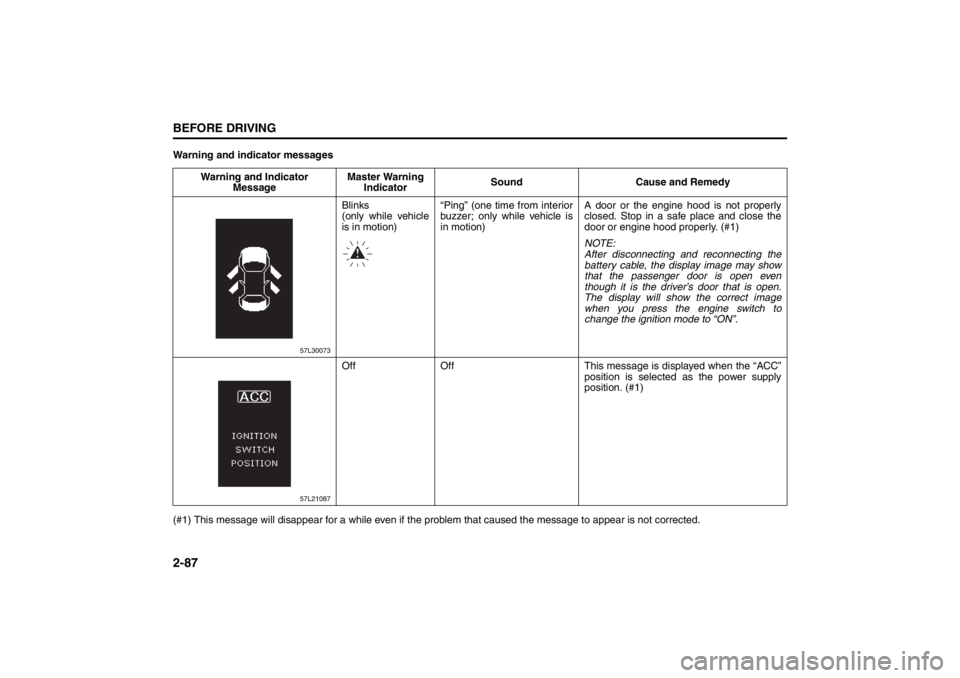
57L30073
Blinks
(only while vehicle
is in motion)“Ping” (one time from interior
buzzer; only while vehicle is
in motion)A door or the engine hood is not properly
closed. Stop in a safe place and close the
door or engine hood properly. (#1)
NOTE:
After disconnecting and reconnecting the
battery cable, the display image may show
that the passenger door is open even
though it is the driver’s door that is open.
The display will show the correct image
when you press the engine switch to
change the ignition mode to “ON”.
57L21087
Off Off This message is displayed when the “ACC”
position is selected as the power supply
position. (#1)
Page 121 of 388
2-102
BEFORE DRIVING
57L20-03E
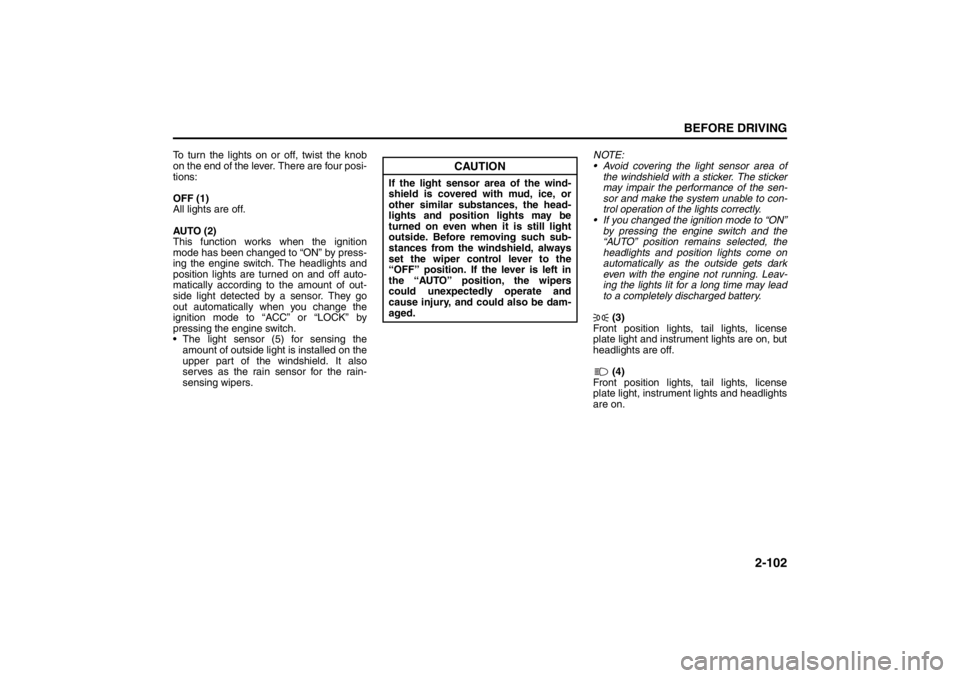
To turn the lights on or off, twist the knob
on the end of the lever. There are four posi-
tions:
OFF (1)
All lights are off.
AUTO (2)
This function works when the ignition
mode has been changed to “ON” by press-
ing the engine switch. The headlights and
position lights are turned on and off auto-
matically according to the amount of out-
side light detected by a sensor. They go
out automatically when you change the
ignition mode to “ACC” or “LOCK” by
pressing the engine switch.
The light sensor (5) for sensing the
amount of outside light is installed on the
upper part of the windshield. It also
serves as the rain sensor for the rain-
sensing wipers.NOTE:
Avoid covering the light sensor area of
the windshield with a sticker. The sticker
may impair the performance of the sen-
sor and make the system unable to con-
trol operation of the lights correctly.
If you changed the ignition mode to “ON”
by pressing the engine switch and the
“AUTO” position remains selected, the
headlights and position lights come on
automatically as the outside gets dark
even with the engine not running. Leav-
ing the lights lit for a long time may lead
to a completely discharged battery.
(3)
Front position lights, tail lights, license
plate light and instrument lights are on, but
headlights are off.
(4)
Front position lights, tail lights, license
plate light, instrument lights and headlights
are on.
CAUTION
If the light sensor area of the wind-
shield is covered with mud, ice, or
other similar substances, the head-
lights and position lights may be
turned on even when it is still light
outside. Before removing such sub-
stances from the windshield, always
set the wiper control lever to the
“OFF” position. If the lever is left in
the “AUTO” position, the wipers
could unexpectedly operate and
cause injury, and could also be dam-
aged.
Page 123 of 388
2-104
BEFORE DRIVING
57L20-03E
Sensitivity of the light sensor
The amount of outside light needed to turn
the lights on and off is pre-set at the fac-
tory. The sensitivity of the light sensor can
be adjusted so that the lights are turned on
and off when it is:
lighter outside than the pre-set condition,
or
darker outside than the pre-set condition
Rain-triggered automatic lighting oper-
ation
The setting of the auto-on headlight sys-
tem can be changed to make it turn on the
headlights:
when the rain sensor senses heavy rain-
fall (pre-set at the factory)
when the rain sensor senses light and
heavy rainfall (in coordination with rain-
sensing wiper operation), or
independently from rain-sensing wiper
operation.
Light Reminder BuzzerThe interior buzzer continuously beeps if
you open the driver’s door without turning
off the headlights and position lights. This
function is triggered under the following
condition:
The headlights and position lights are on
even after you change the ignition mode
to “LOCK” (OFF) by pressing the engine
switch.
The buzzer stops sounding when you turn
off the headlights and position lights.
NOTE:
A message is indicated on the information
display in the instrument cluster while the
buzzer is sounding.
Daytime Running Light (D.R.L.)
System
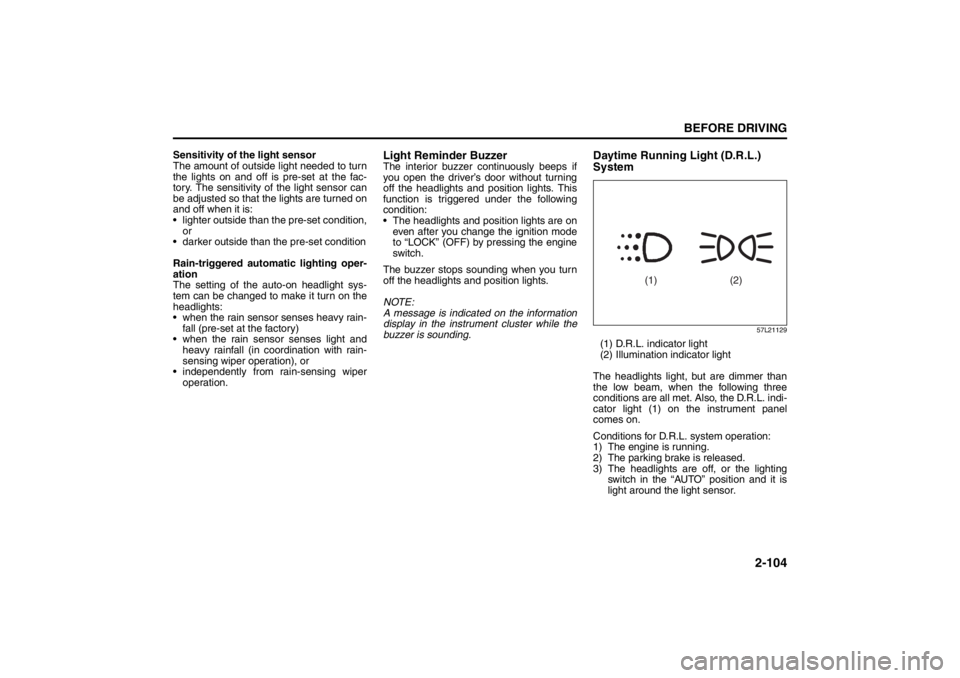
57L21129
(1) D.R.L. indicator light
(2) Illumination indicator light
The headlights light, but are dimmer than
the low beam, when the following three
conditions are all met. Also, the D.R.L. indi-
cator light (1) on the instrument panel
comes on.
Conditions for D.R.L. system operation:
1) The engine is running.
2) The parking brake is released.
3) The headlights are off, or the lighting
switch in the “AUTO” position and it is
light around the light sensor.
(1) (2)