change time SUZUKI KIZASHI 2010 1.G Owner's Manual
[x] Cancel search | Manufacturer: SUZUKI, Model Year: 2010, Model line: KIZASHI, Model: SUZUKI KIZASHI 2010 1.GPages: 388, PDF Size: 4.94 MB
Page 124 of 388
2-105BEFORE DRIVING
57L20-03E
NOTE:
Be sure to turn the headlights on at night
or at any time of the day when driving or
weather conditions require the headlights
to operate at full brightness and the tail-
lights to be on.
Lights “On” reminder
A buzzer sounds to remind you to turn off
the lights if they are left on when you press
the engine switch to change the ignition
mode to “LOCK” (OFF) and the driver’s
door is opened.
NOTE:
The warning and indicator message and
the illumination indicator light (2) will be
shown on the information display when this
reminder is activated.
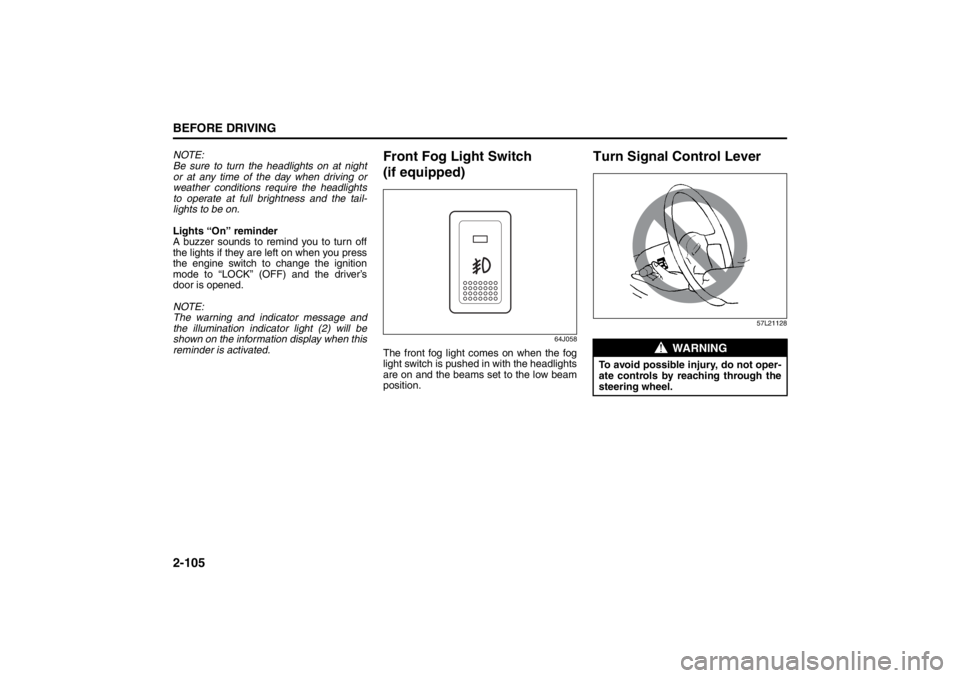
Front Fog Light Switch
(if equipped)
64J058
The front fog light comes on when the fog
light switch is pushed in with the headlights
are on and the beams set to the low beam
position.
Turn Signal Control Lever
57L21128
WARNING
To avoid possible injury, do not oper-
ate controls by reaching through the
steering wheel.
Page 125 of 388
2-106
BEFORE DRIVING
57L20-03E
Turn Signal OperationAfter changing the ignition mode to “ON”
by pressing the engine switch, move the
lever up or down to activate the right or left
turn signals.
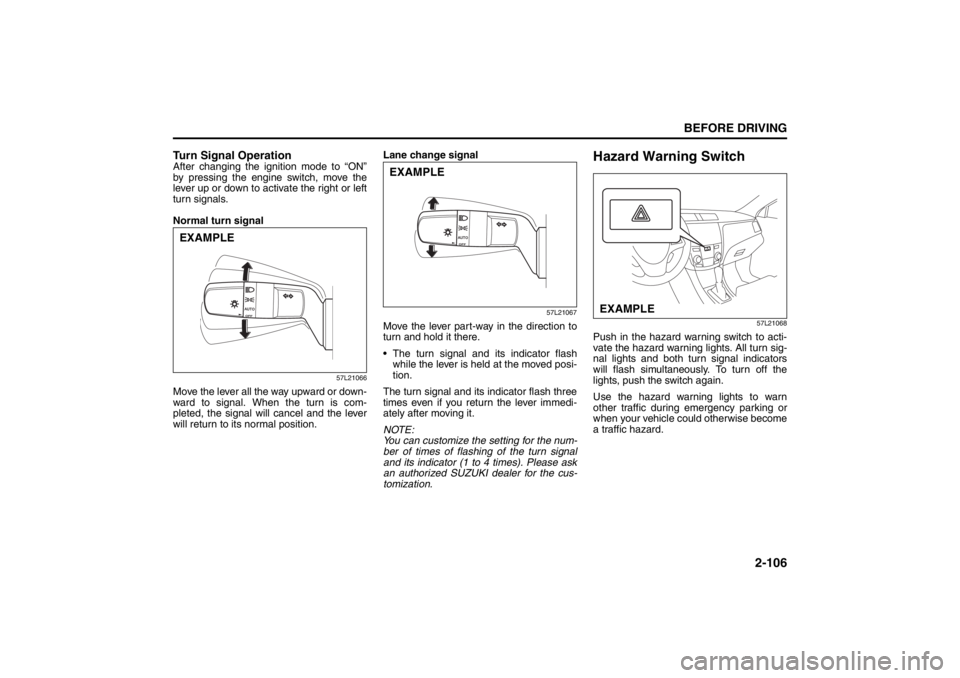
Normal turn signal
57L21066
Move the lever all the way upward or down-
ward to signal. When the turn is com-
pleted, the signal will cancel and the lever
will return to its normal position.Lane change signal
57L21067
Move the lever part-way in the direction to
turn and hold it there.
The turn signal and its indicator flash
while the lever is held at the moved posi-
tion.
The turn signal and its indicator flash three
times even if you return the lever immedi-
ately after moving it.
NOTE:
You can customize the setting for the num-
ber of times of flashing of the turn signal
and its indicator (1 to 4 times). Please ask
an authorized SUZUKI dealer for the cus-
tomization.
Hazard Warning Switch
57L21068
Push in the hazard warning switch to acti-
vate the hazard warning lights. All turn sig-
nal lights and both turn signal indicators
will flash simultaneously. To turn off the
lights, push the switch again.
Use the hazard warning lights to warn
other traffic during emergency parking or
when your vehicle could otherwise become
a traffic hazard.
EXAMPLE
EXAMPLE
EXAMPLE
Page 126 of 388
2-107BEFORE DRIVING
57L20-03E
Rain-sensing Wipers and
Washer Lever
65D611
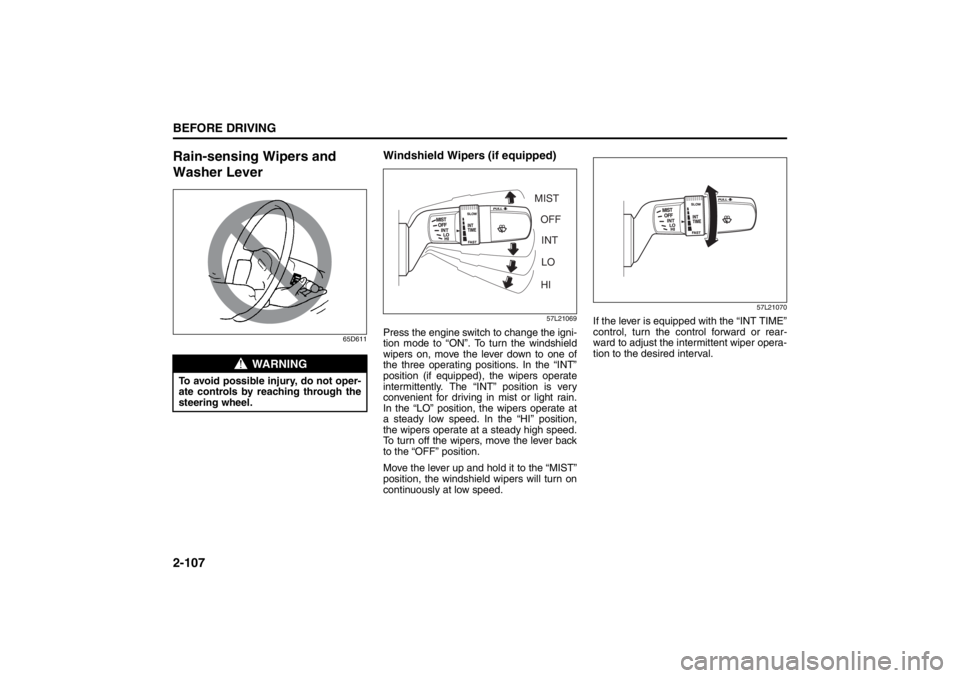
Windshield Wipers (if equipped)
57L21069
Press the engine switch to change the igni-
tion mode to “ON”. To turn the windshield
wipers on, move the lever down to one of
the three operating positions. In the “INT”
position (if equipped), the wipers operate
intermittently. The “INT” position is very
convenient for driving in mist or light rain.
In the “LO” position, the wipers operate at
a steady low speed. In the “HI” position,
the wipers operate at a steady high speed.
To turn off the wipers, move the lever back
to the “OFF” position.
Move the lever up and hold it to the “MIST”
position, the windshield wipers will turn on
continuously at low speed.
57L21070
If the lever is equipped with the “INT TIME”
control, turn the control forward or rear-
ward to adjust the intermittent wiper opera-
tion to the desired interval.
WARNING
To avoid possible injury, do not oper-
ate controls by reaching through the
steering wheel.
MIST
OFF
INT
LO
HI
Page 132 of 388
3-1OPERATING YOUR VEHICLE
57L20-03E
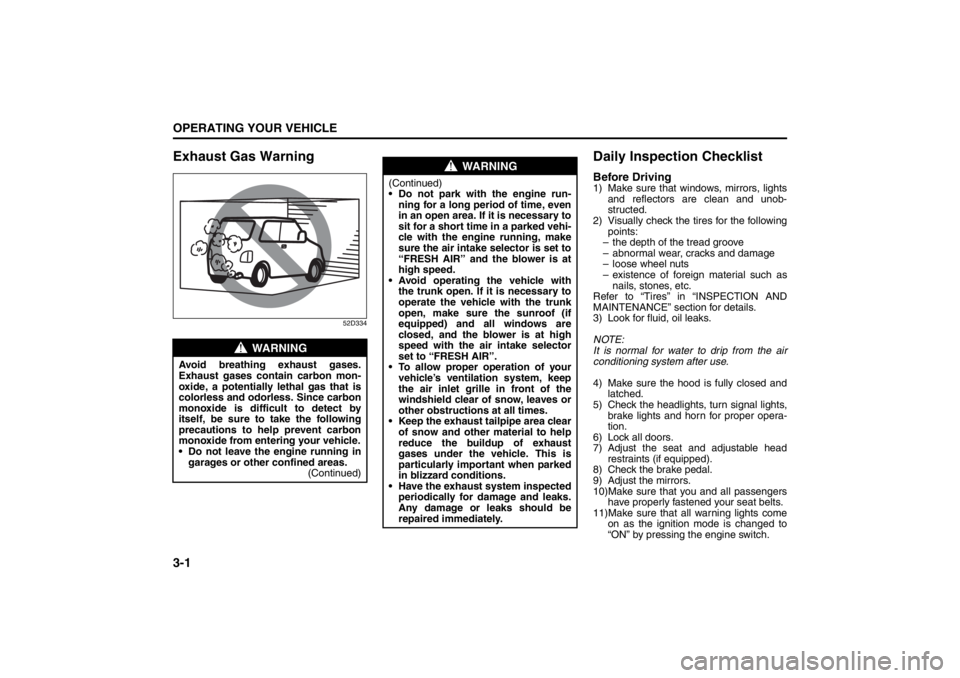
Exhaust Gas Warning
52D334
Daily Inspection ChecklistBefore Driving1) Make sure that windows, mirrors, lights
and reflectors are clean and unob-
structed.
2) Visually check the tires for the following
points:
– the depth of the tread groove
– abnormal wear, cracks and damage
– loose wheel nuts
– existence of foreign material such as
nails, stones, etc.
Refer to “Tires” in “INSPECTION AND
MAINTENANCE” section for details.
3) Look for fluid, oil leaks.
NOTE:
It is normal for water to drip from the air
conditioning system after use.
4) Make sure the hood is fully closed and
latched.
5) Check the headlights, turn signal lights,
brake lights and horn for proper opera-
tion.
6) Lock all doors.
7) Adjust the seat and adjustable head
restraints (if equipped).
8) Check the brake pedal.
9) Adjust the mirrors.
10)Make sure that you and all passengers
have properly fastened your seat belts.
11)Make sure that all warning lights come
on as the ignition mode is changed to
“ON” by pressing the engine switch.
WARNING
Avoid breathing exhaust gases.
Exhaust gases contain carbon mon-
oxide, a potentially lethal gas that is
colorless and odorless. Since carbon
monoxide is difficult to detect by
itself, be sure to take the following
precautions to help prevent carbon
monoxide from entering your vehicle.
Do not leave the engine running in
garages or other confined areas.
(Continued)
WARNING
(Continued)
Do not park with the engine run-
ning for a long period of time, even
in an open area. If it is necessary to
sit for a short time in a parked vehi-
cle with the engine running, make
sure the air intake selector is set to
“FRESH AIR” and the blower is at
high speed.
Avoid operating the vehicle with
the trunk open. If it is necessary to
operate the vehicle with the trunk
open, make sure the sunroof (if
equipped) and all windows are
closed, and the blower is at high
speed with the air intake selector
set to “FRESH AIR”.
To allow proper operation of your
vehicle’s ventilation system, keep
the air inlet grille in front of the
windshield clear of snow, leaves or
other obstructions at all times.
Keep the exhaust tailpipe area clear
of snow and other material to help
reduce the buildup of exhaust
gases under the vehicle. This is
particularly important when parked
in blizzard conditions.
Have the exhaust system inspected
periodically for damage and leaks.
Any damage or leaks should be
repaired immediately.
Ignition Switch: 8
Page 134 of 388

3-3OPERATING YOUR VEHICLE
57L20-03E
TION SWITCH POSITION “ACC”. Refer to
“Information Display” in the “Before Driv-
ing” section for details.
ON
• With the engine off You can use such electric equipment as
the power windows and wipers with the
engine off. When this ignition mode is
selected by pressing the engine switch,
the information display in the instrument
cluster shows the following message:
IGNITION SWITCH POSITION “ON”.
With the engine on All electric equipment is operational. The
vehicle can be driven when you have
selected this ignition mode by pressing
the engine switch.
START
CVT – Provided you have the keyless start
system remote controller with you, the
engine automatically starts when you
press the engine switch to select this igni-
tion mode after placing the gearshift lever
in the “P” position and depressing the
brake pedal. (If you need to re-start the
engine while the vehicle is moving, shift
into “N”.)
Manual Transaxle – Provided you have the
keyless start system remote controller with
you, the engine automat ically starts when
you press the engine switch to select this
ignition mode after shifting to “N” (Neutral) and depressing the brake and clutch ped-
als.
NOTE:
You do not need to keep the engine switch
pressed to start the engine.
NOTE:
The steering lock may not be released if
some load is acting on the steering
wheel. If this happens, turn the steering
wheel to the right or left to relieve it from
the load before you press the engine
switch again to change to the desired
ignition mode.
In the presence of strong radio signals or
noise, you may not be able to change
the ignition mode to “ACC” or “ON” or to
start the engine using the engine switch.
In this case, the information display on
the instrument cluster will show the fol-
lowing message: KEY FOB NOT
DETECTED.
Unreleased Steering Lock WarningIf the steering lock remains engaged when
you press the engine switch to change the
ignition mode to “ON”, the information dis-
play in the instrument cluster will show a
message to alert you to that condition.
Refer to “Information display” in the “Before
Driving” section for details.
CAUTION
Do not leave the engine switch in the
“ACC” or “ON” mode when the
engine is not running. Avoid using
the radio or other electric accesso-
ries for a long time when the engine
switch is in the “ACC” or “ON” mode
when the engine is not running, oth-
erwise the battery may discharge.
Lighting/Turn Signal Control Lever: 8
Page 135 of 388
3-4
OPERATING YOUR VEHICLE
57L20-03E
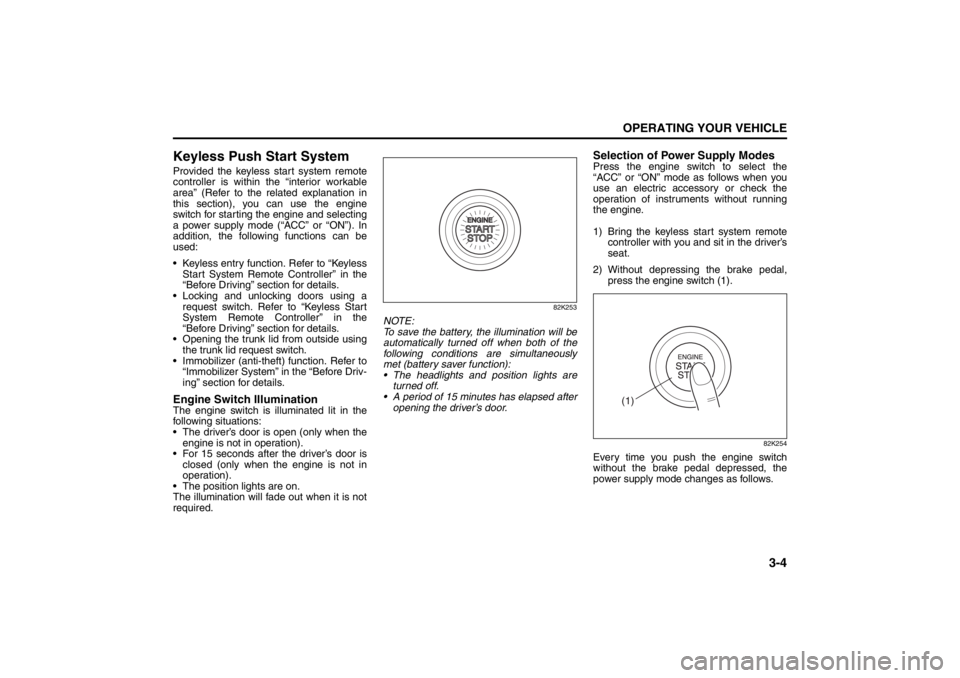
Keyless Push Start SystemProvided the keyless start system remote
controller is within the “interior workable
area” (Refer to the related explanation in
this section), you can use the engine
switch for starting the engine and selecting
a power supply mode (“ACC” or “ON”). In
addition, the following functions can be
used:
Keyless entry function. Refer to “KeylessStart System Remote Controller” in the
“Before Driving” section for details.
Locking and unlocking doors using a request switch. Refer to “Keyless Start
System Remote Controller” in the
“Before Driving” section for details.
Opening the trunk lid from outside using the trunk lid request switch.
Immobilizer (anti-theft) function. Refer to “Immobilizer System” in the “Before Driv-
ing” section for details.Engine Switch IlluminationThe engine switch is illuminated lit in the
following situations:
The driver’s door is open (only when the
engine is not in operation).
For 15 seconds after the driver’s door is closed (only when the engine is not in
operation).
The position lights are on.
The illumination will fade out when it is not
required.
82K253
NOTE:
To save the battery, the illumination will be
automatically turned off when both of the
following conditions are simultaneously
met (battery saver function):
The headlights and position lights are turned off.
A period of 15 minutes has elapsed after opening the driver’s door.
Selection of Power Supply ModesPress the engine switch to select the
“ACC” or “ON” mode as follows when you
use an electric accessory or check the
operation of instruments without running
the engine.
1) Bring the keyless start system remote controller with you and sit in the driver’s
seat.
2) Without depressing the brake pedal, press the engine switch (1).
82K254
Every time you push the engine switch
without the brake pedal depressed, the
power supply mode changes as follows.
(1)
Lighting/Turn Signal Control Lever: 8
Windshield Wiper and Washer Lever: 8
Page 139 of 388
3-8
OPERATING YOUR VEHICLE
57L20-03E
You should turn off such loads as theheadlights and air conditioning system to
facilitate starting of the engine.
Even if you fail to start the engine, the
starter motor will stop turning automati-
cally after a short time. After the starter
motor has stopped or if there is some
problem with the system, the starter
motor will rotate only while the engine
switch is being pressed.Stopping the engine Depress the engine switch to stop theengine after the vehicle stopped com-
pletely.
In case of emergency, you can stop the engine by depressing the engine switch
more than 3 seconds while the vehicle in
motion.
NOTE:
Except in emergency, do not stop the
engine while the vehicle in motion.
The steering and braking operation will
require more effort s when the engine
stopped.
Refer to “Braking” in the “OPERATING
YOUR VEHICLE” section.
Starting a Cold EngineWith your foot off the accelerator pedal,
crank the engine by pressing the engine
switch to change the ignition mode to
“START”.
After pressing the engine switch to change
the ignition mode to “START”, the starter
cranks the engine for about 12 seconds
before it can start the engine. If the engine
fails to start at the first attempt, wait about
15 seconds, then try again while keeping
the engine switch pressed while pressing
down the accelerator pedal to 1/3 of its
travel. Release the accelerator pedal when
the engine starts.
If the engine still does not start, try holding
the accelerator pedal all the way to the
floor while cranking. Th is should clear the
engine if it is flooded.
If you are unable to start the engine using
this procedure, consult your SUZUKI
dealer.
Starting a Warm EngineUse the same procedure as for “Starting a
Cold Engine”.If the master warning light flashes
and the engine cannot be startedYour keyless start system remote controller
may not be sensed as being within the
“interior workable area”. Try again after
making sure that you have the remote con-
troller with you. If the engine still cannot be
started, the battery of the remote controller
may be discharged. You must then use the
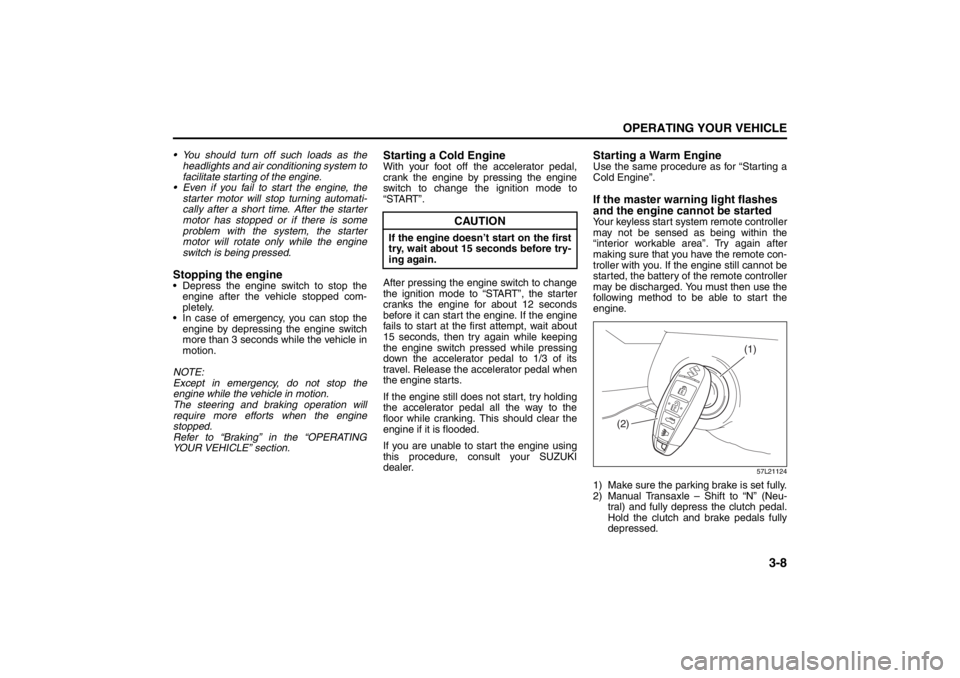
following method to be able to start the
engine.
57L21124
1) Make sure the parking brake is set fully.
2) Manual Transaxle – Shift to “N” (Neu- tral) and fully depress the clutch pedal.
Hold the clutch and brake pedals fully
depressed.
CAUTION
If the engine doesn’ t start on the first
try, wait about 15 seconds before try-
ing again.
(1)
(2)
Cruise Control: 7, 8
Remote Audio Controls:
Horn: 6
Page 140 of 388

3-9OPERATING YOUR VEHICLE
57L20-03E
CVT – If the gearshift lever is not in the
“P” (Park) position, shift it to “P”. Hold
the brake pedal fully depressed.
3) The PUSH START SWITCH. message
will appear on the information display in
the instrument cluster. Press the engine
switch (1).
4) Within about 10 seconds of flashing of the master warning light in the instru-
ment cluster, touch the engine switch
with the lock switch end of the remote
controller (2) for about 2 seconds.
NOTE:
If you still cannot start the engine after several attempts using the above
method, there may be a problem else-
where, such as a low battery. Contact
your SUZUKI dealer for inspection.
The immobilizer/keyless start system warning light will light for about 5 sec-
onds while the master warning light is
flashing. In addition, the information dis-
play will show a certain message during
this time. Refer to “Information Display”
in the “Before Driving” section for details.
You may customize the system to cause the interior buzzer to sound once for the
“remote controller ou t of sensing range”
warning. Please contact an authorized
SUZUKI dealer for the customization.
If the battery of the remote controller is about to be completely discharged, a
message warning this will appear on the
information display when the ignition
mode is changed to “ON” by pressing the engine switch. For details on replac-
ing the battery, refer to the “Keyless Start
System Remote Controller” section in
the “Before Driving” chapter.
Returning the ignition mode to
“LOCK” (OFF)CVT
– To ensure safety, the ignition mode
can be returned to “LOCK” (OFF) by
pressing the engine switch only when the
gearshift lever is placed in the “P” position.
NOTE:
Messages may appear on the informa- tion display in the instrument cluster
when you attempt to return the ignition
mode to “LOCK” (OFF) by pressing the
engine switch. Refer to “Information dis-
play” in the “Before Driving” section for
details.
In the case of a CVT model, the engine cannot be returned to the “LOCK” (OFF)
position if the gearshift lever is in any
other position than “P”.
Certain problems like a fault in engine
system may prevent the engine switch
from going back to the “LOCK” (OFF)
mode. If this happens, have the vehicle
inspected by an autohorized SUZUKI
dealer after doing the following:
– Lock the doors using the key to pre-
vent theft. (The request switches and
the keyless start system remote con-
troller cannot be used to lock them.) – Disconnect the negative cable from
the battery to prevent discharge.
“LOCK” (OFF) mode reminder buzzer
If the driver’s door is opened without
returning the ignition mode to “LOCK”
(OFF) by pressing the engine switch, a
buzzer sounds to warn you of this state.
If you open the driver’s door after press- ing the engine switch to change the igni-
tion mode to “ACC”, the interior buzzer
beeps intermittently.
The buzzer will stop sounding if you then push the engine switch twice, thus bring-
ing it back the ignition mode to “LOCK”
(OFF).
NOTE:
Whenever you leave the vehicle, make
sure you have returned the ignition mode
to “LOCK” (OFF) using the engine switch
and then lock the doors. Without returning
the ignition mode to “LOCK” (OFF), you
cannot use a request switch or keyless
start system remote controller to lock the
doors.
Page 148 of 388
3-17OPERATING YOUR VEHICLE
57L20-03E
NOTE:
The indicated gear position on the infor-
mation display when you shift from “D” to
“M” is the gear position that was selected
automatically when the gearshift lever
was in “D”.
You can change to the manual mode
temporarily by pulling the shift paddle (if
equipped) on the steering wheel toward
you when the gearshift lever is in “D”.
Shifting in the manual mode
You can shift gears from 1st to 6th depend-
ing on driving speed.
NOTE:
If the CVT fluid becomes hot such as
when driving uphill, the transaxle will
automatically shift up in order to protect
itself and the engine regardless of your
gear shifting operation.
When the driving speed becomes slow,
the gear shifts down automatically, and
when the vehicle stops, the gear position
will be in 1st gear without shifting the
gearshift lever.
If you depress the accelerator pedal a
certain amount, the gear shifts down
automatically even if the gearshift lever
is in the manual mode.NOTE:
When you change gear, sometimes the
transaxle may not shift to the desired gear
but a buzzer sounds instead. This is to
maintain good drivability and to protect the
transaxle.
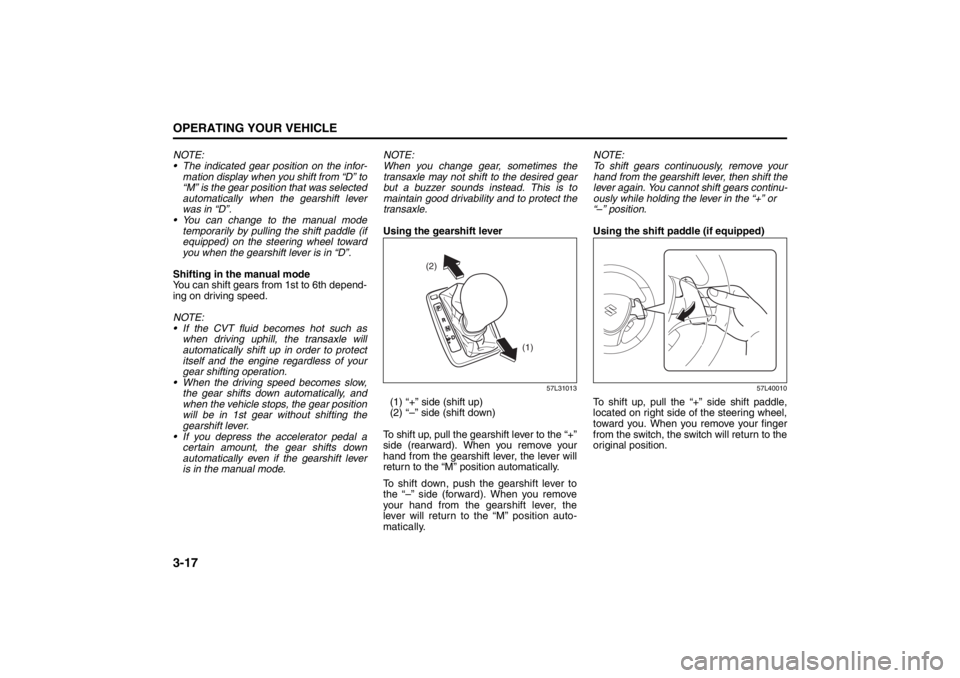
Using the gearshift lever
57L31013
(1) “+” side (shift up)
(2) “–” side (shift down)
To shift up, pull the gearshift lever to the “+”
side (rearward). When you remove your
hand from the gearshift lever, the lever will
return to the “M” position automatically.
To shift down, push the gearshift lever to
the “–” side (forward). When you remove
your hand from the gearshift lever, the
lever will return to the “M” position auto-
matically.NOTE:
To shift gears continuously, remove your
hand from the gearshift lever, then shift the
lever again. You cannot shift gears continu-
ously while holding the lever in the “+” or
“–” position.
Using the shift paddle (if equipped)
57L40010
To shift up, pull the “+” side shift paddle,
located on right side of the steering wheel,
toward you. When you remove your finger
from the switch, the switch will return to the
original position.
(2)
(1)
Page 151 of 388
3-20
OPERATING YOUR VEHICLE
57L20-03E
2WD/i-AWD Switch OperationOperate the 2WD/i-AWD switch according
to the appropriate procedure described
below:
How to turn on 2WD/i-AWD switch
2WD/i-AWD switch will activate when the
engine switch is pressed to change the
ignition mode to “ON”.
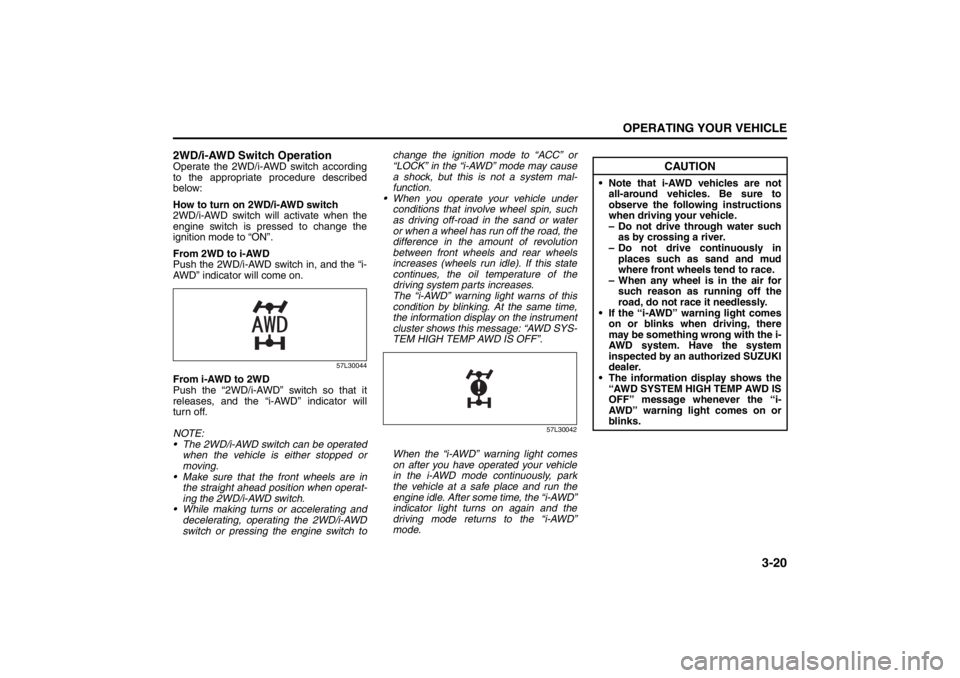
From 2WD to i-AWD
Push the 2WD/i-AWD switch in, and the “i-
AWD” indicator will come on.
57L30044
From i-AWD to 2WD
Push the “2WD/i-AWD” switch so that it
releases, and the “i-AWD” indicator will
turn off.
NOTE:
The 2WD/i-AWD switch can be operated
when the vehicle is either stopped or
moving.
Make sure that the front wheels are in
the straight ahead position when operat-
ing the 2WD/i-AWD switch.
While making turns or accelerating and
decelerating, operating the 2WD/i-AWD
switch or pressing the engine switch tochange the ignition mode to “ACC” or
“LOCK” in the “i-AWD” mode may cause
a shock, but this is not a system mal-
function.
When you operate your vehicle under
conditions that involve wheel spin, such
as driving off-road in the sand or water
or when a wheel has run off the road, the
difference in the amount of revolution
between front wheels and rear wheels
increases (wheels run idle). If this state
continues, the oil temperature of the
driving system parts increases.
The “i-AWD” warning light warns of this
condition by blinking. At the same time,
the information display on the instrument
cluster shows this message: “AWD SYS-
TEM HIGH TEMP AWD IS OFF”.
57L30042
When the “i-AWD” warning light comes
on after you have operated your vehicle
in the i-AWD mode continuously, park
the vehicle at a safe place and run the
engine idle. After some time, the “i-AWD”
indicator light turns on again and the
driving mode returns to the “i-AWD”
mode.
CAUTION
Note that i-AWD vehicles are not
all-around vehicles. Be sure to
observe the following instructions
when driving your vehicle.
– Do not drive through water such
as by crossing a river.
– Do not drive continuously in
places such as sand and mud
where front wheels tend to race.
– When any wheel is in the air for
such reason as running off the
road, do not race it needlessly.
If the “i-AWD” warning light comes
on or blinks when driving, there
may be something wrong with the i-
AWD system. Have the system
inspected by an authorized SUZUKI
dealer.
The information display shows the
“AWD SYSTEM HIGH TEMP AWD IS
OFF” message whenever the “i-
AWD” warning light comes on or
blinks.