change time SUZUKI MARUTI 2005 1.G Owners Manual
[x] Cancel search | Manufacturer: SUZUKI, Model Year: 2005, Model line: MARUTI, Model: SUZUKI MARUTI 2005 1.GPages: 136, PDF Size: 2.93 MB
Page 2 of 136
Downloaded from www.Manualslib.com manuals search engine 283K
FOREWORD
All information in this manual is based
on the latest product information
available at the time of publication.
Due to improvements or other
changes, there may be discrepancies
between information in this manual
and your vehicle. MARUTI SUZUKI
INDIA LIMITED reserves the right to
make production changes at any time,
without notice and without incurring
any obligation to make the same or
similar changes to vehicles previously
built or sold. This vehicle may not
comply with standards or regulations
of other countries. Before attempting
to register this vehicle in any other
country, check all applicable
regulations and make any necessary
modifications.
0-1This manual is an essential part of your
vehicle and should remain with the vehicle
when resold or otherwise transferred to a
new owner or operator. Please read this
manual carefully before operating your new
MARUTI SUZUKI and review the manual
from time to time. It contains important
information on safety, operation and
maintenance. You are invited to avail the
three Free Inspection Services as described
in the manual. Three free inspection
coupons are attached to this manual. Please
show this manual to your
dealer while you take your MARUTI SUZUKI
for any Service.
To prolong the life of your vehicle and
reduce maintenance cost, the periodic
maintenance must be carried out according
to “PERIODIC MAINTENANCE SCHEDULE”
described in “INSPECTION AND
MAINTENANCE” section of this manual. It
is essential for preventing trouble and
accidents to ensure your satisfaction and
safety. Daily inspection and care as per
“DAILY INSPECTION CHECKLIST”
described in the “INSPECTION AND
MAINTENANCE” section of this manual is
essential for prolonging the life of the
vehicle and for safe
driving.
MARUTI SUZUKI INDIA LIMITEDMARUTI SUZUKI INDIA LIMITED believes
in conservation and protection of Earth’s
natural resources. To that end, we
encourage every vehicle owner to recycle,
trade-in or properly dispose of, as
appropriate, used Engine Oil, coolant and
other fluids, batteries and tyres etc.
Page 6 of 136
Downloaded from www.Manualslib.com manuals search engine 683K
WARRANTY POLICY
2-1WARRANTY POLICYMaruti Suzuki India Limited (hereinafter called "Maruti Suzuki"),
warrants that each new Maruti Suzuki vehicle distributed in India
by Maruti Suzuki and sold by an authorised Maruti Suzuki dealer
will be free, under normal use and service, from any defects in
material and workmanship at the time of manufacture SUBJECT
TO THE FOLLOWING TERMS AND CONDITIONS:
(1) Qualification:
To qualify for this warranty:
(a) The Maruti Suzuki vehicle must be delivered by Maruti
Suzuki authorised dealer and set-up, serviced by Maruti
Suzuki authorised dealer/service station.
(b) The warranty registration card in respect of each vehicle
must be completed by the dealer at the time of delivery
of the vehicle and dealer should retain the same.
(2) Term:
The term of the warranty shall be twenty four (24) months
or 40,000 kilometers (whichever occurs first) from the date
of delivery to the first owner.
(3) Maruti Suzuki's Warranty Obligation:
If any defect(s) should be found in a Maruti Suzuki vehicle
within the term stipulated above, Maruti Suzuki's only obligation
is to repair or replace at its sole discretion any part shown
to be defec-tive, with a new part or the equivalent at no cost
to the owner for parts or labour, when Maruti Suzuki
acknowledges that such a defect is attributable to faulty
material or workmanship at the time of manufacture. The
owner is responsible for any repair or replacements which are
not covered by this warranty.(4) Limitation:
This warranty shall not apply to:
(1) Normal maintenance service required other than the three
free services, including without limitation, oil and fluid
changes, headlight aiming, fastener retightening, wheel bal-
ancing, wheel alignment and tyre rotation, cleaning of injec-
tors, adjustments of carburettor, ignition timing, clutch and
valve clearance.
(2) The replacement of normal wear parts including without
limitation, bulbs, tyres and tubes, spark plugs, belts, hoses,
filters, wiper blades, brushes, contact points, fuses, clutch
disc, brake shoes, brake pads, cable and all rubber parts
(except oil seal and glass run).
(3) Any vehicle which has been used for competition or racing.
(4) Any repairs or replacement required as a result of
accidents or collision.
(5) Any defects caused by misuse, negligence, abnormal use
or insufficient care.
(6) Any vehicle which has been modified or altered, including
without limitation, the installation of performance accessories.
(7) Any vehicle on which parts or accessories not approved
by Maruti Suzuki have been used.
(8) Any vehicle which has not been operated in accordance
with the operating instructions in the Maruti Suzuki Owner’s
Manual.
(9) Any vehicle which has not received, during the warranty
term, the service inspections prescribed in the Maruti
Suzuki Owner’s Manual.
(10) Any vehicle which has been assembled, disassembled,
adjusted or repaired by other than an Maruti Suzuki
authorised dealer/service station.
Page 7 of 136
Downloaded from www.Manualslib.com manuals search engine 783K
WARRANTY POLICY
2-2
(11) Any vehicle which has been used for purposes other than
what it was designed for.
(12)Any damage or deterioration caused by industrial pollution
and bird droppings.
(13) Insignificant defects which do not affect the function of
the vehicle including without limitation, sound, vibration
and fluid seep.
(14) Any natural wear and tear including without limitation,
aging etc.
(15) Installation and usage of Domestic LPG Gas/LPG cylinder.
(16)V-belts, hoses and gas leaks (For Maruti Suzuki AC
vehicle).
(17) Any vehicle retrofitted with LPG / CNG kits.
(5) Extent of Warranty:
This warranty is the entire written warranty given by Maruti
Suzuki for Maruti Suzuki vehicles and no dealer or its or his
agent or employee is authorised to extend or enlarge this
warranty and no dealer or its or his agent or employee is
authorised to make any oral warranty on Maruti Suzuki's
behalf.
Maruti Suzuki reserves the right to add any improvements or
change the design of any model at any time with no obligation
to make the same changes on units previously sold.
(6) Warranty Service:
To obtain warranty service, the complete vehicle must be
presented at the owner’s expenses to any authorised Maruti
Suzuki dealer.
(7) Owner’s Warranty Responsibilities:
It is responsibility of each owner to:(a) Make certain that the warranty registration/PDI card was
completed at the time of delivery of the vehicle;
(b) Have performed, at his own expenses, by an Maruti
Suzuki authorised dealer/service station all the service
inspections specified in the Maruti Suzuki “Owner’s Manual
and Service Booklet” and maintain adequate proof that
such service inspections have been performed.
(c) make certain that the Maruti Suzuki authorised dealer/
servise station performing the service inspection has
certified the work on the “Maintenance Service Record”
page in the “Owner’s Manual and Service Booklet” and
(d) Present the Maruti Suzuki “Owner’s Manual and Service
Booklet” to the authorised Maruti Suzuki dealer whenever
requesting service inspections or warranty service.
If the “Owner’s Manual and Service Booklet” should be lost
or destroyed the owner should consult the authorised Maruti
Suzuki dealer from whom the vehicle was purchased for
instructions concerning replacement of the “Owner’s Manual
and Service Booklet”.
(8) Disclaimer of Consequential Damage:
Maruti Suzuki assumes no responsibility for loss of vehicle,
loss of time, inconvenience or any other indirect incidental
or consequential damage resulting from the vehicle not being
available to the owner because of any defect covered by this
warranty.
(9) Change of Owner
Even if ownership of the vehicle changes, the remaining
warranty period is effective for the new owner.
Page 20 of 136
Downloaded from www.Manualslib.com manuals search engine 2083K
BEFORE DRIVING
4-8NOTE: In case of Speed Lock feature, open
& close of Door while driving will cause
cancellation of Speed Lock.Drive Unlock Mode
Drive unlock can be programmed by KEY
or can be turn OFF. When programmed to
KEY, turning IGN ON-OFF, then removing
the key from the key cylinder will unlock all
the doors. In case if drive unlock is pro-
grammed to OFF then no door will unlock
by removing key from key cylinder.
Siren Chirp ON/OFF feature
Siren Chirps are produced whenever Sys-
tem is Arm/Disarm by key. When siren chirp
feature disabled, siren will not chirp after
Arm/Disarm by Key.
Shock Sensor feature
This is a very important feature of security
system, It enables protection of your veh-
cle against any major impact. If anybody
tries to tamper with the vehicle, the alarm
triggers. The triggering of the alarm is in
two stages, first acting as a warning to the
intruder and then at full blast. The sensitivity
of impact sensor can be adjusted as desired
by the user.
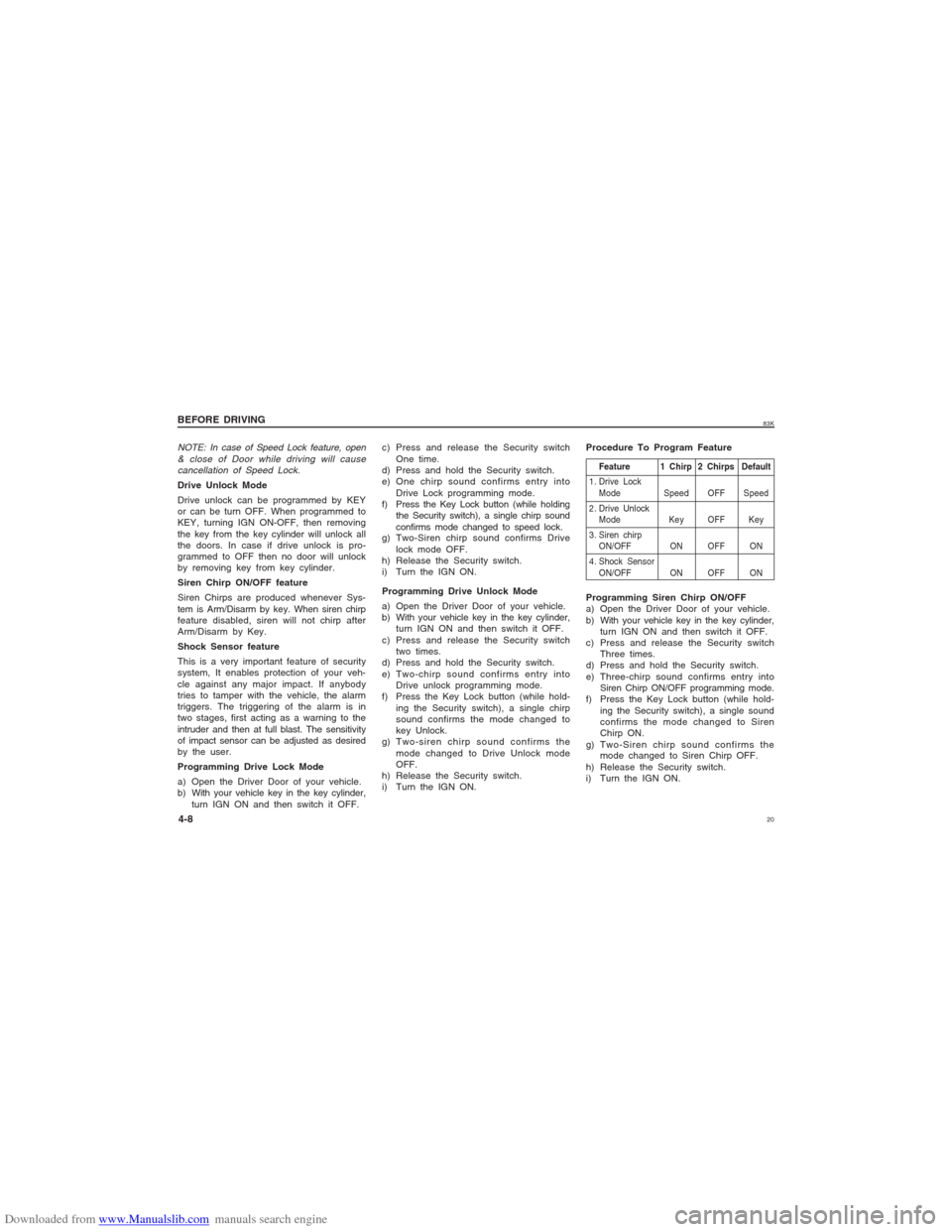
Programming Drive Lock Mode
a) Open the Driver Door of your vehicle.
b) With your vehicle key in the key cylinder,
turn IGN ON and then switch it OFF.c) Press and release the Security switch
One time.
d) Press and hold the Security switch.
e) One chirp sound confirms entry into
Drive Lock programming mode.
f) Press the Key Lock button (while holding
the Security switch), a single chirp sound
confirms mode changed to speed lock.
g) Two-Siren chirp sound confirms Drive
lock mode OFF.
h) Release the Security switch.
i) Turn the IGN ON.
Programming Drive Unlock Mode
a) Open the Driver Door of your vehicle.
b) With your vehicle key in the key cylinder,
turn IGN ON and then switch it OFF.
c) Press and release the Security switch
two times.
d) Press and hold the Security switch.
e) Two-chirp sound confirms entry into
Drive unlock programming mode.
f) Press the Key Lock button (while hold-
ing the Security switch), a single chirp
sound confirms the mode changed to
key Unlock.
g) Two-siren chirp sound confirms the
mode changed to Drive Unlock mode
OFF.
h) Release the Security switch.
i) Turn the IGN ON.Programming Siren Chirp ON/OFF
a) Open the Driver Door of your vehicle.
b) With your vehicle key in the key cylinder,
turn IGN ON and then switch it OFF.
c) Press and release the Security switch
Three times.
d) Press and hold the Security switch.
e) Three-chirp sound confirms entry into
Siren Chirp ON/OFF programming mode.
f) Press the Key Lock button (while hold-
ing the Security switch), a single sound
confirms the mode changed to Siren
Chirp ON.
g) Two-Siren chirp sound confirms the
mode changed to Siren Chirp OFF.
h) Release the Security switch.
i) Turn the IGN ON. Procedure To Program Feature
Feature 1 Chirp 2 Chirps Default
1. Drive Lock
Mode Speed OFF Speed
2. Drive Unlock
Mode Key OFF Key
3. Siren chirp
ON/OFF ON OFF ON
4. Shock Sensor
ON/OFF ON OFF ON
Page 21 of 136
Downloaded from www.Manualslib.com manuals search engine 2183K
BEFORE DRIVING
4-9
Programming Shock Sensor ON/OFF
a) Open the Driver Door of your vehicle.
b) With your vehicle key in the key cylin-
der, turn IGN ON and then switch it
OFF.
c) Press and release the Security switch
Four times.
d) Press and hold the Security switch.
e) Four-chirp sound confirms entry into
Shock Sensor ON/OFF programming
mode.
f) Press the Key Lock button (while hold-
ing the Security switch), a single chirp
sound confirms the mode changed to
shock sensor ON.
g) Two-Siren chirp sound confirms the
mode changed to shock sensor OFF.
h) Release the Security switch.
i) Turn the IGN ON.
Shock Sensor Sensitivity
Adjustment via Key
Full Blast Adjustment
Full Blast can be adjustment in 16 levels
as mentioned below.
a) Press Unlock button on Key to Unlock/
Disarm the System.
b) Press Lock button on Key to Lock/Arm
the System.
c) Within 5 sec press Lock & Unlock but-
ton simultaneously for at least 2 sec.Siren will give long chirp to confirm entry
into sensitivity adjustment mode
i) Press Key Lock button to adjust the
sensitivity one step lower. Siren will
give one chirp every time lock button
is pressed till at level 0 where it will
give a long chirp. When adjust to level
0, Full Blast will turn OFF
ii) Press Key unlock button to adjust the
sensitivity one step higher. Siren will
give two chirp every time unlock
button is pressed till at level 16 where
it will give a long chirp.
Pre-warn Adjustment
Pre-warn can be adjusted in 16 levels as
mentioned below:
a) Press Lock button on Key to Lock/Arm
the System
b) Press Unlock button on Key to Unlock/
Disarm the System
c) Within 5 sec press Lock & Unlock but-
ton simultaneously for at least 2 sec.
Siren will give Long chirp to confirm
entry into Sensitivity Adjustment Mode.
i) Press Key Lock button to adjust the
sensitivity one step lower. Siren will
give one chirp every time lock button
is pressed till at level 0 where it will
give a long chirp. When adjusts to
level 0, prewarn will turn OFF.ii) Press Key Unlock button to adjust the
sensitivity one step higher. Siren will
give two Chirp every time Unlock
button is pressed till at level 16 where
it will give a long chirp.
Programming of Valet Mode
This feature can be programmed as follows:
i) Close the driver door.
ii) Turn IGN ON-OFF quickly.
iii) Press and hold Security switch for 3 sec
minimum, LED will turn ON for 1 minute.
Repeat step 1-3 to come out of Valet Mode,
1 Siren chirp sound will indicate Valet Mode
OFF.
Program Customer Pincode
(Personalised Pincode)
The Personalised 4-digit number can be
changed from the factory default to ensure
Personalised Security.
Pin code entry
a) Disarm the system.
b) Open the Driver Door.
c) Turn IGN ON then OFF.
d) Within 5 seconds press and release
Valet switch 5 times. A short chirp fol-
lowed by long chirps confirms entry into
Pin Code programming mode.
Page 48 of 136
Downloaded from www.Manualslib.com manuals search engine 4883K
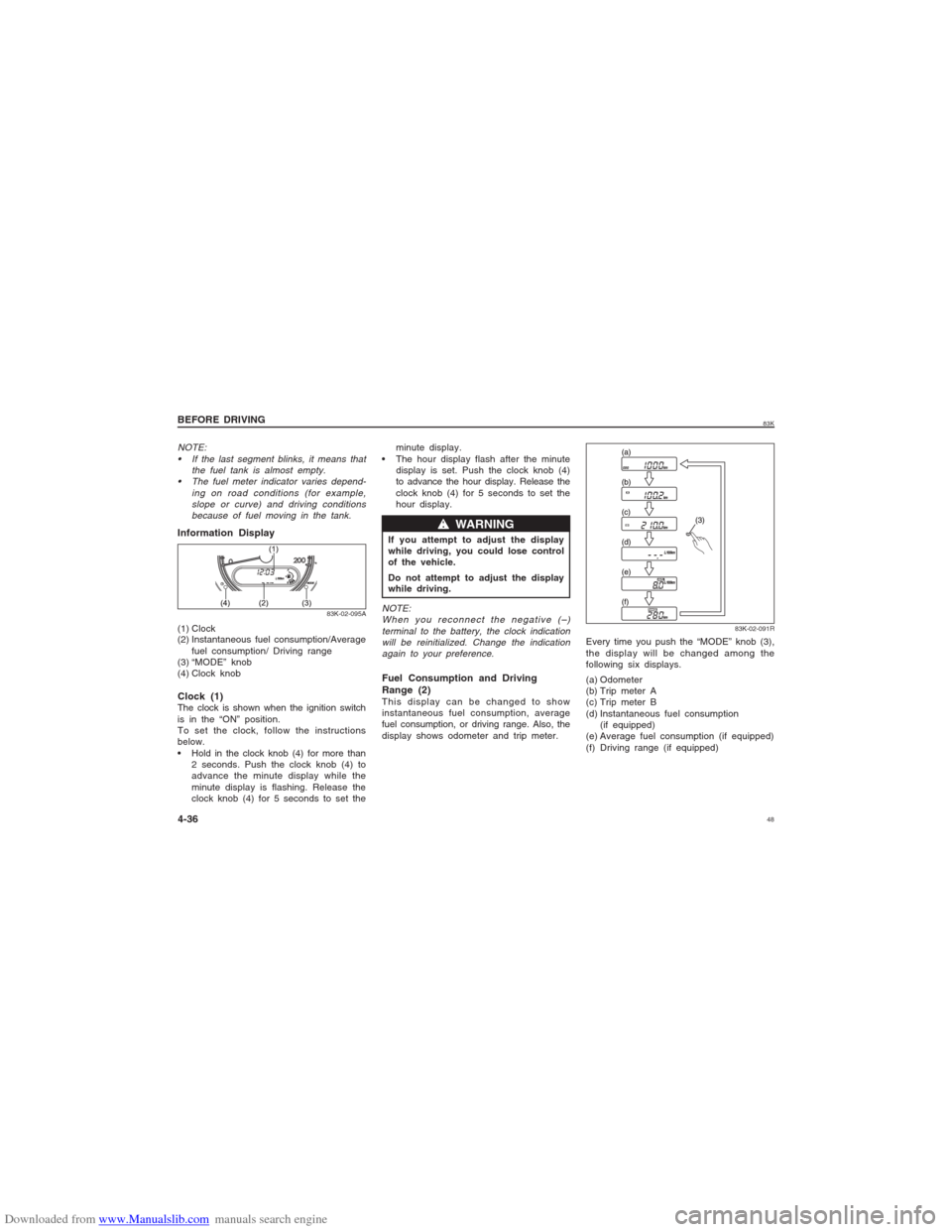
Information Display(1) Clock
(2) Instantaneous fuel consumption/Average
fuel consumption/ Driving range
(3) “MODE” knob
(4) Clock knob
83K-02-095A
NOTE:
If the last segment blinks, it means that
the fuel tank is almost empty.
The fuel meter indicator varies depend-
ing on road conditions (for example,
slope or curve) and driving conditions
because of fuel moving in the tank.Clock (1)The clock is shown when the ignition switch
is in the “ON” position.
To set the clock, follow the instructions
below.
Hold in the clock knob (4) for more than
2 seconds. Push the clock knob (4) to
advance the minute display while the
minute display is flashing. Release the
clock knob (4) for 5 seconds to set theminute display.
The hour display flash after the minute
display is set. Push the clock knob (4)
to advance the hour display. Release the
clock knob (4) for 5 seconds to set the
hour display.
If you attempt to adjust the display
while driving, you could lose control
of the vehicle.
Do not attempt to adjust the display
while driving.
w ww w
w WARNING
NOTE:
When you reconnect the negative (–)
terminal to the battery, the clock indication
will be reinitialized. Change the indication
again to your preference.Fuel Consumption and Driving
Range (2)This display can be changed to show
instantaneous fuel consumption, average
fuel consumption, or driving range. Also, the
display shows odometer and trip meter.
83K-02-091R
Every time you push the “MODE” knob (3),
the display will be changed among the
following six displays.
(a) Odometer
(b) Trip meter A
(c) Trip meter B
(d) Instantaneous fuel consumption
(if equipped)
(e) Average fuel consumption (if equipped)
(f) Driving range (if equipped)
BEFORE DRIVING
4-36
Page 50 of 136
Downloaded from www.Manualslib.com manuals search engine 5083K
road condition
surrounding traffic condition
driving condition
vehicle condition
when the malfunction indicator light
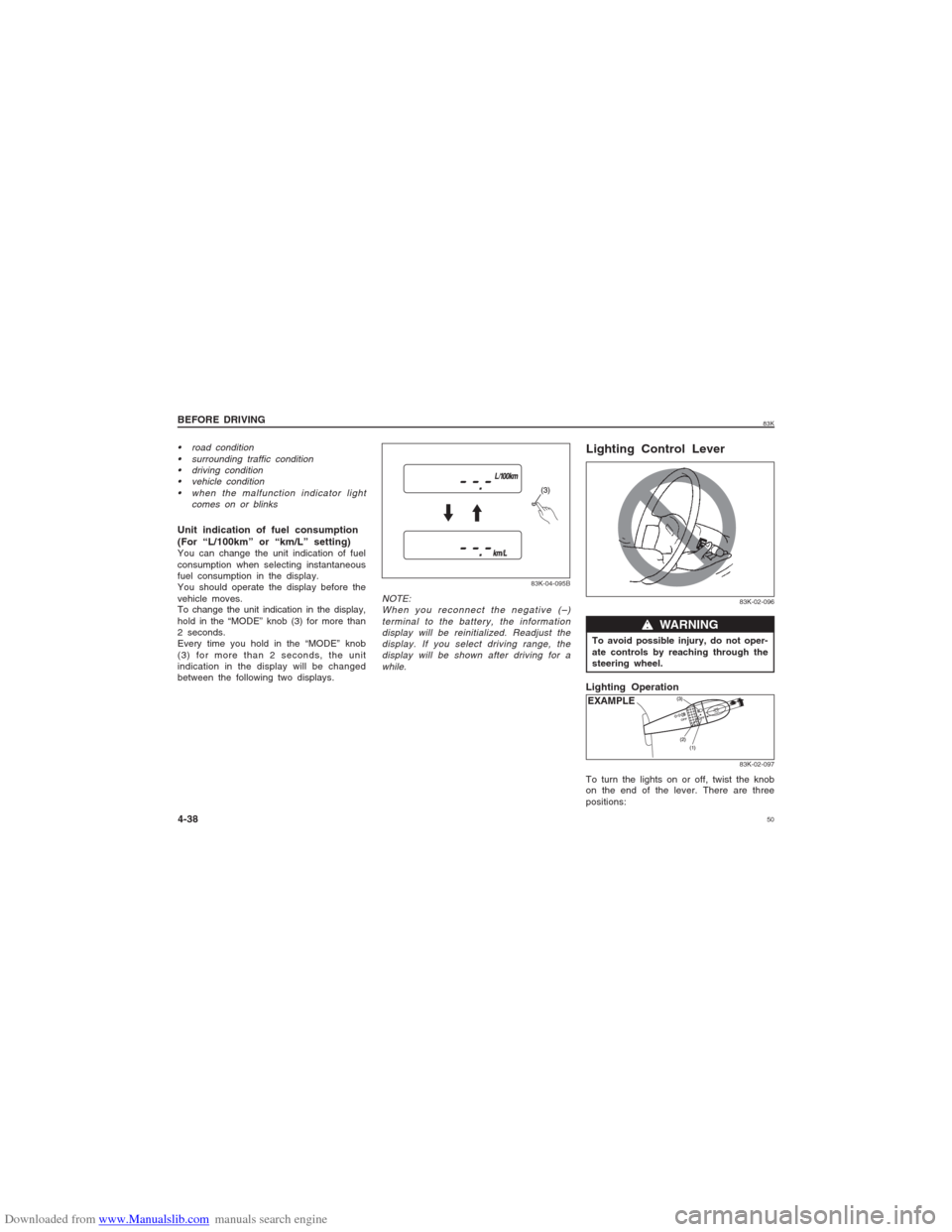
comes on or blinksUnit indication of fuel consumption
(For “L/100km” or “km/L” setting)You can change the unit indication of fuel
consumption when selecting instantaneous
fuel consumption in the display.
You should operate the display before the
vehicle moves.
To change the unit indication in the display,
hold in the “MODE” knob (3) for more than
2 seconds.
Every time you hold in the “MODE” knob
(3) for more than 2 seconds, the unit
indication in the display will be changed
between the following two displays.
83K-04-095B
NOTE:
When you reconnect the negative (–)
terminal to the battery, the information
display will be reinitialized. Readjust the
display. If you select driving range, the
display will be shown after driving for a
while.
83K-02-096
w ww w
w WARNING
To avoid possible injury, do not oper-
ate controls by reaching through the
steering wheel.Lighting Control LeverLighting Operation
EXAMPLE
83K-02-097
To turn the lights on or off, twist the knob
on the end of the lever. There are three
positions:
BEFORE DRIVING
4-38
Page 52 of 136
Downloaded from www.Manualslib.com manuals search engine 5283K
BEFORE DRIVING
4-40Driver only 0 0
Driver + 1 passenger 0 0
(in front seat)
Driver + 4 passengers,
no cargo 2 2
Driver + 4 passengers,
cargo added 3 3
Driver + full cargo 4 4Vehicle Load
Condition
Switch PositionPetrol Diesel
Turn Signal Control LeverTurn Signal OperationWith the ignition switch in the “ON” posi-
tion, move the lever up or down to activate
the right or left turn signals.
Normal turn signalEXAMPLE
83K-02-102
Lane change signalEXAMPLE
83K-02-103
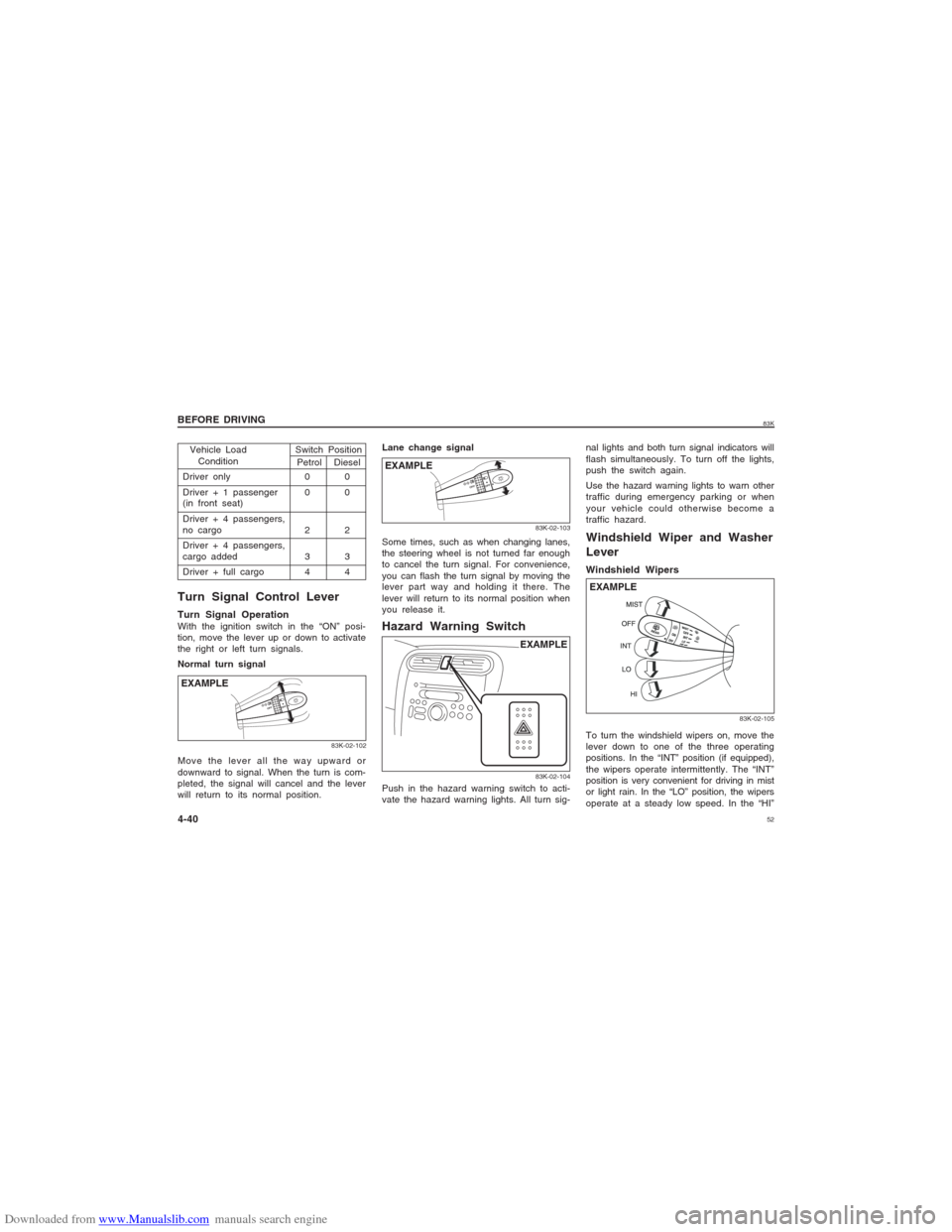
Some times, such as when changing lanes,
the steering wheel is not turned far enough
to cancel the turn signal. For convenience,
you can flash the turn signal by moving the
lever part way and holding it there. The
lever will return to its normal position when
you release it.Hazard Warning Switch
Move the lever all the way upward or
downward to signal. When the turn is com-
pleted, the signal will cancel and the lever
will return to its normal position.
83K-02-104
Windshield Wiper and Washer
LeverWindshield Wipers
83K-02-105
EXAMPLE
Push in the hazard warning switch to acti-
vate the hazard warning lights. All turn sig-nal lights and both turn signal indicators will
flash simultaneously. To turn off the lights,
push the switch again.
Use the hazard warning lights to warn other
traffic during emergency parking or when
your vehicle could otherwise become a
traffic hazard.
To turn the windshield wipers on, move the
lever down to one of the three operating
positions. In the “INT” position (if equipped),
the wipers operate intermittently. The “INT”
position is very convenient for driving in mist
or light rain. In the “LO” position, the wipers
operate at a steady low speed. In the “HI”
EXAMPLE
Page 57 of 136
Downloaded from www.Manualslib.com manuals search engine 5783K4) Make sure the bonnet is fully closed and
latched.
5) Check the headlights, turn signal lights,
brake lights and horn for proper opera-
tion.
6) Adjust the seat and adjustable head
restraint (if equipped).
7) Check the brake pedal and the parking
brake lever.
8) Adjust the mirrors.
9) Make sure that you and all passengers
have properly fastened your seat belts.
10)Make sure that all warning lights come
on as the key is turned to the “ON” or
“START” position.
11)Check all gauges.
12)Make sure that the BRAKE SYSTEM
WARNING light turns off when the
parking brake is released.
Once a week, or each time you fill your fuel
tank, perform the following under-hood
checks:
1) Engine oil level
2) Coolant level
3) Brake fluid level
4) Windshield washer fluid level
5) Battery solution level
6) Bonnet latch operation
Pull the Bonnet release handle inside the
vehicle. Make sure that you cannot open
the Bonnet all the way without releasingthe secondary latch. Be sure to close
the Bonnet securely after checking for
proper latch operation. See “All latches,
hinges & locks” of “CHASSIS AND
BODY” in the “Periodic Maintenance
Schedule” in the “INSPECTION AND
MAINTENANCE” section for lubrication
schedule.
w ww w
w WARNING
Make sure the bonnet is fully closed
and latched before driving. If it is not,
it can fly up unexpectedly during
driving, obstructing your view and
resulting in an accident.
Once a month, or each time you fill your
fuel tank, check the tyre pressure using a
tyre pressure gauge. Also check the tyre
pressure of the spare tyre.since its pistons, piston rings and cylinder
walls have not yet become conditioned. New
engines reach the normal level of oil
consumption only after approximately 5000
km (3000 miles) driving.
When judging the amount of oil consump-
tion, note that the oil may become diluted
and make it difficult to accurately judge the
true oil level.
As an example, if a vehicle is used for
repeated short trips, and consumes a nor-
mal amount of oil, the dipstick may not
show any drop in the oil level at all, even
after 1000 km (600 miles) or more of driv-
ing. This is because the oil is gradually
becoming diluted with fuel or moisture,
making it appear that the oil level has not
changed.
You should also be aware that the diluting
ingredients evaporate out when the vehicle
is subsequently driven at high speeds, such
as on an expressway, making it appear that
oil is excessively consumed after high-speed
driving.
OPERATING YOUR VEHICLE
5-2
Engine Oil ConsumptionIt is normal for the engine to consume some
engine oil during normal vehicle operation.
The amount of engine oil consumed
depends on the viscosity of the oil, the
quality of the oil and the conditions the
vehicle is driven under.
More oil is consumed during high-speed
driving and when there is frequent acceler-
ation and deceleration. Under high loads,
your engine also will consume more oil.
A new engine also consumes more oil,
83K-03-003
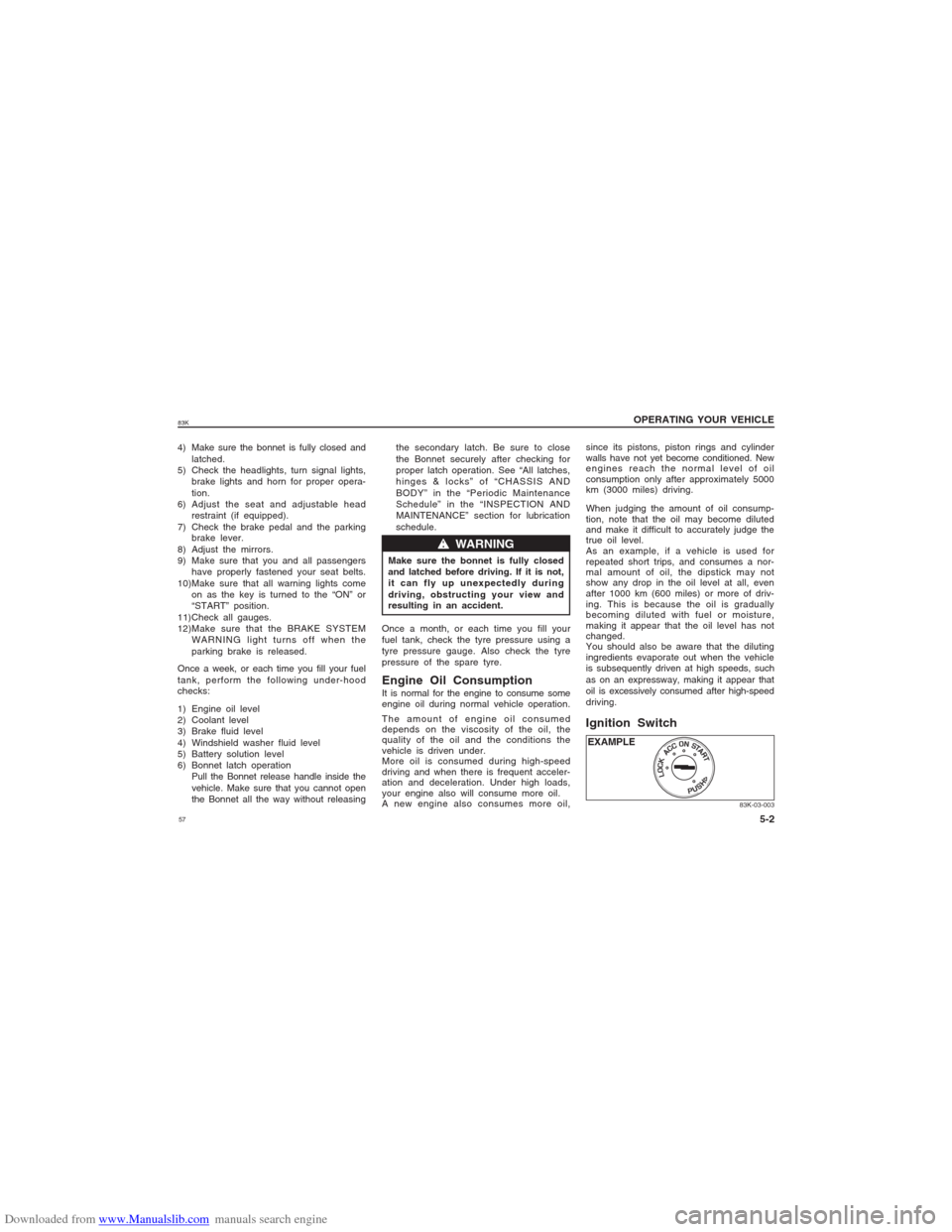
Ignition SwitchEXAMPLE
Page 61 of 136
Downloaded from www.Manualslib.com manuals search engine 6183K
OPERATING YOUR VEHICLE
5-6
CAUTION
Stop turning the starter immediately
after the engine has started or the
starter system can be damaged.
Do not crank the engine for more
than 15 seconds at a time. If the
engine doesn’t start on the first try,
wait about 15 seconds before trying
again.
Warm engine
Crank the engine by turning the ignition key
to “START”. Release the key when the
engine starts.
CAUTION
When stopping the engine with tur-
bocharger:Downshifting Km/h
2nd to 1st 20
3rd to 2nd 54
4th to 3rd 80
5th to 4th 112
83K-03-009
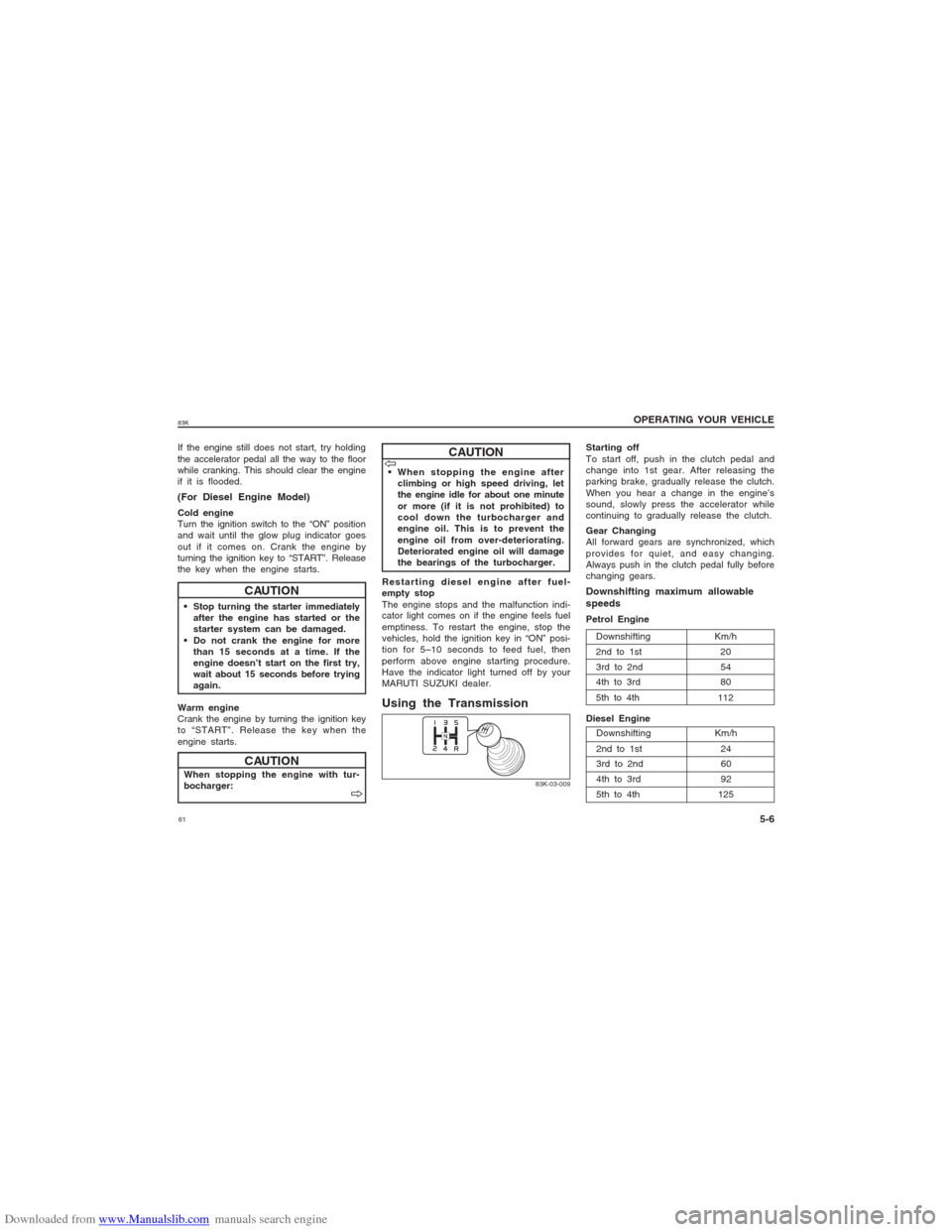
Using the Transmission
Starting off
To start off, push in the clutch pedal and
change into 1st gear. After releasing the
parking brake, gradually release the clutch.
When you hear a change in the engine’s
sound, slowly press the accelerator while
continuing to gradually release the clutch.
Gear Changing
All forward gears are synchronized, which
provides for quiet, and easy changing.
Always push in the clutch pedal fully before
changing gears.Downshifting maximum allowable
speedsPetrol Engine
Downshifting Km/h
2nd to 1st 24
3rd to 2nd 60
4th to 3rd 92
5th to 4th 125
If the engine still does not start, try holding
the accelerator pedal all the way to the floor
while cranking. This should clear the engine
if it is flooded.(For Diesel Engine Model)Cold engine
Turn the ignition switch to the “ON” position
and wait until the glow plug indicator goes
out if it comes on. Crank the engine by
turning the ignition key to “START”. Release
the key when the engine starts. When stopping the engine after
climbing or high speed driving, let
the engine idle for about one minute
or more (if it is not prohibited) to
cool down the turbocharger and
engine oil. This is to prevent the
engine oil from over-deteriorating.
Deteriorated engine oil will damage
the bearings of the turbocharger.
Restarting diesel engine after fuel-
empty stop
The engine stops and the malfunction indi-
cator light comes on if the engine feels fuel
emptiness. To restart the engine, stop the
vehicles, hold the ignition key in “ON” posi-
tion for 5–10 seconds to feed fuel, then
perform above engine starting procedure.
Have the indicator light turned off by your
MARUTI SUZUKI dealer.
Diesel Engine
V VV V
V
CAUTION
V VV V
V