change time SUZUKI SWIFT 2017 5.G Owner's Guide
[x] Cancel search | Manufacturer: SUZUKI, Model Year: 2017, Model line: SWIFT, Model: SUZUKI SWIFT 2017 5.GPages: 336, PDF Size: 6.24 MB
Page 140 of 336
5-13OTHER CONTROLS AND EQUIPMENT
74LH0-74E
(if equipped)
The
® word mark and logo are registered
trademarks and are owned by the SIG,
Ink.
Stop using this unit and a
® ready
device whenever requested.
This unit shares the communication fre-
quency with other private or public wireless
communication equipment such as a wire-
less LAN and other wireless communica-
tion radios.
You should stop using this unit whenever
you are notified that your unit disturbs
other wireless communication immediately.
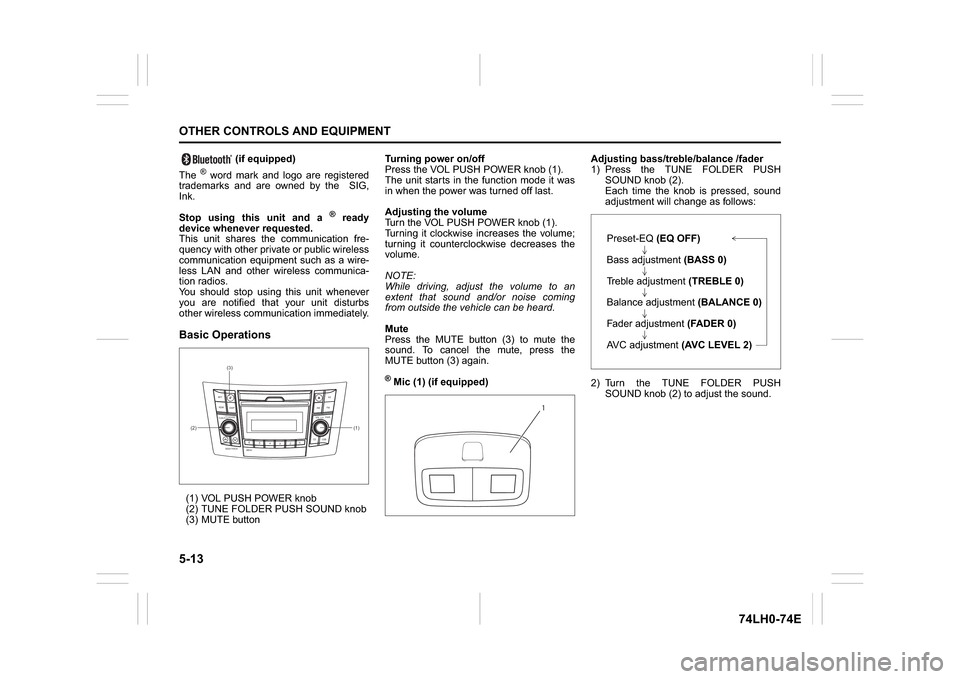
Basic Operations(1) VOL PUSH POWER knob
(2) TUNE FOLDER PUSH SOUND knob
(3) MUTE buttonTurning power on/off
Press the VOL PUSH POWER knob (1).
The unit starts in the function mode it was
in when the power was turned off last.
Adjusting the volume
Turn the VOL PUSH POWER knob (1).
Turning it clockwise increases the volume;
turning it counterclockwise decreases the
volume.
NOTE:
While driving, adjust the volume to an
extent that sound and/or noise coming
from outside the vehicle can be heard.
Mute
Press the MUTE button (3) to mute the
sound. To cancel the mute, press the
MUTE button (3) again.
® Mic (1) (if equipped)Adjusting bass/treble/balance /fader
1) Press the TUNE FOLDER PUSH
SOUND knob (2).
Each time the knob is pressed, sound
adjustment will change as follows:
2) Turn the TUNE FOLDER PUSH
SOUND knob (2) to adjust the sound.
(1) (2)(3)
B
S U
CD
2
3 4 5 6
SEEK/TRACK
AS
AMFM RPT
RDM
DISP
PUSHSOUND
TUNE/FLD
VOLPWRPUSH
11
MENU
1
Preset-EQ(EQ OFF)
Bass adjustment (BASS 0)
Treble adjustment (TREBLE 0)
Balance adjustment (BALANCE 0)
Fader adjustment (FADER 0)
AVC adjustment (AVC LEVEL 2)
Page 141 of 336
5-14
OTHER CONTROLS AND EQUIPMENT
74LH0-74E
Adjusting the AVC (Auto volume con-
trol)The Auto Volume Control (AVC) function
automatically adjusts (increases/decreases)
the sound volume in accordance with vehicle
speed. The AVC control is provided with
three selectable levels (LEVEL OFF, 1, 2, 3).
The range of volume adjustment increases
together with the LEVEL number.1) Press the TUNE FOLDER PUSH
SOUND knob (2) until the AVC adjust-
ment mode is selected.
2) Turn the TUNE FOLDER PUSH
SOUND knob (2) to select the desired
AVC adjustment level. (Initial setting:
LEVEL 2)
Preset-EQ
Preset-EQ calls up various sound types in
accordance with the listening music type.
1) Press the TUNE FOLDER PUSH
SOUND knob (2) several times until
“PRESET-EQ” appears.
2) Turn the TUNE FOLDER PUSH
SOUND knob (2).
Each time the knob is turned, preset
EQ mode will change as follows:
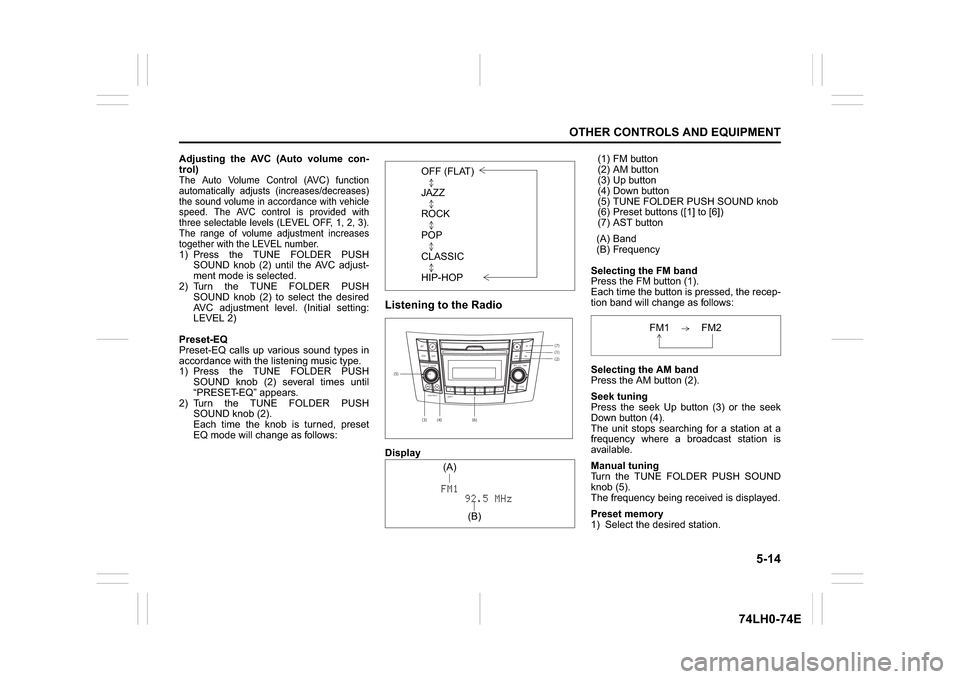
Listening to the RadioDisplay(1) FM button
(2) AM button
(3) Up button
(4) Down button
(5) TUNE FOLDER PUSH SOUND knob
(6) Preset buttons ([1] to [6])
(7) AST button
(A) Band
(B) Frequency
Selecting the FM band
Press the FM button (1).
Each time the button is pressed, the recep-
tion band will change as follows:
Selecting the AM band
Press the AM button (2).
Seek tuning
Press the seek Up button (3) or the seek
Down button (4).
The unit stops searching for a station at a
frequency where a broadcast station is
available.
Manual tuning
Turn the TUNE FOLDER PUSH SOUND
knob (5).
The frequency being received is displayed.
Preset memory
1) Select the desired station. OFF (FLAT)
JAZZ
ROCK
POP
CLASSIC
HIP-HOP(5)
(6)(7)
B S U
CD
2
3 4 5 6
SEEK/TRACK
AS
AMFM RPT
RDM
DISP
PUSHSOUND
TUNE/FLD
VOL PWRPUSH
11
MENU
(1)(2)
(3)
(4)(A)
(B)
FM1 FM2
Page 143 of 336
5-16
OTHER CONTROLS AND EQUIPMENT
74LH0-74E
A CD is to be inserted with its label side
up.
When there is a CD already in the unit, it
is impossible to insert another CD with-
out ejecting the CD in the unit. Do not
use force to insert a CD into the CD
insertion slot.
Loading a CD
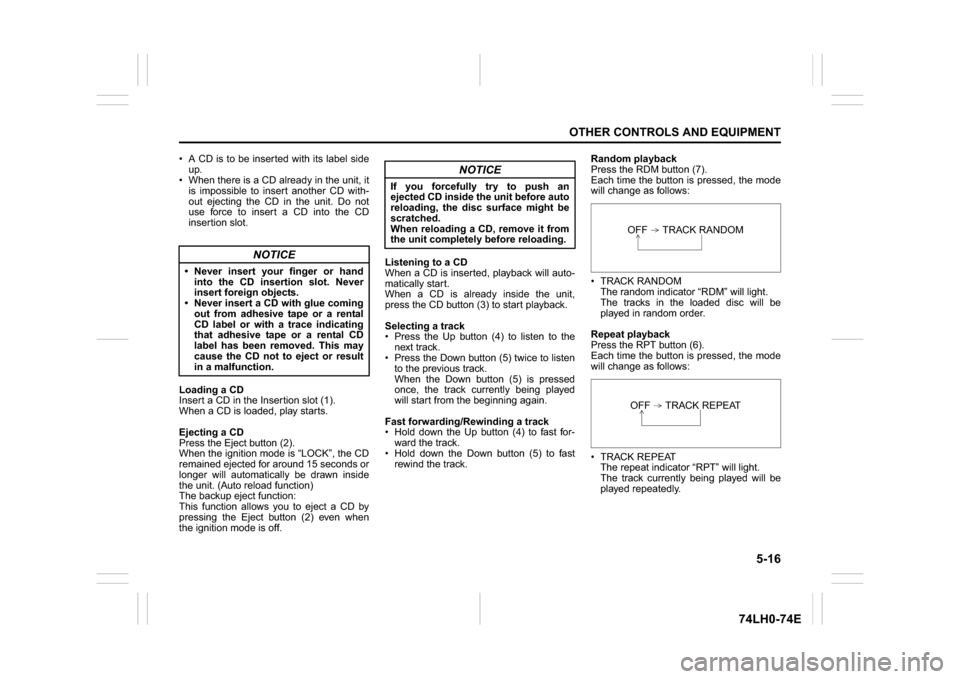
Insert a CD in the Insertion slot (1).
When a CD is loaded, play starts.
Ejecting a CD
Press the Eject button (2).
When the ignition mode is “LOCK”, the CD
remained ejected for around 15 seconds or
longer will automatically be drawn inside
the unit. (Auto reload function)
The backup eject function:
This function allows you to eject a CD by
pressing the Eject button (2) even when
the ignition mode is off.Listening to a CD
When a CD is inserted, playback will auto-
matically start.
When a CD is already inside the unit,
press the CD button (3) to start playback.
Selecting a track
Press the Up button (4) to listen to the
next track.
Press the Down button (5) twice to listen
to the previous track.
When the Down button (5) is pressed
once, the track currently being played
will start from the beginning again.
Fast forwarding/Rewinding a track
Hold down the Up button (4) to fast for-
ward the track.
Hold down the Down button (5) to fast
rewind the track.Random playback
Press the RDM button (7).
Each time the button is pressed, the mode
will change as follows:
TRACK RANDOM
The random indicator “RDM” will light.
The tracks in the loaded disc will be
played in random order.
Repeat playback
Press the RPT button (6).
Each time the button is pressed, the mode
will change as follows:
TRACK REPEAT
The repeat indicator “RPT” will light.
The track currently being played will be
played repeatedly.
NOTICE
Never insert your finger or hand
into the CD insertion slot. Never
insert foreign objects.
Never insert a CD with glue coming
out from adhesive tape or a rental
CD label or with a trace indicating
that adhesive tape or a rental CD
label has been removed. This may
cause the CD not to eject or result
in a malfunction.
NOTICE
If you forcefully try to push an
ejected CD inside the unit before auto
reloading, the disc surface might be
scratched.
When reloading a CD, remove it from
the unit completely before reloading.
OFF TRACK RANDOMOFF TRACK REPEAT
Page 144 of 336
5-17OTHER CONTROLS AND EQUIPMENT
74LH0-74E
Display change
Press the DISP button (8).
Each time the button is pressed, display
will change as follows:
NOTE:
“NO TITLE” will be displayed when there
is no text information in the disc currently
being played.
If text data contains more than 12 char-
acters, the “>” mark will appear at the
right end. Holding down the DISP button
(8) for 1 second or longer can display the
next page.Listening to an MP3/WMA/AAC Disc
74LHT5005
Display
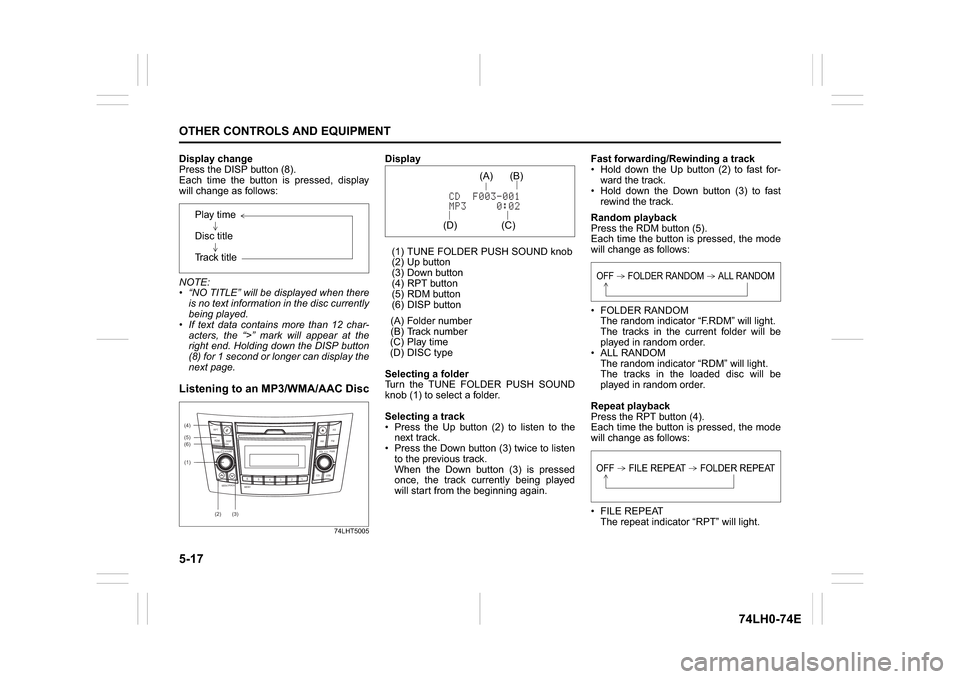
(1) TUNE FOLDER PUSH SOUND knob
(2) Up button
(3) Down button
(4) RPT button
(5) RDM button
(6) DISP button
(A) Folder number
(B) Track number
(C) Play time
(D) DISC type
Selecting a folder
Turn the TUNE FOLDER PUSH SOUND
knob (1) to select a folder.
Selecting a track
Press the Up button (2) to listen to the
next track.
Press the Down button (3) twice to listen
to the previous track.
When the Down button (3) is pressed
once, the track currently being played
will start from the beginning again.Fast forwarding/Rewinding a track
Hold down the Up button (2) to fast for-
ward the track.
Hold down the Down button (3) to fast
rewind the track.
Random playback
Press the RDM button (5).
Each time the button is pressed, the mode
will change as follows:
FOLDER RANDOM
The random indicator “F.RDM” will light.
The tracks in the current folder will be
played in random order.
ALL RANDOM
The random indicator “RDM” will light.
The tracks in the loaded disc will be
played in random order.
Repeat playback
Press the RPT button (4).
Each time the button is pressed, the mode
will change as follows:
FILE REPEAT
The repeat indicator “RPT” will light. Play time
Disc title
Track title
(5)
B S
U
CD
2
3 4 5 6
SEEK/TRACK
AS
AMFM RPT
RDM
DISP
PUSHSOUND
TUNE/FLD
VOLPWRPUSH
11
MENU
(2)
(4)
(3) (6)
(1)
(C)(B) (A)
(D)
OFF FOLDER RANDOM ALL RANDOMOFF FILE REPEAT FOLDER REPEAT
Page 145 of 336
5-18
OTHER CONTROLS AND EQUIPMENT
74LH0-74E
The track currently being played will be
played repeatedly.
FOLDER REPEAT
The repeat indicator “RPT.F” will light.
All tracks in the currently selected folder
will be played repeatedly.
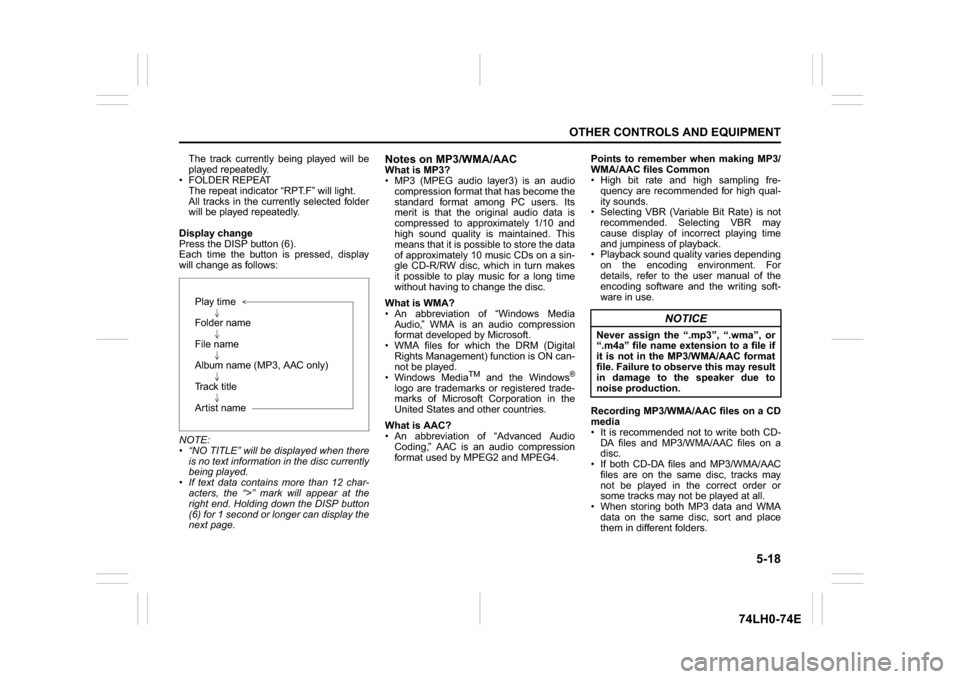
Display change
Press the DISP button (6).
Each time the button is pressed, display
will change as follows:
NOTE:
“NO TITLE” will be displayed when there
is no text information in the disc currently
being played.
If text data contains more than 12 char-
acters, the “>” mark will appear at the
right end. Holding down the DISP button
(6) for 1 second or longer can display the
next page.
Notes on MP3/WMA/AACWhat is MP3?
MP3 (MPEG audio layer3) is an audio
compression format that has become the
standard format among PC users. Its
merit is that the original audio data is
compressed to approximately 1/10 and
high sound quality is maintained. This
means that it is possible to store the data
of approximately 10 music CDs on a sin-
gle CD-R/RW disc, which in turn makes
it possible to play music for a long time
without having to change the disc.
What is WMA?
An abbreviation of “Windows Media
Audio,” WMA is an audio compression
format developed by Microsoft.
WMA files for which the DRM (Digital
Rights Management) function is ON can-
not be played.
Windows Media
TM
and the Windows
®
logo are trademarks or registered trade-
marks of Microsoft Corporation in the
United States and other countries.
What is AAC?
An abbreviation of “Advanced Audio
Coding,” AAC is an audio compression
format used by MPEG2 and MPEG4.Points to remember when making MP3/
WMA/AAC files Common
High bit rate and high sampling fre-
quency are recommended for high qual-
ity sounds.
Selecting VBR (Variable Bit Rate) is not
recommended. Selecting VBR may
cause display of incorrect playing time
and jumpiness of playback.
Playback sound quality varies depending
on the encoding environment. For
details, refer to the user manual of the
encoding software and the writing soft-
ware in use.
Recording MP3/WMA/AAC files on a CD
media
It is recommended not to write both CD-
DA files and MP3/WMA/AAC files on a
disc.
If both CD-DA files and MP3/WMA/AAC
files are on the same disc, tracks may
not be played in the correct order or
some tracks may not be played at all.
When storing both MP3 data and WMA
data on the same disc, sort and place
them in different folders. Play time
Folder name
File name
Album name (MP3, AAC only)
Track title
Artist name
NOTICE
Never assign the “.mp3”, “.wma”, or
“.m4a” file name extension to a file if
it is not in the MP3/WMA/AAC format
file. Failure to observe this may result
in damage to the speaker due to
noise production.
Page 147 of 336
5-20
OTHER CONTROLS AND EQUIPMENT
74LH0-74E
Selecting a USB device mode
Press the USB device mode (1).
Selecting a folder
Turn the TUNE FOLDER PUSH SOUND
knob (2) to select the desired folder.
Selecting a track
Press the Up button (3) to listen to the
next track.
Press the Down button (4) twice to listen
to the previous track.
When the Down button (4) is pressed
once, the track currently being played
will start from the beginning again.
Fast forwarding/Rewinding a track
Hold down the Up button (3) to fast for-
ward the track.
Hold down the Down button (4) to fast
rewind the track.Random playback
Press the RDM button (6).
Each time the button is pressed, the mode
will change as follows:
FOLDER RANDOM
The random indicator “F.RDM” will light.
The tracks in the currently selected
folder will be played in random order.
ALL RANDOM
The random indicator “RDM” will light.
The tracks in the connected USB device
will be played in random order.
Repeat playback
Press the RPT button (5).
Each time the button is pressed, the mode
will change as follows:
FILE REPEAT
The repeat indicator “RPT” will light.
The track currently being played will be
played repeatedly. FOLDER REPEAT
The repeat indicator “RPT.F” will light.
All the tracks in the folder currently
selected will be played repeatedly.
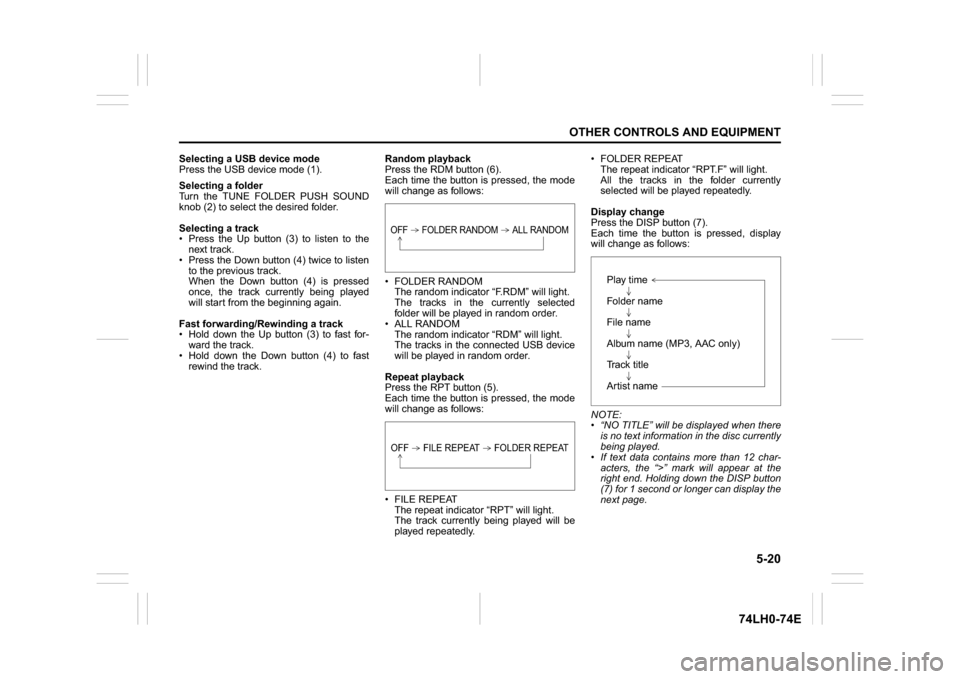
Display change
Press the DISP button (7).
Each time the button is pressed, display
will change as follows:
NOTE:
“NO TITLE” will be displayed when there
is no text information in the disc currently
being played.
If text data contains more than 12 char-
acters, the “>” mark will appear at the
right end. Holding down the DISP button
(7) for 1 second or longer can display the
next page.
OFF FOLDER RANDOM ALL RANDOMOFF FILE REPEAT FOLDER REPEAT
Play time
Folder name
File name
Album name (MP3, AAC only)
Track title
Artist name
Page 149 of 336
5-22
OTHER CONTROLS AND EQUIPMENT
74LH0-74E
Selecting an iPod
® mode
Press the USB button (1).
Selecting a track
Press the Up button (3) to listen to the
next track.
Press the Down button (4) twice to listen
to the previous track.
When the Down button (4) is pressed
once, the track currently being played
will start from the beginning again.
Fast forwarding/Rewinding a track
Hold down the Up button (3) to fast for-
ward the track.
Hold down the Down button (4) to fast
rewind the track.
Random playback
Press the RDM button (6).
Each time the button is pressed, the mode
will change as follows:
SONG RANDOM
The random indicator “RDM” will light.
The tracks in the iPod
® will be played in
random order.
ALBUM RANDOM
The random indicator “D.RDM” will light.
The albums in the iPod® will be played in
random order.Repeat playback
Press the RPT button (5).
Each time the button is pressed, the mode
will change as follows:
SONG REPEAT
The repeat indicator “RPT” will light.
The track currently being played will be
played repeatedly.
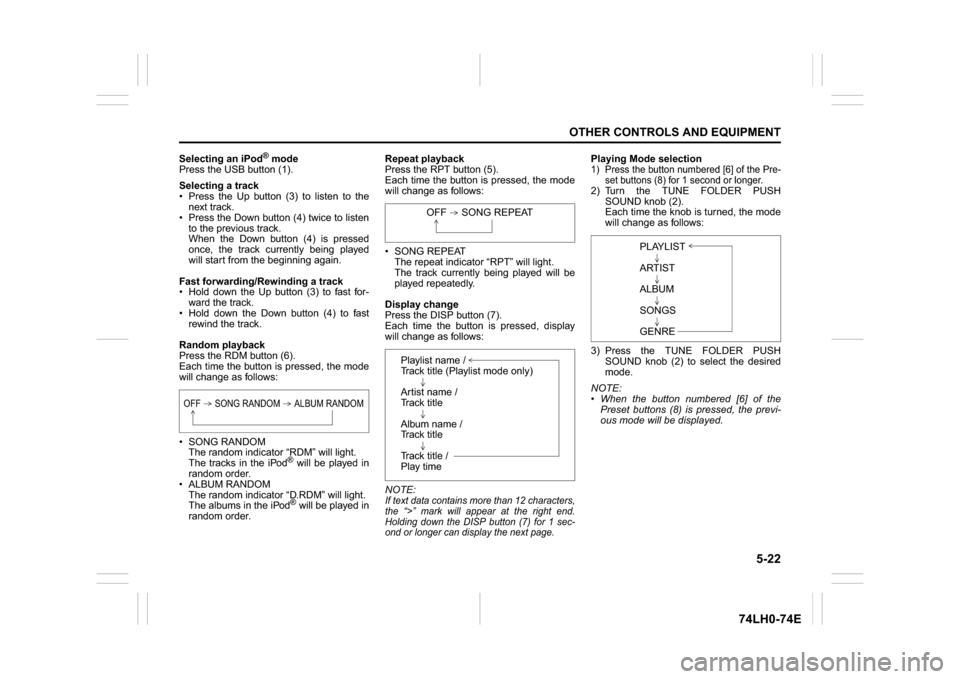
Display change
Press the DISP button (7).
Each time the button is pressed, display
will change as follows:
NOTE:
If text data contains more than 12 characters,
the “>” mark will appear at the right end.
Holding down the DISP button (7) for 1 sec-
ond or longer can display the next page.
Playing Mode selection1) Press the button numbered [6] of the Pre-
set buttons (8) for 1 second or longer.2) Turn the TUNE FOLDER PUSH
SOUND knob (2).
Each time the knob is turned, the mode
will change as follows:
3) Press the TUNE FOLDER PUSH
SOUND knob (2) to select the desired
mode.
NOTE:
When the button numbered [6] of the
Preset buttons (8) is pressed, the previ-
ous mode will be displayed.
OFF SONG RANDOM ALBUM RANDOM
OFF SONG REPEAT
Playlist name /
Track title (Playlist mode only)
Artist name /
Track title
Album name /
Track title
Track title /
Play time
PLAYLIST
ARTIST
ALBUM
SONGS
GENRE
Page 150 of 336
5-23OTHER CONTROLS AND EQUIPMENT
74LH0-74E
Notes on iPod
®
Supported iPod
®
® touch (5th generation)
® touch (4th generation)
® touch (3rd generation)
® touch (2nd generation)
® touch (1st generation)
® classic
® nano (7th generation)
® nano (6th generation)
® nano (5th generation)
® nano (4th generation)
® nano (3rd generation)
® nano (2nd generation)
® nano (1st generation)
® (5th generation)
iPhone® 6 Plus
iPhone® 6
iPhone® 5S
iPhone® 5
iPhone® 4S
iPhone® 4
iPhone® 3GS
iPhone® 3G
iPhone®
* Some functions may not be available
depending on the model of iPod
®.
*iPod
® is a trademark of Apple Inc., regis-
tered in the U.S. and other countries.
* iPhone® is a trademark of Apple Inc.,
registered in the U.S. and other coun-
tries.
* Apple is not responsible for the operation
of this device or its compliance with
safety and regulatory standards.iPod
® connection
Make sure to detach the iPod
® after
pressing the engine switch to change the
ignition mode to LOCK. The iPod® may
not be shut down when it is being con-
nected and may result in battery deple-
tion.
Please do not connect iPod
® accesso-
ries such as an iPod
® remote control or
headphones while connecting the iPod
®
with the unit. The unit may not operate
correctly.
AUX Function
74LHT5011
(1) CD button
AUX connection
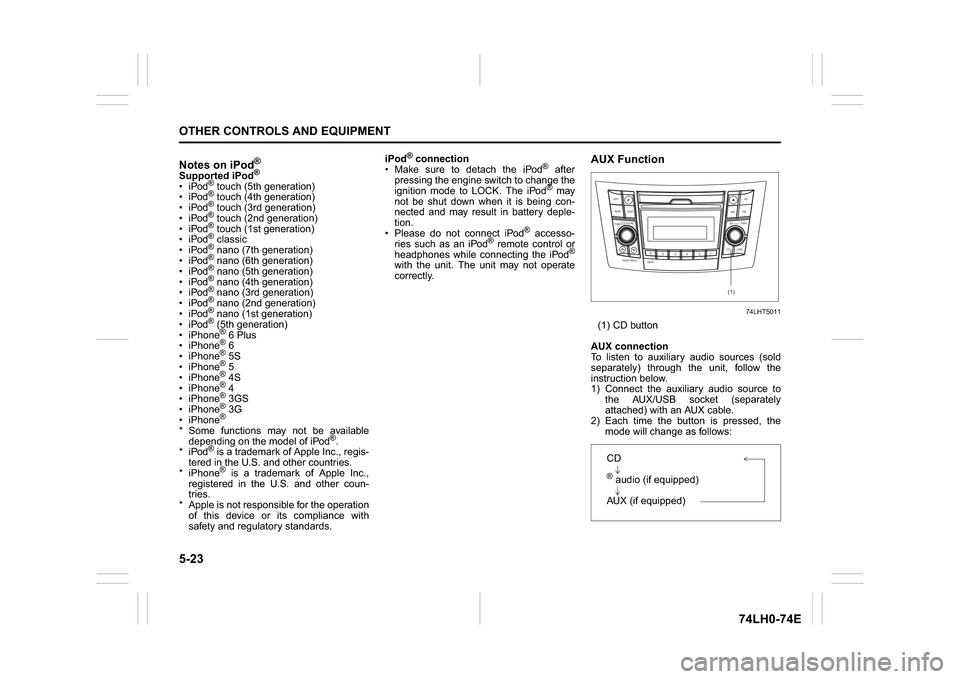
To listen to auxiliary audio sources (sold
separately) through the unit, follow the
instruction below.
1) Connect the auxiliary audio source to
the AUX/USB socket (separately
attached) with an AUX cable.
2) Each time the button is pressed, the
mode will change as follows:
B S U
CD
2
3 4 5 6
SEEK/TRACK
AS
AMFM RPT
RDM
DISP
PUSHSOUND
TUNE/FLD
VOL
PWRPUSH
11
MENU
(1)
CD® audio (if equipped)
AUX (if equipped)
Page 159 of 336
5-32
OTHER CONTROLS AND EQUIPMENT
74LH0-74E
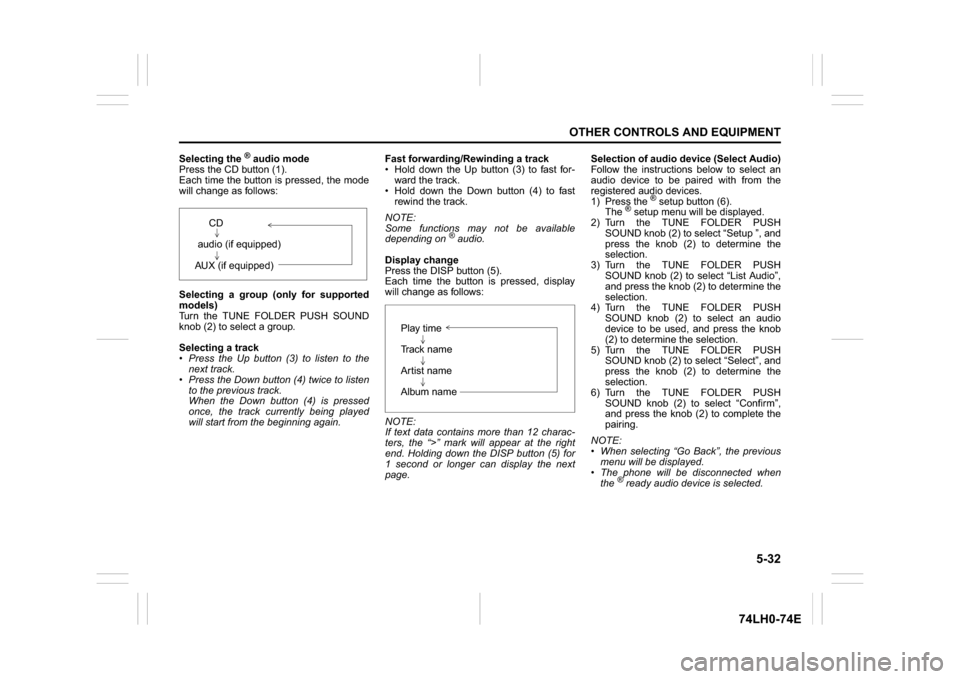
Selecting the
® audio mode
Press the CD button (1).
Each time the button is pressed, the mode
will change as follows:
Selecting a group (only for supported
models)
Turn the TUNE FOLDER PUSH SOUND
knob (2) to select a group.
Selecting a track
Press the Up button (3) to listen to the
next track.
Press the Down button (4) twice to listen
to the previous track.
When the Down button (4) is pressed
once, the track currently being played
will start from the beginning again.Fast forwarding/Rewinding a track
Hold down the Up button (3) to fast for-
ward the track.
Hold down the Down button (4) to fast
rewind the track.
NOTE:
Some functions may not be available
depending on
® audio.
Display change
Press the DISP button (5).
Each time the button is pressed, display
will change as follows:
NOTE:
If text data contains more than 12 charac-
ters, the “>” mark will appear at the right
end. Holding down the DISP button (5) for
1 second or longer can display the next
page.Selection of audio device (Select Audio)
Follow the instructions below to select an
audio device to be paired with from the
registered audio devices.
1) Press the
® setup button (6).
The
® setup menu will be displayed.
2) Turn the TUNE FOLDER PUSH
SOUND knob (2) to select “Setup ”, and
press the knob (2) to determine the
selection.
3) Turn the TUNE FOLDER PUSH
SOUND knob (2) to select “List Audio”,
and press the knob (2) to determine the
selection.
4) Turn the TUNE FOLDER PUSH
SOUND knob (2) to select an audio
device to be used, and press the knob
(2) to determine the selection.
5) Turn the TUNE FOLDER PUSH
SOUND knob (2) to select “Select”, and
press the knob (2) to determine the
selection.
6) Turn the TUNE FOLDER PUSH
SOUND knob (2) to select “Confirm”,
and press the knob (2) to complete the
pairing.
NOTE:
When selecting “Go Back”, the previous
menu will be displayed.
The phone will be disconnected when
the
® ready audio device is selected. CD
audio (if equipped)
AUX (if equipped)
Play time
Track name
Artist name
Album name
Page 161 of 336
5-34
OTHER CONTROLS AND EQUIPMENT
74LH0-74E
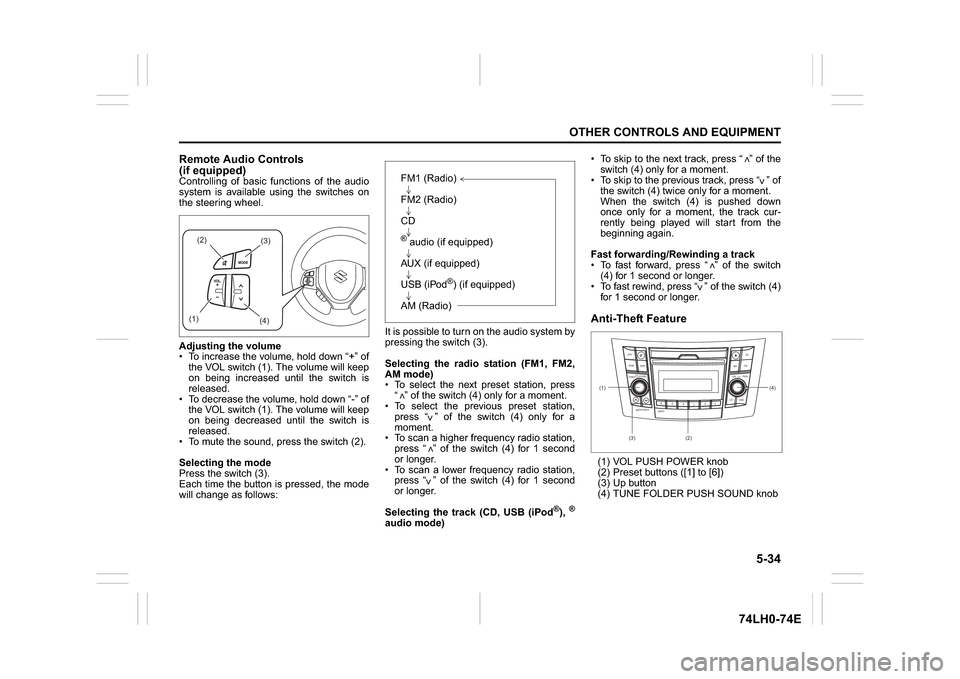
Remote Audio Controls
(if equipped)Controlling of basic functions of the audio
system is available using the switches on
the steering wheel.
Adjusting the volume
To increase the volume, hold down “+” of
the VOL switch (1). The volume will keep
on being increased until the switch is
released.
To decrease the volume, hold down “-” of
the VOL switch (1). The volume will keep
on being decreased until the switch is
released.
To mute the sound, press the switch (2).
Selecting the mode
Press the switch (3).
Each time the button is pressed, the mode
will change as follows:It is possible to turn on the audio system by
pressing the switch (3).
Selecting the radio station (FM1, FM2,
AM mode)
To select the next preset station, press
“ ” of the switch (4) only for a moment.
To select the previous preset station,
press “ ” of the switch (4) only for a
moment.
To scan a higher frequency radio station,
press “ ” of the switch (4) for 1 second
or longer.
To scan a lower frequency radio station,
press “ ” of the switch (4) for 1 second
or longer.
Selecting the track (CD, USB (iPod
®),®
audio mode) To skip to the next track, press “ ” of the
switch (4) only for a moment.
To skip to the previous track, press “ ” of
the switch (4) twice only for a moment.
When the switch (4) is pushed down
once only for a moment, the track cur-
rently being played will start from the
beginning again.
Fast forwarding/Rewinding a track
To fast forward, press “ ” of the switch
(4) for 1 second or longer.
To fast rewind, press “ ” of the switch (4)
for 1 second or longer.
Anti-Theft Feature(1) VOL PUSH POWER knob
(2) Preset buttons ([1] to [6])
(3) Up button
(4) TUNE FOLDER PUSH SOUND knob
(2)
(3)
(1)
(4)
FM1 (Radio)
FM2 (Radio)
CD® audio (if equipped)
AUX (if equipped)
USB (iPod
®) (if equipped)
AM (Radio)
<
<<<
<
<
<<
(1)
B S U
CD
2
3 4 5 6
S
EEK/TRACK
AS
AMFM RPT
RDM
DISP
PUSHSOUND
TUNE/FLD
VOLPWRPUSH
11
MENU
(3)(4)
(2)