brake SUZUKI XL7 2007 2.G User Guide
[x] Cancel search | Manufacturer: SUZUKI, Model Year: 2007, Model line: XL7, Model: SUZUKI XL7 2007 2.GPages: 274, PDF Size: 6.12 MB
Page 89 of 274

3-7 INSTRUMENT PANEL
78J00-03E
the vehicle’s speed for approximately 60
seconds, cruise control will disengage.
Using Cruise Control on Hills
How well your cruise control will work on
hills depends upon your speed, load, and
the steepness of the hills. When going up
steep hills, you may have to step on the
accelerator pedal to maintain your vehi-
cle’s speed. When going downhill, you may
have to brake or shift to a lower gear to
limit the vehicle’s speed. Of course, apply-
ing the brakes ends cruise control. Many
drivers find this to be too much trouble and
do not use cruise control on steep hills.
Ending Cruise Control
There are three ways to end cruise control:
Step lightly on the brake pedal.
Press the cancel button on the steering
wheel.
Press the On/Off button on the steering
wheel.
Erasing Speed Memory
When the cruise control or the ignition is
turned off, the cruise control set speed
memory is erased.
HeadlampsThe exterior lamp control is located on the
turn signal/multifunction lever.
(Exterior Lamp Control):
Turn the control with this symbol on it to
operate the exterior lamps.
The exterior lamp control has the following
positions:
AUTO (Off/Automatic Headlamps):
Turn the control to this position to put the
headlamps in automatic mode. Automatic
mode will turn the exterior lamps on and off
depending upon how much light is avail-
able outside of the vehicle.
(Parking Lamps):
Turn the control to this position to turn on
the parking lamps together with the follow-
ing:
Sidemarker Lamps
Taillamps
License Plate Lamps
Instrument Panel Lights
(Headlamps):
Turning the control to this position turns on
the headlamps, together with the previ-
ously listed lamps and lights.
Headlamps on Reminder
If you open the driver’s door with the igni-
tion off and the lamps on, you will hear a
warning chime.Daytime Running Lamps (DRL)
Daytime Running Lamps (DRL) can make
it easier for others to see the front of your
vehicle during the day. DRL can be helpful
in many different driving conditions, but
they can be especially helpful in the short
periods after dawn and before sunset.
Fully functional daytime running lamps are
required on all vehicles first sold in Can-
ada.
A light sensor on top of the instrument
panel makes the DRL work, so be sure it is
not covered.
The DRL system’s automatic headlamp
control will make the low-beam headlamps
come on at a reduced brightness when the
following conditions are met:
The ignition is in RUN.
The exterior lamps control is in AUTO.
The engine is running.
When the DRL are on, only the low-beam
headlamps, at a reduced level of bright-
ness, will be on. The headlamps, taillamps,
sidemarker, and other lamps will not be on.
The instrument panel and cluster will also
not be lit.
When it is dark enough outside, the DRL
will turn off and the headlamps and parking
lamps will turn on. The other lamps that
come on with the headlamps will also
come on.
Page 101 of 274
3-19 INSTRUMENT PANEL
78J00-03E
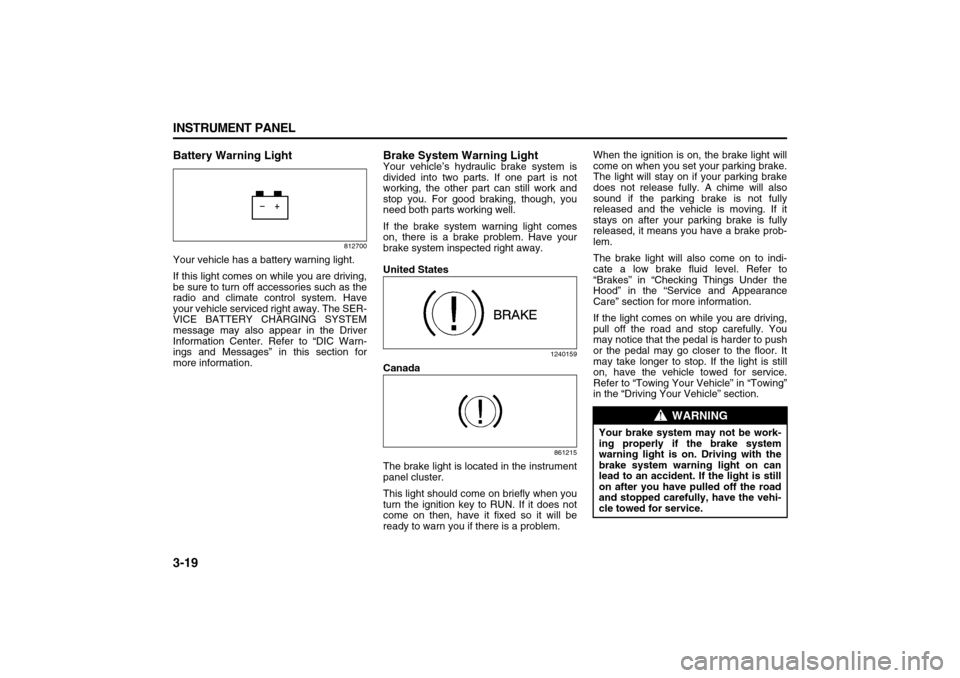
Battery Warning Light
812700
Your vehicle has a battery warning light.
If this light comes on while you are driving,
be sure to turn off accessories such as the
radio and climate control system. Have
your vehicle serviced right away. The SER-
VICE BATTERY CHARGING SYSTEM
message may also appear in the Driver
Information Center. Refer to “DIC Warn-
ings and Messages” in this section for
more information.
Brake System Warning LightYour vehicle’s hydraulic brake system is
divided into two parts. If one part is not
working, the other part can still work and
stop you. For good braking, though, you
need both parts working well.
If the brake system warning light comes
on, there is a brake problem. Have your
brake system inspected right away.
United States
1240159
Canada
861215
The brake light is located in the instrument
panel cluster.
This light should come on briefly when you
turn the ignition key to RUN. If it does not
come on then, have it fixed so it will be
ready to warn you if there is a problem.When the ignition is on, the brake light will
come on when you set your parking brake.
The light will stay on if your parking brake
does not release fully. A chime will also
sound if the parking brake is not fully
released and the vehicle is moving. If it
stays on after your parking brake is fully
released, it means you have a brake prob-
lem.
The brake light will also come on to indi-
cate a low brake fluid level. Refer to
“Brakes” in “Checking Things Under the
Hood” in the “Service and Appearance
Care” section for more information.
If the light comes on while you are driving,
pull off the road and stop carefully. You
may notice that the pedal is harder to push
or the pedal may go closer to the floor. It
may take longer to stop. If the light is still
on, have the vehicle towed for service.
Refer to “Towing Your Vehicle” in “Towing”
in the “Driving Your Vehicle” section.
WARNING
Your brake system may not be work-
ing properly if the brake system
warning light is on. Driving with the
brake system warning light on can
lead to an accident. If the light is still
on after you have pulled off the road
and stopped carefully, have the vehi-
cle towed for service.
Page 102 of 274
3-20 INSTRUMENT PANEL
78J00-03E
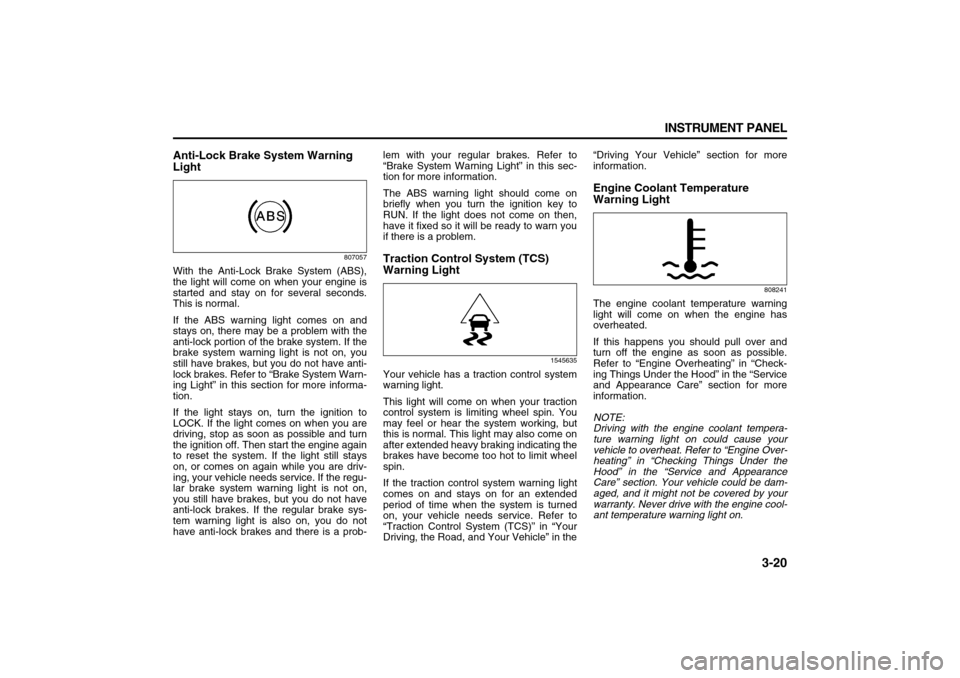
Anti-Lock Brake System Warning
Light
807057
With the Anti-Lock Brake System (ABS),
the light will come on when your engine is
started and stay on for several seconds.
This is normal.
If the ABS warning light comes on and
stays on, there may be a problem with the
anti-lock portion of the brake system. If the
brake system warning light is not on, you
still have brakes, but you do not have anti-
lock brakes. Refer to “Brake System Warn-
ing Light” in this section for more informa-
tion.
If the light stays on, turn the ignition to
LOCK. If the light comes on when you are
driving, stop as soon as possible and turn
the ignition off. Then start the engine again
to reset the system. If the light still stays
on, or comes on again while you are driv-
ing, your vehicle needs service. If the regu-
lar brake system warning light is not on,
you still have brakes, but you do not have
anti-lock brakes. If the regular brake sys-
tem warning light is also on, you do not
have anti-lock brakes and there is a prob-lem with your regular brakes. Refer to
“Brake System Warning Light” in this sec-
tion for more information.
The ABS warning light should come on
briefly when you turn the ignition key to
RUN. If the light does not come on then,
have it fixed so it will be ready to warn you
if there is a problem.
Traction Control System (TCS)
Warning Light
1545635
Your vehicle has a traction control system
warning light.
This light will come on when your traction
control system is limiting wheel spin. You
may feel or hear the system working, but
this is normal. This light may also come on
after extended heavy braking indicating the
brakes have become too hot to limit wheel
spin.
If the traction control system warning light
comes on and stays on for an extended
period of time when the system is turned
on, your vehicle needs service. Refer to
“Traction Control System (TCS)” in “Your
Driving, the Road, and Your Vehicle” in the“Driving Your Vehicle” section for more
information.
Engine Coolant Temperature
Warning Light
808241
The engine coolant temperature warning
light will come on when the engine has
overheated.
If this happens you should pull over and
turn off the engine as soon as possible.
Refer to “Engine Overheating” in “Check-
ing Things Under the Hood” in the “Service
and Appearance Care” section for more
information.
NOTE:
Driving with the engine coolant tempera-
ture warning light on could cause your
vehicle to overheat. Refer to “Engine Over-
heating” in “Checking Things Under the
Hood” in the “Service and Appearance
Care” section. Your vehicle could be dam-
aged, and it might not be covered by your
warranty. Never drive with the engine cool-
ant temperature warning light on.
Page 115 of 274

3-33 INSTRUMENT PANEL
78J00-03E
REMOTE KEY LEARNING ACTIVE
This message displays while you are
matching a Remote Keyless Entry (RKE)
transmitter to your vehicle. Refer to
“LEARN REMOTE KEY” under “DIC Oper-
ation and Displays” in this section for more
information.
SERVICE A/C (Air Conditioning) SYS-
TEM
This message displays when there is a
problem detected in the air conditioning
system. Have the vehicle serviced by your
dealer.
SERVICE AIR BAG
This message displays when there is a
problem with the airbag system. Have your
vehicle serviced by your dealer immedi-
ately. Refer to “Airbag Readiness Light” in
this section for more information.
SERVICE ALL WHEEL DRIVE
If your vehicle has the All-Wheel Drive
(AWD) system, this message displays
along with the service all-wheel drive light
if a problem occurs with this system. Refer
to “Service All-Wheel Drive Light” in this
section. If this message appears, stop as
soon as possible and turn off the vehicle.
Restart the vehicle and check for the mes-
sage on the DIC display. If the message is
still displayed or appears again when you
begin driving, the AWD system needs ser-
vice. See your dealer.SERVICE BATTERY CHARGING SYS-
TEM
This message displays when there is a
problem with the generator and battery
charging systems. Driving with this prob-
lem could drain the vehicle’s battery. Turn
off all unnecessary accessories. Stop and
turn off the vehicle as soon as it is safe to
do so. Have the electrical system checked
by your dealer immediately.
Connecting a battery charger to your vehi-
cle while the ignition is in any position
other than LOCK may cause this message
to appear. If you need to charge your vehi-
cle, make sure that the key is in LOCK or
out of the ignition during charging.
SERVICE BRAKE SYSTEM
This message displays and a chime
sounds when the brake fluid level is low.
The brake system warning light also
appears on the instrument panel cluster
when this message appears on the DIC.
Refer to “Brake System Warning Light” in
this section. Have the brake system ser-
viced by your dealer as soon as possible.
SERVICE STABILITY CTRL (Control)
This message displays if there has been a
problem detected with the Electronic Sta-
bility Control (ESC) system. A warning light
also appears on the instrument panel clus-
ter. Refer to “Traction Control System
(TCS) Warning Light” in this section. Refer
to “Electronic Stability Control” in “Your
Driving, the Road, and Your Vehicle” in the“Driving Your Vehicle” section for more
information.
If this message turns on while you are driv-
ing, pull off the road as soon as possible
and stop carefully. Try resetting the system
by turning the ignition off and then back on.
If this message still stays on or turns back
on again while you are driving, your vehicle
needs service. Have the ESC system
inspected by your dealer as soon as possi-
ble.
SERVICE THEFT DETERRENT SYSTEM
This message displays when there is a
problem with the theft-deterrent system. A
fault has been detected in the system
which means that the system is disabled
and it is not protecting the vehicle. The
vehicle usually restarts; however, you may
want to take the vehicle to your dealer
before turning off the engine. Refer to
“PASS-Key
® III+ Operation” in “Theft-
Deterrent Systems” in the “Features and
Controls” section for more information.
SERVICE TIRE MONITOR SYSTEM
This message displays if a part on the Tire
Pressure Monitor (TPM) system is not
working properly. If you drive your vehicle
while any of the four sensors are missing
or inoperable, the warning comes on in
about 20 minutes. A sensor would be miss-
ing, for example, if you put different wheels
on your vehicle without transferring the
sensors. If the warning comes on and
Page 161 of 274

4-3 DRIVING YOUR VEHICLE
78J00-03E
There is something else about drinking
and driving that many people do not know.
Medical research shows that alcohol in a
person’s system can make crash injuries
worse, especially injuries to the brain, spi-
nal cord, or heart. This means that when
anyone who has been drinking – driver or
passenger – is in a crash, that person’s
chance of being killed or permanently dis-
abled is higher than if the person had not
been drinking.Control of a VehicleYou have three systems that make your
vehicle go where you want it to go. They
are the brakes, the steering, and the accel-
erator. All three systems have to do their
work at the places where the tires meet the
road.
Sometimes, as when you are driving on
snow or ice, it is easy to ask more of those
control systems than the tires and roadcan provide. That means you can lose con-
trol of your vehicle.
Adding non-Suzuki accessories can affect
your vehicle’s performance. Refer to
“Accessories and Modifications” in “Ser-
vice” in the “Service and Appearance
Care” section.
BrakingRefer to “Brake System Warning Light” in
“Warning Lights, Gages, and Indicators” in
the “Instrument Panel” section.
Braking action involves perception time
and reaction time.
First, you have to decide to push on the
brake pedal. That is perception time. Then
you have to bring up your foot and do it.
That is reaction time.
Average reaction time is about three-
fourths of a second. But that is only an
average. It might be less with one driver
and as long as two or three seconds or
more with another. Age, physical condition,
alertness, coordination, and eyesight all
play a part. So do alcohol, drugs, and frus-
tration. But even in three-fourths of a sec-
ond, a vehicle moving at 60 mph (100 km/
h) travels 66 feet (20 m). That could be a
lot of distance in an emergency, so keeping
enough space between your vehicle and
others is important.
And, of course, actual stopping distances
vary greatly with the surface of the road,whether it is pavement or gravel; the con-
dition of the road, whether it is wet, dry, or
icy; tire tread; the condition of the brakes;
the weight of the vehicle; and the amount
of brake force applied.
Avoid needless heavy braking. Some peo-
ple drive in spurts – heavy acceleration fol-
lowed by heavy braking – rather than
keeping pace with traffic. This is a mistake.
The brakes may not have time to cool
between hard stops. The brakes will wear
out much faster if you do a lot of heavy
braking. If you keep pace with the traffic
and allow realistic following distances, you
will eliminate a lot of unnecessary braking.
That means better braking and longer
brake life.
If your vehicle’s engine ever stops while
you are driving, brake normally but do not
pump the brakes. If you do, the pedal may
get harder to push down. If the engine
stops, you will still have some power brake
assist. But you will use it when you brake.
Once the power assist is used up, it may
take longer to stop and the brake pedal will
be harder to push.
Adding non-Suzuki accessories can affect
your vehicle’s performance. Refer to
“Accessories and Modifications” in “Ser-
vice” in the “Service and Appearance
Care” section.
WARNING
Drinking and then driving is very dan-
gerous. Your reflexes, perceptions,
attentiveness, and judgment can be
affected by even a small amount of
alcohol. You can have a serious – or
even fatal – collision if you drive after
drinking. Please do not drink and
drive or ride with a driver who has
been drinking. Ride home in a cab; or
if you are with a group, designate a
driver who will not drink.
Page 162 of 274
4-4 DRIVING YOUR VEHICLE
78J00-03E
Anti-Lock Brake System (ABS)
Your vehicle has the Anti-Lock Brake Sys-
tem (ABS), an advanced electronic braking
system that will help prevent a braking
skid.
When you start the engine and begin to
drive away, ABS will check itself. You may
hear a momentary motor or clicking noise
while this test is going on, and you may
even notice that the brake pedal moves a
little. This is normal.
807057
If there is a problem with ABS, this warning
light will stay on. Refer to “Anti-Lock Brake
System Warning Light” in “Warning Lights,
Gages, and Indicators” in the “Instrument
Panel” section.
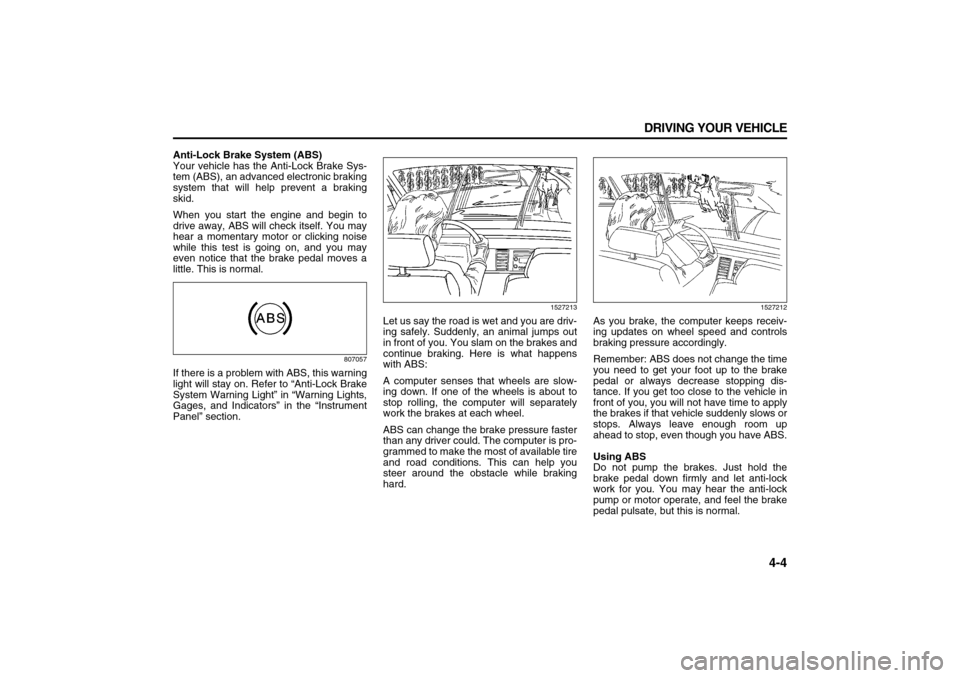
1527213
Let us say the road is wet and you are driv-
ing safely. Suddenly, an animal jumps out
in front of you. You slam on the brakes and
continue braking. Here is what happens
with ABS:
A computer senses that wheels are slow-
ing down. If one of the wheels is about to
stop rolling, the computer will separately
work the brakes at each wheel.
ABS can change the brake pressure faster
than any driver could. The computer is pro-
grammed to make the most of available tire
and road conditions. This can help you
steer around the obstacle while braking
hard.
1527212
As you brake, the computer keeps receiv-
ing updates on wheel speed and controls
braking pressure accordingly.
Remember: ABS does not change the time
you need to get your foot up to the brake
pedal or always decrease stopping dis-
tance. If you get too close to the vehicle in
front of you, you will not have time to apply
the brakes if that vehicle suddenly slows or
stops. Always leave enough room up
ahead to stop, even though you have ABS.
Using ABS
Do not pump the brakes. Just hold the
brake pedal down firmly and let anti-lock
work for you. You may hear the anti-lock
pump or motor operate, and feel the brake
pedal pulsate, but this is normal.
Page 163 of 274
4-5 DRIVING YOUR VEHICLE
78J00-03E
Braking in Emergencies
With ABS, you can steer and brake at the
same time. In many emergencies, steering
can help you more than even the very best
braking.Traction Control System (TCS)Your vehicle has a traction control system
that limits wheel spin. This is especially
useful in slippery road conditions. The sys-
tem operates only if it senses that one or
both of the front wheels are spinning or
beginning to lose traction. When this hap-
pens, the system reduces engine power to
limit wheel spin.
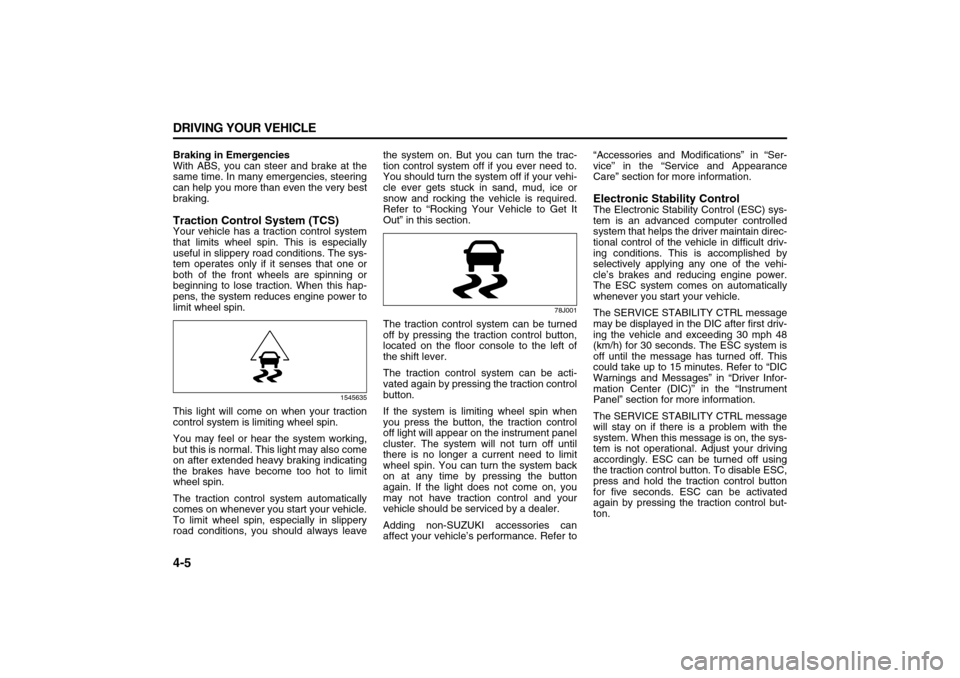
1545635
This light will come on when your traction
control system is limiting wheel spin.
You may feel or hear the system working,
but this is normal. This light may also come
on after extended heavy braking indicating
the brakes have become too hot to limit
wheel spin.
The traction control system automatically
comes on whenever you start your vehicle.
To limit wheel spin, especially in slippery
road conditions, you should always leavethe system on. But you can turn the trac-
tion control system off if you ever need to.
You should turn the system off if your vehi-
cle ever gets stuck in sand, mud, ice or
snow and rocking the vehicle is required.
Refer to “Rocking Your Vehicle to Get It
Out” in this section.
78J001
The traction control system can be turned
off by pressing the traction control button,
located on the floor console to the left of
the shift lever.
The traction control system can be acti-
vated again by pressing the traction control
button.
If the system is limiting wheel spin when
you press the button, the traction control
off light will appear on the instrument panel
cluster. The system will not turn off until
there is no longer a current need to limit
wheel spin. You can turn the system back
on at any time by pressing the button
again. If the light does not come on, you
may not have traction control and your
vehicle should be serviced by a dealer.
Adding non-SUZUKI accessories can
affect your vehicle’s performance. Refer to“Accessories and Modifications” in “Ser-
vice” in the “Service and Appearance
Care” section for more information.
Electronic Stability ControlThe Electronic Stability Control (ESC) sys-
tem is an advanced computer controlled
system that helps the driver maintain direc-
tional control of the vehicle in difficult driv-
ing conditions. This is accomplished by
selectively applying any one of the vehi-
cle’s brakes and reducing engine power.
The ESC system comes on automatically
whenever you start your vehicle.
The SERVICE STABILITY CTRL message
may be displayed in the DIC after first driv-
ing the vehicle and exceeding 30 mph 48
(km/h) for 30 seconds. The ESC system is
off until the message has turned off. This
could take up to 15 minutes. Refer to “DIC
Warnings and Messages” in “Driver Infor-
mation Center (DIC)” in the “Instrument
Panel” section for more information.
The SERVICE STABILITY CTRL message
will stay on if there is a problem with the
system. When this message is on, the sys-
tem is not operational. Adjust your driving
accordingly. ESC can be turned off using
the traction control button. To disable ESC,
press and hold the traction control button
for five seconds. ESC can be activated
again by pressing the traction control but-
ton.
Page 164 of 274
4-6 DRIVING YOUR VEHICLE
78J00-03E
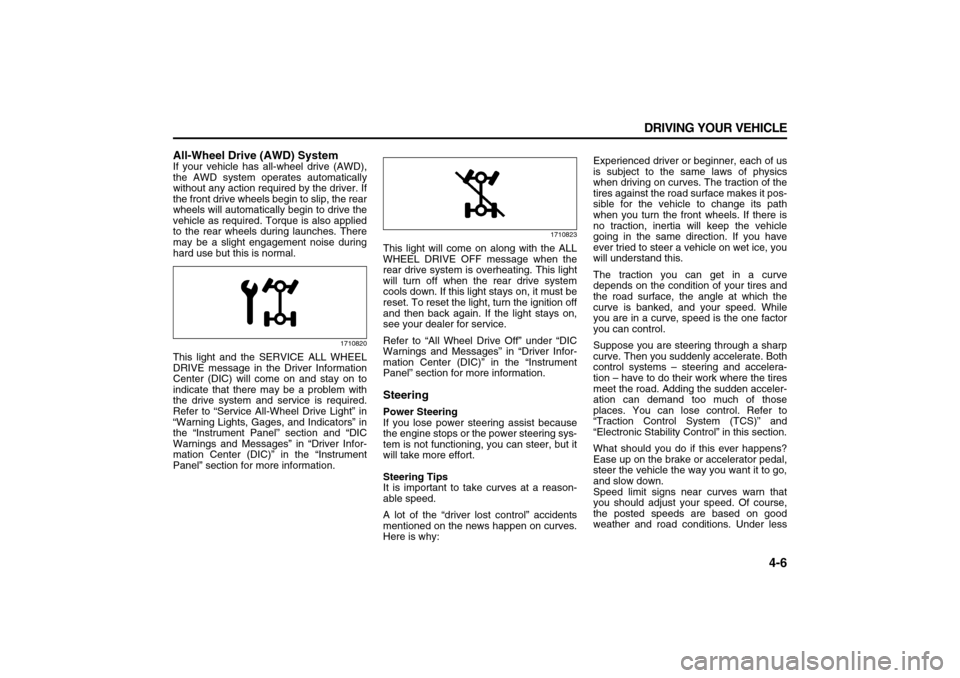
All-Wheel Drive (AWD) SystemIf your vehicle has all-wheel drive (AWD),
the AWD system operates automatically
without any action required by the driver. If
the front drive wheels begin to slip, the rear
wheels will automatically begin to drive the
vehicle as required. Torque is also applied
to the rear wheels during launches. There
may be a slight engagement noise during
hard use but this is normal.
1710820
This light and the SERVICE ALL WHEEL
DRIVE message in the Driver Information
Center (DIC) will come on and stay on to
indicate that there may be a problem with
the drive system and service is required.
Refer to “Service All-Wheel Drive Light” in
“Warning Lights, Gages, and Indicators” in
the “Instrument Panel” section and “DIC
Warnings and Messages” in “Driver Infor-
mation Center (DIC)” in the “Instrument
Panel” section for more information.
1710823
This light will come on along with the ALL
WHEEL DRIVE OFF message when the
rear drive system is overheating. This light
will turn off when the rear drive system
cools down. If this light stays on, it must be
reset. To reset the light, turn the ignition off
and then back again. If the light stays on,
see your dealer for service.
Refer to “All Wheel Drive Off” under “DIC
Warnings and Messages” in “Driver Infor-
mation Center (DIC)” in the “Instrument
Panel” section for more information.SteeringPower Steering
If you lose power steering assist because
the engine stops or the power steering sys-
tem is not functioning, you can steer, but it
will take more effort.
Steering Tips
It is important to take curves at a reason-
able speed.
A lot of the “driver lost control” accidents
mentioned on the news happen on curves.
Here is why:Experienced driver or beginner, each of us
is subject to the same laws of physics
when driving on curves. The traction of the
tires against the road surface makes it pos-
sible for the vehicle to change its path
when you turn the front wheels. If there is
no traction, inertia will keep the vehicle
going in the same direction. If you have
ever tried to steer a vehicle on wet ice, you
will understand this.
The traction you can get in a curve
depends on the condition of your tires and
the road surface, the angle at which the
curve is banked, and your speed. While
you are in a curve, speed is the one factor
you can control.
Suppose you are steering through a sharp
curve. Then you suddenly accelerate. Both
control systems – steering and accelera-
tion – have to do their work where the tires
meet the road. Adding the sudden acceler-
ation can demand too much of those
places. You can lose control. Refer to
“Traction Control System (TCS)” and
“Electronic Stability Control” in this section.
What should you do if this ever happens?
Ease up on the brake or accelerator pedal,
steer the vehicle the way you want it to go,
and slow down.
Speed limit signs near curves warn that
you should adjust your speed. Of course,
the posted speeds are based on good
weather and road conditions. Under less
Page 165 of 274
4-7 DRIVING YOUR VEHICLE
78J00-03E
favorable conditions you will want to go
slower.
If you need to reduce your speed as you
approach a curve, do it before you enter
the curve, while your front wheels are
straight ahead.
Try to adjust your speed so you can “drive”
through the curve. Maintain a reasonable,
steady speed. Wait to accelerate until you
are out of the curve, and then accelerate
gently into the straightaway.
Adding non-Suzuki accessories can affect
your vehicle’s performance. Refer to
“Accessories and Modifications” in “Ser-
vice” in the “Service and Appearance
Care” section.
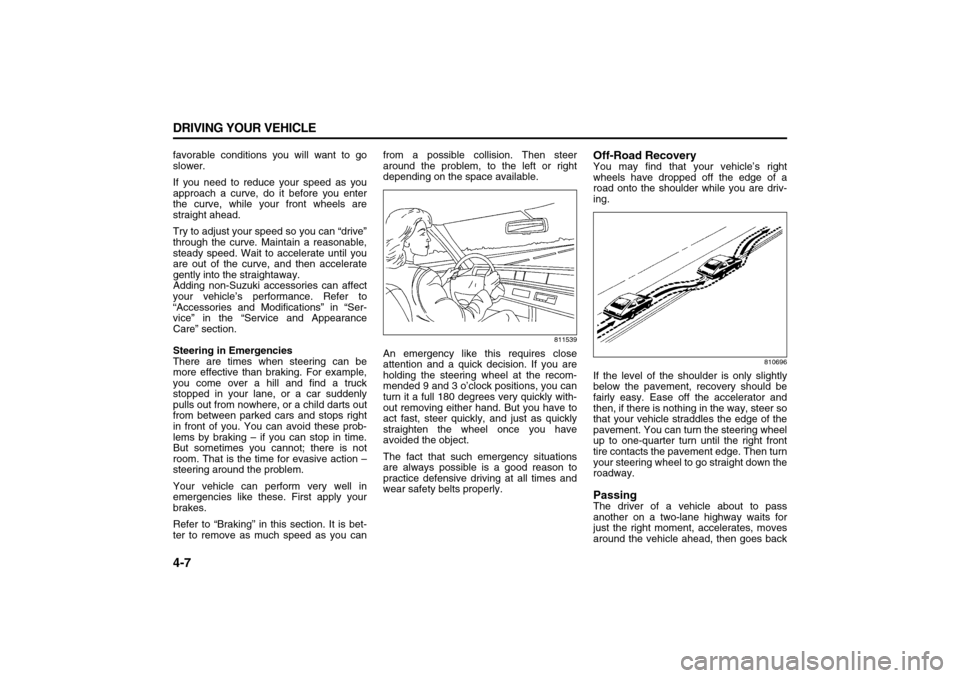
Steering in Emergencies
There are times when steering can be
more effective than braking. For example,
you come over a hill and find a truck
stopped in your lane, or a car suddenly
pulls out from nowhere, or a child darts out
from between parked cars and stops right
in front of you. You can avoid these prob-
lems by braking – if you can stop in time.
But sometimes you cannot; there is not
room. That is the time for evasive action –
steering around the problem.
Your vehicle can perform very well in
emergencies like these. First apply your
brakes.
Refer to “Braking” in this section. It is bet-
ter to remove as much speed as you canfrom a possible collision. Then steer
around the problem, to the left or right
depending on the space available.
811539
An emergency like this requires close
attention and a quick decision. If you are
holding the steering wheel at the recom-
mended 9 and 3 o’clock positions, you can
turn it a full 180 degrees very quickly with-
out removing either hand. But you have to
act fast, steer quickly, and just as quickly
straighten the wheel once you have
avoided the object.
The fact that such emergency situations
are always possible is a good reason to
practice defensive driving at all times and
wear safety belts properly.
Off-Road RecoveryYou may find that your vehicle’s right
wheels have dropped off the edge of a
road onto the shoulder while you are driv-
ing.
810696
If the level of the shoulder is only slightly
below the pavement, recovery should be
fairly easy. Ease off the accelerator and
then, if there is nothing in the way, steer so
that your vehicle straddles the edge of the
pavement. You can turn the steering wheel
up to one-quarter turn until the right front
tire contacts the pavement edge. Then turn
your steering wheel to go straight down the
roadway.PassingThe driver of a vehicle about to pass
another on a two-lane highway waits for
just the right moment, accelerates, moves
around the vehicle ahead, then goes back
Page 166 of 274

4-8 DRIVING YOUR VEHICLE
78J00-03E
into the right lane again. A simple maneu-
ver?
Not necessarily! Passing another vehicle
on a two-lane highway is a potentially dan-
gerous move, since the passing vehicle
occupies the same lane as oncoming traf-
fic for several seconds. A miscalculation,
an error in judgment, or a brief surrender to
frustration or anger can suddenly put the
passing driver face to face with the worst of
all traffic accidents – the head-on collision.
So here are some tips for passing:
Drive ahead. Look down the road, to the
sides, and to crossroads for situations
that might affect your passing patterns. If
you have any doubt whatsoever about
making a successful pass, wait for a bet-
ter time.
Watch for traffic signs, pavement mark-
ings, and lines. If you can see a sign up
ahead that might indicate a turn or an
intersection, delay your pass. A broken
center line usually indicates it is all right
to pass, providing the road ahead is
clear. Never cross a solid line on your
side of the lane or a double solid line,
even if the road seems empty of
approaching traffic.
Do not get too close to the vehicle you
want to pass while you are awaiting an
opportunity. For one thing, following too
closely reduces your area of vision,
especially if you are following a larger
vehicle. Also, you will not have adequatespace if the vehicle ahead suddenly
slows or stops. Keep back a reasonable
distance.
When it looks like a chance to pass is
coming up, start to accelerate but stay in
the right lane and do not get too close.
Time your move so you will be increas-
ing speed as the time comes to move
into the other lane. If the way is clear to
pass, you will have a running start that
more than makes up for the distance you
would lose by dropping back. And if
something happens to cause you to can-
cel your pass, you need only slow down
and drop back again and wait for another
opportunity.
If other vehicles are lined up to pass a
slow vehicle, wait your turn. But take
care that someone is not trying to pass
you as you pull out to pass the slow vehi-
cle. Remember to glance over your
shoulder and check the blind spot.
Check your vehicle’s mirrors, glance
over your shoulder, and start your left
lane change signal before moving out of
the right lane to pass. When you are far
enough ahead of the passed vehicle to
see its front in your vehicle’s inside mir-
ror, activate the right lane change signal
and move back into the right lane.
Remember that your vehicle’s passen-
ger side outside mirror is convex. The
vehicle you just passed may seem to be
farther away from you than it really is. Try not to pass more than one vehicle at
a time on two-lane roads. Reconsider
before passing the next vehicle.
Do not overtake a slowly moving vehicle
too rapidly. Even though the brake lamps
are not flashing, it may be slowing down
or starting to turn.
If you are being passed, make it easy for
the following driver to get ahead of you.
Perhaps you can ease a little to the right.
Loss of ControlLet us review what driving experts say
about what happens when the three con-
trol systems – brakes, steering, and accel-
eration – do not have enough friction
where the tires meet the road to do what
the driver has asked.
In any emergency, do not give up. Keep
trying to steer and constantly seek an
escape route or area of less danger.
Skidding
In a skid, a driver can lose control of the
vehicle. Defensive drivers avoid most skids
by taking reasonable care suited to exist-
ing conditions, and by not overdriving
those conditions. But skids are always pos-
sible.
The three types of skids correspond to
your vehicle’s three control systems. In the
braking skid, your wheels are not rolling. In
the steering or cornering skid, too much
speed or steering in a curve causes tires to
slip and lose cornering force. And in the