phone SUZUKI XL7 2007 2.G User Guide
[x] Cancel search | Manufacturer: SUZUKI, Model Year: 2007, Model line: XL7, Model: SUZUKI XL7 2007 2.GPages: 274, PDF Size: 6.12 MB
Page 154 of 274

3-72 INSTRUMENT PANEL
78J00-03E
Problem Recommended Action
No power. The ignition might not be turned on or in accessory.
The picture does not fill the screen. There are black
borders on the top and bottom or on both sides or it
looks stretched out.Check the display mode settings in the setup menu by pressing the display
menu button on the remote control.
In auxiliary mode, the picture moves or scrolls. Check the auxiliary input connections at both devices.
The remote control does not work. Check to make sure there is no obstruction between the remote control and
the transmitter window.
Check the batteries to make sure they are not dead or installed incorrectly.
After stopping the player, I push Play but sometimes
the DVD starts where I left off and sometimes at the
beginning.If the stop button was pressed one time, the DVD player will resume playing
where the DVD was stopped. If the stop button was pressed two times the
DVD player will begin to play from the beginning of the DVD.
The auxiliary source is running but there is no picture
or sound.Check that the RSE video screen is in the auxiliary source mode.
Check the auxiliary input connections at both devices.
Sometimes the wireless headphone audio cuts out or
buzzes.Check for obstructions, low batteries, reception range, and interference from
cellular telephone towers or by using your cellular telephone in the vehicle.
Check that the headphones are on correctly using the L (left) and R (right)
on the headphones.
I lost the remote and/or the headphones. See your dealer for assistance.
The DVD is playing, but there is no picture or sound. Check that the RSE video screen is sourced to the DVD player.
Page 155 of 274
3-73 INSTRUMENT PANEL
78J00-03E
DVD Display Error Messages
The DVD display error message depends
on which radio you have. The video screen
may display one of the following:
Disc Load/Eject Error:
This message is displayed when there are
disc load or eject problems.
Disc Format Error:
This message will be displayed, if the disc
is inserted with the disc label wrong side
up, or if the disc is damaged.
Disc Region Error:
This message will be displayed, if the disc
is not from a correct region.
No Disc Inserted:
This message will be displayed, if no disc
is present when the EJECT button is
pressed on the radio.
DVD Distortion
Video distortion may occur when operating
cellular phones, scanners, CB radios, Glo-
bal Position Systems (GPS)*, two-way
radios, mobile fax, or walkie talkies.
It may be necessary to turn off the DVD
player when operating one of these
devices in or near the vehicle.
Cleaning the RSE Overhead Console
When cleaning the RSE overhead console
surface, use only a clean cloth dampened
with clean water.Cleaning the Video Screen
When cleaning the video screen, use only
a clean cloth dampened with clean water.
Use care when directly touching or clean-
ing the screen, as damage may result.
Theft-Deterrent FeatureTHEFTLOCK
® is designed to discourage
theft of your vehicle’s radio. The feature
works automatically by learning a portion
of the Vehicle Identification Number (VIN).
If the radio is moved to a different vehicle,
it does not operate and LOCKED displays.
With THEFTLOCK
® activated, the radio
cannot operate if stolen.
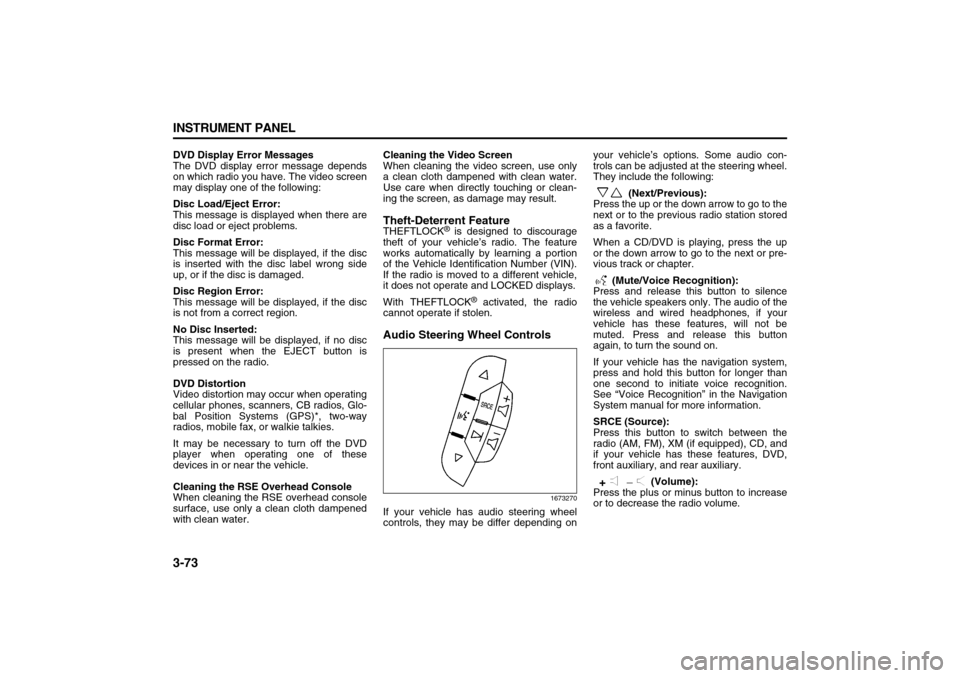
Audio Steering Wheel Controls
1673270
If your vehicle has audio steering wheel
controls, they may be differ depending onyour vehicle’s options. Some audio con-
trols can be adjusted at the steering wheel.
They include the following:
(Next/Previous):
Press the up or the down arrow to go to the
next or to the previous radio station stored
as a favorite.
When a CD/DVD is playing, press the up
or the down arrow to go to the next or pre-
vious track or chapter.
(Mute/Voice Recognition):
Press and release this button to silence
the vehicle speakers only. The audio of the
wireless and wired headphones, if your
vehicle has these features, will not be
muted. Press and release this button
again, to turn the sound on.
If your vehicle has the navigation system,
press and hold this button for longer than
one second to initiate voice recognition.
See “Voice Recognition” in the Navigation
System manual for more information.
SRCE (Source):
Press this button to switch between the
radio (AM, FM), XM (if equipped), CD, and
if your vehicle has these features, DVD,
front auxiliary, and rear auxiliary.
(Volume):
Press the plus or minus button to increase
or to decrease the radio volume.
Page 168 of 274
4-10 DRIVING YOUR VEHICLE
78J00-03E
build up a film caused by dust. Dirty glass
makes lights dazzle and flash more than
clean glass would, making the pupils of
your eyes contract repeatedly.
Remember that the headlamps light up far
less of a roadway when you are in a turn or
curve. Keep your eyes moving; that way, it
is easier to pick out dimly lighted objects.
Just as the headlamps should be checked
regularly for proper aim, so should your
eyes be examined regularly. Some drivers
suffer from night blindness – the inability to
see in dim light – and are not even aware
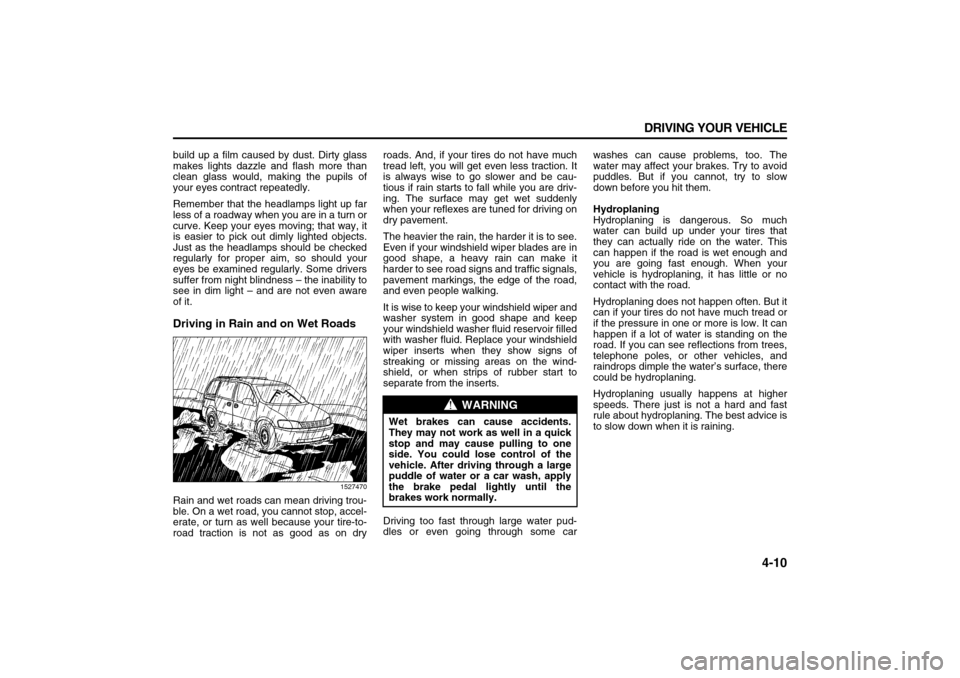
of it.Driving in Rain and on Wet Roads
1527470
Rain and wet roads can mean driving trou-
ble. On a wet road, you cannot stop, accel-
erate, or turn as well because your tire-to-
road traction is not as good as on dryroads. And, if your tires do not have much
tread left, you will get even less traction. It
is always wise to go slower and be cau-
tious if rain starts to fall while you are driv-
ing. The surface may get wet suddenly
when your reflexes are tuned for driving on
dry pavement.
The heavier the rain, the harder it is to see.
Even if your windshield wiper blades are in
good shape, a heavy rain can make it
harder to see road signs and traffic signals,
pavement markings, the edge of the road,
and even people walking.
It is wise to keep your windshield wiper and
washer system in good shape and keep
your windshield washer fluid reservoir filled
with washer fluid. Replace your windshield
wiper inserts when they show signs of
streaking or missing areas on the wind-
shield, or when strips of rubber start to
separate from the inserts.
Driving too fast through large water pud-
dles or even going through some carwashes can cause problems, too. The
water may affect your brakes. Try to avoid
puddles. But if you cannot, try to slow
down before you hit them.
Hydroplaning
Hydroplaning is dangerous. So much
water can build up under your tires that
they can actually ride on the water. This
can happen if the road is wet enough and
you are going fast enough. When your
vehicle is hydroplaning, it has little or no
contact with the road.
Hydroplaning does not happen often. But it
can if your tires do not have much tread or
if the pressure in one or more is low. It can
happen if a lot of water is standing on the
road. If you can see reflections from trees,
telephone poles, or other vehicles, and
raindrops dimple the water’s surface, there
could be hydroplaning.
Hydroplaning usually happens at higher
speeds. There just is not a hard and fast
rule about hydroplaning. The best advice is
to slow down when it is raining.
WARNING
Wet brakes can cause accidents.
They may not work as well in a quick
stop and may cause pulling to one
side. You could lose control of the
vehicle. After driving through a large
puddle of water or a car wash, apply
the brake pedal lightly until the
brakes work normally.
Page 187 of 274
5-3 SERVICE AND APPEARANCE CARE
78J00-03E
Some gasolines that are not reformulated
for low emissions may contain an octane-
enhancing additive called methylcyclopen-
tadienyl manganese tricarbonyl (MMT);
ask the attendant where you buy gasoline
whether the fuel contains MMT. We rec-
ommend against the use of such gaso-
lines. Fuels containing MMT can reduce
the life of spark plugs and the performance
of the emission control system may be
affected. The malfunction indicator lamp
may turn on. If this occurs, return to your
dealer for service.
Fuels in Foreign CountriesIf you plan on driving in another country
outside the United States or Canada, the
proper fuel might be hard to find. Never
use leaded gasoline or any other fuel not
recommended in the previous text on fuel.
Costly repairs caused by use of improper
fuel would not be covered by your war-
ranty.
To check the fuel availability, ask an auto
club, or contact a major oil company that
does business in the country where you
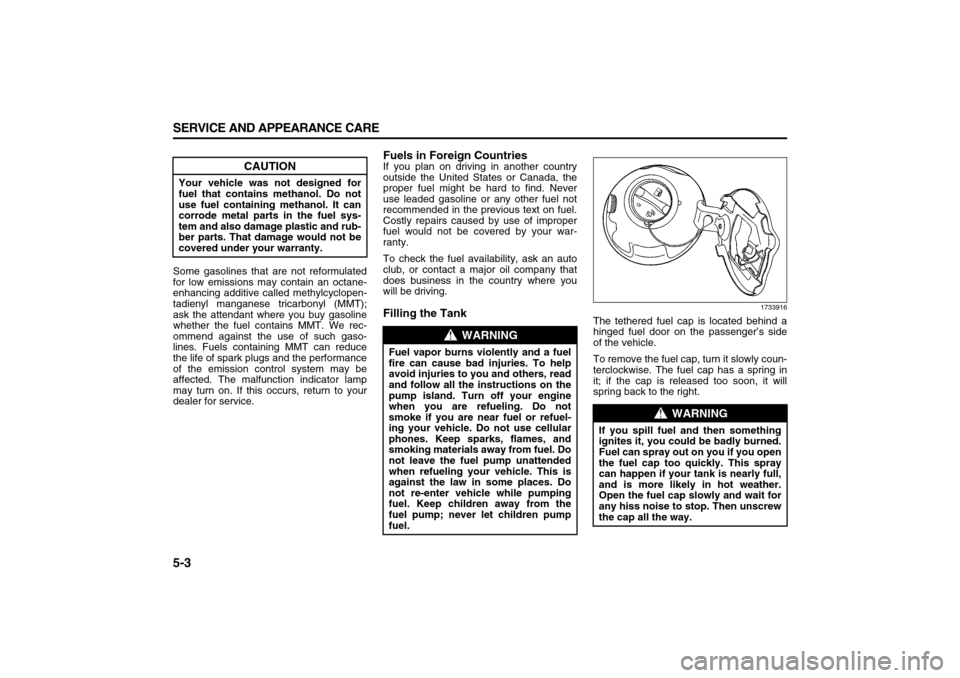
will be driving.Filling the Tank
1733916
The tethered fuel cap is located behind a
hinged fuel door on the passenger’s side
of the vehicle.
To remove the fuel cap, turn it slowly coun-
terclockwise. The fuel cap has a spring in
it; if the cap is released too soon, it will
spring back to the right.
CAUTION
Your vehicle was not designed for
fuel that contains methanol. Do not
use fuel containing methanol. It can
corrode metal parts in the fuel sys-
tem and also damage plastic and rub-
ber parts. That damage would not be
covered under your warranty.
WARNING
Fuel vapor burns violently and a fuel
fire can cause bad injuries. To help
avoid injuries to you and others, read
and follow all the instructions on the
pump island. Turn off your engine
when you are refueling. Do not
smoke if you are near fuel or refuel-
ing your vehicle. Do not use cellular
phones. Keep sparks, flames, and
smoking materials away from fuel. Do
not leave the fuel pump unattended
when refueling your vehicle. This is
against the law in some places. Do
not re-enter vehicle while pumping
fuel. Keep children away from the
fuel pump; never let children pump
fuel.
WARNING
If you spill fuel and then something
ignites it, you could be badly burned.
Fuel can spray out on you if you open
the fuel cap too quickly. This spray
can happen if your tank is nearly full,
and is more likely in hot weather.
Open the fuel cap slowly and wait for
any hiss noise to stop. Then unscrew
the cap all the way.
Page 188 of 274
5-4 SERVICE AND APPEARANCE CARE
78J00-03E
Be careful not to spill fuel. Do not top off or
overfill the tank and wait a few seconds
after you have finished pumping before
removing the nozzle. Clean fuel from
painted surfaces as soon as possible.
Refer to “Washing Your Vehicle” in this
section.
When replacing the fuel cap, turn it clock-
wise until it clicks. Make sure the cap is
fully installed. The diagnostic system can
determine if the fuel cap has been left off
or improperly installed. This would allow
fuel to evaporate into the atmosphere.
Refer to “Malfunction Indicator Lamp” in
“Warning Lights, Gages, and Indicators” in
the “Instrument Panel” section.
Filling a Portable Fuel Container
WARNING
If a fire starts while you are refueling,
do not remove the nozzle. Shut off
the flow of fuel by shutting off the
pump or by notifying the station
attendant. Leave the area immedi-
ately.
CAUTION
If you need a new fuel cap, be sure to
get the right type. Your dealer can get
one for you. If you get the wrong
type, it may not fit properly. This may
cause your malfunction indicator
lamp to light and may damage your
fuel tank and emissions system.
Refer to “Malfunction Indicator
Lamp” in “Warning Lights, Gages,
and Indicators” in the “Instrument
Panel” section.
WARNING
Never fill a portable fuel container
while it is in your vehicle. Static elec-
tricity discharge from the container
can ignite the gasoline vapor. You
can be badly burned and your vehicle
damaged if this occurs. To help avoid
injury to you and others:
Dispense gasoline only into
approved containers.
Do not fill a container while it is
inside a vehicle, in a vehicle’s
trunk, pickup bed, or on any sur-
face other than the ground.
Bring the fill nozzle in contact with
the inside of the fill opening before
operating the nozzle. Contact
should be maintained until the fill-
ing is complete.
Do not smoke while pumping gaso-
line.
Do not use a cellular phone while
pumping gasoline.