ECU SUZUKI XL7 2007 2.G Owner's Manual
[x] Cancel search | Manufacturer: SUZUKI, Model Year: 2007, Model line: XL7, Model: SUZUKI XL7 2007 2.GPages: 274, PDF Size: 6.12 MB
Page 53 of 274
1-41 SEATS AND RESTRAINT SYSTEMS
78J00-03E
If, after reinstalling the child restraint and
restarting the vehicle, the on indicator is
still lit, check to make sure that the vehi-
cle’s seatback is not pressing the child
restraint into the seat cushion. If this hap-
pens, slightly recline the vehicle’s seatback
and adjust the seat cushion if possible.
Also make sure the child restraint is not
trapped under the vehicle head restraint. If
this happens, adjust the head restraint.
If the on indicator is still lit, secure the child
in the child restraint in a rear seat position
in the vehicle if one is available and check
with your dealer.
The passenger sensing system is
designed to enable (may inflate) the right
front passenger’s frontal airbag anytime
the system senses that a person of adult
size is sitting properly in the right front pas-
senger’s seat. When the passenger sens-
ing system has allowed the airbag to be
enabled, the on indicator will light and stay
lit to remind you that the airbag is active.
For some children who have outgrown
child restraints and for very small adults,
the passenger sensing system may or may
not turn off the right front passenger’s fron-
tal airbag, depending upon the person’s
seating posture and body build. Everyone
in your vehicle who has outgrown child
restraints should wear a safety belt prop-
erly – whether or not there is an airbag for
that person.If a person of adult-size is sitting in the
right front passenger’s seat, but the off
indicator is lit, it could be because that per-
son is not sitting properly in the seat. If this
happens, turn the vehicle off and ask the
person to place the seatback in the fully
upright position, then sit upright in the seat,
centered on the seat cushion, with the per-
son’s legs comfortably extended. Restart
the vehicle and have the person remain in
this position for about two minutes. This
will allow the system to detect that person
and then enable the passenger’s airbag.
849515
A thick layer of additional material, such as
a blanket, or aftermarket equipment such
as seat covers, seat heaters, and seat
massagers, can affect how well the pas-
senger sensing system operates. Remove
any additional material from the seat cush-
ion before reinstalling or securing the child
restraint and before a small occupant,
including a small adult, sits in the passen-
ger position. You may want to consider not
using seat covers or other aftermarket
equipment. Refer to “Adding Equipment to
Your Airbag-Equipped Vehicle” in this sec-
tion for more information about modifica-
tions that can affect how the system
operates.
WARNING
If the airbag readiness light in the
instrument panel cluster ever comes
on and stays on, it means that some-
thing may be wrong with the airbag
system. If this ever happens, have
the vehicle serviced promptly,
because an adult-size person sitting
in the right front passenger’s seat
may not have the protection of the
frontal airbag. Refer to “Airbag
Readiness Light” in “Warning Lights,
Gages, and Indicators” in the “Instru-
ment Panel” section for more on this,
including important safety informa-
tion.
Page 62 of 274
2-6 FEATURES AND CONTROLS
78J00-03E
Delayed LockingA chime will sound three times to indicate
a door or liftgate is open when you try to
lock the doors with the remote keyless
entry (RKE) transmitter or the power door
lock switch. The doors will not lock, and
the theft-deterrent system will not arm until
all the doors are closed and ten seconds
have passed.
The delayed locking feature can be pro-
grammed through the Driver Information
Center (DIC). Refer to “DIC Vehicle Per-
sonalization” in “Driver Information Center
(DIC)” in the “Instrument Panel” section.Programmable Automatic Door
LocksYour vehicle has an automatic lock/unlock
feature which enables you to program the
power door locks through the Driver Infor-
mation Center (DIC). Refer to “DIC Vehicle
Personalization” in “Driver Information
Center (DIC)” in the “Instrument Panel”
section for more information on DIC pro-
gramming.Rear Door Security LocksYour vehicle has rear door security locks
that prevent passengers from opening the
rear doors from the inside.
831642
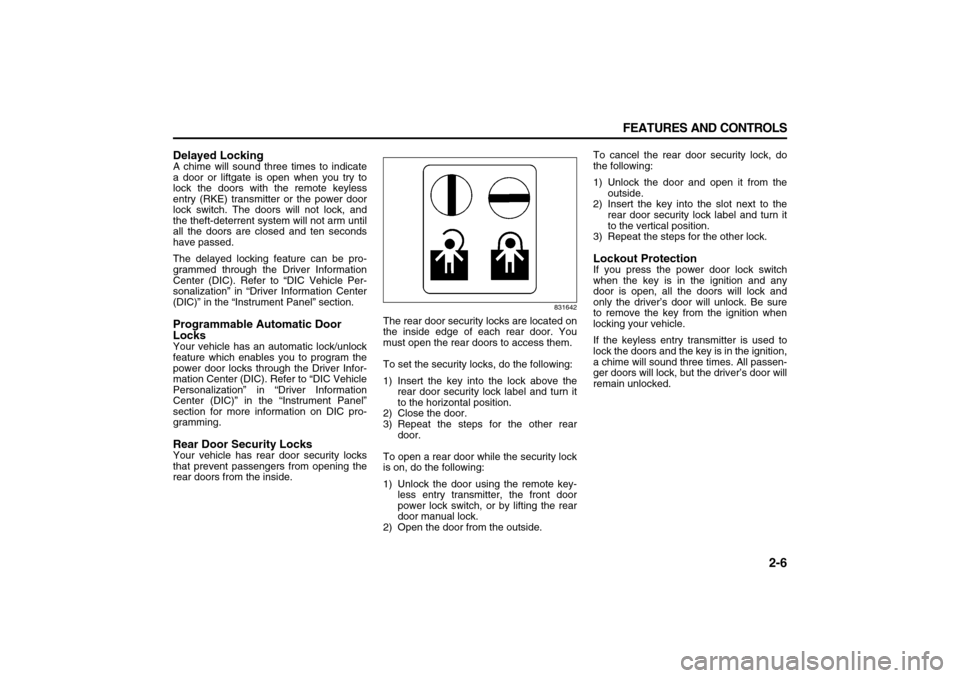
The rear door security locks are located on
the inside edge of each rear door. You
must open the rear doors to access them.
To set the security locks, do the following:
1) Insert the key into the lock above the
rear door security lock label and turn it
to the horizontal position.
2) Close the door.
3) Repeat the steps for the other rear
door.
To open a rear door while the security lock
is on, do the following:
1) Unlock the door using the remote key-
less entry transmitter, the front door
power lock switch, or by lifting the rear
door manual lock.
2) Open the door from the outside.To cancel the rear door security lock, do
the following:
1) Unlock the door and open it from the
outside.
2) Insert the key into the slot next to the
rear door security lock label and turn it
to the vertical position.
3) Repeat the steps for the other lock.
Lockout ProtectionIf you press the power door lock switch
when the key is in the ignition and any
door is open, all the doors will lock and
only the driver’s door will unlock. Be sure
to remove the key from the ignition when
locking your vehicle.
If the keyless entry transmitter is used to
lock the doors and the key is in the ignition,
a chime will sound three times. All passen-
ger doors will lock, but the driver’s door will
remain unlocked.
Page 66 of 274

2-10 FEATURES AND CONTROLS
78J00-03E
PASS-Key
® III+
The PASS-Key
® III+ system operates on a
radio frequency subject to Federal Com-
munications Commission (FCC) Rules and
with Industry Canada.
This device complies with Part 15 of the
FCC Rules. Operation is subject to the fol-
lowing two conditions:
1) This device may not cause harmful
interference.
2) This device must accept any interfer-
ence received, including interference
that may cause undesired operation.
This device complies with RSS-210 of
Industry Canada. Operation is subject to
the following two conditions:
1) This device may not cause interfer-
ence.
2) This device must accept any interfer-
ence received, including interference
that may cause undesired operation of
the device.
Changes or modifications to this system by
other than an authorized service facility
could void authorization to use this equip-
ment.
PASS-Key
® III+ uses a radio frequency
transponder in the key that matches a
decoder in your vehicle.PASS-Key
® III+ Operation
Your vehicle has PASS-Key
® III+ (Person-
alized Automotive Security System) theft-
deterrent system. PASS-Key® III+ is a pas-
sive theft-deterrent system. This means
you do not have to do anything special to
arm or disarm the system. It works when
you transition the key to RUN, ACC or
START from the LOCK position.
When the PASS-Key
® III+ system senses
that someone is using the wrong key, it
prevents the vehicle from starting. Anyone
using a trial-and-error method to start the
vehicle will be discouraged because of the
high number of electrical key codes.
If the engine does not start and the secu-
rity light on the instrument panel comes on
when trying to start the vehicle, the key
may have a damaged transponder. Turn
the ignition off and try again.
If the engine still does not start, and the
key appears to be undamaged, try another
ignition key. At this time, you may also
want to check the fuse, refer to “Fuses and
Circuit Breakers” in “Electrical System” in
the “Service and Appearance Care” sec-
tion. If the engine still does not start with
the other key, your vehicle needs service.
If your vehicle does start, the first key may
be faulty. See your dealer who can service
the PASS-Key
® III+ to have a new key
made. In an emergency, contact Roadside
Assistance.It is possible for the PASS-Key
® III+
decoder to “learn” the transponder value of
a new or replacement key. Up to nine addi-
tional keys may be programmed for the
vehicle. The following procedure is for pro-
gramming additional keys only. If all the
currently programmed keys are lost or do
not operate, you must see your dealer or a
locksmith who can service PASS-Key® III+
to have keys made and programmed to the
system.
See your dealer or a locksmith who can
service PASS-Key
® III+ to get a new key
blank that is cut exactly as the ignition key
that operates the system.
To program the new additional key do the
following:
1) Verify that the new key has a
stamped on it.
2) Insert the original, already pro-
grammed, key in the ignition and start
the engine. If the engine will not start,
see your dealer for service.
3) After the engine has started, turn the
key to LOCK, and remove the key.
4) Insert the new key to be programmed
and turn it to the RUN position within
five seconds of removing the original
key.
5) The security light will turn off once the
key has been programmed.
6) Repeat Steps 1 through 5 if additional
keys are to be programmed.
Page 67 of 274

2-11 FEATURES AND CONTROLS
78J00-03E
If you are driving and the security light
comes on and stays on, you may be able
to restart your engine. Your PASS-Key
®
III+ system, however, may not be working
properly and must be serviced by your
dealer.
If you lose or damage your PASS-Key
®
III+ key, see your dealer or a locksmith
who can service PASS-Key
® III+ to have a
new key made.
Daily Inspection ChecklistBefore Driving1) Make sure that windows, mirrors, lights
and reflectors are clean and unob-
structed.
2) Visually check the tires for the following
points:
– the depth of the tread groove
– abnormal wear, cracks and damage
– loose wheel nuts
– existence of foreign material such as
nails, stones, etc.
Refer to “Tires” in the “SERVICE AND
APPEARANCE CARE” section for details.
3) Look for oil or other fluid leaks.
NOTE:
It is normal for water to drip from the air
conditioning system after use.
4) Make sure the hood is fully closed and
latched.
5) Check the headlights, turn signal lights,
brake lights and horn for proper opera-
tion.
6) Lock all doors.
7) Adjust the seat and adjustable head
restraints (if equipped).
8) Check the brake pedal.
9) Adjust the mirrors.
10)Make sure that you and all passengers
have properly fastened your safety
belts.11)Make sure that all warning lights come
on as the key is turned to the “ON” or
“START” position.
12)Check all gauges.
13)Make sure that the BRAKE light turns
off when the parking brake is released.
Once a week, or each time you fill your fuel
tank, perform the following under-hood
checks:
1) Engine oil level
2) Coolant level
3) Brake fluid level
4) Power steering (if equipped) fluid level
5) Windshield washer fluid level
6) Hood latch operation
Pull the hood release handle inside the
vehicle. Make sure that you cannot
open the hood all the way without
releasing the secondary latch. Be sure
to close the hood securely after check-
ing for proper latch operation. Refer to
“Lubricate body components” under
“Scheduled Maintenance” in the
“Maintenance Schedule” section for the
lubrication schedule.
WARNING
Make sure the hood is fully closed
and latched before driving. If it is not,
it can fly up unexpectedly during
driving, obstructing your view and
resulting in an accident.
Page 79 of 274
2-23 FEATURES AND CONTROLS
78J00-03E
1767348
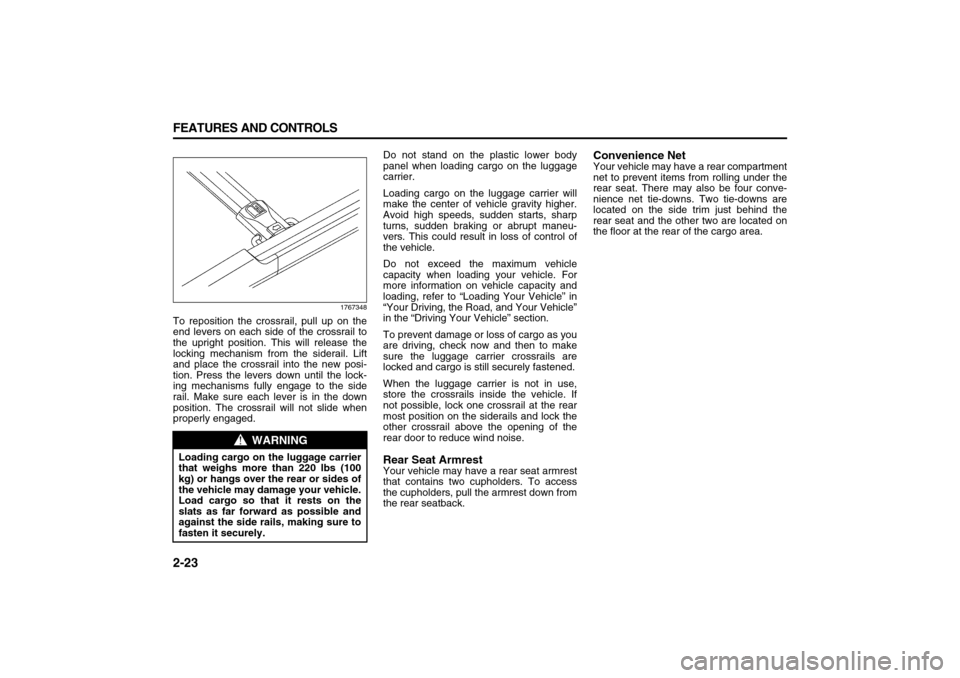
To reposition the crossrail, pull up on the
end levers on each side of the crossrail to
the upright position. This will release the
locking mechanism from the siderail. Lift
and place the crossrail into the new posi-
tion. Press the levers down until the lock-
ing mechanisms fully engage to the side
rail. Make sure each lever is in the down
position. The crossrail will not slide when
properly engaged.Do not stand on the plastic lower body
panel when loading cargo on the luggage
carrier.
Loading cargo on the luggage carrier will
make the center of vehicle gravity higher.
Avoid high speeds, sudden starts, sharp
turns, sudden braking or abrupt maneu-
vers. This could result in loss of control of
the vehicle.
Do not exceed the maximum vehicle
capacity when loading your vehicle. For
more information on vehicle capacity and
loading, refer to “Loading Your Vehicle” in
“Your Driving, the Road, and Your Vehicle”
in the “Driving Your Vehicle” section.
To prevent damage or loss of cargo as you
are driving, check now and then to make
sure the luggage carrier crossrails are
locked and cargo is still securely fastened.
When the luggage carrier is not in use,
store the crossrails inside the vehicle. If
not possible, lock one crossrail at the rear
most position on the siderails and lock the
other crossrail above the opening of the
rear door to reduce wind noise.
Rear Seat ArmrestYour vehicle may have a rear seat armrest
that contains two cupholders. To access
the cupholders, pull the armrest down from
the rear seatback.
Convenience NetYour vehicle may have a rear compartment
net to prevent items from rolling under the
rear seat. There may also be four conve-
nience net tie-downs. Two tie-downs are
located on the side trim just behind the
rear seat and the other two are located on
the floor at the rear of the cargo area.
WARNING
Loading cargo on the luggage carrier
that weighs more than 220 lbs (100
kg) or hangs over the rear or sides of
the vehicle may damage your vehicle.
Load cargo so that it rests on the
slats as far forward as possible and
against the side rails, making sure to
fasten it securely.
Page 99 of 274
3-17 INSTRUMENT PANEL
78J00-03E
The airbag readiness light should flash for
a few seconds when you turn the ignition
key to RUN. If the light does not come on
then, have it fixed so it will be ready to
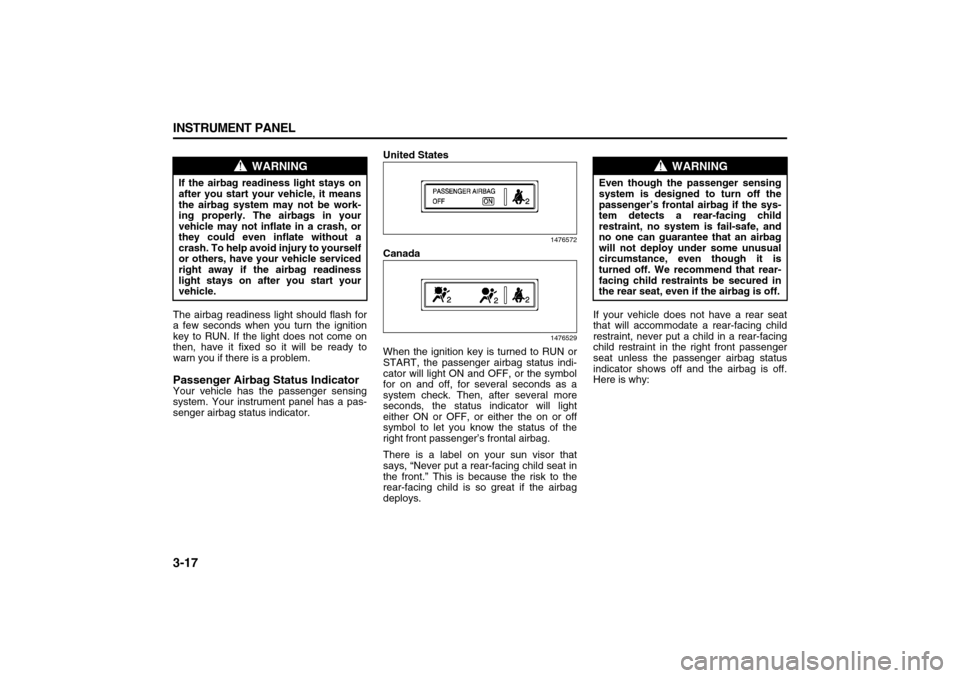
warn you if there is a problem.Passenger Airbag Status IndicatorYour vehicle has the passenger sensing
system. Your instrument panel has a pas-
senger airbag status indicator.United States
1476572
Canada
1476529
When the ignition key is turned to RUN or
START, the passenger airbag status indi-
cator will light ON and OFF, or the symbol
for on and off, for several seconds as a
system check. Then, after several more
seconds, the status indicator will light
either ON or OFF, or either the on or off
symbol to let you know the status of the
right front passenger’s frontal airbag.
There is a label on your sun visor that
says, “Never put a rear-facing child seat in
the front.” This is because the risk to the
rear-facing child is so great if the airbag
deploys.If your vehicle does not have a rear seat
that will accommodate a rear-facing child
restraint, never put a child in a rear-facing
child restraint in the right front passenger
seat unless the passenger airbag status
indicator shows off and the airbag is off.
Here is why:
WARNING
If the airbag readiness light stays on
after you start your vehicle, it means
the airbag system may not be work-
ing properly. The airbags in your
vehicle may not inflate in a crash, or
they could even inflate without a
crash. To help avoid injury to yourself
or others, have your vehicle serviced
right away if the airbag readiness
light stays on after you start your
vehicle.
WARNING
Even though the passenger sensing
system is designed to turn off the
passenger’s frontal airbag if the sys-
tem detects a rear-facing child
restraint, no system is fail-safe, and
no one can guarantee that an airbag
will not deploy under some unusual
circumstance, even though it is
turned off. We recommend that rear-
facing child restraints be secured in
the rear seat, even if the airbag is off.
Page 106 of 274
3-24 INSTRUMENT PANEL
78J00-03E
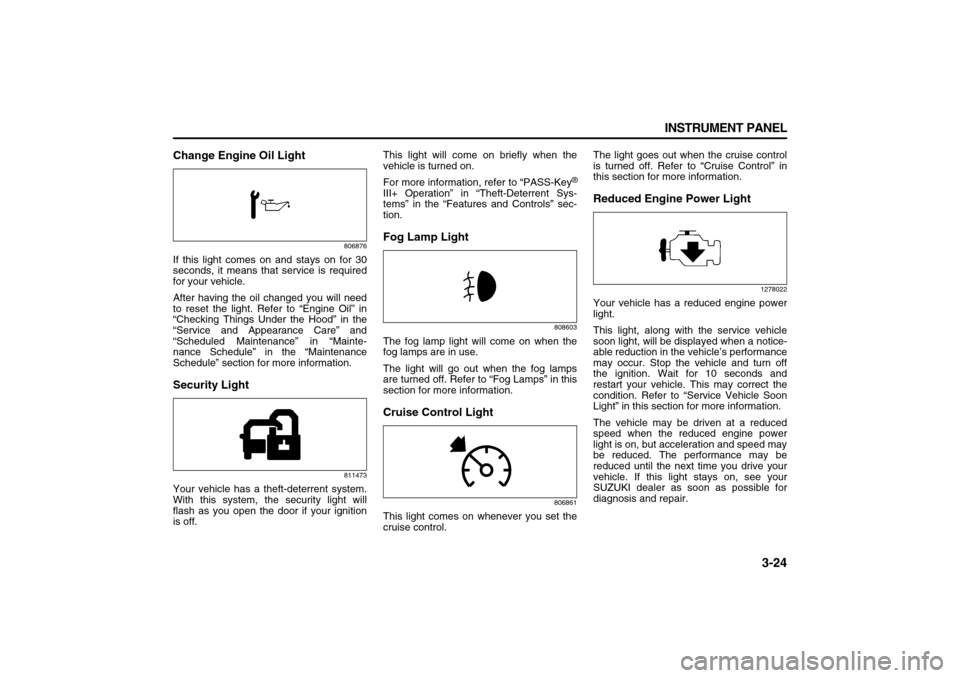
Change Engine Oil Light
806876
If this light comes on and stays on for 30
seconds, it means that service is required
for your vehicle.
After having the oil changed you will need
to reset the light. Refer to “Engine Oil” in
“Checking Things Under the Hood” in the
“Service and Appearance Care” and
“Scheduled Maintenance” in “Mainte-
nance Schedule” in the “Maintenance
Schedule” section for more information.Security Light
811473
Your vehicle has a theft-deterrent system.
With this system, the security light will
flash as you open the door if your ignition
is off.This light will come on briefly when the
vehicle is turned on.
For more information, refer to “PASS-Key
®
III+ Operation” in “Theft-Deterrent Sys-
tems” in the “Features and Controls” sec-
tion.Fog Lamp Light
808603
The fog lamp light will come on when the
fog lamps are in use.
The light will go out when the fog lamps
are turned off. Refer to “Fog Lamps” in this
section for more information.Cruise Control Light
806861
This light comes on whenever you set the
cruise control.The light goes out when the cruise control
is turned off. Refer to “Cruise Control” in
this section for more information.
Reduced Engine Power Light
1278022
Your vehicle has a reduced engine power
light.
This light, along with the service vehicle
soon light, will be displayed when a notice-
able reduction in the vehicle’s performance
may occur. Stop the vehicle and turn off
the ignition. Wait for 10 seconds and
restart your vehicle. This may correct the
condition. Refer to “Service Vehicle Soon
Light” in this section for more information.
The vehicle may be driven at a reduced
speed when the reduced engine power
light is on, but acceleration and speed may
be reduced. The performance may be
reduced until the next time you drive your
vehicle. If this light stays on, see your
SUZUKI dealer as soon as possible for
diagnosis and repair.
Page 148 of 274

3-66 INSTRUMENT PANEL
78J00-03E
Radio Display Message Condition Action Required
CAT Not Found No channel available for the chosen
categoryThere are no channels available for the selected category.
The system is working properly.
XM Theft Locked Theft lock active The XM
TM receiver in the vehicle could have previously been
in another vehicle. For security purposes, XM
TM receivers
cannot be swapped between vehicles. If this message
appears after having your vehicle serviced, check with your
dealer.
XM Radio ID Radio ID label (channel 0) If tuned to channel 0, this message alternates with the XM
TM
Radio eight digit radio ID label. This label is needed to acti-
vate the service.
Unknown Radio ID not known
(should only be if hardware failure)If this message is received when tuned to channel 0, there
could be a receiver fault. Consult with your dealer.
Check XM Receivr Hardware failure If this message does not clear within a short period of time,
the receiver could have a fault. Consult with your dealer.
XM Not Available XM
TM Not Available If this message does not clear within a short period of time,
the receiver could have a fault. Consult with your dealer.
Page 153 of 274
3-71 INSTRUMENT PANEL
78J00-03E
tinue playing in a slow play mode. You
may also, depending on the radio, perform
reverse slow play by pressing the pause
button and then pressing the fast reverse
button. To cancel slow play mode, press
the play/pause button.
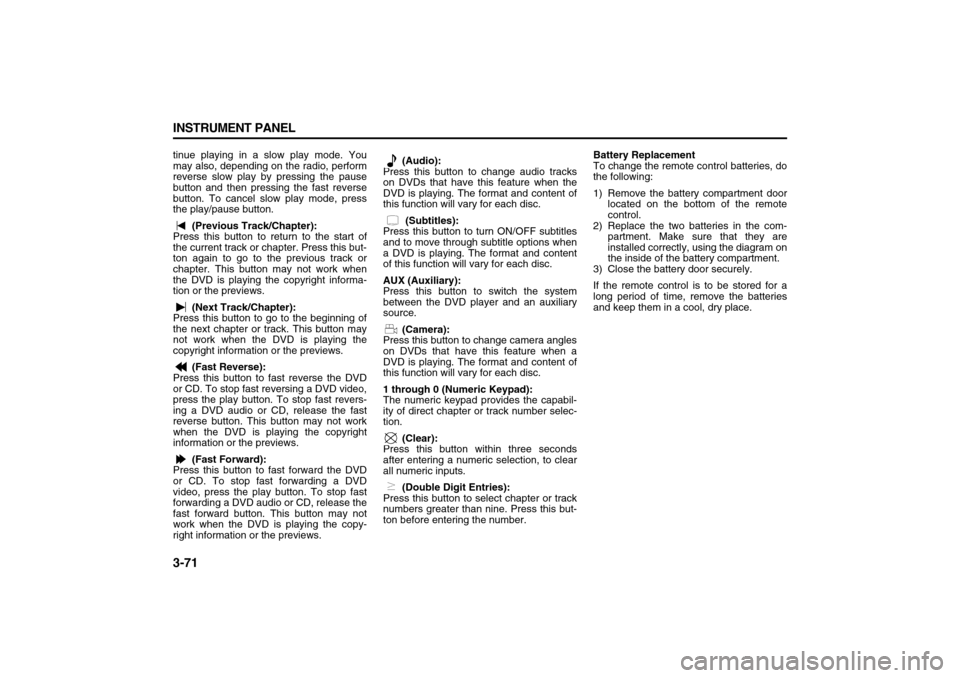
(Previous Track/Chapter):
Press this button to return to the start of
the current track or chapter. Press this but-
ton again to go to the previous track or
chapter. This button may not work when
the DVD is playing the copyright informa-
tion or the previews.
(Next Track/Chapter):
Press this button to go to the beginning of
the next chapter or track. This button may
not work when the DVD is playing the
copyright information or the previews.
(Fast Reverse):
Press this button to fast reverse the DVD
or CD. To stop fast reversing a DVD video,
press the play button. To stop fast revers-
ing a DVD audio or CD, release the fast
reverse button. This button may not work
when the DVD is playing the copyright
information or the previews.
(Fast Forward):
Press this button to fast forward the DVD
or CD. To stop fast forwarding a DVD
video, press the play button. To stop fast
forwarding a DVD audio or CD, release the
fast forward button. This button may not
work when the DVD is playing the copy-
right information or the previews. (Audio):
Press this button to change audio tracks
on DVDs that have this feature when the
DVD is playing. The format and content of
this function will vary for each disc.
(Subtitles):
Press this button to turn ON/OFF subtitles
and to move through subtitle options when
a DVD is playing. The format and content
of this function will vary for each disc.
AUX (Auxiliary):
Press this button to switch the system
between the DVD player and an auxiliary
source.
(Camera):
Press this button to change camera angles
on DVDs that have this feature when a
DVD is playing. The format and content of
this function will vary for each disc.
1 through 0 (Numeric Keypad):
The numeric keypad provides the capabil-
ity of direct chapter or track number selec-
tion.
(Clear):
Press this button within three seconds
after entering a numeric selection, to clear
all numeric inputs.
(Double Digit Entries):
Press this button to select chapter or track
numbers greater than nine. Press this but-
ton before entering the number.Battery Replacement
To change the remote control batteries, do
the following:
1) Remove the battery compartment door
located on the bottom of the remote
control.
2) Replace the two batteries in the com-
partment. Make sure that they are
installed correctly, using the diagram on
the inside of the battery compartment.
3) Close the battery door securely.
If the remote control is to be stored for a
long period of time, remove the batteries
and keep them in a cool, dry place.
Page 172 of 274
4-14 DRIVING YOUR VEHICLE
78J00-03E
of the road. Drive at speeds that let you
stay in your own lane.
As you go over the top of a hill, be alert.
There could be something in your lane,
like a stalled car or an accident.
You may see highway signs on moun-
tains that warn of special problems.
Examples are long grades, passing or
no-passing zones, a falling rocks area,
or winding roads. Be alert to these and
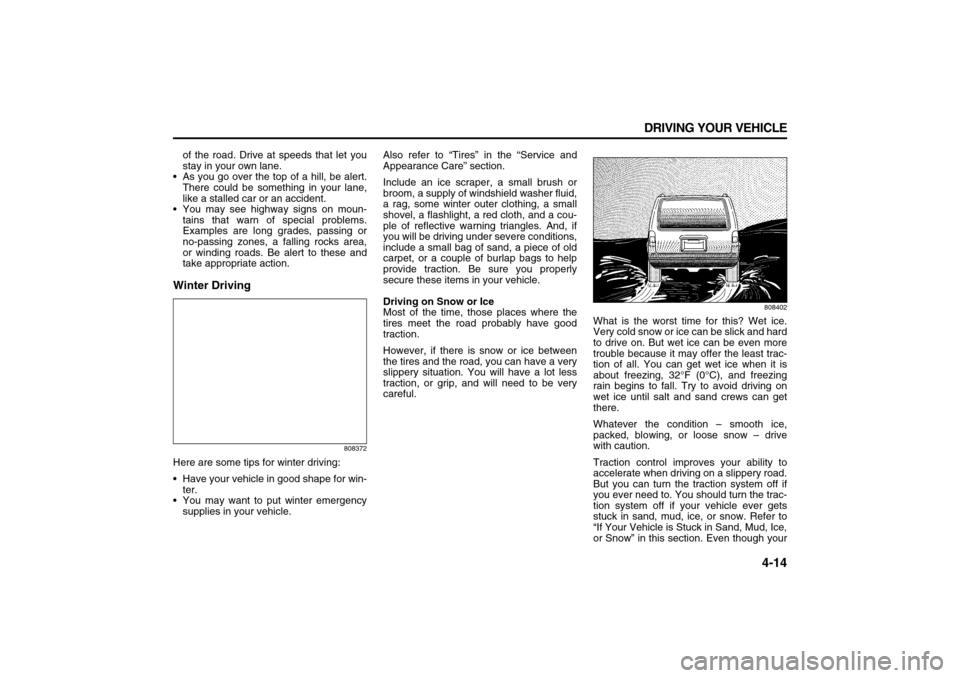
take appropriate action.Winter Driving
808372
Here are some tips for winter driving:
Have your vehicle in good shape for win-
ter.
You may want to put winter emergency
supplies in your vehicle.Also refer to “Tires” in the “Service and
Appearance Care” section.
Include an ice scraper, a small brush or
broom, a supply of windshield washer fluid,
a rag, some winter outer clothing, a small
shovel, a flashlight, a red cloth, and a cou-
ple of reflective warning triangles. And, if
you will be driving under severe conditions,
include a small bag of sand, a piece of old
carpet, or a couple of burlap bags to help
provide traction. Be sure you properly
secure these items in your vehicle.
Driving on Snow or Ice
Most of the time, those places where the
tires meet the road probably have good
traction.
However, if there is snow or ice between
the tires and the road, you can have a very
slippery situation. You will have a lot less
traction, or grip, and will need to be very
careful.
808402
What is the worst time for this? Wet ice.
Very cold snow or ice can be slick and hard
to drive on. But wet ice can be even more
trouble because it may offer the least trac-
tion of all. You can get wet ice when it is
about freezing, 32°F (0°C), and freezing
rain begins to fall. Try to avoid driving on
wet ice until salt and sand crews can get
there.
Whatever the condition – smooth ice,
packed, blowing, or loose snow – drive
with caution.
Traction control improves your ability to
accelerate when driving on a slippery road.
But you can turn the traction system off if
you ever need to. You should turn the trac-
tion system off if your vehicle ever gets
stuck in sand, mud, ice, or snow. Refer to
“If Your Vehicle is Stuck in Sand, Mud, Ice,
or Snow” in this section. Even though your