ignition SUZUKI XL7 2007 2.G Owner's Manual
[x] Cancel search | Manufacturer: SUZUKI, Model Year: 2007, Model line: XL7, Model: SUZUKI XL7 2007 2.GPages: 274, PDF Size: 6.12 MB
Page 91 of 274
3-9 INSTRUMENT PANEL
78J00-03E
your vehicle will come on when any door is
opened. In addition, the light will come on
when the remote keyless entry unlock but-
ton is pressed. It will stay on for 20 sec-
onds or until a door is opened. After the
door is opened the light will remain on and
stay on for 20 seconds after the doors are
closed, or until you put the key in the igni-
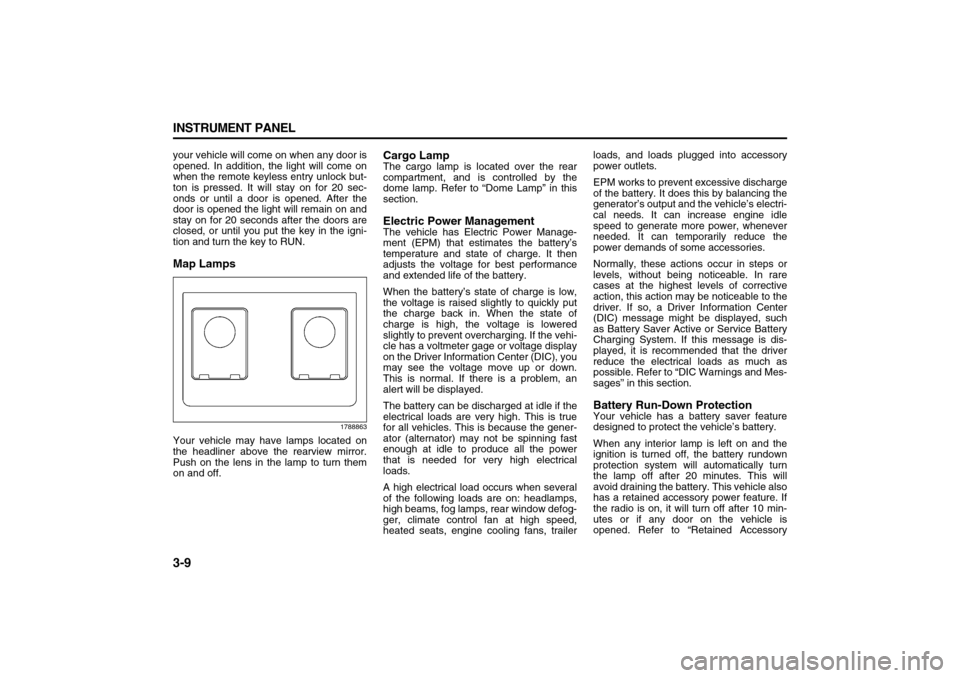
tion and turn the key to RUN.Map Lamps
1788863
Your vehicle may have lamps located on
the headliner above the rearview mirror.
Push on the lens in the lamp to turn them
on and off.
Cargo LampThe cargo lamp is located over the rear
compartment, and is controlled by the
dome lamp. Refer to “Dome Lamp” in this
section.Electric Power ManagementThe vehicle has Electric Power Manage-
ment (EPM) that estimates the battery’s
temperature and state of charge. It then
adjusts the voltage for best performance
and extended life of the battery.
When the battery’s state of charge is low,
the voltage is raised slightly to quickly put
the charge back in. When the state of
charge is high, the voltage is lowered
slightly to prevent overcharging. If the vehi-
cle has a voltmeter gage or voltage display
on the Driver Information Center (DIC), you
may see the voltage move up or down.
This is normal. If there is a problem, an
alert will be displayed.
The battery can be discharged at idle if the
electrical loads are very high. This is true
for all vehicles. This is because the gener-
ator (alternator) may not be spinning fast
enough at idle to produce all the power
that is needed for very high electrical
loads.
A high electrical load occurs when several
of the following loads are on: headlamps,
high beams, fog lamps, rear window defog-
ger, climate control fan at high speed,
heated seats, engine cooling fans, trailerloads, and loads plugged into accessory
power outlets.
EPM works to prevent excessive discharge
of the battery. It does this by balancing the
generator’s output and the vehicle’s electri-
cal needs. It can increase engine idle
speed to generate more power, whenever
needed. It can temporarily reduce the
power demands of some accessories.
Normally, these actions occur in steps or
levels, without being noticeable. In rare
cases at the highest levels of corrective
action, this action may be noticeable to the
driver. If so, a Driver Information Center
(DIC) message might be displayed, such
as Battery Saver Active or Service Battery
Charging System. If this message is dis-
played, it is recommended that the driver
reduce the electrical loads as much as
possible. Refer to “DIC Warnings and Mes-
sages” in this section.
Battery Run-Down ProtectionYour vehicle has a battery saver feature
designed to protect the vehicle’s battery.
When any interior lamp is left on and the
ignition is turned off, the battery rundown
protection system will automatically turn
the lamp off after 20 minutes. This will
avoid draining the battery. This vehicle also
has a retained accessory power feature. If
the radio is on, it will turn off after 10 min-
utes or if any door on the vehicle is
opened. Refer to “Retained Accessory
Page 93 of 274
3-11 INSTRUMENT PANEL
78J00-03E
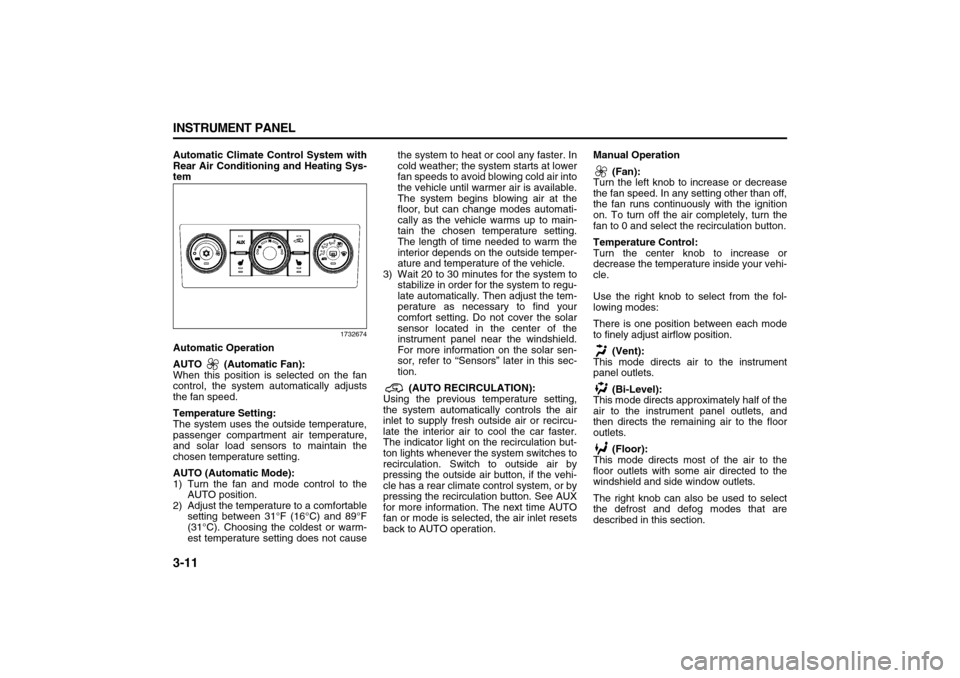
Automatic Climate Control System with
Rear Air Conditioning and Heating Sys-
tem
1732674
Automatic Operation
AUTO (Automatic Fan):
When this position is selected on the fan
control, the system automatically adjusts
the fan speed.
Temperature Setting:
The system uses the outside temperature,
passenger compartment air temperature,
and solar load sensors to maintain the
chosen temperature setting.
AUTO (Automatic Mode):
1) Turn the fan and mode control to the
AUTO position.
2) Adjust the temperature to a comfortable
setting between 31°F (16°C) and 89°F
(31°C). Choosing the coldest or warm-
est temperature setting does not causethe system to heat or cool any faster. In
cold weather; the system starts at lower
fan speeds to avoid blowing cold air into
the vehicle until warmer air is available.
The system begins blowing air at the
floor, but can change modes automati-
cally as the vehicle warms up to main-
tain the chosen temperature setting.
The length of time needed to warm the
interior depends on the outside temper-
ature and temperature of the vehicle.
3) Wait 20 to 30 minutes for the system to
stabilize in order for the system to regu-
late automatically. Then adjust the tem-
perature as necessary to find your
comfort setting. Do not cover the solar
sensor located in the center of the
instrument panel near the windshield.
For more information on the solar sen-
sor, refer to “Sensors” later in this sec-
tion.
(AUTO RECIRCULATION):
Using the previous temperature setting,
the system automatically controls the air
inlet to supply fresh outside air or recircu-
late the interior air to cool the car faster.
The indicator light on the recirculation but-
ton lights whenever the system switches to
recirculation. Switch to outside air by
pressing the outside air button, if the vehi-
cle has a rear climate control system, or by
pressing the recirculation button. See AUX
for more information. The next time AUTO
fan or mode is selected, the air inlet resets
back to AUTO operation.Manual Operation
(Fan):
Turn the left knob to increase or decrease
the fan speed. In any setting other than off,
the fan runs continuously with the ignition
on. To turn off the air completely, turn the
fan to 0 and select the recirculation button.
Temperature Control:
Turn the center knob to increase or
decrease the temperature inside your vehi-
cle.
Use the right knob to select from the fol-
lowing modes:
There is one position between each mode
to finely adjust airflow position.
(Vent):
This mode directs air to the instrument
panel outlets.
(Bi-Level):
This mode directs approximately half of the
air to the instrument panel outlets, and
then directs the remaining air to the floor
outlets.
(Floor):
This mode directs most of the air to the
floor outlets with some air directed to the
windshield and side window outlets.
The right knob can also be used to select
the defrost and defog modes that are
described in this section.
Page 94 of 274
3-12 INSTRUMENT PANEL
78J00-03E
The modes can also be selected by press-
ing the following buttons:
AUX (Auxiliary):
This button is on a vehicle that has the
Rear Climate Control System. Press it to
turn on the rear heating and air condition-
ing. Refer to “Rear Air Conditioning and
Heating System” in this section for more
information.
(Outside Air):
Press this button to turn on the outside air
mode. While this mode is on, outside air
circulates throughout the vehicle. An indi-
cator light in the button comes on when
this button is pressed. The outside air
mode can be used with all modes, but it
cannot be used with the recirculation
mode.
(Recirculation):
Press this button to recirculate cabin air
through the vehicle. It can be used to pre-
vent outside air and odors from entering
the vehicle or to help heat or cool the air
inside the vehicle more quickly. An indica-
tor light above the symbol comes on in this
mode. Operation in this mode during peri-
ods of high humidity and cool outside tem-
peratures can result in increased window
fogging. If window fogging is experienced,
select the defrost mode.
The recirculation mode cannot be used
with outside air, floor, defog, or defrost
modes.If your vehicle has a Rear Climate Control
System, use this button to switch between
outside air and recirculation.
(Air Conditioning):
Press this button to turn the air condition-
ing system on or off. When this button is
pressed, an indicator light on the button
comes on to let you know the air condition-
ing is activated.
On hot days, open the windows to let hot
inside air escape, then close them. This
helps to reduce the time it takes for the
vehicle to cool down. It also helps the sys-
tem to operate more efficiently.
The air conditioning system removes mois-
ture from the air, so you might notice a
small amount of water dripping underneath
the vehicle while idling or after turning off
the engine. This is normal.
(Heated Seats):
If your vehicle has heated seats, refer to
“Heated Seats” in the “Seats and Restraint
Systems” section for more information.
Defogging and Defrosting
Fog or frost on the inside of windows is a
result of high humidity (moisture) condens-
ing on the cool window glass. This can be
minimized if the climate control system is
used properly. To avoid fogging windows
on rainy and humid days at temperatures
above freezing, run the air conditioning
compressor. It is best to avoid the use of
the recirculation mode, except when maxi-mum A/C performance is needed or for
short times to avoid exterior odors.
Use the floor/defog mode to clear the win-
dows of fog or moisture and warm the pas-
sengers. Use the defrost mode to remove
fog or frost from the windshield more
quickly.
When either of these modes or the floor
mode is selected, the system runs the air
conditioning compressor and cancels recir-
culation mode to dry the air; however, the
recirculation light stays on. For best
results, clear all snow and ice from the
windshield before defrosting.
Turn the right knob to select the defog or
defrost mode.
(Floor/Defog):
This mode directs about half of the air to
the floor outlets and the remaining air to
the windshield and the side window out-
lets.
(Defrost):
This mode directs most of the air to the
windshield and the side window outlets.
Rear Window Defogger
The rear window defogger uses a warming
grid to remove fog from the rear window.
The rear window defogger only works
when the ignition is in RUN.
Page 95 of 274
3-13 INSTRUMENT PANEL
78J00-03E
(Rear):
Press this button to turn the rear window
defogger on or off. An indicator light on the
button comes on to let you know that the
rear window defogger is activated.
The rear window defogger only works
when the ignition is in RUN. The rear win-
dow defogger stays on for approximately
15 minutes after the button is pressed,
unless the ignition is turned to ACC or
LOCK. If turned on again, the defogger
only runs for about five minutes before
turning off. The defogger can also be
turned off by pressing the button again or
by turning off the engine.
Outlet AdjustmentUse the louvers located on the air outlets
to change the direction of the airflow.
Operation Tips
Clear away any ice, snow, or leaves from
the air inlets at the base of the vehicle
that may block the flow of air into your
vehicle.
Do not use any non-SUZUKI approved
hood deflectors that could adversely
affect the performance of the system.
Keep the path under the front seats clear
of objects to help circulate the air inside
of your vehicle more effectively.Rear Air Conditioning and Heating
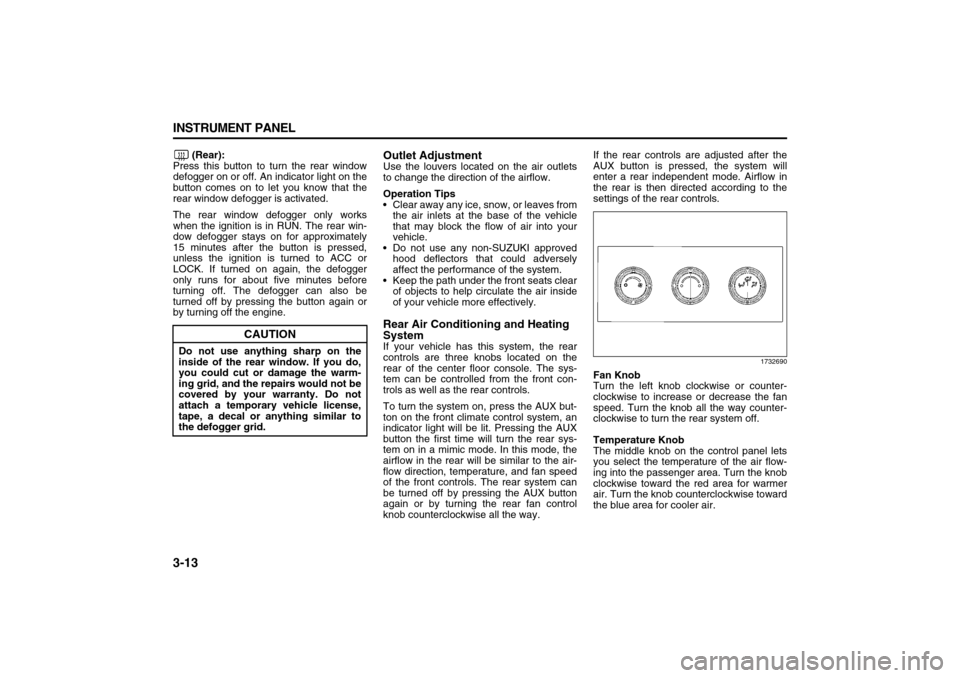
SystemIf your vehicle has this system, the rear
controls are three knobs located on the
rear of the center floor console. The sys-
tem can be controlled from the front con-
trols as well as the rear controls.
To turn the system on, press the AUX but-
ton on the front climate control system, an
indicator light will be lit. Pressing the AUX
button the first time will turn the rear sys-
tem on in a mimic mode. In this mode, the
airflow in the rear will be similar to the air-
flow direction, temperature, and fan speed
of the front controls. The rear system can
be turned off by pressing the AUX button
again or by turning the rear fan control
knob counterclockwise all the way.If the rear controls are adjusted after the
AUX button is pressed, the system will
enter a rear independent mode. Airflow in
the rear is then directed according to the
settings of the rear controls.
1732690
Fan Knob
Turn the left knob clockwise or counter-
clockwise to increase or decrease the fan
speed. Turn the knob all the way counter-
clockwise to turn the rear system off.
Temperature Knob
The middle knob on the control panel lets
you select the temperature of the air flow-
ing into the passenger area. Turn the knob
clockwise toward the red area for warmer
air. Turn the knob counterclockwise toward
the blue area for cooler air.
CAUTION
Do not use anything sharp on the
inside of the rear window. If you do,
you could cut or damage the warm-
ing grid, and the repairs would not be
covered by your warranty. Do not
attach a temporary vehicle license,
tape, a decal or anything similar to
the defogger grid.
Page 99 of 274
3-17 INSTRUMENT PANEL
78J00-03E
The airbag readiness light should flash for
a few seconds when you turn the ignition
key to RUN. If the light does not come on
then, have it fixed so it will be ready to
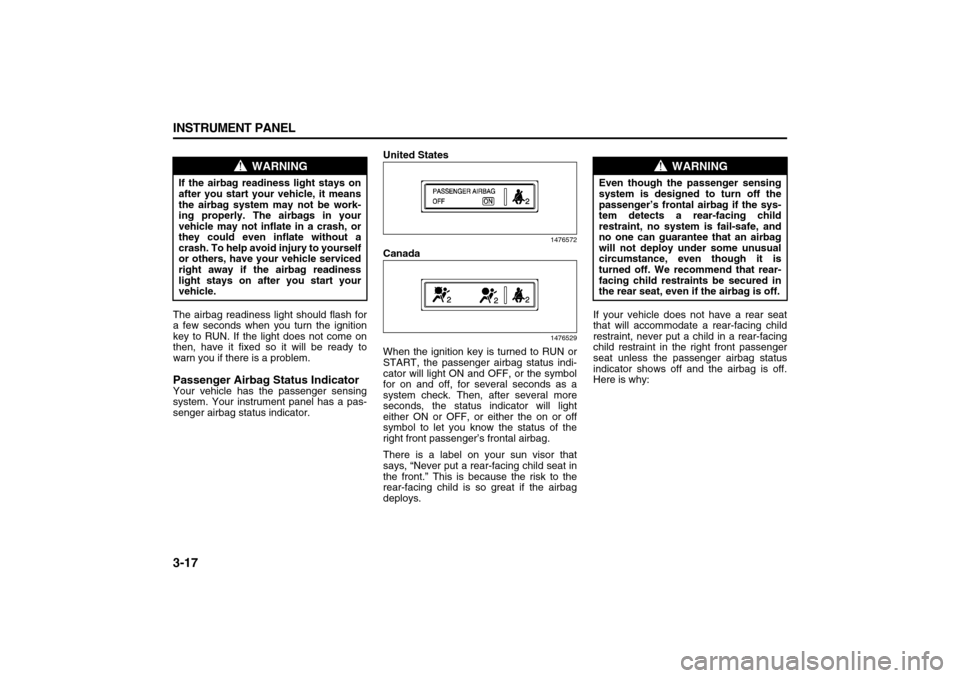
warn you if there is a problem.Passenger Airbag Status IndicatorYour vehicle has the passenger sensing
system. Your instrument panel has a pas-
senger airbag status indicator.United States
1476572
Canada
1476529
When the ignition key is turned to RUN or
START, the passenger airbag status indi-
cator will light ON and OFF, or the symbol
for on and off, for several seconds as a
system check. Then, after several more
seconds, the status indicator will light
either ON or OFF, or either the on or off
symbol to let you know the status of the
right front passenger’s frontal airbag.
There is a label on your sun visor that
says, “Never put a rear-facing child seat in
the front.” This is because the risk to the
rear-facing child is so great if the airbag
deploys.If your vehicle does not have a rear seat
that will accommodate a rear-facing child
restraint, never put a child in a rear-facing
child restraint in the right front passenger
seat unless the passenger airbag status
indicator shows off and the airbag is off.
Here is why:
WARNING
If the airbag readiness light stays on
after you start your vehicle, it means
the airbag system may not be work-
ing properly. The airbags in your
vehicle may not inflate in a crash, or
they could even inflate without a
crash. To help avoid injury to yourself
or others, have your vehicle serviced
right away if the airbag readiness
light stays on after you start your
vehicle.
WARNING
Even though the passenger sensing
system is designed to turn off the
passenger’s frontal airbag if the sys-
tem detects a rear-facing child
restraint, no system is fail-safe, and
no one can guarantee that an airbag
will not deploy under some unusual
circumstance, even though it is
turned off. We recommend that rear-
facing child restraints be secured in
the rear seat, even if the airbag is off.
Page 101 of 274
3-19 INSTRUMENT PANEL
78J00-03E
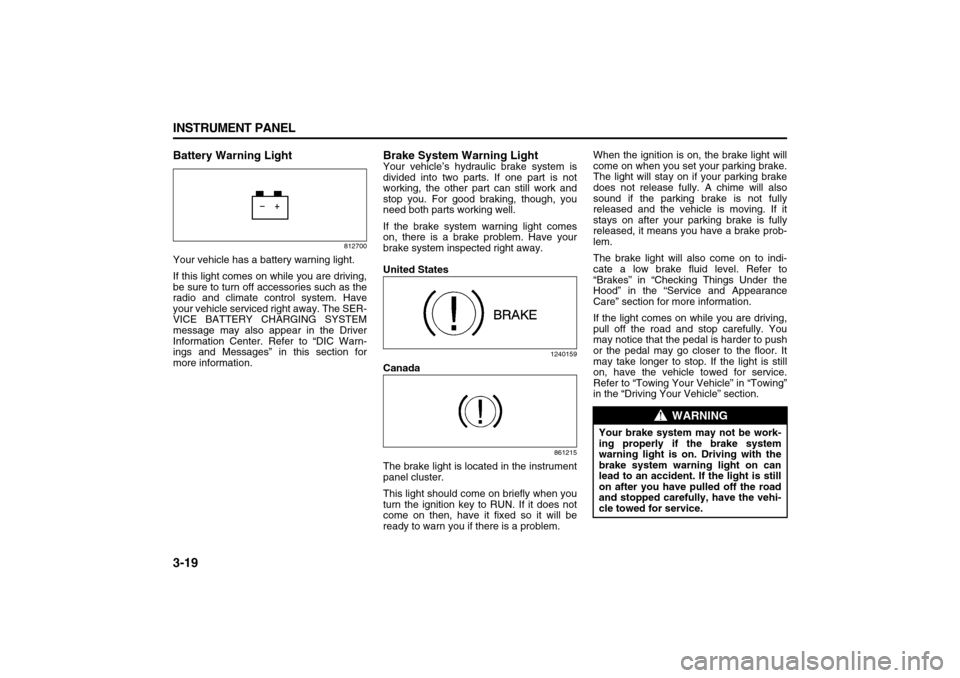
Battery Warning Light
812700
Your vehicle has a battery warning light.
If this light comes on while you are driving,
be sure to turn off accessories such as the
radio and climate control system. Have
your vehicle serviced right away. The SER-
VICE BATTERY CHARGING SYSTEM
message may also appear in the Driver
Information Center. Refer to “DIC Warn-
ings and Messages” in this section for
more information.
Brake System Warning LightYour vehicle’s hydraulic brake system is
divided into two parts. If one part is not
working, the other part can still work and
stop you. For good braking, though, you
need both parts working well.
If the brake system warning light comes
on, there is a brake problem. Have your
brake system inspected right away.
United States
1240159
Canada
861215
The brake light is located in the instrument
panel cluster.
This light should come on briefly when you
turn the ignition key to RUN. If it does not
come on then, have it fixed so it will be
ready to warn you if there is a problem.When the ignition is on, the brake light will
come on when you set your parking brake.
The light will stay on if your parking brake
does not release fully. A chime will also
sound if the parking brake is not fully
released and the vehicle is moving. If it
stays on after your parking brake is fully
released, it means you have a brake prob-
lem.
The brake light will also come on to indi-
cate a low brake fluid level. Refer to
“Brakes” in “Checking Things Under the
Hood” in the “Service and Appearance
Care” section for more information.
If the light comes on while you are driving,
pull off the road and stop carefully. You
may notice that the pedal is harder to push
or the pedal may go closer to the floor. It
may take longer to stop. If the light is still
on, have the vehicle towed for service.
Refer to “Towing Your Vehicle” in “Towing”
in the “Driving Your Vehicle” section.
WARNING
Your brake system may not be work-
ing properly if the brake system
warning light is on. Driving with the
brake system warning light on can
lead to an accident. If the light is still
on after you have pulled off the road
and stopped carefully, have the vehi-
cle towed for service.
Page 102 of 274
3-20 INSTRUMENT PANEL
78J00-03E
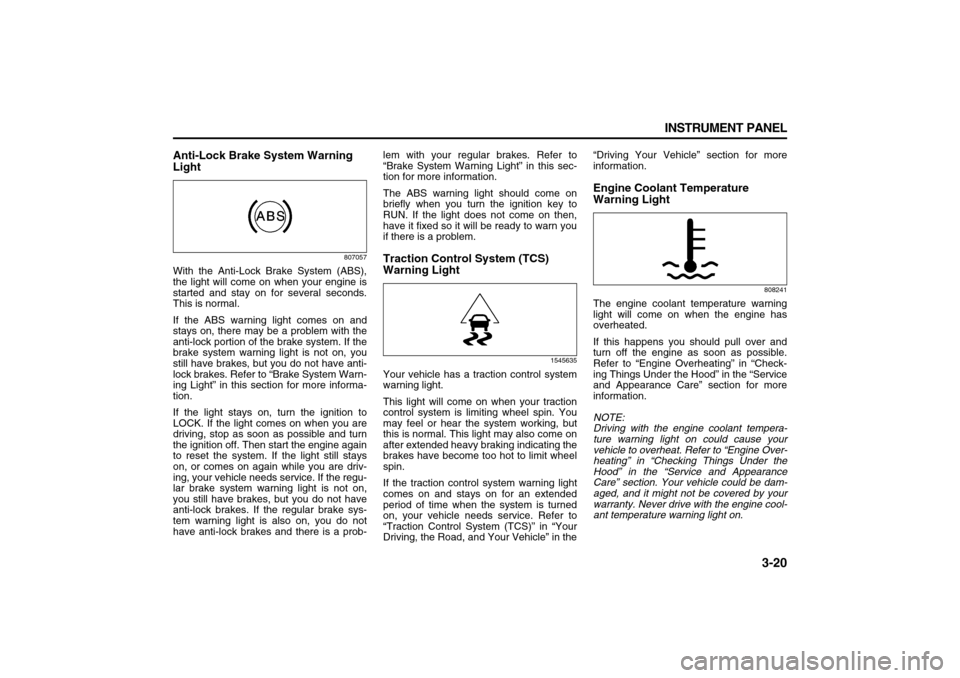
Anti-Lock Brake System Warning
Light
807057
With the Anti-Lock Brake System (ABS),
the light will come on when your engine is
started and stay on for several seconds.
This is normal.
If the ABS warning light comes on and
stays on, there may be a problem with the
anti-lock portion of the brake system. If the
brake system warning light is not on, you
still have brakes, but you do not have anti-
lock brakes. Refer to “Brake System Warn-
ing Light” in this section for more informa-
tion.
If the light stays on, turn the ignition to
LOCK. If the light comes on when you are
driving, stop as soon as possible and turn
the ignition off. Then start the engine again
to reset the system. If the light still stays
on, or comes on again while you are driv-
ing, your vehicle needs service. If the regu-
lar brake system warning light is not on,
you still have brakes, but you do not have
anti-lock brakes. If the regular brake sys-
tem warning light is also on, you do not
have anti-lock brakes and there is a prob-lem with your regular brakes. Refer to
“Brake System Warning Light” in this sec-
tion for more information.
The ABS warning light should come on
briefly when you turn the ignition key to
RUN. If the light does not come on then,
have it fixed so it will be ready to warn you
if there is a problem.
Traction Control System (TCS)
Warning Light
1545635
Your vehicle has a traction control system
warning light.
This light will come on when your traction
control system is limiting wheel spin. You
may feel or hear the system working, but
this is normal. This light may also come on
after extended heavy braking indicating the
brakes have become too hot to limit wheel
spin.
If the traction control system warning light
comes on and stays on for an extended
period of time when the system is turned
on, your vehicle needs service. Refer to
“Traction Control System (TCS)” in “Your
Driving, the Road, and Your Vehicle” in the“Driving Your Vehicle” section for more
information.
Engine Coolant Temperature
Warning Light
808241
The engine coolant temperature warning
light will come on when the engine has
overheated.
If this happens you should pull over and
turn off the engine as soon as possible.
Refer to “Engine Overheating” in “Check-
ing Things Under the Hood” in the “Service
and Appearance Care” section for more
information.
NOTE:
Driving with the engine coolant tempera-
ture warning light on could cause your
vehicle to overheat. Refer to “Engine Over-
heating” in “Checking Things Under the
Hood” in the “Service and Appearance
Care” section. Your vehicle could be dam-
aged, and it might not be covered by your
warranty. Never drive with the engine cool-
ant temperature warning light on.
Page 103 of 274
3-21 INSTRUMENT PANEL
78J00-03E
This light will also come on when starting
your vehicle. If it does not, have your vehi-
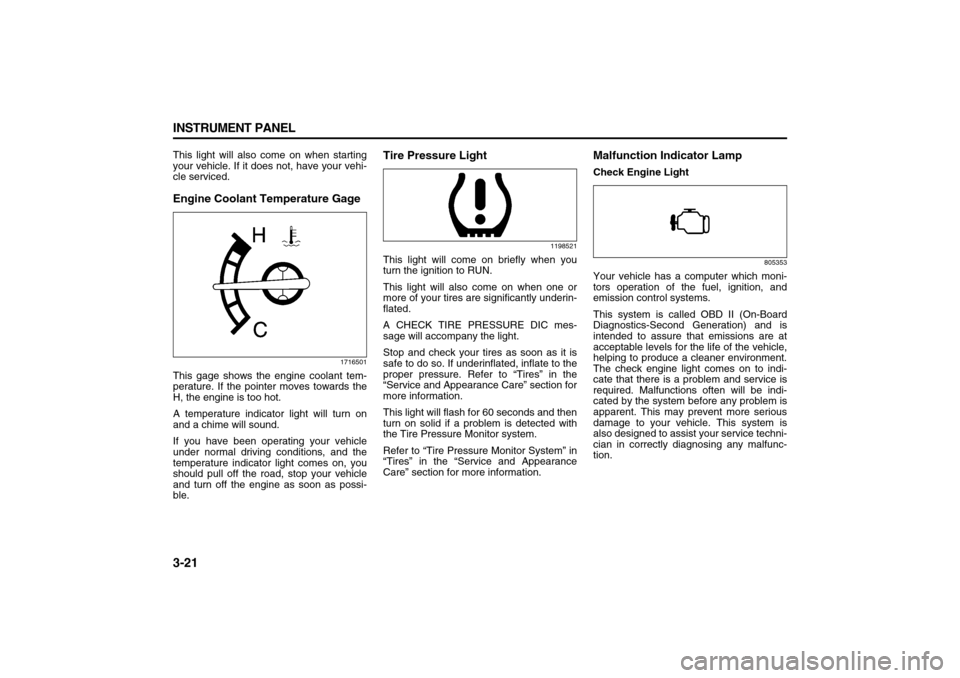
cle serviced.Engine Coolant Temperature Gage
1716501
This gage shows the engine coolant tem-
perature. If the pointer moves towards the
H, the engine is too hot.
A temperature indicator light will turn on
and a chime will sound.
If you have been operating your vehicle
under normal driving conditions, and the
temperature indicator light comes on, you
should pull off the road, stop your vehicle
and turn off the engine as soon as possi-
ble.
Tire Pressure Light
1198521
This light will come on briefly when you
turn the ignition to RUN.
This light will also come on when one or
more of your tires are significantly underin-
flated.
A CHECK TIRE PRESSURE DIC mes-
sage will accompany the light.
Stop and check your tires as soon as it is
safe to do so. If underinflated, inflate to the
proper pressure. Refer to “Tires” in the
“Service and Appearance Care” section for
more information.
This light will flash for 60 seconds and then
turn on solid if a problem is detected with
the Tire Pressure Monitor system.
Refer to “Tire Pressure Monitor System” in
“Tires” in the “Service and Appearance
Care” section for more information.
Malfunction Indicator LampCheck Engine Light
805353
Your vehicle has a computer which moni-
tors operation of the fuel, ignition, and
emission control systems.
This system is called OBD II (On-Board
Diagnostics-Second Generation) and is
intended to assure that emissions are at
acceptable levels for the life of the vehicle,
helping to produce a cleaner environment.
The check engine light comes on to indi-
cate that there is a problem and service is
required. Malfunctions often will be indi-
cated by the system before any problem is
apparent. This may prevent more serious
damage to your vehicle. This system is
also designed to assist your service techni-
cian in correctly diagnosing any malfunc-
tion.
Page 104 of 274

3-22 INSTRUMENT PANEL
78J00-03E
This light should come on, as a check to
show you it is working, when the ignition is
on and the engine is not running. If the
light does not come on, have it repaired.This light will also come on during a mal-
function in one of two ways:
Light Flashing
A misfire condition has been detected. A
misfire increases vehicle emissions and
may damage the emission control sys-
tem on your vehicle. Diagnosis and ser-
vice may be required.
Light On Steady
An emission control system malfunction
has been detected on your vehicle. Diag-
nosis and service may be required.
If the Light is Flashing
The following may prevent more serious
damage to your vehicle:
Reducing vehicle speed
Avoiding hard accelerations
Avoiding steep uphill grades
If you are towing a trailer, reduce the
amount of cargo being hauled as soon
as it is possible
If the light stops flashing and remains on
steady, see “If the Light Is On Steady” fol-
lowing.
If the light continues to flash, when it is
safe to do so, stop the vehicle. Find a safe
place to park your vehicle. Turn the key off,
wait at least 10 seconds and restart the
engine. If the light remains on steady, see
“If the Light Is On Steady” following. If the
light is still flashing, follow the previoussteps, and see your dealer for service as
soon as possible.
If the Light Is On Steady
You may be able to correct the emission
system malfunction by considering the fol-
lowing:
Did you recently put fuel into your vehicle?
If so, reinstall the fuel cap, making sure to
fully install the cap. Refer to “Filling the
Tank” in “Fuel” in the “Service and Appear-
ance Care” section. The diagnostic system
can determine if the fuel cap has been left
off or improperly installed. A loose or miss-
ing fuel cap will allow fuel to evaporate into
the atmosphere. A few driving trips with the
cap properly installed should turn the light
off.
Did you just drive through a deep puddle of
water?
If so, your electrical system may be wet.
The condition will usually be corrected
when the electrical system dries out. A few
driving trips should turn the light off.
Have you recently changed brands of fuel?
If so, be sure to fuel your vehicle with qual-
ity fuel. Refer to “Gasoline Octane” in
“Fuel” in the “Service and Appearance
Care” section. Poor fuel quality will cause
your engine not to run as efficiently as
designed. You may notice this as stalling
after start-up, stalling when you put the
vehicle into gear, misfiring, hesitation on
CAUTION
If you keep driving your vehicle with
this light on, after awhile, the emis-
sion controls might not work as well,
your vehicle’s fuel economy might
not be as good, and the engine might
not run as smoothly. This could lead
to costly repairs that might not be
covered by your warranty.
CAUTION
Modifications made to the engine,
transaxle, exhaust, intake, or fuel
system of your vehicle or the replace-
ment of the original tires with other
than those of the same Tire Perfor-
mance Criteria (TPC) can affect your
vehicle’s emission controls and may
cause this light to come on. Modifica-
tions to these systems could lead to
costly repairs not covered by your
warranty. This may also result in a
failure to pass a required Emission
Inspection/Maintenance test. Refer to
“Accessories and Modifications” in
“Service” in the “Service and
Appearance Care” section.
Page 105 of 274
3-23 INSTRUMENT PANEL
78J00-03E
acceleration, or stumbling on acceleration.
(These conditions may go away once the
engine is warmed up.) This will be
detected by the system and cause the light
to turn on.
If you experience one or more of these
conditions, change the fuel brand you use.
It will require at least one full tank of the
proper fuel to turn the light off.
If none of the above steps have made the
light turn off, your dealer can check the
vehicle. Your dealer has the proper test
equipment and diagnostic tools to fix any
mechanical or electrical problems that may
have developed.
Emissions Inspection and Maintenance
Programs
Some state/provincial and local govern-
ments have or may begin programs to
inspect the emission control equipment on
your vehicle. Failure to pass this inspection
could prevent you from getting a vehicle
registration.
Here are some things you need to know to
help your vehicle pass an inspection:
Your vehicle will not pass this inspection if
the check engine light is on or not working
properly.
Your vehicle will not pass this inspection if
the OBD (on-board diagnostic) system
determines that critical emission control
systems have not been completely diag-nosed by the system. The vehicle would be
considered not ready for inspection. This
can happen if you have recently replaced
your battery or if your battery has run
down. The diagnostic system is designed
to evaluate critical emission control sys-
tems during normal driving. This may take
several days of routine driving. If you have
done this and your vehicle still does not
pass the inspection for lack of OBD system
readiness, your dealer can prepare the
vehicle for inspection.
Oil Pressure Light
808235
If you have a low engine oil pressure prob-
lem, this light will stay on after you start
your engine, or come on when you are
driving. This indicates that your engine is
not receiving enough oil.
The engine could be low on oil, or could
have some other oil problem. Have it fixed
immediately.
The oil light could also come on in three
other situations:
When the ignition is on but the engine is
not running, the light will come on as atest to show you it is working, but the
light will go out when you turn the igni-
tion to START. If it does not come on with
the ignition on, you may have a problem
with the fuse or bulb. Have it fixed right
away.
If the vehicle is idling at a stop sign, the
light may blink on and then off.
If you make a hard stop, the light may
come on for a moment. This is normal.
WARNING
Do not keep driving if the oil pressure
is low. If you do, your engine can
become so hot that it catches fire.
You or others could be burned. Check
your oil as soon as possible and have
your vehicle serviced.
CAUTION
Lack of proper engine oil mainte-
nance may damage the engine. The
repairs would not be covered by your
warranty. Always follow the mainte-
nance schedule in this manual for
changing engine oil.