key battery SUZUKI XL7 2007 2.G Owners Manual
[x] Cancel search | Manufacturer: SUZUKI, Model Year: 2007, Model line: XL7, Model: SUZUKI XL7 2007 2.GPages: 274, PDF Size: 6.12 MB
Page 57 of 274
2-1 FEATURES AND CONTROLS
78J00-03E
Keys
805686
One key is used for the ignition and all of
the locks.Key code information can be obtained by
your dealer. These code numbers can be
used to make new keys. Additional keys
that are needed can be made at any retail
service facility provided you have the key
code information. Store this information in
a safe place, but not in your vehicle.
Have extra keys made. Your service parts
department can make extra keys for you.
NOTE:
If you ever lock your keys in your vehicle,
you may have to damage the vehicle to get
in. Be sure you have spare keys.
Remote Keyless Entry (RKE)
SystemThe remote keyless entry system operates
on a radio frequency subject to Federal
Communications Commission (FCC)
Rules and with Industry Canada.
This device complies with Part 15 of the
FCC Rules. Operation is subject to the fol-
lowing two conditions:
This device may not cause harmful inter-
ference.
This device must accept any interfer-
ence received, including interference
that may cause undesired operation of
the device.
This device complies with RSS-210 of
Industry Canada. Operation is subject to
the following two conditions: This device may not cause interference.
This device must accept any interfer-
ence received, including interference
that may cause undesired operation of
the device.
Changes or modifications to this system by
other than an authorized service facility
could void authorization to use this equip-
ment.
At times you may notice a decrease in
range. This is normal for any remote key-
less entry system. If the transmitter does
not work or if you have to stand closer to
your vehicle for the transmitter to work, try
this:
Check the distance. You may be too far
from your vehicle. You may need to
stand closer during rainy or snowy
weather.
Check the location. Other vehicles or
objects may be blocking the signal. Take
a few steps to the left or right, hold the
transmitter higher, and try again.
Check to determine if battery replace-
ment or resynchronization is necessary.
Refer to “Battery Replacement” and
“Resynchronization” under “Remote
Keyless Entry (RKE) System Operation”
in this section.
If you are still having trouble, see your
dealer or a qualified technician for ser-
vice.
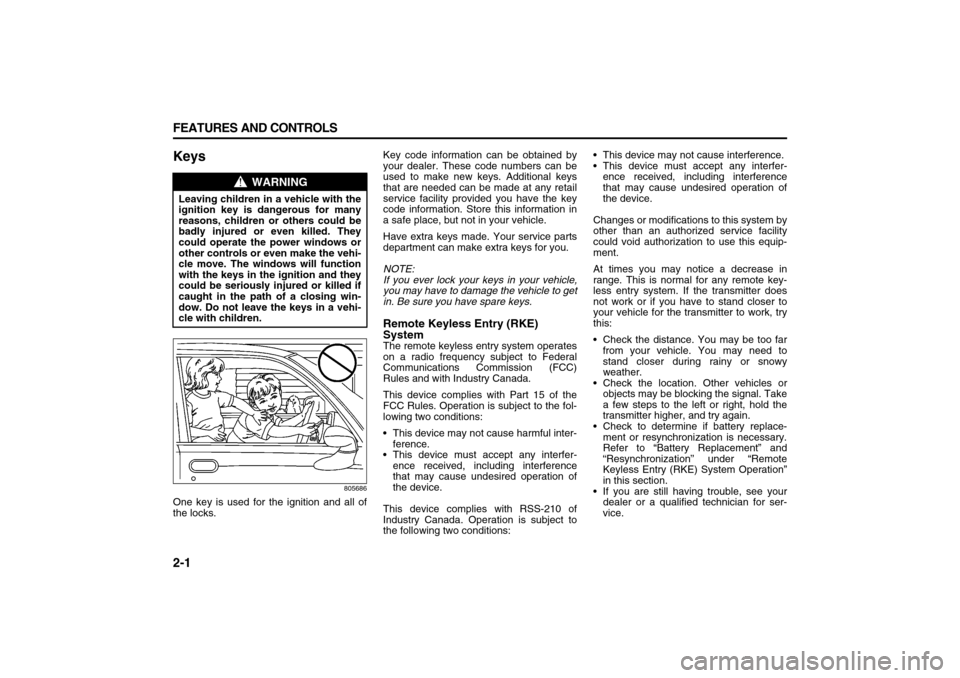
WARNING
Leaving children in a vehicle with the
ignition key is dangerous for many
reasons, children or others could be
badly injured or even killed. They
could operate the power windows or
other controls or even make the vehi-
cle move. The windows will function
with the keys in the ignition and they
could be seriously injured or killed if
caught in the path of a closing win-
dow. Do not leave the keys in a vehi-
cle with children.
Page 59 of 274
2-3 FEATURES AND CONTROLS
78J00-03E
transmitter will disarm the content theft-
deterrent system. Refer to “Content Theft-
Deterrent” in this section.
(Vehicle Locator/Panic Alarm):
Press and release this button to locate
your vehicle. The turn signal lamps will
flash and the horn will sound three times.
Press and hold this button for more than
two seconds to activate the panic alarm.
The turn signal lamps will flash and the
horn will sound repeatedly for 30 seconds.
The alarm will turn off when the ignition is
moved to RUN or the alarm button is
pressed again. The ignition must be in
LOCK for the panic alarm to work.
The RKE transmitter is used to arm/disarm
the content theft-deterrent system. Your
vehicle’s theft-deterrent system can be
programmed to three different modes.
Refer to “Content Theft-Deterrent” in this
section.
If you accidentally set off the alarm when
entering or exiting the vehicle, you can
shut it off by pressing the lock or unlock
button once or the panic alarm button
twice.
Matching Transmitter(s) to Your Vehicle
Each RKE transmitter is coded to prevent
another transmitter from unlocking your
vehicle. If a transmitter is lost or stolen, a
replacement can be purchased through
your dealer. Remember to bring any addi-
tional transmitters so they can also be re-coded to match the new transmitter. Once
your dealer has coded the new transmitter,
the lost transmitter will not unlock your
vehicle. The vehicle can have a maximum
of four transmitters matched to it. Or, refer
to “Relearn Remote Key” under “DIC Oper-
ation and Displays” in “Driver Information
Center (DIC)” in the “Instrument Panel”
section for instructions on how to match
RKE transmitters to your vehicle.
Battery Replacement
Under normal use, the battery in your RKE
transmitter should last about four years.
The battery is weak if the transmitter will
not work at the normal range in any loca-
tion. If you have to get close to your vehi-
cle before the transmitter works, it is
probably time to change the battery.
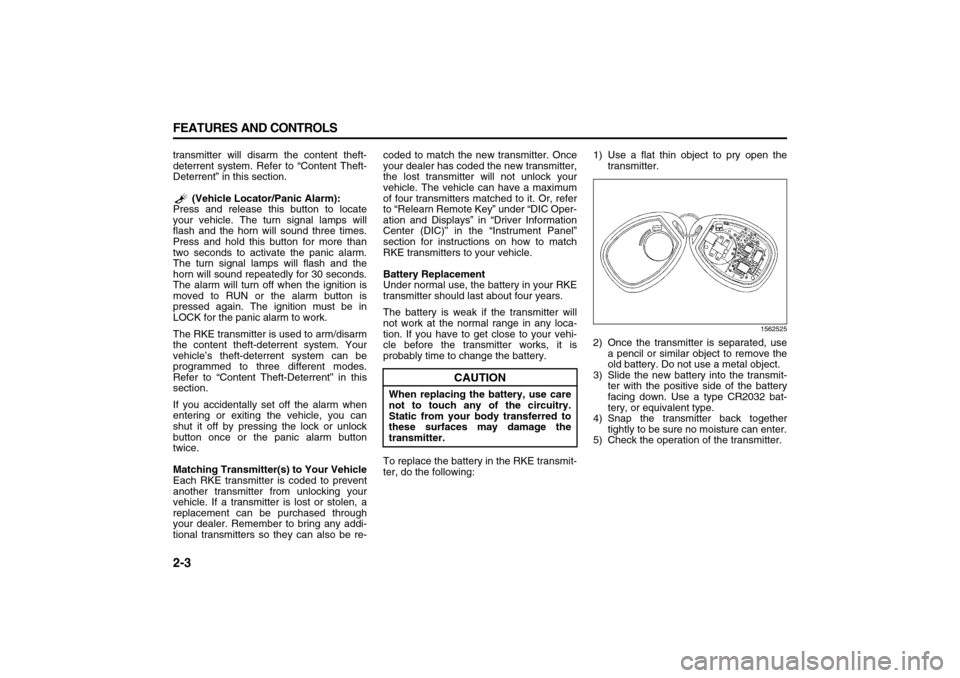
To replace the battery in the RKE transmit-
ter, do the following:1) Use a flat thin object to pry open the
transmitter.
1562525
2) Once the transmitter is separated, use
a pencil or similar object to remove the
old battery. Do not use a metal object.
3) Slide the new battery into the transmit-
ter with the positive side of the battery
facing down. Use a type CR2032 bat-
tery, or equivalent type.
4) Snap the transmitter back together
tightly to be sure no moisture can enter.
5) Check the operation of the transmitter.
CAUTION
When replacing the battery, use care
not to touch any of the circuitry.
Static from your body transferred to
these surfaces may damage the
transmitter.
Page 63 of 274
2-7 FEATURES AND CONTROLS
78J00-03E
LiftgateTo unlock the liftgate, press the unlock but-
ton on the Remote Keyless Entry (RKE)
transmitter twice or use the power door
lock switch.
To lock the liftgate, press the lock button
on the RKE transmitter or use the power
door lock switch. The liftgate does not
have a key lock cylinder.To open the liftgate, pull up on the handle
located in the center of the liftgate.
When closing the liftgate, use the molded
handles to pull the liftgate down. Push the
liftgate closed until it latches.
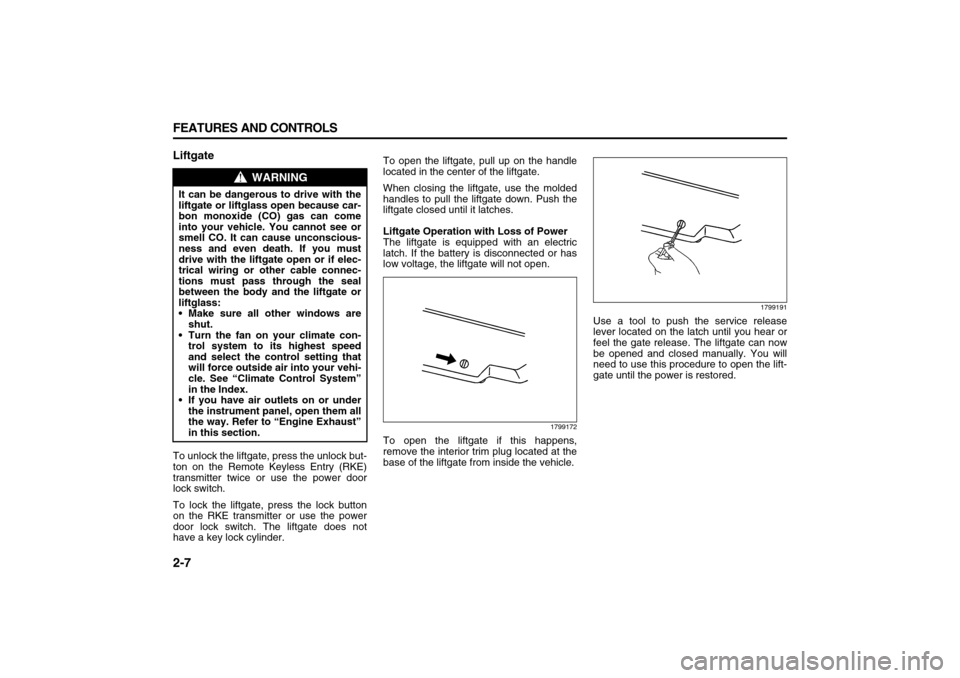
Liftgate Operation with Loss of Power
The liftgate is equipped with an electric
latch. If the battery is disconnected or has
low voltage, the liftgate will not open.
1799172
To open the liftgate if this happens,
remove the interior trim plug located at the
base of the liftgate from inside the vehicle.
1799191
Use a tool to push the service release
lever located on the latch until you hear or
feel the gate release. The liftgate can now
be opened and closed manually. You will
need to use this procedure to open the lift-
gate until the power is restored.
WARNING
It can be dangerous to drive with the
liftgate or liftglass open because car-
bon monoxide (CO) gas can come
into your vehicle. You cannot see or
smell CO. It can cause unconscious-
ness and even death. If you must
drive with the liftgate open or if elec-
trical wiring or other cable connec-
tions must pass through the seal
between the body and the liftgate or
liftglass:
Make sure all other windows are
shut.
Turn the fan on your climate con-
trol system to its highest speed
and select the control setting that
will force outside air into your vehi-
cle. See “Climate Control System”
in the Index.
If you have air outlets on or under
the instrument panel, open them all
the way. Refer to “Engine Exhaust”
in this section.
Page 68 of 274
2-12 FEATURES AND CONTROLS
78J00-03E
Starting and Operating Your
VehicleNew Vehicle Break-InIgnition Positions
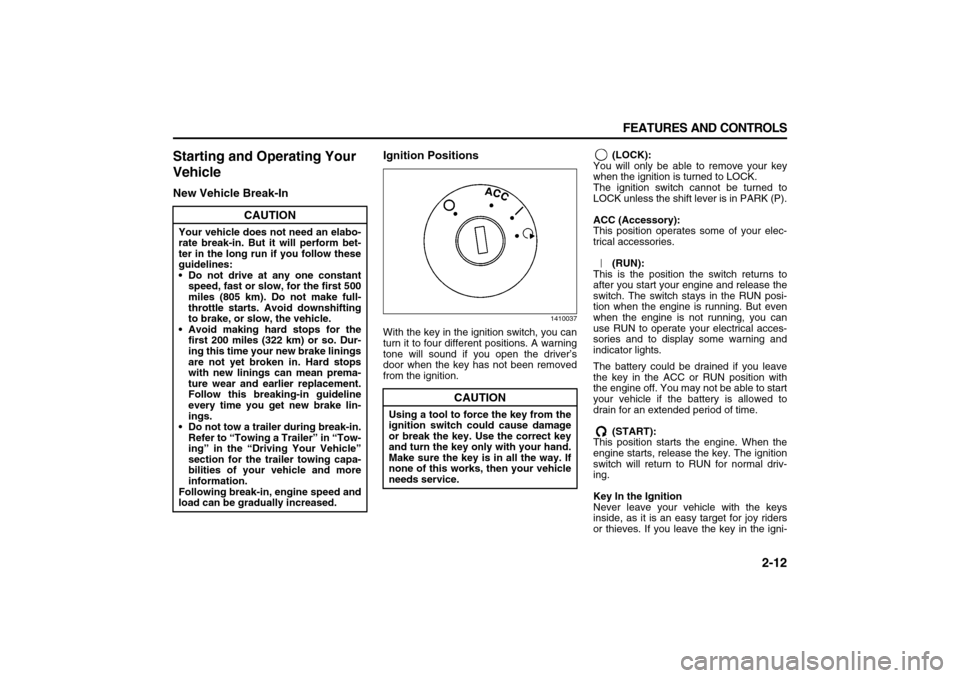
1410037
With the key in the ignition switch, you can
turn it to four different positions. A warning
tone will sound if you open the driver’s
door when the key has not been removed
from the ignition. (LOCK):
You will only be able to remove your key
when the ignition is turned to LOCK.
The ignition switch cannot be turned to
LOCK unless the shift lever is in PARK (P).
ACC (Accessory):
This position operates some of your elec-
trical accessories.
(RUN):
This is the position the switch returns to
after you start your engine and release the
switch. The switch stays in the RUN posi-
tion when the engine is running. But even
when the engine is not running, you can
use RUN to operate your electrical acces-
sories and to display some warning and
indicator lights.
The battery could be drained if you leave
the key in the ACC or RUN position with
the engine off. You may not be able to start
your vehicle if the battery is allowed to
drain for an extended period of time.
(START):
This position starts the engine. When the
engine starts, release the key. The ignition
switch will return to RUN for normal driv-
ing.
Key In the Ignition
Never leave your vehicle with the keys
inside, as it is an easy target for joy riders
or thieves. If you leave the key in the igni-
CAUTION
Your vehicle does not need an elabo-
rate break-in. But it will perform bet-
ter in the long run if you follow these
guidelines:
Do not drive at any one constant
speed, fast or slow, for the first 500
miles (805 km). Do not make full-
throttle starts. Avoid downshifting
to brake, or slow, the vehicle.
Avoid making hard stops for the
first 200 miles (322 km) or so. Dur-
ing this time your new brake linings
are not yet broken in. Hard stops
with new linings can mean prema-
ture wear and earlier replacement.
Follow this breaking-in guideline
every time you get new brake lin-
ings.
Do not tow a trailer during break-in.
Refer to “Towing a Trailer” in “Tow-
ing” in the “Driving Your Vehicle”
section for the trailer towing capa-
bilities of your vehicle and more
information.
Following break-in, engine speed and
load can be gradually increased.
CAUTION
Using a tool to force the key from the
ignition switch could cause damage
or break the key. Use the correct key
and turn the key only with your hand.
Make sure the key is in all the way. If
none of this works, then your vehicle
needs service.
Page 69 of 274

2-13 FEATURES AND CONTROLS
78J00-03E
tion and park your vehicle, a chime will
sound, when you open the driver’s door.
Always remember to remove your key from
the ignition and take it with you. This will
lock your ignition and transaxle. Also,
always remember to lock the doors.
The battery could be drained if you leave
the key in the ignition while your vehicle is
parked. You may not be able to start your
vehicle after it has been parked for an
extended period of time.Retained Accessory Power (RAP)The vehicle has Retained Accessory
Power (RAP), which will allow your vehi-
cle’s radio and windows to work when the
ignition key is in RUN or ACC. Once the
key is turned from RUN to LOCK the radio
will continue to work 10 minutes or until the
driver’s door is opened. Also, the power
windows will continue to work for up to 10
minutes or until any door is opened.
Starting the EnginePlace the transaxle in the proper gear.
Move your shift lever to PARK (P) or NEU-
TRAL (N). Your engine will not start in any
other position -- this is a safety feature. To
restart when you are already moving, use
NEUTRAL (N) only.
Starting Procedure
1) With your foot off the accelerator pedal,
turn the ignition key to START. When
the engine starts, let go of the key. The
idle speed will go down as your engine
gets warm. Do not race the engine
immediately after starting it. Operate
the engine and transaxle gently to allow
the oil to warm up and lubricate all mov-
ing parts.
Your vehicle has a Computer-Con-
trolled Cranking System. This feature
assists in starting the engine and pro-
tects components. If the ignition key is
turned to the START position, and then
released when the engine begins
cranking, the engine will continue
cranking for a few seconds or until the
vehicle starts. If the engine does not
start and the key is held in START for
many seconds, cranking will be stoppedafter 15 seconds to prevent cranking
motor damage. To prevent gear dam-
age, this system also prevents cranking
if the engine is already running. Engine
cranking can be stopped by turning the
ignition switch to the ACC or LOCK
position.
2) If the engine does not start after 5-10
seconds, especially in very cold
weather (below 0°F –18°C), it could be
flooded with too much gasoline. Try
pushing the accelerator pedal all the
way to the floor and holding it there as
you hold the key in START for up to a
maximum of 15 seconds. Wait at least
15 seconds between each try, to allow
the cranking motor to cool down. When
the engine starts, let go of the key and
accelerator. If the vehicle starts briefly
but then stops again, do the same
thing. This clears the extra gasoline
from the engine. Do not race the engine
immediately after starting it. Operate
the engine and transaxle gently until
CAUTION
Shifting into PARK (P) with the vehi-
cle moving could damage the tran-
saxle. Shift into PARK (P) only when
your vehicle is stopped.
CAUTION
Cranking the engine for long periods
of time, by returning the key to the
START position immediately after
cranking has ended, can overheat
and damage the cranking motor, and
drain the battery. Wait at least 15 sec-
onds between each try, to allow the
cranking motor to cool down.
Page 91 of 274
3-9 INSTRUMENT PANEL
78J00-03E
your vehicle will come on when any door is
opened. In addition, the light will come on
when the remote keyless entry unlock but-
ton is pressed. It will stay on for 20 sec-
onds or until a door is opened. After the
door is opened the light will remain on and
stay on for 20 seconds after the doors are
closed, or until you put the key in the igni-
tion and turn the key to RUN.Map Lamps
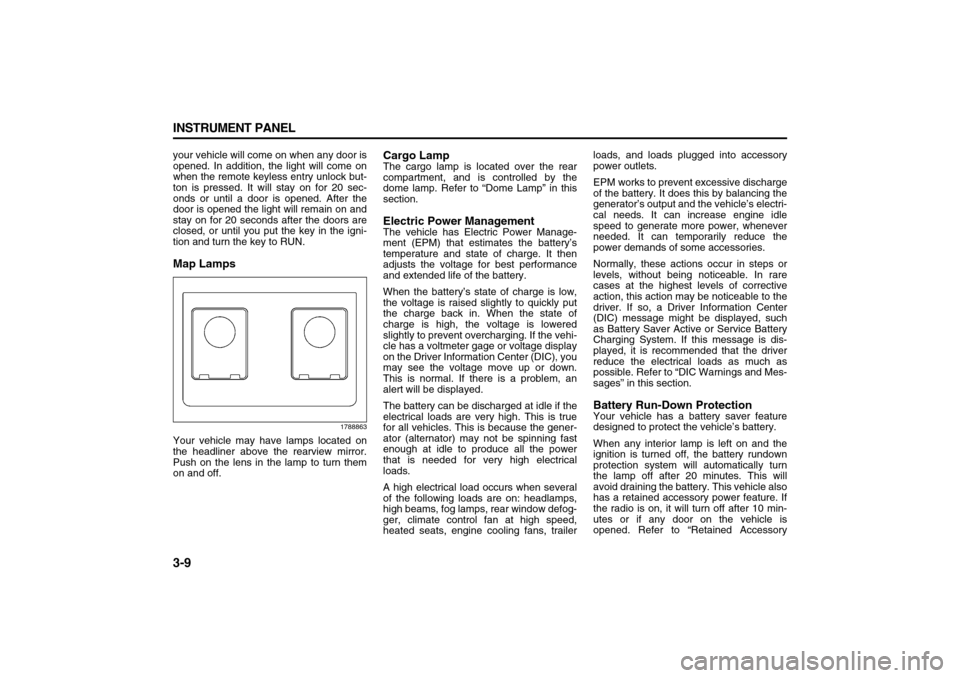
1788863
Your vehicle may have lamps located on
the headliner above the rearview mirror.
Push on the lens in the lamp to turn them
on and off.
Cargo LampThe cargo lamp is located over the rear
compartment, and is controlled by the
dome lamp. Refer to “Dome Lamp” in this
section.Electric Power ManagementThe vehicle has Electric Power Manage-
ment (EPM) that estimates the battery’s
temperature and state of charge. It then
adjusts the voltage for best performance
and extended life of the battery.
When the battery’s state of charge is low,
the voltage is raised slightly to quickly put
the charge back in. When the state of
charge is high, the voltage is lowered
slightly to prevent overcharging. If the vehi-
cle has a voltmeter gage or voltage display
on the Driver Information Center (DIC), you
may see the voltage move up or down.
This is normal. If there is a problem, an
alert will be displayed.
The battery can be discharged at idle if the
electrical loads are very high. This is true
for all vehicles. This is because the gener-
ator (alternator) may not be spinning fast
enough at idle to produce all the power
that is needed for very high electrical
loads.
A high electrical load occurs when several
of the following loads are on: headlamps,
high beams, fog lamps, rear window defog-
ger, climate control fan at high speed,
heated seats, engine cooling fans, trailerloads, and loads plugged into accessory
power outlets.
EPM works to prevent excessive discharge
of the battery. It does this by balancing the
generator’s output and the vehicle’s electri-
cal needs. It can increase engine idle
speed to generate more power, whenever
needed. It can temporarily reduce the
power demands of some accessories.
Normally, these actions occur in steps or
levels, without being noticeable. In rare
cases at the highest levels of corrective
action, this action may be noticeable to the
driver. If so, a Driver Information Center
(DIC) message might be displayed, such
as Battery Saver Active or Service Battery
Charging System. If this message is dis-
played, it is recommended that the driver
reduce the electrical loads as much as
possible. Refer to “DIC Warnings and Mes-
sages” in this section.
Battery Run-Down ProtectionYour vehicle has a battery saver feature
designed to protect the vehicle’s battery.
When any interior lamp is left on and the
ignition is turned off, the battery rundown
protection system will automatically turn
the lamp off after 20 minutes. This will
avoid draining the battery. This vehicle also
has a retained accessory power feature. If
the radio is on, it will turn off after 10 min-
utes or if any door on the vehicle is
opened. Refer to “Retained Accessory
Page 101 of 274
3-19 INSTRUMENT PANEL
78J00-03E
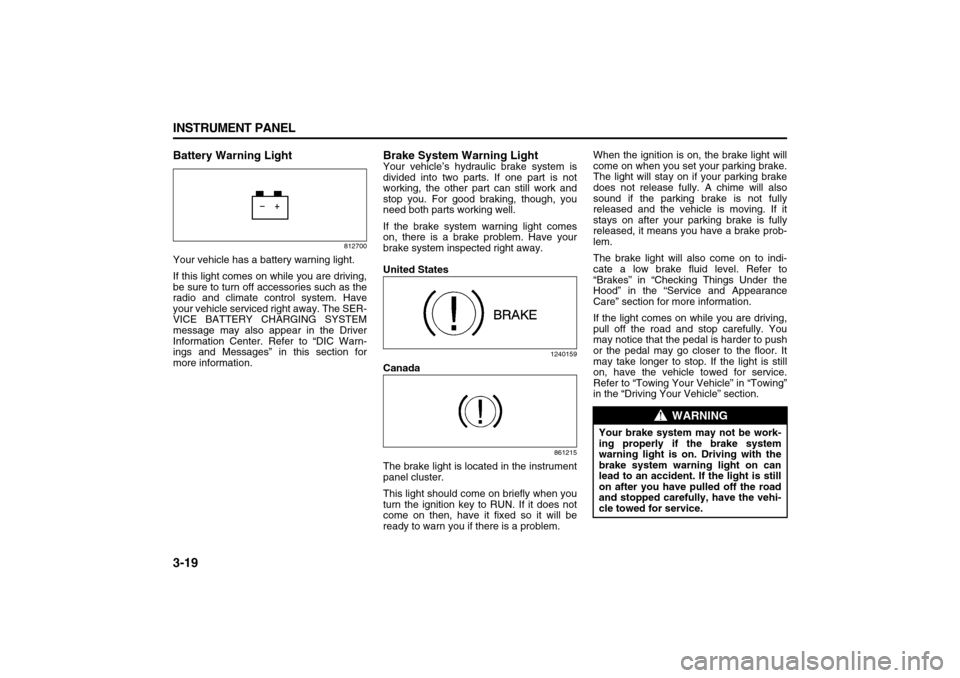
Battery Warning Light
812700
Your vehicle has a battery warning light.
If this light comes on while you are driving,
be sure to turn off accessories such as the
radio and climate control system. Have
your vehicle serviced right away. The SER-
VICE BATTERY CHARGING SYSTEM
message may also appear in the Driver
Information Center. Refer to “DIC Warn-
ings and Messages” in this section for
more information.
Brake System Warning LightYour vehicle’s hydraulic brake system is
divided into two parts. If one part is not
working, the other part can still work and
stop you. For good braking, though, you
need both parts working well.
If the brake system warning light comes
on, there is a brake problem. Have your
brake system inspected right away.
United States
1240159
Canada
861215
The brake light is located in the instrument
panel cluster.
This light should come on briefly when you
turn the ignition key to RUN. If it does not
come on then, have it fixed so it will be
ready to warn you if there is a problem.When the ignition is on, the brake light will
come on when you set your parking brake.
The light will stay on if your parking brake
does not release fully. A chime will also
sound if the parking brake is not fully
released and the vehicle is moving. If it
stays on after your parking brake is fully
released, it means you have a brake prob-
lem.
The brake light will also come on to indi-
cate a low brake fluid level. Refer to
“Brakes” in “Checking Things Under the
Hood” in the “Service and Appearance
Care” section for more information.
If the light comes on while you are driving,
pull off the road and stop carefully. You
may notice that the pedal is harder to push
or the pedal may go closer to the floor. It
may take longer to stop. If the light is still
on, have the vehicle towed for service.
Refer to “Towing Your Vehicle” in “Towing”
in the “Driving Your Vehicle” section.
WARNING
Your brake system may not be work-
ing properly if the brake system
warning light is on. Driving with the
brake system warning light on can
lead to an accident. If the light is still
on after you have pulled off the road
and stopped carefully, have the vehi-
cle towed for service.
Page 112 of 274

3-30 INSTRUMENT PANEL
78J00-03E
RELEARN REMOTE KEY
This display allows you to match the
Remote Keyless Entry (RKE) transmitter to
your vehicle. To match a RKE transmitter
to your vehicle, do the following:
1) Make sure the vehicle is in PARK (P).
2) Press the vehicle information button
until PRESS TO RELEARN
REMOTE KEY displays.
3) Press the set/reset button.
The message REMOTE KEY LEARN-
ING ACTIVE will display.
4) Press and hold the lock and unlock but-
tons on the first transmitter at the same
time for about 15 seconds.
A chime will sound indicating that the
transmitter is matched.
5) To match additional transmitters at this
time, repeat Step 3.
Each vehicle can have a maximum of
four transmitters matched to it.
6) To exit the programming mode, you
must cycle the key to LOCK.
Blank Display
This display shows no information.
PERSONALIZATION
This display allows you to personalize the
feature settings on your vehicle. Refer to
“DIC Vehicle Personalization” in this sec-
tion for more information.
DIC Warnings and MessagesMessages are displayed on the DIC to
notify the driver that the status of the vehi-
cle has changed and that some action may
be needed by the driver to correct the con-
dition. Multiple messages may appear one
after another. Some messages may not
require immediate action, but you can
press the set/reset button to acknowledge
that you received the messages and to
clear them from the display. Pressing any
of the DIC buttons also acknowledge and
clear any messages. Some messages
cannot be cleared from the DIC display
because they are more urgent. These
messages require action before they can
be cleared. You should take any messages
that appear on the display seriously and
remember that clearing the messages will
only make the messages disappear, not
correct the problem. The following are the
possible messages that can be displayed
and some information about them.
ALL WHEEL DRIVE OFF
If your vehicle has the All-Wheel Drive
(AWD) system, this message displays
along with the All-Wheel Drive Disabled
light when the rear drive system is over-
heating. This message turns off when the
rear drive system cools down. If the warn-
ing message stays on for a while, you need
to reset the warning message. To reset the
warning message, turn the ignition off and
then back on again. If the message stays
on, see your dealer right away. Refer to“All-Wheel Drive (AWD) System” in “Your
Driving, the Road, and Your Vehicle” in the
“Driving Your Vehicle” section and “All-
Wheel Drive Disabled Light” in this section
for more information.
BATTERY SAVER ACTIVE
This message displays when the charging
system detects that the battery is being
drained. You may notice that the vehicle
attempts to reduce the drain for you by
turning off accessories, such as interior
fans, rear defogger, and heated seats. Turn
off all accessories. If the vehicle is not run-
ning, start and run the engine for at least
10 minutes to allow the battery to
recharge. If the engine is running and the
condition persists, see your dealer immedi-
ately.
BUCKLE PASSENGER SEATBELT
This message reminds you to buckle the
passenger’s safety belt. Refer to “Passen-
ger Sensing System” in “Airbag System” in
the “Seats and Restraint Systems” section.
This message displays and a chime
sounds when the ignition is on, the driver’s
safety belt is buckled, the passenger’s
safety belt is unbuckled with the passenger
airbag enabled, and the vehicle is in
motion. You should have the passenger
buckle their safety belt.
This reminder will be repeated if the igni-
tion is on, the vehicle is in motion, the
driver is buckled and the passenger is still
unbuckled, and the passenger airbag is
Page 115 of 274

3-33 INSTRUMENT PANEL
78J00-03E
REMOTE KEY LEARNING ACTIVE
This message displays while you are
matching a Remote Keyless Entry (RKE)
transmitter to your vehicle. Refer to
“LEARN REMOTE KEY” under “DIC Oper-
ation and Displays” in this section for more
information.
SERVICE A/C (Air Conditioning) SYS-
TEM
This message displays when there is a
problem detected in the air conditioning
system. Have the vehicle serviced by your
dealer.
SERVICE AIR BAG
This message displays when there is a
problem with the airbag system. Have your
vehicle serviced by your dealer immedi-
ately. Refer to “Airbag Readiness Light” in
this section for more information.
SERVICE ALL WHEEL DRIVE
If your vehicle has the All-Wheel Drive
(AWD) system, this message displays
along with the service all-wheel drive light
if a problem occurs with this system. Refer
to “Service All-Wheel Drive Light” in this
section. If this message appears, stop as
soon as possible and turn off the vehicle.
Restart the vehicle and check for the mes-
sage on the DIC display. If the message is
still displayed or appears again when you
begin driving, the AWD system needs ser-
vice. See your dealer.SERVICE BATTERY CHARGING SYS-
TEM
This message displays when there is a
problem with the generator and battery
charging systems. Driving with this prob-
lem could drain the vehicle’s battery. Turn
off all unnecessary accessories. Stop and
turn off the vehicle as soon as it is safe to
do so. Have the electrical system checked
by your dealer immediately.
Connecting a battery charger to your vehi-
cle while the ignition is in any position
other than LOCK may cause this message
to appear. If you need to charge your vehi-
cle, make sure that the key is in LOCK or
out of the ignition during charging.
SERVICE BRAKE SYSTEM
This message displays and a chime
sounds when the brake fluid level is low.
The brake system warning light also
appears on the instrument panel cluster
when this message appears on the DIC.
Refer to “Brake System Warning Light” in
this section. Have the brake system ser-
viced by your dealer as soon as possible.
SERVICE STABILITY CTRL (Control)
This message displays if there has been a
problem detected with the Electronic Sta-
bility Control (ESC) system. A warning light
also appears on the instrument panel clus-
ter. Refer to “Traction Control System
(TCS) Warning Light” in this section. Refer
to “Electronic Stability Control” in “Your
Driving, the Road, and Your Vehicle” in the“Driving Your Vehicle” section for more
information.
If this message turns on while you are driv-
ing, pull off the road as soon as possible
and stop carefully. Try resetting the system
by turning the ignition off and then back on.
If this message still stays on or turns back
on again while you are driving, your vehicle
needs service. Have the ESC system
inspected by your dealer as soon as possi-
ble.
SERVICE THEFT DETERRENT SYSTEM
This message displays when there is a
problem with the theft-deterrent system. A
fault has been detected in the system
which means that the system is disabled
and it is not protecting the vehicle. The
vehicle usually restarts; however, you may
want to take the vehicle to your dealer
before turning off the engine. Refer to
“PASS-Key
® III+ Operation” in “Theft-
Deterrent Systems” in the “Features and
Controls” section for more information.
SERVICE TIRE MONITOR SYSTEM
This message displays if a part on the Tire
Pressure Monitor (TPM) system is not
working properly. If you drive your vehicle
while any of the four sensors are missing
or inoperable, the warning comes on in
about 20 minutes. A sensor would be miss-
ing, for example, if you put different wheels
on your vehicle without transferring the
sensors. If the warning comes on and
Page 153 of 274

3-71 INSTRUMENT PANEL
78J00-03E
tinue playing in a slow play mode. You
may also, depending on the radio, perform
reverse slow play by pressing the pause
button and then pressing the fast reverse
button. To cancel slow play mode, press
the play/pause button.
(Previous Track/Chapter):
Press this button to return to the start of
the current track or chapter. Press this but-
ton again to go to the previous track or
chapter. This button may not work when
the DVD is playing the copyright informa-
tion or the previews.
(Next Track/Chapter):
Press this button to go to the beginning of
the next chapter or track. This button may
not work when the DVD is playing the
copyright information or the previews.
(Fast Reverse):
Press this button to fast reverse the DVD
or CD. To stop fast reversing a DVD video,
press the play button. To stop fast revers-
ing a DVD audio or CD, release the fast
reverse button. This button may not work
when the DVD is playing the copyright
information or the previews.
(Fast Forward):
Press this button to fast forward the DVD
or CD. To stop fast forwarding a DVD
video, press the play button. To stop fast
forwarding a DVD audio or CD, release the
fast forward button. This button may not
work when the DVD is playing the copy-
right information or the previews. (Audio):
Press this button to change audio tracks
on DVDs that have this feature when the
DVD is playing. The format and content of
this function will vary for each disc.
(Subtitles):
Press this button to turn ON/OFF subtitles
and to move through subtitle options when
a DVD is playing. The format and content
of this function will vary for each disc.
AUX (Auxiliary):
Press this button to switch the system
between the DVD player and an auxiliary
source.
(Camera):
Press this button to change camera angles
on DVDs that have this feature when a
DVD is playing. The format and content of
this function will vary for each disc.
1 through 0 (Numeric Keypad):
The numeric keypad provides the capabil-
ity of direct chapter or track number selec-
tion.
(Clear):
Press this button within three seconds
after entering a numeric selection, to clear
all numeric inputs.
(Double Digit Entries):
Press this button to select chapter or track
numbers greater than nine. Press this but-
ton before entering the number.Battery Replacement
To change the remote control batteries, do
the following:
1) Remove the battery compartment door
located on the bottom of the remote
control.
2) Replace the two batteries in the com-
partment. Make sure that they are
installed correctly, using the diagram on
the inside of the battery compartment.
3) Close the battery door securely.
If the remote control is to be stored for a
long period of time, remove the batteries
and keep them in a cool, dry place.