wheel TESLA MODEL 3 2018 User Guide
[x] Cancel search | Manufacturer: TESLA, Model Year: 2018, Model line: MODEL 3, Model: TESLA MODEL 3 2018Pages: 165, PDF Size: 8.63 MB
Page 55 of 165
Caution: Keep sensors clean from dirt,
debris, snow, and ice. Avoid using a high
pressure power washer on the sensors
and do not clean a sensor with a sharp or abrasive object that can scratch or
damage its surface.Caution: Do not install accessories or
stickers on or near the parking sensors.
Controlling Audible Feedback
You can use Park Assist with or without
audible feedback. To turn chimes on or
off,touch Controls > Safety & Security >
Settings > Park Assist Chimes .
To mute the chimes temporarily, press the
scroll button on the left side of the steering
wheel or touch the mute button in the bottom left corner of the Park Assist view. The chimesare muted until you shift into a
different gear
or drive over 5 mph (8 km/h).
Limitations and False Warnings
The parking sensors may not function correctly in these situations:
Page 58 of 165
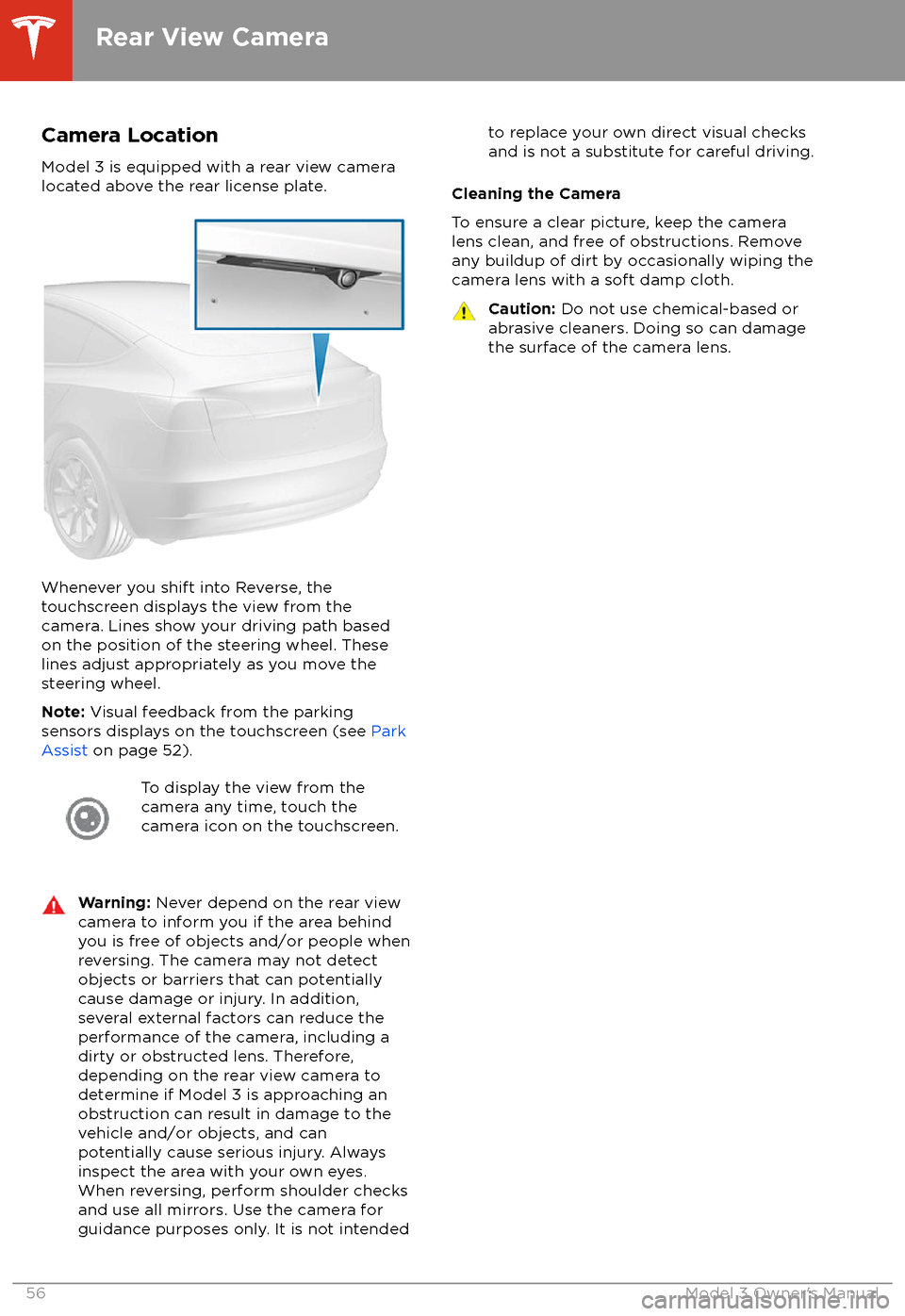
Camera Location
Model 3 is equipped with a rear view camera
located above the rear license plate.
Whenever you shift into Reverse, the
touchscreen displays the view from the
camera. Lines show your driving path based
on the position of the steering wheel. These
lines adjust appropriately as you move the
steering wheel.
Note: Visual feedback from the parking
sensors displays on the touchscreen (see Park
Assist on page 52).
To display the view from the
camera any time, touch the
camera icon on the touchscreen.Warning: Never depend on the rear view
camera to inform you if the area behind
you is free of objects and/or people when
reversing. The camera may not detect
objects or barriers that can potentially
cause damage or injury. In addition,
several external factors can reduce the
performance of the camera, including a
dirty or obstructed lens. Therefore,
depending on the rear view camera to
determine if Model 3 is approaching an
obstruction can result in damage to the vehicle and/or objects, and can
potentially cause serious injury. Always
inspect the area with your own eyes.
When reversing, perform shoulder checks and use all mirrors. Use the camera forguidance purposes only. It is not intendedto replace your own direct visual checks
and is not a substitute for careful driving.
Cleaning the Camera
To ensure a clear picture, keep the camera
lens clean, and free of obstructions. Remove
any buildup of dirt by occasionally wiping the camera lens with a soft damp cloth.
Caution: Do not use chemical-based or
abrasive cleaners. Doing so can damage
the surface of the camera lens.
Rear View Camera
56Model 3 Owner
Page 66 of 165
(whichever is greater) when you move the
gear lever fully down once then release.
Note: If Speed Assist is unable to determine a
speed limit, your set speed does not change
when you move the gear lever fully down once
then release.Warning: Do not rely on Speed Assist orTraffic-Aware Cruise Control to determine
an accurate or appropriate cruising
speed. Always cruise at a safe speed
based on road conditions and applicable
speed limits.
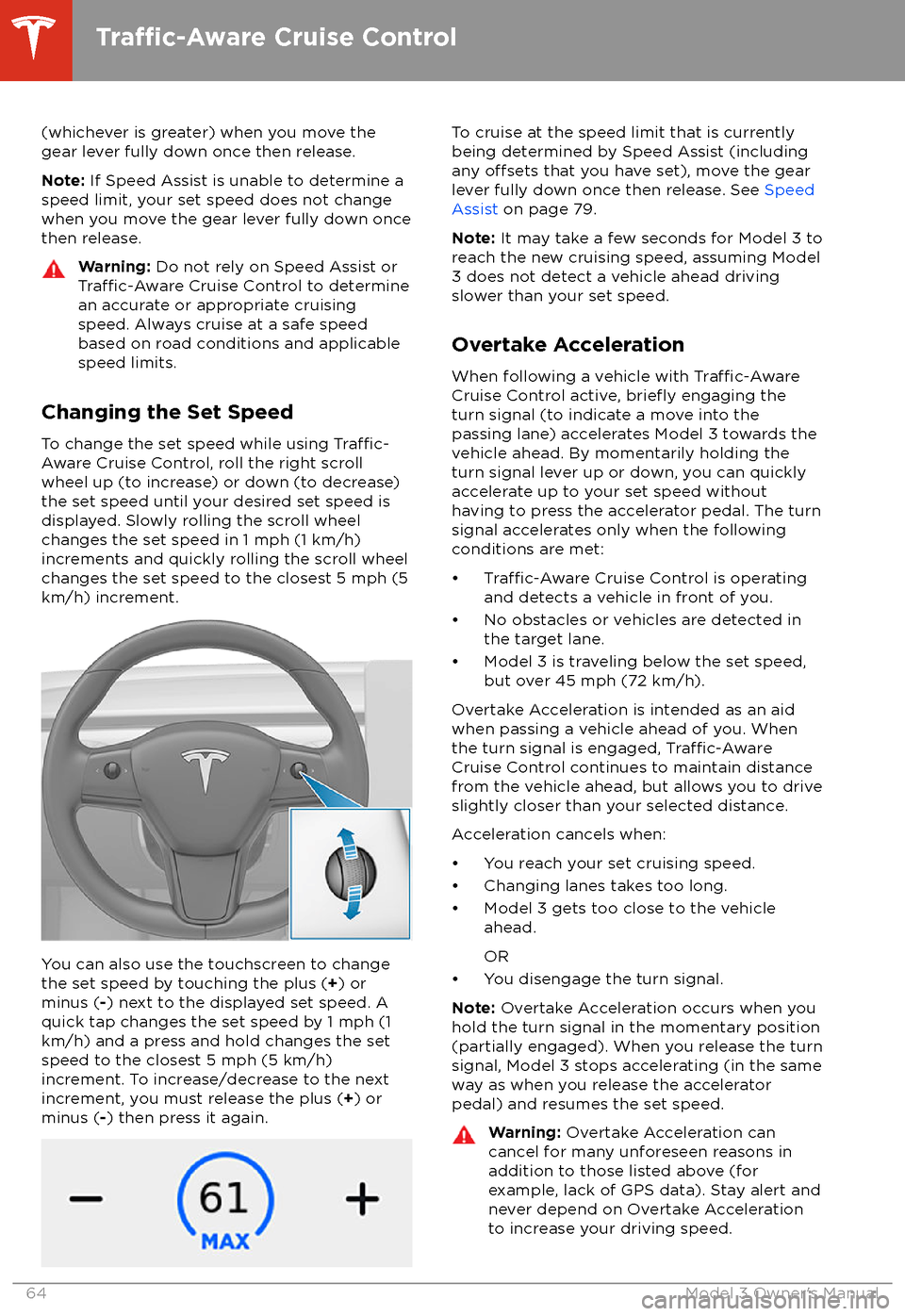
Changing the Set Speed
To change the set speed while using
Traffic-
Aware Cruise Control, roll the right scroll
wheel up (to increase) or down (to decrease)
the set speed until your desired set speed is
displayed. Slowly rolling the scroll wheel changes the set speed in 1 mph (1 km/h)
increments and quickly rolling the scroll wheel
changes the set speed to the closest 5 mph (5
km/h) increment.
You can also use the touchscreen to change
the set speed by touching the plus ( +) or
minus ( -) next to the displayed set speed. A
quick tap changes the set speed by 1 mph (1
km/h) and a press and hold changes the set
speed to the closest 5 mph (5 km/h)
increment. To increase/decrease to the next
increment, you must release the plus ( +) or
minus ( -) then press it again.
To cruise at the speed limit that is currently
being determined by Speed Assist (including
any
offsets that you have set), move the gear
lever fully down once then release. See Speed
Assist on page 79.
Note: It may take a few seconds for Model 3 to
reach the new cruising speed, assuming Model
3 does not detect a vehicle ahead driving
slower than your set speed.
Overtake Acceleration
When following a vehicle with
Traffic-AwareCruise Control active, briefly engaging the
turn signal (to indicate a move into the
passing lane) accelerates Model 3 towards the vehicle ahead. By momentarily holding theturn signal lever up or down, you can quickly
accelerate up to your set speed without having to press the accelerator pedal. The turn
signal accelerates only when the following
conditions are met:
Page 72 of 165
Warning: Auto Lane Change is designed
to be used only when driving on
restricted-access highways (i.e. with on-
ramps and
off-ramps).
If you have purchased the optional Enhanced Autopilot or Full Self-Driving Capabilitypackages, you can use Auto Lane Change to
move Model 3 into an adjacent lane without
moving the steering wheel (which would
cancel Autosteer). When both
Traffic-AwareCruise Control and Autosteer are active, Auto
Lane Change intelligently steers Model 3 into an adjacent driving lane. Using the forwardlooking camera(s), the radar sensor, and
ultrasonic sensors, Model 3 detects lane markings and the presence of other vehicles.
Auto Lane Change is designed for use on
restricted-access highways with visible lane markings and under relatively predictable
circumstances in which minimal steering and
driver intervention is needed.
Warning: It is the driver
Page 73 of 165
Note: Auto Lane Change moves Model 3 one
lane at a time. Moving into an additional lane
requires you to engage the turn signal a second time after the
first lane change is
complete.
Warning: If Auto Lane Change aborts
during a lane change (for example, Auto
Lane Change cannot detect the outside
of the target lane midway through the
lane change), Model 3 returns to its
original driving lane.
When Auto Lane Change is active, it is
important to monitor its performance by
watching the driving path in front of you and
the surrounding area. Stay prepared to take
over steering at any time. As you are crossing
over into the adjacent lane, the touchscreen
displays the lane marking as a dashed blue line. Once in your new lane, lane markings are
displayed as solid blue lines again.
In situations where Auto Lane Change is
unable to operate at optimal performance, or
cannot operate due to inadequate data, the
touchscreen displays a series of warnings.
Therefore, when using Auto Lane Change,
always pay attention to the touchscreen and
be prepared to manually steer Model 3.
Warning: When Auto Lane Change is
actively steering Model 3, the steering
wheel moves accordingly. Any
significantrestriction of or force on the steering
wheel
Page 75 of 165
In situations where Autopark cannot operatedue to inadequate sensor data, the
touchscreen displays a message indicating that you must manually park Model 3.
Note: If you press the brake when Autopark is
actively parking Model 3, the parking process
pauses until you touch Resume on the
touchscreen.
Note: Autopark detects potential
perpendicular parking spaces that are at least
9.5 feet (2.9 meters) wide with a vehicle
parked on each side. Autopark detects parallel parking spaces that are at least 20 feet (6
meters), but less than 30 feet (9 meters) long.
Autopark does not operate on angled parkingspaces.Warning: Never depend on Autopark tofind a parking space that is legal, suitable,
and safe. Autopark may not always detect
objects in the parking space. Always
perform visual checks to
confirm that a
parking space is appropriate and safe.
Warning: When Autopark is actively
steering Model 3, the steering wheel moves in accordance with Autopark
Page 85 of 165
DrivingAcceleration: Adjust the amount of acceleration. Chill limits acceleration for
a slightly smoother and gentler ride, whereas Standard provides the normal
level of acceleration.
Note: When Chill is selected, Chill displays on the touchscreen above the
driving speed.
Steering Mode : Adjust the amount of
effort required to turn the steering
wheel. Sport feels more responsive whereas Comfort feels easier to drive
and park (see Adjusting Steering
Effort on page 36).
Regenerative Braking : When you release the accelerator when driving,
regenerative braking slows Model 3 and feeds any surplus energy back to
the Battery. If set to LOW, Model 3 does not slow down as quickly, but also
feeds less energy back to the Battery (see Regenerative Braking on page
49).
Note: Regardless of the setting selected, the energy gained by regenerative
braking is reduced if the Battery is full, or is extremely cold or hot (in which
case, surplus energy is used to heat or cool it).
Traction Control : Turn slip start on to allow wheels to spin (see Traction
Control on page 51).
Creep : When on, Model 3 applies forward torque in Drive and backwards
torque in Reverse when you release the brake pedal (similar to a conventional vehicle with an automatic transmission). The torque moves the
vehicle slowly on
flat roads, but may require you to press the accelerator
pedal in some situations (for example, when on a steep hill or driveway).
When
off, Model 3 is free rolling when you let your foot off the brake pedal
and the motor does not apply torque until the accelerator pedal is pressed.
You can adjust this setting only when Model 3 is in Park.
Warning: Never rely on Creep to apply enough torque to prevent your
vehicle from rolling down a hill. Always apply brakes to remain stopped
or the accelerator to proceed up the hill. Failure can result in property
damage and/or a collision.
Controls and Settings
Using the Touchscreen83
Page 87 of 165
ServiceWiper Service Mode: Make wiper blades easy to access (see Wiper Blades
and Washer Jets on page 122).
Adjust Headlights : Make adjustments to the level of the headlights to
accommodate a load you are carrying (see Headlight Adjustments on page
46).Caution: Headlights should only be adjusted by Tesla Service.
Towing: Prepare Model 3 for towing by keeping it in Neutral (which
disengages the parking brake and prevents damage to the rear motor that is
caused by wheels turning as Model 3 is pulled onto a
flatbed truck). See
Instructions for Transporters on page 146.
Owner
Page 116 of 165
Inspecting and Maintaining TiresRegularly inspect the tread and side walls for
any sign of distortion (bulges), foreign objects,
cuts or wear.Warning: Do not drive Model 3 if a tire is
damaged, excessively worn, or inflated to
an incorrect pressure. Check tires
regularly for wear, and ensure there are
no cuts, bulges or exposure of the ply/
cord structure.
Tire Wear
Adequate tread depth is important for proper
tire performance. Tires with a tread depth less
than 4/32” (3 mm) are more likely to
hydroplane in wet conditions and should not be used. Tires with a tread depth less than5/32” (4 mm) do not perform well in snow andslush and should not be used when driving inwinter conditions.
Model 3 is originally
fitted with tires that have
wear indicators molded into the tread pattern.
When the tread has been worn down to 4/32”
(3 mm), the indicators start to appear at the surface of the tread pattern, producing the
effect of a continuous band of rubber across
the width of the tire. For optimal performance
and safety, Tesla recommends replacing tires
before the wear indicators are visible.
Tire Rotation, Balance, and Wheel Alignment
Tesla recommends rotating the tires every
6,250 miles (10,000 km).
Unbalanced wheels (sometimes noticeable as
vibration through the steering wheel)
affectvehicle handling and tire life. Even with regular
use, wheels can get out of balance. Therefore,
they should be balanced as required.
If tire wear is uneven (on one side of the tire
only) or becomes abnormally excessive, check
the alignment of wheels.
Note: When replacing only two tires, always
install the new tires on the rear.
Punctured Tires
A puncture eventually causes the tire to lose
pressure, which is why it is important to check
tire pressures frequently. Permanently repair
or replace punctured or damaged tires as
soon as possible.
Your tubeless tires may not leak when
penetrated, provided the object remains in the tire. If, however, you feel a sudden vibration or
ride disturbance while driving, or you suspect a tire is damaged, immediately reduce your
speed. Drive slowly, while avoiding heavy
braking or sharp steering and, when safe to do so, stop the vehicle. Arrange to have Model 3
transported to a Tesla Service Center, or to a nearby tire repair center.
Note: In some cases, you can temporarily
repair small tire punctures (under 1/4” (6
mm)) using an optional tire repair kit available
from Tesla. This allows you to slowly drive
Model 3 to Tesla or to a nearby tire repair
facility.Warning: Do not drive with a punctured
tire, even if the puncture has not caused the tire to
deflate. A punctured tire candeflate suddenly at any time.
Flat Spots
If Model 3 is stationary for a long period in
high temperatures, tires can form
flat spots.
When Model 3 is driven, these flat spots cause
a vibration which gradually disappears as the
tires warm up and regain their original shape.
To minimize
flat spots during storage, inflatetires to the maximum pressure indicated on the tire wall. Then, before driving, release airto adjust tire pressure to the recommendedlevels.
Improving Tire Mileage
To improve the mileage you get from your
tires, maintain tires at the recommended tire
pressures, observe speed limits and advisory
speeds, and avoid:
Page 117 of 165
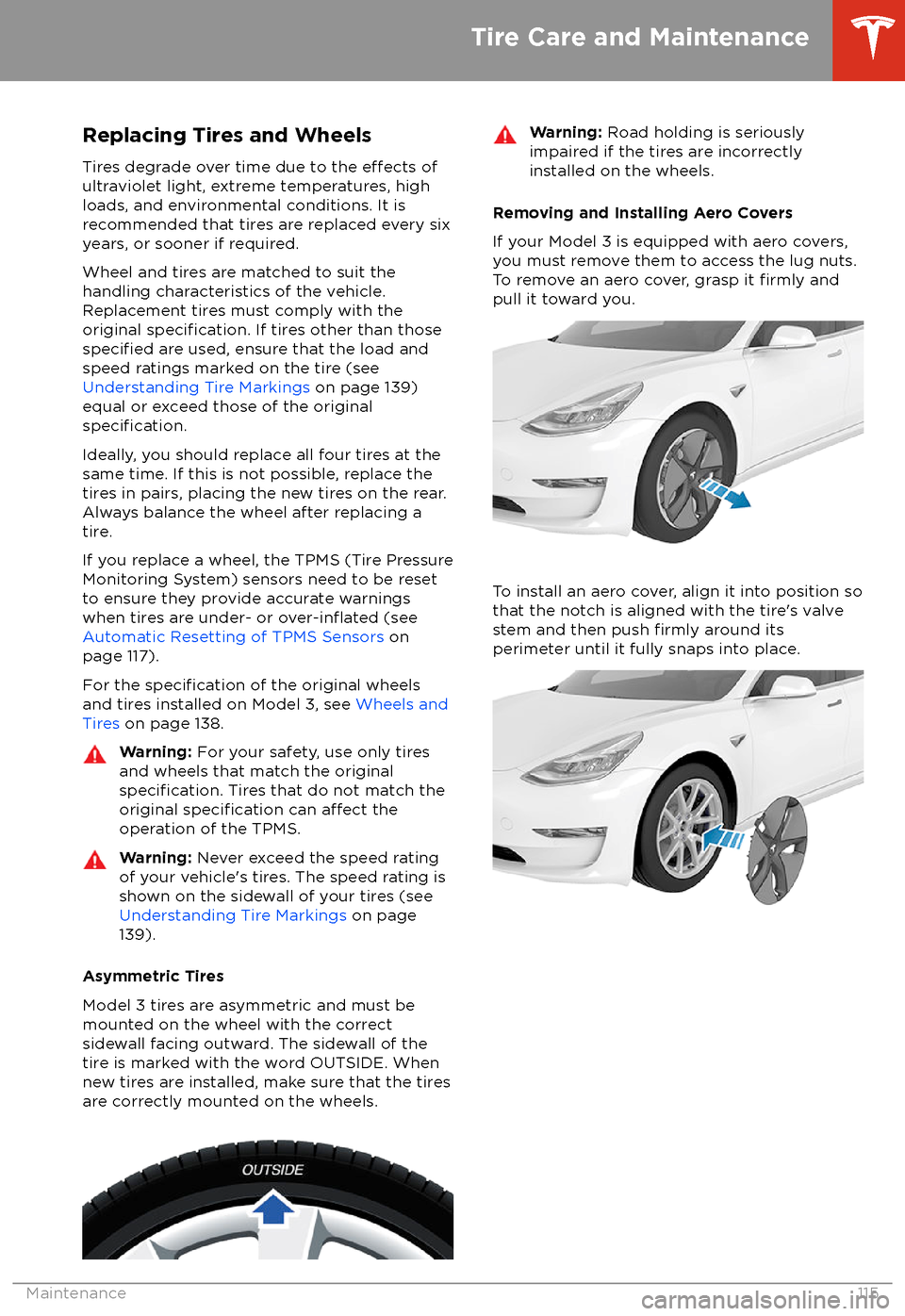
Replacing Tires and Wheels
Tires degrade over time due to the
effects of
ultraviolet light, extreme temperatures, high
loads, and environmental conditions. It is
recommended that tires are replaced every six
years, or sooner if required.
Wheel and tires are matched to suit thehandling characteristics of the vehicle.
Replacement tires must comply with the
original
specification. If tires other than thosespecified are used, ensure that the load and
speed ratings marked on the tire (see Understanding Tire Markings on page 139)
equal or exceed those of the original
specification.
Ideally, you should replace all four tires at the same time. If this is not possible, replace the
tires in pairs, placing the new tires on the rear.
Always balance the wheel after replacing a
tire.
If you replace a wheel, the TPMS (Tire Pressure
Monitoring System) sensors need to be reset to ensure they provide accurate warnings
when tires are under- or
over-inflated (see
Automatic Resetting of TPMS Sensors on
page 117).
For the
specification of the original wheels
and tires installed on Model 3, see Wheels and
Tires on page 138.
Warning:
For your safety, use only tires
and wheels that match the original
specification. Tires that do not match the
original specification can affect the
operation of the TPMS.
Warning: Never exceed the speed rating
of your vehicle