steering TESLA MODEL S 2014 (Europe) User Guide
[x] Cancel search | Manufacturer: TESLA, Model Year: 2014, Model line: MODEL S, Model: TESLA MODEL S 2014Pages: 152, PDF Size: 17.5 MB
Page 55 of 152
Wipers and Washers
DRIVING4.15
Wipers and WashersWipers
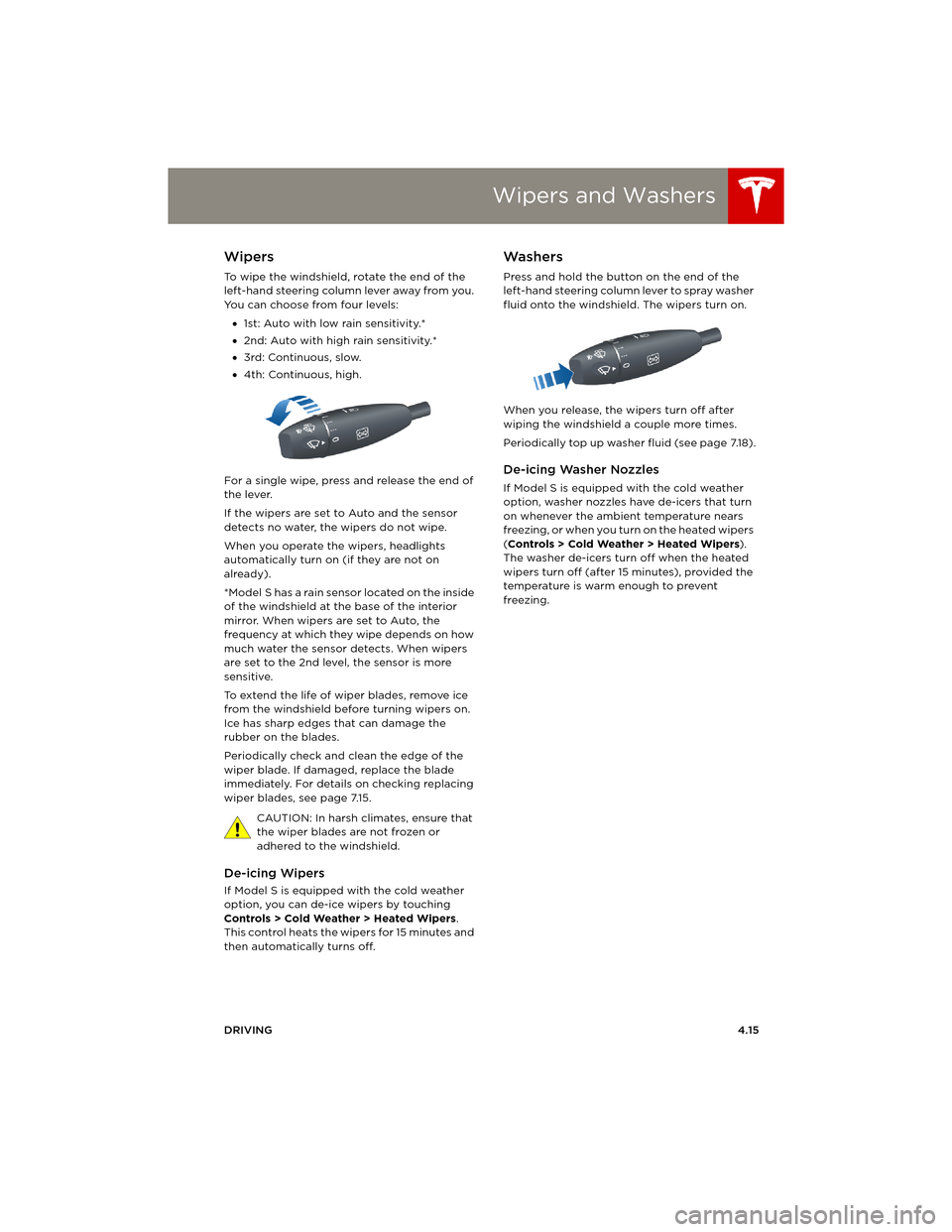
To wipe the windshield, rotate the end of the
left-hand steering column lever away from you.
You can choose from four levels:
•1st: Auto with low rain sensitivity.*
•2nd: Auto with high rain sensitivity.*
•3rd: Continuous, slow.
•4th: Continuous, high.
For a single wipe, press and release the end of
the lever.
If the wipers are set to Auto and the sensor
detects no water, the wipers do not wipe.
When you operate the wipers, headlights
automatically turn on (if they are not on
already).
*Model S has a rain sensor located on the inside
of the windshield at the base of the interior
mirror. When wipers are set to Auto, the
frequency at which they wipe depends on how
much water the sensor detects. When wipers
are set to the 2nd level, the sensor is more
sensitive.
To extend the life of wiper blades, remove ice
from the windshield before turning wipers on.
Ice has sharp edges that can damage the
rubber on the blades.
Periodically check and clean the edge of the
wiper blade. If damaged, replace the blade
immediately. For details on checking replacing
wiper blades, see page 7.15.
CAUTION: In harsh climates, ensure that
the wiper blades are not frozen or
adhered to the windshield.
De-icing Wipers
If Model S is equipped with the cold weather
option, you can de-ice wipers by touching
Controls > Cold Weather > Heated Wipers.
This control heats the wipers for 15 minutes and
then automatically turns off.
Washers
Press and hold the button on the end of the
left-hand steering column lever to spray washer
fluid onto the windshield. The wipers turn on.
When you release, the wipers turn off after
wiping the windshield a couple more times.
Periodically top up washer fluid (see page 7.18).
De-icing Washer Nozzles
If Model S is equipped with the cold weather
option, washer nozzles have de-icers that turn
on whenever the ambient temperature nears
freezing, or when you turn on the heated wipers
(Controls > Cold Weather > Heated Wipers).
The washer de-icers turn off when the heated
wipers turn off (after 15 minutes), provided the
temperature is warm enough to prevent
freezing.
book.book Page 15 Friday, July 19, 2013 12:53 PM
Page 56 of 152
Park AssistPark Assist
4.16MODEL S OWNERS MANUAL
Park AssistHow Park Assist Works
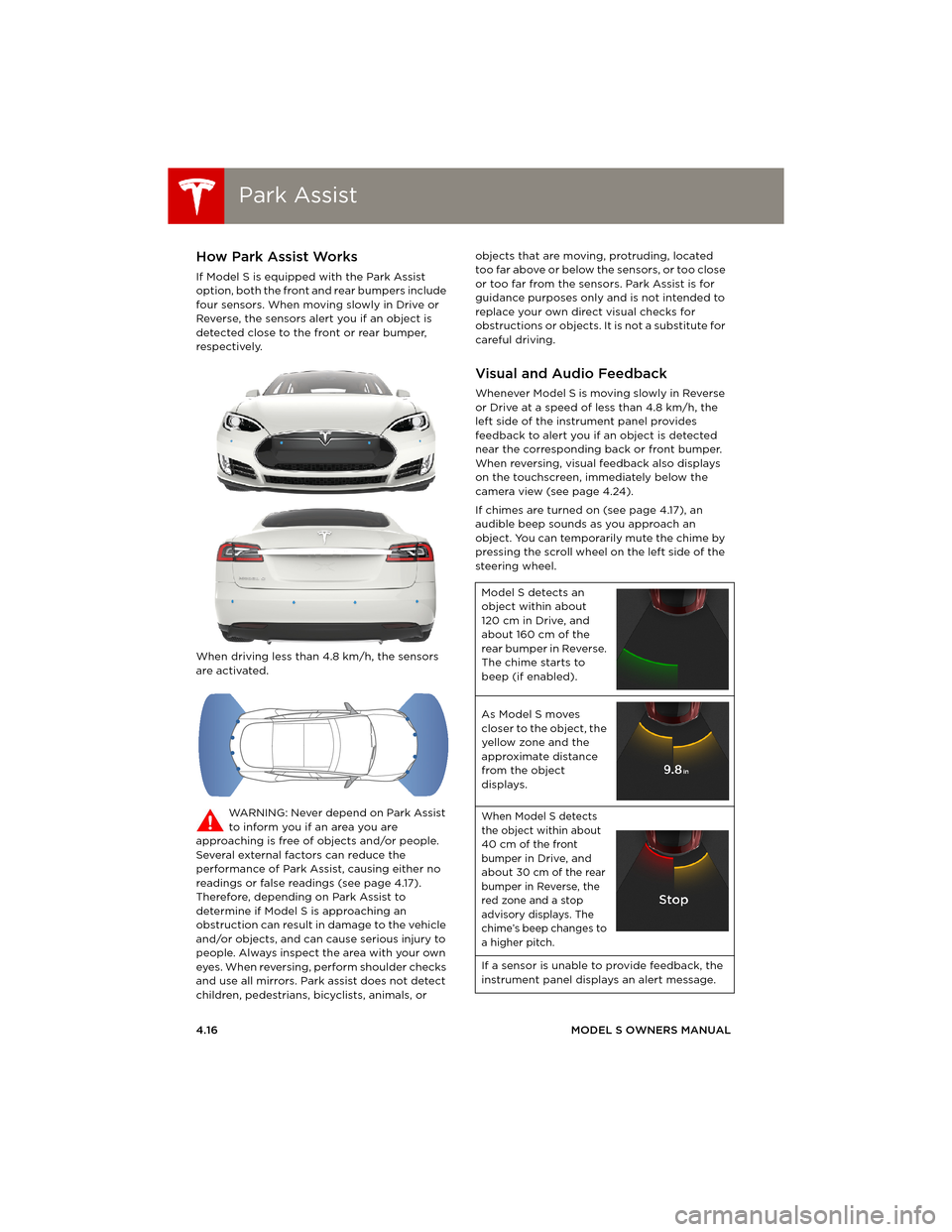
If Model S is equipped with the Park Assist
option, both the front and rear bumpers include
four sensors. When moving slowly in Drive or
Reverse, the sensors alert you if an object is
detected close to the front or rear bumper,
respectively.
When driving less than 4.8 km/h, the sensors
are activated.
WARNING: Never depend on Park Assist
to inform you if an area you are
approaching is free of objects and/or people.
Several external factors can reduce the
performance of Park Assist, causing either no
readings or false readings (see page 4.17).
Therefore, depending on Park Assist to
determine if Model S is approaching an
obstruction can result in damage to the vehicle
and/or objects, and can cause serious injury to
people. Always inspect the area with your own
eyes. When reversing, perform shoulder checks
and use all mirrors. Park assist does not detect
children, pedestrians, bicyclists, animals, or objects that are moving, protruding, located
too far above or below the sensors, or too close
or too far from the sensors. Park Assist is for
guidance purposes only and is not intended to
replace your own direct visual checks for
obstructions or objects. It is not a substitute for
careful driving.
Visual and Audio Feedback
Whenever Model S is moving slowly in Reverse
or Drive at a speed of less than 4.8 km/h, the
left side of the instrument panel provides
feedback to alert you if an object is detected
near the corresponding back or front bumper.
When reversing, visual feedback also displays
on the touchscreen, immediately below the
camera view (see page 4.24).
If chimes are turned on (see page 4.17), an
audible beep sounds as you approach an
object. You can temporarily mute the chime by
pressing the scroll wheel on the left side of the
steering wheel.
Model S detects an
object within about
120 cm in Drive, and
about 160 cm of the
rear bumper in Reverse.
The chime starts to
beep (if enabled).
As Model S moves
closer to the object, the
yellow zone and the
approximate distance
from the object
displays.
When Model S detects
the object within about
40 cm of the front
bumper in Drive, and
about 30 cm of the rear
bumper in Reverse, the
red zone and a stop
advisory displays. The
chime’s beep changes to
a higher pitch.
If a sensor is unable to provide feedback, the
instrument panel displays an alert message.
book.book Page 16 Friday, July 19, 2013 12:53 PM
Page 57 of 152
Park Assist
DRIVING4.17 CAUTION: Keep sensors clean from dirt,
debris, snow, and ice. Avoid using a high
pressure power washer on the sensors
and do not clean a sensor with a sharp or
abrasive object that can scratch or
damage its surface.
CAUTION: Do not install accessories or
stickers on or near the parking sensors.
Controlling Audible Feedback
You can use Park Assist with or without audible
feedback. To turn chimes on or off, touch
Controls > Settings > Safety & Security > Park
Assist Chimes.
You can also mute the chimes temporarily by
pressing the scroll wheel on the left side of the
steering wheel. The chimes are muted until you
shift into a different gear or drive over
4.8 km/h.
Limitations and False Warnings
The parking sensors may not function correctly
in these situations:
•One or more of the parking sensors is
damaged, dirty, or covered (such as mud,
ice, or snow).
•Object is located below approximately
20 cm (such as a curb or low barrier).
•Weather conditions (heavy rain, snow, or
fog) are interfering with sensor operation.
•Object is thin (such as a sign post).
•A sensor’s operating range has been
exceeded.
•Object is sound-absorbing or soft (such as
powder snow).
•Object is sloped (such as a sloped
embankment).
•Model S has been parked in, or is being
driven in, extremely hot or cold
temperatures.
•The sensors are affected by other electrical
equipment or devices that generate
ultrasonic waves.
•Object is located too close to the bumper.
•A bumper is misaligned or damaged.
•An object that is mounted to Model S is
interfering with and/or obstructing the
sensor (such as a bike rack or a bumper
sticker).
Other Parking Aids
In addition to Park Assist, when shifted into
Reverse gear, the backup camera displays a
view of the area behind Model S. See
page 4.24.
book.book Page 17 Friday, July 19, 2013 12:53 PM
Page 59 of 152
Energy Usage
DRIVING4.19
Energy UsageDisplaying Energy Usage
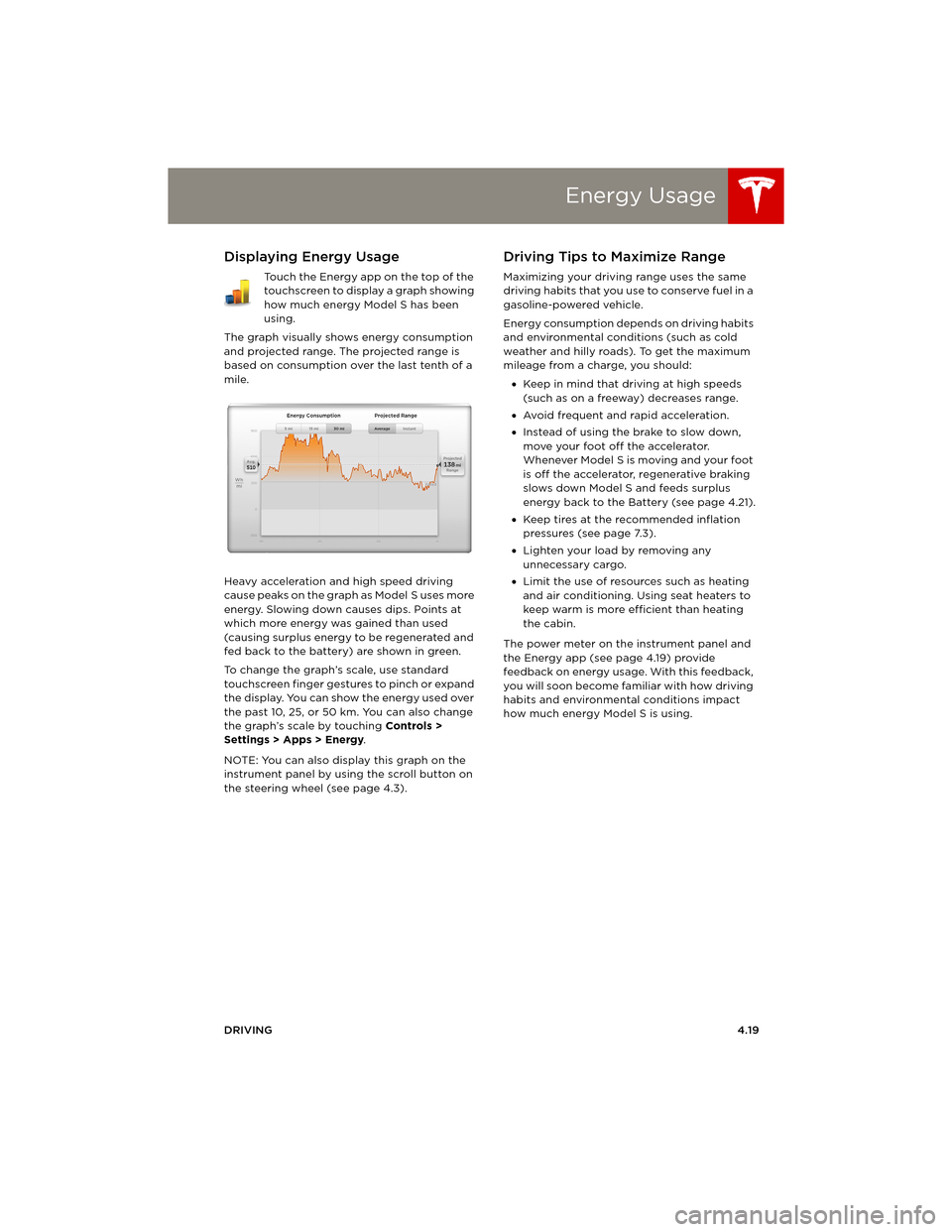
Touch the Energy app on the top of the
touchscreen to display a graph showing
how much energy Model S has been
using.
The graph visually shows energy consumption
and projected range. The projected range is
based on consumption over the last tenth of a
mile.
Heavy acceleration and high speed driving
cause peaks on the graph as Model S uses more
energy. Slowing down causes dips. Points at
which more energy was gained than used
(causing surplus energy to be regenerated and
fed back to the battery) are shown in green.
To change the graph’s scale, use standard
touchscreen finger gestures to pinch or expand
the display. You can show the energy used over
the past 10, 25, or 50 km. You can also change
the graph’s scale by touching Controls >
Settings > Apps > Energy.
NOTE: You can also display this graph on the
instrument panel by using the scroll button on
the steering wheel (see page 4.3).
Driving Tips to Maximize Range
Maximizing your driving range uses the same
driving habits that you use to conserve fuel in a
gasoline-powered vehicle.
Energy consumption depends on driving habits
and environmental conditions (such as cold
weather and hilly roads). To get the maximum
mileage from a charge, you should:
•Keep in mind that driving at high speeds
(such as on a freeway) decreases range.
•Avoid frequent and rapid acceleration.
•Instead of using the brake to slow down,
move your foot off the accelerator.
Whenever M odel S is moving and your foot
is off the accelerator, regenerative braking
slows down Model S and feeds surplus
energy back to the Battery (see page 4.21).
•Keep tires at the recommended inflation
pressures (see page 7.3).
•Lighten your load by removing any
unnecessary cargo.
•Limit the use of resources such as heating
and air conditioning. Using seat heaters to
keep warm is more efficient than heating
the cabin.
The power meter on the instrument panel and
the Energy app (see page 4.19) provide
feedback on energy usage. With this feedback,
you will soon become familiar with how driving
habits and environmental conditions impact
how much energy Model S is using.
book.book Page 19 Friday, July 19, 2013 12:53 PM
Page 60 of 152
BrakesBrakes
4.20MODEL S OWNERS MANUAL
BrakesBraking Systems
Model S has an anti-lock braking system (ABS)
that prevents the wheels from locking when
you apply maximum brake pressure. This
improves steering control during heavy braking
in most road conditions.
During emergency braking conditions, the ABS
constantly monitors the speed of each wheel
and varies the brake pressure according to the
grip available.
The alteration of brake pressure can be felt as a
pulsing sensation through the brake pedal. This
demonstrates that ABS is operating and is not
a cause for concern. Keep firm and steady
pressure on the brake pedal while experiencing
the pulsing.
The ABS indicator flashes briefly on the
instrument panel when you first start
Model S. If this indicator displays at any
other time, an ABS fault has occurred
and ABS is not operating. Contact Tesla.
The braking system remains fully
operational and is not affected by an
ABS failure. However, braking distances
may increase.
If the instrument panel displays this
indicator at any time other than
displaying briefly when you first start
Model S, a brake system fault is
detected or the brake fluid level is low.
Contact Tesla immediately.
Emergency Braking
In an emergency, fully press the brake pedal
and maintain firm pressure, even on low
traction surfaces. ABS varies the braking
pressure to each wheel according to the
amount of traction available. This prevents
wheels from locking and ensures that you stop
as safely as possible.
WARNING: Do not pump the brake pedal.
Doing so interrupts operation of the ABS
and can increase braking distance.
WARNING: Always maintain a safe
distance from the vehicle in front of you
and be aware of hazardous driving conditions.
While ABS can improve stopping distance, it
cannot overcome the laws of physics. It also
does not prevent the danger of hydroplaning
(where a layer of water prevents direct contact
between the tires and the road).
Brake Wear
Model S brake pads are equipped with wear
indicators. A wear indicator is a thin metal strip
attached to the brake pad that squeals as it
rubs against the rotor when the pad wears
down. This squealing sound indicates that the
brake pads have reached the end of their
service life and require replacement. To stop
the squealing, contact Tesla Service.
Brakes must be periodically inspected visually
by removing the tire and wheel. For detailed
specifications and service limits for rotors and
brake pads, see page 8.6.
WARNING: Neglecting to replace worn
brake pads will result in damage to the
braking system and can create a braking
hazard.
book.book Page 20 Friday, July 19, 2013 12:53 PM
Page 67 of 152
Touchscreen Overview
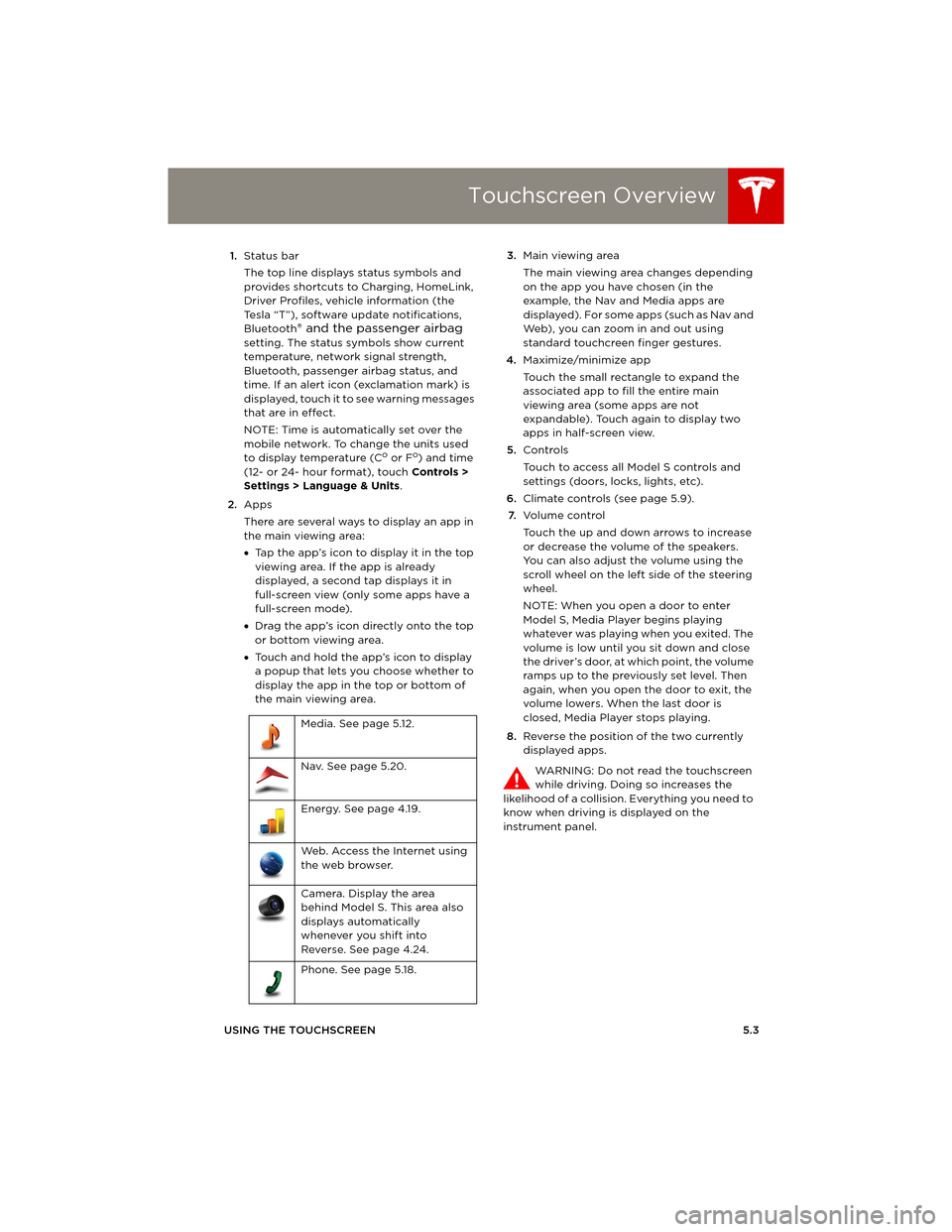
USING THE TOUCHSCREEN5.3 1.Status bar
The top line displays status symbols and
provides shortcuts to Charging, HomeLink,
Driver Profiles, vehicle information (the
Tesla “T”), software update notifications,
Bluetooth
® and the passenger airbag
setting. The status symbols show current
temperature, network signal strength,
Bluetooth, passenger airbag status, and
time. If an alert icon (exclamation mark) is
displayed, touch it to see warning messages
that are in effect.
NOTE: Time is automatically set over the
mobile network. To change the units used
to display temperature (C
o or Fo) and time
(12- or 24- hour format), touch Controls >
Settings > Language & Units.
2.Apps
There are several ways to display an app in
the main viewing area:
•Tap the app’s icon to display it in the top
viewing area. If the app is already
displayed, a second tap displays it in
full-screen view (only some apps have a
full-screen mode).
•Drag the app’s icon directly onto the top
or bottom viewing area.
•Touch and hold the app’s icon to display
a popup that lets you choose whether to
display the app in the top or bottom of
the main viewing area. 3.Main viewing area
The main viewing area changes depending
on the app you have chosen (in the
example, the Nav and Media apps are
displayed). For some apps (such as Nav and
Web), you can zoom in and out using
standard touchcreen finger gestures.
4.Maximize/minimize app
Touch the small rectangle to expand the
associated app to fill the entire main
viewing area (some apps are not
expandable). Touch again to display two
apps in half-screen view.
5.Controls
Touch to access all Model S controls and
settings (doors, locks, lights, etc).
6.Climate controls (see page 5.9).
7.Vo l u m e co n t r o l
Touch the up and down arrows to increase
or decrease the volume of the speakers.
You can also adjust the volume using the
scroll wheel on the left side of the steering
wheel.
NOTE: When you open a door to enter
Model S, Media Player begins playing
whatever was playing when you exited. The
volume is low until you sit down and close
the driver’s door, at which point, the volume
ramps up to the previously set level. Then
again, when you open the door to exit, the
volume lowers. When the last door is
closed, Media Player stops playing.
8.Reverse the position of the two currently
displayed apps.
WARNING: Do not read the touchscreen
while driving. Doing so increases the
likelihood of a collision. Everything you need to
know when driving is displayed on the
instrument panel. Media. See page 5.12.
Nav. See page 5.20.
Energy. See page 4.19.
Web. Access the Internet using
the web browser.
Camera. Display the area
behind Model S. This area also
displays automatically
whenever you shift into
Reverse. See page 4.24.
Phone. See page 5.18.
book.book Page 3 Friday, July 19, 2013 12:53 PM
Page 69 of 152
Touchscreen - Controls
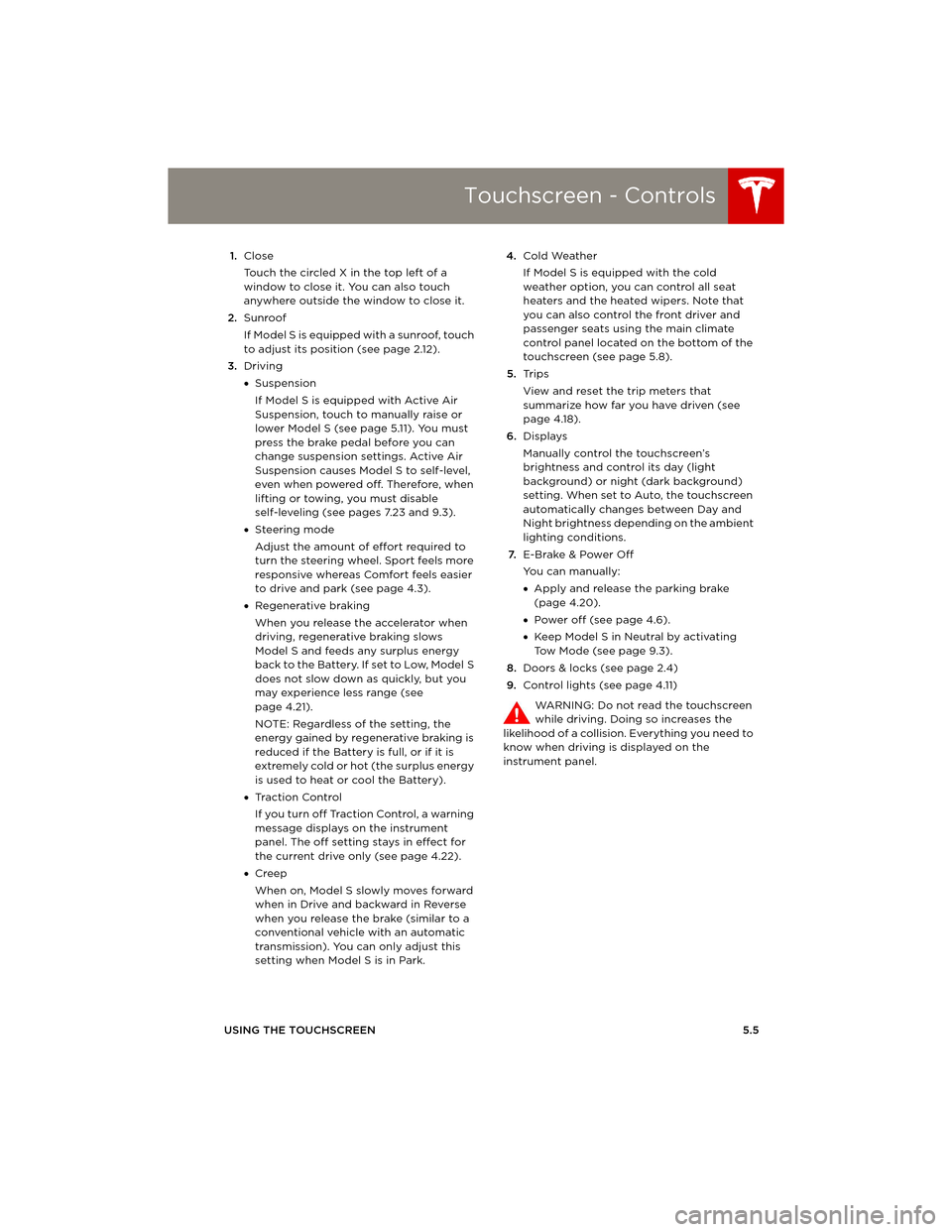
USING THE TOUCHSCREEN5.5 1.Close
Touch the circled X in the top left of a
window to close it. You can also touch
anywhere outside the window to close it.
2.Sunroof
If Model S is equipped with a sunroof, touch
to adjust its position (see page 2.12).
3.Driving
•Suspension
If Model S is equipped with Active Air
Suspension, touch to manually raise or
lower Model S (see page 5.11). You must
press the brake pedal before you can
change suspension settings. Active Air
Suspension causes Model S to self-level,
even when powered off. Therefore, when
lifting or towing, you must disable
self-leveling (see pages 7.23 and 9.3).
•Steering mode
Adjust the amount of effort required to
turn the steering wheel. Sport feels more
responsive whereas Comfort feels easier
to drive and park (see page 4.3).
•Regenerative braking
When you release the accelerator when
driving, regenerative braking slows
Model S and feeds any surplus energy
b a c k t o t h e B a t t e r y. I f s e t t o L o w, M o d e l S
does not slow down as quickly, but you
may experience less range (see
page 4.21).
NOTE: Regardless of the setting, the
energy gained by regenerative braking is
reduced if the Battery is full, or if it is
extremely cold or hot (the surplus energy
is used to heat or cool the Battery).
•Tr a c t i o n C o n t r o l
If you turn off Traction Control, a warning
message displays on the instrument
panel. The off setting stays in effect for
the current drive only (see page 4.22).
•Creep
When on, Model S slowly moves forward
when in Drive and backward in Reverse
when you release the brake (similar to a
conventional vehicle with an automatic
transmission). You can only adjust this
setting when Model S is in Park.4.Cold Weather
If Model S is equipped with the cold
weather option, you can control all seat
heaters and the heated wipers. Note that
you can also control the front driver and
passenger seats using the main climate
control panel located on the bottom of the
touchscreen (see page 5.8).
5.Tr i p s
View and reset the trip meters that
summarize how far you have driven (see
page 4.18).
6.Displays
Manually control the touchscreen’s
brightness and control its day (light
background) or night (dark background)
setting. When set to Auto, the touchscreen
automatically changes between Day and
Night brightness depending on the ambient
lighting conditions.
7.E-Brake & Power Off
You can manually:
•Apply and release the parking brake
(page 4.20).
•Power off (see page 4.6).
•Keep Model S in Neutral by activating
Tow Mode (see page 9.3).
8.Doors & locks (see page 2.4)
9.Control lights (see page 4.11)
WARNING: Do not read the touchscreen
while driving. Doing so increases the
likelihood of a collision. Everything you need to
know when driving is displayed on the
instrument panel.
book.book Page 5 Friday, July 19, 2013 12:53 PM
Page 78 of 152
Media and AudioMedia and Audio
5.14MODEL S OWNERS MANUAL
Internet Radio
Internet radio services are accessed over a data
connection. To use Internet radio, touch Media
> Browse > Internet.
Choose the Internet radio service you want to
use (for example, TuneIn), then browse through
the available categories and/or stations. When
you select a specific station or episode, Media
Player starts playing it and displays the Now
Playing screen.
To play the next station or episode in the
selected category, touch the previous or next
arrows on the Now Playing screen, or use the
arrow buttons on the left side of the steering
wheel (see page 4.3).
Internet Radio Account Registration
Model S provides you with one or more Internet
radio services. To enter your registration
details, touch Controls > Settings > Apps >
Media. Enter your username and password,
then touch Log In.
TuneIn
TuneIn does not require an account for it to
work. But if you have a TuneIn account (go to
www.tunein.com), you can log in as described
above.
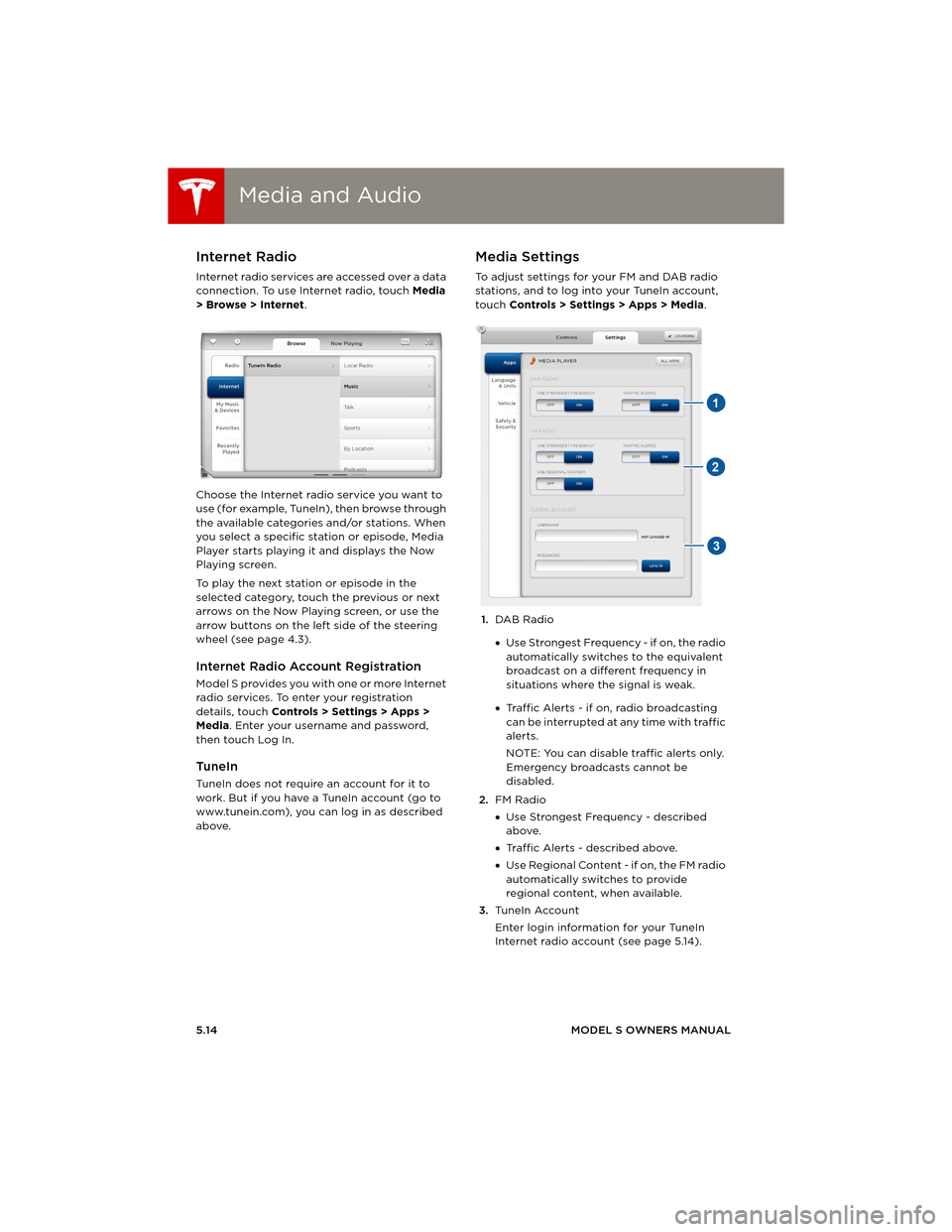
Media Settings
To adjust settings for your FM and DAB radio
stations, and to log into your TuneIn account,
touch Controls > Settings > Apps > Media.
1.DAB Radio
•Use Strongest Frequency - if on, the radio
automatically switches to the equivalent
broadcast on a different frequency in
situations where the signal is weak.
•Traffic Alerts - if on, radio broadcasting
can be interrupted at any time with traffic
alerts.
NOTE: You can disable traffic alerts only.
Emergency broadcasts cannot be
disabled.
2.FM Radio
•Use Strongest Frequency - described
above.
•Traffic Alerts - described above.
•Use Regional Content - if on, the FM radio
automatically switches to provide
regional content, when available.
3.Tu n e I n A c c o u n t
Enter login information for your TuneIn
Internet radio account (see page 5.14).
book.book Page 14 Friday, July 19, 2013 12:53 PM
Page 79 of 152
Media and Audio
USING THE TOUCHSCREEN5.15
Favorites
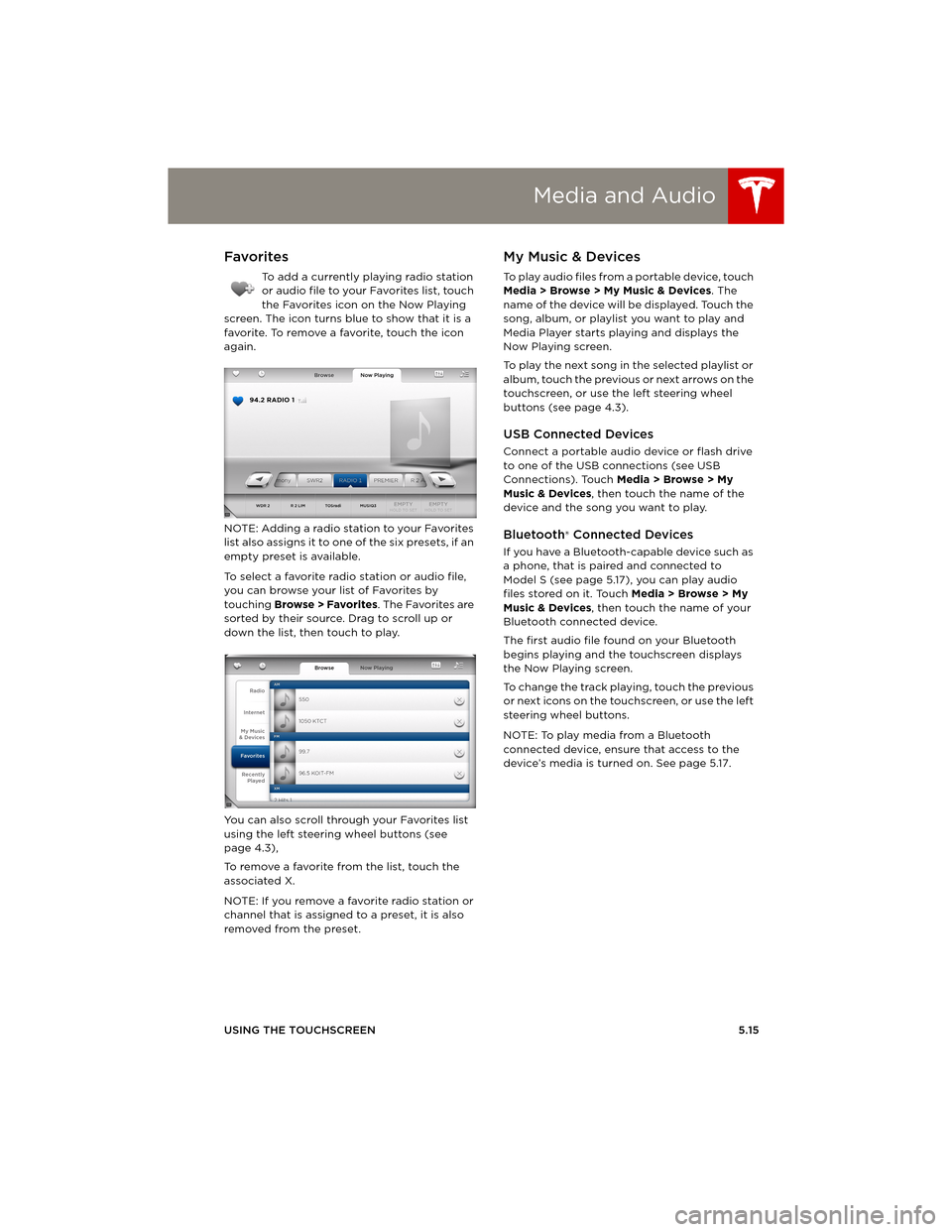
To add a currently playing radio station
or audio file to your Favorites list, touch
the Favorites icon on the Now Playing
screen. The icon turns blue to show that it is a
favorite. To remove a favorite, touch the icon
again.
NOTE: Adding a radio station to your Favorites
list also assigns it to one of the six presets, if an
empty preset is available.
To select a favorite radio station or audio file,
you can browse your list of Favorites by
touching Browse > Favorites. The Favorites are
sorted by their source. Drag to scroll up or
down the list, then touch to play.
You can also scroll through your Favorites list
using the left steering wheel buttons (see
page 4.3),
To remove a favorite from the list, touch the
associated X.
NOTE: If you remove a favorite radio station or
channel that is assigned to a preset, it is also
removed from the preset.
My Music & Devices
To play audio files from a portable device, touch
Media > Browse > My Music & Devices. The
name of the device will be displayed. Touch the
song, album, or playlist you want to play and
Media Player starts playing and displays the
Now Playing screen.
To play the next song in the selected playlist or
album, touch the previous or next arrows on the
touchscreen, or use the left steering wheel
buttons (see page 4.3).
USB Connected Devices
Connect a portable audio device or flash drive
to one of the USB connections (see USB
Connections). Touch Media > Browse > My
Music & Devices, then touch the name of the
device and the song you want to play.
Bluetooth® Connected Devices
If you have a Bluetooth-capable device such as
a phone, that is paired and connected to
Model S (see page 5.17), you can play audio
files stored on it. Touch Media > Browse > My
Music & Devices, then touch the name of your
Bluetooth connected device.
The first audio file found on your Bluetooth
begins playing and the touchscreen displays
the Now Playing screen.
To change the track playing, touch the previous
or next icons on the touchscreen, or use the left
steering wheel buttons.
NOTE: To play media from a Bluetooth
connected device, ensure that access to the
device’s media is turned on. See page 5.17.
book.book Page 15 Friday, July 19, 2013 12:53 PM
Page 82 of 152
PhonePhone
5.18MODEL S OWNERS MANUAL
Connecting to a Paired Phone
Model S automatically connects with the last
phone to which it was connected, provided it is
within operating range and has Bluetooth
turned on.
To connect to a different phone:
1.On the Model S touchscreen’s status bar,
touch (the Bluetooth icon).
2.The Model S touchscreen displays the list of
paired phones. If the phone is not on the list,
follow the instructions on page 5.17 to pair
it.
3.Choose the phone you want to connect to
from the list of paired phones, then touch
Connect.
When connected, the Model S touchscreen
displays the Bluetooth symbol next to the
phone name to show that the connection is
active.
Making a Phone Call
You can make a phone call by using the Model S
on-screen dialer, or by choosing a contact from
your contact list, and then touching the
contact’s number you want to call.
To make a phone call using the on-screen dialer:
1.To u c h t h e Phone app on the touchscreen,
then touch Dialer.
NOTE: If a phone is not currently
connected, the touchscreen displays the
Connect Phone message.
2. Enter the phone number on the dialer.
3.To u c h Call. The touchscreen displays the
call screen and the number you are calling.
To make a phone call by choosing a contact:
1.To u c h t h e Phone app on the touchscreen,
then touch Contacts.
NOTE: Ensure that access to the phone’s
contacts is turned on. See page 5.17.
2.Touch the name of the contact you want to
call to display details about the contact.
3.Touch the number you want to dial (there
may be more than one). The touchscreen
displays the call screen and the name of the
contact you are calling.
NOTE: If it is safe and legal to do so, you can
also initiate a call by dialing the number or
selecting the contact directly from your phone.
Receiving a Phone Call
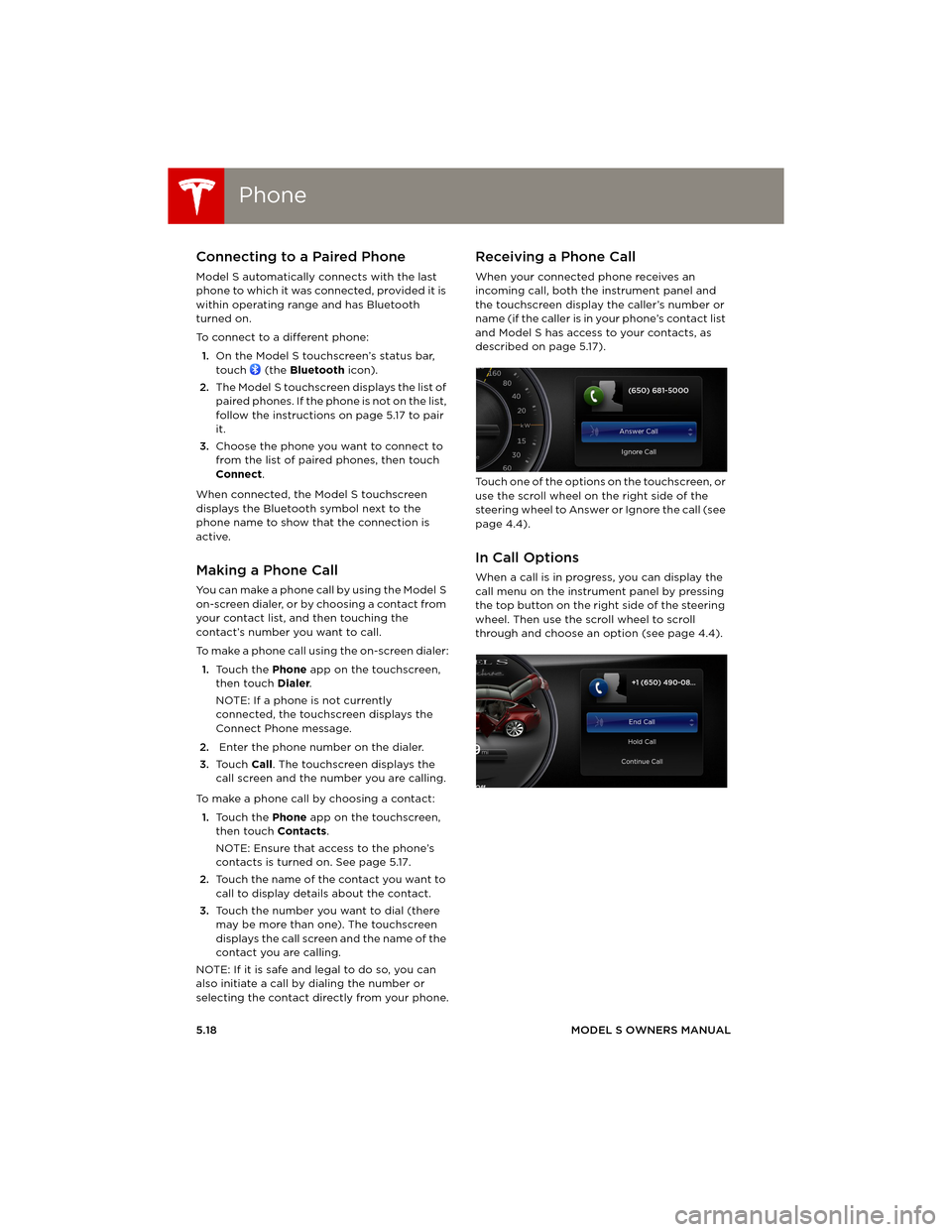
When your connected phone receives an
incoming call, both the instrument panel and
the touchscreen display the caller’s number or
name (if the caller is in your phone’s contact list
and Model S has access to your contacts, as
described on page 5.17).
Touch one of the options on the touchscreen, or
use the scroll wheel on the right side of the
steering wheel to Answer or Ignore the call (see
page 4.4).
In Call Options
When a call is in progress, you can display the
call menu on the instrument panel by pressing
the top button on the right side of the steering
wheel. Then use the scroll wheel to scroll
through and choose an option (see page 4.4).
book.book Page 18 Friday, July 19, 2013 12:53 PM