ECU TESLA MODEL S 2014 (North America) Owner's Guide
[x] Cancel search | Manufacturer: TESLA, Model Year: 2014, Model line: MODEL S, Model: TESLA MODEL S 2014Pages: 159, PDF Size: 6.14 MB
Page 105 of 159
Using Tire ChainsTesla has tested and approved Security Chain
Company (SCC) Model Z-563 chains for use
on the rear wheels. These chains must only be used if your Model S has 245/45R19 rear tiresinstalled. Do not use chains on 21 inch tires.
When installing tire chains, follow the instructions provided by the tire chainmanufacturer. Mount them as tightly as
possible.
When using tire chains:
• Drive slowly. Do not exceed 30 mph (48 km/h).
• Avoid heavily loading Model S (heavy loads can reduce the clearance between
the tires and the body).
• Remove the tire chains as soon as conditions allow.
Note: Tire chains are prohibited in some
jurisdictions. Check local laws before installing
tire chains.Caution: Using non-recommended tire
chains, or using tire chains on other sized tires, can damage the suspension, body,wheels, and/or brake lines. Damagecaused by using non-recommended tire
chains is not covered by the warranty.Caution: Ensure that tire chains cannot
touch suspension components or brake
lines. If you hear the chains making
unusual noises that would indicate
contact with Model S, stop and
investigate immediately.
Tire Pressure Monitoring
Each tire should be checked monthly when
cold and inflated to the recommended pressures that are printed on the Tire and
Loading Information label located on the
driver’s door pillar (see Maintaining Tire
Pressures on page 100). If your vehicle has
tires of a different size than the size indicated
on the vehicle placard or tire inflation pressure
label, determine the proper tire inflation
pressure for those tires.
As an added safety feature, your vehicle has
been equipped with a tire pressure monitoring
system (TPMS) that displays a tire pressure
telltale (Tire Pressure Warning) on the
instrument panel when one or more of your
tires is significantly under- or over-inflated.
Accordingly, when the Tire Pressure indicator light displays on the instrument panel alerting
of tire pressure, stop and check your tires as
soon as possible, and inflate them to the
proper pressure (see Maintaining Tire
Pressures on page 100). Driving on a
significantly under-inflated tire causes the tire
to overheat and can lead to tire failure. Under- inflation also reduces fuel efficiency and tire
tread life, and may affect the vehicle's
handling and stopping ability.If Model S detects a fault with the
Tire Pressure Monitoring System
(TPMS), this indicator flashes for one
minute whenever you power on
Model S.
Note: Installing accessories that are not
approved by Tesla can interfere with the TPMS system.
Warning: The TPMS is not a substitute for
proper tire maintenance, including
manually checking tire pressures and
regularly inspecting the condition of tires.
It is the driver's responsibility to maintain
correct tire pressure, even if under- or
over-inflation has not reached the level
for the TPMS to trigger the Tire Pressure Warning on the instrument panel.
Resetting the TPMS Sensors
After replacing one or more wheels, the TPMS sensors must be reset to ensure tire pressurewarnings are accurate. However, note that theTPMS sensors do not need to be reset after
replacing a tire or rotating wheels.
Note: When changing to 21" wheels
(Performance Plus models), the TPMS may
generate false tire pressure warnings. Bring
Model S to a Tesla Service center for further
adjustment.
Note: Do not reset the TPMS sensors in an
attempt to clear tire pressure warnings.
Tire Care and Maintenance
Maintenance103
Page 108 of 159
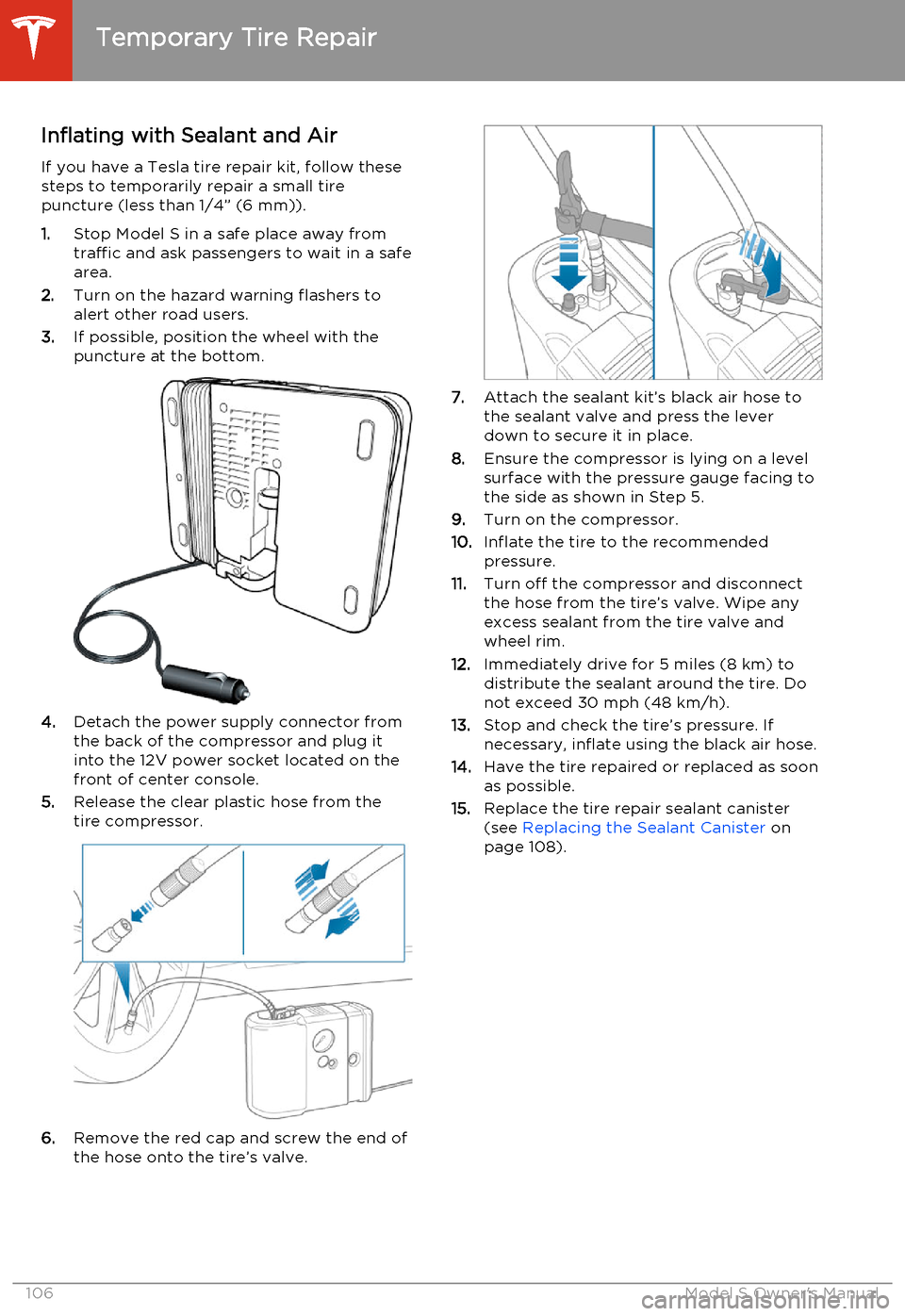
Inflating with Sealant and AirIf you have a Tesla tire repair kit, follow these
steps to temporarily repair a small tire
puncture (less than 1/4” (6 mm)).
1. Stop Model S in a safe place away from
traffic and ask passengers to wait in a safe area.
2. Turn on the hazard warning flashers to
alert other road users.
3. If possible, position the wheel with the
puncture at the bottom.
4. Detach the power supply connector from
the back of the compressor and plug it
into the 12V power socket located on the front of center console.
5. Release the clear plastic hose from the
tire compressor.
6. Remove the red cap and screw the end of
the hose onto the tire’s valve.
7. Attach the sealant kit’s black air hose to
the sealant valve and press the lever
down to secure it in place.
8. Ensure the compressor is lying on a level
surface with the pressure gauge facing to the side as shown in Step 5.
9. Turn on the compressor.
10. Inflate the tire to the recommended
pressure.
11. Turn off the compressor and disconnect
the hose from the tire’s valve. Wipe any
excess sealant from the tire valve and wheel rim.
12. Immediately drive for 5 miles (8 km) to
distribute the sealant around the tire. Donot exceed 30 mph (48 km/h).
13. Stop and check the tire’s pressure. If
necessary, inflate using the black air hose.
14. Have the tire repaired or replaced as soon
as possible.
15. Replace the tire repair sealant canister
(see Replacing the Sealant Canister on
page 108).
Temporary Tire Repair
106Model S Owner's Manual
Page 109 of 159
Inflating with Air Only
If you have a Tesla tire repair kit, follow these steps to inflate a tire with air:
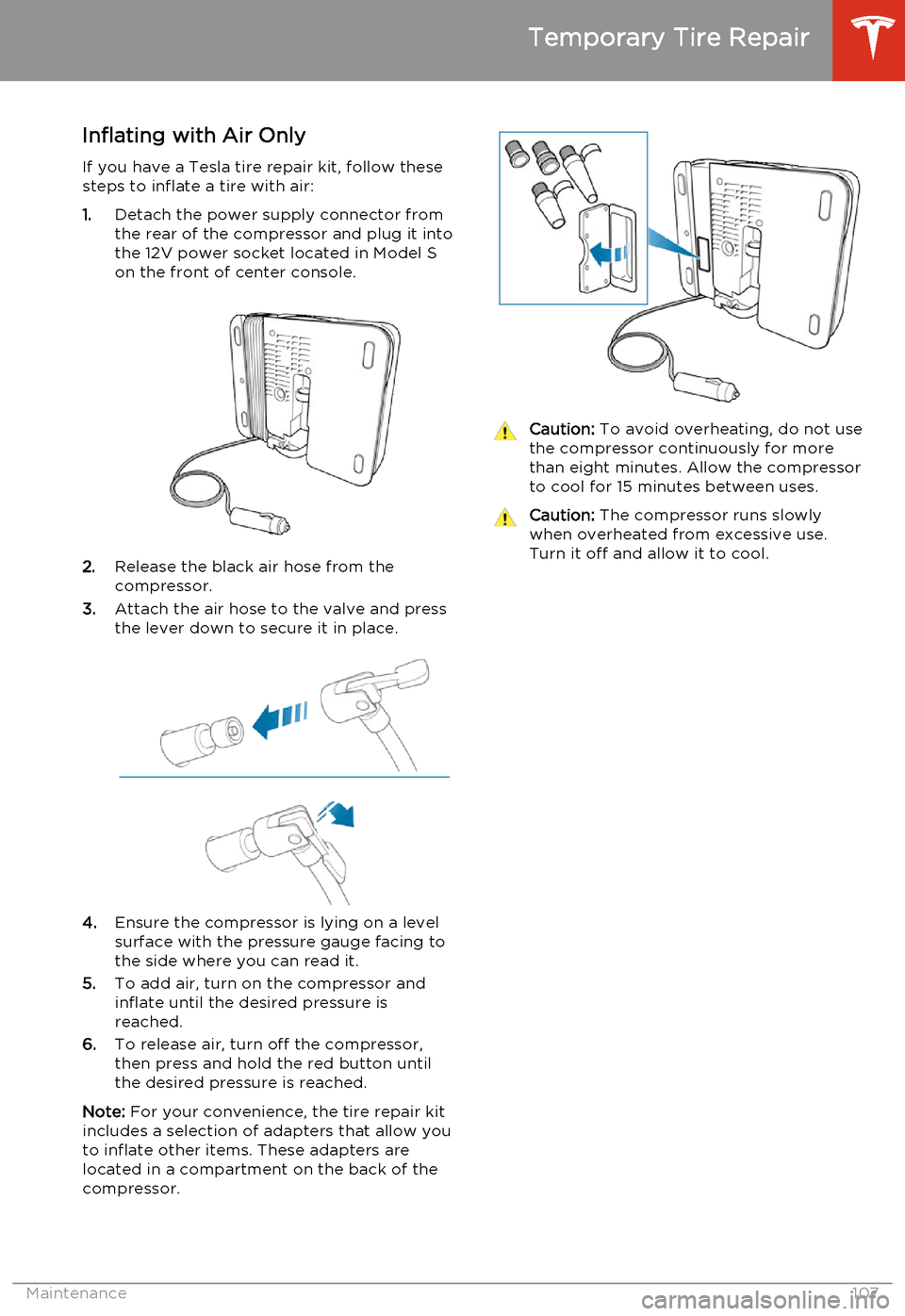
1. Detach the power supply connector from
the rear of the compressor and plug it into
the 12V power socket located in Model S
on the front of center console.
2. Release the black air hose from the
compressor.
3. Attach the air hose to the valve and press
the lever down to secure it in place.
4. Ensure the compressor is lying on a level
surface with the pressure gauge facing to the side where you can read it.
5. To add air, turn on the compressor and
inflate until the desired pressure is
reached.
6. To release air, turn off the compressor,
then press and hold the red button until the desired pressure is reached.
Note: For your convenience, the tire repair kit
includes a selection of adapters that allow you to inflate other items. These adapters arelocated in a compartment on the back of thecompressor.
Caution: To avoid overheating, do not use
the compressor continuously for more than eight minutes. Allow the compressorto cool for 15 minutes between uses.Caution: The compressor runs slowly
when overheated from excessive use.
Turn it off and allow it to cool.
Temporary Tire Repair
Maintenance107
Page 113 of 159
Polishing, Touch Up, and Body
Repair
To preserve the cosmetic appearance of the
body, you can occasionally treat the paint
surfaces with an approved polish containing:
• Very mild abrasive to remove surface contamination without removing or
damaging the paint.
• Filling compounds that fill scratches and reduce their visibility.
• Wax to provide a protective coating between the paint and environmental
elements.
Regularly inspect the exterior paint for
damage. Treat minor chips and scratches
using a paint touch up pen (available for
purchase from Tesla). Use the touch-up pen
after washing but before polishing or waxing.
Repair rock chips, fractures or scratches. Body
repairs should be performed only by a Tesla approved body repair facility. Contact Tesla
for a list of approved facilities.Caution: Do not use cutting pastes, color
restoration compounds, or polishes
containing harsh abrasives. These can
scour the surface and permanently
damage the paint.Caution: Do not use chrome polish or
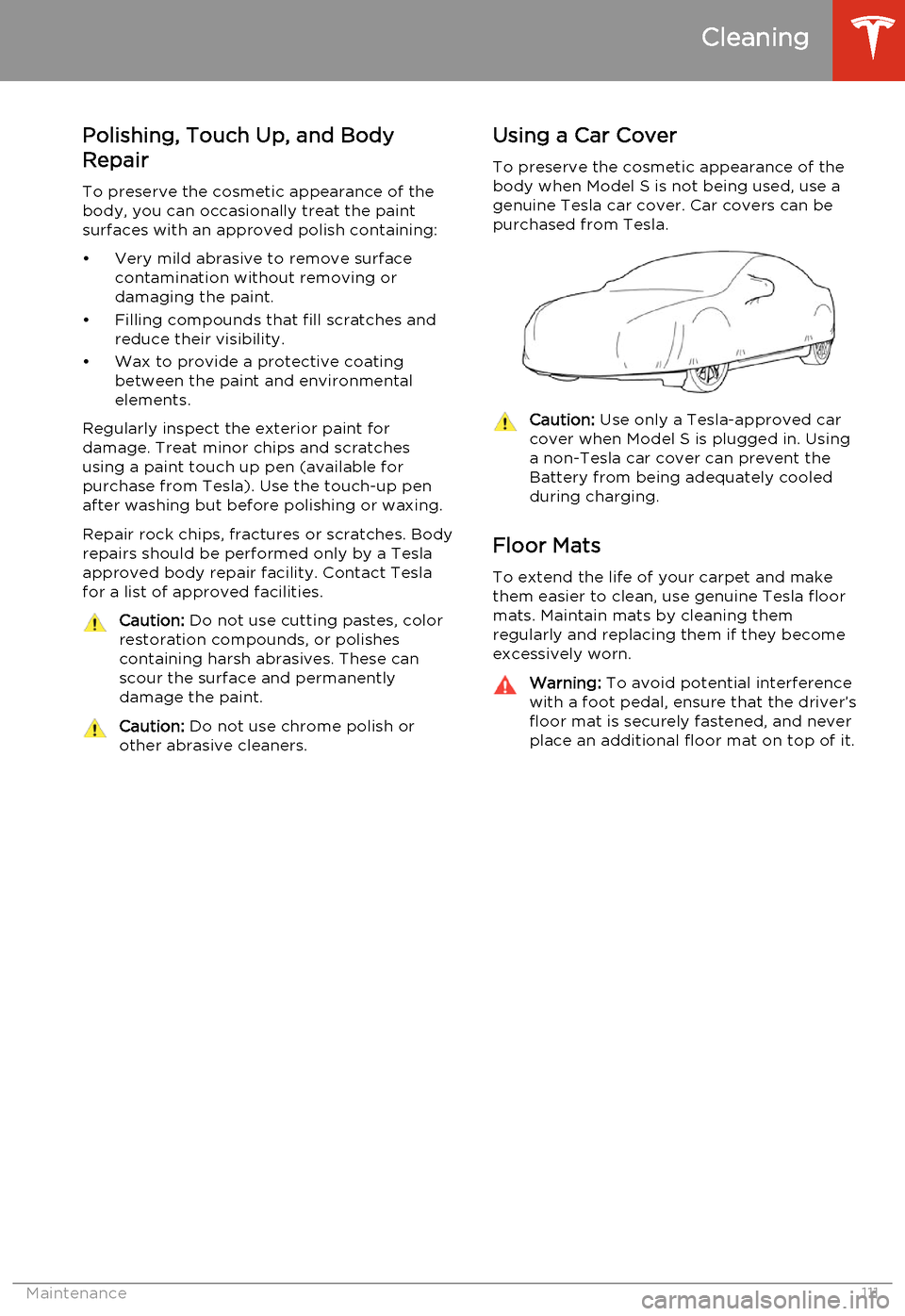
other abrasive cleaners.Using a Car Cover
To preserve the cosmetic appearance of the
body when Model S is not being used, use a
genuine Tesla car cover. Car covers can be purchased from Tesla.Caution: Use only a Tesla-approved car
cover when Model S is plugged in. Using
a non-Tesla car cover can prevent the
Battery from being adequately cooled
during charging.
Floor Mats
To extend the life of your carpet and make
them easier to clean, use genuine Tesla floor mats. Maintain mats by cleaning them
regularly and replacing them if they become
excessively worn.
Warning: To avoid potential interference
with a foot pedal, ensure that the driver’s
floor mat is securely fastened, and never place an additional floor mat on top of it.
Cleaning
Maintenance111
Page 145 of 159
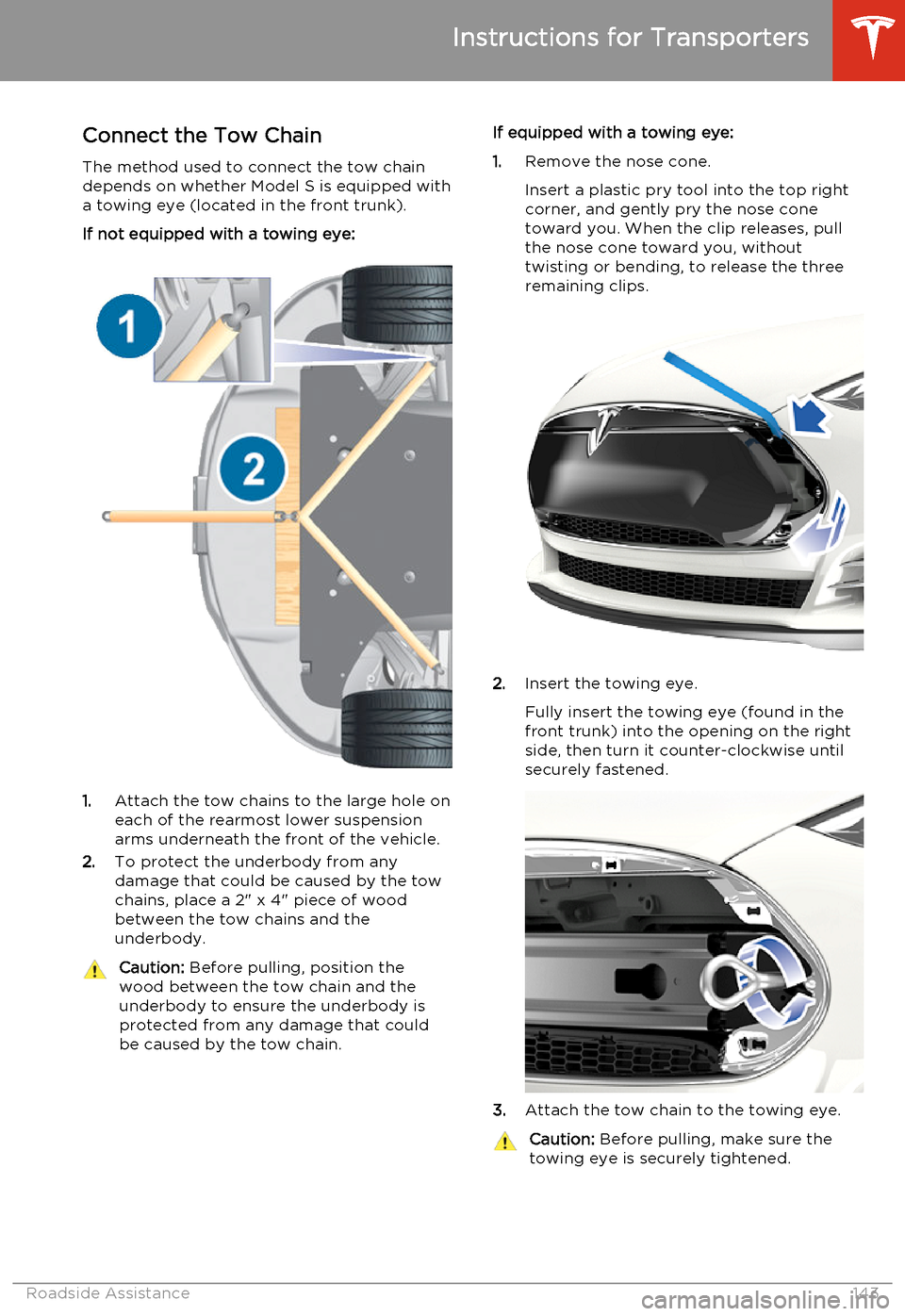
Connect the Tow Chain
The method used to connect the tow chain depends on whether Model S is equipped with
a towing eye (located in the front trunk).
If not equipped with a towing eye:
1. Attach the tow chains to the large hole on
each of the rearmost lower suspension arms underneath the front of the vehicle.
2. To protect the underbody from any
damage that could be caused by the tow
chains, place a 2" x 4" piece of wood
between the tow chains and the
underbody.
Caution: Before pulling, position the
wood between the tow chain and the
underbody to ensure the underbody is protected from any damage that couldbe caused by the tow chain.If equipped with a towing eye:
1. Remove the nose cone.
Insert a plastic pry tool into the top right
corner, and gently pry the nose cone
toward you. When the clip releases, pull
the nose cone toward you, without
twisting or bending, to release the three
remaining clips.
2. Insert the towing eye.
Fully insert the towing eye (found in the
front trunk) into the opening on the right
side, then turn it counter-clockwise until securely fastened.
3. Attach the tow chain to the towing eye.
Caution:
Before pulling, make sure the
towing eye is securely tightened.
Instructions for Transporters
Roadside Assistance143
Page 146 of 159
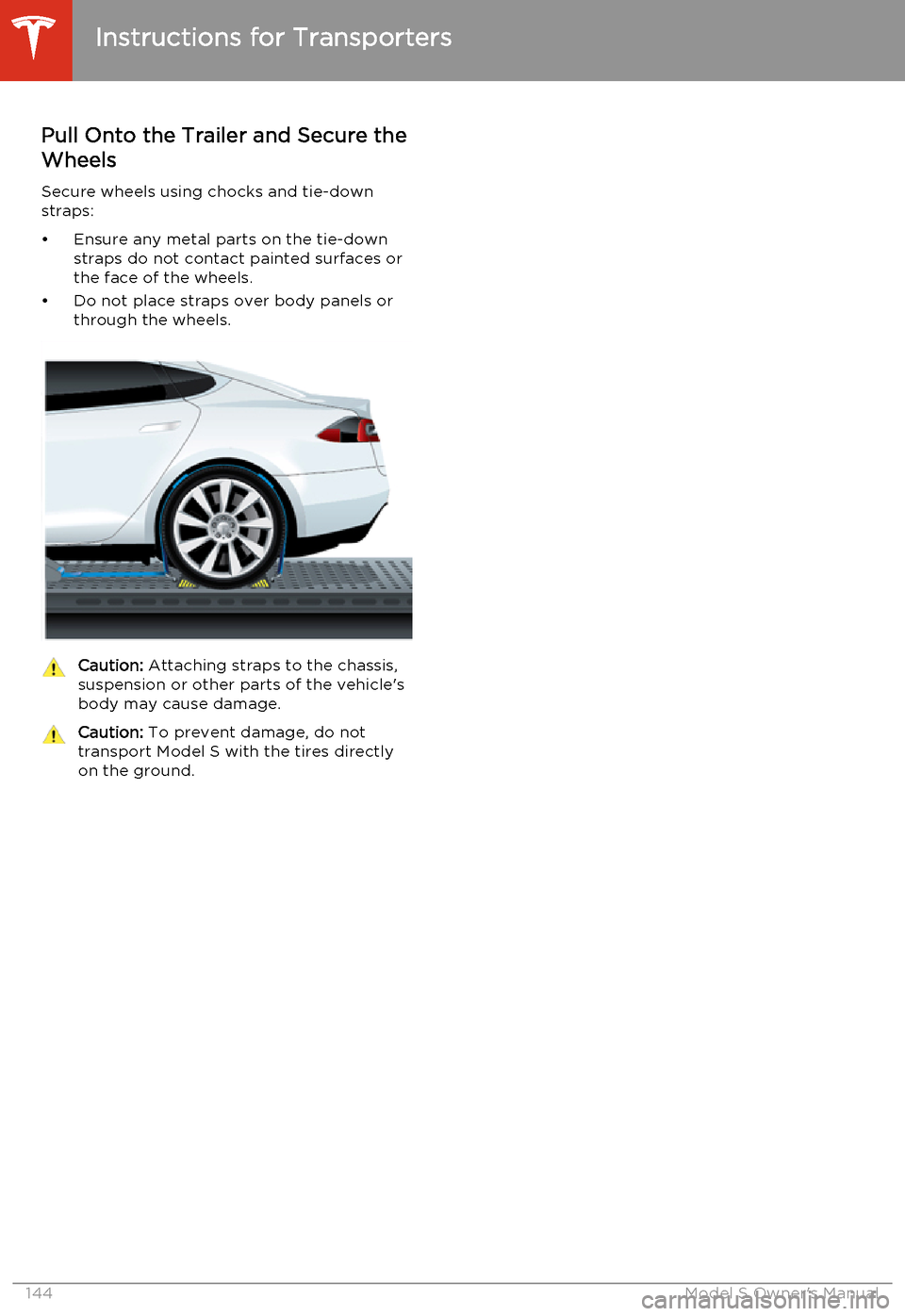
Pull Onto the Trailer and Secure theWheels
Secure wheels using chocks and tie-down
straps:
• Ensure any metal parts on the tie-down straps do not contact painted surfaces or
the face of the wheels.
• Do not place straps over body panels or through the wheels.Caution: Attaching straps to the chassis,
suspension or other parts of the vehicle's
body may cause damage.Caution: To prevent damage, do not
transport Model S with the tires directly
on the ground.
Instructions for Transporters
144Model S Owner's Manual
Page 152 of 159
Article XIV: The use of low-power radio-
frequency devices shall not influence aircraft security and interfere with legal
communications; interference phenomenon
discovered over time, should be immediately suspended, and improved to no interference
before use can continue. Legal
communications, referring to the provisions of
the Telecommunications Act of radio communications operations. Low-power radiocommunications shall tolerate radio wave
interference from radiated devices, legal or
industrial, scientific and medical.
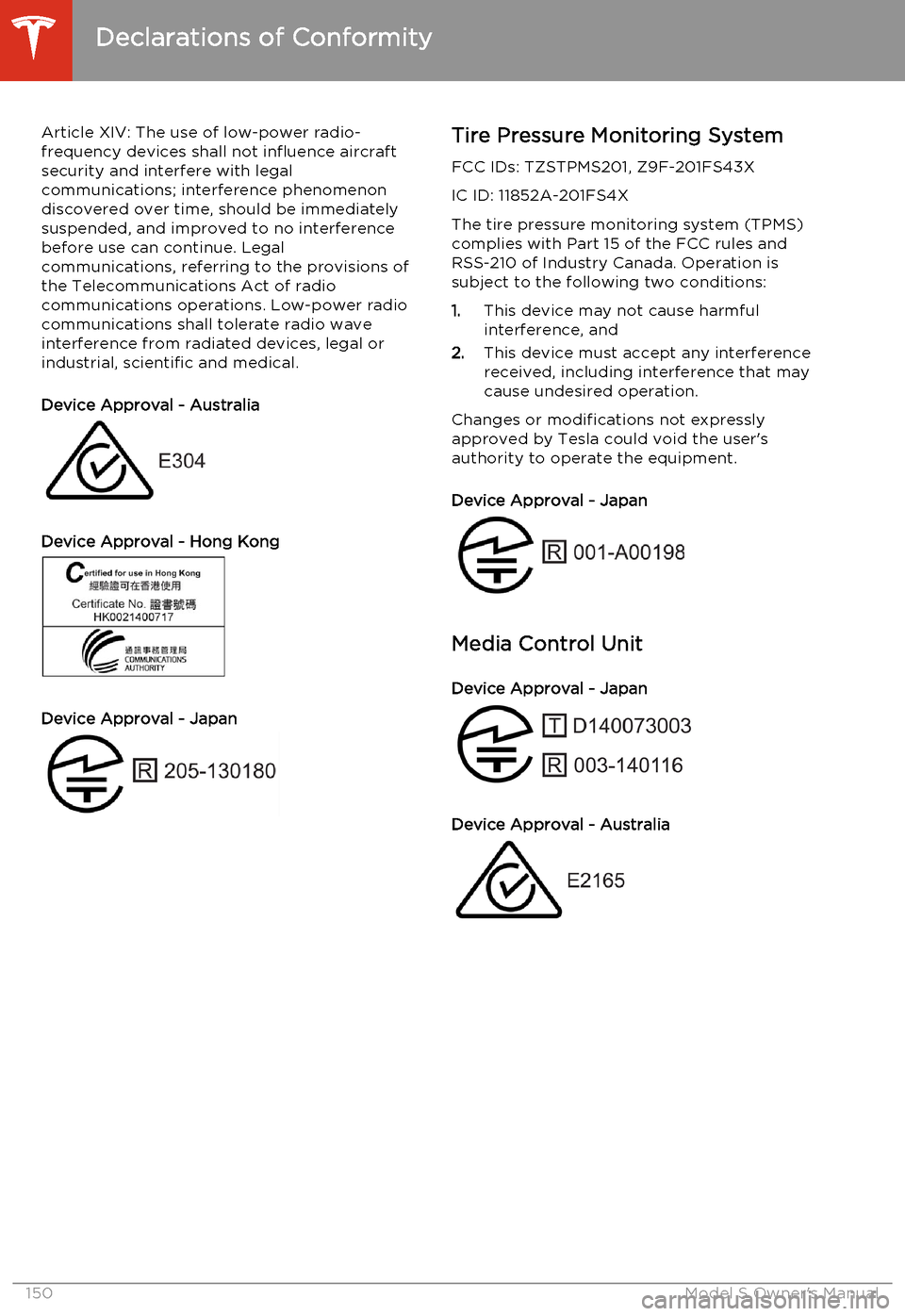
Device Approval - Australia
Device Approval - Hong Kong
Device Approval - Japan
Tire Pressure Monitoring System FCC IDs: TZSTPMS201, Z9F-201FS43XIC ID: 11852A-201FS4X
The tire pressure monitoring system (TPMS)
complies with Part 15 of the FCC rules and RSS-210 of Industry Canada. Operation issubject to the following two conditions:
1. This device may not cause harmful
interference, and
2. This device must accept any interference
received, including interference that may
cause undesired operation.
Changes or modifications not expressly
approved by Tesla could void the user's
authority to operate the equipment.
Device Approval - Japan
Media Control Unit
Device Approval - Japan
Device Approval - Australia
Declarations of Conformity
150Model S Owner's Manual
Page 157 of 159
steering wheel controls for 37
using 83
power management 57
power socket 80
power windows 9
powering on and off 40
preferences, setting 69
Proposition 65 147
public charging stations 93
R
radio 77
radio frequency, FCC information 151
rain sensor 50rangedisplayed on instrument panel 42
driving tips to maximize 57
regenerative braking 59
Rated range 69
rear seats, folding and raising 18
rear view camera 64
rear window switches, disabling 9
regenerative braking 59
release notes 90
Reverse gear 41
roadside assistance 141
roof racks 129
rotating tires 101
S
safety defectsreporting (Canada) 148
reporting (U.S.) 148safety informationairbags 34
child seats 26
rear facing child seats 29
seat belts 20seat beltscleaning 110
in a collision 20
overview of 19
pre-tensioners 20
wearing when pregnant 19
seat covers 18
seat heaters 72
seating capacity 127
seatsadjusting 17
heaters 72
Tesla built-in rear facing 27
security settings 86
service data recording 147
service intervals 99
Settings 69
shifting gears 41
Slacker 77
software updates 90specificationsdimensions 130
exterior 130
subsystems 132
tires 136
weights 131
wheels 135
speed assist 51
stability control 60
starting Model S 40
steering specifications 132
steering wheel 36
sunroof 15
suspension 76
suspension specifications 133
T
telematics 147
telephonesteering wheel controls for 37
using 83temperatureBattery (high voltage), limits 94
cabin, controls for 72
outside 42
tires 139
tie-down straps 144
tilt detection 86
Tire and Loading Information label 127
Tire Pressure Monitoring SystemFCC certification 150
overview of 103
tire pressures, checking 100
tire repair kitinflating with air only 107
inflating with sealant 106
replacing the sealant canister 108tires
Index
Index155