light TESLA MODEL S 2020 User Guide
[x] Cancel search | Manufacturer: TESLA, Model Year: 2020, Model line: MODEL S, Model: TESLA MODEL S 2020Pages: 226, PDF Size: 6.06 MB
Page 54 of 226

When Tow mode is active, Model S
displays this indicator light on the
instrument panel, along with a
message telling you that Model S will
roll freely.
Note: In Tow mode, Model S does not shift into
a driving gear. To cancel Tow mode, shift into
Park or touch Tow mode again. Tow mode also
cancels if you use the touchscreen to apply
the parking brake ( Controls > Safety &
Security > Parking Brake ).
Gears
Driving53
Page 55 of 226
Lights
Controlling Lights Touch Controls > Lights on the touchscreen to
control the lights.
In addition to the lights that you can control
from the touchscreen, Model S has
convenience lights that turn on and off
automatically based on what you are doing. For example, you will notice interior lights,marker lights, tail lights, door handle lights,
and puddle lights that turn on when you unlock Model S, when you open a door, and
when you shift into Park. They turn off
automatically after a minute or two or when
you shift into a driving gear or lock Model S.
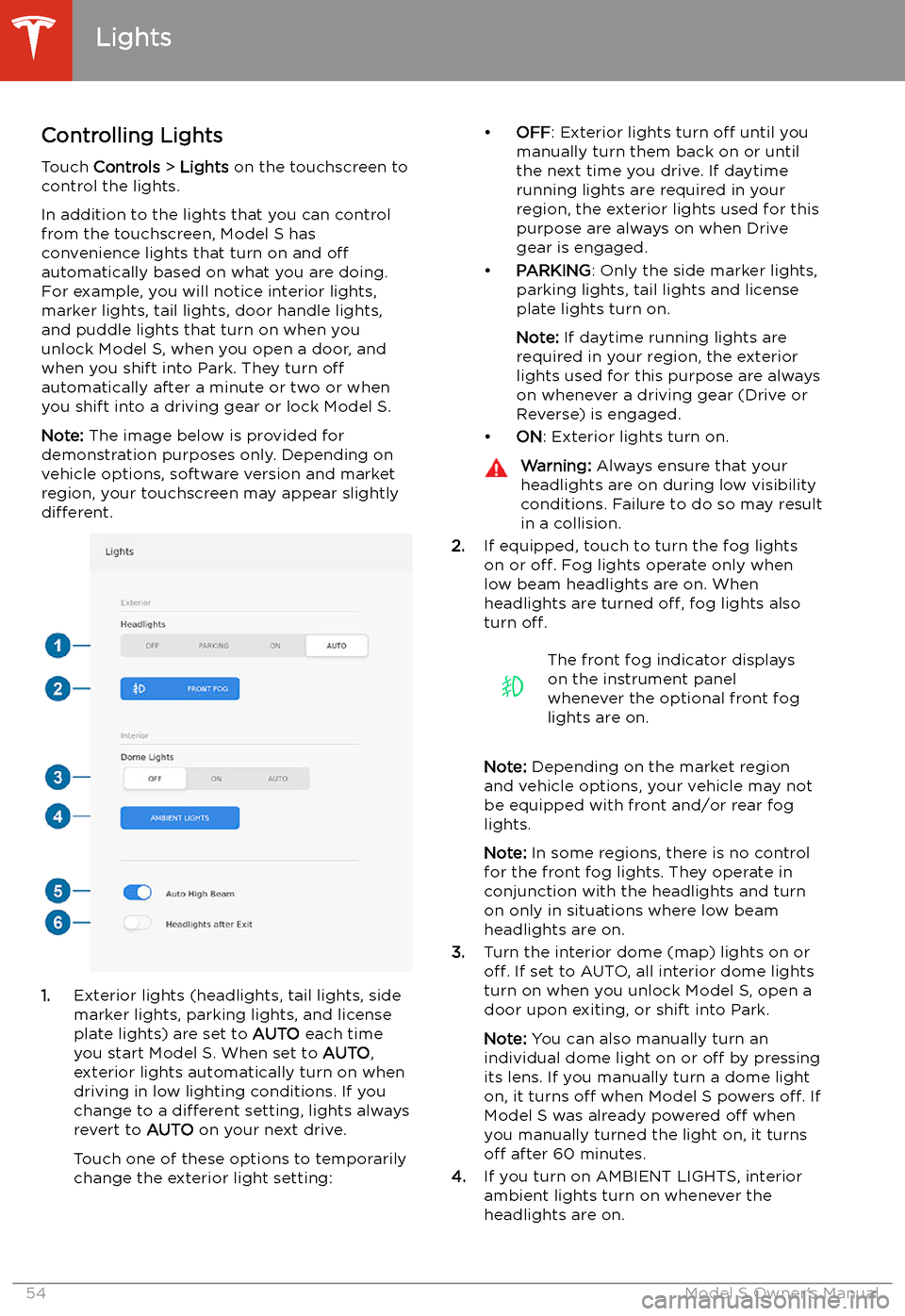
Note: The image below is provided for
demonstration purposes only. Depending on vehicle options, software version and market
region, your touchscreen may appear slightly
different.
1. Exterior lights (headlights, tail lights, side
marker lights, parking lights, and license
plate lights) are set to AUTO each time
you start Model S. When set to AUTO,
exterior lights automatically turn on when
driving in low lighting conditions. If you
change to a different setting, lights always
revert to AUTO on your next drive.
Touch one of these options to temporarily
change the exterior light setting:
Page 56 of 226

5.If you turn on Auto High Beam (only
available on Model S equipped with
Autopilot components), your vehicle
automatically switches from high beam
headlights to low beam headlights when
there is light detected in front of Model S.
See High Beam Headlights on page 56.
6. If you turn on Headlights after Exit, the
exterior lights remain on for a short period of time after you stop driving and parkModel S in low lighting conditions. See Headlights After Exit on page 56.
Note: Model S has lights along the rim of the
headlights, also referred to as "signature"
lights. These lights automatically turn on
whenever Model S is powered on and a driving gear is engaged. In market regions where
daytime running lights are not required to stay
on, the signature lights turn off to conserve
energy when you turn on the Range mode setting (see Controls on page 118 or Driving
Tips to Maximize Range on page 77).
Lights
Driving55
Page 57 of 226
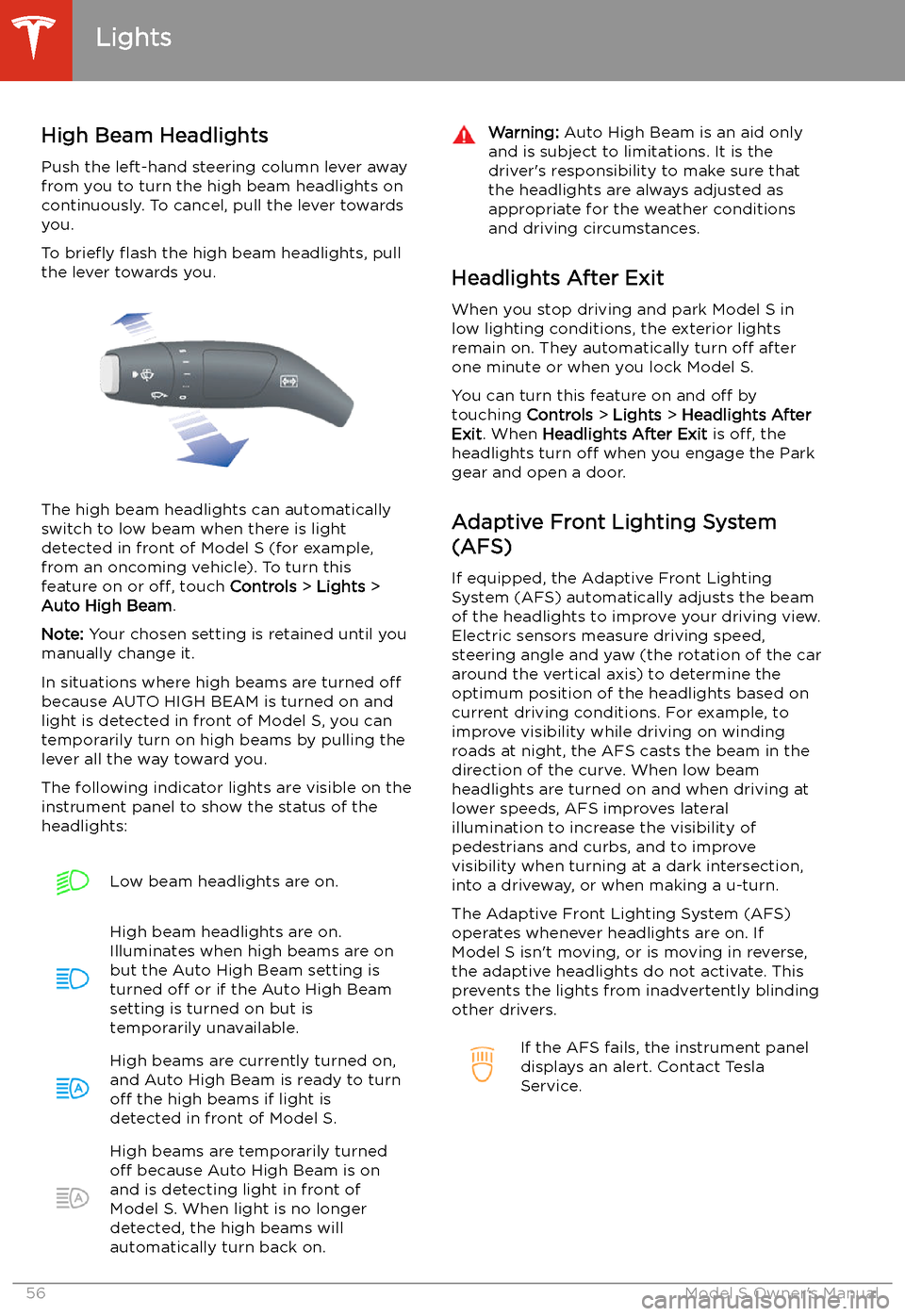
High Beam HeadlightsPush the left-hand steering column lever away
from you to turn the high beam headlights on
continuously. To cancel, pull the lever towards
you.
To brie
Page 60 of 226
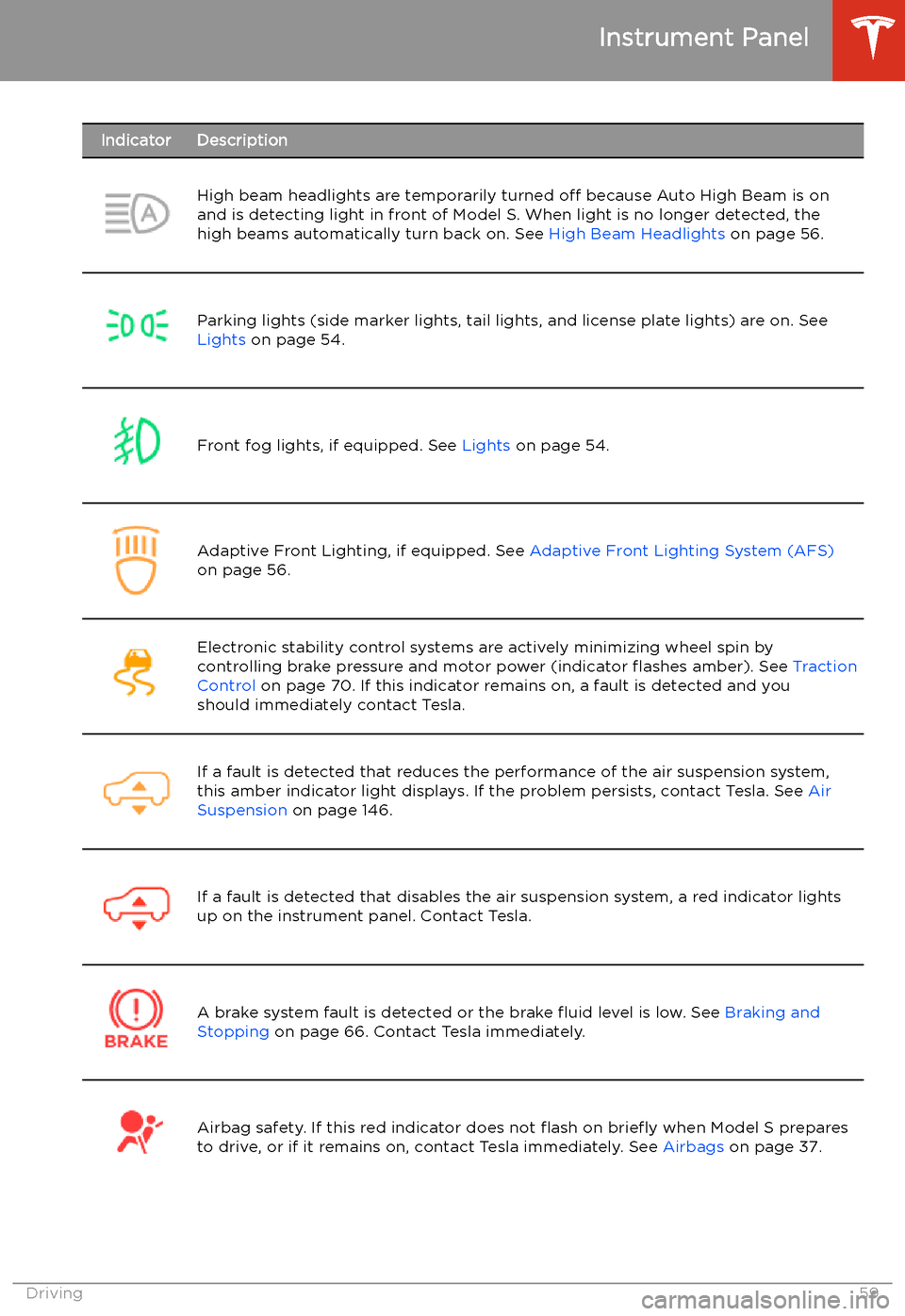
IndicatorDescriptionHigh beam headlights are temporarily turned off because Auto High Beam is on
and is detecting light in front of Model S. When light is no longer detected, the
high beams automatically turn back on. See High Beam Headlights on page 56.Parking lights (side marker lights, tail lights, and license plate lights) are on. See
Lights on page 54.Front fog lights, if equipped. See Lights on page 54.Adaptive Front Lighting, if equipped. See Adaptive Front Lighting System (AFS)
on page 56.Electronic stability control systems are actively minimizing wheel spin by
controlling brake pressure and motor power (indicator
Page 63 of 226
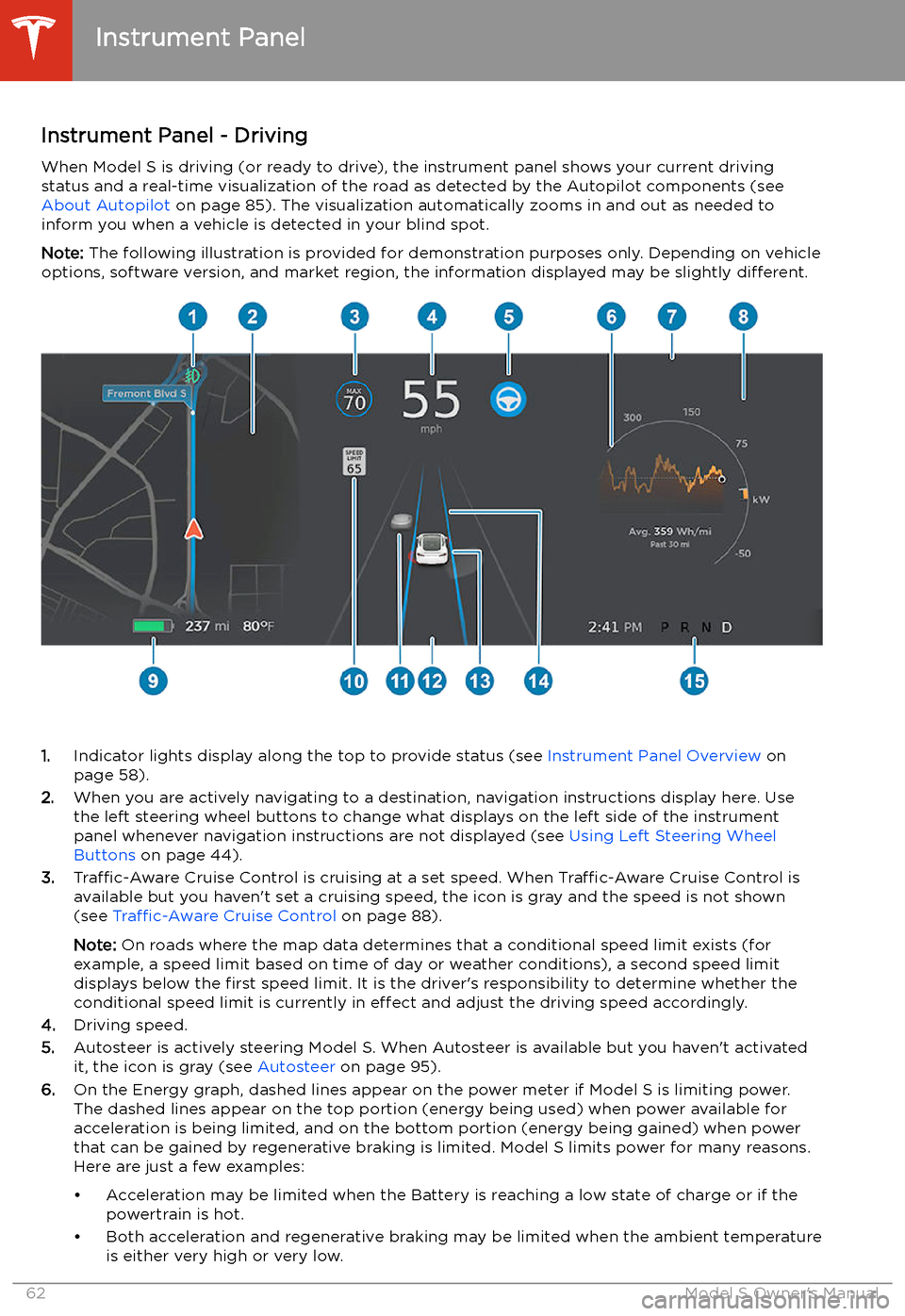
Instrument Panel - DrivingWhen Model S is driving (or ready to drive), the instrument panel shows your current drivingstatus and a real-time visualization of the road as detected by the Autopilot components (see
About Autopilot on page 85). The visualization automatically zooms in and out as needed to
inform you when a vehicle is detected in your blind spot.
Note: The following illustration is provided for demonstration purposes only. Depending on vehicle
options, software version, and market region, the information displayed may be slightly different.
1.Indicator lights display along the top to provide status (see Instrument Panel Overview on
page 58).
2. When you are actively navigating to a destination, navigation instructions display here. Use
the left steering wheel buttons to change what displays on the left side of the instrument
panel whenever navigation instructions are not displayed (see Using Left Steering Wheel
Buttons on page 44).
3. Traffic-Aware Cruise Control is cruising at a set speed. When Traffic-Aware Cruise Control is
available but you haven
Page 68 of 226
Caution: If the brakes are not functioning
properly, stop the vehicle as soon as safety permits and contact Tesla Service.
See Park on page 52 for information on
using the Park button to stop the vehicle
in case of emergency.Warning: Always maintain a safe driving
distance from the vehicle in front of you
and be cautious in hazardous driving
conditions. Do not rely on brake disc
wiping or hydraulic fade compensation to act as a substitute for adequate braking.
Regenerative Braking
Whenever Model S is moving and your foot is
off the accelerator, regenerative braking slows
down Model S and feeds any surplus energy
back to the Battery.
By anticipating your stops and reducing or
removing pressure from the accelerator pedal
to slow down, you can take advantage of regenerative braking to increase driving range.
Of course, this is no substitute for regular braking when needed for safety.
Note: If regenerative braking is aggressively
slowing Model S (such as when your foot is
completely off the accelerator pedal at
highway speeds), the brake lights turn on to
alert others that you are slowing down.
Warning: In snowy or icy conditions
Model S may experience traction loss
during regenerative braking, particularly
when in the Standard setting and/or not
using winter tires. Tesla recommends
using the Low setting (see To Set the
Regenerative Braking Level on page 67)
in snowy or icy conditions to help maintain vehicle stability.
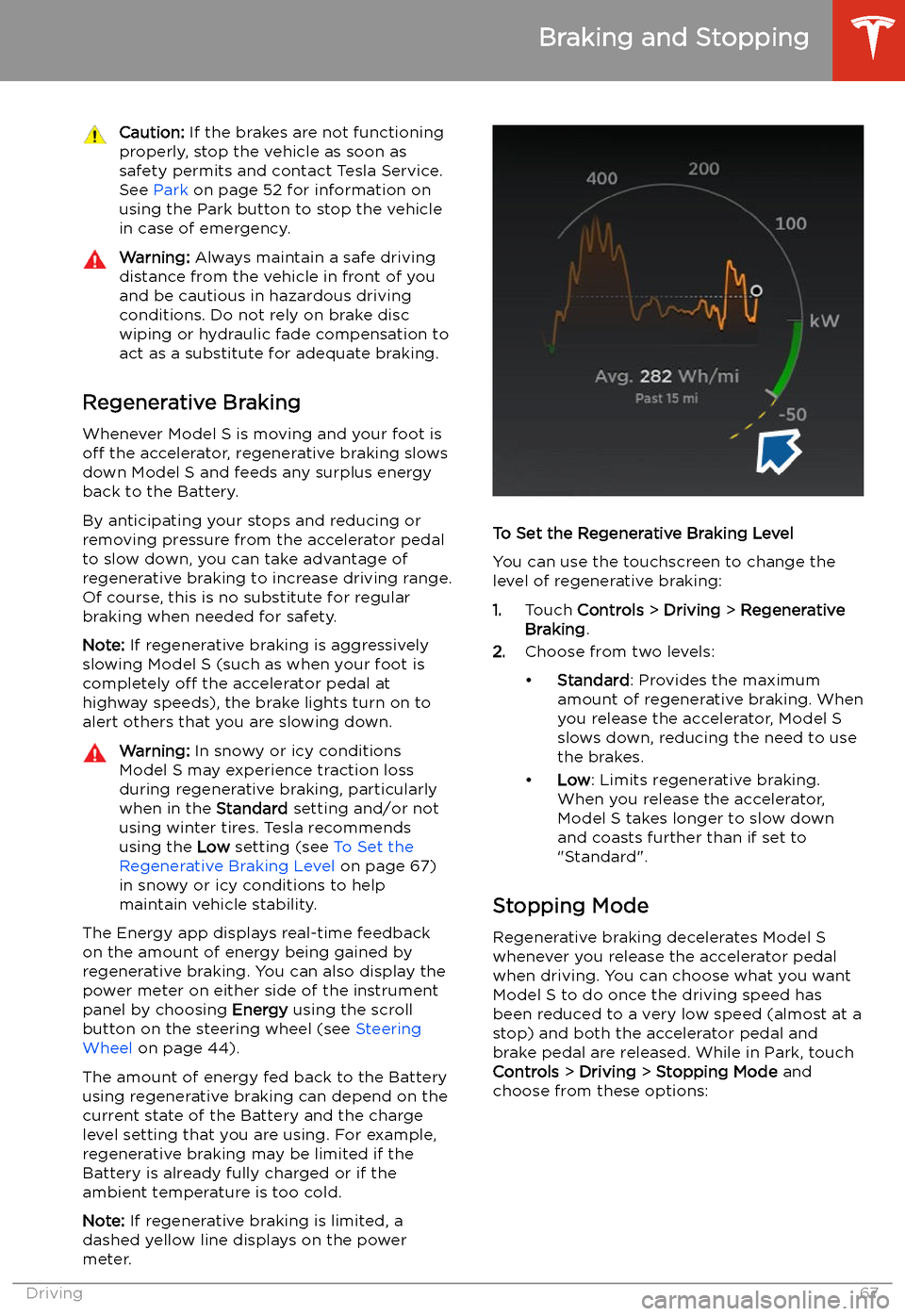
The Energy app displays real-time feedback
on the amount of energy being gained by
regenerative braking. You can also display the
power meter on either side of the instrument
panel by choosing Energy using the scroll
button on the steering wheel (see Steering
Wheel on page 44).
The amount of energy fed back to the Battery using regenerative braking can depend on the
current state of the Battery and the charge
level setting that you are using. For example,
regenerative braking may be limited if the Battery is already fully charged or if the
ambient temperature is too cold.
Note: If regenerative braking is limited, a
dashed yellow line displays on the power
meter.
To Set the Regenerative Braking Level
You can use the touchscreen to change the
level of regenerative braking:
1. Touch Controls > Driving > Regenerative
Braking .
2. Choose from two levels:
Page 70 of 226
Use the touchscreen to manually release the
parking brake (which also shifts Model S into Neutral):
1. Touch Controls > Safety & Security .
2. Press the brake pedal, then touch Parking
Brake . If Model S was previously in Park, it
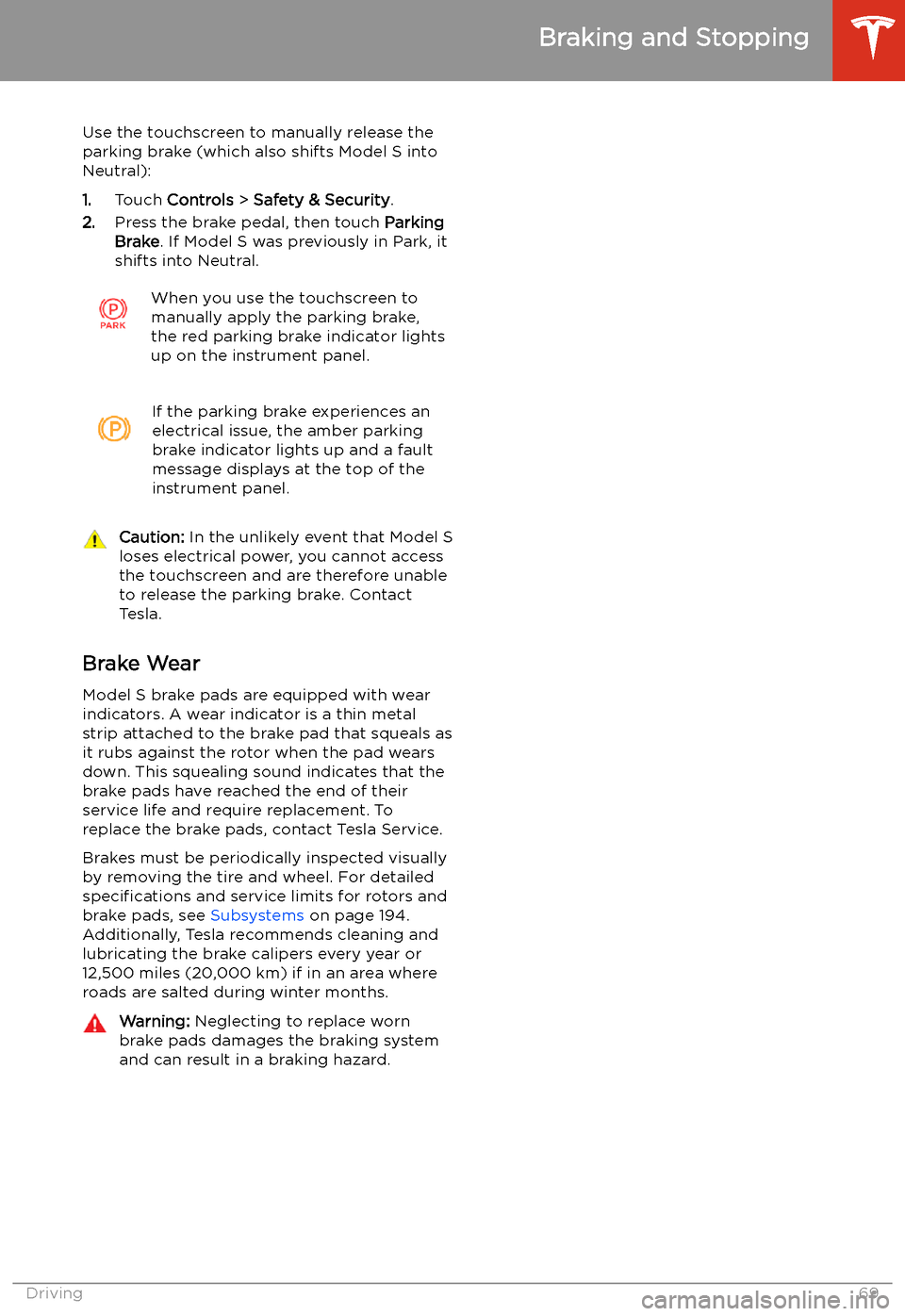
shifts into Neutral.When you use the touchscreen to
manually apply the parking brake,
the red parking brake indicator lights
up on the instrument panel.If the parking brake experiences an
electrical issue, the amber parking brake indicator lights up and a fault
message displays at the top of the
instrument panel.Caution: In the unlikely event that Model S
loses electrical power, you cannot access
the touchscreen and are therefore unable to release the parking brake. Contact
Tesla.
Brake Wear
Model S brake pads are equipped with wear
indicators. A wear indicator is a thin metal
strip attached to the brake pad that squeals as
it rubs against the rotor when the pad wears
down. This squealing sound indicates that the
brake pads have reached the end of their service life and require replacement. To
replace the brake pads, contact Tesla Service.
Brakes must be periodically inspected visually by removing the tire and wheel. For detailed
specifications and service limits for rotors and
brake pads, see Subsystems on page 194.
Additionally, Tesla recommends cleaning and
lubricating the brake calipers every year or
12,500 miles (20,000 km) if in an area where
roads are salted during winter months.
Warning: Neglecting to replace worn
brake pads damages the braking system
and can result in a braking hazard.
Braking and Stopping
Driving69
Page 107 of 226
2.With Model S in Park, stand within 10 feet
(3 meters) and press and hold the top
center button on the key (Lock/Unlock All
button) until the hazard lights blink continuously.
Note: The hazard lights
Page 112 of 226
every situation and does not replace the need
to remain attentive and in control.Warning: Keep your hands on the steering
wheel at all times. If the vehicle senses your hands are not on the steering wheel,Model S sounds a chime and the hazard
warning lights