lights TESLA MODEL Y 2020 Owner´s Manual
[x] Cancel search | Manufacturer: TESLA, Model Year: 2020, Model line: MODEL Y, Model: TESLA MODEL Y 2020Pages: 232, PDF Size: 7.68 MB
Page 62 of 232

Braking SystemsWARNING: Properly functioning braking systems
are critical to ensure safety. If you experience a
problem with the brake pedal, brake caliper, or
any component of a Model Y braking system,
contact Tesla immediately.
Model Y has an anti-lock braking system (ABS) that
prevents the wheels from locking when you apply
maximum brake pressure. This improves steering
control during heavy braking in most road conditions.
During emergency braking conditions, the ABS
constantly monitors the speed of each wheel and varies
the brake pressure according to the grip available.
The alteration of brake pressure can be felt as a pulsing sensation through the brake pedal. This demonstrates that the ABS is operating and is not a cause for concern. Keep
firm and steady pressure on the brake
pedal while experiencing the pulsing.
The ABS indicator briefly flashes yellow
on the
touchscreen when you first start
Model Y. If this indicator lights up at any
other time, an ABS fault has occurred
and the ABS is not operating. Contact
Tesla. The braking system remains fully
operational and is not
affected by an
ABS failure. However, braking distances may increase. Drive cautiously and avoid
heavy braking.
If the touchscreen displays this red brake
indicator at any time other than
briefly
when you first start Model Y, a brake
system fault is detected, or the level of
the brake
fluid is low. Contact Tesla
immediately. Apply steady pressure and
keep the brakes
firm to bring the vehicle
to a stop when safe to do so.
If the touchscreen displays this yellow
brake indicator at any time, a brake booster fault is detected. Apply steady
pressure and keep the brakes
firm to
bring the vehicle to a stop when safe to do so. Hydraulic Boost Compensation will be active (see
Hydraulic Boost
Compensation on page 61).
Emergency Braking
In an emergency, fully press the brake pedal and
maintain
firm pressure, even on low traction surfaces.
The ABS varies the braking pressure to each wheel
according to the amount of traction available. This prevents wheels from locking and ensures that you stop as safely as possible.
WARNING: Do not pump the brake pedal. Doing
so interrupts operation of the ABS and can
increase braking distance.
WARNING: Always maintain a safe distance from
the vehicle in front of you and be aware of
hazardous driving conditions. While the ABS can
improve stopping distance, it cannot overcome
the laws of physics. It also does not prevent the
danger of hydroplaning (where a layer of water
prevents direct contact between the tires and the
road).
Automatic Emergency Braking is designed to automatically brake in situations where a collision is
considered imminent (see
Automatic Emergency
Braking on page 115).
WARNING: Automatic Emergency Braking is not
designed to prevent a collision. At best, it can
minimize the impact of a frontal collision by
attempting to reduce your driving speed.
Depending on Automatic Emergency Braking to
avoid a collision can result in serious injury or
death.
CAUTION: In emergency situations, if the brakes
are not functioning properly, press and hold the
Park button on the drive stalk to bring the vehicle
to a stop. Do not use this method to stop the
vehicle unless absolutely necessary.
Brake Disc Wiping
To ensure your brakes remain responsive in cold and
wet weather,
Model Y is equipped with brake disc
wiping. When cold and wet weather is detected, this
feature repeatedly applies an imperceptible amount of brake force to clear away water from the surface of the brake discs.
Hydraulic Fade Compensation
Your vehicle is also equipped with hydraulic fade
compensation. This feature assists in monitoring brake
system pressure and ABS activity for instances of lower
brake performance. If lower brake performance is
detected (for example, as a result of brake fade, or cold
or wet conditions), you may feel the brake pedal pull away from your foot, detect some noise, and notice a strong increase in vehicle braking. Continue to press the
brake pedal without releasing or "pumping" them
Page 63 of 232

WARNING: Always maintain a safe driving
distance from the vehicle in front of you and
exercise caution when driving conditions are
hazardous. Do not rely on brake disc wiping or
hydraulic fade compensation to act as a
substitute for adequately applying the brakes.
Hydraulic Boost Compensation
Model Y is equipped with a brake booster that provides
a mechanical advantage that
effectively activates the
brakes when the brake pedal is pressed. Hydraulic boost
compensation provides mechanical assist in the event of a brake booster failure. If a brake booster failure is detected, the brake pedal may feel harder to press and you may hear some noise when you press the brake
pedal. To stop the vehicle, apply adequate steady force on the brake pedal without releasing or "pumping" them. Exercise caution while driving and maintain a safe
distance as brake pedal responsiveness and braking performance may be degraded.
Regenerative Braking
Whenever Model Y is moving and your foot is off the
accelerator, regenerative braking slows down
Model Y
and feeds any surplus energy back to the Battery.
By anticipating your stops and reducing or removing
pressure from the accelerator pedal to slow down, you
can take advantage of regenerative braking to increase
driving range. Of course, this is no substitute for regular
braking when needed for safety.
NOTE: If regenerative braking is aggressively slowing
Model Y (such as when your foot is completely off the
accelerator pedal at highway speeds), the brake lights turn on to alert others that you are slowing down.
NOTE: Installing winter tires with aggressive compound
and tread design may result in temporarily-reduced regenerative braking power. However, your vehicle is
designed to continuously recalibrate itself, and after changing tires it will increasingly restore regenerative braking power after some moderate-torque straight-line accelerations. For most drivers this occurs after a short period of normal driving, but drivers who normally
accelerate lightly may need to use slightly harder accelerations while the recalibration is in progress.
WARNING: In snowy or icy conditions Model Y
may experience traction loss during regenerative
braking.
The amount of energy fed back to the Battery using regenerative braking can depend on the current state of the Battery. For example, regenerative braking may be
limited if the Battery is already fully charged or if the
ambient temperature is too cold.
NOTE: If regenerative braking is limited, a dashed line
displays on the energy bar (see
Driving Status on page
57).
Stopping Mode
Regenerative braking decelerates Model Y whenever you
release the accelerator pedal when driving. You can
choose what you want
Model Y to do once the driving
speed has been reduced to a very low speed (almost at
a stop) and both the accelerator pedal and brake pedal
are released. While in Park, touch
Controls > Driving >
Stopping Mode and choose from these options:
Page 75 of 232
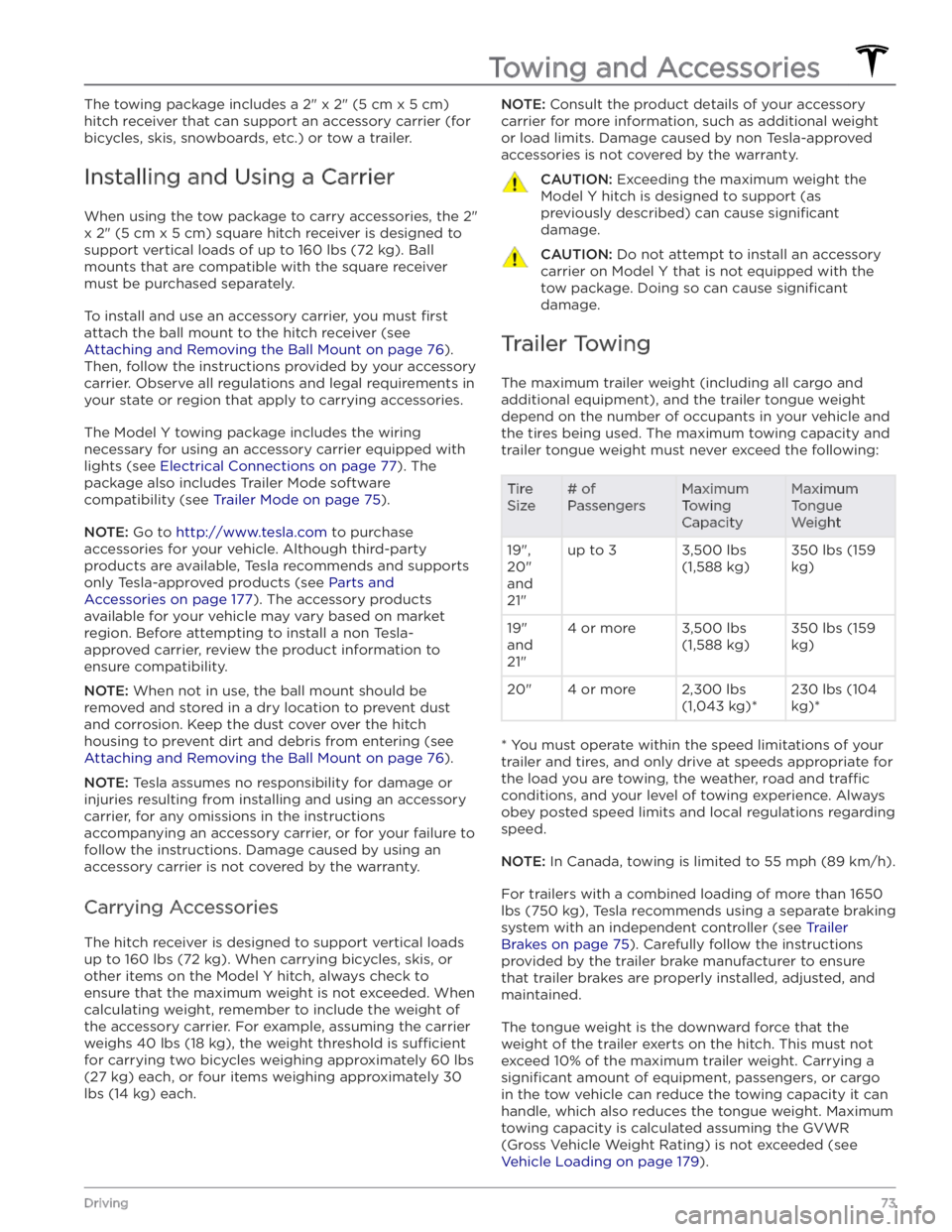
The towing package includes a 2" x 2" (5 cm x 5 cm)
hitch receiver that can support an accessory carrier (for bicycles, skis, snowboards, etc.) or tow a trailer.
Installing and Using a Carrier
When using the tow package to carry accessories, the 2"
x 2" (5 cm x 5 cm) square hitch receiver is designed to
support vertical loads of up to
160 lbs (72 kg). Ball
mounts that are compatible with the square receiver
must be purchased separately.
To install and use an accessory carrier, you must first
attach the ball mount to the hitch receiver (see
Attaching and Removing the Ball Mount on page 76).
Then, follow the instructions provided by your accessory
carrier. Observe all regulations and legal requirements in your state or region that apply to carrying accessories.
The Model Y towing package includes the wiring
necessary for using an accessory carrier equipped with lights (see
Electrical Connections on page 77). The
package also includes Trailer Mode software compatibility (see
Trailer Mode on page 75).
NOTE: Go to http://www.tesla.com to purchase
accessories for your vehicle. Although third-party products are available, Tesla recommends and supports
only Tesla-approved products (see
Parts and
Accessories on page 177). The accessory products
available for your vehicle may vary based on market
region. Before attempting to install a non Tesla-
approved carrier, review the product information to ensure compatibility.
NOTE: When not in use, the ball mount should be
removed and stored in a dry location to prevent dust and corrosion. Keep the dust cover over the hitch housing to prevent dirt and debris from entering (see
Attaching and Removing the Ball Mount on page 76).
NOTE: Tesla assumes no responsibility for damage or
injuries resulting from installing and using an accessory carrier, for any omissions in the instructions accompanying an accessory carrier, or for your failure to follow the instructions. Damage caused by using an accessory carrier is not covered by the warranty.
Carrying Accessories
The hitch receiver is designed to support vertical loads
up to
160 lbs (72 kg). When carrying bicycles, skis, or
other items on the
Model Y hitch, always check to
ensure that the maximum weight is not exceeded. When calculating weight, remember to include the weight of
the accessory carrier.
For example, assuming the carrier
weighs 40 lbs (18 kg), the weight threshold is su
Page 79 of 232

To attach a ball mount:
1.
Remove the dust cover from the hitch housing by using a small object, such as a
flat screwdriver, to pry
between the dust cover and hitch housing. Store the dust cover in a secure location.
2.
If necessary, remove the cotter pin from the locking
bolt and slide the locking bolt out of the hitch assembly.
3.
Slide the ball holder into the hitch assembly.
4.
Align the hole in the ball holder with the one in the hitch assembly.
5.
Slide the locking bolt through the hitch assembly/ball holder.
6.
Insert the cotter pin in the hole at the end of the
locking bolt.
To remove a ball mount:
1.
Remove the cotter pin from the locking bolt and slide
the locking bolt out of the ball holder/hitch assembly.
2. Pull the ball holder out of the hitch assembly.3.
Re-install the dust cover for the hitch housing and
store the ball mount in a secure location.
Electrical Connections
Regulations require all trailers to be equipped with tail lights, brake lights, side marker lights, and turn signals.
To provide power for trailer lighting, a built-in 7-pin
wiring connector is provided near the hitch support
Page 80 of 232
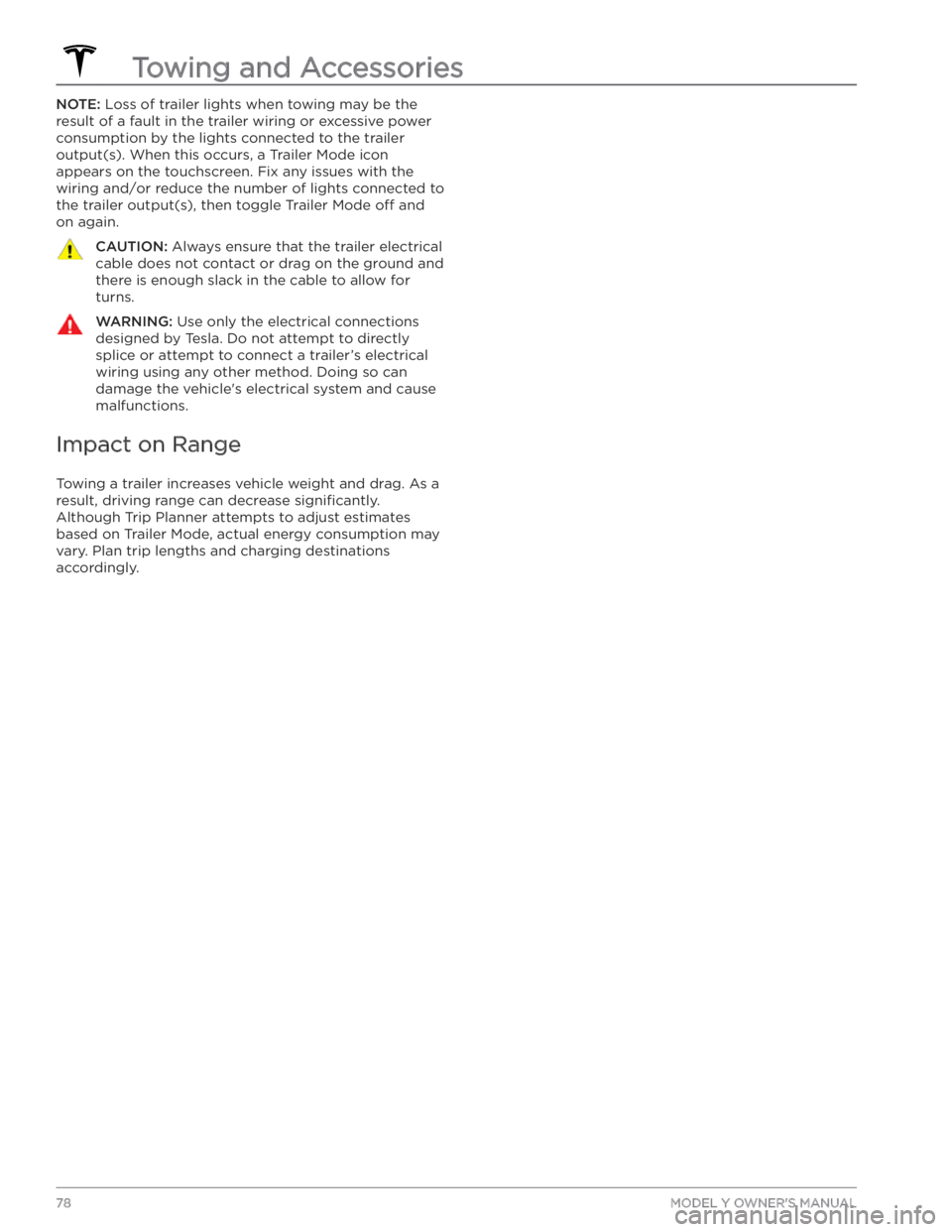
NOTE: Loss of trailer lights when towing may be the
result of a fault in the trailer wiring or excessive power
consumption by the lights connected to the trailer output(s). When this occurs, a Trailer Mode icon
appears on the touchscreen. Fix any issues with the wiring and/or reduce the number of lights connected to the trailer output(s), then toggle Trailer Mode
off and
on again.
CAUTION: Always ensure that the trailer electrical
cable does not contact or drag on the ground and
there is enough slack in the cable to allow for
turns.
WARNING: Use only the electrical connections
designed by Tesla. Do not attempt to directly
splice or attempt to connect a trailer’s electrical
wiring using any other method. Doing so can
damage the vehicle
Page 111 of 232
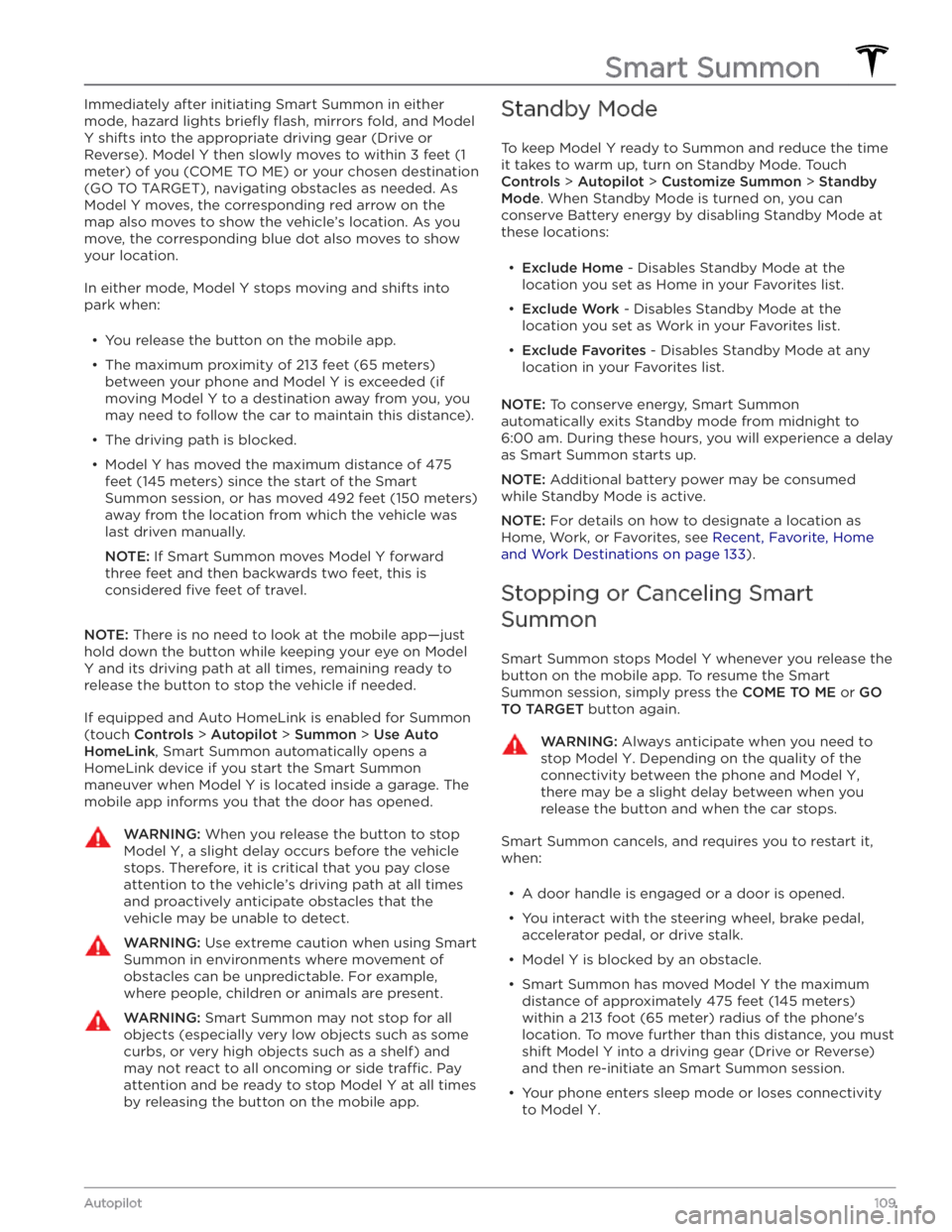
Immediately after initiating Smart Summon in either
mode, hazard lights
briefly flash, mirrors fold, and Model
Y shifts into the appropriate driving gear (Drive or
Reverse).
Model Y then slowly moves to within 3 feet (1
meter) of you (COME TO ME) or your chosen destination
(GO TO TARGET), navigating obstacles as needed. As
Model Y moves, the corresponding red arrow on the
map also moves to show the vehicle’s location. As you
move, the corresponding blue dot also moves to show
your location.
In either mode, Model Y stops moving and shifts into
park when:
Page 117 of 232
WARNING: Forward Collision Warning may
provide a warning in situations where the
likelihood of collision may not exist. Stay alert and
always pay attention to the area in front of Model
Y so you can anticipate whether any action is
required.
WARNING: Forward Collision Warning operates
only when driving between approximately 7 mph
(10 km/h) and 90 mph (150 km/h).
WARNING: Forward Collision Warning does not
provide a warning when the driver is already
applying the brake.
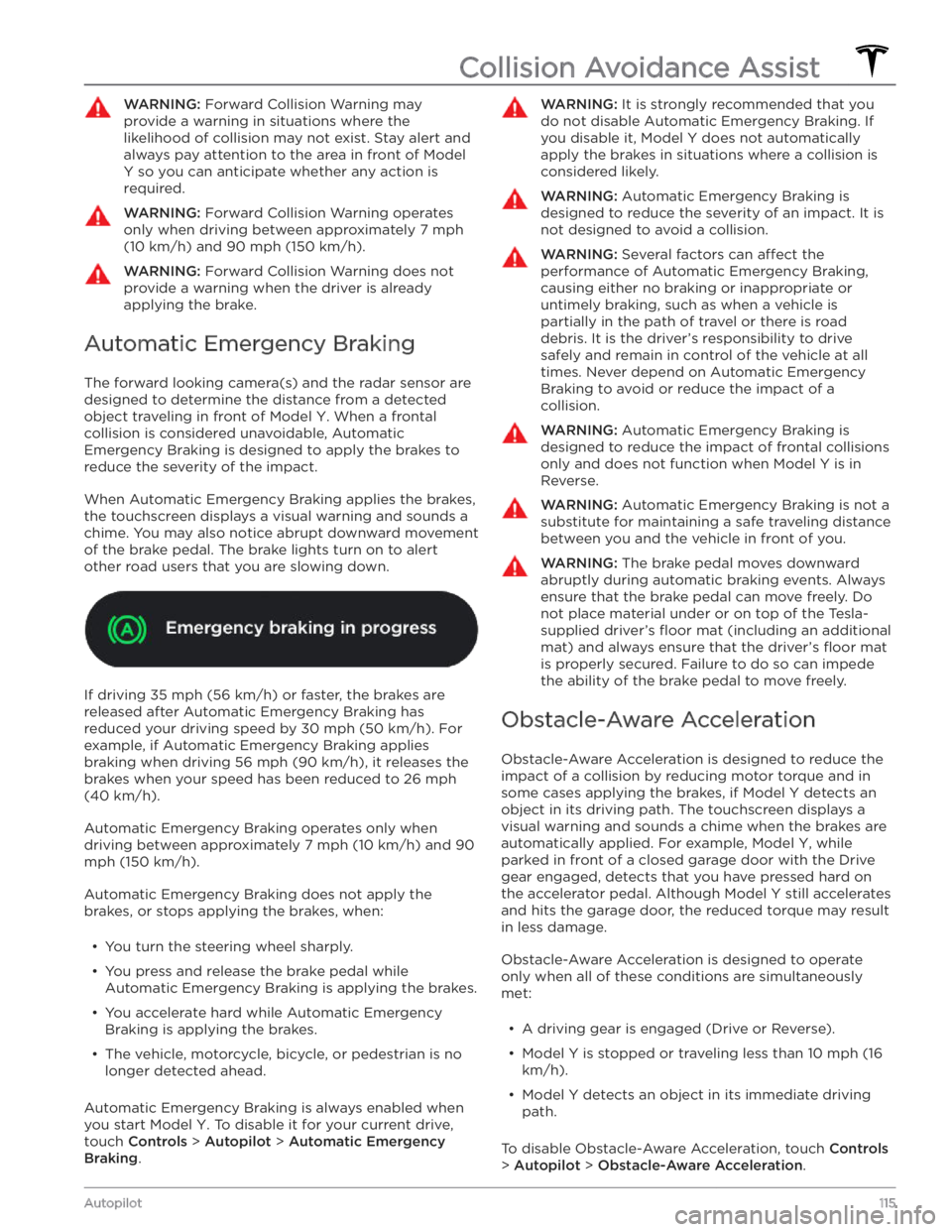
Automatic Emergency Braking
The forward looking camera(s) and the radar sensor are designed to determine the distance from a detected object traveling in front of
Model Y. When a frontal
collision is considered unavoidable, Automatic Emergency Braking is designed to apply the brakes to
reduce the severity of the impact.
When Automatic Emergency Braking applies the brakes,
the
touchscreen displays a visual warning and sounds a
chime. You may also notice abrupt downward movement of the brake pedal. The brake lights turn on to alert other road users that you are slowing down.
If driving 35 mph (56 km/h) or faster, the brakes are
released after Automatic Emergency Braking has reduced your driving speed by
30 mph (50 km/h). For
example, if Automatic Emergency Braking applies braking when driving
56 mph (90 km/h), it releases the
brakes when your speed has been reduced to
26 mph
(40 km/h).
Automatic Emergency Braking operates only when driving between approximately
7 mph (10 km/h) and 90
mph (150 km/h).
Automatic Emergency Braking does not apply the
brakes, or stops applying the brakes, when:
Page 144 of 232

About the Security System
If Model Y does not detect an authenticated phone, key
fob, or key card and a locked door or trunk is opened, an
alarm sounds and the headlights and turn signals
flash.
To deactivate the alarm, press any button on the mobile
app or tap your key card or key fob against the card reader located
approximately one third the way up of
the driver
Page 216 of 232
For more information on troubleshooting Mobile
Connector or Wall Connector status lights, refer to the
product
Page 217 of 232
For more information on troubleshooting Mobile
Connector or Wall Connector status lights, refer to the
product