instrument panel TESLA ROADSTER 2008 User Guide
[x] Cancel search | Manufacturer: TESLA, Model Year: 2008, Model line: ROADSTER, Model: TESLA ROADSTER 2008Pages: 115, PDF Size: 46.35 MB
Page 46 of 115
Switches and controls6-8
Driving your vehicle
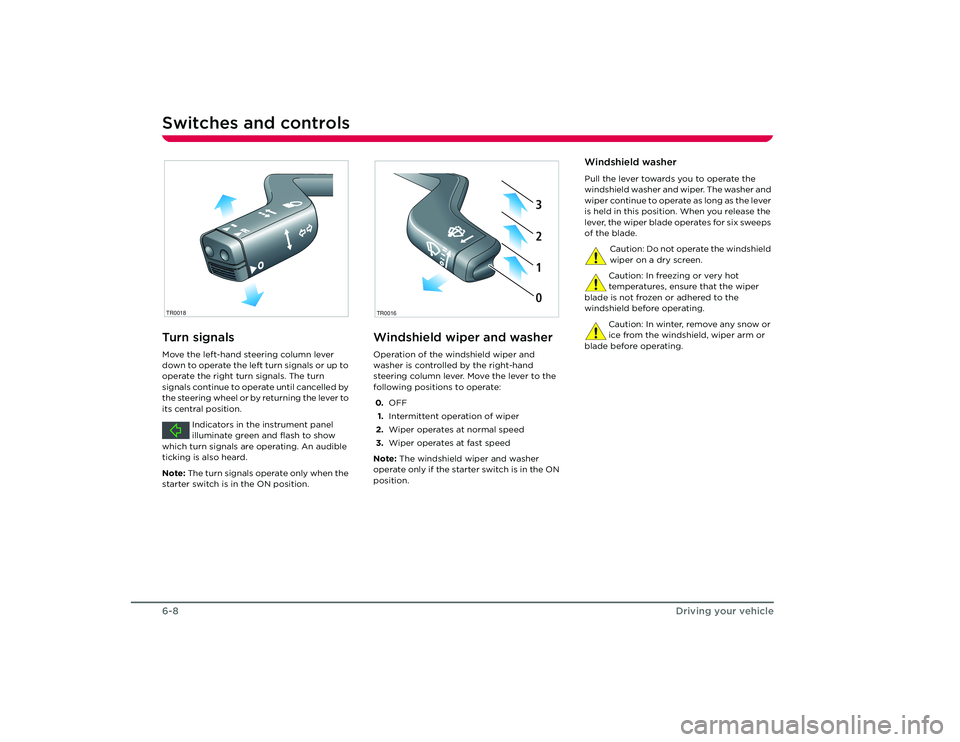
Turn signalsMove the left-hand steering column lever
down to operate the left turn signals or up to
operate the right turn signals. The turn
signals continue to operate until cancelled by
the steering wheel or by returning the lever to
its central position.Indicators in the instrument panel
illuminate green and flash to show
which turn signals are operating. An audible
ticking is also heard.
Note: The turn signals operate only when the
starter switch is in the ON position.
Windshield wiper and washerOperation of the windshield wiper and
washer is controlled by the right-hand
steering column lever. Move the lever to the
following positions to operate:
0. OFF
1. Intermittent operation of wiper
2. Wiper operates at normal speed
3. Wiper operates at fast speed
Note: The windshield wiper and washer
operate only if the starter switch is in the ON
position.
Windshield washerPull the lever towards you to operate the
windshield washer and wiper. The washer and
wiper continue to operate as long as the lever
is held in this position. When you release the
lever, the wiper blade operates for six sweeps
of the blade.
Caution: Do not operate the windshield
wiper on a dry screen.
Caution: In freezing or very hot
temperatures, ensure that the wiper
blade is not frozen or adhered to the
windshield before operating.
Caution: In winter, remove any snow or
ice from the windshield, wiper arm or
blade before operating.
R
O
TR0018
2
1
0 32103
TR0016
Roadster OHB.book Page 8 Th ursday, October 2, 2008 8:59 AM
Page 47 of 115
Switches and controls
6-9
Driving your vehicle
Cruise control
WARNING: Only use cruise control
when conditions are favorable, on
straight, dry, open roads with light traffic.
S
The cruise control system allows you to
maintain a selected vehicle speed above
30 mph, without having to use the
accelerator pedal.
When cruise control is active, the
warning indicator in the instrument
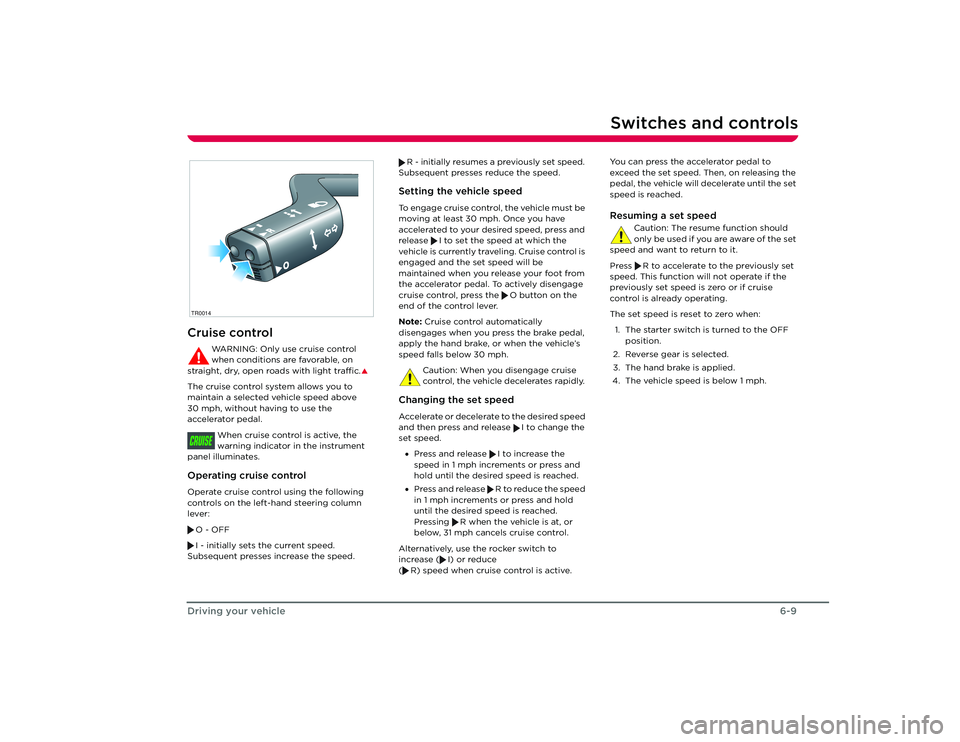
panel illuminates.Operating cruise controlOperate cruise control using the following
controls on the left-hand steering column
lever:
O - OFF
I - initially sets the current speed.
Subsequent presses increase the speed. R - initially resumes a previously set speed.
Subsequent presses reduce the speed.
Setting the vehicle speedTo engage cruise control, the vehicle must be
moving at least 30 mph. Once you have
accelerated to your desired speed, press and
release I to set the speed at which the
vehicle is currently traveling. Cruise control is
engaged and the set speed will be
maintained when you release your foot from
the accelerator pedal. To actively disengage
cruise control, press the O button on the
end of the control lever.
Note: Cruise control automatically
disengages when you press the brake pedal,
apply the hand brake, or when the vehicle’s
speed falls below 30 mph.
Caution: When you disengage cruise
control, the vehicle decelerates rapidly. Changing the set speedAccelerate or decelerate to the desired speed
and then press and release I to change the
set speed. • Press and release I to increase the
speed in 1 mph increments or press and
hold until the desired speed is reached.
• Press and release R to reduce the speed
in 1 mph increments or press and hold
until the desired speed is reached.
Pressing R when the vehicle is at, or
below, 31 mph cancels cruise control.
Alternatively, use the rocker switch to
increase ( I) or reduce
( R) speed when cruise control is active. You can press the accelerator pedal to
exceed the set speed. Then, on releasing the
pedal, the vehicle will decelerate until the set
speed is reached.
Resuming a set speed
Caution: The resume function should
only be used if you are aware of the set
speed and want to return to it.
Press R to accelerate to the previously set
speed. This function will not operate if the
previously set speed is zero or if cruise
control is already operating.
The set speed is reset to zero when:
1. The starter switch is turned to the OFF position.
2. Reverse gear is selected.
3. The hand brake is applied.
4. The vehicle speed is below 1 mph.
R
O
TR0014CRUISE
Roadster OHB.book Page 9 Th ursday, October 2, 2008 8:59 AM
Page 48 of 115
Switches and controls6-10
Driving your vehicle
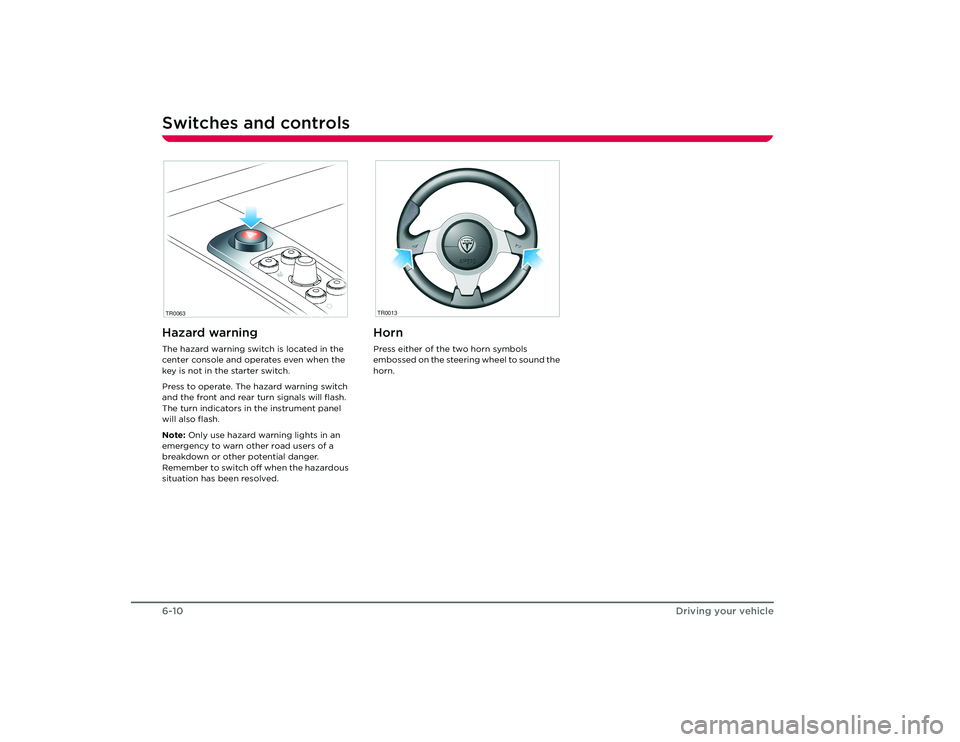
Hazard warningThe hazard warning switch is located in the
center console and operates even when the
key is not in the starter switch.
Press to operate. The hazard warning switch
and the front and rear turn signals will flash.
The turn indicators in the instrument panel
will also flash.
Note: Only use hazard warning lights in an
emergency to warn other road users of a
breakdown or other potential danger.
Remember to switch off when the hazardous
situation has been resolved.
HornPress either of the two horn symbols
embossed on the steering wheel to sound the
horn.
TR0063
TR0013
Roadster OHB.book Page 10 Thursday, October 2, 2008 8:59 AM
Page 49 of 115
Instruments
6-11
Driving your vehicle
Instruments
BRAKE FAU LT
CRUISE
TC
P
R
N
D
mph
rpm
x1000
150
140
130
120
110
100
50
40
30
20 10 90
60 80
70
0
0
1
2
3
4
5
6
7
8
9
10
11
12
13
1415
BRAKE
FAU LT
CRUISE
TC
PRND
mph
rpmx1000
150140130120110100
5040302010
90
60
80
70
0
012345
6
7
8
910
1112131415
TR0028noc
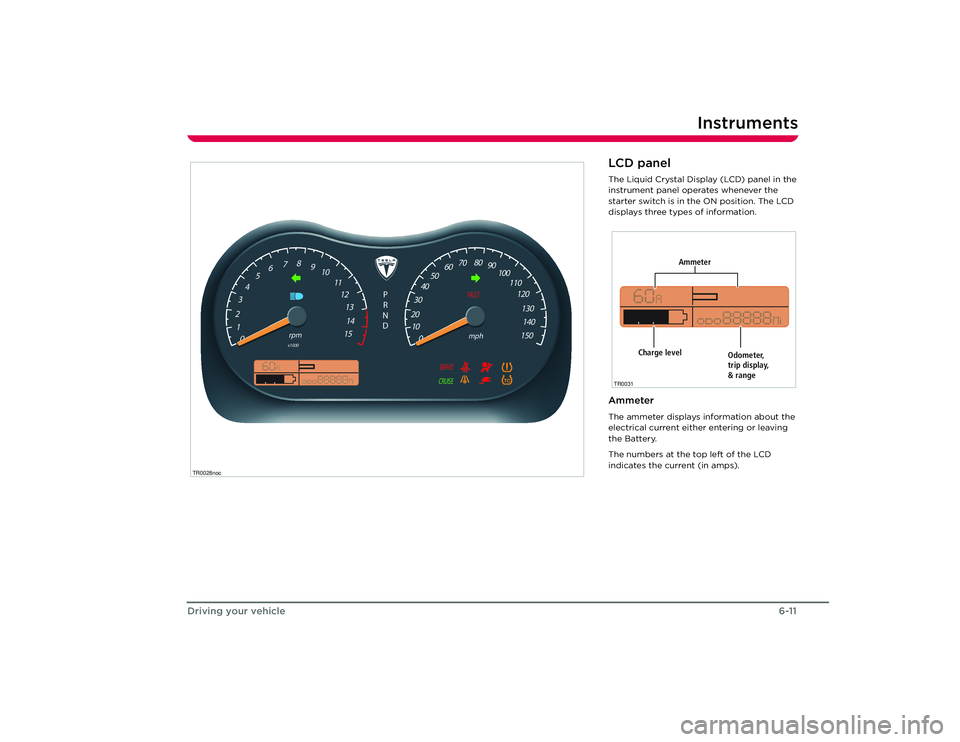
LCD panelThe Liquid Crystal Display (LCD) panel in the
instrument panel operates whenever the
starter switch is in the ON position. The LCD
displays three types of information.AmmeterThe ammeter displays information about the
electrical current either entering or leaving
the Battery.
The numbers at the top left of the LCD
indicates the current (in amps).
Ammeter
Odometer,
trip display,
& range
Charge level
TR0031
Roadster OHB.book Page 11 Thursday, October 2, 2008 8:59 AM
Page 50 of 115
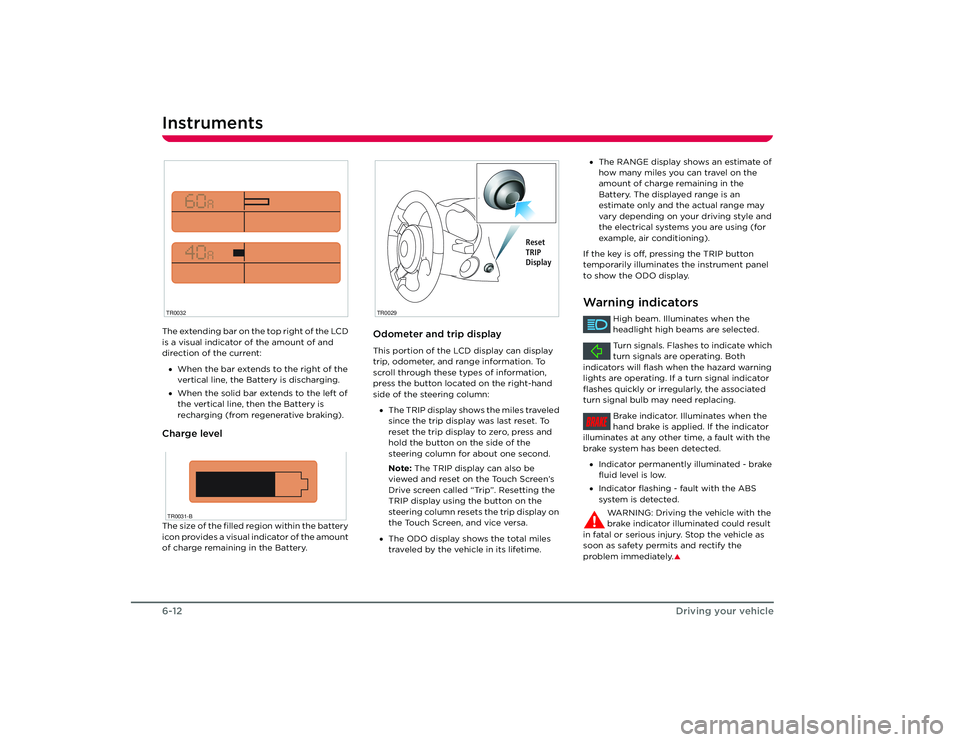
Instruments6-12Driving your vehicleThe extending bar on the top right of the LCD
is a visual indicator of the amount of and
direction of the current:
• When the bar extends to the right of the
vertical line, the Battery is discharging.
• When the solid bar extends to the left of
the vertical line, then the Battery is
recharging (from regenerative braking).Charge levelThe size of the filled region within the battery
icon provides a visual indicator of the amount
of charge remaining in the Battery.
Odometer and trip displayThis portion of the LCD display can display
trip, odometer, and range information. To
scroll through these types of information,
press the button located on the right-hand
side of the steering column:
• The TRIP display shows the miles traveled
since the trip display was last reset. To
reset the trip display to zero, press and
hold the button on the side of the
steering column for about one second.
Note: The TRIP display can also be
viewed and reset on the Touch Screen’s
Drive screen called “Trip”. Resetting the
TRIP display using the button on the
steering column resets the trip display on
the Touch Screen, and vice versa.
• The ODO display shows the total miles
traveled by the vehicle in its lifetime.
TR0032TR0031-B
TR0029
Reset
TRIP
Display
•The RANGE display shows an estimate of
how many miles you can travel on the
amount of charge remaining in the
Battery. The displayed range is an
estimate only and the actual range may
vary depending on your driving style and
the electrical systems you are using (for
example, air conditioning).
If the key is off, pressing the TRIP button
temporarily illuminates the instrument panel
to show the ODO display.Warning indicators
High beam. Illuminates when the
headlight high beams are selected.
Turn signals. Flashes to indicate which
turn signals are operating. Both
indicators will flash when the hazard warning
lights are operating. If a turn signal indicator
flashes quickly or irregularly, the associated
turn signal bulb may need replacing.
Brake indicator. Illuminates when the
hand brake is applied. If the indicator
illuminates at any other time, a fault with the
brake system has been detected.
• Indicator permanently illuminated - brake
fluid level is low.
• Indicator flashing - fault with the ABS
system is detected.
WARNING: Driving the vehicle with the
brake indicator illuminated could result
in fatal or serious injury. Stop the vehicle as
soon as safety permits and rectify the
problem immediately.
S
BRAKE
Roadster OHB.book Page 12 Thursday, October 2, 2008 8:59 AM
Page 52 of 115
Instruments6-14
Driving your vehicle
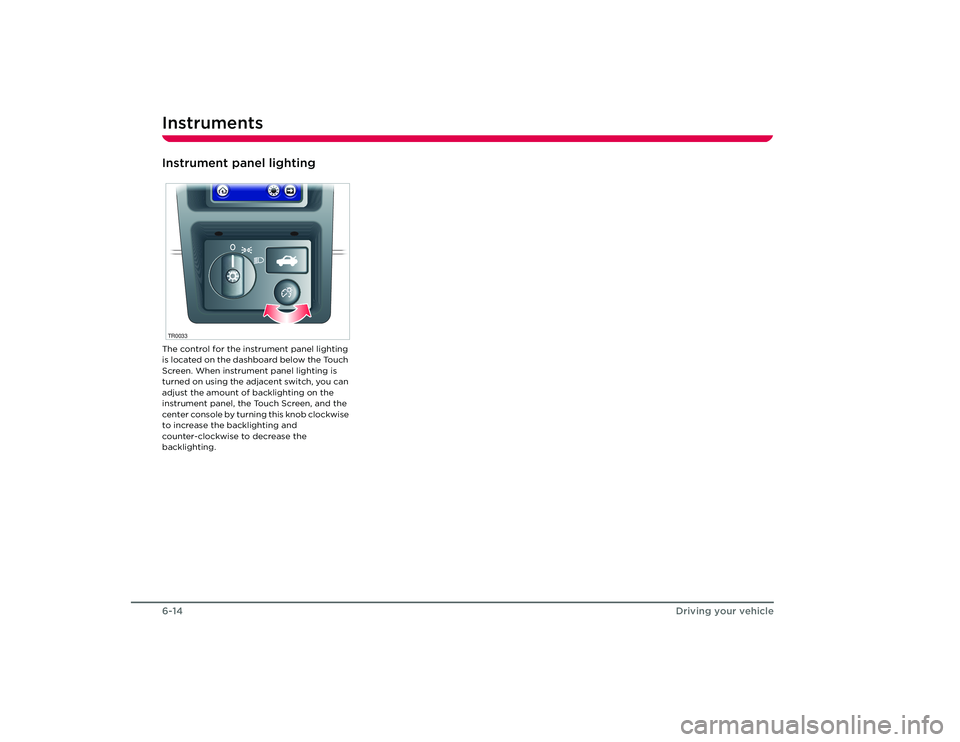
Instrument panel lightingThe control for the instrument panel lighting
is located on the dashboard below the Touch
Screen. When instrument panel lighting is
turned on using the adjacent switch, you can
adjust the amount of backlighting on the
instrument panel, the Touch Screen, and the
center console by turning this knob clockwise
to increase the backlighting and
counter-clockwise to decrease the
backlighting.TR0033Roadster OHB.book Page 14 Thursday, October 2, 2008 8:59 AM
Page 76 of 115
Cleaning and vehicle care9-8
Maintenance and care
WheelsWash wheels with warm, fresh water
containing a good quality wash and wax
shampoo. Thoroughly rinse the wheels to
remove any soap residue.Windshield, windows and mirrorsRegularly clean all windows inside and out
using a window cleaning solution. An
automotive glass cleaner is recommended.
After washing the vehicle with wash/wax
products, clean the outside of the windshield
with glass cleaner.
Mirror glass is particularly susceptible to
damage. Do not use abrasive cleaning
compounds.Wiper bladesClean wiper blades using mild soap and warm
water only. Do not use petroleum or
alcohol-based cleaners.
Polishing the bodyTo preserve the cosmetic appearance of the
body, occasionally apply a good quality
polish. A good polish should contain a very
mild abrasive that removes surface
contamination without damaging the
surface, a mild filling compound to reduce the
appearance of scratches, and wax to provide
a barrier between the cleaned body surface
and airborne contaminants.
Do not use cutting paste, color restoration
compounds, or polishes containing a harsh
abrasive. These can scour the surface and
permanently degrade the body.Using a car coverTo preserve the cosmetic appearance of the
body, you may want to use a car cover. Only
an approved Tesla Motors car cover should be
used. DONOT use the car cover when
charging the vehicle. Doing so can interfere
with adequate cooling during charging.Paint damage and rectificationTreat chips and scratches to the paint using a
paint touch-up pen. Use the touch-up pen
after washing but before polishing or waxing.
More extensive repairs to the body should
only be carried out by a facility approved by
Tesla Motors. Contact Tesla Motors for a list of
approved body repair facilities.
Cleaning the vehicle interiorPlastic materials
Caution: Do not polish the upper
surfaces of the dashboard. Polished
surfaces are reflective and may interfere with
the driver's view.
Clean with diluted upholstery cleaner, then
wipe with a damp cloth.
Carpet and fabricsClean with diluted upholstery cleaner. Test a
concealed area first.LeatherClean with warm water and a non-detergent
soap. Dry and polish with a dry, clean,
lint-free cloth.Seat beltsExtend the belts and clean with warm, soapy,
fresh water only. Do not use any type of
detergent or chemical cleaning agent. Allow
the belts to dry naturally while extended,
preferably away from direct sunlight.Instruments and display screensClean the instrument panel, Touch Screen,
and audio system screen using a damp cloth.
Do not use cleaning co mpounds or solutions.
Roadster OHB.book Page 8 Th ursday, October 2, 2008 8:59 AM
Page 101 of 115
Wheels and tires
11-11
Technical specifications
Tire Pressure Monitoring
System
WARNING: The TPMS is not a substitute
for manually checking tire pressures.
The TPMS only provides a tire pressure
warning and does not re-inflate the tires.
S
WARNING: The TPMS cannot register
damage to a tire. Regularly check the
condition of your tires.
S
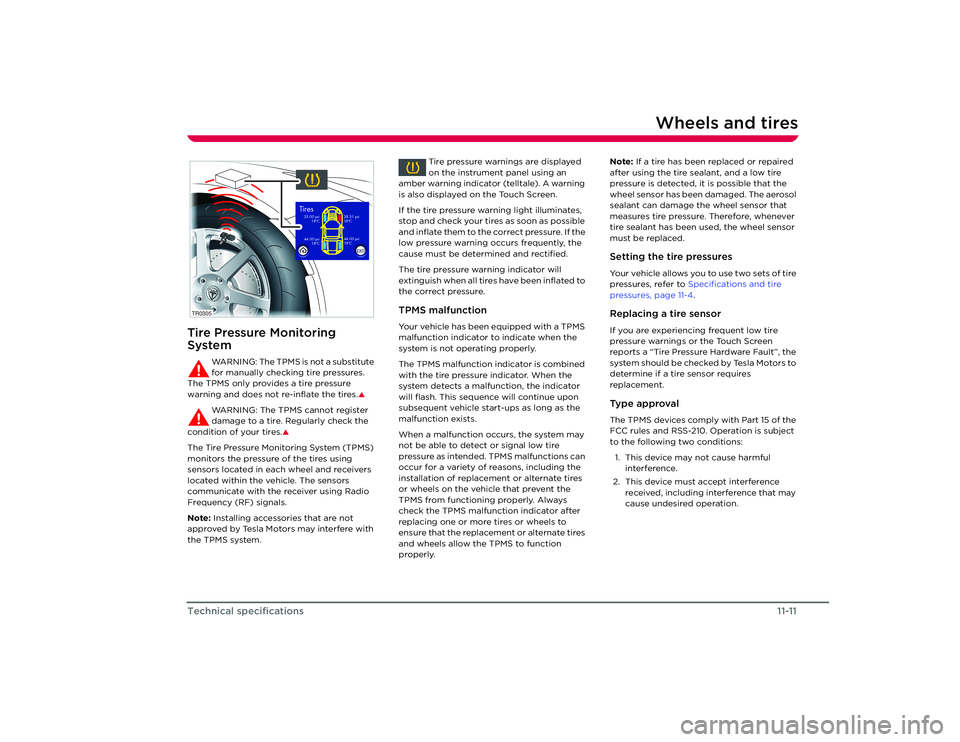
The Tire Pressure Monitoring System (TPMS)
monitors the pressure of the tires using
sensors located in each wheel and receivers
located within the vehicle. The sensors
communicate with the receiver using Radio
Frequency (RF) signals.
Note: Installing accessories that are not
approved by Tesla Motors may interfere with
the TPMS system. Tire pressure warnings are displayed
on the instrument panel using an
amber warning indicator (telltale). A warning
is also displayed on the Touch Screen.
If the tire pressure warning light illuminates,
stop and check your tires as soon as possible
and inflate them to the correct pressure. If the
low pressure warning occurs frequently, the
cause must be determined and rectified.
The tire pressure warning indicator will
extinguish when all tires have been inflated to
the correct pressure.
TPMS malfunctionYour vehicle has been equipped with a TPMS
malfunction indicator to indicate when the
system is not operating properly.
The TPMS malfunction indicator is combined
with the tire pressure indicator. When the
system detects a malfunction, the indicator
will flash. This sequence will continue upon
subsequent vehicle start-ups as long as the
malfunction exists.
When a malfunction occurs, the system may
not be able to detect or signal low tire
pressure as intended. TPMS malfunctions can
occur for a variety of reasons, including the
installation of replacement or alternate tires
or wheels on the vehicle that prevent the
TPMS from functioning properly. Always
check the TPMS malfunction indicator after
replacing one or more tires or wheels to
ensure that the replacement or alternate tires
and wheels allow the TPMS to function
properly. Note:
If a tire has been replaced or repaired
after using the tire sealant, and a low tire
pressure is detected, it is possible that the
wheel sensor has been damaged. The aerosol
sealant can damage the wheel sensor that
measures tire pressure. Therefore, whenever
tire sealant has been used, the wheel sensor
must be replaced.
Setting the tire pressuresYour vehicle allows you to use two sets of tire
pressures, refer to Specifications and tire
pressures, page 11-4 .Replacing a tire sensorIf you are experiencing frequent low tire
pressure warnings or the Touch Screen
reports a “Tire Pressure Hardware Fault”, the
system should be checked by Tesla Motors to
determine if a tire sensor requires
replacement.Type approvalThe TPMS devices comply with Part 15 of the
FCC rules and RSS-210. Operation is subject
to the following two conditions:
1. This device may not cause harmful interference.
2. This device must accept interference received, including interference that may
cause undesired operation.
TR0305
44.00 psi 18 Co33.00 psi18 Co
28.31 psi
18 Co44.00 psi
18 Co
Tires
EXIT
Roadster OHB.book Page 11 Thursday, October 2, 2008 8:59 AM
Page 111 of 115
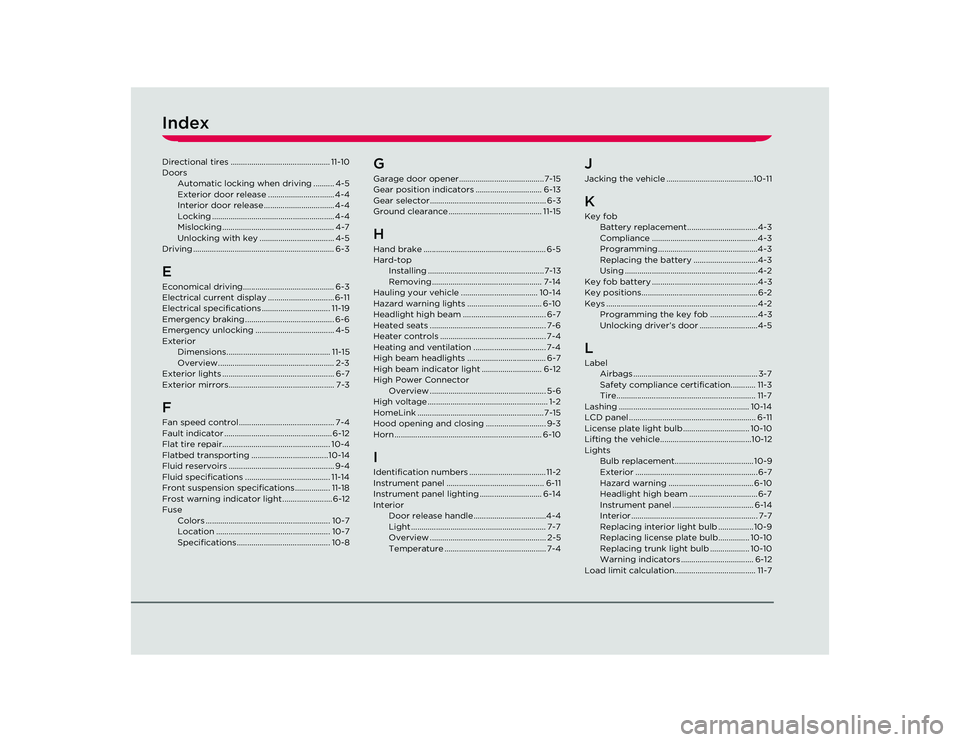
IndexDirectional tires ................................................ 11-10
DoorsAutomatic locking when driving .......... 4-5
Exterior door release ................................ 4-4
Interior door release .................................. 4-4
Locking ........................................................... 4-4
Mislocking...................................................... 4-7
Unlocking with key .................................... 4-5
Driving .................................................................... 6-3EEconomical driving............................................ 6-3
Electrical current display ................................ 6-11
Electrical specifications ................................. 11-19
Emergency braking ........................................... 6-6
Emergency unlocking ...................................... 4-5
Exterior Dimensions.................................................. 11-15
Overview........................................................ 2-3
Exterior lights ...................................................... 6-7
Exterior mirrors................................................... 7-3FFan speed control.............................................. 7-4
Fault indicator .................................................... 6-12
Flat tire repair.................................................... 10-4
Flatbed transporting ..................................... 10-14
Fluid reservoirs ................................................... 9-4
Fluid specifications ......................................... 11-14
Front suspension specifications................. 11-18
Frost warning indicator light ........................ 6-12
Fuse Colors ............................................................ 10-7
Location ....................................................... 10-7
Specifications............................................. 10-8
GGarage door opener.........................................7-15
Gear position indicators ................................ 6-13
Gear selector........................................................ 6-3
Ground clearance ............................................. 11-15HHand brake ........................................................... 6-5
Hard-topInstalling ........................................................7-13
Removing..................................................... 7-14
Hauling your vehicle ..................................... 10-14
Hazard warning lights .................................... 6-10
Headlight high beam ........................................ 6-7
Heated seats ........................................................ 7-6
Heater controls ................................................... 7-4
Heating and ventilation ................................... 7-4
High beam headlights ...................................... 6-7
High beam indicator light ............................. 6-12
High Power Connector Overview ........................................................ 5-6
High voltage .......................................................... 1-2
HomeLink .............................................................7-15
Hood opening and closing ............................. 9-3
Horn ....................................................................... 6-10IIdentification numbers .....................................11-2
Instrument panel ............................................... 6-11
Instrument panel lighting .............................. 6-14
Interior Door release handle ...................................4-4
Light ................................................................. 7-7
Overview ........................................................ 2-5
Temperature ................................................. 7-4
JJacking the vehicle ..........................................10-11KKey fobBattery replacement ..................................4-3
Compliance ...................................................4-3
Programming................................................4-3
Replacing the battery ...............................4-3
Using ................................................................4-2
Key fob battery ...................................................4-3
Key positions........................................................6-2
Keys .........................................................................4-2 Programming the key fob .......................4-3
Unlocking driver’s door ............................4-5LLabelAirbags ............................................................ 3-7
Safety compliance certification............ 11-3
Tire................................................................... 11-7
Lashing ............................................................... 10-14
LCD panel ............................................................. 6-11
License plate light bulb ................................ 10-10
Lifting the vehicle............................................10-12
Lights Bulb replacement...................................... 10-9
Exterior ........................................................... 6-7
Hazard warning ......................................... 6-10
Headlight high beam ................................. 6-7
Instrument panel ....................................... 6-14
Interior............................................................. 7-7
Replacing interior light bulb ................. 10-9
Replacing license plate bulb............... 10-10
Replacing trunk light bulb ................... 10-10
Warning indicators ................................... 6-12
Load limit calculation....................................... 11-7
Roadster OHB.book Page 2 Th ursday, October 2, 2008 8:59 AM