remote control TOYOTA 4RUNNER 2016 N280 / 5.G Owners Manual
[x] Cancel search | Manufacturer: TOYOTA, Model Year: 2016, Model line: 4RUNNER, Model: TOYOTA 4RUNNER 2016 N280 / 5.GPages: 528, PDF Size: 12.12 MB
Page 5 of 528
5
1
8 7
6
5
4
3
2
9
4RUNNER (U)_(OM35B23U)6-1. Maintenance and care
Cleaning and protecting
the vehicle exterior .......... 334
Cleaning and protecting
the vehicle interior ........... 337
6-2. Maintenance
Maintenance
requirements ................... 340
General maintenance ........ 342
Emission inspection
and maintenance (I/M)
programs ......................... 345
6-3. Do-it-yourself
maintenance
Do-it-yourself service
precautions ..................... 346
Hood.................................. 349
Engine compartment ......... 350
Tires .................................. 365
Tire inflation pressure........ 371
Wheels .............................. 374
Air conditioning filter .......... 377
Wireless remote
control/electronic
key battery ...................... 379
Checking and replacing
fuses ............................... 382
Light bulbs ......................... 3857-1. Essential information
Emergency flashers ........... 402
If your vehicle has to
be stopped in an
emergency....................... 403
7-2. Steps to take in an
emergency
If your vehicle needs to
be towed .......................... 405
If you think something
is wrong ........................... 411
Fuel pump shut off
system ............................. 412
If a warning light turns
on or a warning buzzer
sounds ............................. 413
If a warning message or
indicator is displayed ....... 422
If you have a flat tire .......... 429
If the engine will not
start ................................. 442
If the shift lever cannot
be shifted from P ............. 444
If you cannot operate
back door opener ............ 445
If the electronic key does
not operate properly ........ 446
If the vehicle battery is
discharged ....................... 448
If your vehicle overheats.... 452
If the vehicle becomes
stuck ................................ 455
6Maintenance and care7When trouble arises
Page 11 of 528
11
4RUNNER (U)_(OM35B23U)The SRS airbag and seat belt pretensioner devices in your Toyota contain
explosive chemicals. If the vehicle is scrapped with the airbags and seat belt
pretensioners left as they are, this may cause an accident such as fire. Be
sure to have the systems of the SRS airbag and seat belt pretensioner
removed and disposed of by a qualified service shop or by your Toyota dealer
before you scrap your vehicle.
Special handling may apply, See www.dtsc.ca.gov/hazardouswaste/perchlorate.
Your vehicle has components that may contain perchlorate. These compo-
nents may include airbag, seat belt pretensioners, and wireless remote con-
trol batteries.
Scrapping of your Toyota
Perchlorate Material
CAUTION
■General precautions while driving
Driving under the influence: Never drive your vehicle when under the influ-
ence of alcohol or drugs that have impaired your ability to operate your vehi-
cle. Alcohol and certain drugs delay reaction time, impair judgment and
reduce coordination, which could lead to an accident that could result in
death or serious injury.
Defensive driving: Always drive defensively. Anticipate mistakes that other
drivers or pedestrians might make and be ready to avoid accidents.
Driver distraction: Always give your full attention to driving. Anything that
distracts the driver, such as adjusting controls, talking on a cellular phone or
reading can result in a collision with resulting death or serious injury to you,
your occupants or others.
■General precaution regarding children’s safety
Never leave children unattended in the vehicle, and never allow children to
have or use the key.
Children may be able to start the vehicle or shift the vehicle into neutral.
There is also a danger that children may injure themselves by playing with
the windows, the moon roof, or other features of the vehicle. In addition,
heat build-up or extremely cold temperatures inside the vehicle can be fatal
to children.
Page 20 of 528
20Pictorial index
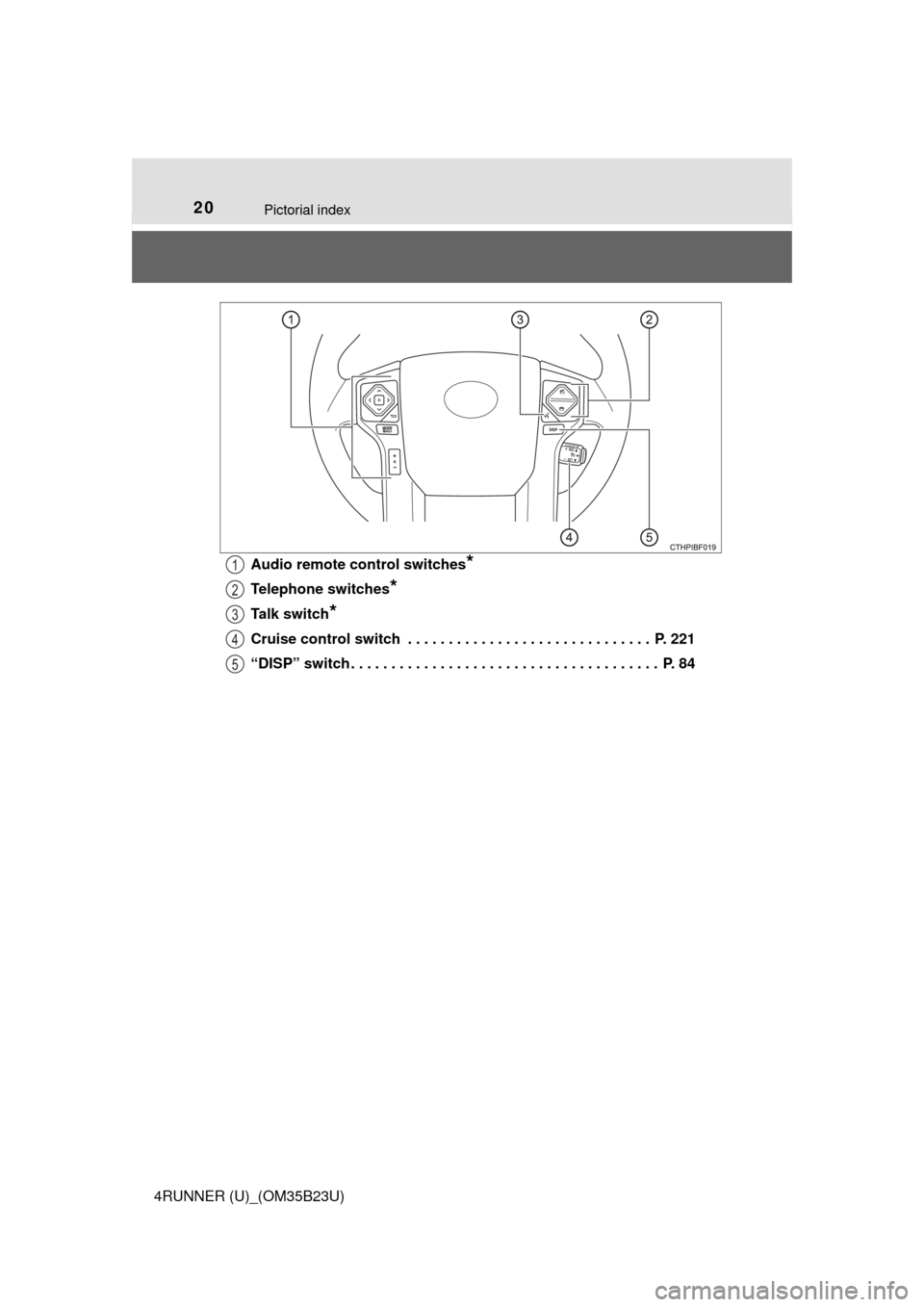
4RUNNER (U)_(OM35B23U)Audio remote control switches
*
Telephone switches*
Talk switch*
Cruise control switch . . . . . . . . . . . . . . . . . . . . . . . . . . . . . . P. 221
“DISP” switch . . . . . . . . . . . . . . . . . . . . . . . . . . . . . . . . . . . . . . P. 84
1
2
3
4
5
Page 72 of 528
721-2. Theft deterrent system
4RUNNER (U)_(OM35B23U)
The alarm uses light and sound to give an alert when an intrusion is
detected.
The alarm is triggered in the following situations when the alarm is
set:
●A locked door is unlocked or opened in any way other than using
the entry function, wireless remote control or mechanical key. (The
doors will lock again automatically.)
●The hood is opened.
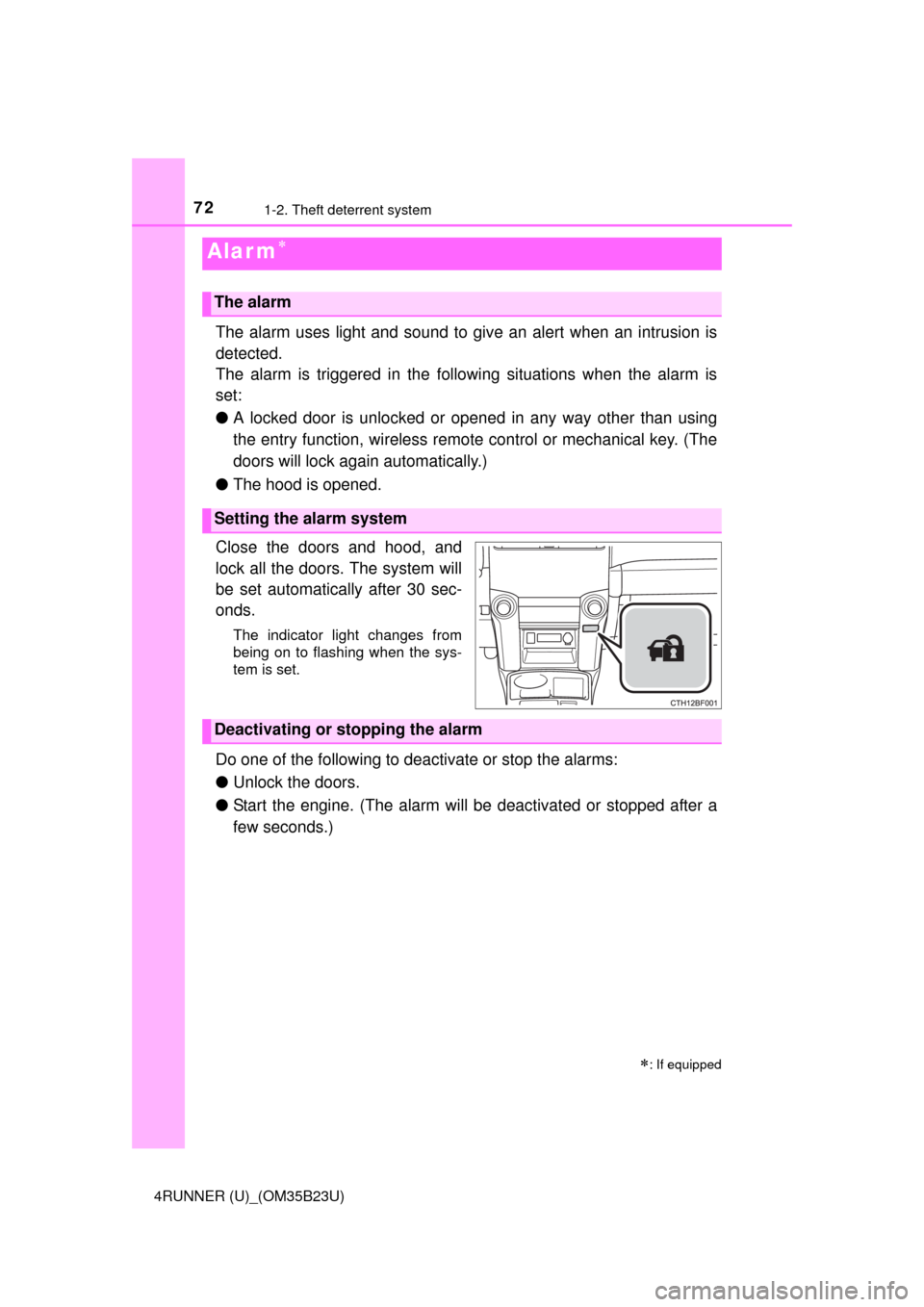
Close the doors and hood, and
lock all the doors. The system will
be set automatically after 30 sec-
onds.
The indicator light changes from
being on to flashing when the sys-
tem is set.
Do one of the following to deactivate or stop the alarms:
●Unlock the doors.
●Start the engine. (The alarm will be deactivated or stopped after a
few seconds.)
Alar m
: If equipped
The alarm
Setting the alarm system
Deactivating or stopping the alarm
Page 90 of 528
90
4RUNNER (U)_(OM35B23U)
3-1. Key information
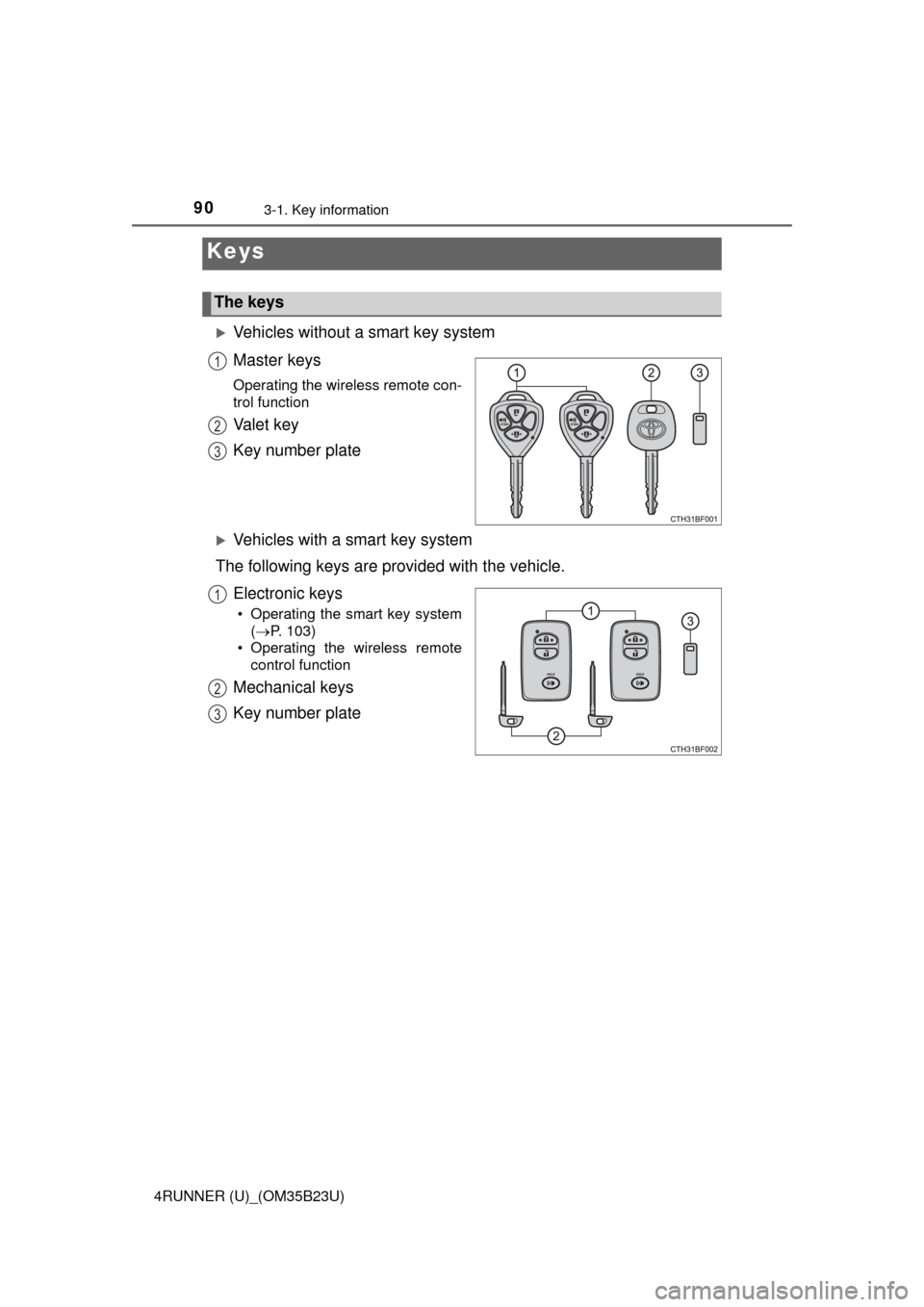
Vehicles without a smart key system
Master keys
Operating the wireless remote con-
trol function
Va l e t k e y
Key number plate
Vehicles with a smart key system
The following keys are provided with the vehicle.
Electronic keys
• Operating the smart key system
(P. 103)
• Operating the wireless remote
control function
Mechanical keys
Key number plate
Keys
The keys
1
2
3
1
2
3
Page 91 of 528
913-1. Key information
3
Operation of each component
4RUNNER (U)_(OM35B23U)
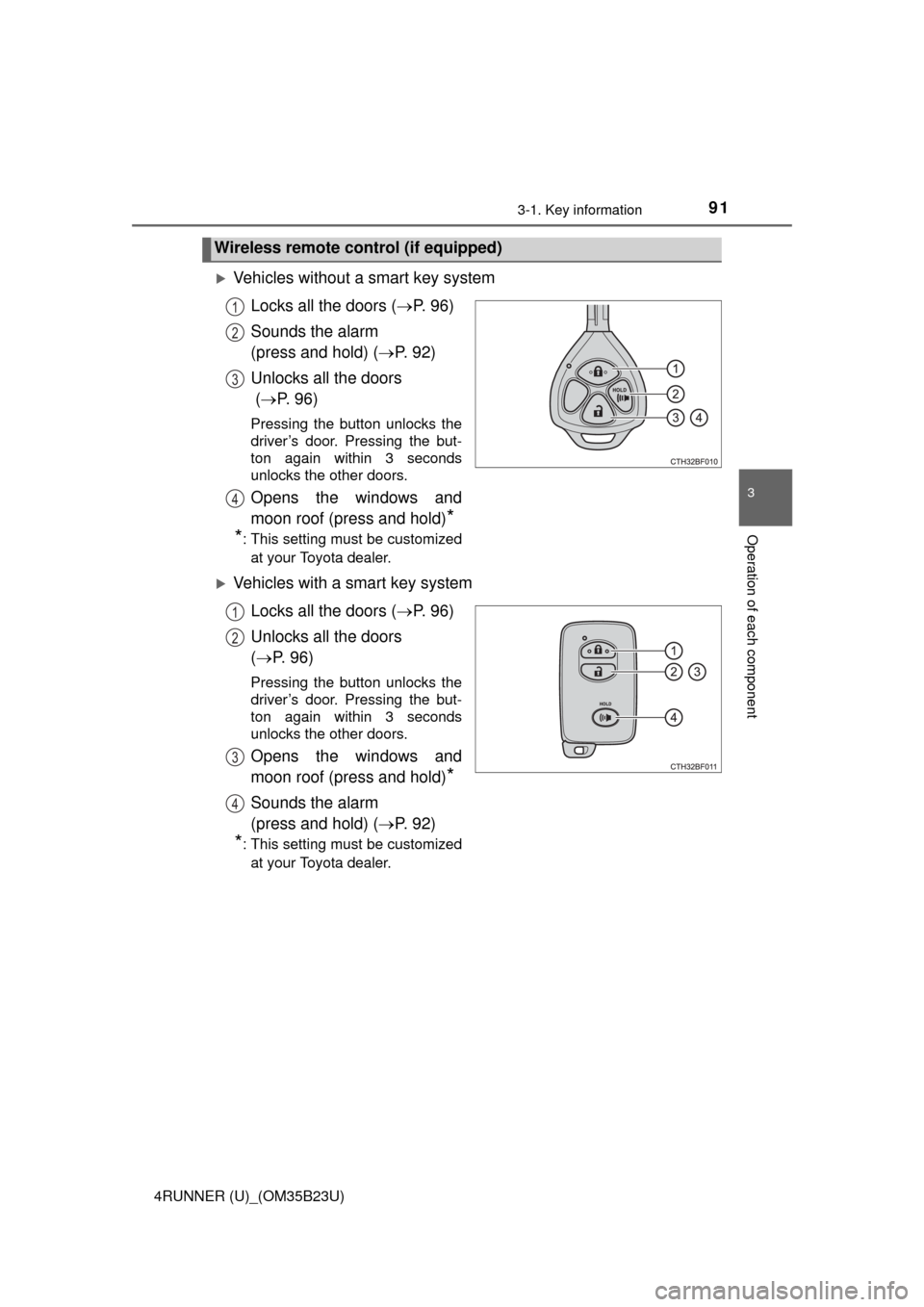
Vehicles without a smart key system
Locks all the doors (P. 9 6 )
Sounds the alarm
(press and hold) (P. 9 2 )
Unlocks all the doors
(P. 9 6 )
Pressing the button unlocks the
driver’s door. Pressing the but-
ton again within 3 seconds
unlocks the other doors.
Opens the windows and
moon roof (press and hold)
*
*
: This setting must be customized
at your Toyota dealer.
Vehicles with a smart key system
Locks all the doors (P. 9 6 )
Unlocks all the doors
(P. 96)
Pressing the button unlocks the
driver’s door. Pressing the but-
ton again within 3 seconds
unlocks the other doors.
Opens the windows and
moon roof (press and hold)
*
Sounds the alarm
(press and hold) (P. 9 2 )
*: This setting must be customized
at your Toyota dealer.
Wireless remote control (if equipped)
1
2
3
4
1
2
3
4
Page 92 of 528
923-1. Key information
4RUNNER (U)_(OM35B23U)
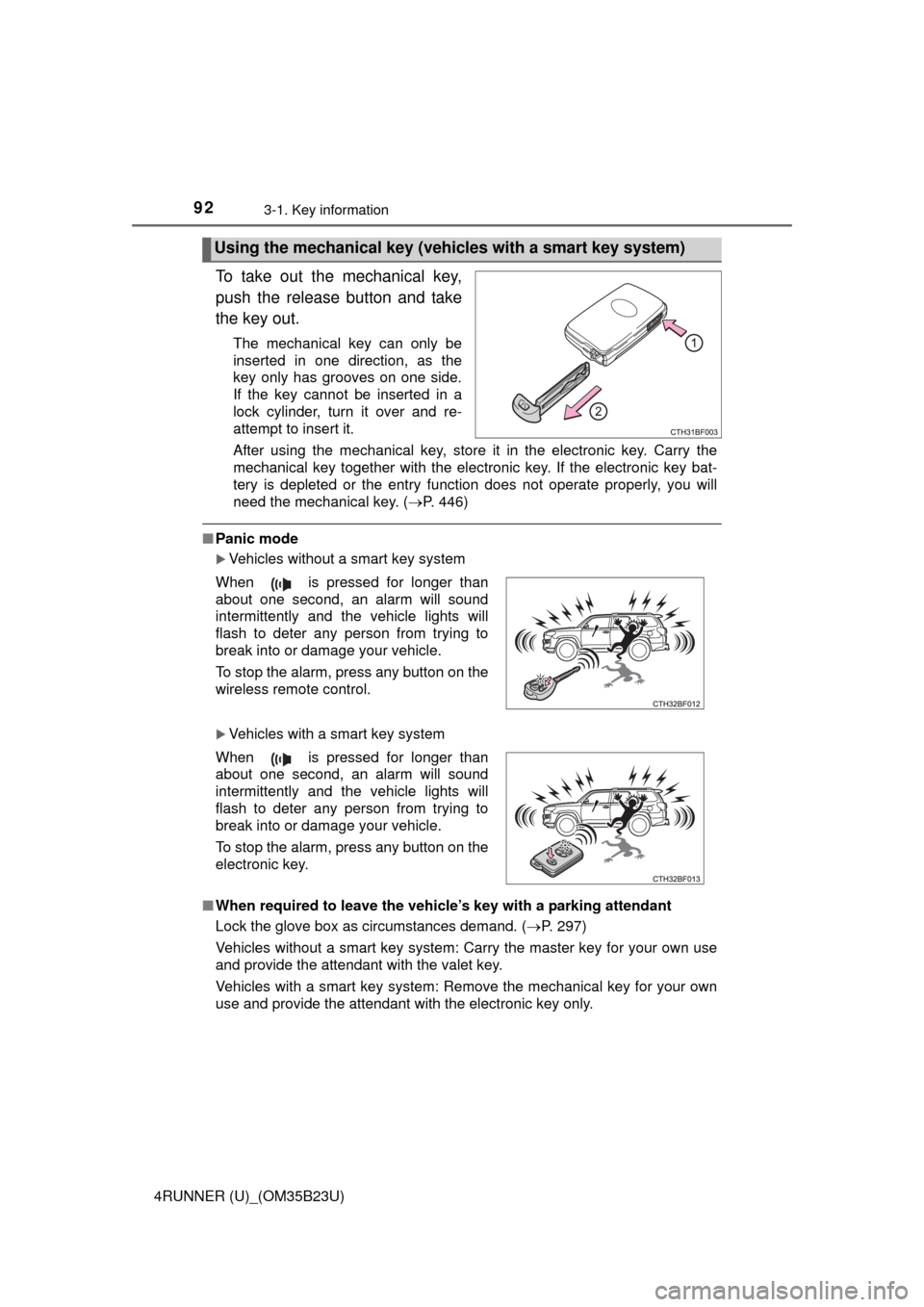
To take out the mechanical key,
push the release button and take
the key out.
The mechanical key can only be
inserted in one direction, as the
key only has grooves on one side.
If the key cannot be inserted in a
lock cylinder, turn it over and re-
attempt to insert it.
After using the mechanical key, store it in the electronic key. Carry the
mechanical key together with the electronic key. If the electronic key bat-
tery is depleted or the entry function does not operate properly, you will
need the mechanical key. (P. 446)
■Panic mode
Vehicles without a smart key system
Vehicles with a smart key system
■When required to leave the vehicle’s key with a parking attendant
Lock the glove box as circumstances demand. (P. 297)
Vehicles without a smart key system: Carry the master key for your own use
and provide the attendant with the valet key.
Vehicles with a smart key system: Remove the mechanical key for your own
use and provide the attendant with the electronic key only.
Using the mechanical key (vehicles with a smart key system)
When is pressed for longer than
about one second, an alarm will sound
intermittently and the vehicle lights will
flash to deter any person from trying to
break into or damage your vehicle.
To stop the alarm, press any button on the
wireless remote control.
When is pressed for longer than
about one second, an alarm will sound
intermittently and the vehicle lights will
flash to deter any person from trying to
break into or damage your vehicle.
To stop the alarm, press any button on the
electronic key.
Page 93 of 528
933-1. Key information
3
Operation of each component
4RUNNER (U)_(OM35B23U)■If you lose your keys
New genuine keys can be made by your Toyota dealer using the other key
(vehicles without a smart key system) or mechanical key (vehicles with a
smart key system) and the key number stamped on your key number plate.
Keep the plate in a safe place such as your wallet, not in the vehicle.
■When riding in an aircraft
When bringing a key with wireless remote control function onto an aircraft,
make sure you do not press any buttons on the key while inside the aircraft
cabin. If you are carrying the key in your bag etc., ensure that the buttons are
not likely to be pressed accidentally. Pressing a button may cause the key to
emit radio waves that could interfere with the operation of the aircraft.
■Conditions affecting operation
Vehicles without a smart key system
The wireless remote control function may not operate normally in the follow-
ing situations:
●Near a TV tower, radio station, electric power plant, airport or other facility
that generates strong radio waves
●When carrying a portable radio, cellular phone or other wireless communi-
cation devices
●When multiple wireless keys are in the vicinity
●When the wireless key is in contact with, or is covered by, a metallic object
●When a wireless key (that emits radio waves) is being used nearby
●When the wireless key has been left near an electrical appliance such as a
personal computer
Vehicles with a smart key system
P. 106
■Key battery depletion
Vehicles with a smart key system
●The standard battery life is 1 to 2 years.
●If the battery becomes low, an alarm will sound in the cabin when the engine
stops. (P. 427)
●As the electronic key always receives radio waves, the battery will become
depleted even if the electronic key is not used. The following symptoms indi-
cate that the electronic key battery may be depleted. Replace the battery
when necessary. (P. 379)
• The smart key system or the wireless remote control does not operate.
• The detection area becomes smaller.
• The LED indicator on the key surface does not turn on.
Page 94 of 528

943-1. Key information
4RUNNER (U)_(OM35B23U)●To avoid serious deterioration, do not leave the electronic key within 3 ft. (1
m) of the following electrical appliances that produce a magnetic field:
•TVs
• Personal computers
• Cellular phones, cordless phones and battery chargers
• Recharging cellular phones or cordless phones
• Table lamps
• Induction cookers
Vehicles without a smart key system
If the wireless remote control function does not operate, the battery may be
depleted. Replace the battery when necessary. (P. 379)
■Precautions when disconnecting the battery (vehicles with a smart key
system)
●In some cases, it may not be possible to unlock the doors using the smart
key system immediately after the battery has been disconnected. Use the
wireless remote control or the mechanical key to lock or unlock the doors.
●The engine may not start on the first attempt after reconnecting the battery
but will start normally after the second attempt. This is not a malfunction.
●The engine switch mode is memorized by the vehicle. When the battery is
reconnected, the system will return to the mode it was in before the battery
was disconnected. Before disconnecting the battery, turn the engine switch
off.
If you are unsure what mode the engine switch was in when the battery was
disconnected, be especially careful when reconnecting the battery.
■Replacing the battery
P. 379
■Confirmation of the registered key number
The number of keys already registered to the vehicle can be confirmed. Ask
your Toyota dealer for details.
■If a wrong key is used (vehicles with a smart key system)
The key cylinder rotates freely to isolate inside mechanism.
■Certification for wireless remote control
For vehicles sold in the U.S.A.
FCC ID: HYQ12BBY
FCC ID: HYQ13BDC
Page 95 of 528
953-1. Key information
3
Operation of each component
4RUNNER (U)_(OM35B23U)NOTE:
This device complies with part 15 of the FCC Rules. Operation is subject to
the following two conditions: (1) This device may not cause harmful interfer-
ence, and (2) this device must accept any interference received, including
interference that may cause undesired operation.
FCC WARNING:
Changes or modifications not expressly approved by the party responsible for
compliance could void the user’s authority to operate the equipment.
For vehicles sold in Canada
NOTE:
This device complies with Industry Canada licence-exempt RSS standard(s).
Operation is subject to the following two conditions: (1) this device may not
cause interference, and (2) this device must accept any interference, includ-
ing interference that may cause undesired operation of the device.
NOTICE
■To prevent key damage
●Do not drop the keys, subject them to strong shocks or bend them.
●Do not expose the keys to high temperatures for long periods of time.
●Do not get the keys wet or wash them in an ultrasonic washer etc.
●Do not attach metallic or magnetic materials to the keys or place the keys
close to such materials.
●Do not disassemble the keys.
●Do not attach a sticker or anything else to the surface of the electronic key
and key (with a wireless remote control function).
●Vehicles with a smart key system: Do not place the keys near objects that
produce magnetic fields, such as TVs, audio systems and induction cook-
ers, or medical electrical equipment, such as low-frequency therapy equip-
ment.
■Carrying the electronic key on your person (vehicles with a smart key
system)
Carry the electronic key 3.9 in. (10 cm) or more away from electric appli-
ances that are turned on. Radio waves emitted from electric appliances
within 3.9 in. (10 cm) of the electronic key may interfere with the key, caus-
ing the key to not function properly.
■In case of a smart key system malfunction or other key-related prob-
lems (vehicles with a smart key system)
Take your vehicle with all the electronic keys provided with your vehicle to
your Toyota dealer.
■When an electronic key is lost (vehicles with a smart key system)
If the electronic key remains lost, the risk of vehicle theft increases signifi-
cantly. Visit your Toyota dealer immediately with all remaining electronic
keys that was provided with your vehicle.