wheel TOYOTA 4RUNNER 2022 User Guide
[x] Cancel search | Manufacturer: TOYOTA, Model Year: 2022, Model line: 4RUNNER, Model: TOYOTA 4RUNNER 2022Pages: 616, PDF Size: 12.01 MB
Page 85 of 616
852. Instrument cluster
2
Instrument cluster
4RUNNER (U)
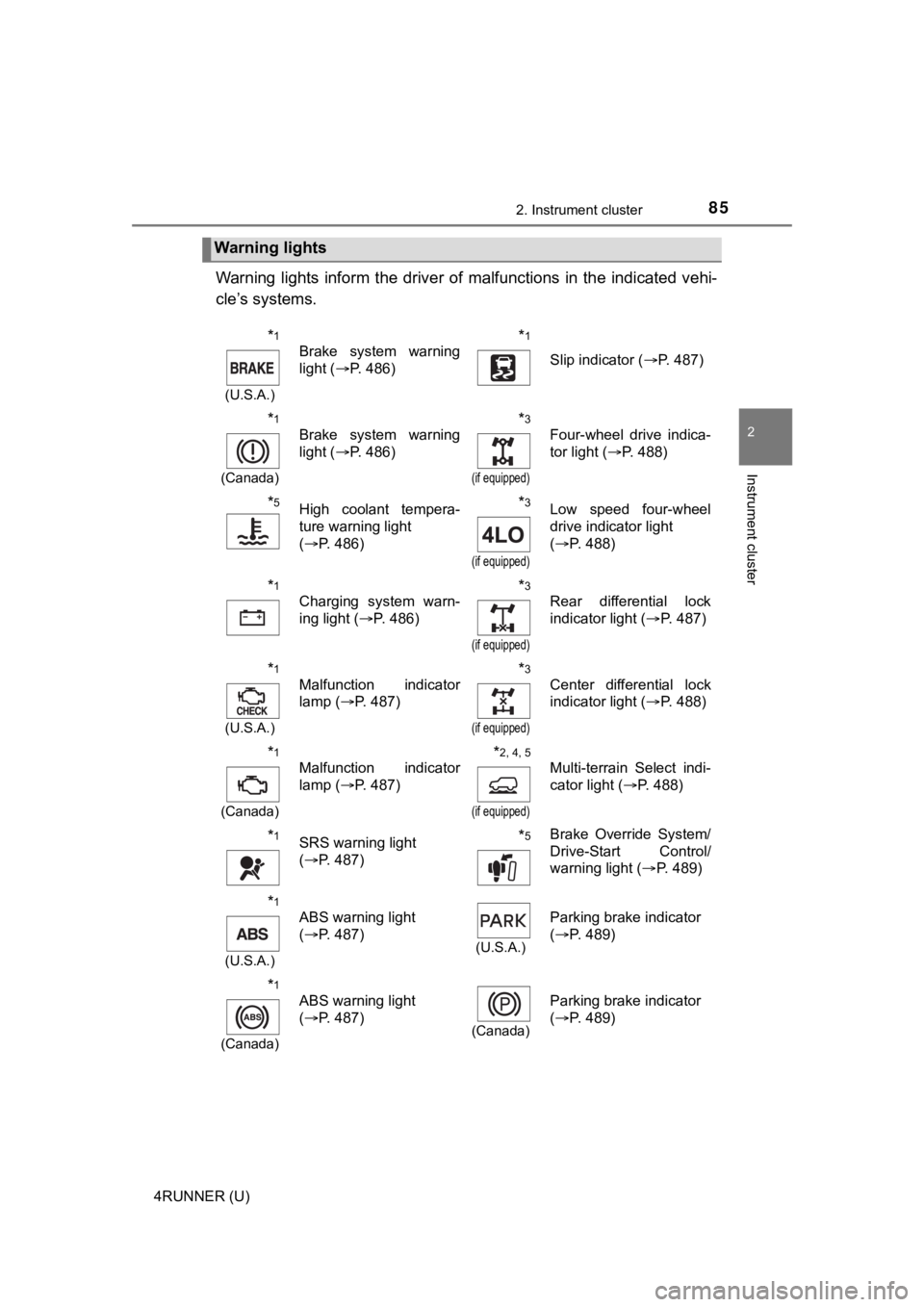
Warning lights inform the driver of malfunctions in the indicated vehi-
cle’s systems.
Warning lights
*1
(U.S.A.)
Brake system warning
light ( P. 486)*1
Slip indicator ( P. 487)
*1
(Canada)
Brake system warning
light (P. 486)*3
(if equipped)
Four-wheel drive indica-
tor light ( P. 488)
*5High coolant tempera-
ture warning light
(P. 486)*3
(if equipped)
Low speed four-wheel
drive indicator light
(P. 488)
*1
Charging system warn-
ing light ( P. 486)*3
(if equipped)
Rear differential lock
indicator light ( P. 487)
*1
(U.S.A.)
Malfunction indicator
lamp ( P. 487)*3
(if equipped)
Center differential lock
indicator light ( P. 488)
*1
(Canada)
Malfunction indicator
lamp ( P. 487)*2, 4, 5
(if equipped)
Multi-terrain Select indi-
cator light ( P. 488)
*1SRS warning light
(P. 487)*5Brake Override System/
Drive-Start Control/
warning light ( P. 489)
*1
(U.S.A.)
ABS warning light
(P. 487)
(U.S.A.)
Parking brake indicator
(P. 489)
*1
(Canada)
ABS warning light
(P. 487)
(Canada)
Parking brake indicator
(P. 489)
Page 88 of 616
882. Instrument cluster
4RUNNER (U)
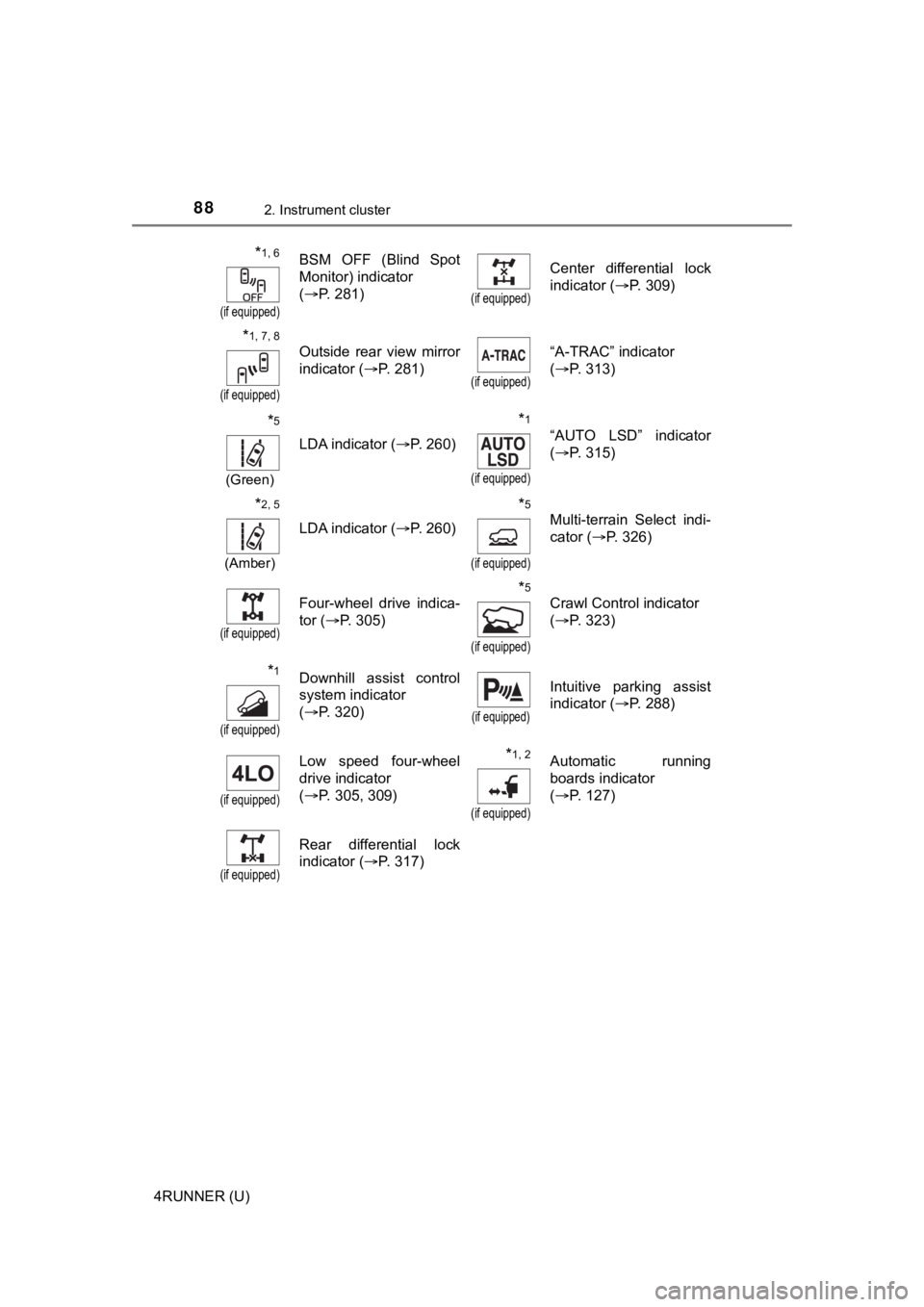
*1, 6
(if equipped)
BSM OFF (Blind Spot
Monitor) indicator
(P. 281)
(if equipped)
Center differential lock
indicator ( P. 309)
*1, 7, 8
(if equipped)
Outside rear view mirror
indicator ( P. 281)
(if equipped)
“A-TRAC” indicator
(P. 313)
*5
(Green)
LDA indicator ( P. 260)
*1
(if equipped)
“AUTO LSD” indicator
(P. 315)
*2, 5
(Amber)
LDA indicator ( P. 260)
*5
(if equipped)
Multi-terrain Select indi-
cator (P. 326)
(if equipped)
Four-wheel drive indica-
tor (P. 305)*5
(if equipped)
Crawl Control indicator
(P. 323)
*1
(if equipped)
Downhill assist control
system indicator
(P. 320)
(if equipped)
Intuitive parking assist
indicator ( P. 288)
(if equipped)
Low speed four-wheel
drive indicator
(P. 305, 309) *1, 2
(if equipped)
Automatic running
boards indicator
(P. 127)
(if equipped)
Rear differential lock
indicator ( P. 317)
Page 98 of 616
982. Instrument cluster
4RUNNER (U)■
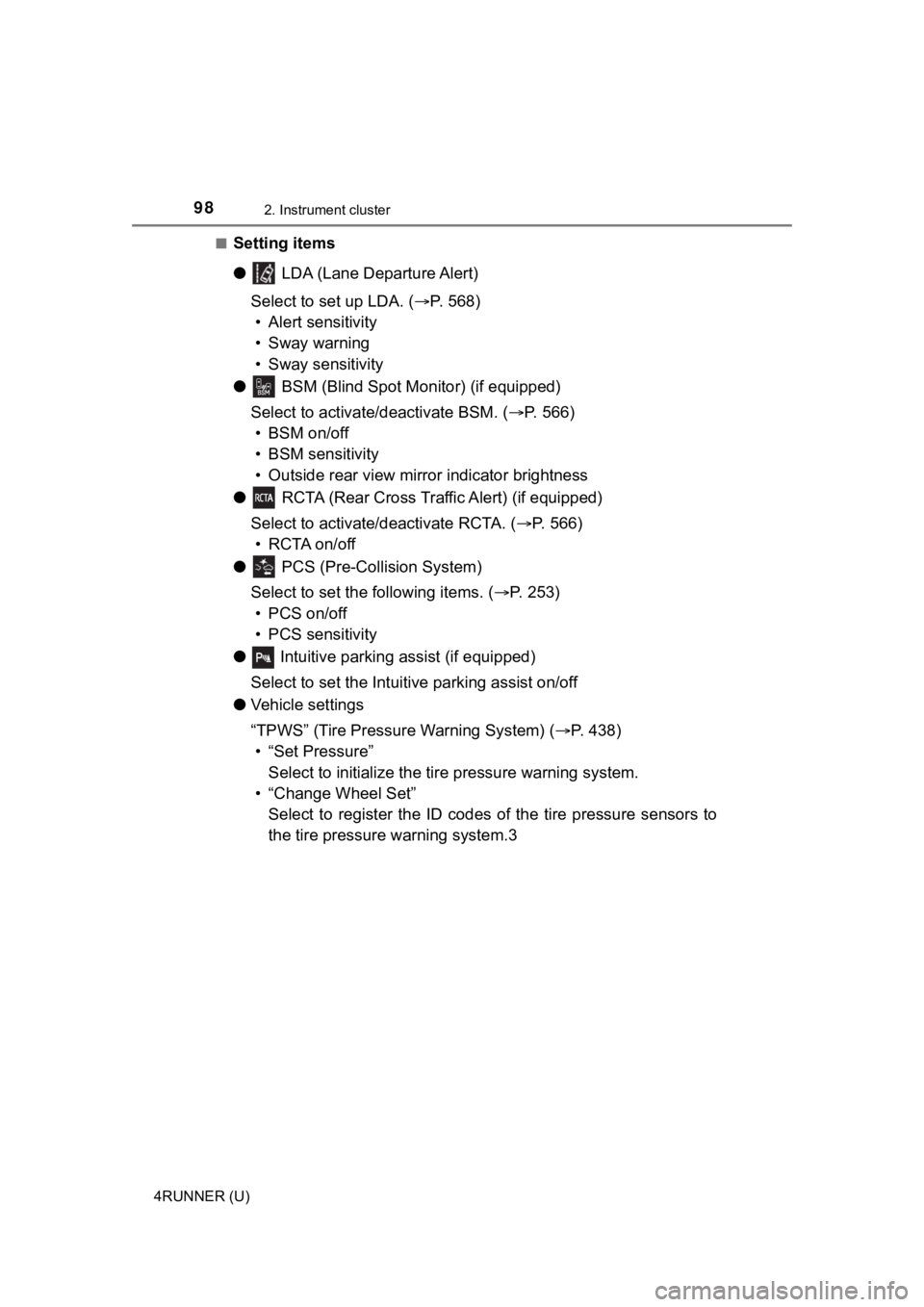
Setting items
●
LDA (Lane Departure Alert)
Select to set up LDA. ( P. 568)
• Alert sensitivity
• Sway warning
• Sway sensitivity
● BSM (Blind Spot Mon itor) (if equipped)
Select to activate/deactivate BSM. ( P. 566)
• BSM on/off
• BSM sensitivity
• Outside rear view mirror indicator brightness
● RCTA (Rear Cross Traffic Alert) (if equipped)
Select to activate/deactivate RCTA. ( P. 566)
•RCTA on/off
● PCS (Pre-Collision System)
Select to set the f ollowing items. (P. 253)
• PCS on/off
• PCS sensitivity
● Intuitive parking assist (if equipped)
Select to set the Intuiti ve parking assist on/off
● Vehicle settings
“TPWS” (Tire Pressure Warning System) ( P. 438)
• “Set Pressure” Select to initialize the tire pressure warning system.
• “Change Wheel Set” Select to register the ID codes of the tire pressure sensors to
the tire pressure warning system.3
Page 102 of 616
1022. Instrument cluster
4RUNNER (U)
WARNING
■Caution for use while driving
For safety, avoid operating the meter control switches while dr iving as much
as possible, and do not look continuously at the multi-informat ion display
while driving. Stop the vehicle and operate the meter control switches. Fail-
ure to do so may cause a steering wheel operation error, resulting in an
unexpected accident.
■ Cautions while setting up the display
As the engine needs to be running during setting up the display , ensure that
the vehicle is parked in a place with adequate ventilation. In a closed area
such as a garage, exhaust gases including harmful carbon monoxi de (CO)
may collect and enter the vehicle. This may lead to death or a serious
health hazard.
■ The multi-information display at low temperatures
Allow the interior of the vehicle to warm up before using the multi-informa-
tion display. At extremely low temperatures, the multi-information display
monitor may respond slowly, and display changes may be delayed.
For example, there is a lag between the driver’s shifting and the new gear
number appearing on the display. This lag could cause the drive r to down-
shift again, causing rapid and excessive engine braking and pos sibly an
accident resulting in death or serious injury.
NOTICE
■ While setting up the display
To prevent battery discharge, ensure that the engine is running while setting
up the display features.
Page 103 of 616
103
Operation of
each component
3
4RUNNER (U) 3-1. Key information
Keys .................................. 104
Side doors ......................... 110
3-2. Opening, closing and locking the doors
Smart key system ............. 119
Automatic running boards ............................. 127
Back door .......................... 130
3-3. Adjusting the seats Front seats ........................ 135
Rear seats......................... 138
Driving position memory ........................... 148
Head restraints.................. 152
3-4. Adjusting the steering wheel and mirrors
Steering wheel .................. 155
Inside rear view mirror ...... 157
Outside rear view mirrors ............................. 159
3-5. Opening, closing the windows and
moon roof
Power windows ................. 161
Power back window .......... 165
Moon roof .......................... 169
Page 151 of 616

1513-3. Adjusting the seats
3
Operation of each component
4RUNNER (U)
WARNING
■Seat adjustment caution
Take care during seat adjustment so that the seat does not stri ke the rear
passenger or squeeze your body against the steering wheel.
Page 155 of 616
155
3
Operation of each component
4RUNNER (U)
3-4. Adjusting the steering wheel and mirrors
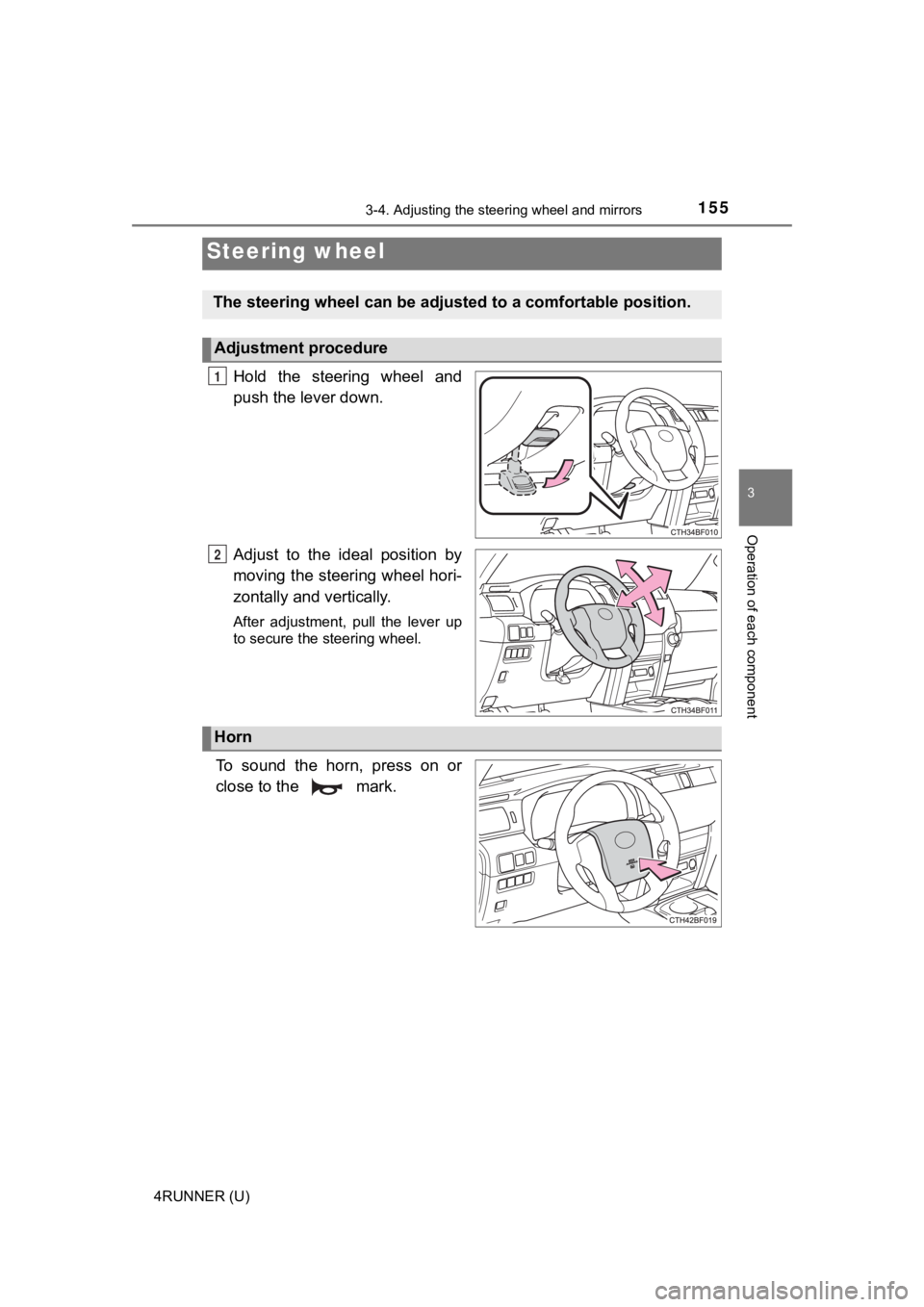
Hold the steering wheel and
push the lever down.
Adjust to the ideal position by
moving the steering wheel hori-
zontally and vertically.
After adjustment, pull the lever up
to secure the steering wheel.
To sound the horn, press on or
close to the mark.
Steering wheel
The steering wheel ca n be adjusted to a comfortable position.
Adjustment procedure
1
2
Horn
Page 156 of 616

1563-4. Adjusting the steering wheel and mirrors
4RUNNER (U)
WARNING
■Caution while driving
Do not adjust the steering wheel while driving.
Doing so may cause the driver to mishandle the vehicle and caus e an acci-
dent, resulting in death or serious injury.
■ After adjusting the steering wheel
Make sure that the steering wheel is securely locked.
Otherwise, the steering wheel may move suddenly, possibly causi ng an
accident, and resulting in death or serious injury. Also, the horn may not
sound if the steering wheel is not securely locked.
Page 157 of 616
1573-4. Adjusting the steering wheel and mirrors
3
Operation of each component
4RUNNER (U)
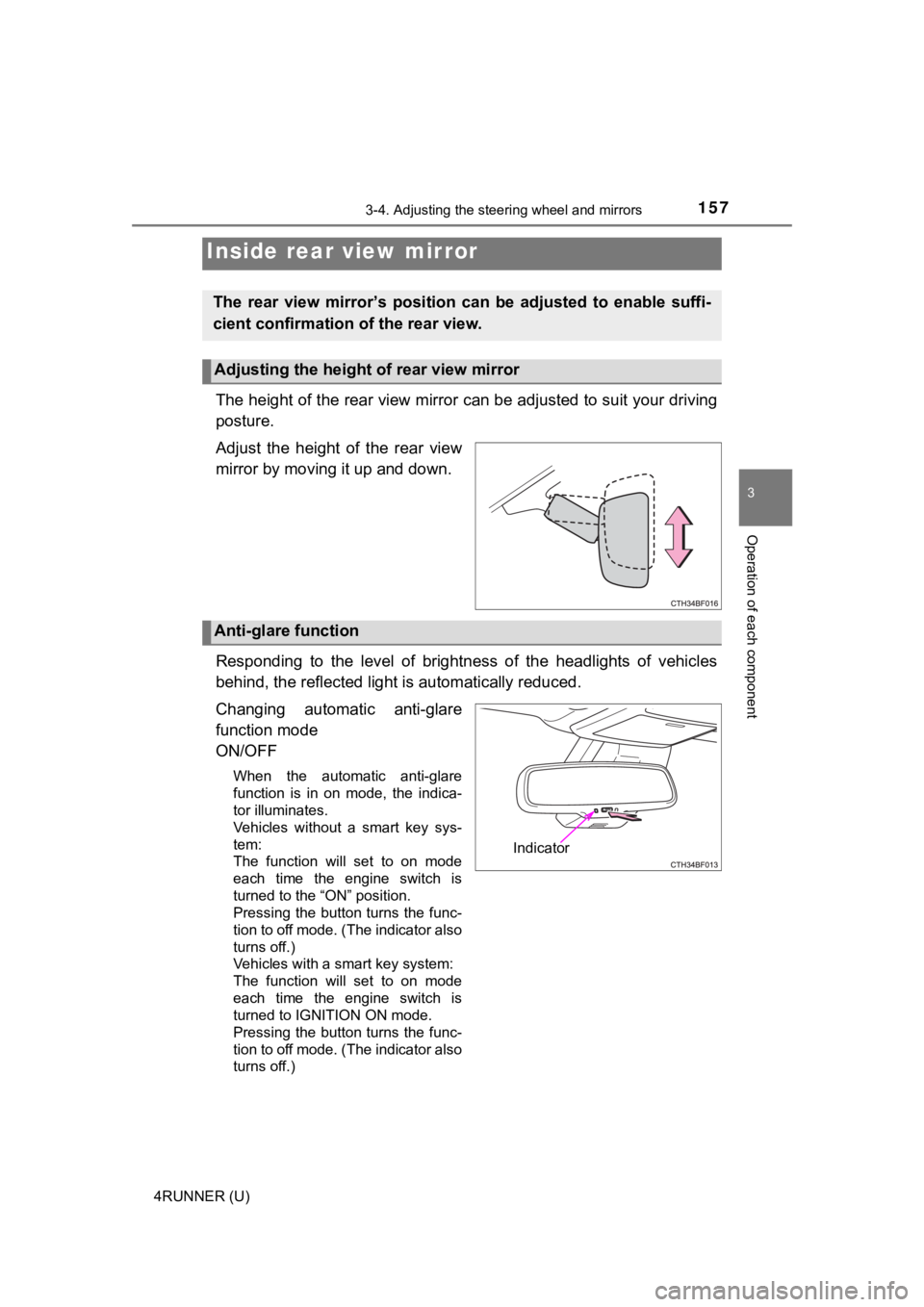
The height of the rear view mirror can be adjusted to suit your driving
posture.
Adjust the height of the rear view
mirror by moving it up and down.
Responding to the level of brightness of the headlights of vehi cles
behind, the reflected light is automatically reduced.
Changing automatic anti-glare
function mode
ON/OFF
When the automatic anti-glare
function is in on mode, the indica-
tor illuminates.
Vehicles without a smart key sys-
tem:
The function will set to on mode
each time the engine switch is
turned to the “ON” position.
Pressing the button turns the func-
tion to off mode. (The indicator also
turns off.)
Vehicles with a smart key system:
The function will set to on mode
each time the engine switch is
turned to IGNITION ON mode.
Pressing the button turns the func-
tion to off mode. (The indicator also
turns off.)
Inside rear view mirror
The rear view mirror’s position ca n be adjusted to enable suffi-
cient confirmation of the rear view.
Adjusting the height of rear view mirror
Anti-glare function
Indicator
Page 158 of 616
1583-4. Adjusting the steering wheel and mirrors
4RUNNER (U)
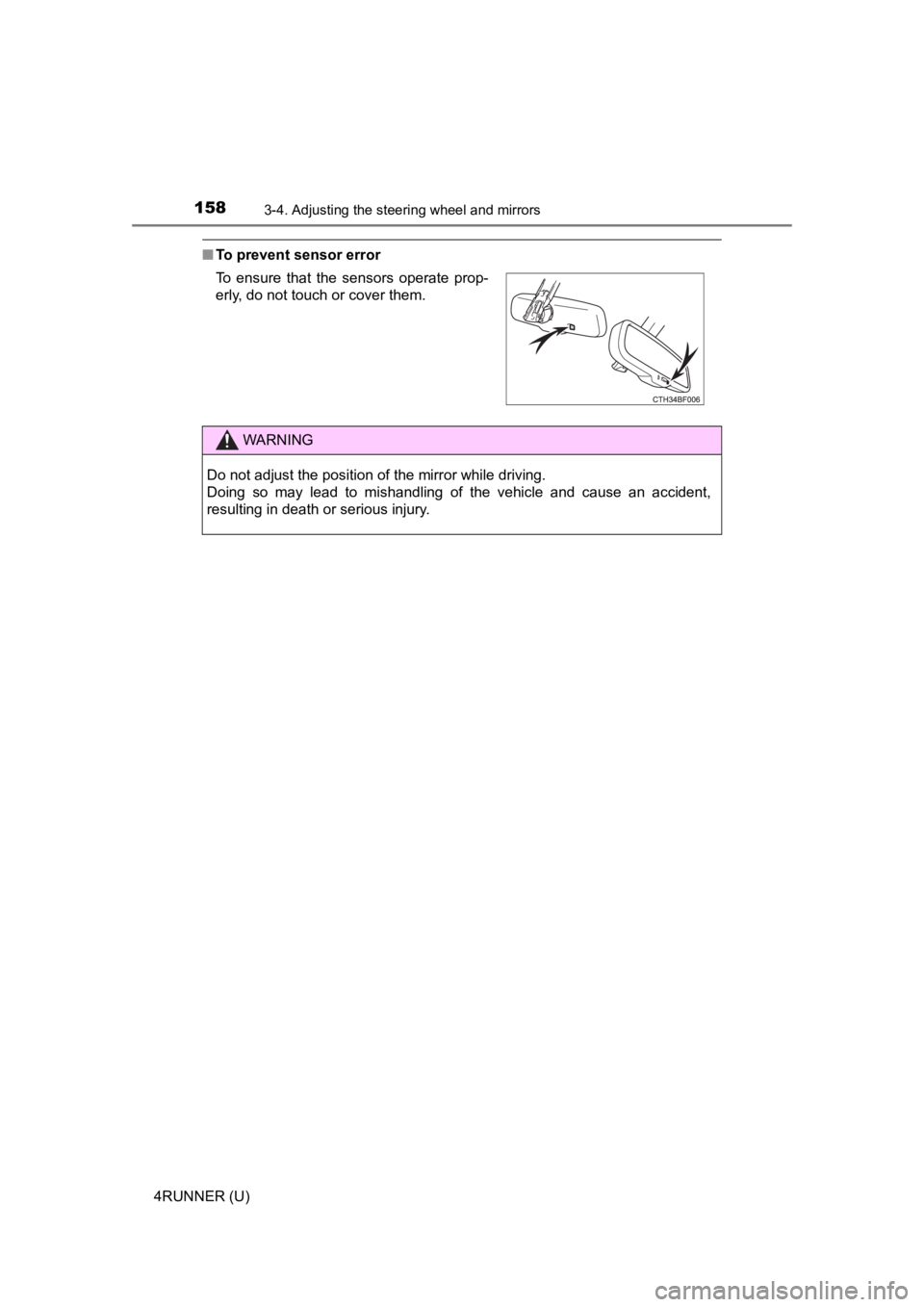
■To prevent sensor error
To ensure that the sensors operate prop-
erly, do not touch or cover them.
WARNING
Do not adjust the position of the mirror while driving.
Doing so may lead to mishandling of the vehicle and cause an accident,
resulting in death or serious injury.