wheel TOYOTA 4RUNNER 2022 Owner's Guide
[x] Cancel search | Manufacturer: TOYOTA, Model Year: 2022, Model line: 4RUNNER, Model: TOYOTA 4RUNNER 2022Pages: 616, PDF Size: 12.01 MB
Page 202 of 616

2024-1. Before driving
4RUNNER (U)■
Before towing
Check that the following conditions are met:
●Ensure that your vehicle’s tires are properly inflated. ( P. 540)
● Trailer tires are inflated according to the trailer manufacture r’s recommen-
dation.
● All trailer lights work as required by law.
● All lights work each time you connect them.
● The trailer ball is set at the proper height for the coupler on the trailer.
● The trailer is level when it is hitched.
Do not drive if the trailer is not level, and check for imprope r tongue weight,
overloading, worn suspension, or other possible causes.
● The trailer cargo is securely loaded.
● The rear view mirrors conform to all applicable federal, state/provincial or
local regulations. If they do not, install rear view mirrors ap propriate for tow-
ing purposes.
■ Break-in schedule
If your vehicle is new or equipped with any new power train com ponents
(such as an engine, transmission, differential or wheel bearing ), Toyota rec-
ommends that you do not tow a trailer until the vehicle has bee n driven for
over 500 miles (800 km).
After the vehicle has been driven for over 500 miles (800 km), you can start
towing. However, for the next 500 miles (800 km), drive the veh icle at a speed
of less than 45 mph (72 km/h) when towing a trailer, and avoid full throttle
acceleration.
■ Maintenance
●If you tow a trailer, your vehicle will require more frequent m aintenance due
to the additional load. (See “Scheduled Maintenance Guide” or “ Owner’s
Manual Supplement”.)
● Retighten the fixing bolts of the towing ball and bracket after approximately
600 miles (1000 km) of trailer towing.
■ If trailer sway occurs
One or more factors (crosswinds, passing vehicles, rough roads, etc.) can
adversely affect handling of your vehicle and trailer, causing instability.
● If trailer swaying occurs:
• Firmly grip the steering wheel. Steer straight ahead.
Do not try to control trailer swaying by turning the steering w heel.
• Begin releasing the accelerator pedal immediately but very gra dually to
reduce speed.
Do not increase speed. Do not apply vehicle brakes.
If you make no extreme correction with the steering or brakes, your vehicle
and trailer should stabilize. (if enabled, Trailer Sway Control can also help to
stabilize the vehicle and trailer.)
Page 206 of 616
2064-1. Before driving
4RUNNER (U)
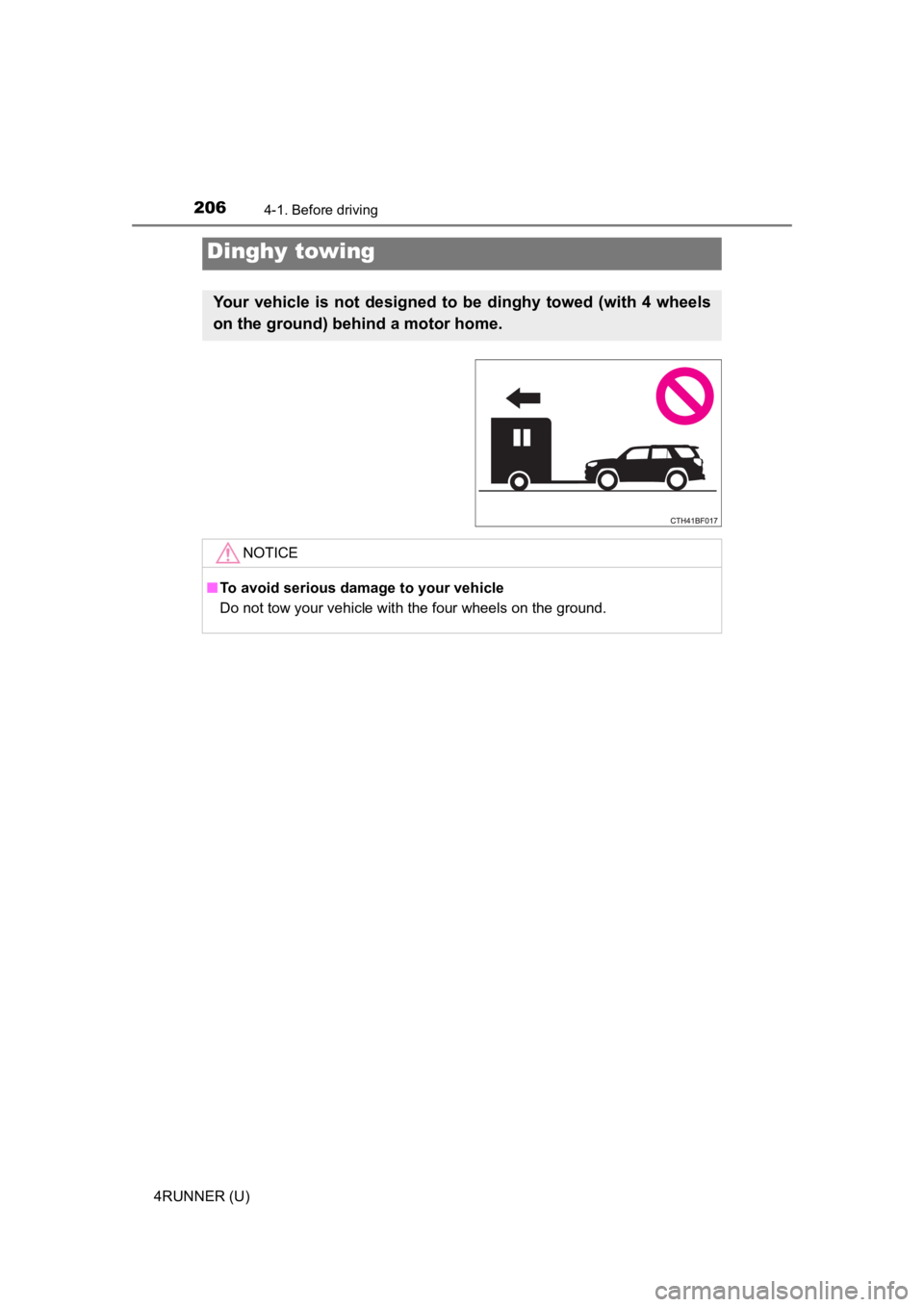
Dinghy towing
Your vehicle is not designed to be dinghy towed (with 4 wheels
on the ground) behind a motor home.
NOTICE
■To avoid serious damage to your vehicle
Do not tow your vehicle with the four wheels on the ground.
Page 207 of 616
207
4
Driving
4RUNNER (U)
4-2. Driving procedures
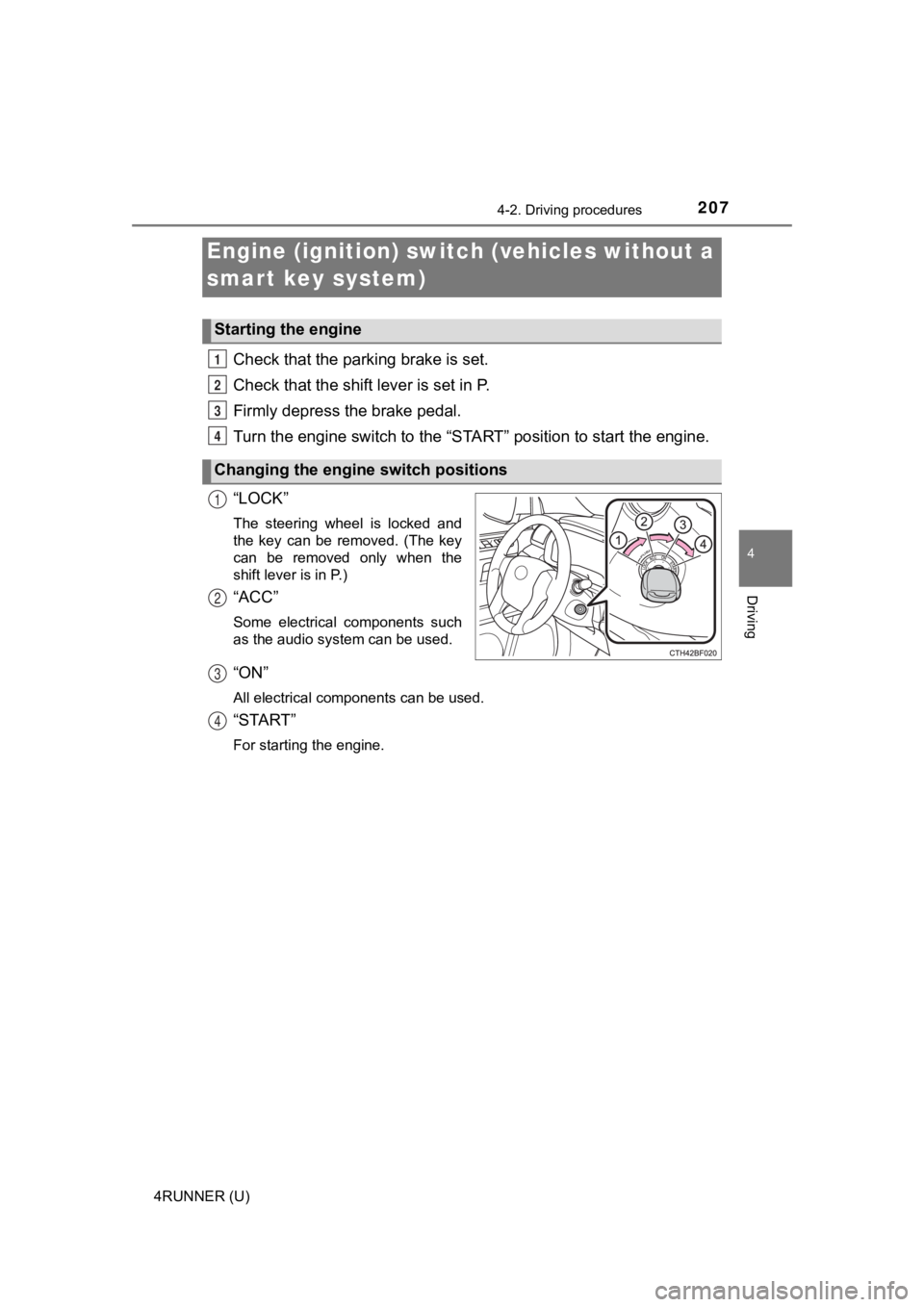
Check that the parking brake is set.
Check that the shift lever is set in P.
Firmly depress the brake pedal.
Turn the engine switch to the “S TART” position to start the engine.
“LOCK”
The steering wheel is locked and
the key can be removed. (The key
can be removed only when the
shift lever is in P.)
“ACC”
Some electrical components such
as the audio system can be used.
“ON”
All electrical components can be used.
“START”
For starting the engine.
Engine (ignition) switch (vehicles without a
smart key system)
Starting the engine
Changing the engine switch positions
1
2
3
4
1
2
3
4
Page 208 of 616
2084-2. Driving procedures
4RUNNER (U)
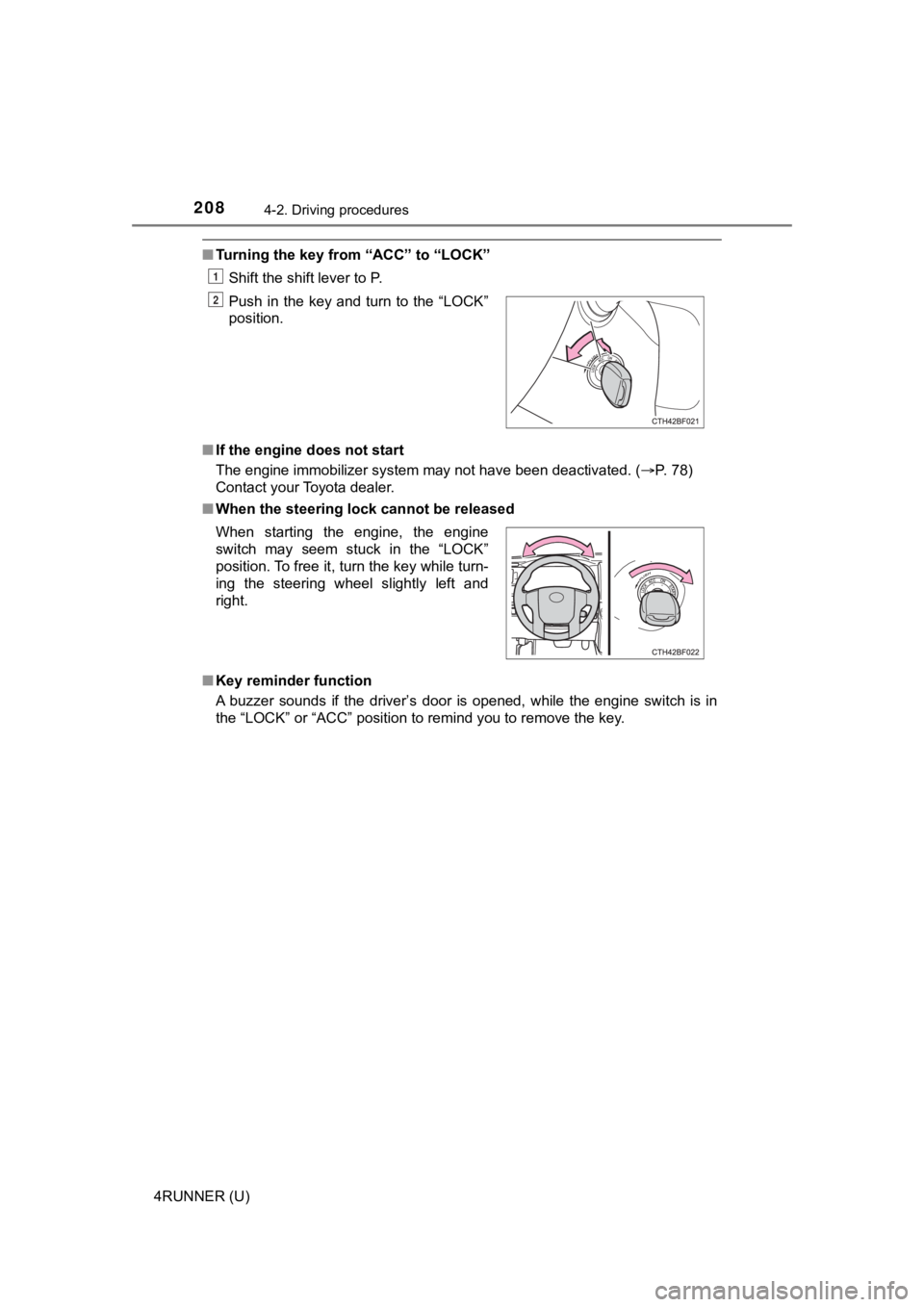
■Turning the key from “ACC” to “LOCK”
Shift the shift lever to P.
■ If the engine does not start
The engine immobilizer system may not have been deactivated. ( P. 78)
Contact your Toyota dealer.
■ When the steering lock cannot be released
■ Key reminder function
A buzzer sounds if the driver’s door is opened, while the engin e switch is in
the “LOCK” or “ACC” position to remind you to remove the key. Push in the key and turn to the “LOCK”
position.
When starting the engine, the engine
switch may seem stuck in the “LOCK”
position. To free it, turn the key while turn-
ing the steering wheel slightly left and
right.
1
2
Page 230 of 616

2304-3. Operating the lights and wipers
4RUNNER (U)
■Conditions to turn the high beams on/off automatically
●When all of the following conditions are met, the high beams will be turned
on automatically (after approximately 1 second):
• The vehicle speed is approximately 21 mph (34 km/h) or more.
• The area ahead of the vehicle is dark.
• There are no vehicles ahead with headlights or tail lights turned on.
• There are few streetlights on the road ahead.
● If any of the following conditions is met, the high beams will turn off automat-
ically:
• The vehicle speed is below approximately 17 mph (27 km/h).
• The area ahead of the vehicle is not dark.
• Vehicles ahead have their headlights or tail lights turned on.
• There are many streetlights on the road ahead.
■ Camera sensor detection information
●The high beams may not be automatically turned off in the follo wing situa-
tions:
• When a vehicle suddenly appears from around a curve
• When the vehicle is cut in front of by another vehicle
• When vehicles ahead cannot be detected due to repeated curves, road dividers or roadside trees
• When vehicles ahead appear in a faraway lane on a wide road
• When the lights of vehicles ahead are not on
● The high beams may be turned off if a vehicle ahead that is usi ng fog lights
without its headlights turned on is detected.
● House lights, street lights, traffic signals, and illuminated billboards or signs
and other reflective objects may cause the high beams to change to the low
beams, or the low beams to remain on.
● The following factors may affect the amount of time taken for t he high
beams to turn on or off:
• The brightness of the headlights, fog lights, and tail lights of vehicles
ahead
• The movement and direction of vehicles ahead
• When a vehicle ahead only has operational lights on one side
• When a vehicle ahead is a two-wheeled vehicle
• The condition of the road (gradient, curve, condition of the r oad surface,
etc.)
• The number of passengers and amount of luggage in the vehicle
● The high beams may turn on or off unexpectedly.
● Bicycles or similar vehicles may not be detected.
● In the following situations the system may not be able to correctly detect the
surrounding brightness level. This may cause the low beams to r emain on
or the high beams to flash or dazzle pedestrians or vehicles ah ead. In such
a case, it is necessary to manually switch between the high and low beams.
Page 251 of 616
2514-5. Using the driving support systems
4
Driving
4RUNNER (U)
WARNING
■Limitations of the pre-collision system
● The driver is solely responsible for safe driving. Always drive safely, taking
care to observe your surroundings.
Do not use the pre-collision system instead of normal braking o perations
under any circumstances. This system will not prevent collision s or lessen
collision damage or injury in every situation. Do not overly re ly on this sys-
tem. Failure to do so may lead to an accident, resulting in dea th or serious
injury.
● Although this system is designed to help avoid a collision or h elp reduce
the impact of the collision, its effectiveness may change according to vari-
ous conditions, therefore the system may not always be able to achieve
the same level of performance.
Read the following conditions carefully. Do not overly rely on this system
and always drive carefully.
• Conditions under which the system may operate even if there is no pos- sibility of a collision: P. 255
• Conditions under which the system may not operate properly: P. 257
● Do not attempt to test the operation of the pre-collision syste m yourself.
Depending on the objects used for testing (dummies, cardboard o bjects
imitating detectable objects, etc.), the system may not operate properly,
possibly leading to an accident.
■ Pre-collision braking
● When the pre-collision braking function is operating, a large a mount of
braking force will be applied.
● If the vehicle is stopped by the operation of the pre-collision braking func-
tion, the pre-collision braking function operation will be canceled after
approximately 2 seconds. Depress the brake pedal as necessary.
● The pre-collision braking function may not operate if certain operations are
performed by the driver. If the accelerator pedal is being depressed
strongly or the steering wheel is being turned, the system may determine
that the driver is taking evasive action and possibly prevent the pre-colli-
sion braking function from operating.
● In some situations, while the pre-collision braking function is operating,
operation of the function may be canceled if the accelerator pedal is
depressed strongly or the steering wheel is turned and the syst em deter-
mines that the driver is taking evasive action.
● If the brake pedal is being depressed, the system may determine that the
driver is taking evasive action and possibly delay the operation timing of
the pre-collision braking function.
Page 254 of 616
2544-5. Using the driving support systems
4RUNNER (U)
■Operational conditions
The pre-collision system is enabled and the system determines that the pos-
sibility of a frontal collision with a vehicle or pedestrian is high.
Each function is operational at the following speeds:
● Pre-collision warning:
• Vehicle speed is between approximately 7 and 110 mph (10 and 1 80
km/h). (For detecting a pedestrian, vehicle speed is between ap proxi-
mately 7 and 50 mph [10 and 80 km/h].)
• The relative speed between your vehicle and the vehicle or ped estrian
ahead is approximately 7 mph (10 km/h) or more.
● Pre-collision brake assist:
• Vehicle speed is between approximately 20 and 110 mph (30 and 180
km/h). (For detecting a pedestrian, vehicle speed is between ap proxi-
mately 20 and 50 mph [30 and 80 km/h].)
• The relative speed between your vehicle and the vehicle or ped estrian
ahead is approximately 20 mph (30 km/h) or more.
● Pre-collision braking:
• Vehicle speed is between approximately 7 and 110 mph (10 and 1 80
km/h). (For detecting a pedestrian, vehicle speed is between ap proxi-
mately 7 and 50 mph [10 and 80 km/h].)
• The relative speed between your vehicle and the vehicle or ped estrian
ahead is approximately 7 mph (10 km/h) or more.
The system may not operate in the following situations:
● If a battery terminal has been disconnected and reconnected and then the
vehicle has not been driven for a certain amount of time
● If the shift lever is in R
● If VSC is disabled (only the pre-collision warning function wil l be opera-
tional)
● If the low speed four-wheel drive indicator is illuminated (onl y the pre-colli-
sion warning function will be operational)
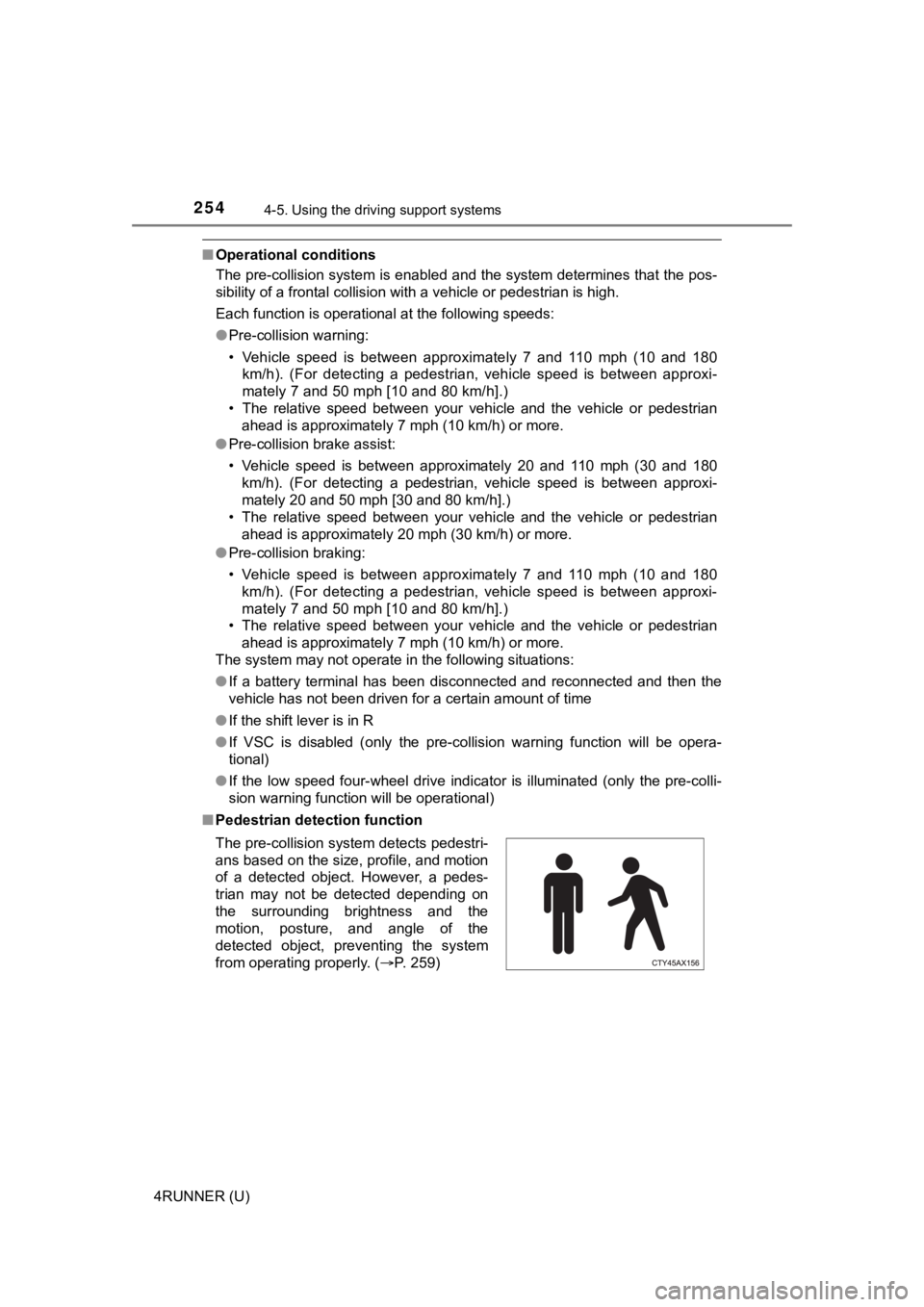
■ Pedestrian detection function
The pre-collision system detects pedestri-
ans based on the size, profile, and motion
of a detected object. However, a pedes-
trian may not be detected depending on
the surrounding brightness and the
motion, posture, and angle of the
detected object, preventing the system
from operating properly. (P. 259)
Page 255 of 616
2554-5. Using the driving support systems
4
Driving
4RUNNER (U)■
Cancelation of the pre-collision braking
If either of the following occur while the pre-collision brakin g function is oper-
ating, it will be canceled:
● The accelerator pedal is depressed strongly.
● The steering wheel is turned sharply or abruptly.
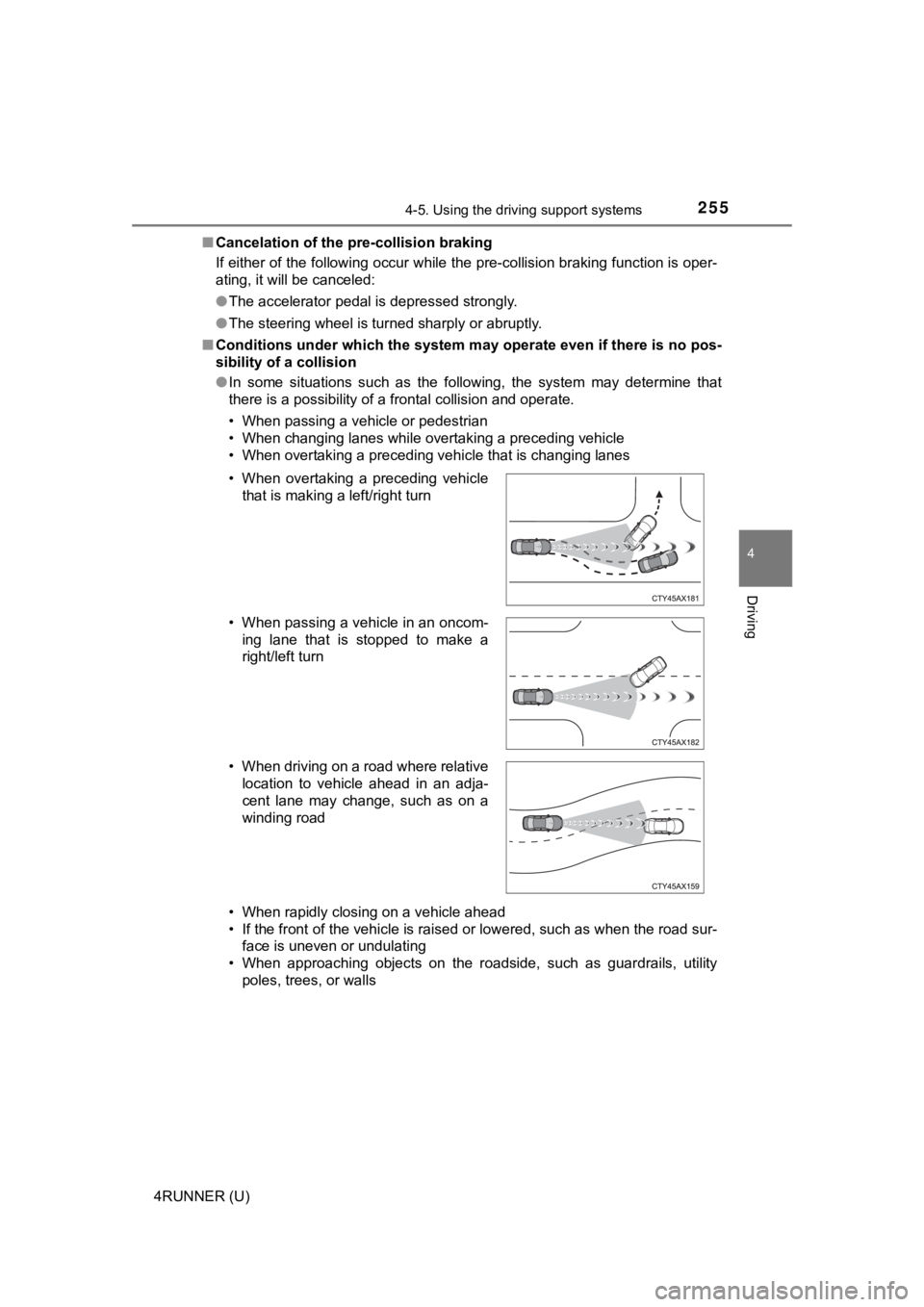
■ Conditions under which the system may operate even if there is no pos-
sibility of a collision
● In some situations such as the following, the system may determ ine that
there is a possibility of a frontal collision and operate.
• When passing a vehicle or pedestrian
• When changing lanes while overtaking a preceding vehicle
• When overtaking a preceding vehicle that is changing lanes
• When rapidly closing on a vehicle ahead
• If the front of the vehicle is raised or lowered, such as when the road sur-
face is uneven or undulating
• When approaching objects on the roadside, such as guardrails, utility
poles, trees, or walls
• When overtaking a preceding vehicle
that is making a left/right turn
• When passing a vehicle in an oncom- ing lane that is stopped to make a
right/left turn
• When driving on a road where relative location to vehicle ahead in an adja-
cent lane may change, such as on a
winding road
Page 258 of 616
2584-5. Using the driving support systems
4RUNNER (U)• If a vehicle ahead makes an abrupt maneuver (such as sudden sw
erving,
acceleration or deceleration)
• When suddenly cutting behind a preceding vehicle
• When driving in inclement weather such as heavy rain, fog, snow or a
sandstorm
• When the vehicle is hit by water, snow, dust, etc. from a vehicle ahead
• When driving through steam or smoke
• When driving in a place where the surrounding brightness changes sud- denly, such as at the entrance or exit of a tunnel
• When a very bright light, such as the sun or the headlights of oncoming
traffic, shines directly into the front camera
• When the surrounding area is dim, such as at dawn or dusk, or while at
night or in a tunnel
• After the engine has started the vehicle has not been driven for a certain amount of time
• While making a left/right turn and for a few seconds after mak ing a left/
right turn
• While driving on a curve and for a few seconds after driving o n a curve
• If your vehicle is skidding
• If the wheels are misaligned
• If a wiper blade is blocking the front camera
• The vehicle is wobbling.
• The vehicle is being driven at extremely high speeds.
• When driving on a hill
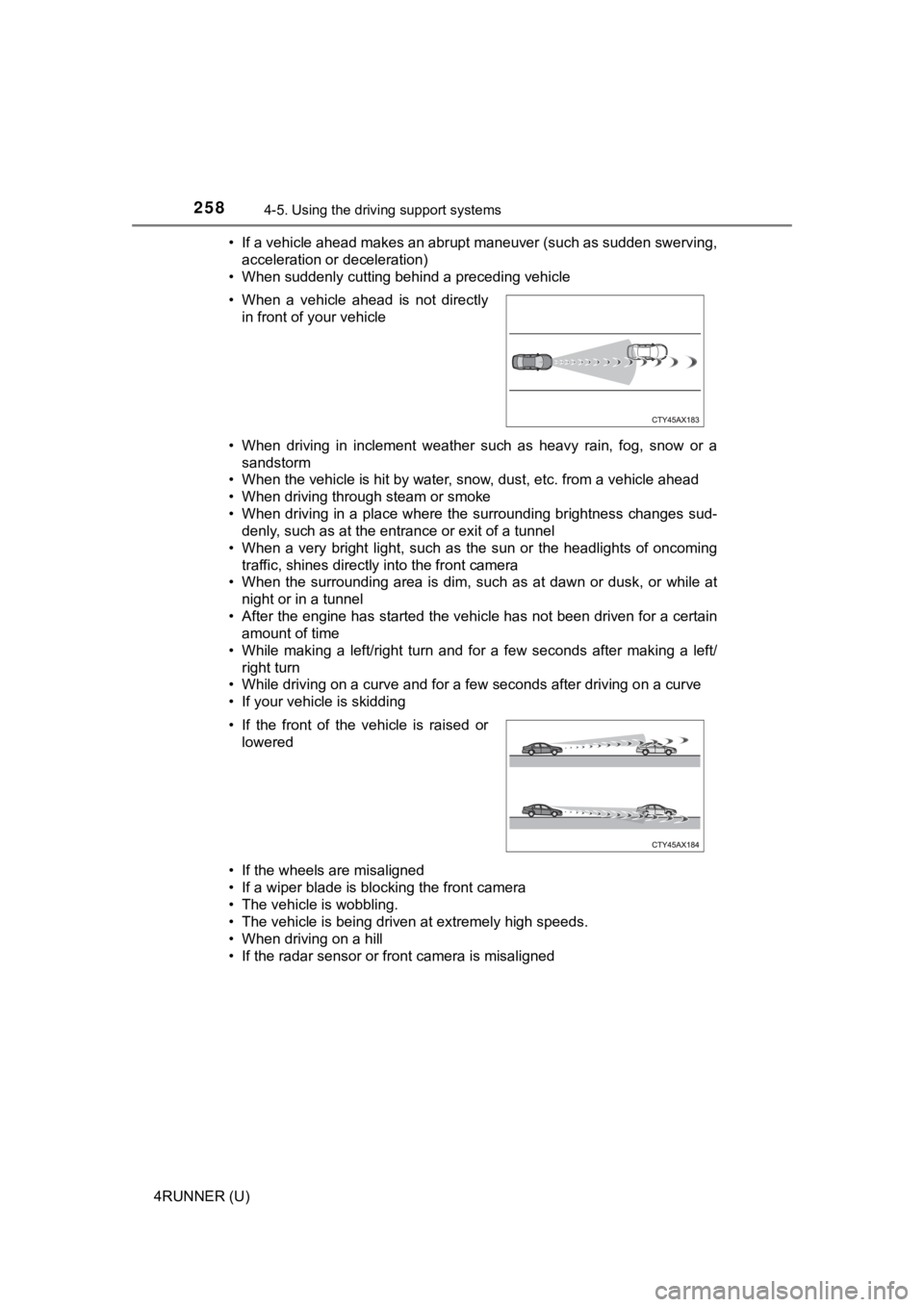
• If the radar sensor or front camera is misaligned • When a vehicle ahead is not directly in front of your vehicle
• If the front of the vehicle is raised or lowered
Page 259 of 616
2594-5. Using the driving support systems
4
Driving
4RUNNER (U)●
In some situations such as the following, sufficient braking fo rce may not be
obtained, preventing the system from performing properly:
• If the braking functions cannot operate to their full extent, such as when
the brake parts are extremely cold, extremely hot, or wet
• If the vehicle is not properly maintained (brakes or tires are excessively
worn, improper tire inflation pressure, etc.)
• When the vehicle is being driven on a gravel road or other sli ppery sur-
face
● Some pedestrians such as the following may not be detected by t he radar
sensor and front camera, preventing the system from operating p roperly:
• Pedestrians shorter than approximately 3.2 ft. (1 m) or taller than approx-
imately 6.5 ft. (2 m)
• Pedestrians wearing oversized clothing (a rain coat, long skir t, etc.), mak-
ing their silhouette obscure
• Pedestrians who are carrying large baggage, holding an umbrella, etc., hiding part of their body
• Pedestrians who are bending forward or squatting
• Pedestrians who are pushing a stroller, wheelchair, bicycle or other vehi-
cle
• Groups of pedestrians which are close together
• Pedestrians who are wearing white and look extremely bright
• Pedestrians in the dark, such as at night or while in a tunnel
• Pedestrians whose clothing appears to be nearly the same color or
brightness as their surroundings
• Pedestrians near walls, fences, guardrails, or large objects
• Pedestrians who are on a metal object (manhole cover, steel plate, etc.)
on the road
• Pedestrians who are walking fast
• Pedestrians who are changing speed abruptly
• Pedestrians running out from behind a vehicle or a large objec t
• Pedestrians who are extremely close to the side of the vehicle (outside
rear view mirror, etc.)
■ If VSC is disabled
●If VSC is disabled ( P. 335, 336), the pre-collision brake assist and pre-col-
lision braking functions are also disabled.
● The PCS warning light will turn on and “VSC Turned Off Pre-Coll ision Brake
System Unavailable” will be displayed on the multi-information display.