ECO mode TOYOTA 86 2022 Owner's Manual
[x] Cancel search | Manufacturer: TOYOTA, Model Year: 2022, Model line: 86, Model: TOYOTA 86 2022Pages: 449, PDF Size: 8.5 MB
Page 208 of 449
2084-5. EyeSight
■Setting Conventional
Cruise Control
1 Setting Adaptive Cruise Con-
trol to standby status.
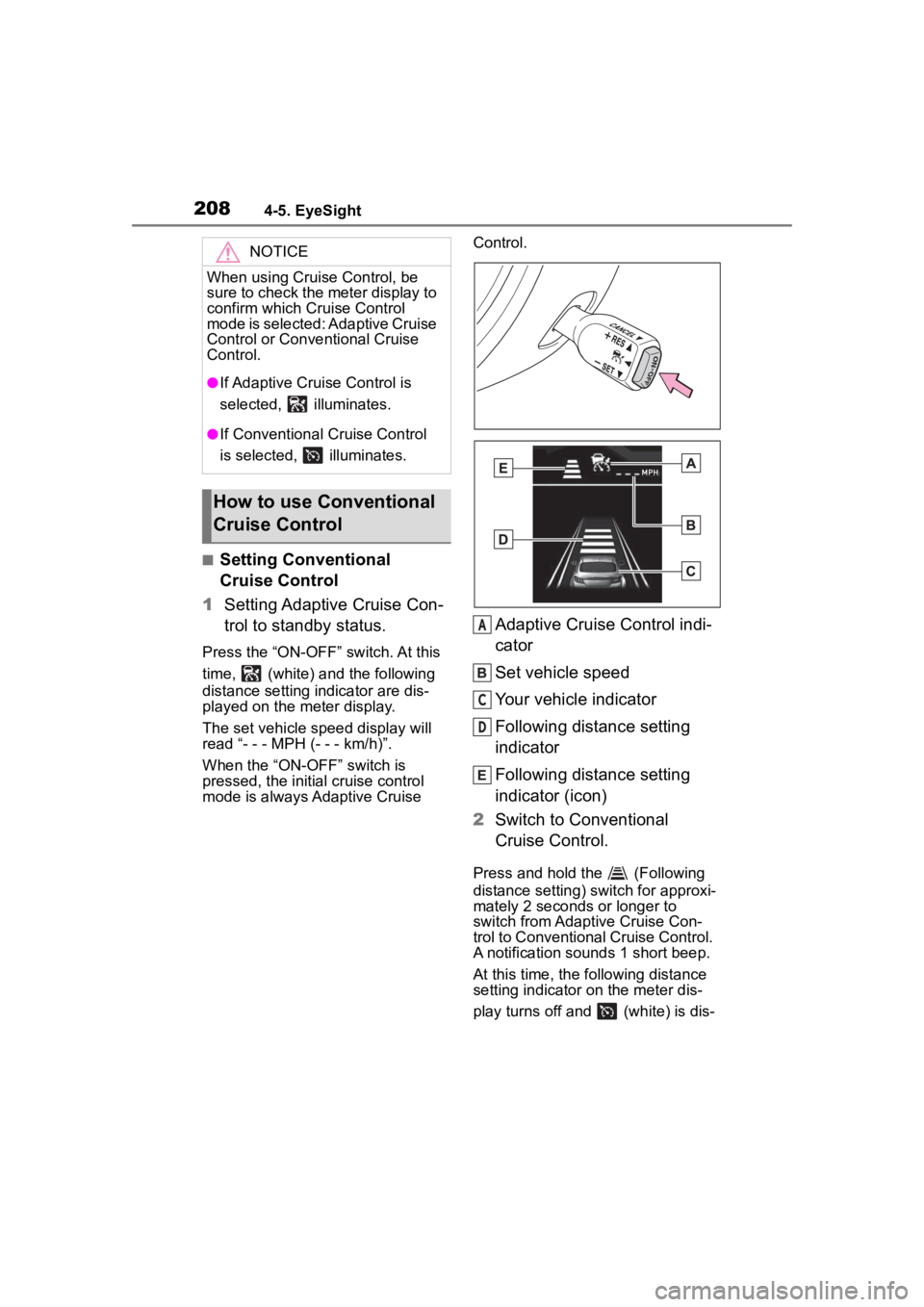
Press the “ON-OFF” switch. At this
time, (white) a nd the following
distance setting indicator are dis-
played on the meter display.
The set vehicle speed display will
read “- - - MPH (- - - km/h)”.
When the “ON-OFF” switch is
pressed, the initial cruise control
mode is always Adaptive Cruise Control.
Adaptive Cruise Control indi-
cator
Set vehicle speed
Your vehicle indicator
Following distance setting
indicator
Following distance setting
indicator (icon)
2 Switch to Conventional
Cruise Control.
Press and hold the (Following
distance setting) switch for approxi-
mately 2 seconds or longer to
switch from Adaptive Cruise Con-
trol to Conventional Cruise Control.
A notification sou nds 1 short beep.
At this time, the following distance
setting indicator on the meter dis-
play turns off and (white) is dis-
NOTICE
When using Cruise Control, be
sure to check the meter display to
confirm which Cr uise Control
mode is selected: Adaptive Cruise
Control or Conventional Cruise
Control.
●If Adaptive Cruis e Control is
selected, illuminates.
●If Conventional Cruise Control
is selected, illuminates.
How to use Conventional
Cruise Control
A
C
D
Page 209 of 449
2094-5. EyeSight
4
Driving
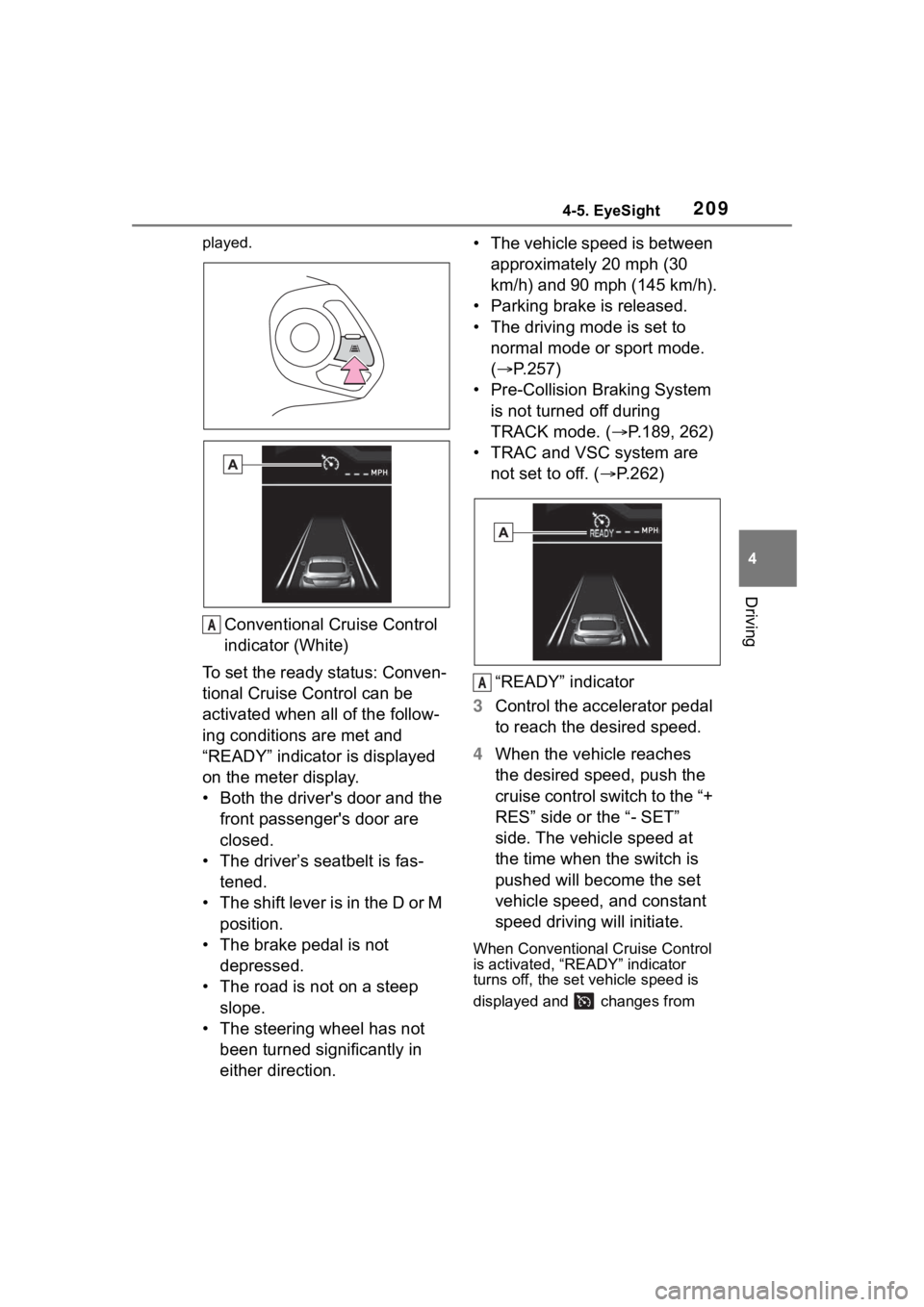
played.
Conventional Cruise Control
indicator (White)
To set the ready status: Conven-
tional Cruise Control can be
activated when all of the follow-
ing conditions are met and
“READY” indicator is displayed
on the meter display.
• Both the driver's door and the front passenger's door are
closed.
• The driver’s seatbelt is fas- tened.
• The shift lever is in the D or M position.
• The brake pedal is not depressed.
• The road is not on a steep slope.
• The steering wheel has not been turned significantly in
either direction. • The vehicle speed is between
approximately 20 mph (30
km/h) and 90 mph (145 km/h).
• Parking brake is released.
• The driving mode is set to normal mode or sport mode.
( P.257)
• Pre-Collision Braking System is not turned off during
TRACK mode. ( P.189, 262)
• TRAC and VSC system are not set to off. ( P.262)
“READY” indicator
3 Control the accelerator pedal
to reach the desired speed.
4 When the vehicle reaches
the desired speed, push the
cruise control switch to the “+
RES” side or the “- SET”
side. The vehicle speed at
the time when the switch is
pushed will become the set
vehicle speed, and constant
speed driving will initiate.
When Conventional Cruise Control
is activated, “READY” indicator
turns off, the set vehicle speed is
displayed and changes from
A
A
Page 213 of 449
2134-5. EyeSight
4
Driving
returned to the D or M position.
Vehicle speed drops to
approximately 16 mph (25
km/h) or less (due to a steep
uphill grade or some other
reason).
Vehicle speed increases to
approximately 100 mph (160
km/h) or more.
TRAC or VSC is activated.
Either the driver's door or the
front passenger's door is
opened.
The driver’s seatbelt is unfas-
tened.
The EyeSight system has a
malfunction. ( :Yellow)
( P.227)
The steering wheel is turned
significantly in either direction.
The grade of the road is
steep.
The Pre-Collision secondary
braking is activated.
Parking brake is applied.
The engine revolutions
approached the red zone.
The driving mode is set to
snow mode. ( P.257)
Pre-Collision Braking System
is turned off during TRACK
mode. ( P.189, 262)
TRAC and VSC system are
off. ( P.262)
The driving wheels spin on a slippery road.
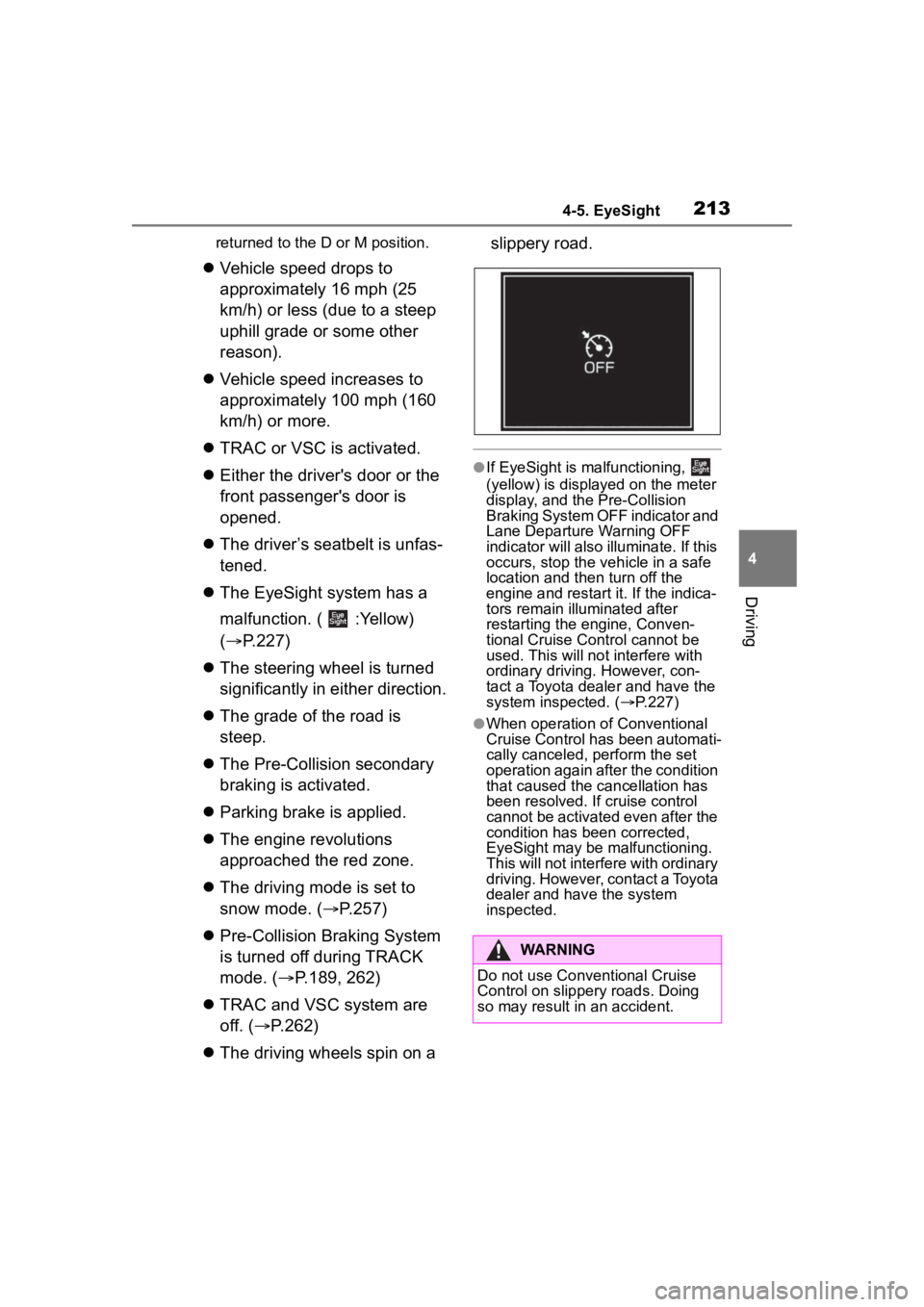
●If EyeSight is malfunctioning,
(yellow) is displayed on the meter
display, and the Pre-Collision
Braking System OFF indicator and
Lane Departure Warning OFF
indicator will also illuminate. If this
occurs, stop the vehicle in a safe
location and th
en turn off the
engine and restart it. If the indica-
tors remain illu minated after
restarting the engine, Conven-
tional Cruise Control cannot be
used. This will not interfere with
ordinary driving. However, con-
tact a Toyota dealer and have the
system inspected. ( P.227)
●When operation of Conventional
Cruise Control has been automati-
cally canceled, perform the set
operation again after the condition
that caused the cancellation has
been resolved. If cruise control
cannot be activated even after the
condition has been corrected,
EyeSight may be malfunctioning.
This will not interf ere with ordinary
driving. However, contact a Toyota
dealer and hav e the system
inspected.
WARNING
Do not use Conventional Cruise
Control on slippery roads. Doing
so may result in an accident.
Page 221 of 449
2214-5. EyeSight
4
Driving
■Lane Departure Warning
OFF indicator
This indicator illuminates when
the engine switch is turned to
ON, and then approximately 7
seconds after the engine starts,
it turns off or remains illuminated
depending on the current status
(on or off). It turns on when Lane
Departure Warning and Lane
Sway Warning are turned off. It
also illuminates under the fol-
lowing conditions.
Pre-Collision Braking System
is turned off during TRACK
mode. ( P.189, 262)
TRAC and VSC system are
off. ( P.262)
The EyeSight system has a
malfunction. ( P.227)
The EyeSight system has
stopped temporarily.
( P.228)
*: If equipped
●Swaying detection is based on
several minutes of prior driving
data. Swaying will not be detected
immediately after the vehicle
starts to sway. In addition, the
warning may cont inue for some
time even after swaying stops.
●Lane Sway Warning is just a func-
tion that warns the driver. When
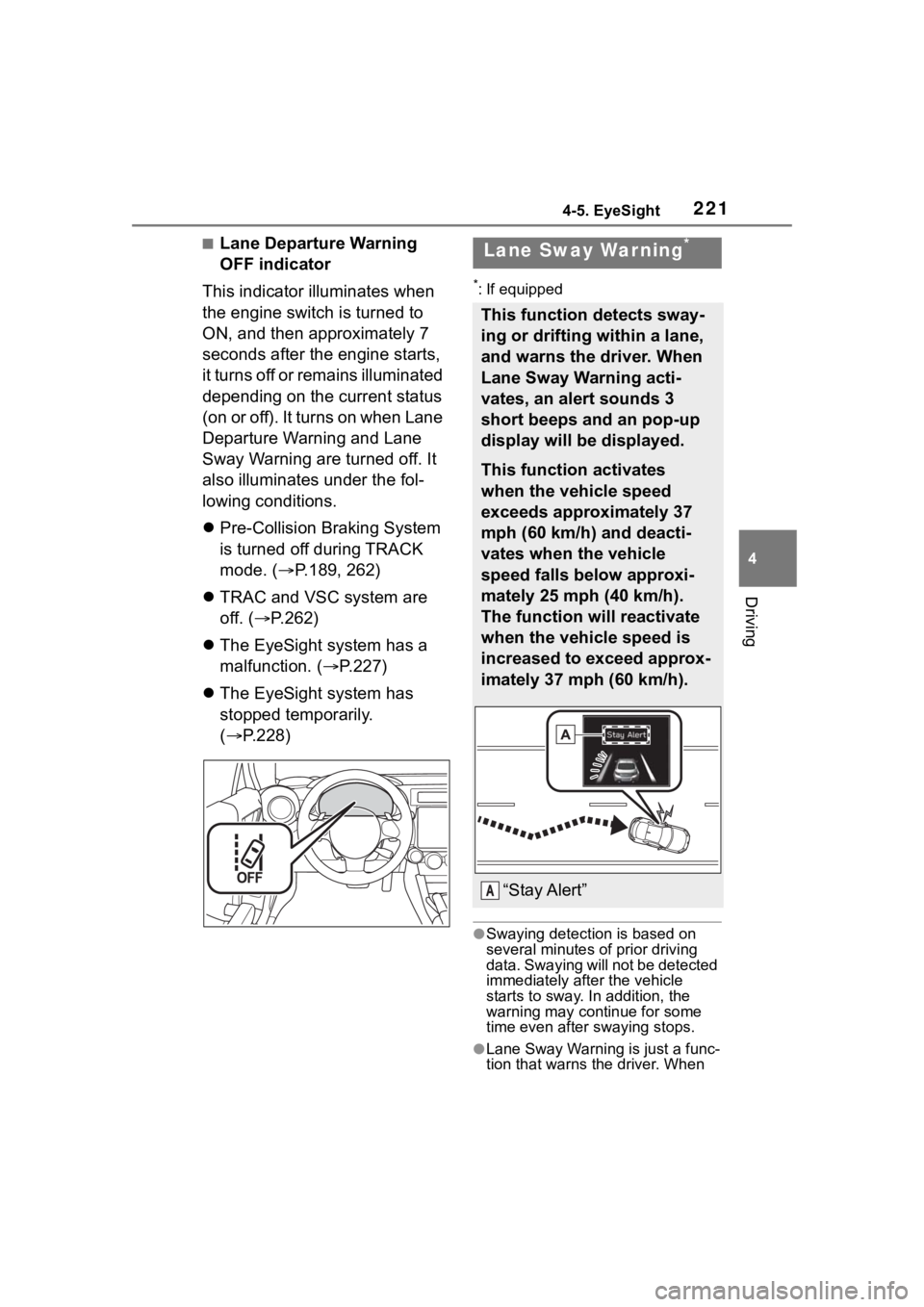
Lane Sway Warning*
This function detects sway-
ing or drifting within a lane,
and warns the driver. When
Lane Sway Warning acti-
vates, an alert sounds 3
short beeps and an pop-up
display will be displayed.
This function activates
when the vehicle speed
exceeds approximately 37
mph (60 km/h) and deacti-
vates when the vehicle
speed falls below approxi-
mately 25 mph (40 km/h).
The function will reactivate
when the vehicle speed is
increased to exceed approx-
imately 37 mph (60 km/h).
“Stay Alert”A
Page 222 of 449
2224-5. EyeSight
the driver is tired, not concentrat-
ing on the road or not paying ade-
quate attention to driving, be sure
to take rest breaks as often as
needed.
●When the Lane Departure Warn-
ing OFF indicator is illuminated,
Lane Sway Warning will not oper-
ate. ( P.222)
Multimedia system screen
Operate the multimedia system screen to turn on/off Lane Sway
Warning. (
P.400)
Multi-information display
Also you can turn on/off Lane
Sway Warning using the meter
operation switch. (P.400)
If Lane Sway Warning is turned
off, the Lane Departure Warning
OFF indicator illuminates.
●The on/off setting for Lane Sway
Warning operates in cooperation
with Lane Departure Warning.
●The on/off status of Lane Sway
Warning is restored when you
restart the engine.
■Lane Departure Warning
OFF indicator
This indicator illuminates when
the engine switch is turned to
ON, and then approximately 7
seconds after the engine starts,
it turns off or remains illuminated
depending on the current status
(on or off). It turns on when Lane
Departure Warning and Lane
Sway Warning are turned off. It
also illuminates under the fol-
lowing conditions.
Pre-Collision Braking System
is turned off during TRACK
mode. ( P.189, 262)
TRAC and VSC system are
off. ( P.262)
The EyeSight system has a
malfunction. ( P.227)
The EyeSight system has
stopped temporarily.
WARNING
Lane Sway Warning will not oper-
ate in all conditions. It also will not
automatically correct swaying. If
the driver relies only on Lane
Sway Warning to prevent the
vehicle from swaying, an accident
may occur.
NOTICE
Under the followin g conditions,
Lane Sway Warning may not
operate.
●On a winding road
●The vehicle speed changes
greatly.
●Immediately after a lane change
●It is difficult for the EyeSight ste-
reo camera to detect lane mark-
ings.
• There are no lane markings or they are the very worn.
• The lane markings are yellow.
• The lane markings are similar in color to the road surface.
• The lane markings are narrow.
Turning on/off Lane Sway
Warning
Page 246 of 449
2464-6. Using other driving systems
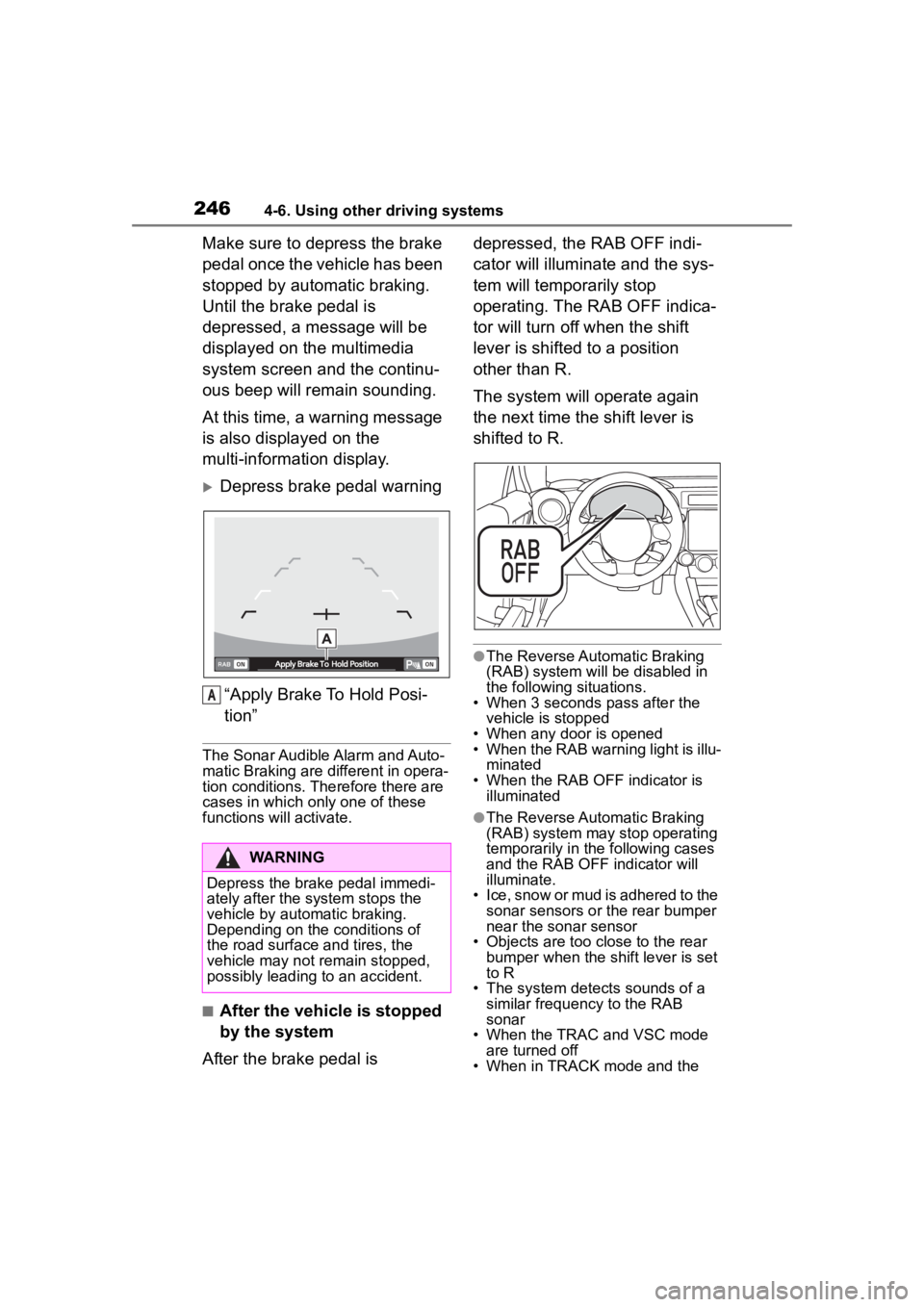
Make sure to depress the brake
pedal once the vehicle has been
stopped by automatic braking.
Until the brake pedal is
depressed, a message will be
displayed on the multimedia
system screen and the continu-
ous beep will remain sounding.
At this time, a warning message
is also displayed on the
multi-information display.
Depress brake pedal warning“Apply Brake To Hold Posi-
tion”
The Sonar Audible Alarm and Auto-
matic Braking are different in opera-
tion conditions. Therefore there are
cases in which only one of these
functions will activate.
■After the vehicle is stopped
by the system
After the brake pedal is depressed, the RAB OFF indi-
cator will illuminate and the sys-
tem will temporarily stop
operating. The RAB OFF indica-
tor will turn off when the shift
lever is shifted to a position
other than R.
The system will operate again
the next time the shift lever is
shifted to R.
●The Reverse Automatic Braking
(RAB) system will be disabled in
the following situations.
• When 3 seconds pass after the vehicle is stopped
• When any door is opened
• When the RAB warning light is illu-
minated
• When the RAB OF F indicator is
illuminated
●The Reverse Automatic Braking
(RAB) system may stop operating
temporarily in the following cases
and the RAB OFF indicator will
illuminate.
• Ice, snow or mud is adhered to the sonar sensors or the rear bumper
near the sonar sensor
• Objects are too close to the rear bumper when the sh ift lever is set
to R
• The system detects sounds of a similar frequency to the RAB
sonar
• When the TRAC and VSC mode are turned off
• When in TRACK mode and the
WARNING
Depress the brake pedal immedi-
ately after the system stops the
vehicle by automatic braking.
Depending on the conditions of
the road surface and tires, the
vehicle may not remain stopped,
possibly leading to an accident.
A
Page 257 of 449
2574-6. Using other driving systems
4
Driving
speed. Then, release the switch.
The vehicle speed at that
moment will be memorized and
treated as the new set speed.
When setting the displayed
unit as “MPH”:
The set speed can be
decreased 1 mph (1.6 km/h)
each time by pushing the cruise
control switch to the “-SET” side.
When setting the displayed
unit as “km/h”:
The set speed can be
decreased 1 km/h (0.6 mph)
each time by pushing the cruise
control switch to the “-SET” side.
■To decrease the speed (by
brake pedal)
1 Depress the brake pedal to
release Conventional Cruise
Control temporarily.
2 When the speed decreases
to the desired speed, push
the cruise control switch to
the “-SET” side once. Now
the desired speed is set and
the vehicle will keep running
at that speed without
depressing the accelerator
pedal.
*: If equipped
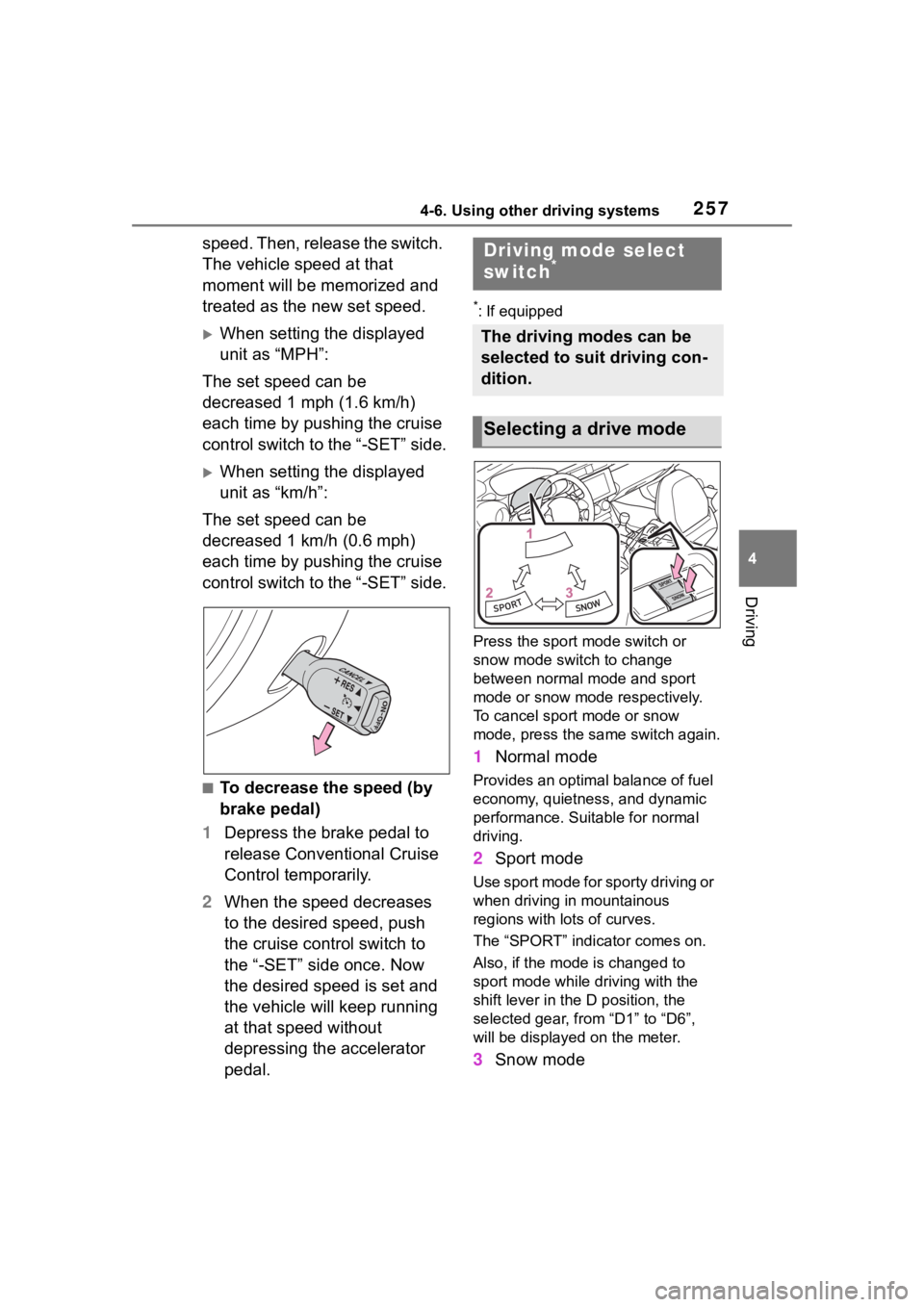
Press the sport mode switch or
snow mode switch to change
between normal mo de and sport
mode or snow mode respectively.
To cancel sport mode or snow
mode, press the sa me switch again.
1Normal mode
Provides an optimal balance of fuel
economy, quietness, and dynamic
performance. Suitable for normal
driving.
2Sport mode
Use sport mode for sporty driving or
when driving in mountainous
regions with lots of curves.
The “SPORT” indicator comes on.
Also, if the mode is changed to
sport mode while driving with the
shift lever in the D position, the
selected gear, from “D1” to “D6”,
will be displayed on the meter.
3Snow mode
Driving mode select
switch*
The driving modes can be
selected to suit driving con-
dition.
Selecting a drive mode
Page 258 of 449
2584-6. Using other driving systems
Use snow mode for accelerating
and driving on slippery road sur-
faces such as snow.
The snow mode indicator comes
on.
■Sport mode
●In sport mode, lower gears are
used and gears change at a
higher engine speed.
●In the following situations, it may
not be possible to change to sport
mode. When the mode cannot be
changed to sport mode, a buzzer
will sound and a message will be
displayed on the multi-information
display.
• When the Adaptive Cruise Control or Conventional Cruise Control is
operating
• When the engine is cold
■Snow mode
To prevent slipping, 1st gear cannot
be selected when in snow mode.
■Automatic deactivation of sport
mode and snow mode
In the following si tuations, the driv-
ing mode is autom atically deacti-
vated:
●When the engine is turned off after
driving in sport mode or snow
mode.
●When the Adaptive Cruise Control
or Conventional Cruise Control is
activated while driving in sport
mode.
●When in sport mode and stop-
ping/starting off is automatically
performed in second gear.
( P.150)
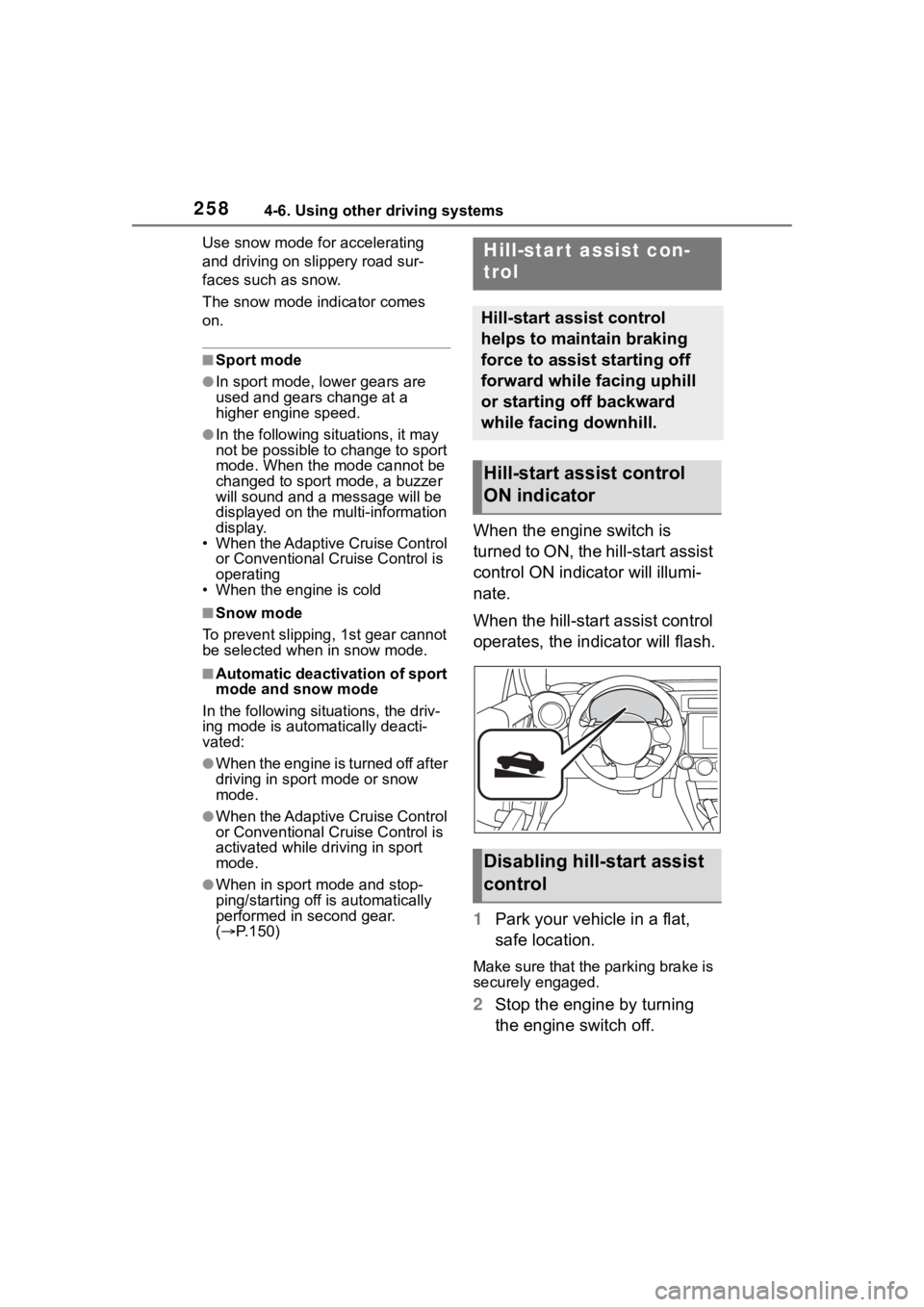
When the engine switch is
turned to ON, the hill-start assist
control ON indicator will illumi-
nate.
When the hill-start assist control
operates, the indicator will flash.
1 Park your vehicle in a flat,
safe location.
Make sure that the parking brake is
securely engaged.
2Stop the engine by turning
the engine switch off.
Hill-star t assist con-
trol
Hill-start assist control
helps to maintain braking
force to assist starting off
forward while facing uphill
or starting off backward
while facing downhill.
Hill-start assist control
ON indicator
Disabling hill-start assist
control
Page 259 of 449
2594-6. Using other driving systems
4
Driving
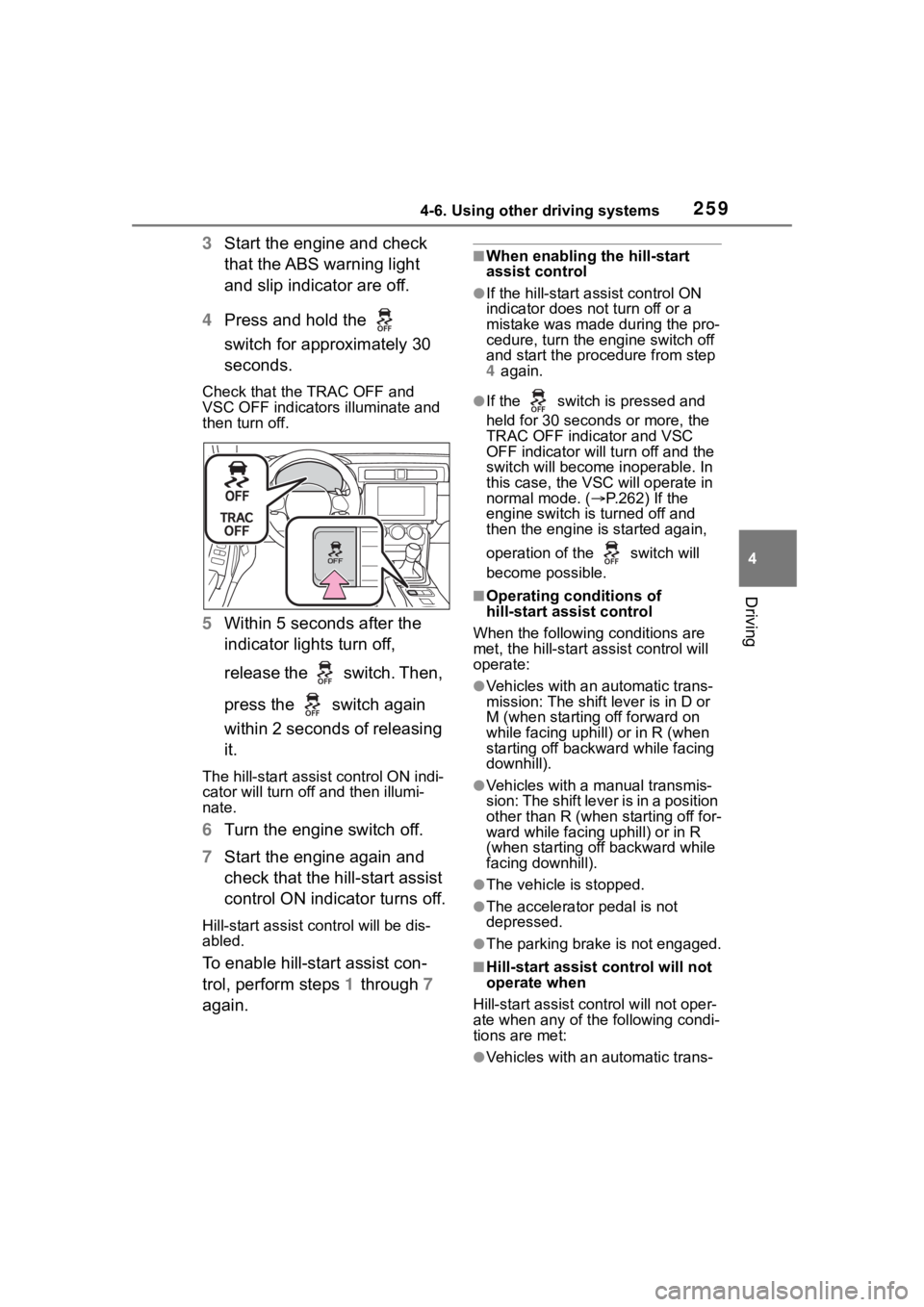
3Start the engine and check
that the ABS warning light
and slip indicator are off.
4 Press and hold the
switch for approximately 30
seconds.
Check that the TRAC OFF and
VSC OFF indicators illuminate and
then turn off.
5 Within 5 seconds after the
indicator lights turn off,
release the switch. Then,
press the switch again
within 2 seconds of releasing
it.
The hill-start assis t control ON indi-
cator will turn off and then illumi-
nate.
6 Turn the engine switch off.
7 Start the engine again and
check that the hill-start assist
control ON indicator turns off.
Hill-start assist control will be dis-
abled.
To enable hill-start assist con-
trol, perform steps 1 through 7
again.
■When enabling the hill-start
assist control
●If the hill-start assist control ON
indicator does n ot turn off or a
mistake was made during the pro-
cedure, turn the e ngine switch off
and start the procedure from step
4 again.
●If the switch is pressed and
held for 30 seconds or more, the
TRAC OFF indicator and VSC
OFF indicator will tu rn off and the
switch will become inoperable. In
this case, the VSC will operate in
normal mode. ( P.262) If the
engine switch is turned off and
then the engine is started again,
operation of the switch will
become possible.
■Operating conditions of
hill-start assist control
When the following conditions are
met, the hill-start assist control will
operate:
●Vehicles with an automatic trans-
mission: The shift lever is in D or
M (when starting off forward on
while facing uphill) or in R (when
starting off backward while facing
downhill).
●Vehicles with a manual transmis-
sion: The shift lever is in a position
other than R (when starting off for-
ward while facing uphill) or in R
(when starting off backward while
facing downhill).
●The vehicle is stopped.
●The accelerator pedal is not
depressed.
●The parking brake is not engaged.
■Hill-start assist control will not
operate when
Hill-start assist cont rol will not oper-
ate when any of the following condi-
tions are met:
●Vehicles with an automatic trans-
Page 262 of 449
2624-6. Using other driving systems
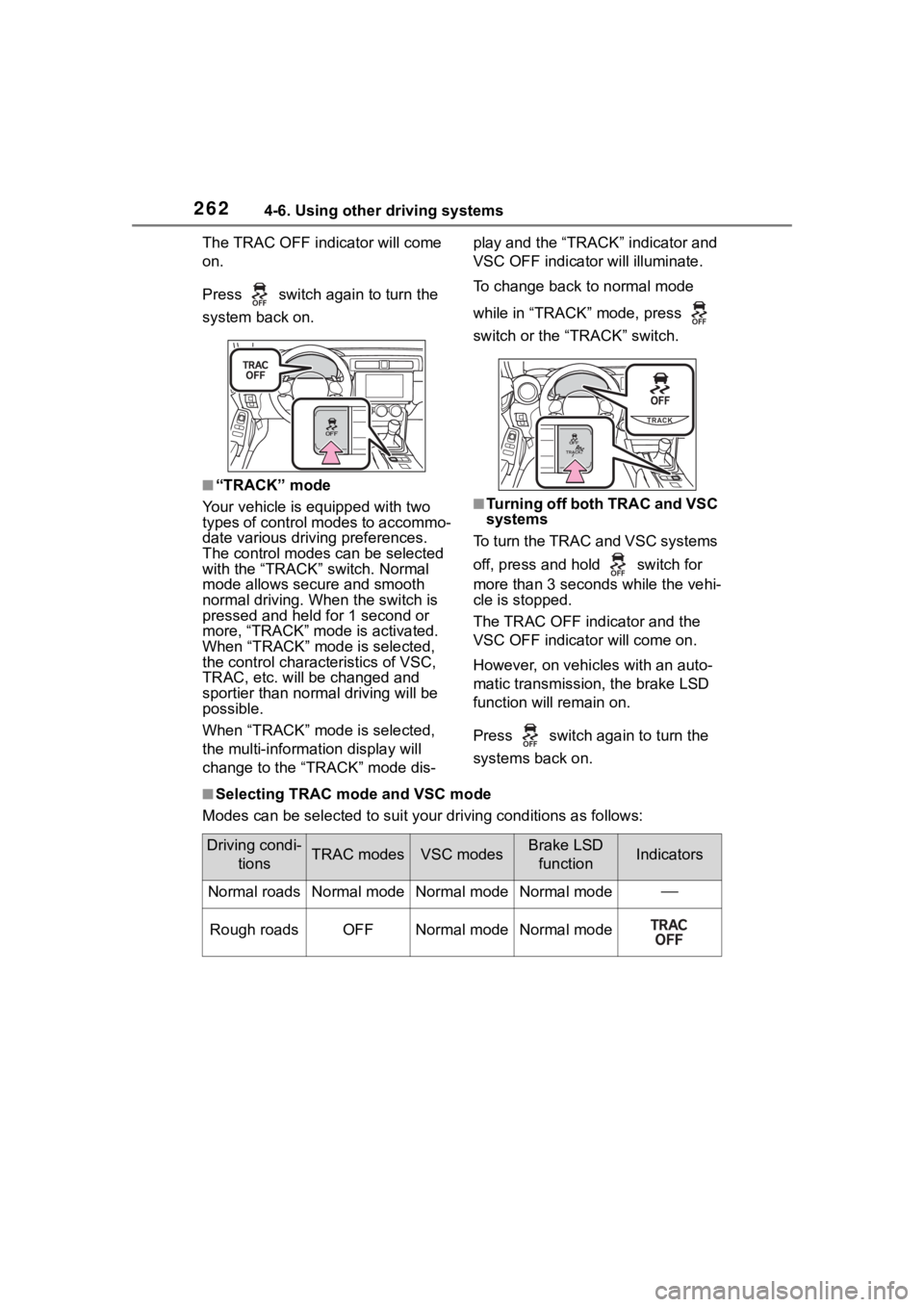
The TRAC OFF indicator will come
on.
Press switch again to turn the
system back on.
■“TRACK” mode
Your vehicle is equipped with two
types of control modes to accommo-
date various drivi ng preferences.
The control modes can be selected
with the “TRACK” switch. Normal
mode allows secure and smooth
normal driving. W hen the switch is
pressed and held for 1 second or
more, “TRACK” mode is activated.
When “TRACK” mode is selected,
the control characteristics of VSC,
TRAC, etc. will be changed and
sportier than normal driving will be
possible.
When “TRACK” mode is selected,
the multi-informat ion display will
change to the “TRACK” mode dis- play and the “TRACK” indicator and
VSC OFF indicato
r will illuminate.
To change back to normal mode
while in “TRACK” mode, press
switch or the “TRACK” switch.
■Turning off both TRAC and VSC
systems
To turn the TRAC and VSC systems
off, press and hold switch for
more than 3 seconds while the vehi-
cle is stopped.
The TRAC OFF ind icator and the
VSC OFF indicator will come on.
However, on vehicles with an auto-
matic transmission, the brake LSD
function will remain on.
Press switch again to turn the
systems back on.
■Selecting TRAC mode and VSC mode
Modes can be selected to suit your driving conditions as follow s:
Driving condi-
tionsTRAC modesVSC modesBrake LSD functionIndicators
Normal roadsNormal modeNormal modeNormal mode
Rough roadsOFFNormal modeNormal mode